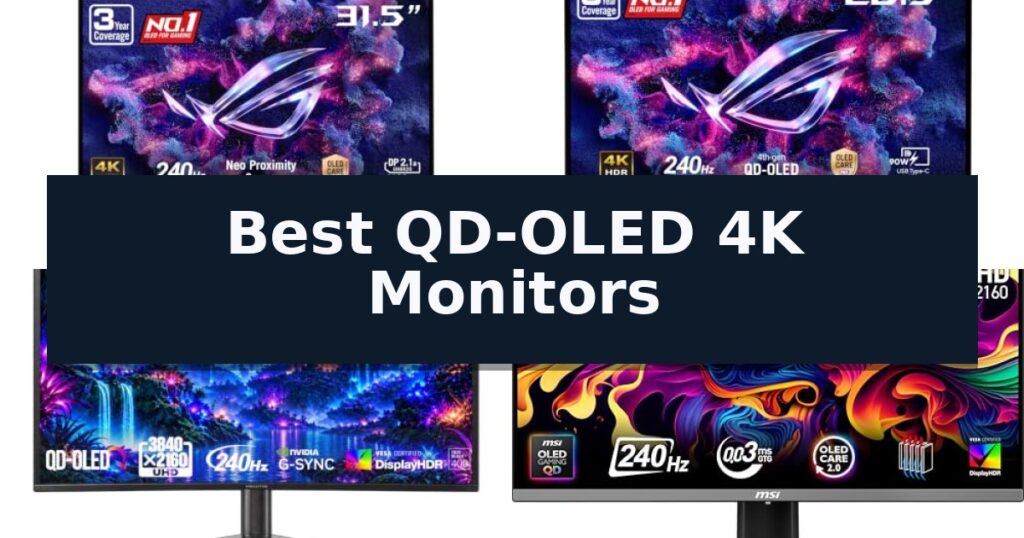
The ASUS ROG PG32UCDMR Gaming Monitor is our top choice for the Best QD-OLED 4K Monitors, offering an advanced OLED Care Pro system with a proximity sensor that effectively manages panel health during long-term use.
For those prioritizing text clarity and desktop productivity, the ASUS ROG XG27UCDMG Gaming Monitor utilizes tandem OLED technology to improve sharpness. Alternatively, the Acer Predator X32 X Gaming Monitor provides a curved 31.5-inch panel designed specifically for immersive gaming environments.
Selecting a high-end display requires balancing raw pixel performance with long-term panel protection. Modern 4K QD-OLED panels deliver exceptional contrast and color depth, but buyers should consider how cooling solutions and burn-in mitigation features impact the longevity of their investment.
For a broader look at the current market, our guide to Best QD-OLED Gaming Monitors provides additional context on how these panels compare across different price points.
10 Best QD-OLED 4K Monitors in 2026 Reviews
Quick Comparison
| Product | Best For | Key Strength | Score |
|---|---|---|---|
| ASUS ROG PG32UCDMR Gaming Monitor | Best Overall | Advanced OLED Care Pro with proximity sensing for burn-in mitigation. | 4.9 |
| ASUS ROG XG27UCDMG Gaming Monitor | Tandem OLED for sharper text | 4th-Generation QD-OLED technology for superior text clarity and image sharpness. | 4.7 |
| Acer Predator X32 X Gaming Monitor | Immersive curved 4K visuals | Quantum dot OLED technology for superior contrast and color accuracy. | 4.6 |
| MSI MAG 272UP QD-OLED Gaming Monitor | Elite response time performance | Elite 0.03ms response time for fluid motion | 4.3 |
| Samsung Odyssey OLED G8 Gaming Monitor | Glare-free 4K clarity | High-density 140 PPI 4K QD-OLED display for exceptional visual clarity. | 4.3 |
| MSI MPG 321URXW Gaming Monitor | Sleek white aesthetic design | Elite 0.03ms response time for fluid motion clarity. | 4.6 |
| ASUS ROG PG32UCDP Gaming Monitor | Dual-mode 480Hz flexibility | Dual Mode switching between 4K 240Hz and FHD 480Hz. | 4.9 |
| Dell 32 Plus S3225QC Gaming Monitor | AI-enhanced spatial audio | AI-driven head-tracking spatial audio for immersive sound. | 4.5 |
| MSI MAG 321UP QD-OLED Gaming Monitor | High-efficiency tandem panel | 4th-Gen QD-OLED panel for exceptional image quality and response times. | 4.4 |
| Samsung Odyssey QD-OLED G8 Gaming Monitor | Advanced thermal cooling system | Pulsating Heat Pipe cooling for superior thermal management | 4.3 |
How We Chose
When evaluating the Best QD-OLED 4K Monitors, we focus on technical specifications that directly influence visual fidelity and monitor lifespan. An experienced reviewer prioritizes the balance between high-speed gaming performance and the sophisticated thermal management required to maintain color accuracy and prevent image retention in self-emissive display technologies.
- Panel Technology and Sub-pixel Layout
- Refresh Rate and Response Time Consistency
- Peak Brightness and HDR True Black Performance
- Burn-in Mitigation and OLED Care Features
- Connectivity Standards including HDMI 2.1 and DisplayPort 2.1
1 ASUS ROG PG32UCDMR Gaming Monitor — Pro-grade burn-in protection
Maintaining screen longevity is a primary concern for high-end display users, and the ASUS ROG PG32UCDMR Gaming Monitor addresses this with its integrated OLED Care Pro technology. This system utilizes a Neo Proximity Sensor to detect user presence, automatically dimming the screen to a black state when you step away to mitigate potential burn-in risks.
Beyond its protective features, this 32-inch QD-OLED panel delivers a high-performance visual experience with a 4K (3840 x 2160) resolution and a 240 Hz refresh rate. Gamers benefit from a rapid 0.03 ms (GTG) response time, ensuring fluid motion during intense sequences. The monitor is also G-SYNC Compatible, providing smooth frame synchronization for supported hardware.
For professional tasks, the display offers 99% DCI-P3 color gamut coverage and true 10-bit color depth, achieving a Delta E < 2 color difference for high-precision work. It is VESA DisplayHDR 400 True Black compliant, delivering deep contrast levels. Users can toggle an optional uniform brightness setting to maintain consistent luminance across the entire screen, which is particularly useful for static productivity applications.
Connectivity is handled via DisplayPort 2.1, HDMI 2.1, and a USB-C port with 90W Power Delivery, allowing for single-cable setups with compatible laptops. The included DisplayWidget Center software provides a mouse-driven interface to manage monitor settings and OLED maintenance functions without needing to navigate physical buttons.
Best for: Users who require a high-refresh 4K OLED display for both competitive gaming and color-critical creative work.
Skip if: Users who prefer a non-OLED panel to avoid any potential for image retention or those who do not require 4K resolution.
- Advanced OLED Care Pro with proximity sensing for burn-in mitigation.
- High-speed 240Hz refresh rate with 0.03ms response time.
- Professional-grade 99% DCI-P3 color accuracy and true 10-bit depth.
- Comprehensive connectivity including DisplayPort 2.1 and 90W USB-C.
- Includes 3-year warranty with burn-in coverage.
- OLED technology inherently requires active care measures to prevent long-term image retention.
- Premium price point associated with high-end QD-OLED hardware.
2 ASUS ROG XG27UCDMG Gaming Monitor — Tandem OLED for sharper text
The ASUS ROG XG27UCDMG Gaming Monitor distinguishes itself with a 26.5-inch 4th-generation QD-OLED panel that delivers a high-resolution 4K experience at a 240Hz refresh rate. By integrating advanced tandem technology, this display aims to provide sharper imagery and improved text clarity compared to previous-generation OLED panels, addressing a common critique of early OLED gaming monitors.
Performance is supported by a rapid 0.03ms response time, ensuring fluid motion for competitive gaming. The monitor includes OLED Anti-Flicker 2.0 Technology, which utilizes a luminance compensation algorithm to reduce flicker by 20%, promoting visual comfort during extended sessions. Thermal management is handled by a custom heatsink design, which helps maintain consistent performance and longevity.
For users prioritizing color accuracy, the monitor is VESA DisplayHDR 400 True Black compliant and covers 99% of the DCI-P3 color gamut. It supports true 10-bit color and maintains a Delta E < 2, making it a viable tool for professional photo and video editing tasks. The inclusion of ASUS OLED Care Pro with a Neo Proximity Sensor adds a layer of protection, as the monitor detects when a user is away and switches to a black screen to mitigate burn-in risks.
The package includes a 3-year warranty that explicitly covers burn-in, providing long-term assurance for the display's lifespan. Additionally, buyers receive a complimentary 3-month subscription to Adobe Creative Cloud, valid through August 2028, enhancing the value for creative professionals who utilize the monitor's color-accurate panel.
Best for: Gamers and creative professionals who require a high-resolution 4K OLED display with robust burn-in protection and professional-grade color accuracy.
Skip if: Users who prefer a larger screen size beyond 27 inches or those who do not require 4K resolution for their specific gaming or workstation needs.
- 4th-Generation QD-OLED technology for superior text clarity and image sharpness.
- 0.03ms response time and 240Hz refresh rate for high-performance gaming.
- OLED Care Pro with proximity sensor to actively reduce burn-in risk.
- 3-year warranty including specific coverage for burn-in.
- Fixed 27-inch screen size may not suit users looking for larger desktop displays.
3 Acer Predator X32 X Gaming Monitor — Immersive curved 4K visuals
The Acer Predator X32 X Gaming Monitor brings a high-performance 31.5-inch 4K UHD canvas to your desk, utilizing quantum dot OLED technology to deliver deep contrast and vivid color reproduction. This display is built for those who prioritize visual fidelity, offering a DCI-P3 99% color gamut and VESA DisplayHDR True Black 400 certification to ensure that dark scenes remain rich and highlights pop with precision.
Designed with an immersive 1700R curvature, the monitor wraps around your field of vision to minimize distractions during long gaming sessions. The hardware is engineered for speed, featuring a 240Hz refresh rate paired with a rapid 0.03ms (G to G) response time. These specifications work together to provide fluid motion and minimal ghosting, which is essential for fast-paced competitive titles.
Connectivity and ergonomics are central to the user experience. The monitor includes 2x HDMI 2.1 and 2x DP ports, alongside a USB-C 65W connection for streamlined device integration. To maintain comfort, the Ergo Stand allows for adjustable tilt, swivel, and height, catering to different desk setups and viewing preferences.
To protect the longevity of the panel, the device incorporates image retention refresh technology, which helps prevent static elements from sticking to the screen over time. With its combination of high-resolution clarity, high-speed performance, and flexible physical adjustments, this monitor serves as a robust hub for demanding gaming environments.
Best for: Gamers who require a high-refresh-rate 4K display with deep contrast and immersive curvature for both competitive and cinematic titles.
Skip if: Users who prefer a flat panel display or those whose desk space cannot accommodate a large 31.5-inch curved footprint.
- Quantum dot OLED technology for superior contrast and color accuracy.
- 240Hz refresh rate and 0.03ms response time for fluid gameplay.
- 1700R curvature provides an immersive, wrap-around viewing experience.
- USB-C 65W connectivity for convenient device charging and data transfer.
- Large 31.5-inch size may be restrictive for smaller desk configurations.
- Curved design is a subjective preference that may not suit all productivity workflows.
4 MSI MAG 272UP QD-OLED Gaming Monitor — Elite response time performance
The MSI MAG 272UP QD-OLED Gaming Monitor leverages a sophisticated Quantum Dot OLED panel to deliver deep black levels and high-speed performance, making it a compelling choice for competitive gaming. By combining 10-bit color depth with self-emitting pixels, the display achieves a 99% DCI-P3 color gamut, ensuring high color accuracy for demanding visual tasks.
Engineered for speed, the monitor features a 240Hz refresh rate and an ultra-fast 0.03ms (GtG) response time. This combination earns it a VESA ClearMR 13000 rating, indicating minimal motion blur during rapid gameplay. To maintain panel longevity without the need for active cooling, the unit incorporates an elite graphene heatsink for fanless operation.
The display is VESA DisplayHDR True Black 400 certified, supporting a native contrast ratio of 1,500,000:1 and peak brightness up to 1,000 nits. MSI includes OLED Care 2.0 software to mitigate burn-in risks, alongside gaming-specific tools like an AI-supported smart crosshair and various game assistance modes.
Connectivity is handled through DisplayPort 1.4a, HDMI 2.1 ports capable of 4K at 240Hz, and a USB Type-C port with 15W power delivery. The design includes a four-way adjustable stand with VESA 100mm compatibility, providing flexible ergonomic positioning for various desk setups.
Best for: Competitive gamers and enthusiasts who require a high-refresh 4K display with near-instantaneous response times and superior contrast.
Skip if: Users who prioritize high-wattage USB-C power delivery for charging power-hungry laptops or those who require a larger screen size beyond 27 inches.
- Elite 0.03ms response time for fluid motion
- Quantum Dot OLED technology for deep blacks and vibrant colors
- HDMI 2.1 connectivity supporting 4K at 240Hz
- Fanless graphene heatsink design for silent operation
- Limited 15W power delivery via USB-C
- 27-inch screen size may be restrictive for users seeking a larger canvas
5 Samsung Odyssey OLED G8 Gaming Monitor — Glare-free 4K clarity
The Samsung 32" Odyssey OLED G8 (G80SH) Gaming Monitor distinguishes itself with a high-density 140 PPI display that brings 4K visuals to life on a 32-inch QD-OLED panel. Designed for high-performance gaming, this monitor balances advanced visual fidelity with a rapid 240Hz refresh rate and a 0.03ms GtG response time to ensure fluid motion during fast-paced sequences.
Engineered to maintain image quality over time, the monitor includes Advanced OLED Safeguard+ technology to assist in preventing burn-in and managing thermal output. The screen features a VESA DisplayHDR True Black 500 certification, providing deep contrast levels, while the integrated Glare Free technology minimizes distracting reflections from ambient light sources.
Connectivity is a primary focus of this model, featuring DP 2.1 support for high-bandwidth data transfer and a USB-C port capable of delivering 98W of power to connected devices. The ergonomic stand offers versatile adjustment options, including tilt, swivel, and pivot, allowing users to customize their viewing angle for extended sessions.
By combining Pantone Validated color accuracy with AMD FreeSync Premium for reduced screen tearing, the Samsung Odyssey OLED G8 serves as a comprehensive solution for users prioritizing both color precision and gaming responsiveness.
Best for: Gamers and professionals who require a high-density 4K QD-OLED display with fast refresh rates and integrated power delivery.
Skip if: Users who prefer a smaller screen size or those who do not require the high-bandwidth capabilities of DP 2.1 and 98W USB-C charging.
- High-density 140 PPI 4K QD-OLED display for exceptional visual clarity.
- 240Hz refresh rate and 0.03ms response time for fluid gaming performance.
- Advanced OLED Safeguard+ technology to help manage screen longevity.
- 98W USB-C power delivery and DP 2.1 connectivity.
- Large 32-inch footprint may not suit compact desk setups.
6 MSI MPG 321URXW Gaming Monitor — Sleek white aesthetic design
The MSI MPG 321URXW QD-OLED distinguishes itself with a specialized graphene heatsink design that enables effective thermal management without the need for active cooling fans. This 31.5-inch display integrates Quantum Dot technology with self-emitting OLED pixels to deliver high-contrast visuals and deep black levels, targeting users who prioritize both color precision and rapid response times in their visual workflow.
Engineered for high-performance tasks, the monitor features a 240Hz refresh rate and a 0.03ms GtG response time, earning a VESA ClearMR 13000 rating. The panel supports 10-bit color depth with 99% DCI-P3 coverage and maintains a Delta E ≤2 accuracy, ensuring consistent color reproduction for demanding applications.
Usability is enhanced through the inclusion of Gaming Intelligence software, which provides tools such as OLED Care 2.0 to assist in panel maintenance. The unit also supports KVM functionality, allowing for seamless control across multiple devices, and includes a 4-way adjustable stand for ergonomic positioning.
Connectivity options are comprehensive, featuring DisplayPort 1.4a, HDMI 2.1, and a USB Type-C port capable of 98W power delivery. This versatility ensures the monitor can handle high-bandwidth signals from various sources, including PCs, consoles, and laptops, while maintaining a clean aesthetic with its white finish.
Best for: Users requiring a high-refresh-rate 4K display with precise color accuracy and integrated KVM functionality for multi-device setups.
Skip if: Users who prefer a smaller screen size or those who do not require the specific color-accurate performance of a QD-OLED panel for their daily tasks.
- Elite 0.03ms response time for fluid motion clarity.
- Graphene heatsink provides fanless, durable thermal management.
- High-speed connectivity including 98W USB-C power delivery.
- OLED Care 2.0 software tools for panel longevity.
- Large 31.5-inch footprint may not suit compact desk environments.
7 ASUS ROG PG32UCDP Gaming Monitor — Dual-mode 480Hz flexibility
The ASUS ROG PG32UCDP Gaming Monitor distinguishes itself through its versatile Dual Mode Display Technology, allowing users to toggle between a high-resolution 4K experience at 240Hz and a high-speed FHD mode at 480Hz. This flexibility caters to both immersive visual tasks and competitive gaming scenarios where frame rate is the priority.
Engineered for longevity, the monitor features a custom heatsink that provides passive cooling to mitigate burn-in risks, supported by ROG-Exclusive OLED Anti-Flicker Technology to maintain visual consistency during fluctuating refresh rates. The inclusion of a Uniform Brightness Setting ensures that luminance remains stable across the entire screen, which is particularly useful for consistent color-critical work.
The display offers a wide color gamut with 99% DCI-P3 coverage and true 10-bit color depth, ensuring vibrant and accurate output. For connectivity, the integrated USB-C port with 90W power delivery streamlines desk setups by supporting display signals and device charging through a single cable, while G-SYNC Compatible certification helps maintain smooth motion.
Usability is enhanced by the DisplayWidget Center Software, which simplifies access to OLED Care functions and display adjustments. The package includes a 3-year warranty that explicitly covers burn-in, providing long-term assurance for the OLED panel's performance.
Best for: Competitive gamers and creative professionals who require the flexibility to switch between high-resolution 4K and ultra-high-refresh FHD modes.
Skip if: Users who primarily require a smaller screen footprint or those who do not need the specific dual-mode refresh rate functionality.
- Dual Mode switching between 4K 240Hz and FHD 480Hz.
- Custom heatsink cooling system designed to reduce burn-in risk.
- 90W USB-C power delivery for streamlined connectivity.
- 3-year warranty including burn-in coverage.
- Large 32-inch form factor may not suit compact desk setups.
8 Dell 32 Plus S3225QC Gaming Monitor — AI-enhanced spatial audio
The Dell 32 Plus 4K QD-OLED Monitor S3225QC distinguishes itself through an integrated AI-driven head-tracking system that powers its 3D spatial audio. By utilizing five 5W speakers, the monitor adjusts sound output based on your physical position, creating a dynamic auditory environment that complements its high-end display capabilities.
Visual performance is anchored by QD-OLED technology, which provides a 4K resolution and a 99% DCI-P3 color gamut for color-accurate, lifelike imagery. The panel is further enhanced by Dolby Vision and VESA DisplayHDR True Black 400, ensuring deep contrast and detail. For motion-heavy tasks, the monitor supports a 120Hz refresh rate and an ultra-low 0.03ms response time, with AMD FreeSync Premium Pro included to mitigate screen tearing.
Designed for modern workflows, the monitor simplifies cable management through a single USB-C connection that offers up to 90W of power delivery. Accessibility is prioritized with pop-out quick-access ports, including a secondary USB-C port providing 15W of power for peripherals. To support long-term use, the display includes ComfortView Plus, an always-on feature intended to reduce blue light exposure without compromising color fidelity.
The chassis is engineered for ergonomic flexibility, featuring height, tilt, swivel, and slant adjustments to accommodate various viewing angles. While the monitor offers a robust feature set, users should note that the 31.6-inch footprint requires sufficient desk space, and the specialized audio and display features are optimized for users prioritizing integrated multimedia performance over minimalist, panel-only designs.
Best for: Users who want an all-in-one display solution that combines high-fidelity 4K QD-OLED visuals with integrated, AI-tracked spatial audio.
Skip if: Users who already own a dedicated high-end sound system or those with limited desk space who prefer a smaller, non-integrated monitor.
- AI-driven head-tracking spatial audio for immersive sound.
- QD-OLED 4K panel with 99% DCI-P3 color coverage.
- 90W USB-C power delivery for streamlined connectivity.
- 0.03ms response time for smooth, tear-free motion.
- Large 31.6-inch footprint may not suit compact workspaces.
- Integrated audio hardware increases the overall physical size of the monitor housing.
9 MSI MAG 321UP QD-OLED Gaming Monitor — High-efficiency tandem panel
The MSI MAG 321UP QD-OLED Gaming Monitor centers its performance around a sophisticated 5-layer tandem OLED panel utilizing EL Gen 3 technology. This architectural choice is specifically engineered to improve light efficiency by up to 30%, providing a foundation for the display's high-fidelity output. By integrating 4th-Gen QD-OLED technology, the monitor achieves a balance between rapid response times and vivid color reproduction, catering to users who demand precision for both competitive gaming and professional content creation.
Visual fidelity is maintained through a 3840 x 2160 4K UHD resolution across a 31.5-inch viewable area, ensuring sharp detail for high-resolution media. The monitor is factory-calibrated to a Delta E≤2 color accuracy rating, which aligns with professional standards for color-critical work. To address motion blur, the unit features VESA ClearMR 13000 certification, a specification that quantifies the monitor's ability to maintain clarity during high-speed movement, making it a functional asset for fast-paced gaming environments.
For HDR content, the display utilizes VESA DisplayHDR True Black 500 certification and reaches a peak brightness of 1000 nits. This high dynamic range capability allows for deep, true black levels alongside bright highlights, providing significant contrast in varied lighting conditions. The inclusion of Adaptive Sync, FreeSync Premium Pro, and G-Sync Compatibility ensures that the monitor synchronizes effectively with various graphics hardware to minimize screen tearing and stuttering.
The physical design of the monitor reflects its large 31.5-inch footprint, which provides an immersive viewing experience but requires a substantial desk surface. While the panel technology offers significant advantages in brightness and color, users should consider the spatial requirements of a 32-inch class display before integration into smaller workstations. This monitor serves as a high-performance solution for those prioritizing visual depth and motion clarity in a 4K format.
Best for: Gamers and creative professionals who require a high-resolution 4K display with superior HDR performance and precise color accuracy.
Skip if: Users who prefer a smaller monitor footprint or those who do not require the high-end brightness and color capabilities of a 4K QD-OLED panel.
- 4th-Gen QD-OLED panel for exceptional image quality and response times.
- 1000 nits peak brightness for a superior HDR experience.
- VESA ClearMR 13000 certified for high-motion clarity.
- Delta E≤2 color accuracy for professional-grade color reproduction.
- Large 32-inch form factor may be too substantial for smaller desk setups.
10 Samsung Odyssey QD-OLED G8 Gaming Monitor — Advanced thermal cooling system
The Samsung 32” Odyssey QD-OLED G8 (G81SF) distinguishes itself with a world-first Pulsating Heat Pipe cooling system, designed to diffuse heat five times faster than traditional graphite sheets to protect the panel from burn-in. This 4K monitor leverages QD-OLED technology to deliver deep, rich blacks and high contrast, supported by VESA DisplayHDR TrueBlack 400 certification for precise shadow detail.
Engineered for high-performance gaming, the display features a 240Hz refresh rate and an ultra-fast 0.03ms GtG response time. To maintain visual clarity during intense movement, the monitor integrates AMD FreeSync Premium Pro and is G-Sync compatible, effectively minimizing screen tearing and input lag for a smoother competitive experience.
Samsung has prioritized long-term panel health through active thermal management. Beyond the cooling pipe, a Thermal Modulation System uses algorithms to regulate brightness dynamically, while Logo & Taskbar Detection automatically dims static on-screen elements to mitigate the risk of image retention during extended desktop use.
The physical design focuses on both utility and immersion. The Glare Free technology reduces screen reflections by 54% compared to standard anti-reflection films, ensuring visibility in varied lighting conditions. Additionally, the integrated CoreSync and CoreLighting+ systems project on-screen colors into the user's environment, while the ergonomic stand allows for precise tilt adjustments to optimize viewing angles.
Best for: Competitive gamers and power users who require high-speed 4K performance and advanced thermal protection for OLED panel longevity.
Skip if: Users who primarily perform static-heavy professional design work where the risk of burn-in remains a concern despite automated mitigation features.
- Pulsating Heat Pipe cooling for superior thermal management
- Ultra-responsive 0.03ms GtG response time
- Glare Free technology significantly reduces ambient light reflections
- Logo & Taskbar Detection to prevent static image burn-in
- Premium price point associated with advanced QD-OLED cooling technology
Best QD-OLED 4K Monitors Buying Guide
Understanding QD-OLED Advantages
QD-OLED technology combines the self-emissive nature of OLED with quantum dot color conversion. This results in superior color volume and deeper blacks compared to traditional LED or IPS panels, making these monitors ideal for both high-end gaming and professional color-critical work.
Because each pixel produces its own light, these monitors achieve near-infinite contrast ratios. This eliminates the blooming or halo effects often seen in local-dimming backlight displays, providing a cleaner image during dark scenes in games or movies.
Refresh Rates and Motion Clarity
A 240Hz refresh rate is the current standard for high-end 4K OLED displays, providing fluid motion that is essential for competitive gaming. When paired with a 0.03ms response time, these monitors virtually eliminate ghosting and motion blur.
Some newer models offer dual-mode functionality, allowing users to switch between 4K at 240Hz for visual fidelity and a higher refresh rate at a lower resolution for competitive titles. This versatility is a significant factor for gamers who play a variety of genres.
Burn-in Mitigation Strategies
Burn-in remains a primary concern for OLED owners, particularly those who use their monitors for static desktop tasks. Manufacturers now include advanced software and hardware features, such as pixel shifting, logo brightness dimming, and custom heatsinks, to manage heat and prevent permanent image retention.
Proximity sensors and automated screen-saver functions are increasingly common. These features detect when a user is away from the desk and proactively dim or turn off the screen, significantly extending the panel's lifespan without requiring manual intervention.
Connectivity and Future-Proofing
To fully utilize a 4K 240Hz signal, ensure your monitor supports the latest connectivity standards. HDMI 2.1 and DisplayPort 2.1 are critical for maintaining high bandwidth, especially if you plan to connect both a high-end PC and a modern gaming console.
USB-C power delivery is a convenient addition for those using laptops as their primary source. A monitor that provides 90W or higher power delivery can charge most modern ultrabooks and gaming laptops while simultaneously receiving a video signal through a single cable.
Ergonomics and Physical Design
The physical build of a monitor affects long-term comfort. Look for stands that offer height, tilt, swivel, and pivot adjustments to ensure the screen is at eye level, which is vital for preventing neck strain during extended sessions.
Curvature is a subjective preference, but a subtle curve, such as 1700R, can improve immersion on larger 32-inch panels by keeping the edges of the screen closer to your peripheral vision. Consider your desk space and viewing distance before choosing between flat and curved models.
Frequently Asked Questions
Do QD-OLED monitors require special maintenance?
Yes, they benefit from built-in OLED care features. It is recommended to keep these features enabled and avoid leaving static images, such as taskbars or browser windows, on the screen for extended periods.
Are these monitors suitable for professional photo editing?
Many QD-OLED monitors offer 99% DCI-P3 color gamut coverage and true 10-bit color, making them excellent for color-accurate work, provided the user calibrates the display and manages brightness settings.
What is the difference between WOLED and QD-OLED?
QD-OLED uses quantum dots to produce color, which generally results in higher color brightness and volume compared to traditional WOLED panels, which use a white sub-pixel.
Can I use these monitors with a PS5 or Xbox?
Yes, most modern 4K OLED monitors with HDMI 2.1 support console-specific features like 4K at 120Hz, ensuring a smooth experience for console gamers.
Is 32 inches too large for a 4K monitor?
32 inches is widely considered the sweet spot for 4K resolution, offering a high pixel density that results in sharp text and detailed imagery without requiring aggressive Windows scaling.
Conclusion: Our Top Pick
Our top pick is ASUS ROG PG32UCDMR Gaming Monitor. Choosing the right QD-OLED monitor depends on your primary use case, whether that is competitive gaming, content creation, or general media consumption. Prioritize models with robust cooling and burn-in protection to ensure your display remains vibrant for years to come.
By focusing on connectivity, refresh rate, and ergonomic flexibility, you can find a display that enhances your workflow and gaming experience. Always verify that your hardware supports the necessary bandwidth to drive these high-performance panels at their full potential.