Razer Huntsman V3 Pro TKL Gaming Keyboard is our pick for the Best Razer Gaming Keyboard because it integrates advanced Rapid Trigger and Snap Tap technology for competitive precision. For those prioritizing wireless freedom, the Razer BlackWidow V4 TKL Wireless offers low-latency connectivity, while the Razer BlackWidow V4 Pro provides extensive macro control for power users.
Selecting a keyboard from this lineup requires balancing your specific playstyle against physical desk constraints. Competitive players often benefit from the rapid actuation and compact layouts found in the Huntsman series, whereas enthusiasts seeking a tactile typing experience or dedicated command keys may prefer the BlackWidow V4 variants.
Understanding the differences between optical, mechanical, and hybrid switches is essential for finding the right fit. While some models emphasize raw speed for tactical shooters, others focus on comfort, sound dampening, or programmable versatility to support complex workflows and long gaming sessions.
If you are looking for more options that prioritize input speed, our guide on the Best Rapid Trigger Keyboard provides further insight into switch performance. For users who need a quieter typing environment, we also cover the Best Quiet Mechanical Gaming Keyboards to help you minimize noise in your workspace.
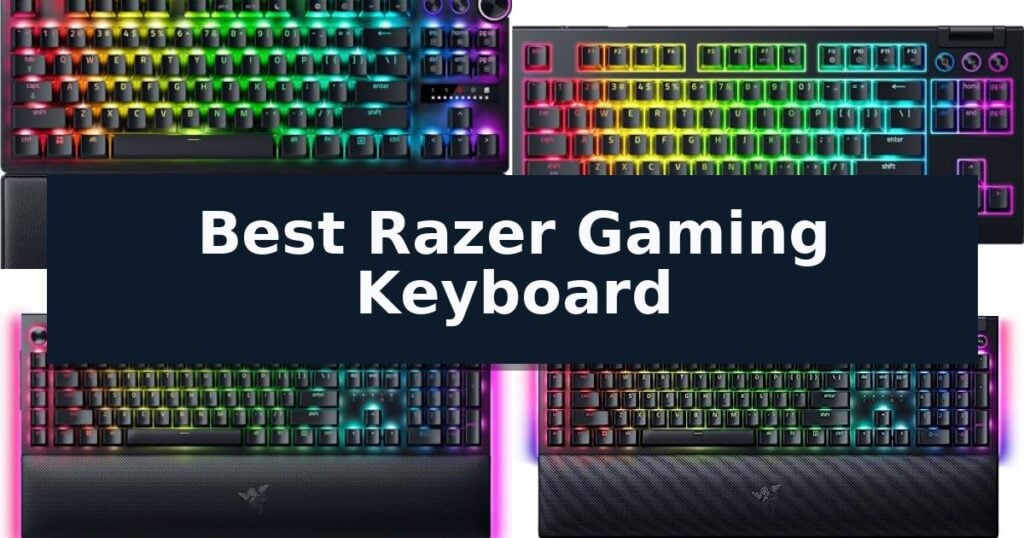
10 Best Razer Gaming Keyboard in 2026 Reviews
Quick Comparison
| Product | Best For | Key Strength | Score |
|---|---|---|---|
| Razer Huntsman V3 Pro TKL Gaming Keyboard | Best Overall | Rapid Trigger and Snap Tap technology for superior movement responsiveness. | 4.9 |
| Razer BlackWidow V4 TKL Wireless Gaming Keyboard | Freedom from cables without latency | Hot-swappable PCB supports 3-pin and 5-pin switches for extensive customization. | 4.6 |
| Razer BlackWidow V4 Pro Gaming Keyboard | Ultimate command for power users | Programmable Command Dial for custom function assignment. | 4.9 |
| Razer BlackWidow V4 Gaming Keyboard | Tactile feel with extra macro controls | Green Mechanical Clicky Switches provide distinct tactile and audible feedback. | 4.5 |
| Razer BlackWidow V4 X Gaming Keyboard | Quiet linear switches for rapid inputs | Rapid-fire linear switches with a 1.2mm actuation distance. | 4.6 |
| Razer Huntsman Mini Gaming Keyboard | Ultra-compact for minimal desk space | Optical beam-based actuation for faster response times than traditional switches. | 4.7 |
| Razer Reclusa X Mini Gaming Keyboard | Hot-swappable switches for enthusiasts | Hot-swappable PCB supports both 3-pin and 5-pin switches for easy customization. | 4.8 |
| Razer Ornata V3 Gaming Keyboard | Comfortable low-profile hybrid keys | Mecha-Membrane switches provide a unique hybrid typing experience. | 4.7 |
| Razer Ornata V3 TKL Gaming Keyboard | Compact hybrid design for smaller desks | Mecha-Membrane switches offer a unique blend of clicky feedback and cushioned comfort. | 4.6 |
| Razer Tartarus V2 Gaming Keypad | Dedicated control for one-handed play | 32 fully programmable keys allow for extensive macro customization. | 4.8 |
How We Chose
To identify the best gaming keyboard in this category, we evaluate how specific switch types and layout designs impact real-world responsiveness and desk ergonomics. We prioritize features that directly influence input speed and customization, ensuring that each recommendation aligns with the distinct needs of competitive gamers, enthusiasts, and power users.
- Switch technology (Optical vs. Mechanical vs. Mecha-Membrane)
- Form factor and desk footprint (Full-size, TKL, 65%, 60%)
- Input responsiveness (Rapid Trigger and Snap Tap capabilities)
- Connectivity options (Wired vs. Wireless/Bluetooth)
- Programmability and media control features
1 Razer Huntsman V3 Pro TKL Gaming Keyboard — Pro-grade speed for competitive FPS
Precision and speed define the Razer Huntsman V3 Pro TKL Gaming Keyboard, a device engineered specifically to meet the rigorous demands of competitive esports. By utilizing Analog Optical Switches Gen-2, this keyboard allows for highly customizable actuation points ranging from 0.1mm to 4.0mm, ensuring that every input is registered with exactitude.
The keyboard integrates advanced Rapid Trigger functionality, which resets keys at the slightest lift of a finger. This feature is paired with Razer Snap Tap, a technology that enables near-instant directional changes by prioritizing the latest input between two movement keys. These capabilities are designed to provide a distinct advantage in tactical shooters where counter-strafing and movement speed are critical.
Designed for tournament environments, the Razer Huntsman V3 Pro TKL Gaming Keyboard features a 5052 aluminum alloy top plate and doubleshot PBT keycaps that resist shine and wear. The compact tenkeyless (TKL) layout maximizes desk space for low-sensitivity mouse movements, while the included magnetic leatherette wrist rest provides ergonomic support during extended sessions.
Usability is enhanced through a multi-function digital dial and dedicated control buttons, allowing for quick adjustments to volume, media playback, and switch settings. Users can fine-tune performance directly on the hardware using an integrated LED array, with settings saved to onboard memory for consistent performance across different tournament setups without the need for additional software.
Best for: Competitive FPS players and esports athletes who require ultra-responsive movement and customizable actuation.
Skip if: Users who prefer a full-sized keyboard layout with a dedicated number pad for productivity or data entry tasks.
- Rapid Trigger and Snap Tap technology for superior movement responsiveness.
- Adjustable actuation from 0.1mm to 4.0mm for personalized input sensitivity.
- Durable construction featuring an aluminum top plate and doubleshot PBT keycaps.
- Onboard profile storage for software-free tournament customization.
- Tenkeyless design lacks a dedicated number pad.
- Wired-only connection may not suit users prioritizing a wireless desk setup.
2 Razer BlackWidow V4 TKL Wireless Gaming Keyboard — Freedom from cables without latency
The Razer BlackWidow V4 TKL Wireless Gaming Keyboard prioritizes versatility and performance by offering hot-swappable switch support for both 3-pin and 5-pin mechanical switches. This design choice allows users to tailor their typing feel and acoustic profile without needing to replace the entire unit, supported by pre-installed Razer Orange Tactile Switches Gen-3 for quiet, tactile feedback.
Engineered for competitive environments, the keyboard features Razer HyperSpeed Wireless technology to minimize latency during intense gaming sessions. For users balancing work and play, it provides the flexibility to connect to up to three Bluetooth devices simultaneously, ensuring seamless transitions between different computing tasks.
The internal construction focuses on refined acoustics, utilizing a top-mounted stainless-steel plate, a tape-enhanced PCB, and dual sound-dampening foam layers. These features, combined with lubricated stabilizers, work to reduce unwanted noise, resulting in a cleaner sound profile during rapid keystrokes.
Control is centralized through a multi-function roller and three dedicated buttons, which are fully remappable via Razer Synapse to suit individual workflows. The device is built for longevity, boasting a 100-million keystroke lifespan, N-key rollover, and anti-ghosting capabilities to ensure reliable input registration under pressure.
Power management is a key consideration, with the keyboard offering up to 980 hours of battery life when used in Bluetooth mode. The integration of Razer Chroma RGB allows for per-key customization, providing dynamic lighting effects that sync with hundreds of integrated games for a personalized desktop aesthetic.
Best for: Competitive gamers and professionals who require a low-latency wireless connection and the ability to customize switch feel.
Skip if: Users who require a full-sized keyboard with a dedicated number pad for data entry or spreadsheet tasks.
- Hot-swappable PCB supports 3-pin and 5-pin switches for extensive customization.
- Razer HyperSpeed Wireless provides low-latency performance for competitive gaming.
- Dual sound-dampening foam and lubricated stabilizers improve typing acoustics.
- Multi-function roller offers convenient, remappable control over media and device settings.
- Tenkeyless (TKL) form factor lacks a dedicated number pad.
- Battery life varies significantly based on RGB lighting intensity and connection mode.
3 Razer BlackWidow V4 Pro Gaming Keyboard — Ultimate command for power users
The Razer BlackWidow V4 Pro Gaming Keyboard distinguishes itself through a dedicated, programmable Command Dial that provides tactile control over custom functions, allowing for precise adjustments during intense gaming sessions. This mechanical keyboard is engineered for users who require both extensive customization and high-performance hardware in their desktop setup.
Equipped with Razer Green Mechanical Switches, the keyboard delivers a distinct tactile and clicky response with each keystroke. The inclusion of eight dedicated macro keys ensures that essential commands are always within reach, while the doubleshot ABS keycaps feature extra-thick walls to maintain durability and label clarity even after prolonged, repeated use.
Aesthetic and ergonomic considerations are integrated through a magnetic plush leatherette wrist rest that features its own Razer Chroma RGB underglow. When combined with the keyboard's per-key lighting and three-sided underglow, the unit provides a cohesive visual experience that syncs seamlessly with other compatible battlestation equipment.
While the keyboard offers significant command capabilities, its physical footprint is substantial, measuring over 18 inches in length. Users with limited desk space or those prioritizing a minimalist aesthetic may find the size and the requirement for a dedicated wrist rest to be factors to consider when planning their workspace layout.
Best for: Power users who require extensive macro customization, tactile switch feedback, and integrated lighting control for a comprehensive gaming setup.
Skip if: Users with limited desk space or those who prefer a compact, tenkeyless, or low-profile keyboard design.
- Programmable Command Dial for custom function assignment.
- Eight dedicated macro keys for enhanced command efficiency.
- Tactile and clicky Razer Green Mechanical Switches.
- Durable doubleshot ABS keycaps with thick walls.
- Magnetic plush wrist rest with integrated RGB underglow.
- Large physical footprint may not suit compact desk setups.
4 Razer BlackWidow V4 Gaming Keyboard — Tactile feel with extra macro controls
The Razer BlackWidow V4 Gaming Keyboard is engineered for users who prioritize immediate, physical feedback during intense gaming sessions. At its core, the keyboard utilizes Green Mechanical Clicky Switches, which feature a 1.9mm actuation point and require 50g of force to register. This specific mechanical design provides a distinct tactile bump and audible click, allowing for precise, rapid-fire inputs where the user can physically feel exactly when a command has been triggered.
Beyond the primary switches, the unit includes 6 dedicated macro keys that allow for the mapping of complex command sequences directly to the hardware. This functionality is supported by a robust build quality, featuring doubleshot ABS keycaps. The doubleshot molding process creates extra-thick walls and ensures that the key labels are part of the structure itself, preventing the fading or wear often seen with printed keycaps over long periods of heavy use.
Aesthetic and ergonomic considerations are integrated into the design to support extended play. The keyboard features Razer Chroma RGB per-key lighting, which includes a 2-side underglow to enhance visual immersion by syncing with compatible game titles. To maintain comfort during long sessions, the keyboard comes with a magnetic plush leatherette wrist rest that snaps securely into place, providing a cushioned surface for the wrists.
Measuring 18.36 inches in length and 6.01 inches in width, the keyboard provides a stable, full-size footprint for desktop setups. While this size offers a comprehensive layout, it is a trade-off for users with limited desk space. The audible nature of the clicky switches also makes this model more suitable for private gaming environments rather than shared or quiet office spaces.
Best for: Gamers who prioritize tactile, clicky feedback and require dedicated macro keys for complex command sequences.
Skip if: Users who prefer a silent typing experience or those with limited desk space who require a compact, tenkeyless form factor.
- Green Mechanical Clicky Switches provide distinct tactile and audible feedback.
- 6 dedicated macro keys offer customizable command expansion.
- Doubleshot ABS keycaps ensure durable, fade-resistant labeling.
- Magnetic plush leatherette wrist rest enhances comfort during extended sessions.
- Clicky switch profile may be too loud for shared or quiet office environments.
- Full-size footprint occupies significant desk space compared to smaller layouts.
5 Razer BlackWidow V4 X Gaming Keyboard — Quiet linear switches for rapid inputs
The Razer BlackWidow V4 X Gaming Keyboard prioritizes rapid-fire input through its specialized yellow mechanical linear switches, which feature an actuation and reset point of just 1.2mm. This design choice, paired with a 45g actuation force, is engineered for gamers seeking immediate responsiveness during intense sessions.
Beyond its switches, the keyboard integrates six dedicated macro keys that allow for custom command mapping to suit specific playstyles. The inclusion of a multi-function roller and secondary media keys provides tactile control over volume, brightness, and playback, streamlining adjustments without requiring users to exit their active window.
Acoustics and durability are addressed through a combination of internal sound-dampening foam and lubricated stabilizers, which work to minimize noise during keystrokes. The keycaps are constructed using a doubleshot ABS molding process, ensuring that labels remain legible over time while providing a robust build quality.
Visually, the unit utilizes Chroma RGB per-key lighting, supported by a switch construction designed to promote brighter, more even illumination across the board. This lighting system is compatible with hundreds of Chroma-integrated games, allowing for dynamic, responsive effects that sync with in-game actions.
Best for: Gamers who require rapid, quiet linear switches and dedicated macro keys for complex command execution.
Skip if: Users who prefer the tactile, audible feedback of clicky mechanical switches or those requiring a compact tenkeyless form factor.
- Rapid-fire linear switches with a 1.2mm actuation distance.
- Six dedicated macro keys for expanded command control.
- Improved acoustics via sound-dampening foam and lubricated stabilizers.
- Doubleshot ABS keycaps for long-term label durability.
- Full-sized footprint may occupy significant desk space.
- ABS keycap material is generally less resistant to shine than PBT alternatives.
6 Razer Huntsman Mini Gaming Keyboard — Ultra-compact for minimal desk space
The Razer Huntsman Mini Gaming Keyboard prioritizes desk space and rapid input through its ultra-compact 60% form factor and proprietary optical switch technology. By utilizing an optical beam-based actuation, these switches register key presses at the speed of light, offering an actuation distance of 1.0 mm—roughly 15-30% shorter than traditional mechanical alternatives.
Built for durability and performance, the keyboard features a matte aluminum top frame that provides structural integrity during intense gaming sessions. The keycaps are crafted from high-grade, textured doubleshot PBT, which resists oil buildup and maintains a consistent finish over time. For users requiring complex command execution, the device supports fully programmable macros via Razer Hypershift, allowing for extensive key remapping.
Advanced software integration through Razer Synapse 4 introduces the Snap Tap feature, which prioritizes the latest input between assigned keys to enhance responsiveness during movement-heavy gameplay. The lighting ecosystem is powered by Razer Chroma RGB, providing 16.8 million color options that sync across hardware, games, and third-party partner devices. Onboard memory allows for settings to be stored directly on the device for use across different systems.
While the compact design is ideal for minimal setups, it necessitates the use of secondary layers for functions typically found on full-sized boards. The device measures 11.56 x 4.07 x 1.45 inches and weighs 1.1 pounds, making it a portable solution for those who prioritize a clean, uncluttered workspace without sacrificing high-speed input capabilities.
Best for: Gamers who require a compact, high-speed input device with extensive lighting customization and programmable macro support.
Skip if: Users who rely heavily on a dedicated number pad or physical arrow keys for productivity and data entry tasks.
- Optical beam-based actuation for faster response times than traditional switches.
- Durable doubleshot PBT keycaps that resist oil and grime.
- Razer Snap Tap functionality for prioritized, responsive in-game movement.
- Aluminum top frame for increased structural integrity.
- 60% form factor lacks dedicated arrow keys and a number pad, requiring secondary layers for full functionality.
7 Razer Reclusa X Mini Gaming Keyboard — Hot-swappable switches for enthusiasts
Customization is the primary focus of the Razer Reclusa X Mini Gaming Keyboard, which features a hot-swappable PCB compatible with both 3-pin and 5-pin mechanical switches. This design choice allows enthusiasts to modify their typing feel and acoustic profile without soldering, providing a tool-friendly path for hardware upgrades.
Performance is driven by the included Razer Orange Tactile Mechanical Switches Gen-3, engineered to deliver precise feedback with a quieter actuation suitable for both gaming and productivity. To refine the typing experience, the keyboard incorporates a PPS plate, custom stabilizers, and dual-layer silicone dampening, which work together to reduce resonance and create a more solid, plush bottom-out feel.
The Razer Reclusa X Mini Gaming Keyboard utilizes a space-saving 65% form factor that keeps essential keys accessible while maximizing desk real estate. It connects via a detachable USB-C cable and supports a 1000Hz polling rate, N-key rollover, and anti-ghosting to ensure reliable input registration during fast-paced competitive play.
Aesthetics and durability are addressed through the use of doubleshot ABS keycaps, which feature fade-resistant legends and a consistent texture. The board is illuminated by per-key Razer Chroma RGB lighting, utilizing south-facing LEDs to improve compatibility with a wider variety of aftermarket keycap sets, allowing for deeper visual customization.
For competitive users, the keyboard includes advanced input features such as Razer Snap Tap, Snap Flex, and Dual-Keypress Priority. These tools are designed to provide faster execution and tighter control, helping to maintain responsiveness in demanding gaming environments.
Best for: Enthusiasts who want a compact, hot-swappable keyboard with advanced competitive input features.
Skip if: Users who require a dedicated number pad or a full-sized layout for data entry tasks.
- Hot-swappable PCB supports both 3-pin and 5-pin switches for easy customization.
- Dual-layer silicone dampening and PPS plate provide refined acoustics.
- Advanced gaming features including Snap Tap and Dual-Keypress Priority.
- South-facing LEDs offer better compatibility with aftermarket keycap sets.
- 65% form factor lacks dedicated function keys and a number pad.
8 Razer Ornata V3 Gaming Keyboard — Comfortable low-profile hybrid keys
The Razer Ornata V3 Gaming Keyboard utilizes a unique hybrid design that bridges the gap between traditional membrane feel and mechanical precision. By incorporating Mecha-Membrane switches, it provides the snappy, tactile feedback of a mechanical switch while maintaining the familiar, cushioned keystroke experience of a conventional keyboard.
Designed with ergonomics in mind, the keyboard features low-profile keys and a shorter switch height. This configuration promotes more natural hand positioning, which helps reduce strain during extended gaming sessions. The inclusion of a magnetic soft-touch wrist rest further enhances comfort by providing essential support for the wrists.
Durability is a core focus of the build, evidenced by the UV-coated keycaps. This specialized coating offers superior protection against wear and tear compared to standard keycaps, ensuring the legends remain fade-resistant even after heavy use. The unit also includes 10-zone RGB lighting for customizable aesthetics.
Functionality is streamlined through backlit dedicated media keys. These allow for quick adjustments to volume, brightness, and playback controls without requiring the user to exit their game or navigate through software menus. With a compact footprint of 17.46 inches by 5.68 inches, it fits efficiently into most desk setups.
Best for: Gamers who prefer the cushioned feel of membrane keys but want the tactile feedback and low-profile ergonomics of a mechanical keyboard.
Skip if: Users who strictly require the deep travel distance and distinct actuation points of traditional full-height mechanical switches should consider a different model.
- Mecha-Membrane switches provide a unique hybrid typing experience.
- Low-profile design reduces wrist strain during long sessions.
- UV-coated keycaps offer enhanced resistance to fading and wear.
- Magnetic wrist rest improves overall ergonomic support.
- Non-mechanical switch architecture may not satisfy users seeking traditional mechanical performance.
9 Razer Ornata V3 TKL Gaming Keyboard — Compact hybrid design for smaller desks
Optimizing desk space without sacrificing tactile feedback, the Razer Ornata V3 TKL Gaming Keyboard utilizes a hybrid design that bridges the gap between mechanical and membrane technologies. By incorporating Mecha-Membrane Switches, this keyboard provides the snappy, clicky response of a mechanical switch while retaining the familiar, cushioned feel of a conventional keyboard.
The low-profile keys are a defining feature, featuring slimmer keycaps and shorter switches to encourage more natural hand positioning during extended gaming or typing sessions. To ensure longevity, the keycaps are finished with a UV-coating, which offers improved fade resistance and protection against the wear and tear typically associated with frequent, high-intensity use.
Functionality is further enhanced by backlit dedicated media keys, allowing for quick adjustments to volume, brightness, and playback controls. The board also includes 8-zone Razer Chroma RGB lighting, which supports 16.8 million colors and integrates with hundreds of games for dynamic, immersive lighting effects that synchronize with gameplay.
For added comfort, the keyboard comes with a magnetic soft-touch wrist rest that snaps into place, providing essential support during long periods of use. Additionally, the inclusion of Razer Snap Tap via Razer Synapse 4 allows users to prioritize the latest input between assigned keys, offering a specialized tool for responsive in-game movement.
Best for: Gamers who prefer a compact, low-profile form factor with the tactile feedback of hybrid switches.
Skip if: Users who require a full-sized keyboard layout with a dedicated number pad or those who prefer the distinct, heavy actuation of traditional mechanical switches.
- Mecha-Membrane switches offer a unique blend of clicky feedback and cushioned comfort.
- Low-profile design reduces wrist strain during long sessions.
- UV-coated keycaps provide enhanced durability against wear.
- Magnetic wrist rest improves ergonomics and snaps on easily.
- Tenkeyless (TKL) layout lacks a dedicated number pad for data entry tasks.
- Snap Tap functionality requires software configuration via Razer Synapse 4.
10 Razer Tartarus V2 Gaming Keypad — Dedicated control for one-handed play
For gamers who prioritize precise, one-handed control, the Razer Tartarus V2 Gaming Keypad offers a specialized alternative to traditional full-sized boards. By integrating 32 programmable keys with a dedicated 8-way directional thumbpad, this device allows for complex command mapping that can streamline both intense gaming sessions and creative software workflows.
The core of the Razer Tartarus V2 Gaming Keypad is its mecha-membrane switch technology. This design choice combines the soft, cushioned touch of a standard membrane rubber dome with the distinct, tactile click of a mechanical switch. This hybrid approach aims to provide a comfortable typing experience without sacrificing the feedback required for rapid, repetitive inputs.
Customization is a central component of this keypad's functionality. Users can leverage Razer Hypershift to remap every key and keypress combination, effectively doubling the available command inputs. Furthermore, the device features Razer Chroma RGB lighting, which supports 16.8 million colors and integrates with a wide ecosystem of hardware, games, and third-party partners for a cohesive visual setup.
Designed with ergonomics in mind, the keypad includes a palm rest to support the hand during extended use. While it excels at providing dedicated, accessible controls for specific tasks, its compact footprint and single-handed layout mean it is intended to supplement, rather than replace, a standard keyboard for general typing needs.
Best for: Gamers and creative professionals who require a dedicated, ergonomic, and highly programmable interface for complex macro-heavy tasks.
Skip if: Users who need a full-sized keyboard for standard typing, data entry, or general computer navigation will find this single-handed device insufficient as a primary input tool.
- 32 fully programmable keys allow for extensive macro customization.
- Mecha-membrane switches offer a balance of tactile feedback and cushioned comfort.
- 8-way directional thumbpad provides intuitive movement or navigation controls.
- Razer Chroma RGB integration enables deep visual synchronization with other hardware.
- Single-handed layout limits the device to specialized use cases rather than general typing.
- Requires additional software to fully utilize the advanced macro and lighting customization features.
Best Razer Gaming Keyboard Buying Guide
Understanding Switch Types
Razer offers a variety of switch technologies, ranging from linear optical switches that prioritize speed to tactile mechanical switches that provide physical feedback. Optical switches use light for actuation, which can reduce latency compared to traditional mechanical designs.
Mecha-membrane options blend the soft feel of membrane keys with the tactile click of mechanical switches. These are often chosen by users who want a familiar typing experience without the higher price point of premium mechanical or optical boards.
Form Factor Considerations
The physical size of your keyboard significantly impacts your desk space and mouse movement. TKL (Tenkeyless) and 60% layouts remove the number pad, providing more room for low-sensitivity mouse swipes, which is a common preference in competitive FPS gaming.
Full-size keyboards remain the standard for users who require a dedicated number pad for data entry or macro-heavy applications. Choosing between these sizes depends on whether you prioritize maximum desk real estate or full-function utility.
Rapid Trigger and Input Precision
Advanced features like Rapid Trigger and Snap Tap are designed for high-stakes gaming. Rapid Trigger allows keys to reset the moment you lift your finger, enabling faster repeated inputs, while Snap Tap prioritizes the latest input between two keys for sharper movement.
These features are most beneficial for tactical shooters where millisecond-level reaction times matter. If you primarily play casual or non-competitive games, you may find that standard actuation points are sufficient for your needs.
Connectivity and Wireless Performance
Wired keyboards provide a consistent, latency-free connection and never require charging. This makes them the reliable choice for tournament play or setups where the keyboard remains stationary on a desk.
Wireless models, such as those featuring HyperSpeed technology, offer freedom from cable clutter without sacrificing performance. When choosing wireless, consider the battery life and the ability to switch between multiple devices if you use the keyboard for both work and play.
Customization and Macro Controls
Programmable macro keys and multi-function dials allow you to streamline complex commands and system settings. Models like the BlackWidow V4 Pro include dedicated macro keys that can be mapped to specific game actions or productivity shortcuts.
Software integration through Razer Synapse enables deep customization of lighting, key remapping, and onboard profiles. This is particularly useful for users who switch between different gaming genres or need specific configurations for various applications.
Frequently Asked Questions
What is the difference between optical and mechanical switches?
Optical switches use a light beam to register a keypress, which is generally faster and more durable than mechanical switches that rely on physical metal-to-metal contact.
Do I need a TKL or full-size keyboard?
A TKL keyboard is better if you need more space for your mouse, while a full-size keyboard is better if you frequently use the number pad for work or macros.
What does Rapid Trigger do?
Rapid Trigger allows a key to reset and be pressed again immediately after you lift your finger, rather than waiting for it to pass a fixed reset point.
Can I use a wireless keyboard for competitive gaming?
Yes, modern wireless technology like Razer HyperSpeed is designed to provide low-latency performance that is virtually indistinguishable from a wired connection.
Are Razer keyboards compatible with other keycaps?
Many Razer keyboards use standard layouts, but you should verify the specific model's compatibility with aftermarket keycap sets before purchasing.
Conclusion: Our Top Pick
Our top pick is Razer Huntsman V3 Pro TKL Gaming Keyboard. Choosing the right keyboard depends on your primary use case, whether that is competitive esports or general productivity. The Huntsman series excels in high-speed scenarios, while the BlackWidow line offers the versatility and comfort needed for long-term daily use.
Assess your desk space and the importance of features like macro keys or wireless connectivity before deciding. By matching these technical specifications to your habits, you can ensure a more responsive and comfortable experience.