Razer DeathAdder V3 HyperSpeed Gaming Mouse is our pick for the Best Rechargeable Gaming Mice, providing a lightweight, ergonomic design that balances speed and control for competitive play.
Selecting a wireless mouse requires balancing sensor accuracy with the reliability of the connection. For gamers, the transition to rechargeable internal batteries eliminates the need for disposable cells while maintaining the weight distribution necessary for rapid, precise movements.
Beyond the sensor, consider how the physical shape and button layout influence your grip style. Whether you prioritize marathon battery life for long sessions or advanced macro customization for complex titles, the right choice depends on how the mouse integrates into your specific desktop setup.
For those exploring the broader ecosystem of high-performance peripherals, our guide to the Best Razer Mice provides additional insights into finding the right fit for your setup.
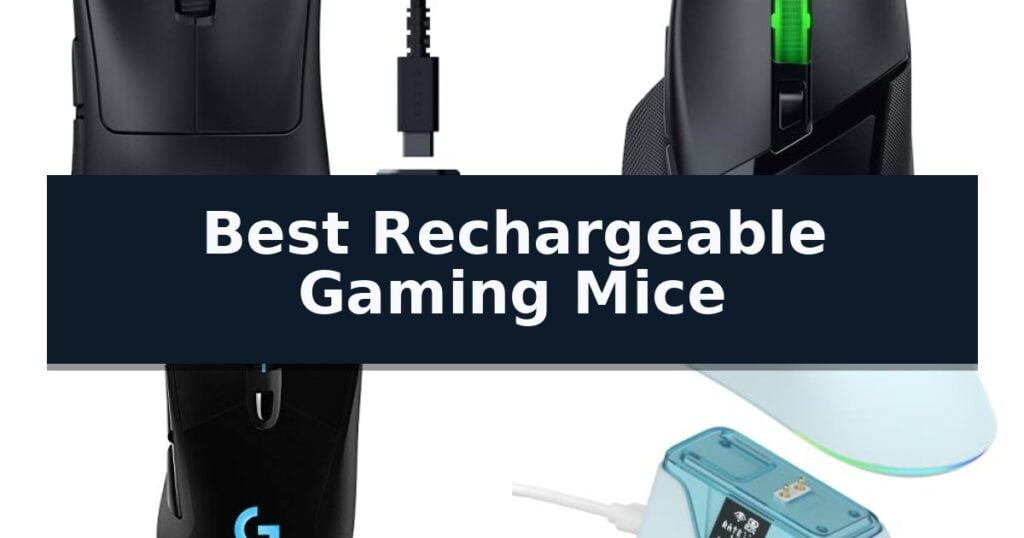
10 Best Rechargeable Gaming Mice in 2026 Reviews
Quick Comparison
| Product | Best For | Key Strength | Score |
|---|---|---|---|
| Razer DeathAdder V3 HyperSpeed Gaming Mouse | Best Overall | 55g ultra-lightweight mass-centralized design for improved speed and control. | 4.9 |
| Razer Basilisk V3 X HyperSpeed Gaming Mouse | Versatile ergonomic control | Dual-mode wireless connectivity featuring both low-latency HyperSpeed and Bluetooth. | 4.9 |
| Logitech G703 LIGHTSPEED Gaming Mouse | Advanced sensor performance | HERO 25K Sensor provides high-accuracy tracking up to 25,600 DPI. | 4.4 |
| EPOMAKER NEX Lite Gaming Mouse | Convenient real-time performance stats | Integrated OLED screens on both the mouse and dock for real-time stat tracking. | 4.9 |
| SOLAKAKA SM822 Wireless Gaming Mouse | Effortless magnetic charging dock | Magnetic charging dock provides effortless power management and receiver storage. | 4.5 |
| INPHIC PM6 PRO Gaming Mouse | Silent clicks for shared spaces | Tri-mode connectivity allows for easy switching between three devices. | 4.3 |
| Redragon M810 PRO Gaming Mouse | Rapid-fire macro capabilities | Wireless 2.4Ghz connectivity eliminates cable drag. | 4.6 |
| Redragon M901P-KS MMO Gaming Mouse | Sixteen programmable macro buttons | 16 programmable macro buttons for complex command mapping. | 4.6 |
| AULA SC580 Wireless Gaming Mouse | Multi-device connectivity | Tri-mode connectivity allows switching between four devices. | 4.8 |
| DAREU EM901X Sakura Gaming Mouse | Distinctive aesthetic design | Strong magnetic charging dock for effortless, secure connectivity. | 4.3 |
How We Chose
Evaluating the best rechargeable gaming mice requires a focus on performance consistency and physical design. We analyze how sensor specifications translate to real-world tracking, the reliability of wireless protocols during intense gameplay, and the practical impact of battery life and charging solutions on your daily gaming routine.
- Sensor tracking accuracy and DPI range
- Wireless connectivity stability and latency
- Battery life and charging convenience
- Weight distribution and ergonomic shape
- Programmability and software support
1 Razer DeathAdder V3 HyperSpeed Gaming Mouse — Esports-grade lightweight precision
Achieving precise control during high-stakes gaming sessions requires hardware that minimizes physical fatigue while maximizing response times. The Razer DeathAdder V3 HyperSpeed is engineered for this exact purpose, utilizing a 55g ultra-lightweight design that has been validated by professional esports players to ensure balanced, rapid movement.
At the core of this device is the Focus X 26K Optical Sensor, which provides 99.6% resolution accuracy to ensure every swipe is tracked with pixel-perfect precision. Reliability is further reinforced by Optical Mouse Switches Gen-3, which are rated for a 90-million click lifecycle and eliminate the risk of double-clicking issues while offering a rapid 0.2 ms actuation speed.
Connectivity is managed via HyperSpeed Wireless technology, designed to maintain a stable, lag-free connection even in environments crowded with signal interference. For users requiring the highest possible input frequency, the device is compatible with the Razer HyperPolling Wireless Dongle to achieve 8000 Hz polling rates.
The Razer DeathAdder V3 HyperSpeed features an ergonomic shape refined through professional feedback, finished with a smooth-touch texture for improved grip. It is powered by a rechargeable battery that delivers up to 100 hours of competitive gameplay, utilizing a modern USB-C charging interface for efficient power management.
Best for: Competitive gamers who prioritize a lightweight, ergonomic form factor and high-speed wireless performance for long tournament sessions.
Skip if: Users who prefer a heavier mouse with a high number of programmable side buttons or those who require a wired-only connection for specific legacy setups.
- 55g ultra-lightweight mass-centralized design for improved speed and control.
- Optical Mouse Switches Gen-3 provide a 90-million click lifecycle with zero debounce delay.
- Focus X 26K Optical Sensor offers high-precision tracking with 99.6% resolution accuracy.
- Up to 100 hours of battery life via USB-C charging.
- No onboard storage for multiple custom DPI profiles without the Razer Synapse App.
- Limited button count compared to dedicated MMO or MOBA-focused mice.
2 Razer Basilisk V3 X HyperSpeed Gaming Mouse — Versatile ergonomic control
The Razer Basilisk V3 X HyperSpeed Gaming Mouse distinguishes itself with a versatile ergonomic form factor that accommodates multiple grip styles while providing nine programmable controls. This design allows users to map advanced macros and shortcuts directly to the mouse, enhancing efficiency for both competitive gaming and productivity tasks.
Performance is driven by the Razer 5G Advanced 18K Optical Sensor, which provides pixel-precise tracking and customizable sensitivity settings. The mouse utilizes Razer Mechanical Mouse Switches Gen-2, rated for up to 60 million clicks, ensuring consistent actuation and durability. These switches feature gold-plated contact points designed to reduce wear over extended periods of use.
Connectivity options include both Razer HyperSpeed Wireless for low-latency gaming and Bluetooth for scenarios where battery longevity is the priority. When using HyperSpeed Wireless, the device offers up to 285 hours of battery life, which extends to 535 hours in Bluetooth mode. The inclusion of 100% PTFE mouse feet ensures smooth gliding across various surfaces.
Personalization is managed through Razer Chroma RGB lighting, which offers 16.8 million colors and synchronization with other compatible devices. The unit also features onboard profile storage, allowing users to save their custom configurations directly to the hardware for consistent performance across different setups.
Best for: Gamers and professionals seeking a highly customizable, ergonomic wireless mouse with long battery life and dual-mode connectivity.
Skip if: Users who require a lightweight, ambidextrous design or those who prefer a wired-only connection for their specific setup.
- Dual-mode wireless connectivity featuring both low-latency HyperSpeed and Bluetooth.
- Nine programmable controls for advanced macro and shortcut customization.
- Extended battery life reaching up to 535 hours in Bluetooth mode.
- Durable mechanical switches rated for 60 million clicks.
- Heavier build compared to ultra-lightweight gaming mice.
- Requires AA battery rather than an internal rechargeable battery.
3 Logitech G703 LIGHTSPEED Gaming Mouse — Advanced sensor performance
Precision and responsiveness define the Logitech G703 LIGHTSPEED Gaming Mouse, a device engineered for high-performance gaming through its proprietary wireless connectivity. By utilizing the HERO 25K Sensor, this mouse achieves 1:1 tracking and a maximum sensitivity of 25,600 DPI, ensuring that every movement is captured without smoothing, filtering, or acceleration.
The physical design prioritizes both comfort and utility, featuring rubber side grips and a weight of 95 grams, which can be increased by an additional 10 grams using the included optional weight. Durability is addressed through metal-spring button tensioning, which maintains the primary left and right buttons in a state of readiness, requiring less force for consistent, reliable clicks.
For users seeking to eliminate battery management, the mouse is compatible with the POWERPLAY wireless charging system, which provides continuous power during both rest and active gameplay. When operating on its internal battery, the device supports up to 35 hours of continuous play with default LIGHTSYNC RGB lighting enabled.
Customization is facilitated through 6 programmable buttons, allowing users to tailor the interface to their specific gaming requirements. The combination of pro-level wireless performance and a refined, ergonomic shape makes this a versatile tool for various gaming styles.
Best for: Gamers who prioritize high-precision sensor performance and want the option for continuous wireless charging.
Skip if: Users who require a high-button-count mouse for complex MMO macros or those who prefer an ultra-lightweight chassis under 90 grams.
- HERO 25K Sensor provides high-accuracy tracking up to 25,600 DPI.
- LIGHTSPEED Wireless technology ensures pro-level responsiveness.
- POWERPLAY compatibility allows for continuous, uninterrupted charging.
- Metal-spring button tensioning improves click consistency and feel.
- 35-hour battery life requires frequent charging without the PowerPlay system.
- Limited to 6 programmable buttons, which may not suit all game genres.
4 EPOMAKER NEX Lite Gaming Mouse — Convenient real-time performance stats
Monitoring your gaming performance in real-time is now possible without leaving your game, thanks to the integrated OLED screens on the EPOMAKER NEX Lite Wireless Gaming Mouse. This high-tech peripheral features a dedicated charging dock that also houses an OLED display, providing instant access to critical data like battery life, polling rate, and DPI settings.
Engineered for competitive play, this mouse utilizes the PAW3311 optical sensor, which supports up to 12,000 DPI and 35G acceleration. With tri-mode connectivity, you can seamlessly switch between 2.4GHz wireless, Bluetooth 5.0, and USB-C wired modes to suit your specific setup requirements.
The EPOMAKER NEX Lite Wireless Gaming Mouse prioritizes comfort during long sessions with its 65g ultra-lightweight design and ergonomic shape tailored for right-handed users. Its 5 programmable buttons allow for custom macro assignments, which are saved directly to the mouse's on-board memory for consistent performance across different devices.
Managing your settings is handled through intuitive online software, allowing you to fine-tune performance parameters to your preference. The included RGB charging dock serves as both a convenient power solution and a customizable lighting hub, helping to keep your workspace organized while maintaining a distinct aesthetic.
Best for: Gamers who prioritize real-time performance monitoring and a lightweight, ergonomic design for extended play sessions.
Skip if: Left-handed users or those requiring a larger, heavier chassis for specific grip preferences will find this right-handed, ultra-lightweight model unsuitable.
- Integrated OLED screens on both the mouse and dock for real-time stat tracking.
- Tri-mode connectivity including 2.4GHz, Bluetooth 5.0, and USB-C.
- 65g ultra-lightweight construction reduces wrist fatigue.
- On-board memory stores custom button and DPI configurations.
- Right-handed ergonomic shape limits use for left-handed gamers.
- Online software requirement for initial button remapping and macro configuration.
5 SOLAKAKA SM822 Wireless Gaming Mouse — Effortless magnetic charging dock
The SOLAKAKA SM822 Wireless Gaming Mouse streamlines your desktop setup by integrating a magnetic charging dock that doubles as a storage hub for its 2.4GHz USB receiver. This design choice ensures the mouse remains powered and ready for use while minimizing cable clutter, allowing for a seamless transition between wired and wireless modes.
Engineered for performance, this device utilizes the PAW3311 optical sensor, which delivers a 300 IPS tracking speed and a 1000Hz response rate. Users can toggle between 6 adjustable DPI levels, ranging from 800 up to a maximum of 24,000 DPI via software, providing granular control over cursor sensitivity. The inclusion of 5 programmable buttons allows for custom macro recording and function mapping to suit specific gaming or productivity workflows.
Weighing only 62 grams, the SOLAKAKA SM822 Wireless Gaming Mouse features a contoured, tapered waist design intended to reduce wrist fatigue during extended sessions. Its tri-mode connectivity—supporting 2.4GHz wireless, Bluetooth 5.0, and USB-C wired connections—ensures broad compatibility across Windows, Mac, iOS, and Android operating systems.
While the hardware offers versatile connectivity, users should note that the customization software is exclusive to Windows systems and requires a wired connection for initial configuration. This lightweight, feature-rich mouse balances high-speed tracking capabilities with an ergonomic form factor for various computing environments.
Best for: Gamers and professionals seeking a lightweight, multi-device wireless mouse with a convenient magnetic charging solution.
Skip if: Users who rely exclusively on macOS or Linux for advanced button customization and macro programming, as the driver software is Windows-only.
- Magnetic charging dock provides effortless power management and receiver storage.
- Ultra-lightweight 62g design minimizes wrist strain during long sessions.
- Tri-mode connectivity allows for easy switching between 2.4GHz, Bluetooth, and wired modes.
- High-performance PAW3311 sensor supports up to 24,000 DPI for precise tracking.
- Windows-only software limits advanced button and macro customization for Mac or Linux users.
- Wired connection required to run the driver software for initial setup.
6 INPHIC PM6 PRO Gaming Mouse — Silent clicks for shared spaces
Maintaining a quiet workspace while gaming or working is often a challenge, but the INPHIC PM6 PRO Gaming Mouse addresses this with its specialized silent-click switches. Designed specifically for right-handed users, this peripheral combines an ergonomic, asymmetric shape with a matte anti-slip surface to support extended sessions while minimizing wrist strain. The inclusion of a sculpted thumb rest further enhances comfort for those using palm or claw grips, making it a practical choice for medium to large hands during long periods of use.
Performance is driven by a high-precision optical sensor offering six DPI presets ranging from 800 to 12800. This wide range allows for granular sensitivity adjustments, whether you are performing precise graphic design work or fast-paced gaming. For users requiring deeper customization, the Windows-only driver enables users to tweak the DPI, set the polling rate between 125Hz and 1000Hz, and remap all buttons to suit specific productivity or gaming workflows.
Versatility is a core component of its design, featuring a tri-mode connection system that supports Bluetooth 5.0, 2.4GHz wireless, and USB-C wired connectivity. This allows for seamless switching between three devices—such as a desktop, laptop, and tablet—without the need to re-pair. While the device supports wired operation, users should note that the necessary data cable is not included in the package, which is a trade-off for those who intend to use it primarily in wired mode.
Power management is handled by a 500mAh rechargeable battery, which includes a 3-level real-time indicator to prevent unexpected power loss. This design effectively eliminates the need for disposable batteries, supporting up to one month of daily use on a single charge. Because the driver software is limited to Windows, users on macOS, Linux, or mobile platforms will experience plug-and-play functionality but will miss out on the advanced button remapping and polling rate customization.
Best for: Users who require a multi-device, silent-click mouse that balances ergonomic comfort with adjustable DPI settings for both gaming and office tasks.
Skip if: Left-handed users or those who prefer a symmetrical mouse design, as this model is specifically optimized for right-handed ergonomics.
- Tri-mode connectivity allows for easy switching between three devices.
- Silent-click switches reduce noise in shared workspaces or libraries.
- Adjustable DPI and polling rate via Windows-only driver software.
- Ergonomic right-handed design with a dedicated thumb rest.
- USB-C data cable not included for wired mode operation.
- Driver software is Windows-only, limiting customization on other operating systems.
7 Redragon M810 PRO Gaming Mouse — Rapid-fire macro capabilities
The Redragon M810 PRO Gaming Mouse prioritizes a cable-free experience by utilizing a 2.4Ghz nano receiver, ensuring that physical cords do not interfere with rapid-fire battle reactions. This wireless design is engineered to maintain a stable connection while providing the freedom of movement required for competitive play.
Performance is driven by the PAW3325 Optical Pixart sensor, which supports an adjustable DPI range reaching up to 10,000. Users can toggle between five on-board DPI levels—500, 1000, 2000, 3000, and 10000—allowing for precise tracking adjustments tailored to specific gaming scenarios. The device operates with a 1000Hz polling rate to ensure responsive input registration.
Customization is a core component of this model, featuring 8 programmable buttons that can be remapped via the Redragon Pro driver. This includes dedicated macro buttons for rapid-fire actions, which can be configured for both gaming and productivity tasks. The software also manages the integrated RGB lighting, offering various dynamic effects like breathing and streaming patterns.
Designed for extended use, the mouse includes a rechargeable battery that provides up to 45 hours of operation in eco-mode. The ergonomic body is built to support comfort during long sessions, while the dual-mode functionality allows for flexible connectivity options. Users can further personalize their setup by linking lighting modes to specific game profiles, creating a cohesive aesthetic for their workspace.
Best for: Gamers who require programmable macro buttons and wireless freedom for competitive play.
Skip if: Users who prefer a lightweight, wired-only mouse or those who require a battery life exceeding 45 hours.
- Wireless 2.4Ghz connectivity eliminates cable drag.
- 8 programmable buttons allow for extensive macro customization.
- Adjustable DPI up to 10,000 for precise sensitivity control.
- Customizable RGB lighting via dedicated software.
- 45-hour battery life may require frequent recharging during heavy use.
8 Redragon M901P-KS MMO Gaming Mouse — Sixteen programmable macro buttons
The Redragon M901P-KS MMO Gaming Mouse distinguishes itself through a high-density layout featuring 16 programmable macro buttons, including a dedicated 12-button side panel designed for complex command execution. This level of customization allows users to remap inputs to match specific game scenarios, supported by five onboard memory profiles for quick switching between different configurations.
Engineered for precision, the device offers an adjustable DPI range from 100 to 16,000 and a variable polling rate between 125Hz and 1000Hz. The inclusion of 40G acceleration provides responsive tracking, while the ergonomic, skin-friendly chassis is built to minimize fatigue during extended sessions. Its dual-mode functionality allows for both wireless freedom and wired operation during charging.
Power management is handled by a 1000mAh internal battery, which provides over 70 hours of usage when the RGB lighting is disabled. The mouse features 16.8 million color combinations across four distinct lighting modes, all of which can be fine-tuned via the manufacturer's software. This combination of hardware versatility and software-driven control makes it a robust tool for MOBA and FPS titles.
The integration of macro editing directly into the button layout enables users to execute keyboard combinations with single clicks, streamlining gameplay efficiency. By removing cable constraints during wireless play, the mouse facilitates smoother movement while maintaining the reliability of a wired connection when the battery requires replenishment.
Best for: Gamers who require extensive macro customization and a high button count for complex MMO or MOBA titles.
Skip if: Users who prefer a lightweight, minimalist mouse design or those who find a high number of side buttons distracting during fast-paced FPS gameplay.
- 16 programmable macro buttons for complex command mapping.
- Adjustable DPI up to 16,000 for precise sensitivity control.
- Dual-mode connectivity allows for wireless use or wired charging.
- 70-hour battery life with RGB lighting turned off.
- Higher weight due to the integrated 1000mAh battery and button array.
- Software-dependent customization for full macro functionality.
9 AULA SC580 Wireless Gaming Mouse — Multi-device connectivity
The AULA SC580 Wireless Gaming Mouse prioritizes versatility for users who switch between multiple devices, offering a tri-mode connection system that includes 2.4G wireless, dual Bluetooth 5.0 channels, and a USB-C wired option. This capability allows for seamless transitions between up to four devices, managed directly via a bottom-mounted switch.
Engineered for precision, the mouse features an adjustable sensor capable of reaching 12,000 DPI across six distinct levels. A 1000Hz polling rate is integrated to minimize latency during competitive sessions, ensuring responsive cursor movement. Users can further tailor their experience by utilizing the driver software to customize the 6 programmable buttons for specific macros, though this software functionality is limited to Windows systems in wired or 2.4GHz modes.
The physical design emphasizes long-term comfort with an 82g lightweight ergonomic chassis tailored for right-handed users. To maintain grip during intense use, the device includes anti-slip stickers that resist oil and sweat. The internal 500mAh rechargeable battery provides an estimated 10-14 days of operation based on five hours of daily use, with a low-battery indicator to signal when a recharge via the included cable is necessary.
Durability is supported by a rated lifespan of up to 10 million clicks, providing consistent operation for both gaming and productivity tasks. The inclusion of adjustable deep sleep settings (3-10 minutes) allows users to manage power consumption effectively, balancing performance with battery longevity.
Best for: Users who require a lightweight, multi-device compatible mouse that can switch between PC, laptop, and tablet environments.
Skip if: Users who rely exclusively on macOS or Linux for advanced button customization, as the programmable driver software is limited to Windows.
- Tri-mode connectivity allows switching between four devices.
- High-precision sensor with 12,000 DPI and 1000Hz polling rate.
- Lightweight 82g ergonomic design reduces hand fatigue.
- Includes anti-slip stickers for improved grip.
- Driver software for button customization is Windows-only.
- Macro and software features are unavailable in Bluetooth mode.
10 DAREU EM901X Sakura Gaming Mouse — Distinctive aesthetic design
Precision and aesthetics often conflict in gaming peripherals, but the DAREU EM901X Sakura Gaming Mouse bridges this gap with a unique strong magnetic design. This system ensures the mouse aligns automatically with its included charging dock, providing a secure connection that remains stable even if the entire assembly is lifted.
Designed for competitive play, this mouse features a 12K DPI gaming sensor and 1-millisecond wireless transmission technology, offering responsiveness that rivals wired alternatives. The 85g lightweight build is achieved without drilling, which helps mitigate hand fatigue during extended sessions. Durability is a core focus, as the integrated micro switches are rated to withstand 50 million clicks, providing a lifespan significantly higher than standard components.
The Sakura Pink aesthetic is complemented by a fingerprint- and sweat-resistant coating on its symmetrical body, ensuring the device remains clean during intense use. A dynamic rainbow RGB light bar is integrated into both the mouse and the dock, offering multiple lighting modes to customize your desk setup. The claw-grip shape is specifically engineered to maintain comfort over long gaming or office hours.
By utilizing a built-in rechargeable battery, this device eliminates the need for disposable cells, providing a sustainable power solution. The charging dock serves as a convenient home base, ensuring the mouse is always powered and ready for use without the clutter of cables.
Best for: Gamers who prioritize a cohesive, aesthetic desk setup without sacrificing high-precision sensor performance and wireless convenience.
Skip if: Users who prefer an ultra-lightweight mouse under 70g or those who require a specialized ergonomic shape for palm-grip styles.
- Strong magnetic charging dock for effortless, secure connectivity.
- 12K DPI high-precision sensor for responsive tracking.
- 50 million click lifespan micro switches for long-term durability.
- Lightweight 85g design reduces fatigue during extended use.
- Fixed aesthetic design may not suit all gaming setups.
- Symmetrical shape may not be ideal for users who prefer dedicated ergonomic contours.
Best Rechargeable Gaming Mice Buying Guide
Prioritizing Sensor Performance
The optical sensor is the heart of any gaming mouse, dictating how accurately your physical movements translate to the screen. Look for sensors that offer high DPI ranges and consistent tracking across various surfaces, as these features minimize jitter and ensure pixel-precise aim.
Advanced sensors also provide better lift-off distance control and acceleration management. For competitive players, these technical details are essential for maintaining muscle memory and ensuring that rapid flicks or slow, steady tracking remain predictable throughout a match.
Wireless Reliability and Latency
Modern wireless technology has largely eliminated the perceived latency issues of the past. High-performance mice utilize dedicated 2.4GHz dongles to maintain a connection that is virtually indistinguishable from a wired setup, even in environments with high signal interference.
While Bluetooth is a convenient secondary option for productivity or travel, it is generally less suitable for fast-paced gaming due to higher latency. A mouse that supports both 2.4GHz for gaming and Bluetooth for versatility offers the best of both worlds.
Battery Management and Charging
Rechargeable mice remove the recurring cost and environmental impact of disposable batteries. However, the implementation varies; some models offer extended battery life reaching hundreds of hours, while others prioritize lightweight designs that may require more frequent charging.
Consider the charging method, such as USB-C cables or specialized magnetic docks. A dock not only keeps the mouse charged when not in use but also provides a dedicated, organized space on your desk, ensuring you are never caught with a dead battery mid-game.
Ergonomics and Grip Style
The shape of the mouse significantly impacts comfort during long gaming sessions. Ergonomic designs tailored for right-handed users often feature thumb rests and contoured surfaces that reduce wrist fatigue, while symmetrical shapes offer more flexibility for different grip styles like claw or fingertip.
Weight is another critical factor. Lighter mice are generally preferred for fast-paced shooters, as they require less force to move and stop. Conversely, some users prefer a slightly heavier mouse for added stability and control in slower, more tactical games.
Customization and Software
Programmable buttons allow you to map complex macros or frequently used commands directly to the mouse. This is particularly useful in MMOs or MOBAs where quick access to abilities can provide a competitive advantage. Ensure the companion software is intuitive and allows for onboard profile storage.
Onboard memory is a valuable feature, as it saves your settings directly to the mouse hardware. This means your DPI, button mappings, and lighting profiles remain consistent even when you move the mouse between different computers without needing to reinstall software.
Frequently Asked Questions
Do I need a high DPI setting for better gaming performance?
Not necessarily. While high DPI allows for faster cursor movement, most competitive gamers use lower settings for better control and consistency. The most important factor is a sensor that tracks accurately at your preferred sensitivity.
How often will I need to charge a rechargeable gaming mouse?
This depends on the model and your usage. Many modern gaming mice offer between 40 and 100 hours of battery life on a single charge. Using RGB lighting or high polling rates will typically drain the battery faster.
Can I use a wireless gaming mouse while it is charging?
Yes, most rechargeable wireless gaming mice allow you to continue using them in wired mode while the battery charges via a USB cable.
What is the benefit of a charging dock?
A charging dock provides a convenient, dedicated place to store and charge your mouse, ensuring it is always ready for your next session. It also helps keep your desk tidy by eliminating the need to plug in a cable manually.
Are programmable buttons useful for all types of games?
Programmable buttons are most beneficial in games that require many inputs, such as MMOs or MOBAs. For simple FPS games, fewer buttons may be preferred to keep the mouse lightweight and avoid accidental clicks.
Conclusion: Our Top Pick
Our top pick is Razer DeathAdder V3 HyperSpeed Gaming Mouse. Choosing the right rechargeable gaming mouse comes down to balancing your specific grip style with the performance features that matter most to your playstyle. Whether you prioritize the absolute lightest weight for fast-paced shooters or need extra programmable buttons for complex macro management, there is a model designed to meet those needs.
By focusing on sensor quality, connection stability, and long-term comfort, you can find a reliable tool that enhances your gaming experience. Investing in a quality rechargeable option ensures you stay in the game longer while enjoying the freedom of a cable-free desktop.