Logitech K270 Wireless Keyboard earns our recommendation for the Best Replacement Keyboards for Windows because it offers a reliable, full-size layout with a long-range wireless connection that simplifies desktop setups. For those prioritizing a permanent wired connection, the Logitech K120 Wired Keyboard provides a spill-resistant, plug-and-play experience, while the KOPJIPPOM Large Print Backlit Keyboard serves users needing high-visibility keys and adjustable illumination.
Selecting a new keyboard requires balancing your specific workspace needs against connectivity preferences. Whether you require the freedom of wireless operation or the consistent reliability of a corded USB connection, the primary goal is finding a layout that supports your daily typing volume without unnecessary software overhead.
Beyond basic connectivity, factors such as key profile, spill resistance, and specialized features like backlighting or large-font printing play significant roles in long-term comfort. Assessing these physical attributes ensures your replacement keyboard integrates seamlessly into your existing Windows environment.
Once you have selected your keyboard, you may also want to consider upgrading your peripheral setup with a Best Replacement Mouse to ensure your desk is fully optimized for comfort.
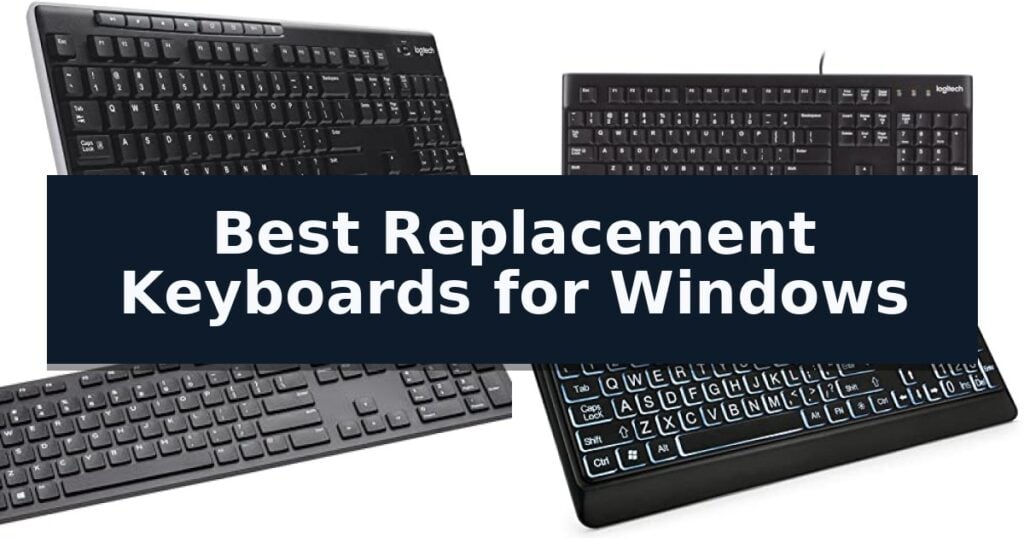
10 Best Replacement Keyboards for Windows in 2026 Reviews
Quick Comparison
| Product | Best For | Key Strength | Score |
|---|---|---|---|
| Logitech K270 Wireless Keyboard | Best Overall | 24-month battery life reduces maintenance frequency. | 4.9 |
| Logitech K120 Wired Keyboard | Durable spill-resistant design | Spill-resistant design for added durability. | 4.7 |
| Amazon Basics Wired Keyboard | Simple plug-and-play setup | Plug-and-play USB connectivity for immediate setup. | 4.4 |
| KOPJIPPOM Large Print Keyboard | High-visibility backlit keys | 4X larger font size for superior readability. | 4.5 |
| Macally Compact Wired Keyboard | Space-saving scissor switches | Compact, space-saving design ideal for smaller desks. | 4.5 |
| Microsoft Surface Pro Keyboard | Premium mechanical typing feel | Dedicated Copilot key for instant access to AI productivity features. | 4.4 |
| Zonfomst Surface Pro Keyboard | Affordable wireless alternative | Bluetooth 5.3 for fast, reliable wireless connectivity. | 4.4 |
| WirelessFinest Surface Pro Keyboard | Vibrant backlit trackpad integration | 7-color LED backlighting for improved visibility. | 4.8 |
| Cherry MX Black Switch Kit | Customizable mechanical switch feel | Linear switching characteristics provide a smooth, consistent feel without an audible click. | 4.3 |
| BlingKingdom Mechanical Keyboard Switches | Crisp tactile gaming feedback | Transparent housing supports vibrant LED backlighting. | 4.3 |
How We Chose
To identify the best replacement keyboards for Windows, we evaluate each model based on its practical utility in a standard office or home environment. We prioritize build quality, connection stability, and ergonomic layout, ensuring that the selected keyboards provide a consistent, reliable typing experience without the need for complex drivers or ongoing maintenance.
- Connectivity type (Wired USB vs. Wireless 2.4GHz)
- Layout and ergonomics (Full-size with number pad vs. compact)
- Durability features (Spill-resistance and key character longevity)
- Specialized accessibility (Large print or backlit keys)
- Setup simplicity (Plug-and-play vs. software requirements)
1 Logitech K270 Wireless Keyboard — Reliable wireless connectivity
Reliable input hardware remains the foundation of a productive workspace, and the Logitech K270 Wireless Keyboard offers a straightforward solution for Windows users. This full-size peripheral prioritizes a familiar layout, incorporating a dedicated number pad and a full row of F-keys to ensure that common tasks remain intuitive without requiring a learning curve.
Connectivity is managed via a compact USB-A receiver, which utilizes a plug-and-play setup to eliminate the need for additional software installations. The keyboard maintains a stable wireless connection up to 33 feet away, allowing for flexibility in desk arrangement. Furthermore, the inclusion of the Logitech Unifying receiver technology enables users to connect multiple compatible devices to a single port, streamlining desktop clutter.
Designed for longevity, the device features a spill-proof design and durable print characters to withstand daily office or home use. Practicality extends to the power management, as the keyboard is engineered for a 24-month battery life, significantly reducing the frequency of maintenance. Eight dedicated multimedia hotkeys provide instant access to volume, playback, and email controls, keeping essential functions within reach.
Constructed with sustainability in mind, the plastic components of the Logitech K270 Wireless Keyboard include 38% certified post-consumer recycled plastic. While it lacks backlighting or mechanical switches, its deep-profile keys offer a consistent tactile experience suitable for standard typing tasks.
Best for: Users seeking a reliable, full-size wireless keyboard with long battery life and a simple plug-and-play setup for Windows environments.
Skip if: Users who require mechanical switches, customizable RGB backlighting, or a compact tenkeyless form factor for limited desk space.
- 24-month battery life reduces maintenance frequency.
- Plug-and-play connectivity via a single USB receiver.
- Spill-proof design enhances long-term durability.
- Full-size layout includes a number pad and dedicated multimedia keys.
- Lacks backlighting for low-light environments.
- Fixed membrane switches may not suit users preferring mechanical feedback.
2 Logitech K120 Wired Keyboard — Durable spill-resistant design
The Logitech K120 Wired Keyboard is engineered for straightforward, reliable performance, featuring a spill-resistant design that helps protect against minor accidents during daily use. Its full-size layout includes a dedicated number pad and F-keys, providing a familiar typing experience for both office tasks and home computing.
Setting up this keyboard is a simple process, as it utilizes a standard USB plug-and-play connection that requires no additional software installation. The device is compatible with Windows 7, 8, 10, or later, ensuring it works seamlessly with most modern desktop and laptop systems.
Built for long-term utility, the keyboard incorporates anti-fade keys and sturdy, adjustable tilt legs that allow users to customize the typing angle for improved comfort. The construction also reflects a commitment to sustainability, with 51% of its plastic components made from certified post-consumer recycled plastic.
While it lacks advanced features like backlighting or programmable macro keys, the Logitech K120 Wired Keyboard focuses on core functionality and durability. Its deep-profile keys and curved space bar are designed to support all-day comfort, making it a practical choice for users who prioritize a consistent, no-fuss input device.
Best for: Users who need a reliable, full-size, plug-and-play keyboard for standard Windows computing tasks.
Skip if: Users who require advanced features such as mechanical switches, wireless connectivity, or customizable RGB lighting.
- Spill-resistant design for added durability.
- Plug-and-play USB connectivity requires no software.
- Full-size layout includes a number pad and F-keys.
- Adjustable tilt legs for ergonomic typing angles.
- Wired-only connection limits desk placement flexibility.
- Lacks advanced features like backlighting or programmable keys.
3 Amazon Basics Wired Keyboard — Simple plug-and-play setup
Reliability in a desktop peripheral often comes down to simplicity, and the Amazon Basics Wired QWERTY Keyboard prioritizes this by offering a straightforward, no-nonsense interface for Windows users. By utilizing a standard USB wired connection, this device eliminates the need for battery management or wireless pairing, ensuring a consistent and responsive input experience for daily computing tasks.
The Amazon Basics Wired Keyboard features a full-sized QWERTY layout that provides a familiar typing feel, making it suitable for both professional office environments and personal home setups. Its design includes dedicated hot keys that offer quick access to essential functions like media controls, volume adjustment, muting, and the calculator, streamlining common workflows without requiring additional software configuration.
Compatibility is a core strength of this model, as it is designed to function across various Windows versions including Vista, 7, 8, and 10. The sleek black finish allows it to integrate easily into most workspace aesthetics, while its compact dimensions—measuring approximately 17.39 inches in length—ensure it fits comfortably on most standard desks without consuming excessive space.
Installation is handled through a simple plug-and-play process, allowing users to connect the device and begin typing immediately. This focus on functional design ensures that the keyboard remains a practical choice for those who require a dependable, wired input solution that performs consistently across multiple Windows-based devices.
Best for: Users seeking a reliable, simple, and full-sized wired keyboard for standard Windows computing tasks.
Skip if: Users who require mechanical switches, wireless connectivity, or backlighting for specialized gaming or aesthetic preferences.
- Plug-and-play USB connectivity for immediate setup.
- Includes dedicated media and system hot keys for increased efficiency.
- Full-sized QWERTY layout provides a familiar and comfortable typing experience.
- Broad compatibility with multiple Windows versions.
- Wired connection limits placement flexibility compared to wireless models.
- Lacks advanced features like backlighting or programmable macro keys.
4 KOPJIPPOM Large Print Keyboard — High-visibility backlit keys
Navigating a workspace often requires equipment that prioritizes clarity and accessibility, especially during extended sessions. The KOPJIPPOM Large Print Backlit Keyboard addresses this by utilizing keycaps with fonts 4X larger than standard keyboards, making characters significantly easier to identify for those with visual impairments or anyone working in low-light environments.
Designed for versatility, this full-size 104-key layout includes a dedicated numeric keypad, ensuring no relearning of typing habits is required. The white LED backlight is evenly distributed across the keys and offers adjustable brightness levels, allowing users to customize the intensity for their specific lighting conditions or turn it off entirely when not needed.
Practicality is central to its construction, featuring a spill-resistant design to protect against accidental liquid exposure. The keyboard is built for longevity, with keys rated for a lifespan of more than 50 million keystrokes. For physical comfort, the unit includes fold-out feet at the rear, which help adjust the typing angle to reduce hand fatigue during long periods of use.
Setup is straightforward thanks to its plug-and-play USB connectivity, which eliminates the need for batteries or complex driver installations. It maintains broad compatibility with various Windows versions, including Windows 2000, XP, 7, 8, and 10, as well as Vista, Raspberry Pi, and Mac OS, though users should note that multimedia key functionality may vary on non-Windows systems.
Best for: Users who require high-visibility, large-font keys for improved readability and comfortable typing in dim lighting.
Skip if: Users seeking a compact, wireless, or mechanical-switch keyboard for high-performance gaming or minimalist desk setups.
- 4X larger font size for superior readability.
- Adjustable white LED backlighting for low-light visibility.
- Spill-resistant design for enhanced durability.
- Plug-and-play USB connection requires no drivers.
- Wired-only connection limits desk placement flexibility.
- Multimedia keys may have limited compatibility with non-Windows operating systems.
5 Macally Compact Wired Keyboard — Space-saving scissor switches
Maximizing desk real estate often requires a shift toward hardware that balances functionality with a smaller footprint. The Macally Compact Wired Keyboard addresses this by utilizing a 78-key layout that prioritizes space efficiency without sacrificing the essential typing experience required for daily tasks.
This keyboard is engineered for immediate utility through a plug and play USB connection. With a 4'7" cable, it offers sufficient reach for most desktop or laptop setups, ensuring a stable connection without the need for batteries or wireless pairing. The inclusion of 13 shortcut keys provides direct access to multimedia controls on Windows and specific utility functions for Mac, allowing for streamlined navigation.
The typing feel is defined by scissor switch keys, which are designed to provide a responsive and tactile experience. Its compact dimensions—measuring approximately 11.2 inches in height and 4.7 inches in length—make it a practical choice for crowded workspaces or users who frequently move their equipment between different locations.
Compatibility is a core feature, as the device is designed to function across both Mac and Windows operating systems. This versatility ensures that the keyboard remains a consistent tool regardless of the host hardware, supported by a 2-year warranty and technical support to assist with long-term operation.
Best for: Users who need a space-saving, reliable wired keyboard that works seamlessly across both Windows and Mac environments.
Skip if: Users who require a full-sized layout with a dedicated numeric keypad or those who prefer the freedom of a wireless connection.
- Compact, space-saving design ideal for smaller desks.
- Plug and play USB connectivity for immediate setup.
- Versatile compatibility with both Windows and Mac systems.
- 13 integrated shortcut keys for efficient media and system control.
- Wired-only connection limits placement flexibility compared to wireless models.
- Lacks a dedicated numeric keypad due to the compact form factor.
6 Microsoft Surface Pro Keyboard — Premium mechanical typing feel
The Microsoft Surface Pro Keyboard integrates a dedicated Copilot key, providing immediate access to AI-driven productivity tools directly from your workspace. Designed to function as a full-size mechanical keyboard, it offers a tactile typing experience within a slim, portable form factor that complements the Surface Pro ecosystem.
Beyond its primary input capabilities, the device includes specialized function keys for microphone muting and screen snipping, streamlining common communication and capture tasks. The integrated large trackpad ensures precise navigation, while the mechanical keyset features optimal spacing to support fluid, high-speed typing sessions.
Versatility is a core design element, as the keyboard clicks into place instantly to transform the Surface Pro into a laptop-style workstation. When not in use, the cover folds back to allow for tablet-only operation or closes completely to protect the screen, effectively conserving battery life during transit.
Stability is managed through an enhanced magnetic attachment system that allows for adjustable viewing angles, ensuring the keyboard remains secure during use. The inclusion of dedicated pen storage adds a practical layer of organization for users who rely on digital inking for their daily workflows.
Best for: Users of Surface Pro (11th Edition), Pro 9, and Pro 8 who require a portable, integrated mechanical keyboard with dedicated AI and productivity shortcut keys.
Skip if: Users who do not own a compatible Surface Pro device or those who prefer a standalone, full-sized ergonomic keyboard for desktop-only setups.
- Dedicated Copilot key for instant access to AI productivity features.
- Full mechanical keyset with backlit keys for a premium typing feel.
- Integrated pen storage keeps accessories secure and accessible.
- Magnetic stability allows for customizable viewing angles.
- Compatibility limited to specific Surface Pro models.
- Form factor is optimized for portability rather than full-desktop ergonomics.
7 Zonfomst Surface Pro Keyboard — Affordable wireless alternative
The Zonfomst Surface Pro Keyboard serves as a versatile replacement for Microsoft Surface Pro 3 through 7+ models, utilizing Bluetooth 5.3 technology to maintain a stable wireless connection. By moving away from proprietary physical connectors, this keyboard offers a flexible setup that allows users to place the unit in either attached or detached positions to accommodate various typing angles.
Designed with an ergonomic layout, the keyboard features a 7-color backlit system with three adjustable brightness levels, facilitating use in low-light environments. The integrated trackpad provides standard navigation, while the protective cover is constructed from premium PU leather and micro fiber to shield the tablet screen from dust, scratches, and daily wear.
Power management is handled through an energy-saving sleep mode, supporting up to 125 hours of operation with the backlight disabled or 5 hours when illuminated. The magnetic absorption system ensures the cover remains secure during transport, making it a practical choice for users who frequently pack their devices in backpacks or suitcases for travel.
While this model offers significant flexibility through its wireless design, users should note that it is specifically engineered for a defined range of Surface Pro tablets and will not fit other versions. The reliance on Bluetooth connectivity means the keyboard operates independently of the tablet's physical port, ensuring compatibility across the supported hardware generations.
Best for: Users of Microsoft Surface Pro 3 through 7+ who require a flexible, wireless keyboard with adjustable backlighting.
Skip if: Users who prefer a direct physical connection to the tablet or those who own Surface Pro models outside the specified 3-7+ compatibility range.
- Bluetooth 5.3 for fast, reliable wireless connectivity.
- 7-color backlit keys with adjustable brightness for low-light typing.
- Detachable magnetic design allows for multiple typing angles.
- Protective PU leather cover guards against screen damage.
- Limited compatibility restricted to Surface Pro 3, 4, 5, 6, 7, and 7+.
- Battery life significantly reduced when using the backlight feature.
8 WirelessFinest Surface Pro Keyboard — Vibrant backlit trackpad integration
The WirelessFinest Surface Pro Keyboard provides a dedicated typing solution for specific Microsoft Surface Pro models, featuring an integrated 7-color LED backlight to enhance visibility in low-light environments. This keyboard is designed to offer a tactile typing experience while maintaining a slim, lightweight profile that fits easily into travel bags.
Engineered with a responsive trackpad, the device supports multi-touch gestures, allowing for precise navigation without requiring an external mouse. The unit utilizes a magnetic attachment system that provides stability during use, whether positioned on a desk or a lap, and can be detached quickly to transition the device back into a tablet configuration.
Unlike standard OEM covers, this model operates via an internal rechargeable battery that requires manual charging through an included USB-C cable. Users should note that the keyboard does not draw power or charge directly from the Surface Pro’s magnetic connector, necessitating independent power management.
To ensure compatibility, this accessory is specifically manufactured for the Microsoft Surface Pro 3, 4, 5th Gen, 6, 7, and 7 Plus. The inclusion of an auto-sleep feature helps conserve battery life, while the ergonomic design aims to reduce hand strain during extended typing sessions.
Best for: Users of older Microsoft Surface Pro models who require a backlit keyboard with an integrated trackpad and prefer a manual charging setup.
Skip if: Users who require a keyboard that draws power directly from the tablet's magnetic port or those who prefer not to manage an external battery.
- 7-color LED backlighting for improved visibility.
- Integrated responsive trackpad with multi-touch support.
- Slim and lightweight design for portability.
- Magnetic attachment for stable positioning.
- Requires manual charging via USB-C; does not charge via the Surface Pro connector.
- Model-specific compatibility limited to Surface Pro 3 through 7 Plus.
9 Cherry MX Black Switch Kit — Customizable mechanical switch feel
Achieving a precise, tactile typing experience often requires moving beyond standard membrane hardware to specialized components. The CHERRY MX BLACK CLEAR TOP Switch Kit offers enthusiasts a set of 23 linear mechanical switches designed for those who prefer a consistent, weighted feel without the distraction of an audible click.
These switches are engineered with a 63.5 cN actuation force, providing a deliberate and direct response that is favored in high-precision environments. With a 2.0 mm pre-travel and a 4.0 mm total travel distance, they offer a smooth linear path. The construction features CHERRY Gold Crosspoint contacts, which are specifically designed to be resistant to dust and dirt, ensuring long-term reliability for over 50 million actuations.
Designed for versatility, this kit is suitable for DIY builds, hot-swap boards, or custom gaming setups. The switches are manufactured in Germany, maintaining a high standard of quality control. To ensure the components arrive in pristine condition, they are securely held within the packaging to prevent the contact pins from bending during transit, while the all-cardboard packaging reflects a focus on reducing waste.
While these switches provide a high-quality typing experience, they are a specialized component kit rather than a complete replacement keyboard. Users must ensure their existing keyboard supports hot-swappable switches or possess the soldering skills required for a permanent installation. This kit is an ideal choice for users looking to customize specific keys or perform targeted repairs on their mechanical hardware.
Best for: Enthusiasts and DIY builders looking to customize their mechanical keyboard with linear, high-actuation-force switches.
Skip if: Users who require a complete, ready-to-use keyboard or those who prefer tactile, clicky switches for their typing feedback.
- Linear switching characteristics provide a smooth, consistent feel without an audible click.
- 63.5 cN actuation force offers a deliberate, direct typing experience.
- CHERRY Gold Crosspoint contacts ensure durability and resistance to dust and dirt.
- Secure packaging prevents contact pin damage during shipping.
- Requires a hot-swap compatible keyboard or soldering skills for installation.
- Limited to 23 switches, which may not cover a full-sized keyboard replacement.
10 BlingKingdom Mechanical Keyboard Switches — Crisp tactile gaming feedback
Maintaining a mechanical keyboard requires precision components, and the BlingKingdom Mechanical Keyboard Switches offer a specialized solution for those looking to refresh their typing experience. These 3-pin dustproof switches feature a transparent housing designed to accommodate LED backlighting, making them a functional choice for users who prioritize both aesthetic customization and tactile performance.
Engineered for durability, these switches utilize a POM shaft core and a high-quality spring, supporting an approximate lifespan of 50 million keystrokes. The MX Clicky Blue design provides a distinct tactile feel with a 4 mm total stroke and a 2.2±0.6 mm working stroke, delivering the classic crisp click sound favored by many typists and gamers.
Installation is straightforward for most compatible mechanical keyboards, though the manufacturer notes that pins may occasionally bend during transit and can be corrected manually. The waterproof plastic shell and copper gasket construction ensure consistent operation, providing a reliable rhythm for both work and gaming sessions.
Whether you are replacing worn-out keys or customizing a new build, these switches offer a balance of performance and build quality. By focusing on a strong sense of paragraphing and smooth actuation, they serve as a practical component for maintaining the responsiveness of your primary input device.
Best for: Users seeking a tactile, clicky typing experience with LED-compatible transparency for their mechanical keyboard builds.
Skip if: Users who require silent linear or tactile switches, as the MX Clicky Blue design produces a distinct audible sound.
- Transparent housing supports vibrant LED backlighting.
- Durable construction with a 50-million keystroke lifespan.
- Dustproof design helps maintain internal switch cleanliness.
- Distinct tactile feedback provides a satisfying typing rhythm.
- Pins may require manual correction if bent during shipping.
- Clicky sound profile may be too loud for shared or quiet office environments.
Best Replacement Keyboards for Windows Buying Guide
Wired vs. Wireless Connectivity
Choosing between wired and wireless keyboards depends on your desk organization and power management preferences. Wired models, such as the Logitech K120, eliminate the need for batteries and provide an instant, lag-free connection simply by plugging into a USB port.
Wireless options like the Logitech K270 offer a cleaner workspace by removing cable clutter. These models rely on USB-A receivers to maintain a stable signal, making them ideal for users who prefer a flexible setup or frequently move their keyboard across a desk.
Layout and Ergonomics
A full-size layout remains the standard for most Windows users, providing a dedicated number pad and a full set of function keys. This configuration is essential for data entry and tasks that require frequent use of numeric inputs.
For those with limited desk space, compact keyboards like the Macally offer a smaller footprint without sacrificing essential keys. These designs often use scissor switches to maintain a low profile while still delivering a tactile response suitable for extended typing sessions.
Durability and Spill Resistance
Accidental spills are a common risk in any workspace, making spill-resistant designs a practical consideration for longevity. Keyboards like the Logitech K120 and K270 feature internal drainage or sealed components to help protect the circuitry from minor liquid mishaps.
Beyond liquid protection, the durability of the key characters is vital. Look for models with UV-coated or laser-printed characters to ensure that the letters do not fade after months of intensive use, maintaining readability over the life of the device.
Accessibility and Backlighting
Backlit keyboards are a significant advantage for users who work in low-light environments. Models like the KOPJIPPOM Large Print Keyboard provide adjustable LED illumination, which helps identify keys quickly without straining your eyes during evening tasks.
Large-print keys are another essential feature for users with visual impairments. By increasing the font size on the keycaps, these keyboards improve accuracy and reduce fatigue, making them a highly functional choice for schools, libraries, or home offices.
Setup and Compatibility
Most replacement keyboards for Windows are designed for immediate use through plug-and-play functionality. This means you can connect the device to any available USB port and begin typing immediately without installing proprietary software or drivers.
Compatibility extends across various versions of the Windows operating system, ensuring that multimedia hotkeys for volume, playback, and internet access function as expected. Always verify that the keyboard supports your specific version of Windows to ensure all shortcut keys operate correctly.
Frequently Asked Questions
Do I need to install software for these keyboards?
No, the keyboards listed are designed for plug-and-play functionality, meaning they work immediately upon connection to a USB port without additional drivers.
Are these keyboards compatible with all Windows versions?
Most models are compatible with Windows 7, 8, 10, and later versions. It is recommended to check the specific product details if you are using an older legacy operating system.
How long do the batteries last in wireless models?
Battery life varies by model, but many efficient wireless keyboards, such as the Logitech K270, are rated for up to 24 months of use on a single set of batteries.
What is the benefit of a spill-resistant keyboard?
Spill-resistant keyboards are designed with internal channels or seals that allow liquids to pass through the device without damaging the internal electronic components, protecting the keyboard from accidental spills.
Can I use a Mac keyboard on a Windows PC?
While many keyboards are cross-compatible, some keys like Command or Option may behave differently on Windows. It is best to choose a keyboard specifically labeled for Windows to ensure all multimedia and shortcut keys map correctly.
Conclusion: Our Top Pick
Our top pick is Logitech K270 Wireless Keyboard. Selecting the right replacement keyboard for your Windows PC comes down to balancing your need for connectivity, layout, and specialized features. Whether you prioritize the long-term reliability of a wired connection or the convenience of a wireless setup, focusing on build quality and ergonomic comfort will ensure you find a tool that supports your productivity.
By evaluating how features like spill resistance, backlighting, and key size align with your daily habits, you can confidently choose a keyboard that serves your needs for years to come. A well-chosen replacement keyboard is a simple yet effective upgrade to any workspace.