Razer Basilisk V3 Gaming Mouse is our top choice for the Best RGB Gaming Mice, offering a versatile combination of an ergonomic thumb rest, 11 programmable buttons, and a highly customizable scroll wheel that adapts to both productivity and gaming needs.
When selecting a gaming mouse with integrated lighting, prioritize the balance between sensor performance and software-driven customization. High-end models often include advanced optical sensors that provide pixel-precise tracking, while the lighting zones should offer enough granularity to synchronize with your existing desktop aesthetic without distracting from your gameplay.
For those who prioritize freedom of movement, wireless options like the Logitech G502 LIGHTSPEED provide performance parity with wired counterparts, though they require battery management. Conversely, wired models like the Corsair SCIMITAR RGB ELITE offer consistent power and are often preferred by users who demand a lighter chassis or specific button layouts for complex MMO or MOBA command sets.
If you are specifically looking for high-speed tracking and low-latency performance for competitive shooters, our guide to Best RGB FPS Gaming Mice provides a deeper dive into sensor-focused hardware. For users already committed to a specific ecosystem, checking the Best RGB Corsair Mouse can help ensure your lighting and software settings remain unified across your setup.
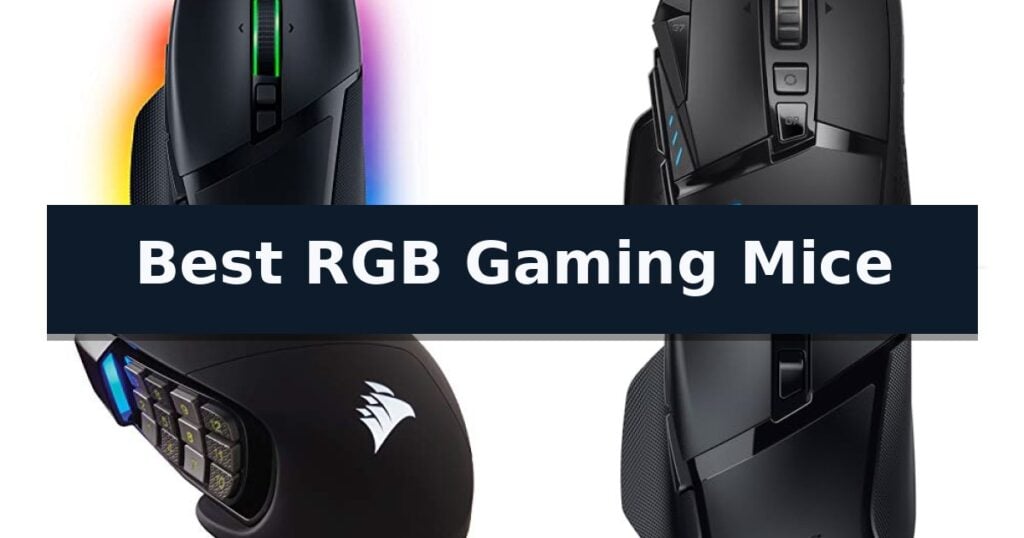
10 Best RGB Gaming Mice in 2026 Reviews
Quick Comparison
| Product | Best For | Key Strength | Score |
|---|---|---|---|
| Razer Basilisk V3 Gaming Mouse | Best Overall | HyperScroll Tilt Wheel offers both free-spin and tactile modes for versatile navigation. | 4.9 |
| Logitech G502 LIGHTSPEED Wireless Gaming Mouse | Top Tier Wireless Performance | HERO 25K sensor for high-precision tracking and power efficiency. | 4.9 |
| Corsair SCIMITAR RGB ELITE Gaming Mouse | Ideal for MMO and MOBA | Patented Key Slider system for custom side-button positioning | 4.4 |
| Razer Basilisk V3 X HyperSpeed Gaming Mouse | Long Battery Life Wireless | Dual-mode wireless connectivity with both HyperSpeed and Bluetooth options. | 4.4 |
| Corsair NIGHTSWORD RGB Gaming Mouse | Precision Weight Tuning | Smart Tunable Weight System for real-time balance adjustment | 4.9 |
| Redragon M810 PRO Wireless Gaming Mouse | Budget Friendly Wireless | Wireless 2.4Ghz connectivity for lag-free performance | 4.8 |
| Redragon M730 PRO Wireless Gaming Mouse | Ultra Lightweight Design | 62-gram ultra-lightweight design for fast, low-effort movement | 4.7 |
| Redragon M910KS Wireless Gaming Mouse | Ergonomic Comfort Focus | Fully programmable buttons with macro support. | 4.7 |
| Redragon M612 Wired Gaming Mouse | Versatile Programmable Buttons | 11 programmable buttons for extensive macro and keybind customization. | 4.4 |
| Redragon M602 Wired Gaming Mouse | Reliable Entry Level Choice | High-precision sensor with adjustable DPI up to 7200. | 4.3 |
How We Chose
Selecting the right gaming mouse requires evaluating how well a device balances hardware performance with user-defined utility. We assess these peripherals by examining the responsiveness of their optical sensors, the tactile feedback of their switches, and the depth of their software suites, ensuring that both the RGB lighting and button mapping contribute meaningfully to your specific gaming environment.
- Sensor accuracy and DPI range for consistent tracking
- Programmability of buttons for macro and shortcut execution
- Ergonomic design and weight distribution for comfort
- Software integration for RGB lighting and profile management
- Connectivity reliability and latency performance
1 Razer Basilisk V3 Gaming Mouse — Best for Advanced Customization
Precision and tactile feedback define the Razer Basilisk V3 Gaming Mouse, a wired peripheral engineered for users who demand granular control over their input devices. At the center of its performance is the Focus+ 26K DPI Optical Sensor, which provides high-accuracy tracking with zero smoothing for consistent, pixel-precise movement across various gaming surfaces.
The mouse features an iconic ergonomic design with a dedicated thumb rest, ensuring sustained comfort during extended sessions. Its 11 programmable buttons allow for extensive macro customization, enabling users to map secondary functions such as push-to-talk or specific in-game skills directly to the device for faster execution.
A standout mechanical feature is the HyperScroll Tilt Wheel, which offers two distinct modes of operation. Users can toggle between a free-spin mode for rapid scrolling through long documents or inventories, and a tactile mode that provides satisfying, precise feedback for cycling through weapons or abilities in fast-paced environments.
Durability and responsiveness are managed by the Optical Mouse Switches Gen 2, which are rated for up to 70 million clicks. These switches utilize light-beam actuation to achieve a 0.2ms response time, effectively eliminating the risk of unintended double-clicks and ensuring that every input is registered with crisp, immediate feedback.
For aesthetic and functional integration, the device includes 11 Razer Chroma RGB lighting zones. These zones are fully customizable via the Razer Synapse app, allowing for over 16.8 million color combinations that can react dynamically to over 150 Chroma-integrated games, creating a cohesive visual experience with the rest of a gaming setup.
Best for: Gamers who require extensive button mapping and a versatile scroll wheel for complex game titles.
Skip if: Users who prefer a lightweight, minimalist design or those who require wireless connectivity for their desk setup.
- HyperScroll Tilt Wheel offers both free-spin and tactile modes for versatile navigation.
- 11 programmable buttons allow for deep customization of macros and secondary functions.
- Optical Mouse Switches Gen 2 provide a rapid 0.2ms actuation speed.
- Focus+ 26K DPI sensor ensures high-precision tracking.
- Wired-only connection limits cable-free desk configurations.
- Heavier ergonomic form factor may not suit players who prioritize ultra-lightweight mice.
2 Logitech G502 LIGHTSPEED Wireless Gaming Mouse — Top Tier Wireless Performance
The Logitech G502 LIGHTSPEED Wireless Gaming Mouse distinguishes itself through a redesigned internal endoskeleton that achieves a 7-gram weight reduction while maintaining the iconic shape of its predecessor. This engineering choice ensures that users familiar with the series can transition to wireless performance without sacrificing the ergonomic layout they rely on for competitive play.
At the heart of this device is the HERO 25K sensor, which provides tracking speeds exceeding 400 IPS across a 25,600 DPI range. This sensor is engineered for high power efficiency, offering up to 10x the efficiency of previous generations to support extended wireless sessions. The LIGHTSPEED wireless technology is integrated to provide a reliable, ultra-fast connection that meets the demands of esports environments.
Customization is a core component of the design, featuring 11 programmable buttons equipped with metal-spring tensioning for consistent, fast actuation. The inclusion of six adjustable weights allows for precise balance tuning, enabling users to modify the feel of the mouse to suit their specific tracking and targeting preferences. Additionally, the scroll wheel offers a hyper-fast mode for fluid scrolling or a locked mode for notched precision.
The mouse is fully compatible with the POWERPLAY wireless charging system, allowing for continuous power during use. With its internal on-board memory, users can save their preferred configurations directly to the device, ensuring settings remain consistent across different PC or Mac environments.
Best for: Competitive gamers who prioritize a highly customizable, weight-adjustable wireless mouse with a proven ergonomic shape.
Skip if: Users who prefer an ultra-lightweight, minimalist design without the complexity of multiple programmable buttons or adjustable weights.
- HERO 25K sensor for high-precision tracking and power efficiency.
- Adjustable weight system allows for personalized balance and feel.
- LIGHTSPEED wireless technology provides pro-grade, reliable connectivity.
- 11 programmable buttons with metal-spring tensioning for responsive input.
- Heavier footprint compared to ultra-lightweight competitive gaming mice.
- Complex design may be excessive for users seeking a simple, streamlined interface.
3 Corsair SCIMITAR RGB ELITE Gaming Mouse — Ideal for MMO and MOBA
The CORSAIR SCIMITAR RGB ELITE Wired MMO MOBA PC Gaming Mouse is defined by its patented Key Slider control system, which allows users to physically reposition the 12 mechanical side buttons to match their specific hand size and grip style. This level of ergonomic customization ensures that all 17 programmable buttons remain accessible during intense sessions, making it a specialized tool for players who rely on complex macros and frequent ability mapping.
At the heart of its performance is a custom PixArt PMW3391 optical sensor, which provides tracking precision adjustable from 100 to 18,000 DPI in granular 1 DPI steps. This allows for highly specific sensitivity tuning to match individual surface calibrations, managed through the integrated CORSAIR iCUE software. The software also controls the four-zone dynamic RGB lighting and allows for the storage of three onboard profiles, enabling hardware macro playback across different systems without needing additional software.
Engineered for durability during high-frequency use, the mouse features Omron switches rated for 50 million clicks and a robust, braided 6-foot cable. The chassis is designed with a contoured shape that includes a dedicated right-side finger rest, providing additional support to reduce fatigue during extended gameplay. These structural choices emphasize a focus on longevity and comfort for users engaged in long-duration gaming.
While the device offers extensive control, its complexity is tailored specifically toward genres that benefit from high button counts, such as MMOs and MOBAs. Users should note that the 12-button side panel and the overall weight profile are optimized for these specific use cases rather than lightweight, minimalist gaming styles.
Best for: Players of MMO and MOBA titles who require extensive macro mapping and a highly adjustable side-button layout.
Skip if: Users who prefer an ultra-lightweight mouse design or those who do not require a high number of programmable side buttons.
- Patented Key Slider system for custom side-button positioning
- 17 programmable buttons for complex command mapping
- 18,000 DPI optical sensor with 1 DPI adjustment increments
- Three onboard profiles for portable hardware macro storage
- Higher button count and feature set may be excessive for non-MMO/MOBA genres
4 Razer Basilisk V3 X HyperSpeed Gaming Mouse — Long Battery Life Wireless
The Razer Basilisk V3 X HyperSpeed Gaming Mouse distinguishes itself through its versatile connectivity, allowing users to toggle between ultra-low-latency HyperSpeed Wireless for competitive play and Bluetooth for extended battery life. This flexibility is supported by an 18,000 DPI 5G Advanced Optical Sensor, which provides pixel-precise tracking across various gaming genres, from FPS to strategy titles.
Designed with an iconic ergonomic form, the mouse features 9 programmable controls that integrate with Razer Hypershift to enable complex macros and custom commands. These inputs are managed by Razer Mechanical Mouse Switches Gen-2, which are engineered for durability with a rating of up to 60 million clicks and gold-plated contact points to ensure consistent actuation.
Efficiency is a core component of this design, offering up to 285 hours of battery life on HyperSpeed Wireless or up to 535 hours via Bluetooth. The inclusion of 100% PTFE mouse feet facilitates smooth movement, while the integration of Razer Chroma RGB lighting allows for synchronization across compatible devices, providing dynamic visual customization for any gaming setup.
This model balances performance and convenience through onboard profile storage and a 1000 Hz polling rate, ensuring settings remain consistent across different systems. While it provides a robust feature set for both productivity and gaming, users should note that the weight and ergonomic profile are optimized for specific grip styles, making it a specialized tool for those prioritizing comfort and button accessibility.
Best for: Gamers who require a versatile, ergonomic wireless mouse with extensive battery life and customizable button mapping.
Skip if: Users who prefer an ultra-lightweight, ambidextrous design or those who require a wired-only connection for specific tournament regulations.
- Dual-mode wireless connectivity with both HyperSpeed and Bluetooth options.
- Long battery life reaching up to 535 hours in Bluetooth mode.
- 9 programmable controls that support advanced macro customization.
- Durable mechanical switches rated for 60 million clicks.
- Ergonomic shape is specifically designed for right-handed users.
- Weight profile may be heavier than ultra-lightweight competitive mice.
5 Corsair NIGHTSWORD RGB Gaming Mouse — Precision Weight Tuning
The Corsair NIGHTSWORD RGB Gaming Mouse distinguishes itself through a Smart Tunable Weight System that utilizes software to detect the mouse’s center of gravity in real time. This allows users to adjust the weight between 119g and 141g, providing a tailored feel that matches specific grip styles and gaming requirements.
Equipped with a custom Pixart PMW3391 native 18,000 DPI optical sensor, the device offers sensitivity adjustments in 1 DPI resolution steps for precise tracking. The hardware is designed for professional comfort, featuring a contoured shape and high-performance rubber grips inspired by professional sports equipment.
Functionality is expanded through ten fully programmable buttons, which support complex macros and key remaps for an in-game advantage in FPS and MOBA titles. The precise weight calibration system includes two sets of weights and six mounting locations, resulting in 120 possible weight and balance configurations to suit individual preferences.
The mouse is built with a focus on ergonomic support and technical customization, ensuring that the physical handling of the device is as adjustable as its software-driven performance settings. With a 2-year manufacturer warranty, it provides a robust solution for gamers seeking granular control over their peripheral's physical and digital responsiveness.
Best for: Gamers who require granular control over weight distribution and balance for specific FPS or MOBA playstyles.
Skip if: Users who prefer an ultra-lightweight, minimalist mouse design without the complexity of internal weight tuning systems.
- Smart Tunable Weight System for real-time balance adjustment
- High-precision 18,000 DPI optical sensor
- Ten fully programmable buttons for custom macros
- Ergonomic design with high-performance rubber grips
- Heavier base weight compared to dedicated lightweight competitive mice
6 Redragon M810 PRO Wireless Gaming Mouse — Budget Friendly Wireless
Precision in competitive gaming often hinges on the responsiveness of your peripherals, and the Redragon M810 PRO Wireless Gaming Mouse addresses this with a 2.4Ghz nano receiver designed to eliminate cable-related input lag. This mouse provides a seamless, untethered experience that allows for rapid, fluid movements during intense gameplay sessions.
Equipped with the PAW3325 Optical Pixart sensor, this device offers adjustable DPI levels up to 10,000, which can be toggled across five on-board presets to suit different gaming scenarios. The integration of a 1000Hz polling rate ensures that your inputs are registered with high frequency, while the dual-mode connectivity and optimized power consumption allow for up to 45 hours of operation in eco-mode.
The physical design features an ergonomic grip housing 8 programmable buttons, including dedicated rapid-fire and side macro keys that can be customized via software. This level of remapping capability makes the mouse adaptable for both complex gaming keybinds and productivity tasks, providing a versatile interface for various user requirements.
Aesthetically, the mouse includes adjustable true color RGB lighting with multiple modes such as breathing, waving, and dynamic streaming. These lighting effects are managed through the Redragon Pro driver, allowing users to synchronize the visual style of their setup with their in-game environment.
Best for: Gamers seeking a wireless, programmable mouse with high DPI sensitivity and customizable RGB lighting on a budget.
Skip if: Users who require an ultra-lightweight chassis or a higher-end sensor for professional-grade competitive esports may find this model's weight and sensor specifications insufficient.
- Wireless 2.4Ghz connectivity for lag-free performance
- 8 programmable buttons with macro support
- Adjustable DPI up to 10,000 for precise tracking
- 45-hour battery life in eco-mode
- Fixed sensor model (PAW3325) may not meet the needs of high-end competitive players
- Software-dependent customization for advanced lighting and macro settings
7 Redragon M730 PRO Wireless Gaming Mouse — Ultra Lightweight Design
The Redragon M730 PRO Wireless Gaming Mouse prioritizes agility with a 62-gram lightweight chassis, designed to minimize physical resistance during high-speed movements. This mouse caters to diverse setups by offering both cable-free wireless connectivity and a traditional wired mode, ensuring consistent input regardless of your preferred configuration.
Performance is managed by the SG8925 Optical Pixart sensor, which supports a 1000Hz polling rate for responsive tracking. Users can toggle between 5 redefinable DPI levels, with a default range spanning 400 to 4000 DPI, and the software allows for granular adjustments anywhere between 50 and 10000 DPI to suit specific gameplay requirements.
Power management is optimized for extended sessions, with the internal rechargeable battery providing up to 77 hours of operation on a single charge. The device also integrates adjustable true color RGB lighting, which can be customized via the Redragon Pro driver to sync with various dynamic effects like neon or streaming modes.
Designed for versatility, this mouse balances its low-mass construction with an ergonomic form factor. By utilizing ultra-light materials, it aims to reduce fatigue during prolonged use while maintaining the necessary precision for competitive environments.
Best for: Gamers who prioritize a lightweight, versatile mouse that transitions seamlessly between wireless and wired modes.
Skip if: Users who require a high-button-count mouse for complex MMO macros or those who prefer a heavier, more substantial feel in their hand.
- 62-gram ultra-lightweight design for fast, low-effort movement
- Dual-mode connectivity featuring both wired and wireless options
- Long-lasting battery life rated for up to 77 hours
- Highly adjustable DPI settings ranging from 50 to 10000
- Limited button layout compared to dedicated MMO-style mice
8 Redragon M910KS Wireless Gaming Mouse — Ergonomic Comfort Focus
The Redragon M910KS Wireless Gaming Mouse prioritizes user comfort through an ergonomic design and skin-friendly materials, specifically engineered to alleviate fatigue during extended gaming sessions. This wireless peripheral balances performance and utility, offering a versatile range of customization options for various gaming environments.
Equipped with an adjustable sensor, the mouse supports a DPI range from 250 to 8000, allowing for precise sensitivity control. Users can toggle between four polling rates—125Hz, 250Hz, 500Hz, and 1000Hz—to match their preferred response speed. A dedicated fire button is integrated into the layout, providing a 1-click-to-3-clicks function designed to assist in rapid-fire scenarios.
Customization is a core component of this model, as all buttons are fully programmable via the provided driver. This allows for macro editing, button remapping, and the adjustment of RGB lighting. The device features 9 distinct lighting effects with 16.8 million color combinations, enabling users to synchronize the aesthetic with their desktop setup.
Power management is handled by a rechargeable battery that offers up to 35 hours of usage with RGB lighting active, or up to 70 hours when the lights are disabled. To conserve energy, the mouse enters an auto-sleep mode after one minute of inactivity. For uninterrupted sessions, the device remains functional while connected to a charging cable.
Best for: Gamers who prioritize ergonomic comfort and extensive button programmability for long-duration play.
Skip if: Users who require a lightweight, ultra-minimalist mouse or those who prefer a wired-only connection for competitive esports.
- Fully programmable buttons with macro support.
- Adjustable DPI and polling rates for tailored tracking.
- Long battery life reaching up to 70 hours.
- Ergonomic design with skin-friendly materials.
- Automatic sleep mode may be intrusive for some workflows.
- Weight of the unit is higher than specialized ultralight gaming mice.
9 Redragon M612 Wired Gaming Mouse — Versatile Programmable Buttons
The Redragon M612 Wired Gaming Mouse prioritizes customization through its 11 programmable buttons, allowing users to assign tactical keybinds and macros for both gaming and productivity tasks. This device is built with a focus on tactile feedback and control, featuring a skin-friendly frosted coating and a textured rubber side grip to assist with handling during intense sessions.
Engineered for versatility, the mouse includes 5 redefinable DPI levels ranging from 500 to 8000, which can be adjusted via software to match specific gaming requirements. The integrated rapid-fire button and dual side macro buttons provide additional input options, while the internal architecture ensures a stable, lag-free connection for consistent performance.
The physical design utilizes a streamlined, claw-grip frame intended to reduce fatigue during extended use. Aesthetic customization is handled by a dynamic RGB lighting system, which offers 5 distinct backlit modes to coordinate with other gaming peripherals.
While the mouse offers significant flexibility in button mapping and sensitivity, users should note that the software-driven DPI adjustments and macro programming are essential for unlocking the full capabilities of the device. The combination of a durable, ergonomic body and high-resolution optical sensor makes it a practical tool for users seeking a balance between comfort and functional input control.
Best for: Gamers and professionals who require extensive macro remapping and adjustable DPI settings in a comfortable, ergonomic form factor.
Skip if: Users who prefer a wireless setup or those who require a lightweight, ambidextrous design will find this wired, right-handed ergonomic mouse unsuitable.
- 11 programmable buttons for extensive macro and keybind customization.
- Adjustable DPI levels ranging from 500 to 8000 for varied precision needs.
- Ergonomic claw-grip design with rubberized side textures for improved control.
- Dynamic RGB lighting with 5 selectable modes.
- Wired connection limits mobility compared to wireless alternatives.
- Right-handed ergonomic shape is not suitable for left-handed users.
10 Redragon M602 Wired Gaming Mouse — Reliable Entry Level Choice
The Redragon M602 Wired Gaming Mouse centers its design around a high-precision sensor capable of reaching 7200 DPI, providing consistent tracking for both gaming and professional workflows. Launched in 2015, this peripheral has maintained a long-standing presence in the market, emphasizing a balance between functional utility and aesthetic customization.
Ergonomics play a central role in the physical construction of the Redragon M602 Wired Gaming Mouse. The chassis features dedicated finger positions intended to accommodate various grip styles, aiming to reduce fatigue during extended sessions. With a weight of approximately 0.6 pounds and dimensions measuring roughly 4.9 by 2.9 inches, it offers a substantial feel for users who prefer a stable, wired connection.
Customization is handled through dedicated software, allowing users to remap the 9 programmable buttons and create macro edits. This software interface also controls the integrated RGB lighting system, which supports seven distinct modes and effects. Users can toggle these settings directly via onboard buttons or through the software to suit their specific environment.
This mouse is compatible with PC, Windows, Laptop, and Mac systems, making it a versatile choice for diverse desktop setups. While it provides a wide range of adjustable sensitivity settings, users should ensure their workspace can accommodate a wired connection, as this model does not feature wireless functionality.
Best for: Gamers and office users seeking an affordable, wired mouse with extensive button remapping and customizable RGB lighting.
Skip if: Users who require wireless connectivity or a lightweight, ultra-compact mouse for travel will find this wired, full-sized model less suitable.
- High-precision sensor with adjustable DPI up to 7200.
- 9 programmable buttons for custom macro and key remapping.
- Ergonomic design featuring dedicated finger rests for comfort.
- Versatile RGB lighting with seven selectable modes.
- Wired-only connection limits mobility compared to wireless alternatives.
Best RGB Gaming Mice Buying Guide
Sensor Precision and DPI
The optical sensor is the core of any gaming mouse, dictating how accurately your physical movements translate to on-screen actions. Modern sensors, such as those found in the Razer or Logitech lineups, offer high DPI ranges that allow for rapid cursor movement, though most competitive players prefer lower settings for consistent aim.
Look for sensors that provide zero smoothing and high tracking speeds, measured in inches per second (IPS). These specifications ensure that even during fast-paced flick shots, the mouse maintains tracking integrity without spinouts or acceleration issues that could compromise your performance.
Programmable Buttons and Macros
Programmable buttons significantly enhance efficiency, especially in titles that require complex command sequences. Mice with 11 or more buttons, such as the Corsair SCIMITAR, are specifically designed for MMO and MOBA players who need to trigger abilities or inventory items instantly.
When evaluating button placement, consider your grip style—palm, claw, or fingertip. The layout should allow for natural thumb or finger reach without requiring you to adjust your grip, which can lead to fatigue or accidental clicks during intense matches.
Ergonomics and Weight
A mouse's shape and weight are critical for long-term comfort and control. Ergonomic designs featuring thumb rests, like the Razer Basilisk series, help reduce wrist strain by providing a stable platform for your hand, though these often result in a heavier overall build.
If you prefer a lightweight mouse for rapid movement, look for models that strip away unnecessary bulk. Some advanced mice offer adjustable weight systems, allowing you to fine-tune the balance to match your personal preference for friction and stability on your mousepad.
Wireless vs. Wired Connectivity
Modern wireless technology has largely eliminated the latency concerns that previously plagued gaming peripherals. High-end wireless mice now offer polling rates and response times that are indistinguishable from wired connections, providing a clutter-free desk without sacrificing competitive edge.
Wired mice remain a reliable choice for users who do not want to manage battery life or worry about wireless interference. They are typically lighter and more affordable, making them a practical choice for stationary setups where cable management is easily handled.
RGB Lighting and Software
RGB lighting is more than just an aesthetic choice; it often serves as a visual indicator for active profiles or DPI settings. High-quality software suites allow you to synchronize these lighting effects across multiple devices, creating a cohesive look for your entire gaming station.
Ensure the software is intuitive and allows for onboard profile storage. This feature is particularly useful if you frequently move your mouse between different computers, as it saves your custom button mappings and lighting configurations directly to the device's memory.
Frequently Asked Questions
Do I need a high DPI setting for gaming?
Not necessarily. Most competitive gamers use lower DPI settings for better control and consistency. High DPI is more useful for high-resolution monitor setups or tasks requiring rapid cursor movement across multiple screens.
Are wireless gaming mice as fast as wired ones?
Yes, modern wireless technologies like Razer HyperSpeed or Logitech LIGHTSPEED provide ultra-low latency connections that are effectively identical to wired performance in real-world gaming scenarios.
How do I know which mouse shape is best for me?
The best shape depends on your grip style. Palm grippers generally prefer larger, ergonomic mice with thumb rests, while claw or fingertip grippers often find smaller, lighter, and more symmetrical shapes easier to maneuver.
Can I use my mouse on different computers without re-installing software?
If your mouse supports onboard profile storage, you can save your settings, macros, and lighting preferences directly to the device, allowing you to maintain your configuration when switching between systems.
What is the benefit of a tilt-scroll wheel?
A tilt-scroll wheel allows for horizontal scrolling in addition to standard vertical scrolling. In gaming, these extra inputs can be mapped to secondary actions, providing more control without needing additional dedicated buttons.
Conclusion: Our Top Pick
Our top pick is Razer Basilisk V3 Gaming Mouse. Choosing the right gaming mouse involves balancing your specific genre requirements with your physical comfort. Whether you need the extensive button layout of an MMO-focused device or the streamlined, high-performance tracking of an FPS-oriented model, prioritizing sensor quality and ergonomic fit will provide the most significant impact on your gaming experience.
Ultimately, the best mouse is one that feels like an extension of your hand. By focusing on the features that directly assist your playstyle—such as weight, button placement, and reliable connectivity—you can select a peripheral that enhances both your performance and your desktop's visual appeal.