Corsair K70 Core Gaming Keyboard is our top choice for the Best RGB Keyboards, offering a refined typing experience through its pre-lubed mechanical switches and dual-layer sound dampening. For those seeking spill-resistant reliability, the SteelSeries Apex 3 provides a quiet alternative, while the Huo Ji E-Yooso Creamy Mechanical Keyboard serves as an excellent pick for users who prioritize a gasket-mounted feel and hot-swappable switch customization.
Selecting a keyboard with integrated lighting involves balancing aesthetic preferences with functional requirements like switch actuation force and build durability. While some models focus on software-driven lighting zones, others prioritize physical construction, such as aluminum top plates or specialized sound-dampening materials, which can significantly alter the acoustic profile during intense gaming sessions.
Experienced buyers should consider how lighting control software interacts with their existing hardware ecosystem, as proprietary platforms often offer deeper integration than universal plug-and-play solutions. Beyond the visual appeal, the physical layout and secondary features like dedicated media dials or macro keys often dictate long-term comfort and productivity during daily use.
If you are working with a specific budget, our guide on Best RGB Gaming Keyboards Under $100 provides additional insights into mid-range options that maintain high performance.
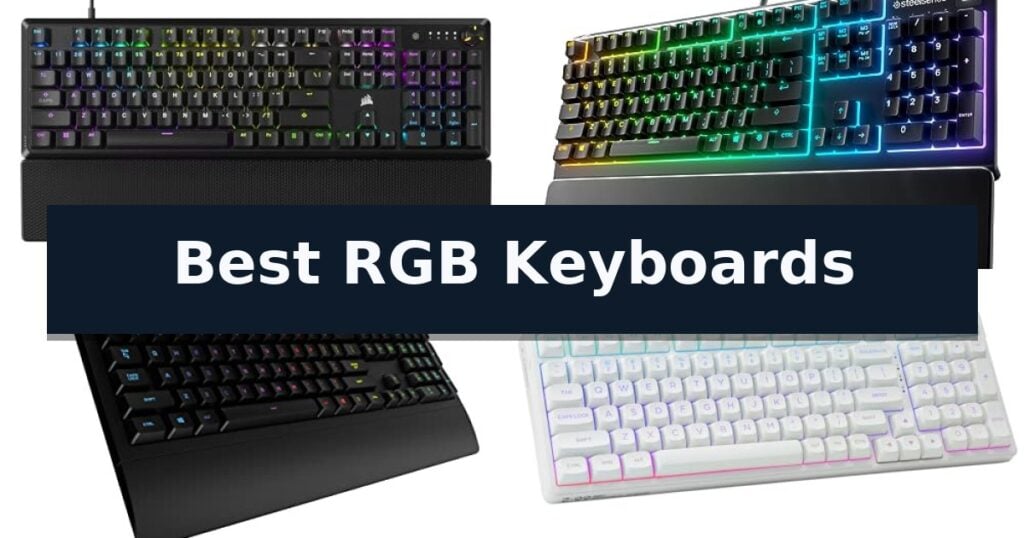
10 Best RGB Keyboards in 2026 Reviews
Quick Comparison
| Product | Best For | Key Strength | Score |
|---|---|---|---|
| Corsair K70 Core Gaming Keyboard | Best Overall | Dual-layer EVA sound-dampening foam for reduced typing noise | 4.9 |
| SteelSeries Apex 3 Gaming Keyboard | Quiet Spill-Resistant Design | IP32 water resistance protects against accidental spills. | 4.6 |
| Logitech G213 Prodigy Gaming Keyboard | Customizable Multi-Zone Lighting | Spill-resistant design that protects against liquids, crumbs, and dirt. | 4.9 |
| Huo Ji E-Yooso Creamy Mechanical Keyboard | Satisfying Gasket-Mounted Feel | Gasket-mounted design with multi-layer sound dampening for a quiet, creamy typing feel. | 4.4 |
| Redragon K580 Mechanical Gaming Keyboard | Dedicated Macro Keys | Dedicated macro keys and media wheel for efficient control. | 4.3 |
| Tecknet Wired Gaming Keyboard | Ergonomic Metal Panel Build | IP32 spill resistance with integrated drainage holes. | 4.7 |
| Redragon K521 Gaming Keyboard | Dazzling Rainbow Backlight | Upgraded LED backlight with adjustable brightness and breathing modes. | 4.6 |
| Redragon S101M-KS Wireless Keyboard Combo | Versatile Tri-Mode Connectivity | Tri-mode connectivity provides flexible wired, Bluetooth, and 2.4G wireless options. | 4.9 |
| Aula Gaming Keyboard and Mouse | Durable Brushed Aluminum Panel | Aluminum alloy brushed panel for increased durability. | 4.6 |
| MageGee K1 Gaming Keyboard | Budget-Friendly Full-Size Layout | Full-size 104-key layout with dedicated number pad. | 4.5 |
How We Chose
To identify the best RGB keyboards, we evaluate each model based on its switch performance, lighting versatility, and overall structural integrity. An experienced reviewer looks beyond the visual flair of backlighting to assess the tactile consistency of the keys, the responsiveness of the software interface, and the physical comfort provided by integrated ergonomic components during extended use.
- Switch type and actuation feel
- Lighting zone customization and software integration
- Build materials and chassis durability
- Acoustic dampening and noise reduction
- Ergonomic features including palm rests and adjustable feet
1 Corsair K70 Core Gaming Keyboard — Smooth Linear Switch Performance
The Corsair K70 Core Gaming Keyboard distinguishes itself through the integration of dual-layer EVA sound-dampening foam, which is specifically engineered to soften typing acoustics and minimize unwanted noise during intense gaming sessions. This full-size mechanical keyboard provides a refined tactile experience while maintaining the robust build quality expected from the K70 series.
At the heart of its performance are the pre-lubricated CORSAIR Red linear mechanical switches. These switches offer a smooth, consistent keystroke with a 45g actuation force and a 1.9mm actuation distance, rated for up to 70 million keystrokes. The inclusion of full-key rollover and 100% anti-ghosting ensures that complex multi-key inputs are registered accurately, supported by a 1,000Hz polling rate for responsive command execution.
Usability is enhanced by a multi-function rotary dial and a dedicated programmable media button, both of which can be configured via CORSAIR iCUE software. This software also manages the individually programmable per-key RGB lighting, allowing users to save custom lighting effects and key remaps to five onboard profiles. The keyboard is constructed with a sturdy aluminum top plate and durable ABS double-shot keycaps designed for long-term wear resistance.
For added comfort, the unit includes a detachable magnetic soft-touch palm rest that snaps into place easily. While the keyboard is designed for high-performance gaming, the combination of sound-dampening materials and linear switches makes it a versatile option for users who prioritize a quieter typing environment without sacrificing the mechanical feel.
Best for: Gamers and typists who prioritize a quieter mechanical experience with customizable lighting and media controls.
Skip if: Users who prefer the tactile bump and audible click of blue-style mechanical switches or those requiring a compact tenkeyless footprint.
- Dual-layer EVA sound-dampening foam for reduced typing noise
- Pre-lubricated linear switches for smooth, consistent keystrokes
- Multi-function rotary dial for convenient media and lighting control
- Sturdy aluminum top plate for increased durability
- Full-size layout may be too large for compact desk setups
- ABS keycaps may develop a shine over extended periods of heavy use
2 SteelSeries Apex 3 Gaming Keyboard — Quiet Spill-Resistant Design
The SteelSeries Apex 3 Gaming Keyboard is engineered to provide a refined, quiet typing experience, making it a functional choice for environments where noise reduction is a priority. At the heart of its design are whisper quiet gaming switches, which are rated for 20 million low-friction keypresses. These switches offer a tactile response without the audible click associated with traditional mechanical alternatives, helping to maintain a focused atmosphere during extended gaming or work sessions.
Beyond its acoustic profile, the keyboard integrates 10-zone RGB illumination. This feature allows for customizable color schemes and reactive lighting effects, enabling users to personalize their setup to match their aesthetic preferences. The inclusion of a premium magnetic wrist rest further enhances the user experience by providing full palm support, which is essential for maintaining ergonomic comfort during long periods of desk use.
Durability and practicality are central to the construction of the SteelSeries Apex 3 Gaming Keyboard. It features an IP32 water resistant rating, which provides a layer of protection against accidental liquid spills, ensuring that minor mishaps do not compromise the internal components. This design choice adds a level of reliability for daily use in busy environments.
Functionality is expanded through the inclusion of dedicated multimedia controls, which allow users to adjust volume and playback settings directly from the keyboard without needing to exit their active application. The device is designed for broad compatibility, supporting Windows, Mac OS X, and gaming consoles including the Xbox Series S, Xbox Series X, PS4, and PS5, making it a versatile peripheral for various gaming and computing platforms.
Best for: Gamers and typists who require a quiet, spill-resistant keyboard with customizable lighting and ergonomic wrist support.
Skip if: Users who prefer the distinct tactile and auditory feedback of mechanical switches will likely find the membrane-based whisper quiet switches less satisfying.
- IP32 water resistance protects against accidental spills.
- Whisper quiet switches provide a near-silent typing experience.
- Premium magnetic wrist rest included for enhanced ergonomic comfort.
- Dedicated multimedia controls allow for quick on-the-fly adjustments.
- Membrane-based switches may lack the tactile feedback preferred by mechanical keyboard enthusiasts.
3 Logitech G213 Prodigy Gaming Keyboard — Customizable Multi-Zone Lighting
The Logitech G213 Prodigy Gaming Keyboard streamlines desktop setups by integrating 5 customizable lighting zones with access to over 16.8 million colors. This full-sized peripheral allows users to synchronize lighting effects with other Logitech G hardware through the Logitech G HUB software, providing a unified aesthetic for both gaming and productivity environments.
Engineered for sustained use, the keyboard features an integrated palm rest and adjustable feet to support ergonomic positioning during extended sessions. The construction is specifically designed to be durable, featuring a slim body capable of repelling liquids, crumbs, and dirt, which simplifies maintenance and cleaning tasks.
Functionality is enhanced by dedicated media controls, allowing users to play, pause, mute, and adjust volume or skip tracks without exiting their active window. The keys themselves utilize Mech-Dome technology, which is tuned to provide a tactile experience with responsive feedback, while an anti-ghosting gaming matrix ensures reliable input registration during fast-paced gameplay.
Users can further tailor their experience via the Logitech G HUB software, which enables macro programming and the activation of a dedicated game mode. This combination of software-driven customization and hardware-level durability makes the Logitech G213 Prodigy Gaming Keyboard a versatile tool for various computing needs.
Best for: Gamers and professionals seeking a full-sized, spill-resistant keyboard with integrated media controls and software-driven RGB customization.
Skip if: Users who require mechanical switches or a compact, tenkeyless form factor for limited desk space.
- Spill-resistant design that protects against liquids, crumbs, and dirt.
- Dedicated media keys for instant control over audio and video playback.
- Customizable LIGHTSYNC RGB lighting across five distinct zones.
- Integrated palm rest and adjustable feet for improved ergonomics.
- Non-mechanical key switches may not satisfy users preferring traditional mechanical tactile feedback.
- Full-sized footprint occupies significant desk space compared to compact models.
4 Huo Ji E-Yooso Creamy Mechanical Keyboard — Satisfying Gasket-Mounted Feel
The Huo Ji E-Yooso Creamy Mechanical Keyboard distinguishes itself through a sophisticated gasket-mounted design paired with five layers of sound-absorbing foam, engineered to minimize hollow resonance and reduce noise by 40%. This structural approach provides a dampened, consistent keystroke feel that is particularly effective for users who prioritize a refined acoustic profile during extended typing sessions.
Measuring 39×13.5x4cm, the 99-key 96% layout balances space efficiency with full-sized functionality, ensuring that essential keys remain accessible while preserving desk real estate. The keyboard connects via a detachable 5.25-foot USB-C to USB-A cable, providing a reliable, low-latency wired connection suitable for both competitive gaming and professional workflows.
Customization is central to the user experience, as the hot-swappable PCB allows for the installation of 3-pin or 5-pin switches without the need for soldering. The unit ships with pre-lubed linear switches for immediate smooth actuation, and the included pullers facilitate easy maintenance. The double-shot injection PBT keycaps further enhance longevity by resisting the surface wear and shine common to standard plastic keycaps.
Visual personalization is managed through integrated RGB backlighting, which offers 15 distinct lighting effects and 8 solid color modes. Users can adjust both the speed and brightness of these effects to suit their environment. While the wired-only connection limits mobility, it ensures consistent power delivery for the lighting and anti-ghosting performance, making it a stable choice for a dedicated workstation.
Best for: Users seeking a compact, customizable mechanical keyboard with a dampened, premium acoustic signature for gaming or typing.
Skip if: Users who require a full-sized 100% layout with a dedicated number pad or those who prefer wireless connectivity options.
- Gasket-mounted design with multi-layer sound dampening for a quiet, creamy typing feel.
- Hot-swappable PCB allows for easy switch customization without soldering.
- Compact 96% layout saves desk space while maintaining full functionality.
- Double-shot PBT keycaps provide long-lasting durability and character clarity.
- Wired-only connection limits desk placement flexibility compared to wireless models.
5 Redragon K580 Mechanical Gaming Keyboard — Dedicated Macro Keys
The Redragon K580 Wired RGB Mechanical Gaming Keyboard distinguishes itself through its integrated dedicated macro keys and a physical media wheel, providing immediate control over complex inputs and audio settings without the need for constant software interaction. This full-size mechanical keyboard is engineered for users who require rapid, reliable command execution during intense gaming sessions.
Equipped with classic tactile Blue switches, the keyboard offers a distinct audible click and physical feedback for every keystroke. The hot-swappable socket design allows users to replace switches without soldering, offering flexibility for maintenance or customization. The board is rated for 50 million keystrokes, supported by double-shot keycaps designed to resist fading over extended periods of use.
For fast-paced gameplay, the full anti-ghosting capability ensures that all 104 keys register accurately during rapid multi-key combinations. While the keyboard functions fully without external software, it includes 5 dedicated G-keys for on-the-fly macro recording, allowing for quick storage of shortcuts. An optional companion software suite is available for users who prefer deeper customization of RGB lighting effects and advanced macro profiles.
The physical design includes dedicated media controls, such as a volume wheel and play/pause buttons, which streamline multimedia management. With a weight of approximately 2.65 pounds and a durable construction, the board is built to withstand heavy daily use. Users should note that while the tactile Blue switches provide a satisfying typing feel, their audible nature may be a consideration depending on the surrounding environment.
Best for: Gamers and power users who prioritize dedicated macro keys, tactile switch feedback, and on-the-fly customization.
Skip if: Users who require a silent typing experience or those who prefer a compact, tenkeyless form factor for limited desk space.
- Dedicated macro keys and media wheel for efficient control.
- Hot-swappable switch sockets allow for easy maintenance and customization.
- Full anti-ghosting ensures accurate input registration during rapid play.
- Double-shot keycaps provide high durability against fading.
- Audible click of the Blue switches may be too loud for quiet environments.
- Full-size footprint occupies significant desk space.
6 Tecknet Wired Gaming Keyboard — Ergonomic Metal Panel Build
The Tecknet Wired Gaming Keyboard distinguishes itself with a robust metal base and an ergonomic 7-degree input angle, designed to provide a stable and comfortable foundation for extended typing sessions. This keyboard integrates a stepped key layout and a built-in wrist rest to help maintain a natural hand position, effectively minimizing fatigue during prolonged use.
Equipped with 15-zone RGB illumination, the device offers 7 distinct modes and 4 brightness levels, allowing for visual customization that remains functional in low-light environments. The keyboard features a whisper-quiet switch structure rated for a lifespan of 50 million keystrokes, making it suitable for shared office spaces or quiet gaming setups.
Practicality is addressed through IP32 spill resistance, which incorporates 4 drainage holes within the wrist rest to manage accidental liquid exposure. The unit also includes 25 anti-ghosting keys to ensure precise input registration during rapid gameplay, alongside 12 dedicated multimedia keys for streamlined control over media playback.
Maintenance is simplified by the removable key cover design, allowing for easier cleaning of the board's surface. While the keyboard provides a comprehensive feature set for PC users, it is important to note that the integrated multimedia controls are not compatible with Mac operating systems.
Best for: Users seeking a durable, spill-resistant keyboard with quiet switches and customizable RGB lighting for both office and gaming environments.
Skip if: Mac users who require full functionality of dedicated multimedia keys, as these are not supported on that platform.
- IP32 spill resistance with integrated drainage holes.
- Whisper-quiet switch structure rated for 50 million keystrokes.
- Ergonomic design featuring a 7-degree input angle and built-in wrist rest.
- 25 anti-ghosting keys for reliable input during gaming.
- Multimedia keys are incompatible with Mac systems.
- Backlight sleep mode triggers after 30 minutes of inactivity.
7 Redragon K521 Gaming Keyboard — Dazzling Rainbow Backlight
The Redragon K521 Gaming Keyboard distinguishes itself with an upgraded LED backlight design that provides a more penetrating, dazzling visual effect compared to traditional lighting. This wired mechanical-feeling keyboard is built for users who prioritize both aesthetic customization and functional efficiency during gaming sessions.
Designed for rapid input, the keys offer a mechanical-feeling tactile response that supports quick triggering. The unit includes 19 keys with anti-ghosting technology, ensuring that complex key combinations are registered accurately during gameplay. This feature is intended to help maintain precision when executing multiple skills simultaneously.
Usability is enhanced through a dedicated one-touch button that allows users to toggle the lighting on or off instantly. Users can further customize the experience using a three-position breathing mode and four-position adjustable brightness settings. For additional productivity, the board features 12 multimedia combination keys that streamline control over media and system functions.
This keyboard is designed for broad compatibility, functioning with Windows, macOS, PS4/5, and Xbox systems without the need for additional drivers. Its plug-and-play nature simplifies the setup process, making it a straightforward addition to various gaming or workstation environments.
Best for: Gamers and office users seeking a budget-friendly, plug-and-play keyboard with customizable lighting and multimedia controls.
Skip if: Users who require genuine mechanical switches, dedicated macro keys, or advanced software-based per-key RGB programming.
- Upgraded LED backlight with adjustable brightness and breathing modes.
- 19-key anti-ghosting support for accurate input during gaming.
- 12 multimedia combination keys for improved efficiency.
- Broad compatibility across PC, Mac, and major gaming consoles.
- Mechanical-feeling keys rather than true mechanical switches.
- Limited customization compared to software-driven RGB keyboards.
8 Redragon S101M-KS Wireless Keyboard Combo — Versatile Tri-Mode Connectivity
The Redragon S101M-KS Wireless Keyboard Combo eliminates workspace clutter by offering versatile tri-mode connectivity, allowing users to switch seamlessly between wired, Bluetooth, and 2.4G wireless modes. This flexibility ensures a stable connection for gaming setups while providing the freedom to choose the input method that best suits the current environment.
Designed with a focus on gaming performance, the keyboard features true RGB backlighting with eight customizable patterns, enabling users to adjust both light speed and brightness to match their aesthetic preferences. The internal rechargeable battery is engineered for longevity, supporting up to 300 hours of use when the RGB lighting is turned off, with a convenient battery indicator to monitor status.
The included gaming mouse complements the keyboard with five adjustable DPI levels reaching up to 4800, which can be toggled via a dedicated button or customized through the manufacturer's software. The software also allows for remapping of the seven mouse buttons and adjustment of the polling rate between 125Hz and 1000Hz, providing granular control over precision and responsiveness.
Practicality is integrated into the hardware design, which includes 10 independent multimedia keys and 12 combination keys for rapid management during gameplay. The keyboard is built to be splash-resistant and features a Windows lock function to prevent accidental interruptions, while the ergonomic layout is intended to maintain comfort during extended typing or gaming sessions.
Best for: Gamers seeking a versatile, cable-free setup with customizable lighting and programmable controls.
Skip if: Users who prefer a mechanical switch feel or require a full-sized layout with dedicated macro keys beyond the provided multimedia functions.
- Tri-mode connectivity provides flexible wired, Bluetooth, and 2.4G wireless options.
- Long-lasting battery life reaches up to 300 hours with RGB lighting disabled.
- Highly customizable via software for DPI, polling rate, and key remapping.
- Splash-resistant design adds a layer of protection against minor spills.
- Software dependency is required to unlock advanced customization features like button remapping.
- Shared 2.4G receiver requires the use of one dongle for both devices, which may be a limitation for those preferring separate connections.
9 Aula Gaming Keyboard and Mouse — Durable Brushed Aluminum Panel
The Aula Gaming Keyboard and Mouse features an aluminum alloy brushed panel that provides a durable, rugged foundation for both gaming and workstation setups. Designed with a 7-degree ergonomic angle, this combo aims to reduce hand fatigue during extended periods of use, while the 2.0mm keystroke depth is engineered for rapid trigger response and tactile feedback.
Functionality is enhanced by a dedicated phone and pen bracket integrated into the keyboard frame, offering a convenient storage solution for mobile devices. The keyboard utilizes floating keycaps that can be easily removed with the included puller for maintenance. As a plug-and-play device, it requires no additional software or firmware installations, allowing for immediate operation.
The lighting system consists of a rainbow backlit keyboard and an RGB breathable mouse. Users can toggle between three illumination modes—Constant Light, Breathing, and Heartbeat—and adjust brightness and speed via function keys. For gaming precision, the set includes 12 multimedia combination keys and an anti-ghosting feature that supports 26 keys pressed simultaneously, alongside a lock/unlock Windows key to prevent accidental interruptions.
Versatility is a core component of this set, which includes a mouse with four adjustable DPI settings ranging from 1200 to 7200. To conserve energy, the system automatically enters sleep mode after 5 minutes of inactivity, waking instantly upon any key press. The combo is compatible with a wide range of Windows operating systems, making it a functional choice for various PC and laptop configurations.
Best for: Users seeking a durable, plug-and-play keyboard and mouse combo with integrated device storage and customizable lighting for gaming or productivity.
Skip if: Users who require advanced software-based macro programming or mechanical switches, as this model utilizes a membrane-based design.
- Aluminum alloy brushed panel for increased durability.
- Integrated phone and pen bracket for workspace organization.
- 26-key anti-ghosting support for simultaneous inputs.
- Adjustable DPI settings on the mouse up to 7200.
- Membrane keyboard architecture may not satisfy users preferring mechanical switch feedback.
- Limited to three illumination modes, offering less customization than software-driven RGB peripherals.
10 MageGee K1 Gaming Keyboard — Budget-Friendly Full-Size Layout
The MageGee K1 Gaming Keyboard offers a straightforward, full-size 104-key layout that integrates a standard number pad and function keys for efficient operation. This wired peripheral emphasizes a plug-and-play experience, requiring no additional drivers or software to function immediately upon connection.
Designed with ergonomics in mind, the keyboard features a scientific high-and-low keycap arrangement intended to align with natural hand positioning. The chassis is constructed from ABS engineering plastic and includes non-slip pads on the bottom to maintain stability during use. Its floating keycaps are removable, allowing for easier maintenance.
Visual customization is provided through an RGB LED backlight system, which includes 8 colors, 5 lighting modes, and adjustable brightness and speed settings. The letters are created using a double-shot injection molding process, which supports light transmission and durability. For connectivity, the device utilizes a waterproof USB 2.0 cable with a gold-plated interface and an anti-interference magnet ring.
The accompanying high-resolution mouse features 6 adjustable speed levels ranging from 600 to 3200 DPI, paired with a 7-color breathing LED backlight. Users can lock the mouse lighting to a specific color using a combination of the side and middle buttons. The entire combo is compatible with Windows, Mac, and Linux operating systems.
Best for: Users seeking a budget-friendly, full-size wired keyboard and mouse combo with basic RGB lighting for office or gaming tasks.
Skip if: Users who require mechanical switches, programmable macro keys, or advanced software-based lighting customization.
- Full-size 104-key layout with dedicated number pad.
- Plug-and-play connectivity with no driver requirements.
- Adjustable DPI settings on the included mouse.
- Ergonomic keycap design to reduce hand fatigue.
- Wired-only connection limits desk placement flexibility.
- Lacks advanced software for deep customization.
Best RGB Keyboards Buying Guide
Mechanical vs. Membrane Switches
Mechanical switches offer distinct tactile or linear feedback that many gamers prefer for precision and durability. These switches are typically rated for millions of keystrokes, making them a long-term investment for heavy users.
Membrane keyboards, conversely, provide a quieter, softer typing experience. While they may lack the crisp feedback of mechanical alternatives, they are often more affordable and frequently include spill-resistant designs for added protection.
Lighting Customization and Software
High-end RGB keyboards often utilize dedicated software to allow for per-key lighting control and synchronization with other peripherals. This level of customization is ideal for users who want a unified aesthetic across their entire desk setup.
Entry-level options may offer zone-based lighting rather than per-key control. While less granular, these keyboards are often easier to set up and may not require background software to manage basic color patterns and brightness levels.
Build Quality and Materials
The chassis material significantly impacts the keyboard's stability and weight. Aluminum top plates provide a rigid, premium feel that prevents deck flex, whereas high-quality ABS plastic can offer a lighter, more portable solution.
Durability is also influenced by the keycap construction. Double-shot injection molding ensures that legends remain legible over time, preventing the fading often seen on cheaper, laser-etched keycaps after months of heavy use.
Acoustics and Sound Dampening
Modern gaming keyboards increasingly incorporate sound-dampening foam or gasket-mounted structures to refine the typing sound. These features reduce the hollow, metallic pinging noises common in standard mechanical boards.
For office environments or shared spaces, prioritizing a quiet switch profile is essential. Even mechanical boards can be tuned for a 'creamy' or muted sound signature that is satisfying to the user without disturbing others nearby.
Ergonomics and Comfort
Extended gaming sessions require proper wrist support to prevent fatigue. Keyboards that include detachable magnetic palm rests offer the flexibility to adjust your hand position based on the task at hand.
Adjustable feet are another critical feature for ergonomics, allowing you to set the typing angle to match your natural wrist alignment. A slight incline can significantly reduce strain during long periods of typing or gaming.
Frequently Asked Questions
Do I need software to control the RGB lighting?
Many keyboards allow for basic lighting adjustments directly via onboard function keys. However, advanced per-key customization and profile saving usually require the manufacturer's proprietary software.
Are mechanical keyboards always louder than membrane ones?
Not necessarily. While many mechanical switches are clicky, linear switches—especially those that are pre-lubed or used in sound-dampened cases—can be remarkably quiet.
What does hot-swappable mean?
A hot-swappable PCB allows you to remove and replace mechanical switches without needing to solder them. This makes it easy to customize the feel of your keyboard later.
Is an aluminum top plate necessary for gaming?
It is not strictly necessary, but it adds structural rigidity and a premium weight that prevents the keyboard from sliding during intense gameplay.
Can I use a gaming keyboard for office work?
Yes, many gaming keyboards are excellent for productivity. Features like full-size layouts with number pads and programmable media keys can actually improve your workflow.
Conclusion: Our Top Pick
Our top pick is Corsair K70 Core Gaming Keyboard. Choosing the right RGB keyboard depends on balancing your specific performance needs with your aesthetic goals. Whether you prioritize the tactile precision of mechanical switches or the quiet, spill-resistant nature of membrane boards, the current market offers diverse options to suit any desk setup.
By focusing on build quality, switch type, and the level of lighting control you require, you can select a keyboard that enhances both your gaming performance and your daily typing comfort for years to come.