The Logitech Litra Glow LED Light is our top choice for the Best Ring Light for Laptop Video Conferencing, offering advanced TrueSoft technology that delivers balanced, full-spectrum illumination to eliminate harsh shadows during critical meetings. For those seeking alternative form factors, the LitONES Ring Light provides a specialized 4-layer optical soft panel for enhanced complexion, while the Cyezcor Video Conference Lighting Kit offers a highly compact, clip-on design ideal for users who prioritize portability and quick setup.
Selecting the right lighting for remote work requires balancing light quality, mounting versatility, and ease of control. While many options provide basic brightness, the most effective tools prioritize color accuracy and soft diffusion to ensure you look natural on camera without causing eye strain during extended sessions.
For users who need broader equipment compatibility, our guide on the Best Ring Light for Webcam explores options that work well with standalone cameras.
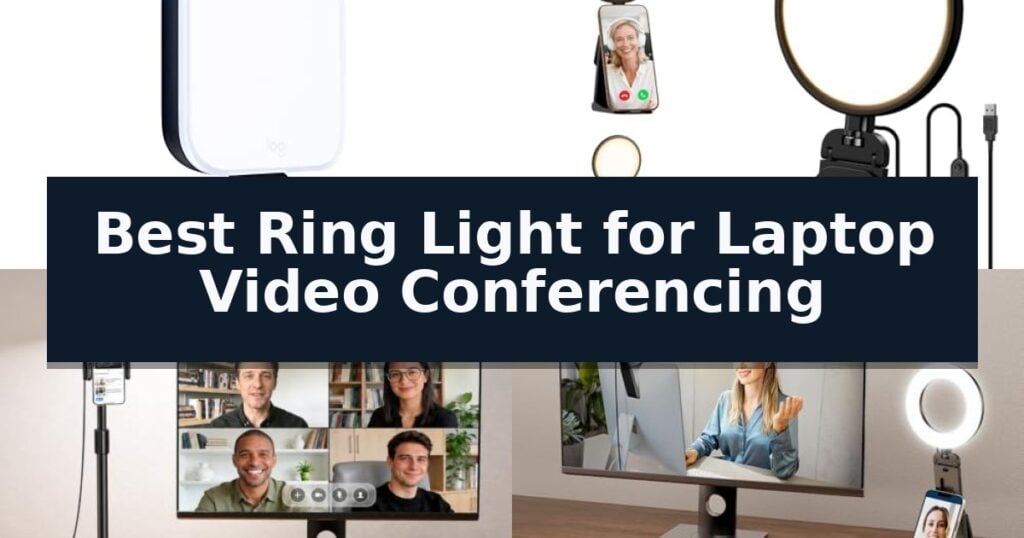
10 Best Ring Light for Laptop Video Conferencing in 2026 Reviews
Quick Comparison
| Product | Best For | Key Strength | Score |
|---|---|---|---|
| Logitech Litra Glow LED Light | Best Overall | TrueSoft technology for cinematic color accuracy and natural skin tones. | 4.9 |
| LitONES Ring Light | Ultra-Soft Diffused Illumination | 4-layer optical soft panel for glare-free, diffused illumination. | 4.7 |
| LitONES Desk Ring Light | Adjustable Height for Optimal Angles | High CRI of 97.8 for accurate color rendering. | 4.3 |
| Evershop Ring Light | Versatile Stand for Multiple Devices | High CRI >98 for accurate skin tone reproduction. | 4.3 |
| Anautin Ring Light | High CRI for Lifelike Colors | High CRI97+ LEDs for accurate and professional color reproduction. | 4.9 |
| Cyezcor Video Conference Lighting Kit | Compact Clip-On Design | Adjustable color temperature and brightness levels for customized lighting. | 4.9 |
| ACMEZING Video Conference Lighting Kit | Flexible Tripod and Clamp Options | Versatile mounting options including a secure metal clamp and a flexible octopus tripod. | 4.9 |
| DUIDESHI Ring Light | Curved Shade for Glare Reduction | High CRI of over 95 for accurate color reproduction. | 4.9 |
| InnoGear Ring Light | Stable Desktop or Monitor Mounting | Flexible 360° rotation for optimal lighting angles. | 4.3 |
| MACTREM Video Conference Lighting Kit | Simple Plug-and-Play Setup | Versatile lighting control with 3 color modes and 10 brightness levels. | 4.8 |
How We Chose
To identify the best ring light for laptop video conferencing, we evaluated each model based on its ability to provide consistent, flattering light without glare. Our assessment focuses on practical criteria including mounting security, color temperature flexibility, and the quality of light diffusion, ensuring that each recommendation effectively enhances on-camera presence for professional remote environments.
- Diffusion quality and shadow reduction capabilities
- Color temperature and brightness adjustment range
- Mounting stability on various laptop and monitor bezels
- Ease of power management and connection reliability
- Color Rendering Index (CRI) for accurate skin tone reproduction
1 Logitech Litra Glow LED Light — Premium Soft Light for Professionals
Achieving professional-grade illumination for virtual meetings requires more than just ambient room light. The Logitech Litra Glow LED Light addresses this by utilizing proprietary TrueSoft technology, which provides a balanced, full-spectrum LED output designed to render natural skin tones and eliminate the harsh shadows often associated with standard office lighting.
Designed specifically for the desktop environment, this unit features a patent-pending 3-way monitor mount. This hardware allows for precise adjustments in height, tilt, and rotation, ensuring the light source is positioned optimally relative to your webcam. Its frameless diffuser is engineered to radiate a wide, soft light that flatters the subject without causing glare or discomfort during extended sessions.
Usability is enhanced through the Logitech G HUB desktop app, which provides granular control over the device. Users can adjust brightness and color temperature—ranging from warm candlelight to cool blue—directly from their PC or Mac. The system also allows for the saving and loading of custom presets, ensuring consistent lighting across different conferencing platforms.
The Logitech Litra Glow LED Light is built for reliability, having cleared rigorous UL testing guidelines for all-day streaming. Its USB-powered, plug-and-play design makes it a highly portable solution for professionals who need to maintain a consistent, high-quality video presence across various workspaces.
Best for: Professionals and content creators who require a compact, mountable lighting solution that integrates directly with their computer for precise, app-based control.
Skip if: Users who prefer a standalone, battery-operated ring light or those who require a larger, multi-panel lighting setup for studio-grade production.
- TrueSoft technology for cinematic color accuracy and natural skin tones.
- 3-way monitor mount provides flexible positioning for laptops and desktops.
- G HUB app integration allows for easy adjustment of brightness and color temperature.
- UL-certified for safe, all-day continuous operation.
- USB-powered requirement necessitates a dedicated port on the computer.
- Fixed mounting system is optimized for monitors rather than standalone tripod use.
2 LitONES Ring Light — Ultra-Soft Diffused Illumination
Achieving professional-grade illumination for remote meetings often requires more than standard room lighting, and the LitONES Ring Light addresses this with a 4-layer optical soft panel. By utilizing edge-lit technology, this device is engineered to eliminate harsh glare and hotspots, providing a diffused light source that helps unify skin tones and diminish shadows during video calls.
The LitONES Ring Light offers significant versatility for various setups through its 50 dimmable modes. Users can toggle between 5 color temperatures ranging from 3000K to 6500K and adjust brightness across 10 levels, from 3% to 100%. This flexibility allows for precise control over the lighting environment, whether for professional conferences or casual streaming.
Designed for convenience, the unit features a 360-degree rotation and 180-degree tilt, allowing the light head to be positioned as a key light or fill light. The included screen-safe hanging mount is stretchable from 2 to 2.5 inches, ensuring compatibility with most laptops and monitors without the need for tools or risk of screen damage. It is also lightweight at 11.7 ounces, making it portable for travel.
For consistent performance, the LitONES Ring Light operates via a USB connection. It is recommended to use a 5V 2A power adapter to maintain stable output and prevent flickering. With a high color rendering index (CRI) of 97.8, the light is designed to ensure accurate color reproduction on camera, preventing the washed-out appearance often associated with standard webcam lighting.
Best for: Remote professionals and streamers who need a portable, adjustable lighting solution that mounts directly to their laptop or monitor.
Skip if: Users who require a battery-powered light for mobile use away from a USB power source or those needing a larger, floor-standing studio lighting setup.
- 4-layer optical soft panel for glare-free, diffused illumination.
- High CRI of 97.8 for accurate, true-to-life color reproduction.
- Versatile mounting with a screen-safe clip and 360-degree rotation.
- Extensive customization with 50 total dimmable lighting modes.
- Requires external power via USB, which may cause flickering if the power source is insufficient.
- Limited to monitor-mount or desk use, lacking a full-sized tripod stand.
3 LitONES Desk Ring Light — Adjustable Height for Optimal Angles
Achieving professional-grade illumination for remote work requires more than just a standard desk lamp, and the LitONES Desk Ring Light addresses this by utilizing advanced edge-lit technology. This design choice provides uniform, soft light that effectively minimizes harsh glare and reduces eye strain during extended video calls or live streaming sessions.
The unit features a high CRI of 97.8, which ensures that colors appear vibrant and true-to-life on camera. Users can fine-tune their environment using 3 adjustable color temperatures ranging from 3000K to 6500K, alongside 10 brightness levels, making it adaptable for everything from professional meetings to casual content creation.
Built for stability and versatility, the LitONES Desk Ring Light includes a sturdy metal base with a non-slip pad to protect desk surfaces. The height is ergonomically adjustable from 22 inches to 32.5 inches, allowing for precise positioning. Furthermore, the light head offers 360° omni-directional rotation, and the integrated universal phone holder provides additional utility for mobile recording.
This USB-powered device is designed for space-saving efficiency in home office setups. To ensure optimal brightness performance, the manufacturer recommends pairing the light with a 10 W power adapter. With its combination of functional lighting controls and a durable, adjustable frame, this model serves as a comprehensive tool for those looking to enhance their video presentation.
Best for: Remote professionals and content creators who need adjustable, high-CRI lighting and flexible positioning for video conferencing and streaming.
Skip if: Users who do not have a 10 W power adapter available or those who require a battery-operated, portable light source for travel.
- High CRI of 97.8 for accurate color rendering.
- 360° omni-directional rotation for flexible lighting angles.
- Adjustable height from 22 to 32.5 inches for ergonomic positioning.
- Edge-lit technology to reduce glare and eye strain.
- Requires a 10 W power adapter which is not included.
- USB-powered design limits placement to areas near a power source.
4 Evershop Ring Light — Versatile Stand for Multiple Devices
Achieving professional-grade lighting for virtual meetings requires equipment that balances portability with precise control. The Evershop Ring Light addresses this by integrating a stretchable horizontal plate that spans 2-2.5 inches, allowing it to secure firmly onto both thin laptop screens and thicker desktop monitors without the stability issues common in traditional clip-on models.
This all-in-one solution features a 5-inch light head powered by 64 high-efficiency LEDs. It provides 30 adjustable brightness levels across three color modes—white, natural, and warm—enabling users to adapt to varying ambient light conditions. With a CRI >98 color accuracy, the device is engineered to render skin tones with high fidelity during video calls.
Designed for mobility, the unit weighs only 7.1 ounces and utilizes a USB-powered, plug-and-play interface, eliminating the need for batteries. The foldable structure allows the bracket to tilt 90 degrees and the base to fold 180 degrees, while the head offers 360-degree horizontal rotation. This flexibility ensures users can position the light for optimal angles regardless of their workspace layout.
Beyond its primary function as a light, the stand is built to accommodate smartphones or tablets, serving as a versatile mount for mobile video conferencing. Constructed from premium ABS, the device is designed to be compact enough for transport in standard shoulder bags or handbags, making it a practical tool for remote professionals who frequently change environments.
Best for: Remote professionals and students who require a portable, multi-device compatible lighting solution for frequent video conferencing.
Skip if: Users who require a large-diameter professional studio light for high-production video sets or those who prefer a permanent, heavy-duty desk-mounted arm.
- High CRI >98 for accurate skin tone reproduction.
- Versatile mounting with a stretchable plate for various screen thicknesses.
- Compact and foldable design for easy portability.
- USB-powered for convenient, battery-free operation.
- Limited 5-inch diameter may not provide the wide-angle coverage of larger ring lights.
5 Anautin Ring Light — High CRI for Lifelike Colors
Achieving professional-grade illumination during virtual meetings relies on consistent, high-quality light output that minimizes shadows and enhances clarity. The Anautin Ring Light addresses this need with a specialized design featuring 64 high-CRI97+ LEDs, which are engineered to provide lifelike color rendering for video conferencing, streaming, and content creation.
This device prioritizes versatility through its universal clip-on design, allowing it to mount securely onto any laptop or desktop monitor screen up to 2.5cm (0.98in) thick. The hardware includes a flexible joint that supports 360° rotation and 170° tilt, ensuring users can precisely angle the light to suit their specific workspace configuration or camera position without needing external stands.
Customization is managed through an integrated control system that offers five distinct brightness levels and a color temperature range spanning from 2600K (warm) to 6500K (cool) white light. This adjustability allows for seamless transitions between professional office settings and more creative, vibrant lighting environments.
Power and cable management are streamlined via a plug-and-play USB connection. The included 2m (79in) cable features magic tape to maintain a tidy desk, and the unit is compatible with standard 5V 2A (10W) USB ports, ensuring immediate operation without complex setup requirements.
Best for: Remote professionals and content creators needing a compact, adjustable lighting solution that mounts directly to their existing monitor or laptop screen.
Skip if: Users who require a floor-standing light or those with ultra-thin monitor bezels that may not accommodate a clip-on attachment.
- High CRI97+ LEDs for accurate and professional color reproduction.
- Flexible 360° rotation and 170° tilt for precise lighting angles.
- Universal clip-on mount compatible with screens up to 2.5cm thick.
- Five-level brightness and adjustable color temperature from 2600K to 6500K.
- USB-powered requirement necessitates an available 5V 2A port on the computer or a dedicated adapter.
6 Cyezcor Video Conference Lighting Kit — Compact Clip-On Design
Achieving professional-grade lighting for remote meetings often requires more than just ambient room illumination. The Cyezcor Video Conference Lighting Kit utilizes a specialized circle design that provides even, soft light across the face, effectively minimizing harsh shadows and glare compared to standard directional lamps.
This lighting solution offers significant versatility through its adjustable temperature and brightness settings. Users can toggle between three distinct color temperatures—ranging from 3200k to 6800k—and select from five levels of brightness to suit varying office environments. With 48 integrated LED lamp beads providing 10W of brightness, it creates a consistent output for video calls or live streaming.
Designed for convenience, the unit features a stable clip-on mechanism that attaches securely to the edge of a laptop or monitor. The adjustable rotation allows for precise positioning, ensuring the light hits at the desired angle. Because the device is USB powered, it integrates easily into existing workstation setups by drawing power directly from a laptop, display, or standard mobile charger.
The compact, portable nature of the Cyezcor Video Conference Lighting Kit makes it a practical tool for those who frequently transition between different workspaces. While it excels at providing consistent illumination for video conferencing, its lightweight build is optimized for desk-based use rather than heavy-duty studio applications.
Best for: Remote professionals and students who need a portable, easily adjustable light source that clips directly onto a laptop or monitor.
Skip if: Users requiring high-output professional studio lighting or those who prefer a standalone tripod-mounted setup rather than a monitor-mounted clip.
- Adjustable color temperature and brightness levels for customized lighting.
- Even illumination provided by the circular LED design.
- Secure clip-on design that maintains stability on monitor edges.
- Versatile USB power compatibility with laptops and chargers.
- Limited to monitor-mounted use due to the integrated clip design.
7 ACMEZING Video Conference Lighting Kit — Flexible Tripod and Clamp Options
Achieving professional-grade lighting for video calls often comes down to managing shadows and color accuracy. The ACMEZING Video Conference Lighting Kit addresses these challenges by utilizing a ring-shaped design that emits soft, diffused light, which effectively minimizes harsh shadows and helps smooth skin tones during live broadcasts or remote meetings.
This lighting solution offers significant versatility through its adjustable color temperature range, spanning from 3200K to 6500K. With five distinct color modes—ranging from warm to cold daylight—and five brightness levels, users can fine-tune the output to match their environment. The system is powered by 64 high-efficiency lamp beads, providing consistent illumination for various setups.
Installation flexibility is a core feature of this kit, as it includes both a sturdy metal clamp and a mini octopus tripod. The clamp features a foam-cushioned interior to protect monitor surfaces, while the flexible tripod legs allow for secure placement on desks or uneven surfaces. This dual-mounting approach ensures the light can be positioned optimally regardless of the workspace configuration.
Designed for convenience, the unit is USB-powered, making it compatible with laptops, desktop monitors, and portable power banks. The included 2-meter cable provides ample reach for most desk setups, and the lightweight, compact build ensures the kit remains portable for users who frequently travel or switch between different home office environments.
Best for: Remote professionals and content creators who require a portable, versatile lighting solution that mounts easily to both laptop monitors and desktop surfaces.
Skip if: Users who prefer a permanent, high-output studio lighting setup or those who require advanced app-based remote control features will find this manual, compact kit too basic.
- Versatile mounting options including a secure metal clamp and a flexible octopus tripod.
- Adjustable color temperature and brightness levels to suit various lighting conditions.
- USB-powered design allows for easy integration with existing computer setups.
- Soft ring light output helps reduce shadows and improve video appearance.
- Manual control interface lacks the convenience of wireless or software-based adjustments.
- Compact size may not provide enough coverage for wide-angle or professional studio-style filming.
8 DUIDESHI Ring Light — Curved Shade for Glare Reduction
Achieving professional-grade lighting for virtual meetings often requires more than just ambient room light, especially when dealing with shadows or uneven tones. The DUIDESHI Ring Light addresses this by utilizing a 6-inch circular design that incorporates upgraded, thicker coatings to diffuse light effectively, which helps minimize glare compared to standard flat lampshades.
This device offers significant versatility for various lighting environments through its three color temperature settings, ranging from 3200k to 6800k. Users can toggle between warm, mixed, and cool white modes to match their surroundings, while the 10-level dimming function allows for precise brightness adjustments from 10% to 100%.
Beyond its adjustable output, the unit features a high color rendering index (CRI) of over 95. This specification is intended to ensure that colors appear vivid and realistic during video calls or live streams, providing a more natural look on camera. The integrated controls make it straightforward to cycle through modes and brightness levels without complex software setups.
Designed for convenience, the unit is built to clip onto monitors, making it a practical addition to a home office or remote learning setup. By combining a soft, curved light source with flexible intensity and color options, it serves as a functional tool for those looking to improve their video presence.
Best for: Remote workers and content creators who need a compact, adjustable lighting solution to improve video quality on camera.
Skip if: Users who require a larger, floor-standing studio light or those who prefer a permanent, non-clip-on mounting solution.
- High CRI of over 95 for accurate color reproduction.
- Curved lampshade design effectively reduces glare.
- Wide color temperature range (3200k-6800k) for versatile lighting.
- 10-level dimming provides precise control over brightness.
- Limited to clip-on mounting, which may not fit all monitor thicknesses.
- 6-inch diameter may be too small for wide-angle professional studio setups.
9 InnoGear Ring Light — Stable Desktop or Monitor Mounting
Achieving professional-grade lighting for virtual meetings often requires more than just ambient room light, and the InnoGear Ring Light addresses this by providing a dedicated, adjustable source of illumination. Designed specifically for computer setups, this device offers a flexible way to enhance your on-camera appearance during video conferences, live streams, or content creation.
The unit features 3 color modes—white, warm, and natural—paired with 10 brightness levels to accommodate various indoor lighting conditions. Its 360° rotatable design allows for precise horizontal and vertical positioning, ensuring you can direct the light exactly where it is needed most. The system is built for versatility, functioning either as a clip-on light for monitors and laptops or as a standalone desktop fixture using the included adjustable stand.
For consistent operation, the device requires a 5V/2A power source, such as a dedicated wall adapter or power bank, rather than a standard laptop USB port. This ensures the light remains stable and flicker-free during extended use. The setup includes non-slip sponge pads to protect your equipment, and the clamp is compatible with devices featuring a screen thickness between 1.55 and 2.35 inches.
With its combination of adjustable color temperatures and flexible mounting options, this light provides a practical solution for those looking to improve their video quality without a complex studio setup. The flicker-free technology is specifically intended to reduce eye strain, making it suitable for long-duration meetings or marathon streaming sessions.
Best for: Remote professionals and content creators needing a versatile, adjustable lighting solution for laptop or desktop video setups.
Skip if: Users who rely solely on low-power laptop USB ports for connectivity, as this device requires a 5V/2A power source for stable performance.
- Flexible 360° rotation for optimal lighting angles.
- Versatile mounting options including clip-on or standalone desktop modes.
- Customizable illumination with 3 color modes and 10 brightness levels.
- Flicker-free technology designed to minimize eye fatigue.
- Specific power requirements (5V/2A) necessitate an external adapter or power bank.
- Clamp compatibility is limited to screen thicknesses between 1.55 and 2.35 inches.
10 MACTREM Video Conference Lighting Kit — Simple Plug-and-Play Setup
Achieving consistent illumination during remote meetings often requires more than just ambient room light. The MACTREM Video Conference Lighting Kit addresses this by providing a dedicated, adjustable light source that clips directly to your screen, ensuring your face remains clearly visible regardless of your environment.
This 6-inch ring light features 92 built-in LED bulbs designed to enhance video clarity by reducing image noise and improving skin tone saturation. You can tailor the output using three color lighting modes—white, warm yellow, and a blend of both—along with 10 brightness levels controlled via a built-in dimmer. This flexibility allows you to transition from professional office lighting to softer tones for casual calls.
Designed for portability and ease of use, the unit is a plug-and-play device powered by a standard USB port. It is compatible with laptops, power banks, and wall adapters, making it a practical choice for mobile professionals. Weighing only 240 grams, the light is easy to transport between workspaces.
The mounting system utilizes a stable clamp that attaches to the edge of a laptop or monitor, supporting surfaces up to 1.33 inches thick. The light head offers adjustable rotation, allowing you to direct the beam precisely where it is needed, whether you are on a video conference, recording content, or teaching online.
Best for: Remote professionals and content creators who need a portable, adjustable lighting solution that attaches directly to a laptop or monitor.
Skip if: Users who require a large-scale studio lighting setup or those whose monitor bezels are incompatible with a clip-on mounting mechanism.
- Versatile lighting control with 3 color modes and 10 brightness levels.
- Portable, lightweight design weighing only 240g for easy travel.
- Convenient USB power compatibility with laptops and power banks.
- Stable clamp mount with adjustable rotation for precise positioning.
- Limited mounting thickness of 1.33 inches may not fit all monitor types.
Best Ring Light for Laptop Video Conferencing Buying Guide
Prioritizing Light Diffusion
The primary goal of a video conferencing light is to soften the harsh, direct illumination that often causes unflattering shadows. Look for models that utilize advanced diffusers or edge-lit technology, which disperse light more evenly across the face.
A high-quality diffuser prevents hotspots on the skin and reduces glare, especially for users who wear glasses. This feature is essential for maintaining a professional appearance during long video calls where consistent, soft light is required.
Mounting and Stability
Laptop screens are often thin and delicate, making the mounting mechanism a critical consideration. A secure, screen-safe clip with protective padding ensures the light stays in place without damaging the display or obstructing the webcam lens.
Some models offer additional flexibility with adjustable stands or tripods. These are beneficial if you prefer to position the light slightly off-center or if your laptop bezel is too narrow for a standard clip-on mount.
Color Temperature and Brightness Control
The ability to adjust color temperature allows you to match the light to your environment, whether you are working in a cool-toned office or a warmer home setting. A range from 3000K to 6500K provides the most versatility for different times of the day.
Brightness levels should be easily adjustable to prevent overexposure. Models that offer multiple steps of dimming allow you to fine-tune the intensity, ensuring you are well-lit without appearing washed out or overly bright on camera.
Color Accuracy and CRI
Color Rendering Index (CRI) measures how accurately a light source reveals colors compared to natural light. A higher CRI, typically 95 or above, ensures that your skin tones look natural and vibrant rather than artificial or grey.
Investing in a light with a high CRI is particularly important for professional video conferencing, as it helps convey a more authentic and engaging presence to colleagues and clients.
Power and Connectivity
Most laptop-focused lights are USB-powered, which is convenient for a clutter-free desk. However, it is important to ensure your power source provides sufficient current, as insufficient power can lead to flickering or inconsistent performance.
Always check the manufacturer's power requirements. Using a dedicated wall adapter or a high-output USB port is often recommended over connecting directly to a laptop port to ensure the light operates at its full potential.
Frequently Asked Questions
Do I need a specific power adapter for these lights?
Many models require a 5V/2A power source for optimal performance. Using a lower-power port, such as some laptop USB slots, may cause the light to flicker or dim unexpectedly.
Will a clip-on light damage my laptop screen?
Most modern conference lights include foam or rubber padding on their clips to protect screens. However, always ensure the clip is properly adjusted and not overtightened on thin, fragile displays.
How does color temperature affect my video quality?
Warmer temperatures (around 3000K) create a cozy, inviting look, while cooler temperatures (6000K+) mimic daylight. Adjusting this helps your video look natural regardless of the ambient light in your room.
Can I use these lights for purposes other than video calls?
Yes, these lights are versatile and work well for content creation, live streaming, or even as a desk lamp for reading, provided the brightness and color modes meet your needs.
What is the benefit of a high CRI rating?
A high CRI rating ensures that the light renders colors accurately, preventing you from looking washed out or having unnatural skin tones on camera.
Conclusion: Our Top Pick
Our top pick is Logitech Litra Glow LED Light. Choosing the right lighting for your laptop setup significantly improves your professional presence during video calls. By focusing on models with high-quality diffusion, adjustable color temperatures, and stable mounting, you can ensure consistent, flattering results in any environment.
While features like app control and high CRI ratings offer added convenience, the best light is ultimately one that integrates seamlessly into your workflow. Prioritize the mounting style and power requirements that best suit your specific desk configuration to achieve the most reliable performance.