MNN 15.6 Inch Portable Monitor earns our recommendation for the Best Secondary Monitors because it offers a versatile, single-cable plug-and-play solution that integrates seamlessly into both mobile and stationary workflows.
For users prioritizing a permanent desk setup, the Philips 24 Inch Computer Monitor provides a crisp, bezel-free viewing area that excels in multi-monitor configurations. Meanwhile, the Orfibz 14.2 Inch Screen Extender is our top choice for travelers needing an immediate, dual-screen workstation that attaches directly to a laptop.
Selecting an additional display requires balancing your specific environment against technical requirements like connectivity and screen real estate. Whether you need a lightweight travel companion or a high-refresh desktop panel, the right choice depends on how you manage your daily multitasking needs.
For a broader look at how different display types can improve your workflow, our guide to the Best Second Monitors offers additional insights into choosing the right hardware for your desk.
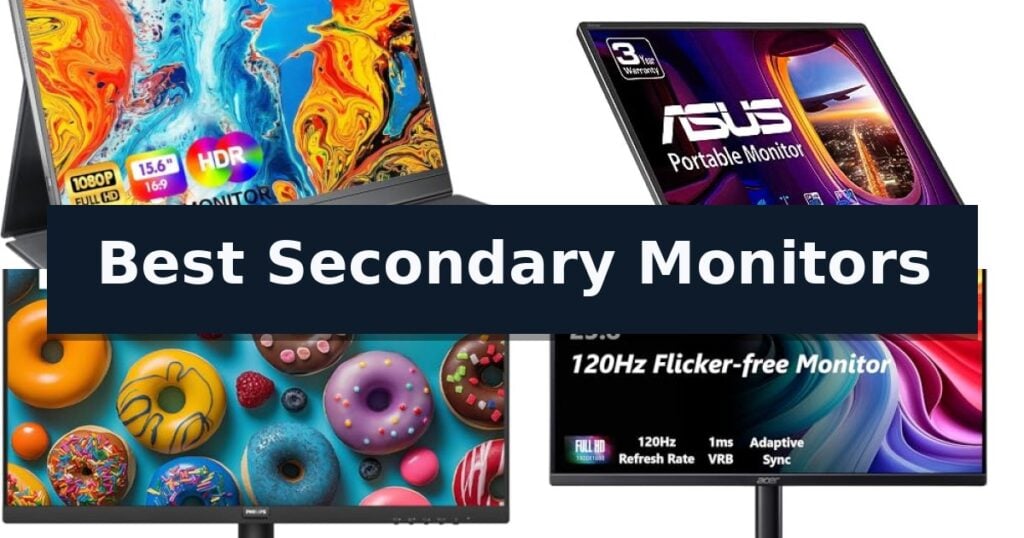
10 Best Secondary Monitors in 2026 Reviews
Quick Comparison
| Product | Best For | Key Strength | Score |
|---|---|---|---|
| MNN 15.6 Inch Portable Monitor | Best Overall | Single-cable connectivity via full-feature USB Type-C ports. | 4.9 |
| ASUS ZenScreen 15.6 Inch Monitor | Auto-Rotating Portable Display | Hybrid-signal connectivity reduces cable clutter by using one port for power and video. | 4.7 |
| Philips 24 Inch Computer Monitor | Seamless Multi-Monitor Workflow | Virtually bezel-free design for seamless multi-monitor integration. | 4.7 |
| Acer 23.8 Inch Office Monitor | Smooth High-Refresh Desktop View | 120Hz refresh rate for smooth motion. | 4.6 |
| Orfibz 14.2 Inch Screen Extender | Instant Dual-Laptop Workstation | Ultra-portable design weighing only 1.87lbs and measuring 0.27 inches thin. | 4.8 |
| MSI Pro MP165 E6 Portable Monitor | Tripod-Mountable Mobile Screen | Integrated 1/4-inch tripod mount for versatile, hands-free positioning. | 4.8 |
| wisecoco 14 Inch Bar Monitor | Compact 4K Secondary Display | 4K UHD resolution provides high-clarity visuals for detailed data monitoring. | 4.6 |
| Dell 24 Plus Monitor | Ergonomic Desktop Expansion | 144Hz refresh rate and 1ms MPRT for smooth visual performance. | 4.5 |
| KYY 15.6 Inch Portable Monitor | Reliable On-the-Go Setup | Ultra-slim 0.3-inch profile and lightweight 1.7lb design for easy transport. | 4.9 |
| Sceptre 22 Inch Gaming Monitor | Bezel-Free Dual Screen Focus | Nearly bezel-free design ideal for multi-monitor configurations. | 4.6 |
How We Chose
When evaluating monitors for secondary use, we prioritize practical integration into existing workflows. An experienced reviewer assesses these displays by examining how effectively they extend screen real estate without cluttering the desk or complicating cable management, ensuring that technical specifications like panel type and connection standards meet the demands of modern professional and personal tasks.
- Connectivity options including USB-C, HDMI, and DisplayPort compatibility.
- Display panel technology and resolution for color accuracy and clarity.
- Ergonomic features such as adjustable stands, VESA mounting, and orientation support.
- Portability factors including weight, thickness, and protective accessories.
- Refresh rate and response time for smooth motion in work or gaming.
1 MNN 15.6 Inch Portable Monitor — Ultra-Slim Travel Productivity
Expanding your digital workspace requires a reliable, high-definition display that integrates seamlessly into your existing setup. The MNN 15.6 Inch Portable Monitor offers a 1920×1080 resolution on an advanced IPS glossy screen, providing a 178-degree viewing angle for consistent color accuracy during extended work sessions or gaming.
Designed for versatility, this monitor features dual full-feature Type-C ports, enabling a single-cable connection for both power and signal transmission, provided your device supports Thunderbolt 3.0 or USB 3.1 Type-C DP Alt-Mode. The unit supports multiple display modes, including extended and portrait orientations, allowing for a customized workflow whether you are in a meeting or managing complex tasks.
Portability is a core design focus, as the MNN 15.6 Inch Portable Monitor is engineered to be ultra-slim and lightweight, fitting easily into standard backpacks or suitcases. It includes a scratch-proof smart cover made from durable PU leather that serves as both a protective shield and an adjustable stand for various viewing angles.
To prioritize user comfort, the display incorporates eye-care technology designed to reduce blue light radiation and eliminate screen flickering. With integrated HDR mode support, the monitor enhances image quality by providing deeper contrast and more realistic color reproduction, making it a functional secondary screen for both professional productivity and entertainment.
Best for: Professionals and students who need a lightweight, single-cable secondary display for travel or home office use.
Skip if: Users whose host devices do not support Thunderbolt 3.0 or USB 3.1 Type-C DP Alt-Mode, as they will require additional adapters or power configurations.
- Single-cable connectivity via full-feature USB Type-C ports.
- Ultra-slim and lightweight design optimized for travel.
- Eye-care technology to reduce blue light and flickering.
- Versatile display modes including portrait and extended layouts.
- Device compatibility requirements for single-cable operation.
- Glossy screen finish may be susceptible to glare in bright environments.
2 ASUS ZenScreen 15.6 Inch Monitor — Auto-Rotating Portable Display
The ASUS ZenScreen 15.6 Inch Monitor simplifies mobile workflows by integrating a hybrid-signal solution that supports both power and video transmission through a single USB Type-C or Type-A connection. This design eliminates the need for multiple cables, making it a functional choice for professionals who require a reliable secondary display during client meetings or remote work sessions.
Engineered for versatility, the monitor features an auto-rotation display that detects its physical orientation and automatically adjusts the image between landscape and portrait modes. This functionality is supported by the included foldable lite smart case, which doubles as an adjustable stand to prop the screen up at various angles depending on your workspace requirements.
Visual comfort is a priority in this model, which incorporates ASUS Eye Care Technology. This system includes TÜV Rheinland-certified Flicker-free and Low Blue Light technologies to help reduce eye strain during extended periods of use. The display itself is a 15.6-inch Full HD (1920×1080) IPS panel with an anti-glare surface, ensuring clear visibility even in environments with overhead lighting.
With an ultra-slim profile measuring only 0.31 inches in height and weighing 3.2 pounds, the device is built for portability. It provides a straightforward, plug-and-play experience for users needing to expand their laptop's screen real estate without the bulk of a traditional desktop monitor.
Best for: Professionals and students who need a lightweight, portable secondary display for multi-tasking on the go.
Skip if: Users who require high-refresh-rate gaming performance or a color-accurate display for professional-grade photo and video editing.
- Hybrid-signal connectivity reduces cable clutter by using one port for power and video.
- Auto-rotation feature allows for seamless switching between portrait and landscape layouts.
- TÜV Rheinland-certified Eye Care technology minimizes flicker and blue light exposure.
- Ultra-slim, portable design fits easily into laptop bags for travel.
- Limited to 1080p resolution, which may not satisfy users requiring 4K clarity.
- Requires a compatible USB port on the host device to function as intended.
3 Philips 24 Inch Computer Monitor — Seamless Multi-Monitor Workflow
Maximizing screen real estate for complex workflows often requires a reliable secondary display that balances visual clarity with space-saving design. The Philips 24 Inch Computer Monitor addresses this by utilizing a virtually bezel-free frame on three sides, which facilitates a cleaner, more cohesive multi-monitor setup.
Engineered with a 23.8-inch VA panel, this display provides a native resolution of 1920×1080. The VA technology is specifically chosen for its ability to produce deeper blacks and brighter whites, resulting in a high-contrast image that handles 16.7 million colors. With a 178-degree viewing angle, the display maintains color consistency even when positioned at an offset angle, which is a common requirement for secondary monitor placement.
For users who spend significant time reviewing text, the monitor includes an EasyRead mode designed to simulate a paper-like reading experience. The display also incorporates flicker-free technology and low blue light settings to support extended viewing sessions. Performance-wise, it features a 100Hz refresh rate and Adaptive Sync, alongside a 4ms GtG response time to ensure smooth motion during standard desktop tasks.
The physical design emphasizes flexibility with tilt-adjustment capabilities, allowing users to angle the screen for optimal ergonomics. The unit is also VESA mount compatible, offering additional installation options beyond the included stand. Philips supports this model with a 4-year advance replacement warranty, providing long-term assurance for office or home-office environments.
Best for: Office professionals and multitaskers who need a high-contrast, space-efficient secondary display for document-heavy workflows.
Skip if: Users requiring 4K resolution, high-end color accuracy for professional photo editing, or integrated speakers will find this model lacks those specific advanced features.
- Virtually bezel-free design for seamless multi-monitor integration.
- VA panel technology provides superior contrast and deep black levels.
- 4-year advance replacement warranty offers extended protection.
- EasyRead mode creates a comfortable, paper-like experience for documents.
- Limited to 1080p resolution, which may not satisfy users needing higher pixel density.
- Lacks integrated speakers, requiring external audio solutions.
4 Acer 23.8 Inch Office Monitor — Smooth High-Refresh Desktop View
Achieving fluid motion and consistent clarity in a secondary display often requires more than just standard resolution, and the Acer 23.8 Inch Office Monitor addresses this with a high 120Hz refresh rate. This capability allows for significantly smoother transitions during daily tasks and video playback compared to traditional 60Hz panels, making it a functional upgrade for users who prioritize visual fluidity in their workspace.
Built with a 23.8-inch IPS panel, this monitor delivers a 1920 x 1080 Full HD resolution that maintains image quality across a wide viewing angle. The zero-frame design minimizes bezel distraction, which is particularly useful when integrating the unit into a multi-monitor setup. With Adaptive-Sync (FreeSync Compatible) support, the monitor dynamically aligns its refresh rate with the graphics output to help mitigate screen tearing during fast-paced content.
The display is engineered for responsiveness, featuring a 1ms VRB response time that helps reduce ghosting or smearing in high-motion scenarios. To support long-term comfort, it includes integrated Bluelight Filter and Flickerless Technology, which are designed to reduce eye strain during extended work sessions. The inclusion of VESA mount compatibility provides flexible installation options for users looking to clear desk space.
Connectivity is handled through standard HDMI and VGA ports, ensuring compatibility with a variety of desktop and laptop configurations. With a 99% sRGB color gamut, the screen provides reliable color reproduction suitable for general office applications and creative tasks. The overall build is supported by a 3-year parts and labor warranty, offering long-term assurance for a secondary workstation component.
Best for: Users who want a high-refresh-rate secondary display for smoother motion in office tasks and video playback.
Skip if: Users who require 4K resolution or specialized color-critical professional calibration tools.
- 120Hz refresh rate for smooth motion.
- 1ms VRB response time to minimize ghosting.
- Zero-frame design for seamless multi-monitor setups.
- Adaptive-Sync support to prevent screen tearing.
- Limited connectivity options restricted to HDMI and VGA.
- 1080p resolution may lack the sharpness of higher-density displays.
5 Orfibz 14.2 Inch Screen Extender — Instant Dual-Laptop Workstation
Maximizing screen real estate while working on the go often requires a balance between portability and display quality. The Orfibz 14.2 Inch Screen Extender addresses this by offering a slim, lightweight solution that attaches to your laptop to provide a secondary 1080P FHD display, effectively doubling your workspace for multitasking.
Designed for professionals and students, this 14.2-inch IPS display features 300 nits of brightness and a 226-degree adjustable viewing angle, allowing for comfortable positioning in various lighting environments. It supports multiple display modes, including extend, mirror, and portrait, which helps reduce the need for constant tab switching during data analysis or online meetings.
The hardware is engineered for convenience, weighing only 1.87lbs with a 0.27-inch thin profile. It is compatible with 14-inch to 17.3-inch laptops and supports a wide range of operating systems, including Windows, macOS, ChromeOS, Linux, and Android. The setup process is straightforward, utilizing either a full-function USB-C connection or a combination of HDMI and USB-A cables, with all necessary hardware included.
Built with high-quality materials and backed by QC, FCC, CE, and RoHS certifications, the unit is designed for reliable daily use. It comes with a 1-year warranty and 24-hour support, ensuring that users have a clear path for assistance if needed during their mobile workstation setup.
Best for: Remote workers and frequent travelers who need a lightweight, plug-and-play secondary display to increase productivity on 14-inch to 17.3-inch laptops.
Skip if: Users with laptops smaller than 14 inches or those who require high-refresh-rate gaming displays, as this unit is optimized for general productivity and portability.
- Ultra-portable design weighing only 1.87lbs and measuring 0.27 inches thin.
- Plug-and-play setup requiring no drivers for most modern operating systems.
- Versatile connectivity options including full-function USB-C or HDMI/USB-A combinations.
- Flexible viewing with a 226-degree adjustable angle and multiple display modes.
- Size constraints limit compatibility to laptops between 14 and 17.3 inches.
- Cable dependency requires specific port availability on the host laptop for optimal functionality.
6 MSI Pro MP165 E6 Portable Monitor — Tripod-Mountable Mobile Screen
The MSI Pro MP165 E6 Portable Monitor distinguishes itself with an integrated 1/4-inch tripod mount, allowing for stable, hands-free display positioning that is rarely found in standard portable screens. This feature, combined with its ultra-slim 1.38cm profile and 0.78kg weight, makes it a versatile tool for professionals and gamers who require a reliable second screen that can adapt to diverse environments, from travel workstations to outdoor content creation setups.
Equipped with a 15.6-inch Full HD IPS panel, this monitor provides wide 178° viewing angles and accurate visuals at a 60Hz refresh rate. To support extended usage, the display includes TÜV Rheinland certified Low Blue Light and Flicker Free technologies, which are designed to reduce eye strain during long work or gaming sessions. Connectivity is handled through USB Type-C with DisplayPort 1.2a Alt Mode or HDMI, ensuring broad compatibility with laptops, consoles, and mobile devices.
Beyond its portability, the monitor offers flexible installation options. It features VESA mount compatibility, enabling users to attach it to standard monitor arms or wall brackets for a more permanent, ergonomic desk setup. The inclusion of built-in speakers and L-shaped cable plugs—which keep connections flush against the chassis—further streamlines the user experience by reducing clutter and side protrusion.
While the device excels in mobility, users should note that it relies on external power or device-driven connectivity, which may impact the battery life of connected mobile devices. Its design prioritizes a balance between a lightweight form factor and functional mounting versatility, making it a practical choice for those who frequently transition between mobile and stationary workspaces.
Best for: Users who need a highly portable, tripod-mountable second screen for travel, presentations, or flexible workstation setups.
Skip if: Users who require a high-refresh-rate monitor for competitive gaming or those who prefer a larger, stationary desktop display without portability requirements.
- Integrated 1/4-inch tripod mount for versatile, hands-free positioning.
- Ultra-slim and lightweight design at only 0.78kg for effortless transport.
- VESA mount compatibility allows for permanent desk or wall-mounted configurations.
- TÜV Rheinland certified eye-care features for comfortable extended viewing.
- Limited to 60Hz refresh rate, which may not satisfy high-end gaming requirements.
- Power consumption from connected devices may reduce the battery life of host laptops or mobile phones.
7 wisecoco 14 Inch Bar Monitor — Compact 4K Secondary Display
Optimizing your workspace for data-heavy tasks often requires more than a standard monitor setup. The wisecoco 14 Inch Bar Monitor offers a unique solution for users needing to track system performance, media timelines, or specialized software interfaces without cluttering their primary display. Its elongated 3840×1100 resolution provides a distinct, stretched aspect ratio that fits neatly beneath or beside a main screen.
Engineered with a high-resolution 4K UHD IPS panel, this display ensures sharp detail and clear text, which is essential for monitoring CPU and GPU statistics via software like Aida64. The inclusion of 10-point touch capabilities allows for intuitive interaction, enabling users to manage controls or zoom into specific data points with a responsive 3-5ms response time.
Designed for versatility, the monitor features multiple connectivity options including HDMI and Type-C interfaces. This allows for flexible integration into various setups, though users should verify that their source device supports audio and video transmission via USB 3.1, as it is not compatible with Thunderbolt or Mac systems. The unit also incorporates eye protection features, such as a blue light filter and anti-glare technology, to maintain comfort during extended use.
The physical design is ultra-portable and compact, measuring just 12 inches in length. This makes it a practical addition for professionals or programmers who require a dedicated secondary screen for auxiliary information. By allowing users to adjust brightness, volume, and screen orientation, the wisecoco 14 Inch Bar Monitor provides a customizable experience for specialized monitoring needs.
Best for: Professionals and enthusiasts who need a secondary, touch-enabled screen for monitoring system performance or managing timeline-based software.
Skip if: Users operating on Mac or Thunderbolt-based systems, or those requiring a standard widescreen aspect ratio for primary content consumption.
- 4K UHD resolution provides high-clarity visuals for detailed data monitoring.
- 10-point touch screen allows for precise and responsive interaction.
- Compact, stretched form factor is ideal for secondary display placement.
- Integrated eye protection features reduce strain during long work sessions.
- Limited compatibility with Mac, iOS, and Thunderbolt devices.
- Requires external software configuration for specific monitoring tasks like Aida64.
8 Dell 24 Plus Monitor — Ergonomic Desktop Expansion
The Dell 24 Plus Monitor – S2425HSM integrates a high-performance 144Hz refresh rate and a 1ms Moving Picture Response Time (MPRT), providing fluid motion for users who require responsive visuals beyond standard office displays. This 23.8-inch FHD monitor is designed to balance entertainment and productivity, utilizing a 1500:1 contrast ratio to ensure clarity across various applications.
Beyond its display capabilities, this model prioritizes workspace utility through its height, tilt, pivot, and swivel adjustability. These ergonomic features allow for precise positioning, which is essential when integrating a secondary screen into an existing desktop setup. The inclusion of integrated dual 3W speakers further reduces cable clutter by providing built-in audio output.
Visual comfort is addressed through a 4-star TÜV-certified display that reduces harmful blue light emissions without compromising color accuracy. Users can further manage their workspace environment using the Dell Display and Peripheral Manager, an application designed to optimize monitor performance and settings directly from the connected PC.
Connectivity is handled via HDMI, ensuring compatibility with most modern computing hardware. The unit is backed by a 1-Year Advanced Exchange Service and Premium Panel Exchange, providing a structured support path for hardware maintenance.
Best for: Users seeking an ergonomic, high-refresh-rate secondary display that includes built-in audio and flexible physical adjustment options.
Skip if: Users who require higher than 1080p resolution or those who need specialized connectivity ports like DisplayPort or USB-C.
- 144Hz refresh rate and 1ms MPRT for smooth visual performance.
- Comprehensive ergonomic adjustability including height, tilt, pivot, and swivel.
- TÜV-certified blue light reduction for improved eye comfort.
- Integrated dual 3W speakers for simplified desk setups.
- Limited to HDMI connectivity.
- Standard FHD (1920×1080) resolution may not satisfy users requiring 4K or 1440p clarity.
9 KYY 15.6 Inch Portable Monitor — Reliable On-the-Go Setup
The KYY 15.6 Inch Portable Monitor provides a versatile solution for users needing an expanded workspace, featuring a 15.6-inch FHD 1920×1080 IPS display with a 178-degree wide viewing angle. This monitor integrates HDR technology to enhance visual clarity, making it suitable for both professional multitasking and multimedia consumption.
Designed for portability, the unit maintains an ultra-slim 0.3-inch profile and weighs only 1.7 pounds. It connects easily via two full-function USB-C ports or a Mini-HDMI port, supporting a single-cable solution for devices compatible with Thunderbolt 3 or USB 3.1 standards. The inclusion of two built-in stereo speakers and a 3.5mm audio input allows for direct sound output without additional peripherals.
Usability is supported by a scratch-proof smart cover made of durable PU leather, which functions as a protective case and a stand with two adjustable viewing angles. The monitor is driver-free and supports both landscape and portrait orientations, managed through a convenient menu control wheel.
The device is built with an eye-care focus, incorporating features to reduce blue light radiation and eliminate flickering during extended use. Its premium gray metal appearance provides a professional aesthetic, while the magnetic, frameless design ensures a clean look for any mobile workstation.
Best for: Users requiring a lightweight, plug-and-play secondary screen for travel, remote work, or mobile gaming setups.
Skip if: Users who require high-refresh-rate gaming performance or specialized color-accurate displays for professional graphic design work.
- Ultra-slim 0.3-inch profile and lightweight 1.7lb design for easy transport.
- Wide compatibility via dual USB-C and Mini-HDMI connectivity.
- Eye-care technology to reduce blue light and flickering.
- Includes protective smart cover that doubles as an adjustable stand.
- Limited viewing angles provided by the two-groove stand design.
10 Sceptre 22 Inch Gaming Monitor — Bezel-Free Dual Screen Focus
Optimizing a multi-screen workstation requires hardware that balances display real estate with a compact physical footprint. The Sceptre New 22-Inch Gaming Monitor addresses this need through a sleek minimal bezel design, which is specifically engineered to facilitate a seamless, distraction-free dual monitor arrangement. By minimizing the frame around the panel, this monitor allows users to position two screens side-by-side with minimal visual interruption, making it a practical choice for those who need to manage multiple applications or browser windows simultaneously without overwhelming their desk space.
Beyond its physical design, this display supports a high 144Hz refresh rate, which provides fluid motion for both gaming and high-demand productivity tasks. This high refresh rate ensures that cursor movements and window transitions appear smoother compared to standard 60Hz panels, potentially reducing visual fatigue during rapid navigation. The inclusion of integrated speakers further supports a clean, efficient workspace by eliminating the need for external audio hardware, allowing for a more streamlined setup that saves valuable desk surface area.
User comfort is prioritized through Blue-Light Shift technology, an integrated feature designed to reduce harmful blue light emissions. This functionality is particularly useful for professionals or students who spend extended periods in front of the screen, as it helps mitigate eye strain and promotes more comfortable viewing habits. Connectivity is handled via HDMI and DisplayPort inputs, offering the necessary flexibility to integrate this monitor into various computer configurations, whether you are using a desktop or a laptop docking station.
While the 22-inch form factor is ideal for compact environments, users should consider their specific resolution requirements. The 1080p FHD resolution provides standard clarity suitable for general office work, media consumption, and gaming. This model effectively balances essential performance features like high-refresh-rate capability and eye-care technology within a space-saving frame, making it a functional solution for users looking to expand their digital workspace without sacrificing desk efficiency.
Best for: Users seeking a compact, high-refresh-rate display for a multi-monitor setup that minimizes desk clutter.
Skip if: Users who require a larger screen size or higher resolution than 1080p for professional design or detailed media editing.
- Nearly bezel-free design ideal for multi-monitor configurations.
- 144Hz refresh rate for smooth visual performance.
- Blue-Light Shift technology to help reduce eye strain.
- Integrated speakers for a clutter-free workspace.
- 22-inch screen size may be too small for some professional workflows.
- 1080p resolution is standard and may lack the detail of higher-resolution panels.
Best Secondary Monitors Buying Guide
Connectivity and Compatibility
The most critical factor for any secondary monitor is how it interfaces with your primary computer. Modern portable displays often rely on USB-C with DisplayPort Alt Mode, allowing for a single-cable solution that handles both power and video signals.
Desktop-bound monitors typically offer more traditional HDMI or DisplayPort connections. Before purchasing, verify that your laptop or desktop graphics card supports the necessary output standards to ensure a seamless plug-and-play experience without requiring additional adapters.
Panel Quality and Resolution
Resolution dictates the amount of workspace available on your screen. A standard 1080p resolution is generally sufficient for 14-inch to 15.6-inch portable monitors, providing a sharp image for documents and web browsing.
For larger 24-inch desktop monitors, Full HD remains the standard, though panel technology like IPS or VA significantly impacts color reproduction and viewing angles. IPS panels are generally preferred for consistent color, whereas VA panels often provide better contrast for media consumption.
Ergonomics and Orientation
Secondary monitors should adapt to your physical space. Many portable models include smart covers that double as stands, offering limited but functional viewing angles for landscape or portrait orientations.
Desktop monitors offer more robust ergonomic options, such as height adjustment, tilt, and pivot functionality. If you plan to use the monitor in a vertical orientation for coding or reading long documents, ensure the stand supports rotation or that the unit is VESA mountable.
Portability vs. Stationary Use
If your work frequently takes you away from your desk, weight and thickness are paramount. Ultra-slim monitors under two pounds are designed to slide into laptop bags alongside your computer, making them ideal for remote work or travel.
Stationary monitors prioritize stability and screen size over portability. These units are heavier and require a dedicated desk footprint, but they often provide a more comfortable viewing experience for extended daily use due to their larger physical dimensions.
Refresh Rates and Motion
While standard 60Hz refresh rates are perfectly adequate for office productivity, higher refresh rates like 100Hz or 144Hz can improve the feel of navigating windows and scrolling through content.
Gamers or those who work with fast-moving video content should look for monitors with lower response times and adaptive sync technology. These features help eliminate screen tearing and ghosting, ensuring that the secondary display keeps pace with your primary screen.
Frequently Asked Questions
Do I need a special cable to connect a portable monitor?
Most modern portable monitors use USB-C. If your laptop supports Thunderbolt 3 or USB-C with DisplayPort Alt Mode, a single USB-C cable is all you need. Otherwise, you may need to use an HDMI cable for video and a separate USB-A cable for power.
Can I use a monitor in portrait mode?
Yes, many portable and desktop monitors support portrait mode. You will need to adjust the display settings in your operating system to rotate the image 90 degrees to match the physical orientation of the screen.
What is the benefit of an IPS panel?
IPS (In-Plane Switching) panels are known for providing accurate color reproduction and wide viewing angles. This ensures that the image looks consistent even when you are not sitting directly in front of the center of the screen.
Are these monitors compatible with both Mac and Windows?
Most monitors listed are compatible with both macOS and Windows, as well as ChromeOS and various gaming consoles. Always check the manufacturer's specifications to ensure your specific device has the necessary ports.
What does VESA mountable mean?
VESA mountable means the monitor has a standardized pattern of screw holes on the back, allowing it to be attached to a monitor arm, wall mount, or desk stand instead of using the included base.
Conclusion: Our Top Pick
Choosing the right secondary monitor depends on your need for mobility versus screen real estate. Portable options like the MNN 15.6 Inch Portable Monitor provide excellent flexibility for those on the move, while desktop displays like the Philips 24 Inch Computer Monitor offer a more permanent, ergonomic solution for office productivity.
By prioritizing your specific connectivity needs and workspace constraints, you can significantly enhance your multitasking capabilities. Evaluate the trade-offs between portability and screen size to find the display that best complements your current setup.