KYY Portable Monitor is our top recommendation for the Best Side-by-Side Gaming Monitors for Laptops, thanks to its combination of a vibrant 1080P IPS display and a highly portable, slim profile that fits easily into most laptop bags. For users prioritizing a built-in stand for varied viewing angles, the WGK Portable Monitor serves as a capable alternative, while the ZUMWALT Laptop Screen Extender offers a unique triple-screen configuration for those needing maximum multitasking space.
Selecting a secondary display for gaming requires balancing visual fidelity with the physical constraints of a mobile workstation. An experienced reviewer looks for displays that offer consistent color reproduction, low-latency connectivity, and robust mounting options that do not compromise the stability of the primary laptop hinge or desk space.
When evaluating these monitors, consider how the connection type—typically USB-C with DisplayPort Alt Mode or Mini-HDMI—aligns with your specific laptop's ports. A clean, single-cable solution is often preferred for travel, while desk-bound setups may benefit more from monitors that include VESA mounting compatibility or integrated, adjustable stands.
If you are looking for a more permanent desk setup, our guide on the Best Side Monitor provides additional insights into choosing stationary displays for your workspace.
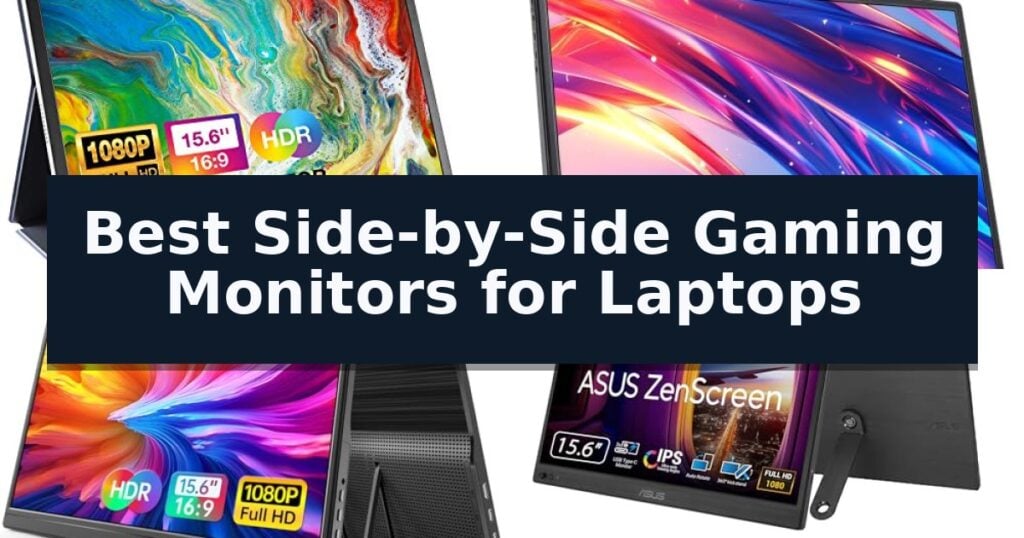
10 Best Side-by-Side Gaming Monitors for Laptops in 2026 Reviews
Quick Comparison
| Product | Best For | Key Strength | Score |
|---|---|---|---|
| KYY Portable Monitor | Best Overall | Ultra-slim 0.3-inch profile for easy portability. | 4.9 |
| Anyuse Portable Monitor | Lightweight Second Screen | Ultra-slim and lightweight design for maximum portability. | 4.6 |
| WGK Portable Monitor | Built-in Stand Convenience | Integrated built-in stand for adjustable viewing angles. | 4.8 |
| ASUS ZenScreen Portable Monitor | Versatile 360 Kickstand | 360-degree kickstand and tripod socket offer superior ergonomic positioning. | 4.5 |
| Anyking Laptop Screen Extender | Independent Slide-Rail Setup | Independent slide-rail stand avoids hinge stress. | 4.8 |
| Yxk Portable Monitor | Zero Frame Gaming Design | Ultra-slim and lightweight design for easy transport. | 4.7 |
| Wixzet Laptop Screen Extender | Flexible Triple-Screen Configs | Detachable design allows for 11+ flexible screen configurations. | 4.7 |
| WCV Portable Monitor | Ultra-Thin Travel Display | Ultra-portable design at 1.37 lbs and 0.04 inches thin. | 4.4 |
| ZUMWALT Laptop Screen Extender | Triple-Screen Efficiency Boost | Triple-screen expansion significantly increases multitasking efficiency. | 4.8 |
| ForHelp Portable Monitor | Durable Aluminum Build | Ultra-slim 0.3-inch profile and lightweight 1.52lb design for easy transport. | 4.7 |
How We Chose
To determine the best side-by-side gaming monitors for laptops, we evaluate each unit based on its display performance, connection versatility, and physical portability. An effective portable monitor must provide a seamless extension of your primary workspace without adding unnecessary bulk, ensuring that both visual clarity and ergonomic stability remain high during extended gaming or productivity sessions.
- Display resolution and panel technology (IPS vs. others) for color accuracy and viewing angles.
- Connectivity options, specifically the presence of full-featured USB-C ports supporting power delivery and video.
- Physical ergonomics, including weight, thickness, and the utility of included stands or magnetic covers.
- Compatibility with various laptop sizes and the ease of switching between landscape and portrait orientations.
- Build quality and the inclusion of protective accessories like smart covers or carrying cases.
1 KYY Portable Monitor — Slim Profile for Travel
The KYY Portable Monitor offers a versatile 15.6-inch FHD 1080P IPS display designed to expand your laptop's screen real estate for gaming or multimedia tasks. Its 178° wide viewing angle and HDR technology provide clear visuals, while the integrated eye-care features help reduce blue light radiation and screen flickering during extended use.
Connectivity is streamlined through two full-function Type-C ports and a Mini-HDMI port, allowing for a single-cable solution with devices supporting Thunderbolt 3 or USB-Type-C 3.1. This compatibility extends to laptops, smartphones, and gaming consoles like the PS4 or XBOX, ensuring a flexible setup for various hardware configurations.
Designed for portability, this monitor features an ultra-slim 0.3-inch profile and weighs only 1.7 pounds, making it easy to transport in a bag. It includes a scratch-proof PU leather smart cover that serves as a protective case and a stand with two adjustable viewing angles, facilitating both landscape and portrait orientations.
The unit is equipped with two built-in stereo speakers and a 3.5mm audio input to support audio playback without external hardware. Users can manage display settings via a dedicated menu control wheel, and the device requires no additional drivers, simplifying the setup process for on-the-go users.
Best for: Travelers and gamers who require a lightweight, slim secondary display for laptops or consoles that supports a single-cable USB-C connection.
Skip if: Users who require high-refresh-rate gaming performance or a larger screen size beyond 15.6 inches may find this standard 60Hz-class portable monitor insufficient for their specific needs.
- Ultra-slim 0.3-inch profile for easy portability.
- Single-cable connectivity via USB-C for compatible devices.
- Integrated eye-care technology to reduce blue light and flickering.
- Versatile smart cover doubles as a multi-angle stand.
- Limited to 15.6-inch screen size, which may be small for some users.
- Audio output depends on built-in speakers, which may lack the depth of dedicated external sound systems.
2 Anyuse Portable Monitor — Lightweight Second Screen
Expanding your digital workspace or gaming setup requires a display that balances portability with visual clarity. The Anyuse Portable Monitor addresses this need with a 15.6-inch FHD 1920×1080 resolution screen, providing a crisp, high-definition viewing experience that fits easily into a laptop bag.
Designed for versatility, this monitor features two full-featured Type-C ports and a Mini HDMI port, allowing for simple plug-and-play connectivity with laptops, gaming consoles like the PS, Xbox, and Switch, or mobile devices. It requires no additional drivers or apps, making it a straightforward solution for users who need a secondary screen immediately.
The device is built for mobility, weighing just 1.37 lbs with a slim 0.04-inch profile. Its IPS A-grade screen offers a 178-degree full viewing angle and includes HDR support and Low Blue Light technology to help reduce eye strain during extended gaming or work sessions.
Functionality is further enhanced by multiple display modes, including copy, extension, and second-screen configurations. The inclusion of two built-in speakers provides integrated audio, while the monitor's compatibility with devices supporting Thunderbolt 3.0/4.0 or USB 3.1 Type-C DP Alt-Mode ensures broad utility across various hardware platforms.
Best for: Mobile gamers and professionals who require a lightweight, plug-and-play secondary display for work or play on the go.
Skip if: Users whose host devices lack USB-C DP Alt-Mode or HDMI ports, or those requiring high-refresh-rate gaming panels beyond 60Hz.
- Ultra-slim and lightweight design for maximum portability.
- Plug-and-play connectivity via USB-C and Mini HDMI.
- IPS A-grade panel with wide 178-degree viewing angles.
- Integrated dual speakers for convenient audio output.
- 60Hz refresh rate may not meet the needs of competitive high-frame-rate gaming.
- Device compatibility is strictly limited to hardware supporting specific video output standards.
3 WGK Portable Monitor — Built-in Stand Convenience
The WGK Portable Monitor simplifies mobile workstation expansion with its integrated, adjustable stand, allowing users to quickly set up a secondary display without needing additional accessories. Weighing just 2.7 pounds, this 15.6-inch screen is engineered for portability while maintaining a functional footprint for travel or compact desk spaces.
Equipped with a 1920*1080P FHD IPS A-grade panel, the display features a 178° viewing angle and HDR support to maintain image clarity from various positions. The inclusion of low blue light technology aims to reduce eye strain during extended gaming or productivity sessions, while the two built-in speakers provide integrated audio output.
Connectivity is streamlined through dual USB-C ports and a Mini HDMI port, supporting plug-and-play functionality across laptops, desktops, and gaming consoles like the Xbox, PS, and Switch. For devices with Thunderbolt 3/4 or full-featured USB-C ports, a single cable connection handles both power and data transmission.
The monitor offers versatile display modes, including Copy, Extended, and Second Screen, with the ability to switch between horizontal and vertical orientations. Users should note that if the connected device cannot provide sufficient power, the display requires an external 5V2A charger to maintain consistent operation.
Best for: Users needing a lightweight, plug-and-play secondary display for gaming or productivity on the go.
Skip if: Users who require a high-refresh-rate gaming panel or a display that does not rely on external power when the host device battery is low.
- Integrated built-in stand for adjustable viewing angles.
- Plug-and-play compatibility via USB-C and Mini HDMI.
- VESA mountable design for flexible workstation setups.
- Low blue light technology for reduced eye fatigue.
- Requires external power (5V2A) if the host device has insufficient battery or power output.
4 ASUS ZenScreen Portable Monitor — Versatile 360 Kickstand
Expanding your mobile workspace requires a display that balances portability with functional versatility. The ASUS ZenScreen MB169CK 15.6 Inch 1080p Portable Monitor addresses this need with a 360 kickstand and tripod socket, allowing for flexible positioning on varied surfaces like hotel desks or coffee shop tables. These ergonomic features enable users to adjust the viewing angle to match their specific environment, ensuring that the screen remains comfortable to view regardless of the workspace constraints.
Connectivity is streamlined through single USB-C integration, which handles both power and video signals to maintain a clean, clutter-free setup. This plug-and-play functionality is particularly beneficial for professionals who need to set up quickly in transit. The device features an ultra-slim 11.8mm profile and weighs only 0.78kg, making it suitable for transport in standard backpacks for users who prioritize mobility. While this design is highly portable, it is important to note that the monitor relies entirely on the host device for power, as it lacks an internal battery.
For productivity, the monitor includes Auto-Rotate DisplayWidget software to transition between portrait and landscape orientations automatically, which is useful for coding or reading long documents. To support long-term use, it incorporates TV-Certified Eye Care technology, specifically utilizing flicker-free and low blue light settings to reduce strain during extended sessions. This focus on eye comfort is a significant trade-off for users who spend hours in front of a screen, though it does not replace the need for regular breaks.
The 15.6-inch FHD IPS anti-glare display ensures clear visuals in bright environments by minimizing distracting reflections, which is a key advantage when working in cafes or near windows. Additionally, the unit comes with a 3-year warranty and a complimentary 3-month subscription to Adobe Creative Cloud, providing added value for creative professionals looking to enhance their mobile workflow.
Best for: Remote workers and digital nomads who require a lightweight, highly adjustable secondary display for multitasking in various mobile environments.
Skip if: Users who require high-refresh-rate gaming performance or integrated battery power, as this model relies on a single USB-C connection to the host device.
- 360-degree kickstand and tripod socket offer superior ergonomic positioning.
- Single USB-C connectivity simplifies cable management for a clutter-free workspace.
- Ultra-slim and lightweight design facilitates easy transport.
- TV-Certified eye care features help mitigate fatigue during long work hours.
- No internal battery, requiring a constant connection to a host device for power.
- Standard 60Hz refresh rate may not meet the needs of competitive gamers.
5 Anyking Laptop Screen Extender — Independent Slide-Rail Setup
The Anyking Laptop Screen Extender simplifies multitasking by utilizing an independent slide-rail stand that eliminates the need for laptop clamps, protecting your device's hinges from unnecessary strain. This design allows for a flexible, free-standing configuration that can be adjusted to your preferred height or rotated 90 degrees for portrait-oriented tasks like coding or document review.
Equipped with a 15.6-inch IPS display, this monitor offers a Full HD 1920 x 1080 resolution that provides clear, practical detail for professional workflows. The unit features 330-nit brightness and wide viewing angles, ensuring consistent color and text legibility across various indoor environments. Its plug-and-play nature is supported by multiple connectivity options, including two full-function USB-C ports and a Mini HDMI port, allowing for seamless integration with Windows, Mac, and gaming consoles.
Designed for portability, the Anyking Laptop Screen Extender is 0.52 inches thick and weighs approximately 2.7 pounds. When not in use, the display detaches and tucks into the slide-rail stand, which acts as a protective shell during transport. This compact form factor ensures that it fits easily into most laptop bags, making it a viable solution for users who require a dual-screen setup while traveling.
The system supports PD 3.0 pass-through charging, allowing users to power both the monitor and a compatible laptop with a single external power source. With its sturdy construction and included 365-day warranty, this monitor provides a reliable, ergonomic solution for users looking to expand their digital workspace without the clutter of traditional side-by-side monitor setups.
Best for: Professionals and students who need a portable, ergonomic dual-screen setup that does not require clamping onto their laptop.
Skip if: Users who require high-refresh-rate gaming performance or color-critical professional design work, as this is a standard 60Hz office-oriented display.
- Independent slide-rail stand avoids hinge stress.
- PD 3.0 pass-through charging for streamlined cable management.
- Versatile connectivity including USB-C and Mini HDMI.
- Detachable, travel-ready design with integrated screen protection.
- 60Hz refresh rate may not meet the needs of competitive gamers.
- Requires external power for certain devices like smartphones or consoles.
6 Yxk Portable Monitor — Zero Frame Gaming Design
Expanding your digital workspace for gaming or productivity requires a reliable secondary display that balances portability with visual clarity. The Yxk Portable Monitor offers a streamlined solution for users needing an extra screen that fits easily into a laptop bag, featuring a 15.6-inch FHD display with a 1920×1080 resolution.
Designed for versatility, this monitor utilizes an A-grade IPS screen with a 178-degree viewing angle, ensuring consistent color reproduction and reduced eye strain during extended sessions. The inclusion of HDR support and a Low Blue Light filter enhances the visual experience, making it suitable for both high-definition media consumption and detailed work tasks.
Connectivity is handled through two full-featured Type-C ports and a MINI HDMI port, allowing for plug-and-play functionality with laptops, consoles, and mobile devices. The monitor supports multiple display modes, including extension and copy modes, and integrates dual built-in speakers to provide audio output without requiring external peripherals.
Weighing only 1.43 lbs and measuring 0.31 inches in thickness, the Yxk Portable Monitor is engineered for mobility. Its integrated VESA kickstand provides stable positioning on various surfaces, while the zero-frame design maximizes the active display area for a more immersive viewing experience.
Best for: Mobile professionals and gamers who require a lightweight, plug-and-play secondary display for laptops and consoles.
Skip if: Users who require high-refresh-rate gaming panels or specialized color-accurate displays for professional graphic design work.
- Ultra-slim and lightweight design for easy transport.
- Plug-and-play connectivity via USB-C and HDMI.
- Versatile display modes including extension and copy functionality.
- Integrated VESA kickstand for flexible setup options.
- Device compatibility requires USB-C ports to support DP ALT-MODE or Thunderbolt 3.0/4.0.
- Fixed 60Hz refresh rate may not satisfy competitive gaming requirements.
7 Wixzet Laptop Screen Extender — Flexible Triple-Screen Configs
Expanding your digital workspace for complex professional tasks often requires more than a single laptop screen. The Wixzet Laptop Screen Extender addresses this by providing a modular, multi-monitor solution that transforms a standard laptop into a triple-screen workstation. Its detachable design is the core differentiator, allowing users to toggle between triple-screen, dual-screen, or standalone configurations to suit specific workflows like coding, video editing, or managing multiple spreadsheets simultaneously.
Engineered for portability, each screen weighs only 1.5 lbs, ensuring that the system remains manageable for remote work or travel. The hardware supports 235° folding and 90° rotation, enabling 11+ distinct setups that accommodate various desk environments. This flexibility allows professionals to orient displays vertically for long lines of code or horizontally for expansive data analysis, adapting the physical workspace to the task at hand.
The visual experience is powered by a 15.6" Full HD 1080P IPS display that covers 120% sRGB color gamut and includes HDR support. With a brightness rating of 300 nits, the panels provide sufficient clarity for professional applications and media consumption. These specifications ensure that color-sensitive work remains accurate while maintaining a consistent visual quality across all connected monitors.
Connectivity is streamlined through a plug-and-play interface, removing the need for complex driver installations. The system is compatible with 13"–17.3" laptops and supports a broad range of operating systems, including Windows, macOS, ChromeOS, and Linux. Users can connect via dual USB-C cables for full functionality, or utilize a combination of USB-C and HDMI with a USB-A power cable, offering a versatile solution for different laptop port configurations.
Best for: Professionals and remote workers who require a flexible, multi-monitor setup that can be easily packed and transported for travel or mobile office use.
Skip if: Users with laptops that lack the necessary video output ports or those who prioritize a fixed, single-panel ultra-wide monitor over a modular, multi-screen system.
- Detachable design allows for 11+ flexible screen configurations.
- 15.6" FHD IPS display with 120% sRGB color gamut for accurate visuals.
- Driver-free plug-and-play connectivity simplifies setup.
- Lightweight construction at 1.5 lbs per screen enhances portability.
- Cable management can become complex depending on the laptop's available ports.
- Requires specific port configurations (dual USB-C or HDMI + USB-A) for full functionality.
8 WCV Portable Monitor — Ultra-Thin Travel Display
The WCV Portable Monitor offers a versatile 15.6-inch display solution for users needing an expanded workspace or gaming setup while traveling. Weighing only 1.37 lbs and measuring just 0.04 inches thick, this ultra-slim device is designed for high portability without sacrificing screen real estate.
Equipped with a 1920x1080P resolution and an IPS A-grade screen, the monitor provides a 178-degree viewing angle and integrated HDR support. These features work together to deliver clear visuals, while the low blue light technology aims to reduce eye strain during extended gaming or work sessions.
Connectivity is handled via two full-featured USB Type-C ports and a Mini HDMI port, enabling plug-and-play functionality with laptops, consoles, and mobile devices. The monitor supports multiple display modes, including copy, extension, and second-screen configurations, allowing users to adapt the setup to their specific productivity or entertainment needs.
The unit includes a built-in kickstand for flexible positioning and dual integrated speakers to support audio output. It requires no additional app or driver installation, making it a straightforward choice for those who need a reliable, secondary screen for gaming or professional presentations on the go.
Best for: Users who require a lightweight, ultra-thin secondary display for gaming or productivity while traveling.
Skip if: Users whose host devices lack Thunderbolt 3.0/4.0 or USB 3.1 Type-C DP Alt-Mode support, or those requiring a larger screen size for stationary desktop use.
- Ultra-portable design at 1.37 lbs and 0.04 inches thin.
- Versatile connectivity with dual Type-C and Mini HDMI ports.
- Plug-and-play functionality requiring no drivers or apps.
- Multiple display modes including extension and copy settings.
- Device compatibility limitations regarding USB-C DP Alt-Mode requirements.
- Integrated speaker audio may not match dedicated external sound systems.
9 ZUMWALT Laptop Screen Extender — Triple-Screen Efficiency Boost
Expanding your digital workspace for on-the-go productivity requires a balance of screen real estate and portability. The ZUMWALT Laptop Screen Extender addresses this by providing an instant triple-screen setup, utilizing two 15.6-inch 1080P FHD displays that fold into a compact, travel-friendly form factor.
Engineered for efficiency, this monitor features an ultra-slim aluminum alloy shell that weighs only 4 lbs, ensuring it remains durable while minimizing stress on your laptop's hinge. The device is designed to support a wide range of laptops from 13 to 17.3 inches, offering versatile modes such as extended workspace, mirrored presentations, or portrait orientation for coding tasks.
Connectivity is streamlined through an upgraded internal design that prioritizes a USB-C plug-and-play experience. When using a device with full-featured USB-C ports, the setup requires minimal cabling, reducing desk clutter. For users with devices lacking full-featured USB-C or specific MacBook models, the unit supports alternative connections via HDMI and USB-A, though these configurations may necessitate additional cables and driver installation.
Visual performance is supported by a 178-degree wide viewing angle and 280 nits of brightness, ensuring consistent color and clarity across all three screens. The package includes a protective leather carry bag and necessary power adapters, making it a comprehensive solution for professionals who need to maintain a high-efficiency workflow outside of a traditional office environment.
Best for: Mobile professionals and multitaskers who require a triple-screen setup to increase productivity while working remotely.
Skip if: Users with laptops lacking full-featured USB-C ports who prefer to avoid the complexity of additional HDMI/USB-A cabling and driver installations.
- Triple-screen expansion significantly increases multitasking efficiency.
- Ultra-slim aluminum construction provides a lightweight and durable design.
- Plug-and-play connectivity simplifies setup on compatible devices.
- Wide compatibility across 13-inch to 17.3-inch laptop sizes.
- Requires additional cables and drivers for laptops without full-featured USB-C ports.
- Increased weight compared to single portable monitors due to the triple-screen housing.
10 ForHelp Portable Monitor — Durable Aluminum Build
The ForHelp Portable Monitor offers a versatile solution for laptop users needing extra screen real estate, featuring an ultra-slim 0.3-inch profile and a lightweight 1.52lb aluminum alloy body. Designed for portability, this 15.6-inch display integrates seamlessly into mobile setups, allowing users to expand their workspace or gaming environment while traveling.
Equipped with a 1920×1080 Full HD IPS matte screen, the monitor provides a 178-degree viewing angle to maintain color accuracy and detail from various positions. The display includes eye-care technology to reduce blue light radiation and eliminate flickering, which helps minimize eye strain during extended work or gaming sessions.
Connectivity is handled through two full-featured Type-C ports and one MINI HDMI port, supporting devices like laptops, consoles, and smartphones. Users should ensure their host device supports Thunderbolt 3.0/4.0 or USB 3.1 Type-C DP ALT-MODE for optimal functionality. The monitor also features HDR mode for enhanced color and contrast, alongside built-in speakers for integrated audio.
The unit comes with a scratch-proof PU leather smart cover that serves as both a protective case and a stand with two adjustable viewing angles. Whether utilized for productivity in extension mode or for entertainment, the ForHelp Portable Monitor balances functional design with practical portability for diverse user needs.
Best for: Laptop users who require a lightweight, secondary display for mobile productivity or gaming and possess devices with compatible USB-C or HDMI output.
Skip if: Users whose host devices lack Thunderbolt 3.0/4.0 or USB 3.1 Type-C DP ALT-MODE support, as these are required for the primary single-cable connection.
- Ultra-slim 0.3-inch profile and lightweight 1.52lb design for easy transport.
- Full HD 1080P IPS display with 178-degree wide viewing angles.
- Versatile connectivity via dual USB Type-C and MINI HDMI ports.
- Durable PU leather smart cover included for protection and adjustable stand functionality.
- Specific hardware requirements for USB-C connectivity (Thunderbolt 3.0/4.0 or DP ALT-MODE).
- HDMI port placement is fixed on the left side, which may impact cable management depending on the laptop port orientation.
Best Side-by-Side Gaming Monitors for Laptops Buying Guide
Connectivity and Compatibility
The primary hurdle in setting up a side-by-side display is ensuring your laptop can output both power and video through a single cable. Most modern portable monitors rely on USB-C with DisplayPort Alt Mode, which simplifies the process significantly.
Before purchasing, verify that your laptop's USB-C port supports video output. If your device lacks this, you will need to rely on HDMI for video and a separate USB cable for power, which can lead to a more cluttered desk setup.
Panel Quality and Visuals
For gaming, the IPS panel technology found in most of these models is preferred for its wide viewing angles and color consistency. A 1080P resolution is standard for 15.6-inch portable screens, providing a sharp enough image for most gaming and office tasks.
Look for features like HDR support and low blue light settings, which can enhance the visual experience during long sessions. While these monitors are not typically designed for competitive, high-refresh-rate gaming, they are more than adequate for casual play and media consumption.
Ergonomics and Mounting
Side-by-side setups can be taxing on your neck if the screens are not aligned properly. Monitors that include a kickstand or a smart cover with multiple grooves allow you to adjust the angle to match your laptop's screen height.
If you plan to use the monitor primarily at a desk, consider models that support VESA mounts. This allows you to attach the screen to a dedicated monitor arm, freeing up valuable desk space and providing more precise height and tilt adjustments.
Portability and Build
The weight and thickness of a portable monitor are critical if you travel frequently. Models under 1.5 pounds are generally easy to slide into a standard laptop sleeve alongside your computer.
Durability is also a factor; look for aluminum alloy housings or monitors that include a scratch-proof smart cover. These accessories provide essential protection against screen damage while you are in transit.
Display Modes and Versatility
Most portable monitors offer multiple modes, including extended, mirrored, and portrait. Portrait mode is particularly useful for coders or writers who need to view long documents without constant scrolling.
Some advanced models, such as screen extenders, offer triple-screen configurations. While these provide the most screen real estate, they are often heavier and require more complex mounting, making them better suited for stationary work than frequent travel.
Frequently Asked Questions
Do I need to install drivers for these monitors?
No, most portable monitors are plug-and-play and do not require specific drivers to function with Windows, macOS, or ChromeOS.
Can I use these monitors with a gaming console?
Yes, as long as the monitor has an HDMI port, you can connect devices like a Nintendo Switch, PS5, or Xbox, though you may need to provide external power to the monitor.
Will these monitors drain my laptop battery?
Yes, powering a secondary display will consume more battery. It is recommended to keep your laptop plugged into a power source or use a monitor with pass-through charging.
What is the difference between a portable monitor and a screen extender?
A portable monitor is a standalone screen, while a screen extender is typically designed to mount directly onto the back of your laptop lid for a more integrated, side-by-side experience.
Are these monitors suitable for competitive gaming?
These monitors are generally designed for productivity and casual gaming. They typically feature 60Hz refresh rates, which may not satisfy the requirements for high-end competitive gaming.
Conclusion: Our Top Pick
Our top pick is KYY Portable Monitor. Choosing the right portable monitor depends on your specific balance of portability and screen real estate. For most users, a slim, 15.6-inch IPS display provides the best compromise, offering enough space for multitasking without becoming a burden to carry.
Always prioritize connectivity by checking your laptop's port specifications before purchase. Whether you opt for a simple, lightweight display or a more complex triple-screen extender, ensuring your hardware supports the necessary video output is the key to a successful setup.