Logitech MK295 Silent Wireless Keyboard Combo is our top choice for the Best Silent Keyboards because it utilizes proprietary SilentTouch technology to significantly reduce typing noise without sacrificing tactile feedback. The Cherry KC 200 MX Mechanical Keyboard serves those seeking a premium mechanical feel, while the Logitech MX Keys S Wireless Keyboard is ideal for professionals prioritizing a low-profile, fluid typing experience.
Selecting a quiet keyboard requires balancing the desire for silence with the need for reliable, comfortable input. While mechanical options offer distinct feedback, membrane and scissor-switch designs often provide the most effective noise reduction for shared office environments or late-night work sessions.
Beyond noise levels, consider how the keyboard connects to your workstation and whether it offers the layout features necessary for your daily tasks. Wireless freedom, multi-device switching, and ergonomic support are key factors that transform a basic peripheral into a productive tool for your specific desk setup.
If you are looking for a broader overview of options, our guide on the Best Silent Keyboard provides additional insights into selecting the right model for your specific environment. For those specifically focused on professional productivity, we also cover the Best Silent Keyboard for Work to help you optimize your office setup.
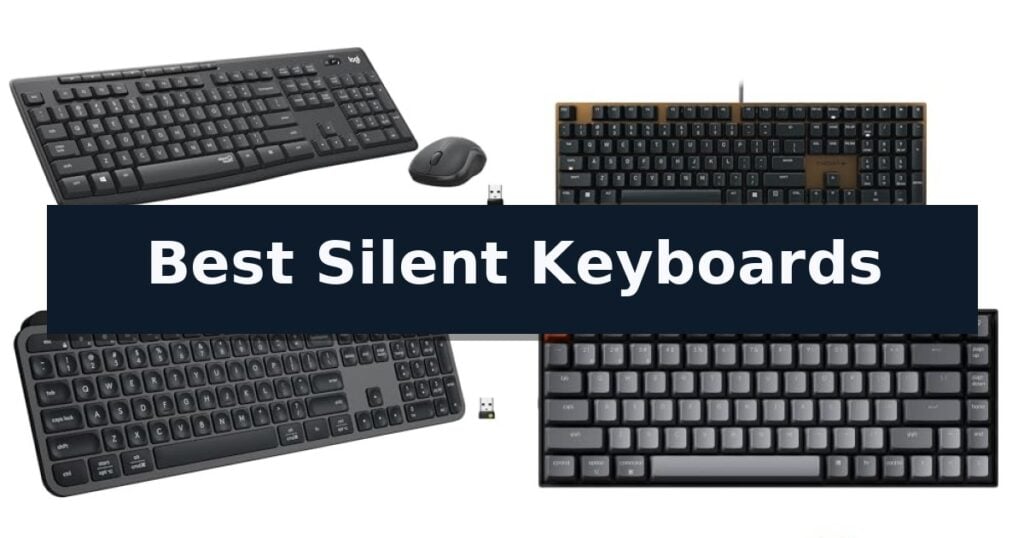
10 Best Silent Keyboards in 2026 Reviews
Quick Comparison
| Product | Best For | Key Strength | Score |
|---|---|---|---|
| Logitech MK295 Silent Wireless Keyboard Combo | Best Overall | SilentTouch technology significantly reduces noise output for quieter operation. | 4.9 |
| Cherry KC 200 MX Mechanical Keyboard | Premium Quiet Mechanical Typing | CHERRY MX2A SILENT RED switches for quiet operation | 4.5 |
| Logitech MX Keys S Wireless Keyboard | Fluid Low-Profile Typing | Spherically-dished keys for a fluid, quiet typing experience | 4.6 |
| Keychron K2 Wireless Mechanical Keyboard | Compact Mechanical for Quiet Work | Silent K Pro Red switches provide a quiet typing experience. | 4.3 |
| SOLAKAKA KI99 Pro Mechanical Keyboard | Creamy Feel with Silent Switches | Advanced gasket structure with noise-reducing layers for quiet operation | 4.3 |
| SteelSeries Apex 3 Gaming Keyboard | Whisper-Quiet Gaming Performance | Whisper quiet gaming switches for silent operation. | 4.5 |
| AULA F99 Pro Mechanical Keyboard | Gasket-Mounted Silent Typing | Gasket-mounted structure for a softer, more elastic typing feel. | 4.9 |
| LEOBOG K99 Wireless Membrane Keyboard | Space-Saving Quiet Layout | Silicone-dampened keys significantly reduce typing noise. | 4.9 |
| TECKNET Wired Membrane Keyboard | Reliable Plug-and-Play Silence | Low-profile membrane keys significantly reduce typing noise for a quiet workspace. | 4.6 |
| Logitech Signature Slim K950 Keyboard | Sleek Multi-Device Productivity | Quiet typing mechanism reduces noise for a discreet work environment. | 4.3 |
How We Chose
Evaluating the best silent keyboards involves assessing how effectively each model dampens acoustic output while maintaining a satisfying typing experience. We prioritize keyboards that balance noise-dampening technology with key stability, connectivity versatility, and long-term durability to ensure they meet the demands of quiet, professional, or shared environments.
- Noise reduction mechanism effectiveness
- Switch type and tactile feedback consistency
- Connectivity options and multi-device support
- Ergonomic design and build quality
- Layout efficiency and shortcut accessibility
1 Logitech MK295 Silent Wireless Keyboard Combo — Best for Shared Office Spaces
Maintaining a quiet workspace often begins with the tools you use daily, and the Logitech MK295 Full Size Silent Wireless Keyboard Mouse Combo is engineered specifically to minimize auditory distractions. By utilizing proprietary SilentTouch technology, this peripheral set reduces typing and clicking noise by 90% compared to standard models, ensuring that your keystrokes and mouse clicks remain nearly inaudible during intense work sessions.
The keyboard features a full-size layout complete with a numeric keypad and 8 convenient shortcuts that provide one-touch access to volume controls, media playback, and internet navigation. Designed for durability, the unit includes a spill-resistant design and sturdy, adjustable tilt legs that allow you to customize your typing angle for improved ergonomics.
Connectivity is handled via a tiny 2.4 GHz USB receiver that establishes a reliable link in just three seconds, offering a wireless range of up to 10 meters. This plug-and-play setup is compatible with both Windows and Chrome OS, making it a versatile addition to various office configurations without requiring complex software installation.
Efficiency extends to power management, with the keyboard boasting a 36-month battery life and the mouse offering 18 months of usage. Both devices include dedicated on/off switches to preserve energy, and the construction incorporates certified post-consumer recycled plastic—71% for the keyboard and 49% for the mouse—reflecting a focus on sustainable material sourcing.
Best for: This combo is ideal for users working in shared office environments or quiet home workspaces who need to minimize typing and clicking noise.
Skip if: Skip this model if you require advanced mechanical switches, backlighting, or multi-device Bluetooth connectivity.
- SilentTouch technology significantly reduces noise output for quieter operation.
- Long battery life of up to 36 months for the keyboard and 18 months for the mouse.
- Spill-resistant design adds a layer of durability for daily office use.
- Sustainable construction utilizing certified post-consumer recycled plastic.
- Limited connectivity options as it relies solely on a 2.4 GHz USB receiver.
- Lacks advanced features like customizable macro keys or backlighting found in premium models.
2 Cherry KC 200 MX Mechanical Keyboard — Premium Quiet Mechanical Typing
The Cherry KC 200 MX Mechanical Keyboard distinguishes itself through the integration of CHERRY MX2A SILENT RED switches, engineered to provide a smooth, linear typing experience without the audible click associated with traditional mechanical boards. This focus on acoustic dampening makes it a practical selection for professional environments where minimizing noise is a priority.
Built for longevity and daily office use, the keyboard features an anodized metal plate that provides a robust foundation. The laser-etched, abrasion-resistant keycaps are designed to maintain legibility over extended periods, supported by a construction rated for more than 50 million actuations per key.
Usability is enhanced through integrated white status LEDs for lock keys and dedicated function keys that offer quick access to volume control and the calculator application. The inclusion of full N-key rollover and anti-ghosting technology ensures that every input is registered accurately, even during rapid typing sequences.
Stability is managed by two sturdy, non-slip fold-out feet, allowing users to adjust the typing angle for comfort. As a wired device with a standard USB-A connection, the Cherry KC 200 MX Mechanical Keyboard provides a reliable, plug-and-play experience without the need for battery management or wireless signal troubleshooting.
Best for: Office professionals who require a quiet, durable mechanical keyboard with reliable wired connectivity.
Skip if: Users who prefer wireless connectivity or a compact, tenkeyless form factor will find this full-sized, wired model less suitable for their workspace.
- CHERRY MX2A SILENT RED switches for quiet operation
- Anodized metal plate for a robust and durable build
- Dedicated media keys for calculator and volume control
- Full N-key rollover and anti-ghosting for accurate input
- Wired-only connection limits desk placement flexibility
- Full-sized layout occupies more desk space than compact alternatives
3 Logitech MX Keys S Wireless Keyboard — Fluid Low-Profile Typing
The Logitech MX Keys S Wireless Keyboard features a distinctive low-profile, laptop-like design with spherically-dished keys engineered to cradle your fingertips for a precise and fluid typing experience. This keyboard is designed to minimize noise, offering a quieter operation that benefits shared workspaces or quiet home offices.
Beyond its tactile design, the keyboard incorporates smart illumination that detects when your hands approach, automatically adjusting the backlight intensity to match your environment. Users can further customize these lighting profiles and automate repetitive workflows through the Logi Options+ app, which allows for the creation of Smart Actions to execute multiple tasks with a single keystroke.
Connectivity is a core strength, as the device supports pairing with up to three different computers simultaneously across Windows, macOS, Linux, and Googlebook OS. It utilizes either Bluetooth Low Energy or the included Logi Bolt USB receiver for stable wireless performance. The unit is powered by a rechargeable battery that provides up to 10 days of use with backlighting enabled, or up to 5 months when the lighting is turned off.
Built for long-term comfort, the keyboard features a solid, low-profile construction with an optimized typing angle intended to support better wrist posture. It also incorporates sustainable materials, with 26% post-consumer recycled plastic used in the Graphite model. The device is designed to integrate seamlessly with other peripherals, such as the Master 3S mouse, enabling cross-computer text and file transfers.
Best for: Professionals and power users who require a quiet, multi-device keyboard with customizable workflow automation and a low-profile ergonomic design.
Skip if: Users who prefer the deep travel and tactile feedback of mechanical switches or those who require a full-sized numeric keypad with a different layout.
- Spherically-dished keys for a fluid, quiet typing experience
- Smart illumination that adapts to ambient light
- Multi-device connectivity for up to 3 systems
- Customizable Smart Actions via Logi Options+ app
- Fixed low-profile design may not suit users who prefer mechanical key travel
- Battery life varies significantly depending on backlighting settings
4 Keychron K2 Wireless Mechanical Keyboard — Compact Mechanical for Quiet Work
The Keychron K2 Wireless Mechanical Keyboard prioritizes a quiet typing experience through its pre-lubed Silent K Pro Red switches, designed to minimize noise in shared environments. This 75% layout keyboard balances a compact footprint with the tactile feedback of mechanical switches, making it a practical choice for users who need to maintain a professional or low-noise workspace.
Connectivity is handled through Bluetooth 5.1, which allows for pairing with up to three devices simultaneously for efficient multitasking across different operating systems. For users requiring a more consistent connection, the keyboard supports a wired mode via USB-C with a 1000 Hz polling rate, providing stable performance suitable for both productivity and gaming.
The design includes shine-through keycaps paired with a white LED backlight, ensuring keys remain visible in dim lighting. The layout is optimized for macOS with native media keys, while the inclusion of extra keycaps ensures compatibility for Windows users, allowing for a seamless transition between different computing platforms.
Measuring 12.32 by 4.84 inches, the Keychron K2 Wireless Mechanical Keyboard offers a space-saving solution without sacrificing the essential 84-key configuration. Its construction and switch choice focus on delivering a soft, consistent typing feel while keeping acoustic output low.
Best for: Users in shared office or home environments who require a compact, quiet mechanical keyboard with multi-device wireless connectivity.
Skip if: Users who require a full-sized keyboard layout with a dedicated number pad or those who prefer highly tactile, clicky switches.
- Silent K Pro Red switches provide a quiet typing experience.
- Bluetooth 5.1 supports seamless switching between three devices.
- Compact 75% layout saves desk space.
- Native macOS support with included Windows keycaps.
- Lacks a dedicated number pad due to the compact 75% design.
- White LED lighting is not RGB, which may limit customization for some users.
5 SOLAKAKA KI99 Pro Mechanical Keyboard — Creamy Feel with Silent Switches
The SOLAKAKA KI99 Pro Mechanical Keyboard integrates a specialized gasket structure paired with five noise-reducing layers to minimize acoustic output during operation. This design choice, combined with pre-lubed silent switches, provides a distinct, dampened typing experience suitable for environments where sound control is a priority.
Beyond its acoustic profile, the keyboard features a compact 96% layout that optimizes desk real estate while retaining essential keys. The inclusion of an innovative control knob allows for immediate adjustments to media volume, lighting brightness, and other system settings, streamlining workflow without requiring software navigation.
Connectivity is handled through a triple-mode interface, supporting Bluetooth 5.0, 2.4G wireless, and Type-C wired connections. The internal 10,000mAh battery is engineered to support extended usage periods, reducing the frequency of charging cycles. Users can further customize the experience via a 1.2mm flex-cut PCB that supports hot-swappable 3/5-pin switches.
Durability and aesthetics are addressed through the use of PBT keycaps, which are resistant to wear and fading over time. The hardware is complemented by full-key RGB lighting and side light bars, offering 16.8 million colors that can be synchronized or adjusted via dedicated driver software to match specific desktop setups.
Best for: Users requiring a quiet typing experience in a compact form factor with versatile wireless connectivity options.
Skip if: Users who prefer a full-sized keyboard layout with a dedicated number pad and separate navigation cluster.
- Advanced gasket structure with noise-reducing layers for quiet operation
- Triple-mode connectivity including Bluetooth, 2.4G, and wired options
- High-capacity 10,000mAh battery for extended performance
- Hot-swappable PCB allows for easy switch customization
- Compact 96% layout may require an adjustment period for users accustomed to standard full-sized keyboards
6 SteelSeries Apex 3 Gaming Keyboard — Whisper-Quiet Gaming Performance
Maintaining a quiet workspace often requires minimizing the audible feedback from your peripherals, and the SteelSeries Apex 3 Gaming Keyboard addresses this with specialized Whisper quiet gaming switches. These switches are engineered for nearly silent operation, supporting up to 20 million low-friction keypresses to ensure consistent performance without the disruptive clicking sounds common in many mechanical alternatives.
Beyond its acoustic profile, this keyboard emphasizes long-term comfort and durability. It includes a premium magnetic wrist rest that provides full palm support, reducing strain during extended use. The chassis is also IP32 water resistant, a practical design choice that helps prevent accidental damage from liquid spills, making it a resilient option for busy desk environments.
Customization and utility are integrated through 10-zone RGB illumination, which offers reactive effects and various color schemes to suit personal preferences. For added convenience, the keyboard features dedicated multimedia controls, allowing users to adjust volume and playback settings instantly without navigating through software menus.
The SteelSeries Apex 3 Gaming Keyboard maintains broad compatibility across multiple platforms, including Windows, Mac OS X, and consoles like the Xbox Series S, Xbox Series X, PS4, and PS5. With a weight of approximately 2.8 pounds and a standard full-size layout, it provides a stable, feature-rich typing experience for those prioritizing a quiet environment.
Best for: Users who require a quiet typing experience for gaming or office work without sacrificing multimedia controls and spill resistance.
Skip if: Users who specifically prefer the tactile and audible feedback of mechanical switches or those requiring a compact, tenkeyless form factor.
- Whisper quiet gaming switches for silent operation.
- IP32 water resistance protects against accidental spills.
- Premium magnetic wrist rest included for ergonomic support.
- Dedicated multimedia controls for quick adjustments.
- Full-size footprint may be too large for compact desk setups.
7 AULA F99 Pro Mechanical Keyboard — Gasket-Mounted Silent Typing
The AULA F99 Pro Mechanical Keyboard distinguishes itself through a sophisticated gasket-mounted structure combined with PCB single key slotting, which provides a noticeably softer and more elastic typing experience compared to traditional rigid designs. This silent-version keyboard is engineered for users who require a quiet environment without sacrificing the tactile feedback of a premium mechanical board.
Equipped with pre-lubed linear switches and five layers of internal sound-dampening material, this model effectively minimizes cavity noise and shaft-impact sounds. The 96% compact layout balances space efficiency with the inclusion of essential arrow keys and a number pad, while the multi-function control knob allows for quick adjustments to volume or lighting modes.
Connectivity is highly versatile, offering tri-mode integration via Bluetooth 5.0, 2.4GHz wireless, and USB-C wired modes. The system supports simultaneous connections to up to five devices, making it suitable for complex workstations involving PCs, tablets, and mobile devices. A massive 8000mAh battery ensures extended operation, while the hot-swappable PCB accommodates both 3-pin and 5-pin switches for future customization.
The build quality is reinforced by side-printed PBT keycaps, which are designed to be sweat-proof and durable. The keyboard also features 16 RGB lighting effects that can be synchronized with music, alongside N-key rollover for reliable input during rapid typing or gaming sessions.
Best for: Office workers and gamers who require a quiet, highly customizable, and multi-device compatible mechanical keyboard.
Skip if: Users who prefer a full-sized 100% layout or those who do not require wireless connectivity and hot-swappable features.
- Gasket-mounted structure for a softer, more elastic typing feel.
- Tri-mode connectivity supporting up to five simultaneous devices.
- Hot-swappable PCB allows for easy switch replacement without soldering.
- 8000mAh high-capacity battery for long-lasting wireless use.
- 96% layout may require an adjustment period for users accustomed to standard full-sized keyboards.
8 LEOBOG K99 Wireless Membrane Keyboard — Space-Saving Quiet Layout
The LEOBOG K99 Wireless Membrane Keyboard prioritizes a quiet workspace by utilizing a precision-engineered silicone dampening structure that effectively absorbs keystroke impact noise. This design choice makes it a practical solution for shared environments like dorms or open offices where minimizing typing disturbance is a priority.
Beyond its acoustic benefits, the LEOBOG K99 Wireless Membrane Keyboard features a space-saving 98-key layout that retains full-size functionality, including a dedicated number pad and arrow keys, while occupying 30% less desk space than traditional full-size models. This compact footprint is ideal for users with limited desktop area who still require a complete set of essential function keys.
Connectivity is highly versatile, offering three modes: Bluetooth 5.0, 2.4GHz wireless, and a wired USB-C connection. Users can switch between up to five devices, such as PCs, tablets, and phones, using a simple function key combination. The integrated 2000mAh rechargeable battery supports extended use, requiring approximately 7-8 hours for a full charge via the included cable.
Ergonomics and system compatibility are also addressed, with the keyboard featuring a foldable 2-stage kickstand that provides three adjustable height levels. It is compatible with both Windows and macOS, though users must utilize specific function key shortcuts to pair the keyboard with their respective operating system.
Best for: Users who need a compact, quiet, and multi-device compatible keyboard for shared workspaces or small desks.
Skip if: Users who prefer the tactile feedback and distinct click of mechanical switches over a dampened membrane typing experience.
- Silicone-dampened keys significantly reduce typing noise.
- Compact 98-key layout saves 30% more space than full-size keyboards.
- Tri-mode connectivity allows switching between up to 5 devices.
- 3 adjustable height levels via a 2-stage kickstand.
- Requires specific charging protocol using only the included cable and computer ports.
- System pairing required via function keys for Windows or macOS compatibility.
9 TECKNET Wired Membrane Keyboard — Reliable Plug-and-Play Silence
Maintaining a quiet workspace is essential for productivity, and the TECKNET Wired Membrane Keyboard addresses this with its low-profile membrane keys designed to significantly reduce typing noise. This full-size, 104-key layout provides a familiar typing experience while minimizing the acoustic footprint in shared environments like offices or libraries.
Beyond its silent operation, the keyboard features a spill-resistant design that protects the internal conductive film from accidental liquid exposure. The build quality is rated for up to 80 million keystrokes, offering long-term reliability for daily use. Users can customize their typing angle using the integrated adjustable tilt feet and anti-slip pads for improved ergonomics during extended sessions.
Efficiency is supported by 12 FN+F multimedia shortcuts, allowing for quick adjustments to volume, media playback, and common applications like the calculator or email. The USB-A plug-and-play connectivity ensures a straightforward setup across Windows and Mac systems without requiring additional drivers or batteries, maintaining a consistent connection for uninterrupted work.
This keyboard balances functional design with practical durability, making it a straightforward solution for those prioritizing a quiet, reliable input device. While multimedia key functionality may vary on Mac OS, the core typing performance and spill-resistant construction provide a consistent experience for standard office and home computing tasks.
Best for: Office workers and home users who require a quiet, full-size keyboard with spill resistance and simple plug-and-play connectivity.
Skip if: Users who require advanced mechanical switches, wireless connectivity, or full multimedia key compatibility on Mac OS systems.
- Low-profile membrane keys significantly reduce typing noise for a quiet workspace.
- Spill-resistant design protects internal components from accidental liquid splashes.
- 80 million keystroke rating ensures long-term durability for heavy daily use.
- 12 FN+F multimedia shortcuts provide quick access to essential system and media controls.
- Limited multimedia key functionality when used with Mac OS devices.
- Wired-only connection lacks the flexibility of wireless or Bluetooth options.
10 Logitech Signature Slim K950 Keyboard — Sleek Multi-Device Productivity
Maintaining a quiet workspace often begins with the tools you use most, and the Logitech Signature Slim K950 Keyboard is engineered specifically to minimize auditory distractions. This full-size wireless keyboard features a sleek, low-profile design that mimics the feel of laptop-style typing, providing a tactile yet discreet experience that allows you to focus without the clatter of traditional mechanical switches.
Beyond its quiet operation, the Logitech Signature Slim K950 Keyboard is built for high-utility multitasking. It supports multi-device connectivity, allowing you to pair up to three devices simultaneously via Bluetooth or the included Logi Bolt receiver. Switching between your computer, tablet, or phone is handled with a single tap, making it a versatile choice for users who frequently jump between different operating systems including Windows, macOS, Chrome OS, and mobile platforms.
Customization is a core component of this model's productivity suite. By utilizing the Logi Options+ App, you can program specific keys to execute one-tap functions, such as launching the snipping tool, controlling media playback, or managing volume levels. These shortcuts are designed to streamline your workflow for both professional and home-based tasks.
The construction of the Logitech Signature Slim K950 Keyboard reflects a focus on both aesthetics and sustainability. The chassis is solidly built and incorporates a minimum of 48% certified post-consumer recycled plastic. Weighing approximately 1.51 pounds, it offers a stable footprint on your desk while maintaining a clean, modern look that complements a variety of workstation setups.
Best for: Professionals and students who require a quiet, multi-device keyboard that can switch seamlessly between computers, tablets, and phones.
Skip if: Users who prefer the deep travel and audible feedback of mechanical switches or those who require a wired-only connection.
- Quiet typing mechanism reduces noise for a discreet work environment.
- Multi-device pairing allows for instant switching between three different platforms.
- Customizable keys via the Logi Options+ App enhance workflow efficiency.
- Sustainable design featuring at least 48% post-consumer recycled plastic.
- Laptop-style typing feel may not suit users who prefer mechanical or high-profile keys.
Best Silent Keyboards Buying Guide
Understanding Silent Switch Technology
Silent keyboards typically use either membrane domes or specialized mechanical switches designed to minimize the sound of the keycap hitting the switch housing. Membrane models are often the most affordable and inherently quiet, as the rubber dome acts as a natural buffer against impact noise.
Mechanical silent switches, such as those found in premium office boards, use internal dampeners to soften the bottom-out sound. These provide a more refined feel than standard membrane keys, making them a preferred choice for users who want the precision of a mechanical board without the audible click.
Connectivity and Multi-Device Integration
Modern silent keyboards often feature multi-mode connectivity, allowing you to switch between a desktop, laptop, and tablet seamlessly. Bluetooth and 2.4GHz wireless receivers are standard, providing a clutter-free desk while maintaining a stable connection for consistent input.
Wired options remain a reliable alternative for users who prefer not to manage batteries or deal with potential wireless interference. If you choose a wireless model, check the battery life and charging method, as some keyboards require frequent charging while others can last for months on a single set of batteries.
Layout and Ergonomics
The physical layout of your keyboard significantly impacts your workflow and wrist comfort. Full-size keyboards with dedicated number pads are essential for data-heavy tasks, while compact 75% or 96% layouts save valuable desk space without sacrificing critical function keys.
Look for adjustable tilt legs or low-profile designs that encourage a neutral wrist position. A well-designed keyboard should feel comfortable during extended typing sessions, reducing strain and allowing you to maintain focus throughout the workday.
Build Quality and Durability
A keyboard's construction material affects both its longevity and the sound profile it produces. Aluminum plates or reinforced plastic frames can help stabilize the keys, preventing the hollow, rattling noises often associated with cheaper, lightweight builds.
Spill-resistant designs are a practical addition for office environments, protecting the internal electronics from accidental liquid contact. High-quality keycaps, such as those made from PBT plastic, also resist wear and shine, ensuring the legends remain legible after years of use.
Customization and Productivity Features
Many modern keyboards include software integration that allows you to remap keys, create macros, or customize backlighting. These features can significantly speed up repetitive tasks, letting you trigger complex commands with a single keystroke.
Media controls, such as volume knobs or dedicated playback buttons, provide quick access to essential functions without needing to navigate through system menus. These small additions contribute to a more efficient and streamlined computing experience.
Frequently Asked Questions
Are silent keyboards completely silent?
No keyboard is truly silent, as the sound of your fingers hitting the keycaps will always produce some noise. However, silent keyboards are engineered to significantly dampen the mechanical clatter and bottom-out sounds compared to standard models.
Can I use a silent mechanical keyboard for gaming?
Yes, many silent mechanical keyboards are suitable for gaming. Look for models with fast response times, N-key rollover, and anti-ghosting features to ensure your inputs are registered accurately during intense gameplay.
Do silent keyboards feel different to type on?
They can feel different depending on the switch type. Membrane silent keyboards often feel softer and more cushioned, while silent mechanical switches retain a distinct tactile or linear feel but with a muted sound profile.
Is a wired or wireless silent keyboard better?
The choice depends on your desk setup. Wireless keyboards offer a cleaner look and portability, while wired keyboards are ideal if you want to avoid battery maintenance and ensure the lowest possible input latency.
Do I need special software for my silent keyboard?
Most keyboards are plug-and-play and will work immediately. However, some models offer optional software to customize backlighting, program macros, or adjust key functions to better suit your workflow.
Conclusion: Our Top Pick
Our top pick is Logitech MK295 Silent Wireless Keyboard Combo. Choosing the right silent keyboard depends on your specific balance of typing feel, desk space, and connectivity needs. Whether you prefer the soft, dampened response of a membrane board or the refined, quiet performance of a mechanical switch, there is a model designed to keep your workspace peaceful.
Prioritize features like multi-device switching and ergonomic design to ensure your keyboard supports your long-term productivity. By focusing on these core elements, you can find a reliable tool that enhances your focus without adding unnecessary noise to your environment.