Logitech M330 Silent Plus Mouse is our top choice for the Best Silent Mouse, offering a proven balance of noise reduction and ergonomic comfort for daily office tasks. For those prioritizing cable-free setups, the Logitech M240 Silent Bluetooth Mouse provides a reliable dongle-free alternative, while the Logitech MX Master 3S Wireless Mouse serves power users needing advanced customization and premium tracking performance.
Selecting a quiet mouse requires looking beyond marketing claims to evaluate how the device integrates into your specific workflow. Key factors include the type of wireless connection, such as Bluetooth versus USB receivers, and the physical shape, which dictates comfort during extended use. A mouse that effectively dampens click noise allows for a more focused environment, particularly in shared spaces or quiet home offices.
When choosing between models, consider your hand size and the necessity of extra buttons. While compact mice are excellent for travel, full-sized ergonomic designs often provide better support for long-term productivity. We focus on these practical attributes to ensure you find a tool that meets your noise-reduction needs without sacrificing precision or reliability.
For a broader look at peripheral options, our guide to the Best Silent Computer Mouse provides additional insights into finding the right setup for your desk.
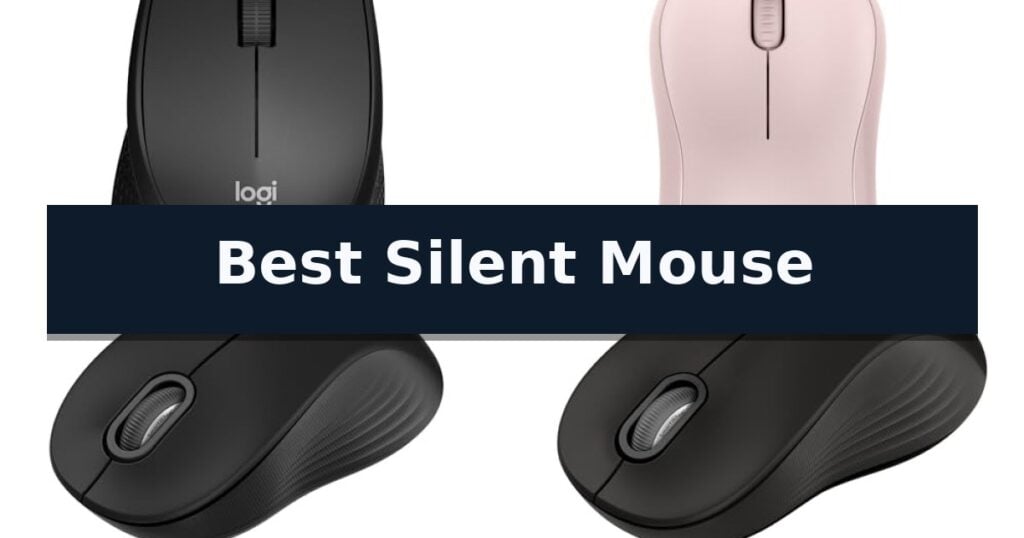
10 Best Silent Mouse in 2026 Reviews
Quick Comparison
| Product | Best For | Key Strength | Score |
|---|---|---|---|
| Logitech M330 Silent Plus Mouse | Best Overall | SilentTouch technology reduces clicking noise by over 90 percent. | 4.9 |
| Logitech M240 Silent Bluetooth Mouse | Compact Dongle-Free Connectivity | 90% reduced click sound for a quieter environment. | 4.3 |
| Logitech Signature M550 Wireless Mouse | Precision Scrolling for Smaller Hands | SilentTouch technology reduces click noise by 90 percent. | 4.6 |
| Logitech Signature M550 L Wireless Mouse | Ergonomic Comfort for Large Hands | SilentTouch technology significantly reduces click noise for a quieter workspace. | 4.8 |
| Logitech Signature M650 Wireless Mouse | Customizable Buttons for Productivity | SilentTouch technology significantly reduces click noise. | 4.3 |
| Logitech MX Master 3S Wireless Mouse | Premium Performance with Quiet Clicks | Quiet Click technology reduces noise by 90% while maintaining tactile feedback. | 4.9 |
| Lenovo WL310 Bluetooth Silent Mouse | Portable Design for Shared Spaces | Silent click technology for noise-sensitive environments. | 4.9 |
| HP 280 Silent Wireless Mouse | Multi-Surface Tracking for Travel | 90% noise reduction on primary buttons for silent operation | 4.6 |
| TECKNET Wireless Silent Mouse | Dual-Device Switching Efficiency | Dual-device switching between Bluetooth and USB A. | 4.3 |
| VssoPlor Slim Wireless Silent Mouse | Ultra-Slim Profile for Portability | Whisper-quiet clicking mechanism for distraction-free environments | 4.3 |
How We Chose
To determine the best silent mouse, we evaluate devices based on their ability to minimize audible click noise while maintaining high-performance tracking. We prioritize connectivity versatility, ergonomic design, and battery efficiency, ensuring that each recommendation provides a practical, distraction-free experience for professional or personal computing environments.
- Noise reduction technology effectiveness
- Wireless connectivity options (Bluetooth vs. USB)
- Ergonomic shape and hand-size compatibility
- Battery longevity and power management
- Sensor precision and surface tracking
1 Logitech M330 Silent Plus Mouse — Reliable Quiet for Daily Work
Maintaining a quiet workspace is essential for focus, and the Logitech M330 Silent Plus Mouse addresses this with proprietary SilentTouch technology. This feature is engineered to reduce clicking noise by over 90 percent, allowing for a distraction-free environment without sacrificing the tactile feedback expected from a standard mouse.
Designed specifically for right-handed users, the mouse features contoured plastic grips that prioritize long-term comfort during extended work sessions. Its lightweight construction and ergonomic shape are intended to support natural hand positioning, making it a practical choice for daily office or home use.
The device utilizes a 2.4 GHz wireless connection via a compact USB-A nano receiver, offering a reliable range of up to 33 feet. With advanced optical tracking, it provides precise cursor control on a wide variety of surfaces, ensuring consistent performance for standard computing tasks across Windows, macOS, ChromeOS, and Linux systems.
Efficiency is a core component of this model, which includes an auto-sleep power-saving mode to extend battery life up to 18 months on a single AA battery. The plug-and-play setup simplifies installation, as the USB receiver connects immediately to compatible ports, and the inclusion of post-consumer recycled plastic reflects a focus on material sourcing.
Best for: Users who require a quiet, ergonomic wireless mouse for daily productivity in shared or noise-sensitive environments.
Skip if: Users who prefer a left-handed design, require advanced programmable buttons for gaming, or need Bluetooth connectivity instead of a USB-A receiver.
- SilentTouch technology reduces clicking noise by over 90 percent.
- Ergonomic contoured design provides comfort for right-handed users.
- Extended 18-month battery life with auto-sleep functionality.
- Reliable 2.4 GHz wireless connection with a 33-foot range.
- Right-handed only ergonomic shape.
- USB-A receiver required, which may necessitate adapters for some modern laptops.
2 Logitech M240 Silent Bluetooth Mouse — Compact Dongle-Free Connectivity
Maintaining a quiet workspace often requires minimizing repetitive mechanical sounds, and the Logitech M240 Silent Bluetooth Mouse addresses this by offering a 90% reduction in click noise. This compact device maintains the tactile sensation of a standard mouse click while eliminating the audible distraction for the user and those nearby.
Designed for portability and ease of use, this ambidextrous mouse features a slim profile that fits easily into bags. It utilizes Bluetooth wireless technology for a direct connection to computers, tablets, or mobile devices, completely bypassing the need for USB receivers or dongles. This setup allows for a clean, cable-free desk environment.
The device is engineered for efficiency, boasting an 18-month battery life supported by an energy-saving auto-sleep function. It provides a reliable wireless range of up to 10 meters (33 feet), ensuring consistent performance across various operating systems including Windows, macOS, Linux, ChromeOS, iPadOS, and Android.
Sustainability is integrated into the construction, as the plastic components of the Logitech M240 Silent Bluetooth Mouse incorporate certified post-consumer recycled plastic. The mouse is also certified as a Works with Chromebook product, confirming its seamless integration within that ecosystem.
Best for: Users seeking a compact, dongle-free, and quiet pointing device for mobile work or minimalist desk setups.
Skip if: Users who require programmable side buttons or a full-sized ergonomic shape for extended daily use.
- 90% reduced click sound for a quieter environment.
- Dongle-free Bluetooth connectivity eliminates the need for USB ports.
- 18-month battery life with energy-efficient auto-sleep.
- Ambidextrous, compact design suitable for travel.
- Non-customizable buttons limit specialized workflow configurations.
- Small form factor may not suit all hand sizes for long-term comfort.
3 Logitech Signature M550 Wireless Mouse — Precision Scrolling for Smaller Hands
Maintaining a quiet workspace is essential for focus, and the Logitech Signature M550 Wireless Mouse addresses this with SilentTouch technology. This feature is engineered to reduce click noise by 90 percent, making it a practical choice for shared offices or home environments where minimizing distractions is a priority.
Designed specifically for small-to-medium sized hands, the mouse features a contoured shape with a soft thumb area and rubber side grips. These design elements are intended to provide comfort during extended periods of use by keeping the hand securely positioned, though users with larger hands may find the dimensions restrictive.
Navigation is handled by the SmartWheel, which allows users to switch between line-by-line precision for detailed document work and super-fast scrolling for navigating long web pages. This dual-mode functionality provides a versatile interface for different types of digital tasks without requiring manual software adjustments.
The device offers flexible connectivity options, supporting both Bluetooth Low Energy and the included Logi Bolt USB receiver. This dual-connectivity approach ensures reliable performance across various hardware configurations, including Windows, macOS, Linux, Chrome OS, iPadOS, and Android.
Built for longevity, the mouse boasts a 24-month battery life on a single AA battery. While this extended lifespan minimizes the frequency of maintenance, the reliance on a disposable battery represents a trade-off compared to internal rechargeable models that utilize USB-C charging.
Best for: Users with small-to-medium sized hands who require a quiet, comfortable, and versatile wireless mouse for daily productivity.
Skip if: Users with large hands who may find the compact, contoured design of this specific model less ergonomic for their grip style.
- SilentTouch technology reduces click noise by 90 percent.
- SmartWheel provides both precision and fast-scrolling modes.
- 24-month battery life minimizes the need for frequent replacements.
- Multi-platform compatibility with Windows, macOS, and mobile operating systems.
- Small-to-medium size may not be suitable for all hand dimensions.
- Single AA battery requirement may be less convenient than rechargeable options.
4 Logitech Signature M550 L Wireless Mouse — Ergonomic Comfort for Large Hands
Maintaining a quiet workspace often begins with the tools you use daily, and the Logitech Signature M550 L Wireless Mouse addresses this by integrating SilentTouch technology. This feature is engineered to reduce click noise by 90 percent, allowing for a more focused environment whether you are in an office or working from home.
Designed specifically for users with larger hands, this full size mouse features a contoured shape complemented by a soft thumb area and rubber side grips. These ergonomic choices help keep your hand positioned comfortably during extended periods of use, prioritizing physical support alongside acoustic performance.
Functionality is enhanced by the SmartWheel, which allows for a seamless transition between line-by-line precision for detailed documents and super-fast scrolling for navigating long web pages. The device offers flexible connectivity options, supporting both Bluetooth Low Energy and the included Logi Bolt USB receiver for immediate setup.
The mouse is built for longevity and broad compatibility, boasting up to a 24-month battery life on a single AA battery. It integrates easily into various digital ecosystems, working across Windows, macOS, Linux, Chrome OS, ipadOS, and Android platforms, ensuring consistent performance across multiple devices.
Best for: Users with larger hands who require a quiet, ergonomic, and long-lasting wireless mouse for multi-platform productivity.
Skip if: Users who prefer a compact, travel-sized mouse or those who require advanced gaming-grade sensors and programmable buttons.
- SilentTouch technology significantly reduces click noise for a quieter workspace.
- SmartWheel scrolling provides both precision and speed for efficient navigation.
- Ergonomic full-size design tailored specifically for larger hands.
- 24-month battery life minimizes the frequency of maintenance.
- Large physical footprint may be less convenient for users prioritizing portability.
- Single AA battery requirement adds weight compared to rechargeable internal battery models.
5 Logitech Signature M650 Wireless Mouse — Customizable Buttons for Productivity
Maintaining a quiet workspace is essential for focus, and the Logitech Signature M650 Wireless Mouse addresses this with its integrated SilentTouch technology, which is engineered to reduce click noise by 90 percent. This design choice ensures that every click remains subtle, making it a practical tool for shared office environments or quiet home setups where minimizing background sound is a priority.
Beyond its quiet operation, the mouse features a SmartWheel that allows for seamless transitions between line-by-line precision for detailed document editing and super-fast scrolling for navigating long web pages. The device is sculpted for comfort, incorporating a soft thumb area and rubber side grips to support the hand during extended periods of use. It is available in specific sizes and handedness configurations to better accommodate individual ergonomic needs.
Connectivity is handled via Bluetooth Low Energy or the included Logi Bolt USB receiver, providing flexibility for various workstation setups. Users can further tailor their experience by customizing the side buttons through the Logitech Options+ software, enabling quick access to shortcuts like copy/paste or forward/back navigation. The device is compatible with a wide range of platforms, including Windows, macOS, Linux, ChromeOS, iPadOS, and Android.
Power management is a key strength, with the mouse rated for up to 24 months of battery life on a single AA battery. Furthermore, the construction reflects a commitment to sustainability, as the plastic components in the Logitech Signature M650 Wireless Mouse contain significant amounts of certified post-consumer recycled plastic, ranging from 26% to 64% depending on the colorway.
Best for: This mouse is best for office or home users who require a quiet, ergonomic input device with customizable shortcuts and long-term battery reliability.
Skip if: Skip this model if you require a high-performance gaming mouse with adjustable DPI settings or a specialized ergonomic vertical design.
- SilentTouch technology significantly reduces click noise.
- SmartWheel enables efficient switching between precision and fast scrolling.
- 24-month battery life minimizes the need for frequent replacements.
- Customizable side buttons enhance workflow productivity.
- Limited to specific sizes and handedness, requiring careful selection for the user.
- Requires Logitech Options+ software for full button customization.
6 Logitech MX Master 3S Wireless Mouse — Premium Performance with Quiet Clicks
Maintaining a quiet workspace often begins with minimizing repetitive office noise, and the Logitech MX Master 3S Wireless Mouse addresses this through its specialized Quiet Click technology. By engineering the internal switches to produce 90% less click noise compared to previous iterations, this device provides tactile feedback while significantly reducing the audible impact of every interaction.
Beyond its acoustic profile, the mouse is built for high-precision tasks. It features an 8000 DPI sensor capable of tracking on virtually any surface, including glass, which allows for consistent cursor control without the need for a dedicated mousepad. The MagSpeed scrolling mechanism further enhances efficiency, offering a near-silent experience that is both faster and more precise than standard mechanical wheels.
Ergonomics and connectivity are central to its design. The silhouette is sculpted to support a natural wrist posture, complemented by strategically placed thumb controls that can be customized via the Logi Options+ app. Users can manage complex workflows by creating app-specific profiles or utilizing FLOW cross-computer control to move text, images, and files seamlessly between multiple Windows and macOS systems.
Designed for versatility, the mouse connects via Bluetooth to as many as three devices simultaneously. It is important to note that this specific version is a Bluetooth-only model and does not include a USB receiver or charging cable in the box. Constructed with a portion of certified post-consumer recycled plastic, it balances modern performance requirements with material considerations.
Best for: Professionals and creators who require a high-precision, multi-device ergonomic mouse that operates with minimal noise in shared or quiet environments.
Skip if: Users who rely on a dedicated USB receiver for connectivity or those who prefer a wired connection for constant power will find this Bluetooth-only model unsuitable.
- Quiet Click technology reduces noise by 90% while maintaining tactile feedback.
- 8000 DPI sensor provides high-accuracy tracking on diverse surfaces, including glass.
- MagSpeed scrolling offers rapid and near-silent navigation through documents.
- Multi-device connectivity allows seamless switching between up to three Bluetooth-enabled systems.
- No USB receiver included, limiting connectivity to Bluetooth-capable devices only.
- No charging cable provided in this specific package.
7 Lenovo WL310 Bluetooth Silent Mouse — Portable Design for Shared Spaces
The Lenovo WL310 Bluetooth Silent Mouse is engineered for environments where auditory distractions must be minimized, utilizing a specialized silent click mechanism that preserves tactile feedback without the audible snap of traditional switches. This makes it a practical choice for shared offices, libraries, or focused late-night work sessions where silence is a priority.
Connectivity is handled via Bluetooth 5.0, which provides a stable, cable-free link to a wide array of devices including Windows PCs, MacBooks, Chromebooks, and Lenovo laptops. By eliminating the need for a dedicated USB receiver, this mouse simplifies mobile setups and frees up valuable ports on modern ultrabooks that often lack legacy connectivity options.
Precision and versatility are addressed through customizable DPI settings, allowing users to toggle between 1000, 1200, and 1600 DPI. This adjustability ensures the cursor response can be tailored to specific tasks, whether one is performing standard document navigation or requires higher sensitivity for detailed design work. The device is built with an ergonomic shape intended to reduce wrist strain during extended use, balancing comfort with functional input control.
Measuring 4.2 inches by 2.5 inches, the mouse features a compact and lightweight frame that is designed for portability. This form factor is ideal for professionals and students who frequently travel, as it slides easily into laptop bags. While its small footprint is excellent for mobility, users with larger hands may find the reduced dimensions less supportive than a full-sized desktop peripheral.
Best for: Professionals and students who require a quiet, portable, and wireless input device for shared workspaces or mobile computing.
Skip if: Users who prefer a wired connection, require a full-sized ergonomic mouse, or need advanced macro buttons for specialized software.
- Silent click technology for noise-sensitive environments.
- Bluetooth 5.0 connectivity eliminates the need for USB receivers.
- Adjustable DPI settings (1000, 1200, 1600) for varied precision needs.
- Compact, lightweight design ideal for travel.
- Bluetooth-only connectivity lacks a secondary wired or 2.4GHz USB option.
- Compact size may be less comfortable for users with larger hands.
8 HP 280 Silent Wireless Mouse — Multi-Surface Tracking for Travel
Maintaining a quiet workspace is essential for focus, and the HP 280 Silent Wireless Mouse addresses this by incorporating specialized switches that provide up to 90% noise reduction. By dampening the sound of clicks while retaining a tactile, responsive feel, this device allows for productive use in shared environments or quiet offices without the distraction of repetitive clicking sounds.
Designed with an ergonomic, right-handed shape, the HP 280 Silent Wireless Mouse promotes comfort during extended periods of use. It features a reliable 1600 DPI optical sensor that ensures precise tracking across various surfaces, eliminating the immediate need for a mouse pad. This multi-surface capability makes it a versatile tool for users who frequently transition between different workstations or mobile setups.
Connectivity is managed via a 2.4GHz USB-A nano receiver, which provides a stable wireless connection up to 32.8 feet. The receiver can be conveniently stored inside the mouse body, enhancing its portability for travelers. Additionally, the device is engineered for power efficiency, offering up to 18 months of battery life from a single AA battery, which minimizes the frequency of maintenance.
The mouse utilizes a standard 3-button layout with an integrated scroll wheel, balancing simplicity with necessary functionality for daily navigation. Compatible with Windows, Chrome, and Mac OS, it serves as a straightforward, plug-and-play solution for diverse computing environments. Its compact dimensions of 4.31 by 2.79 inches ensure it fits comfortably in most hands while remaining easy to pack.
Best for: Office professionals and students who require a quiet, reliable, and ergonomic input device for shared or noise-sensitive environments.
Skip if: Users who require advanced programmable buttons, high-speed gaming-grade polling rates, or Bluetooth connectivity should look for alternative models.
- 90% noise reduction on primary buttons for silent operation
- Multi-surface tracking technology eliminates the need for a mouse pad
- 18-month battery life reduces maintenance frequency
- Compact, ergonomic design optimized for right-handed comfort
- USB-A receiver requires an available port and lacks Bluetooth connectivity
- Standard 3-button layout lacks additional programmable side buttons
9 TECKNET Wireless Silent Mouse — Dual-Device Switching Efficiency
Maintaining a quiet workspace is often a priority, and the TECKNET Wireless Silent Mouse addresses this by incorporating a design that ensures whisper-quiet clicks. This feature makes it a practical choice for environments where noise reduction is essential, such as libraries or shared offices.
Beyond its silent operation, the TECKNET Wireless Silent Mouse offers versatile connectivity through its Dual Device Connection capability. Users can switch between Bluetooth (5.0/3.0) and USB A connections, allowing for seamless transitions between two devices with the simple slide of a button.
Precision and comfort are addressed through 6 Adjustable DPI Levels (ranging from 800 to 4800), which allow users to tailor sensitivity for either detailed tasks or rapid navigation. The device features an ergonomic design tailored for small to medium hands, and it utilizes automatic sleep technology to extend battery life when powered by two AAA batteries.
Compatibility is broad, supporting Windows, macOS, Chrome, and Linux systems. While the mouse is designed for versatility, users should note that the side buttons and scroll wheel are not silent, and the side buttons are not compatible with macOS. The product is backed by a 36-month warranty upon registration.
Best for: Users who need to switch between two devices frequently in quiet environments and prefer a compact, ergonomic mouse.
Skip if: Users with large hands or those who require silent operation for the scroll wheel and side buttons specifically.
- Dual-device switching between Bluetooth and USB A.
- Whisper-quiet primary clicks for silent operation.
- 6 adjustable DPI settings for customized sensitivity.
- Automatic sleep technology to conserve battery life.
- Side buttons and scroll wheel are not silent.
- Side buttons are not compatible with macOS.
10 VssoPlor Slim Wireless Silent Mouse — Ultra-Slim Profile for Portability
Maintaining a quiet workspace often requires minimizing distracting mechanical noise, and the VssoPlor Slim Wireless Silent Mouse addresses this with its specialized whisper-click design. By utilizing a smooth, frosted surface and refined internal switches, this peripheral allows for focused tasks without the audible feedback typical of standard computer mice.
Connectivity is managed via a 2.4 GHz wireless connection, which utilizes a plug-and-play USB-A nano receiver to establish a stable link up to 10 meters away. This setup is designed to provide reliable performance with anti-interference capabilities, ensuring smooth tracking across most surfaces through its integrated optical sensor.
Designed for mobility, the mouse features a slim, lightweight profile that fits easily into travel bags. The USB-A receiver can be stored directly inside the mouse housing when not in use. To manage energy efficiency, the device includes an intelligent sleep mode that engages after 5 minutes of inactivity, requiring a simple click to wake the unit and resume operation.
Compatibility is broad, supporting Windows 7, 8, 10, XP, Vista, and Mac OS X 10.4 and later. Users should note that this device requires a standard USB-A port and is not compatible with computers equipped exclusively with USB-C ports, making it a tailored choice for legacy or standard-port hardware configurations.
Best for: Users seeking a quiet, portable, and budget-friendly wireless mouse for standard office or home computing tasks on devices with USB-A ports.
Skip if: Users who require a mouse for Mac devices equipped only with USB-C ports or those needing advanced programmable buttons for gaming or professional design work.
- Whisper-quiet clicking mechanism for distraction-free environments
- Intelligent sleep mode to extend battery life automatically
- Compact, portable design with integrated receiver storage
- Stable 2.4 GHz wireless connection with 10-meter range
- USB-A port requirement limits compatibility with modern USB-C only laptops
- Manual wake-up required after entering sleep mode
Best Silent Mouse Buying Guide
Understanding Silent Click Technology
Silent mice utilize specialized internal switches designed to dampen the mechanical sound produced during a click. This technology significantly reduces the high-pitched snap associated with standard mice, often by 90 percent or more, without sacrificing the tactile feedback required for accurate input.
While the primary benefit is noise reduction, it is important to note that the feel of a silent click can be slightly softer or mushier than traditional switches. Most users adapt quickly to this difference, finding the trade-off in quietness well worth the change in tactile response.
Connectivity: Bluetooth vs. USB Receivers
Choosing between Bluetooth and a USB receiver depends on your device's available ports and your need for multi-device support. Bluetooth mice offer a clean, dongle-free experience, which is ideal for modern laptops with limited USB-A ports.
Conversely, USB-A nano receivers provide a stable, plug-and-play connection that is often more reliable in environments with heavy wireless interference. If you frequently switch between different workstations, a mouse that supports both connection types offers the most flexibility.
Ergonomics and Hand Size
The physical dimensions of a mouse are critical for preventing fatigue during long work sessions. Compact, slim mice are highly portable and fit easily into laptop bags, but they may lack the palm support necessary for users with larger hands.
Full-sized, contoured mice are generally better for all-day use as they encourage a more natural wrist posture. When selecting a model, verify if the design is intended for your specific hand size to ensure the buttons and scroll wheel remain easily accessible.
Battery Life and Power Management
Wireless mice rely on efficient power management to minimize the frequency of battery changes. Most modern silent mice feature auto-sleep modes that engage during periods of inactivity, allowing for battery life that can extend up to 18 or 24 months.
When comparing options, consider whether the device uses standard AA or AAA batteries, which are easy to replace, or if it utilizes a rechargeable internal battery. Standard batteries are often preferred for their simplicity and long-term reliability in travel-heavy scenarios.
Tracking Precision and Surface Compatibility
The optical sensor determines how accurately your mouse tracks movement across various surfaces. High-DPI sensors are beneficial for precision tasks, while advanced sensors can even track on challenging surfaces like glass, eliminating the need for a mouse pad.
For general office work, a standard 1000 DPI sensor is usually sufficient. However, if you perform design work or require high-speed navigation, look for models with adjustable DPI settings to match your preferred cursor sensitivity.
Frequently Asked Questions
Are silent mice completely noiseless?
No, they are not completely silent. They are designed to reduce click noise by approximately 90 percent compared to standard mice, resulting in a muted, soft sound rather than a sharp click.
Do silent mice feel different to use?
Yes, the click action is often softer and less tactile than a standard mouse. While you still feel the click, the mechanical snap is significantly dampened.
Can I use a silent mouse for gaming?
While you can use them for casual gaming, silent mice are typically optimized for office productivity. Gamers often prefer mice with higher polling rates and more tactile, audible feedback.
Do I need special software for a silent mouse?
Most silent mice are plug-and-play. However, some advanced models offer companion software to customize button functions or adjust DPI settings.
Will a silent mouse work on any surface?
Most optical sensors work on standard desk surfaces. Some premium models feature advanced sensors capable of tracking on glass or highly reflective surfaces.
Conclusion: Our Top Pick
Our top pick is Logitech M330 Silent Plus Mouse. Choosing the right silent mouse depends on balancing your need for a quiet environment with your specific ergonomic and connectivity requirements. Whether you prioritize the portability of a compact Bluetooth model or the performance of a full-sized ergonomic design, there is a solution that will keep your workspace focused and productive.
By considering factors like battery life, sensor precision, and hand fit, you can select a device that serves your workflow reliably. Investing in a quality silent mouse is a simple yet effective way to improve your daily computing experience.