The Logitech M330 Silent Plus Wireless Mouse is our top choice for the Best Silent Wireless Mouse, offering a proven balance of noise reduction and ergonomic comfort for daily office tasks. The Logitech M240 Compact Silent Bluetooth Mouse serves as an ideal alternative for users prioritizing portability and Bluetooth-only connectivity, while the Logitech Signature M650 L Wireless Mouse provides a tailored fit for those with larger hands.
Selecting a quiet mouse requires balancing acoustic performance with ergonomic design and connection reliability. An experienced reviewer focuses on the tactile feedback of the buttons, ensuring that the reduction in noise does not compromise the satisfying click feel necessary for precise input. We also evaluate the longevity of the battery and the versatility of the wireless connection, whether through a dedicated USB receiver or Bluetooth integration, to ensure the device remains functional across various operating systems and desk setups.
If you are specifically looking for a portable solution for your commute, our guide on the Best Silent Mouse for Laptop provides additional insights into travel-friendly options. For users concerned about wrist health, we also cover the Best Silent Vertical Mouse to help you maintain a more natural posture.
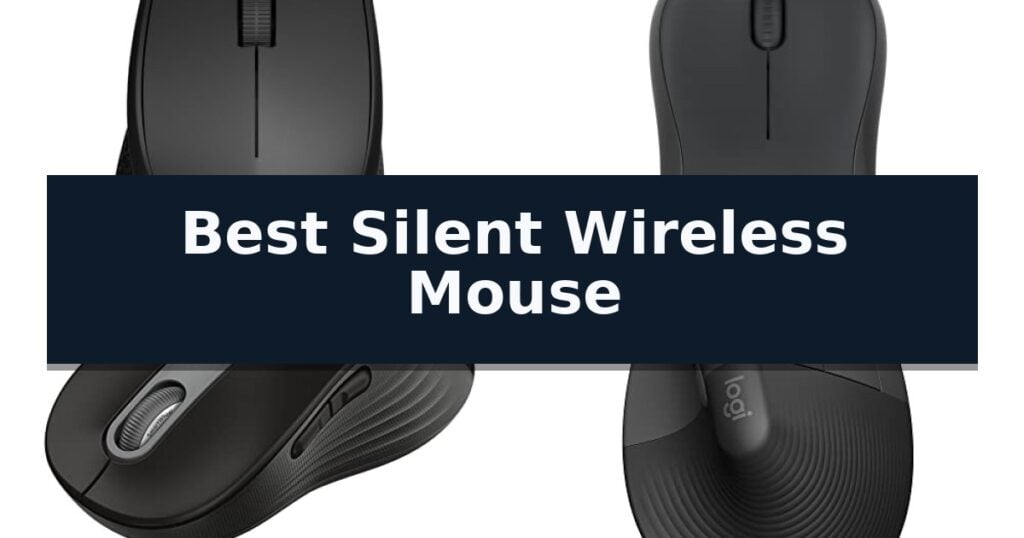
10 Best Silent Wireless Mouse in 2026 Reviews
Quick Comparison
| Product | Best For | Key Strength | Score |
|---|---|---|---|
| Logitech M330 Silent Plus Wireless Mouse | Best Overall | SilentTouch Technology significantly reduces click noise. | 4.9 |
| Logitech M240 Compact Silent Bluetooth Mouse | Best Compact Bluetooth Pick | 90% reduced click sound for a quieter workspace. | 4.7 |
| Logitech Signature M650 L Wireless Mouse | Best for Larger Hands | SilentTouch technology significantly reduces click noise for a quieter workspace. | 4.7 |
| Logitech Lift Vertical Ergonomic Mouse | Best Ergonomic Vertical Design | 57-degree vertical angle promotes a more natural wrist and forearm posture. | 4.8 |
| HP 280 Silent Wireless Mouse | Best Multi-Surface Tracking | 90% noise reduction on primary buttons for quiet operation | 4.4 |
| TECKNET Wireless Mouse | Best Dual-Device Switching | Dual-device switching between Bluetooth and 2.4G connections. | 4.6 |
| Lenovo WL310 Bluetooth Silent Mouse | Best Portable Bluetooth Option | Silent-click switches for noiseless operation in quiet environments. | 4.4 |
| wegear Bluetooth Silent Wireless Mouse | Best Long Battery Life | Silent click technology for quiet operation. | 4.4 |
| Afaartcci Rechargeable Wireless Mouse | Best Rechargeable Budget Pick | Silent Click Technology for noiseless operation. | 4.5 |
| Uiosmuph LED Wireless Mouse | Best Slim Travel Design | Rechargeable battery removes the need for frequent battery replacements. | 4.3 |
How We Chose
When evaluating the best silent wireless mouse, we prioritize the intersection of noise reduction technology and long-term comfort. An effective silent mouse must maintain a tactile, responsive click while significantly dampening sound. We assess these devices based on their ergonomic profiles, connection reliability across different platforms, and the practical longevity of their power management systems.
- Acoustic performance and click feel consistency
- Ergonomic shape and hand-size suitability
- Connection stability and multi-device versatility
- Battery life and power-saving efficiency
- Surface tracking precision and DPI adjustability
1 Logitech M330 Silent Plus Wireless Mouse — Best for Quiet Work Environments
Maintaining a quiet workspace often requires minimizing the audible distractions caused by standard computer peripherals. The Logitech M330 Silent Plus Wireless Mouse addresses this by utilizing proprietary SilentTouch Technology, which is engineered to reduce clicking sounds by over 90 percent compared to conventional models. This design choice allows for a more focused environment without sacrificing the tactile feedback typically associated with mouse clicks.
Beyond its acoustic performance, the device is built with a contoured shape and soft rubber grips specifically tailored for right-handed users, promoting comfort during extended periods of use. The mouse features 1000 dpi optical tracking, providing consistent cursor control across most common desk surfaces. Its wireless connectivity is facilitated by a 2.4 GHz USB-A Nano Receiver, offering a reliable range of up to 33 feet.
Efficiency is a core component of the Logitech M330 Silent Plus Wireless Mouse design. It includes a power-saving auto-sleep mode that helps extend the battery life up to 18 months on a single AA battery. The plug-and-play setup ensures compatibility with major operating systems, including Windows, macOS, ChromeOS, and Linux, requiring no complex software installation.
Sustainability and build quality are also integrated into the manufacturing process. The device incorporates certified post-consumer recycled plastic—76 percent in the black model—to reduce its environmental impact. While it is a full-size mouse, its lightweight construction makes it a practical choice for those who prioritize a quiet, reliable, and ergonomic input device for daily office tasks.
Best for: Users working in shared office spaces or quiet home environments who need a reliable, ergonomic, and near-silent mouse.
Skip if: Left-handed users or those requiring advanced features like programmable side buttons or multi-device Bluetooth connectivity.
- SilentTouch Technology significantly reduces click noise.
- Ergonomic contoured design with rubber grips for comfort.
- Long 18-month battery life with auto-sleep functionality.
- Reliable 2.4 GHz wireless connection with a compact USB receiver.
- Right-handed only ergonomic shape.
- Lacks Bluetooth connectivity for devices without USB-A ports.
2 Logitech M240 Compact Silent Bluetooth Mouse — Best Compact Bluetooth Pick
Maintaining a quiet workspace often begins with minimizing repetitive desk noise, and the Logitech M240 Compact Silent Bluetooth Wireless Mouse addresses this by utilizing technology designed to reduce click sound by 90% while retaining a tactile feel. This mouse is engineered for users who prioritize a distraction-free environment, whether in a shared office or a home setup.
Connectivity is handled exclusively through Bluetooth wireless technology, which eliminates the need for a USB receiver or dedicated port. This pair and play functionality allows for a quick setup across multiple platforms, including Windows, macOS, Linux, ChromeOS, iPadOS, and Android. The device maintains a reliable connection at a range of up to 10 meters or 33 feet, providing flexibility for various desk configurations.
Designed for portability, the Logitech M240 Compact Silent Bluetooth Wireless Mouse features a slim, ambidextrous shape that fits easily into travel bags. The hardware is built with sustainability in mind, incorporating certified post-consumer recycled plastic in its construction. To support long-term use, the mouse includes an energy-efficient auto sleep feature that helps achieve an 18-month battery life.
The device is equipped with three non-customizable buttons, focusing on essential navigation rather than complex inputs. Its compatibility extends to specific hardware like MacBook Neo laptops, offering a seamless and color-matched integration. This mouse serves as a straightforward, low-maintenance solution for those seeking a reliable, quiet pointing device.
Best for: Users who require a quiet, portable, and dongle-free mouse for multi-device or mobile workspaces.
Skip if: Users who require programmable side buttons, high-precision gaming sensors, or a traditional USB-A receiver connection.
- 90% reduced click sound for a quieter workspace.
- Bluetooth connectivity removes the need for USB dongles.
- 18-month battery life with auto-sleep functionality.
- Ambidextrous, compact design suitable for travel.
- Three non-customizable buttons limit advanced navigation options.
- Bluetooth-only connection requires a compatible host device.
3 Logitech Signature M650 L Wireless Mouse — Best for Larger Hands
Maintaining a quiet workspace is often disrupted by the repetitive clicking of standard peripherals, but the Logitech Signature M650 L Wireless Mouse addresses this with integrated SilentTouch technology. This feature is engineered to reduce click noise by 90 percent, allowing for a more focused environment whether you are working in a shared office or at home.
Designed specifically for those who prefer a larger form factor, this mouse features a contoured shape with a soft thumb area and rubber side grips to provide comfort during extended use. The SmartWheel scrolling system adds versatility, enabling users to switch between line-by-line precision for detailed documents and super-fast scrolling for navigating long web pages with a simple flick.
Connectivity is handled through either Bluetooth Low Energy or the included Logi Bolt USB receiver, offering flexible setup options across various platforms including Windows, macOS, Linux, ChromeOS, iPadOS, and Android. Users can further tailor their experience by customizing the side buttons via the Logitech Options+ software to execute specific shortcuts like copy/paste or back/forward navigation.
Efficiency is a core component of its design, highlighted by a 24-month battery life powered by a single AA battery. Additionally, the device incorporates sustainable design choices, with the plastic components containing a significant percentage of certified post-consumer recycled plastic.
Best for: Users with larger hands who require a quiet, ergonomic, and multi-device compatible mouse for extended daily productivity.
Skip if: Users who require a highly specialized gaming mouse with high-DPI sensors or those who prefer a compact, travel-sized peripheral.
- SilentTouch technology significantly reduces click noise for a quieter workspace.
- SmartWheel scrolling allows for seamless transitions between precision and speed.
- Customizable side buttons enhance workflow efficiency via Logitech Options+.
- Long-lasting battery life of up to 24 months on a single AA battery.
- Larger physical footprint may not be ideal for users with smaller hands or limited desk space.
- No wired connection option available for users who prefer a direct USB-C or USB-A cable interface.
4 Logitech Lift Vertical Ergonomic Mouse — Best Ergonomic Vertical Design
The Logitech Lift Vertical Ergonomic Wireless Mouse addresses the physical strain of long-term desk work through a specialized 57-degree vertical orientation. This design promotes a more natural forearm posture, aiming to reduce the tension often associated with traditional flat mouse designs.
Engineered for small to medium-sized right hands, the device features a softly textured grip and a dedicated thumb rest to enhance comfort during extended use. The mouse is Ergo-certified, having been developed and tested against criteria established by professional ergonomists to ensure its structural benefits are rooted in design standards.
Functionality is centered on productivity, featuring whisper-quiet clicks and a SmartWheel for seamless scrolling. Users can customize four of the six available buttons to suit their specific workflow requirements. The unit is designed for versatility in connectivity, offering both Bluetooth Low Energy and a Logi Bolt USB receiver for pairing with Windows, macOS, iPadOS, Chrome OS, and Linux systems.
Sustainability and longevity are integrated into the build, with the graphite model utilizing 70% certified post-consumer recycled plastic. The hardware is rated for up to two years of battery life, providing a reliable solution for daily office or home-office environments that prioritize ergonomic support and quiet operation.
Best for: Users with small to medium-sized hands seeking a vertical ergonomic design to improve forearm posture and reduce wrist strain during daily computer tasks.
Skip if: Left-handed users or those with large hands who may find the specific vertical form factor and sizing of this model uncomfortable or restrictive.
- 57-degree vertical angle promotes a more natural wrist and forearm posture.
- Whisper-quiet clicks minimize noise in shared workspaces or quiet environments.
- Customizable buttons allow for personalized workflow efficiency.
- Dual connectivity options via Bluetooth or the included Logi Bolt USB receiver.
- Right-hand specific design excludes left-handed users.
- Size constraints may not be suitable for users with larger hands.
5 HP 280 Silent Wireless Mouse — Best Multi-Surface Tracking
The HP 280 Silent Wireless Mouse addresses the common workspace distraction of repetitive clicking by integrating technology that reduces noise by up to 90% on its primary buttons. This design choice maintains a tactile, satisfying click feel while ensuring a quieter environment for shared offices or late-night work sessions.
Engineered for productivity, this mouse features a 1600 DPI optical sensor that provides reliable tracking across a variety of surfaces, eliminating the need for a dedicated mouse pad. Its ergonomic right-handed design is paired with a standard 3-button layout and an integrated scroll wheel to support comfortable, all-day navigation.
Connectivity is handled via a 2.4GHz USB-A nano receiver, which offers a wireless range of up to 32.8 feet. The receiver is designed to be stored directly inside the mouse, enhancing portability for users who frequently transition between workstations. The device is compatible with Windows, Chrome, and Mac OS environments.
Power efficiency is a core component of the HP 280 Silent Wireless Mouse, which is rated for up to 18 months of use on a single AA battery. This longevity reduces the frequency of maintenance, allowing for a more consistent and dependable peripheral experience during intensive tasks.
Best for: Users who require a quiet, reliable, and portable mouse for office or home environments that works on multiple surfaces.
Skip if: Users who require Bluetooth connectivity or a mouse with additional programmable side buttons for specialized workflows.
- 90% noise reduction on primary buttons for quiet operation
- Multi-surface technology eliminates the need for a mouse pad
- 18-month battery life on a single AA battery
- Integrated storage for the USB nano receiver
- USB-A connectivity requires an available port or adapter
- Right-handed ergonomic shape is not suitable for left-handed users
6 TECKNET Wireless Mouse — Best Dual-Device Switching
Maintaining a quiet workspace requires hardware that minimizes audible distractions, and the TECKNET Wireless Mouse addresses this with its specialized silent-click design. By reducing the noise generated during standard operation, this peripheral allows for focused tasks in shared environments like offices or libraries without the repetitive clicking sounds associated with traditional mice.
Beyond its quiet operation, the device offers flexible connectivity through both Bluetooth 5.0/3.0 and a 2.4G USB-A receiver. This Dual Device Connection capability enables users to switch between two separate computers using a single button, streamlining workflows for those managing multiple systems simultaneously. The mouse is also equipped with 6 adjustable DPI levels, ranging from 800 to 4800, providing granular control over cursor sensitivity to suit different screen resolutions or precision requirements.
The ergonomic build is optimized for small to medium-sized hands, focusing on comfort during extended use. Power management is handled via two AAA batteries, with integrated automatic sleep technology designed to preserve battery life when the device is inactive. Compatibility is broad, supporting Windows, macOS, Chrome, and Linux systems, though users should note that the side buttons are not functional on macOS.
While the primary buttons are engineered for silence, the scroll wheel and side buttons retain a standard tactile response. This mouse provides a balanced solution for users prioritizing a quiet, multi-device interface, backed by a 36-month warranty upon registration.
Best for: Users who need a quiet, multi-device mouse that can toggle between a laptop and a desktop with a single switch.
Skip if: Users with large hands or those who require fully silent side buttons and scroll wheel functionality.
- Dual-device switching between Bluetooth and 2.4G connections.
- Silent-click primary buttons for quiet operation in shared spaces.
- 6-level adjustable DPI for customizable cursor sensitivity.
- Automatic sleep technology to extend battery life.
- Side buttons and scroll wheel are not silent.
- Side button incompatibility with macOS systems.
7 Lenovo WL310 Bluetooth Silent Mouse — Best Portable Bluetooth Option
Maintaining a quiet environment is essential for focused work, and the Lenovo WL310 Bluetooth Silent Mouse addresses this with specialized silent-click switches. This design choice minimizes noise output, making it a practical tool for shared offices, libraries, or late-night computing sessions where audible clicking could be a distraction.
Beyond its quiet operation, the mouse features Bluetooth 5.0 connectivity, which eliminates the need for a dedicated USB receiver. This wireless integration provides a stable, lag-free connection across various platforms, including Windows PCs, MacBooks, and Chromebooks. The device is built with a compact, lightweight profile, measuring 4.2 inches in length, which aids in portability for students and professionals who frequently travel with their hardware.
Precision and comfort are addressed through an ergonomic design intended to reduce wrist strain during extended use. Users can tailor the cursor speed to their specific tasks using the customizable DPI settings, which allow for toggling between 1000, 1200, and 1600 DPI. This adjustability ensures the mouse remains functional for a range of activities, from standard document navigation to more detailed design work.
The device is powered by a straightforward, minimalist approach to peripheral hardware. While it offers high-end connectivity and ergonomic benefits, it remains a dedicated tool for those prioritizing a quiet, portable, and wireless workspace setup.
Best for: Professionals and students who require a quiet, portable, and wireless mouse for use in shared or noise-sensitive environments.
Skip if: Users who prefer a full-sized, high-performance gaming mouse with additional programmable buttons or those who require a wired connection for specific low-latency environments.
- Silent-click switches for noiseless operation in quiet environments.
- Bluetooth 5.0 connectivity removes the need for USB receivers.
- Adjustable DPI settings (1000/1200/1600) for varied precision needs.
- Ergonomic, compact design for improved comfort and portability.
- No dedicated USB receiver included for devices lacking Bluetooth capability.
- Compact size may be less comfortable for users with larger hands during long-term use.
8 wegear Bluetooth Silent Wireless Mouse — Best Long Battery Life
Maintaining a quiet workspace is essential for focus, and the wegear Bluetooth Silent Wireless Mouse addresses this by incorporating silent switches on the left, right, and scroll wheel buttons. This design choice ensures that every click remains nearly inaudible, allowing for efficient work in shared environments without the distraction of repetitive clicking sounds.
Beyond its quiet operation, this device features a sculpted grip engineered to follow the natural contours of your hand, providing ergonomic support during extended sessions. The mouse utilizes Bluetooth 5.0 and Microsoft Swift Pair technology for reliable connectivity, while its optical sensor offers three adjustable DPI levels (800, 1200, and 1600) to accommodate different precision requirements, from general browsing to detailed tasks.
Productivity is further supported by six buttons, including forward and backward navigation keys that streamline interface switching on compatible systems. The device is built for longevity, with primary buttons rated for up to 3 million clicks and the scroll wheel tested for 300,000 cycles. To conserve energy, the mouse automatically enters a sleep mode after 30 seconds of inactivity, contributing to an impressive battery life of up to 24 months on a single AA battery.
Compatibility is broad, supporting Windows, macOS, Chrome OS, and Android platforms. Users should note that while the side navigation buttons enhance workflow on Windows and other supported systems, these specific buttons are not recognized when using the device with macOS. This mouse is a practical choice for those prioritizing a quiet, ergonomic, and long-lasting input device for daily computing.
Best for: Users who require a quiet, ergonomic input device with long battery life for office or travel use.
Skip if: Mac users who specifically require functional side-navigation buttons, as these are not supported on macOS.
- Silent click technology for quiet operation.
- Ergonomic sculpted grip for all-day comfort.
- Long battery life lasting up to 24 months.
- Three adjustable DPI levels for precision control.
- Side buttons are not supported on macOS.
9 Afaartcci Rechargeable Wireless Mouse — Best Rechargeable Budget Pick
Maintaining a quiet workspace is essential for focus, and the Afaartcci Rechargeable Wireless Mouse addresses this with specialized Silent Click Technology. By eliminating the audible snap of traditional buttons, this device allows for seamless operation in shared offices, libraries, or late-night home setups without causing distractions.
Beyond its quiet operation, the mouse offers versatile Dual Mode connectivity, allowing users to toggle between a Bluetooth 5.2/3.0 connection and a 2.4GHz USB receiver. This flexibility ensures compatibility across a wide range of devices, including laptops, tablets, and MacBooks. Note that while it supports multiple connection types, the two modes cannot be used simultaneously.
Power management is handled by an integrated 500mAh lithium-ion battery. A full charge, which takes approximately two hours, provides over seven days of active use. To further extend battery life, the mouse features an automatic sleep mode that activates after five minutes of inactivity, waking instantly with a single click.
Designed for portability, the mouse measures 4.4 x 2.3 x 1.1 inches, making it a compact addition to any travel bag. The aesthetic is enhanced by 7-color LED breathing lights that cycle randomly, providing a subtle visual flair to the workspace while maintaining a lightweight, ergonomic profile.
Best for: Users who require a quiet, portable, and multi-device compatible mouse for office, travel, or shared-space environments.
Skip if: Users who need simultaneous multi-device control or those who prefer a full-sized ergonomic mouse for extended desktop use.
- Silent Click Technology for noiseless operation.
- Dual Mode connectivity via Bluetooth and 2.4GHz USB.
- Rechargeable 500mAh battery with automatic power-saving sleep mode.
- Compact and portable design suitable for travel.
- Cannot use Bluetooth and USB modes simultaneously.
- Requires periodic recharging compared to standard battery-operated mice.
10 Uiosmuph LED Wireless Mouse — Best Slim Travel Design
The Uiosmuph LED Wireless Mouse distinguishes itself through a highly portable, slim-profile design measuring approximately 4.4 by 2.2 by 0.79 inches, making it an efficient choice for users who frequently travel with a laptop. This device prioritizes a quiet workspace by utilizing a special soundless design for both the left and right buttons, ensuring that clicks remain unobtrusive during use.
Functionality is centered on versatility and ease of use. The mouse includes a 2.4GHz wireless connection via an included USB receiver, which is conveniently stored at the base of the unit. To accommodate modern hardware, the package also provides a Type C adapter, allowing for seamless connectivity with both traditional USB-A ports and newer USB-C ports found on contemporary laptops and MacBooks.
Power management and aesthetics are integrated into the daily experience. The mouse features a built-in rechargeable battery, eliminating the need for disposable replacements. During operation, the device cycles through 7 random color changes to provide ambient lighting, though this can be toggled off via a bottom-mounted switch to conserve power. An energy-saving sleep mode automatically engages after 8 minutes of inactivity to extend battery life.
Compatibility is broad, supporting Windows, macOS, ChromeOS, iPadOS, and Linux systems. Its compact dimensions allow it to slide easily into laptop bags, serving as a space-saving peripheral for mobile professionals or students who require a reliable, quiet input device across various computing environments.
Best for: Travelers and office workers needing a portable, quiet mouse compatible with both legacy USB-A and modern USB-C ports.
Skip if: Users who prefer a full-sized ergonomic mouse or those who require high-precision gaming sensors rather than standard optical tracking.
- Rechargeable battery removes the need for frequent battery replacements.
- Silent click mechanism minimizes noise in shared or quiet environments.
- Dual-connectivity via included USB-A receiver and Type-C adapter.
- Ultra-slim, portable form factor ideal for travel.
- Small physical footprint may be less comfortable for users with larger hands.
- Automatic sleep mode may require a click to wake the device after 8 minutes of inactivity.
Best Silent Wireless Mouse Buying Guide
Understanding Silent Click Technology
Silent mice utilize specialized internal switches designed to minimize the mechanical noise produced during a click. This technology is essential for shared office environments, libraries, or home setups where minimizing distractions is a priority.
While the sound is reduced, the physical sensation remains consistent with standard mice. Buyers should look for models that explicitly state a percentage of noise reduction to ensure the product meets their specific quietness requirements.
Connectivity Options: Bluetooth vs. USB Receiver
Modern silent mice typically offer either 2.4 GHz USB-A receivers or Bluetooth connectivity. USB receivers provide a plug-and-play experience that is often more stable for desktop computers, while Bluetooth is superior for laptops and tablets that lack available ports.
Some advanced models support dual-mode connectivity, allowing users to switch between a laptop and a desktop seamlessly. Consider your primary device's available ports before finalizing your purchase to ensure compatibility without needing extra adapters.
Ergonomics and Hand Size
The physical shape of a mouse significantly impacts comfort during extended use. Compact models are excellent for travel but may cause fatigue for users with larger hands, who would benefit more from full-sized or contoured designs.
Vertical mice represent a specialized ergonomic category that promotes a more natural forearm posture. If you experience wrist strain, a vertical silent mouse can provide relief while maintaining the quiet operation you need.
Battery Life and Power Management
Wireless mice are powered either by replaceable alkaline batteries or internal rechargeable lithium-ion batteries. Replaceable batteries often offer multi-year lifespans, reducing the need for frequent maintenance.
Rechargeable models offer convenience but require periodic charging cables. Look for features like auto-sleep modes, which help preserve battery life during periods of inactivity, regardless of the power source type.
Tracking Precision and DPI Settings
DPI (dots per inch) determines how sensitive the mouse is to movement. Higher DPI settings allow for faster cursor movement, which is useful for large monitors or high-resolution displays, while lower settings offer more precision for detailed tasks.
Many modern silent mice include adjustable DPI buttons, allowing you to toggle between sensitivity levels on the fly. This flexibility ensures the mouse can adapt to different workflows, from casual browsing to more intensive productivity tasks.
Frequently Asked Questions
Do silent mice feel different when you click them?
Most silent mice are engineered to retain a tactile click feel despite the reduction in noise, though they may feel slightly softer or less 'snappy' than traditional loud-clicking mice.
Can I use a silent wireless mouse for gaming?
While you can use them for casual gaming, silent mice are generally optimized for productivity. Gamers often prefer mice with higher polling rates and more specialized sensors.
Do I need a special mouse pad for these mice?
Most modern optical silent mice work well on a variety of surfaces, including wood and fabric. A mouse pad is recommended if you want to ensure consistent tracking and protect your desk surface.
How do I know if a mouse will fit my hand?
Check the product dimensions provided in the specifications. Compact mice are typically under 4 inches in length, while full-sized models are generally 4.5 inches or longer.
Are silent mice compatible with both Mac and Windows?
Yes, most wireless mice are compatible with both operating systems, though some advanced features like side-button customization may require specific software that might not be available on all platforms.
Conclusion: Our Top Pick
Our top pick is Logitech M330 Silent Plus Wireless Mouse. Choosing the right silent wireless mouse depends on your specific workspace needs, whether you prioritize portability for travel or ergonomic support for long hours at a desk. By focusing on connection type, battery longevity, and physical size, you can find a device that enhances your productivity without the distraction of loud clicking.
Always verify the connectivity requirements of your primary computer to ensure seamless integration. With the right choice, you can enjoy a quieter, more focused working environment.