Logitech B100 Wired Mouse earns our recommendation for the Best Simple Computer Mouse because it provides a reliable, plug-and-play experience that excels in basic office environments. Its ambidextrous design and consistent optical tracking make it a straightforward tool for users who prioritize function and longevity over complex features.
When selecting a mouse for daily computing, the primary goal is to find a device that balances comfort with consistent performance. Wired models offer the advantage of never needing battery replacements, while wireless alternatives provide a cleaner desk setup. We focus on these practical differences to ensure your choice matches your specific workspace needs.
The most effective pointing devices prioritize essential navigation over unnecessary buttons or software requirements. By focusing on build quality, sensor responsiveness, and physical ergonomics, we identify options that simplify your workflow rather than complicating it with steep learning curves.
If you are also upgrading your input devices, our guide to Best Silent Keyboard and Mouse can help you find a quiet, matching set for a more peaceful office environment.
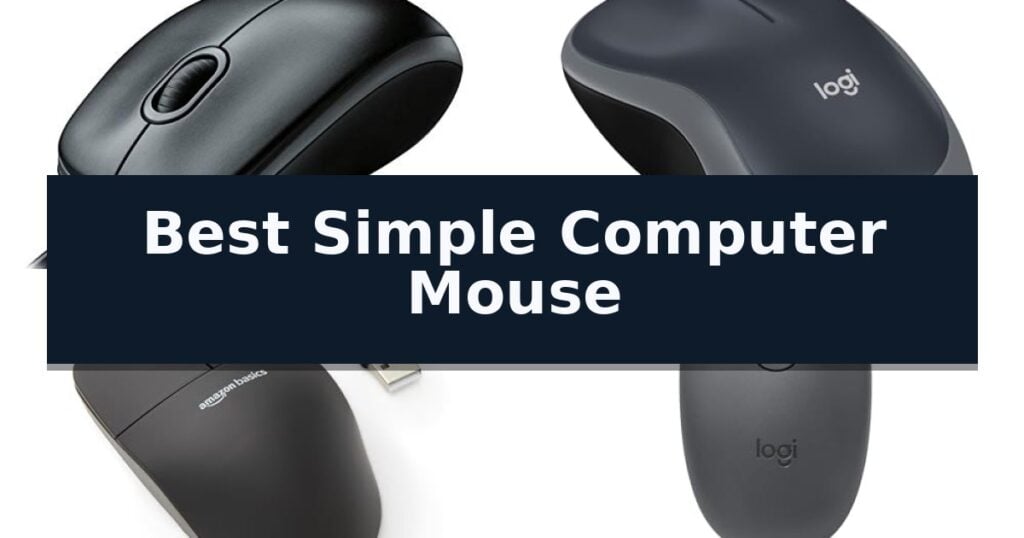
10 Best Simple Computer Mouse in 2026 Reviews
Quick Comparison
| Product | Best For | Key Strength | Score |
|---|---|---|---|
| Logitech B100 Wired Mouse | Best Overall | Ambidextrous design ensures comfort for both left- and right-handed users. | 4.9 |
| Logitech M185 Wireless Mouse | Compact Pick for Travel | Ambidextrous contoured shape for comfortable use in either hand. | 4.6 |
| Amazon Basics Wired Mouse | Essential Budget-Friendly Wired Option | Plug-and-play setup requires no driver installation. | 4.8 |
| Logitech M196 Bluetooth Mouse | Dongle-Free Wireless Connection | Dongle-free Bluetooth connectivity for a clutter-free workspace. | 4.6 |
| Lenovo 100 Wired Mouse | Durable Full-Size Wired Build | Plug-and-play simplicity via a reliable USB-A wired connection. | 4.8 |
| Amazon Basics Wireless Mouse | Simple Nano-Receiver Wireless Setup | Ambidextrous design suitable for all users | 4.7 |
| VssoPlor Wireless Mouse | Slim Profile for Easy Portability | Intelligent sleep mode significantly extends battery life by auto-powering down after 5 minutes of ina… | 4.9 |
| Seenda Wireless Mouse | Quiet Clicks for Shared Spaces | Noiseless click mechanism for quiet operation in shared spaces. | 4.9 |
| TECKNET Wireless Mouse | Best for Small Hands | Compact, portable dimensions ideal for travel and smaller hands. | 4.7 |
| HP 100 Wired Mouse | Contoured Comfort for Daily Use | Plug-and-play USB-A connectivity eliminates the need for battery changes or pairing. | 4.9 |
How We Chose
Evaluating the best simple computer mouse requires a focus on reliability and ease of use. We examine how each device handles basic navigation, assessing the physical build for long-term comfort and verifying that the connection method—whether wired or wireless—remains stable during standard desktop operations.
- Connectivity type (wired USB vs. wireless 2.4GHz or Bluetooth)
- Ergonomic shape and ambidextrous compatibility
- Sensor precision and DPI sensitivity for standard office tasks
- Build durability and button responsiveness
- Setup requirements and OS compatibility
1 Logitech B100 Wired Mouse — Reliable Plug-and-Play Corded Design
Reliable input hardware often relies on simplicity and ergonomic comfort rather than complex, multi-button configurations. The Logitech B100 Ambidextrous Wired Mouse offers a straightforward, plug-and-play experience designed for consistent daily use in office or home environments, ensuring that users can focus on their tasks without the distraction of software installation or complex driver management.
Engineered with a versatile ambidextrous shape, this mouse accommodates both left- and right-handed users, promoting comfort during extended periods of document editing or web navigation. Its 800 dpi sensitivity provides precise cursor control, which is calibrated to ensure that movements remain accurate and predictable for standard computing tasks, such as word processing and general web browsing.
Functionality is further enhanced by side-to-side scrolling and zoom capabilities. These features allow for efficient horizontal and vertical navigation within expansive spreadsheets and detailed presentations, helping users manage large datasets more effectively. Because the device connects directly via a standard USB port, it provides immediate operation without the need for additional software, making it a dependable choice for shared workstations or rapid deployment.
Logitech emphasizes sustainability in the construction of the Logitech B100 Ambidextrous Wired Mouse, incorporating certified post-consumer recycled plastic—specifically 72% for the black model and 56% for the off-white version. This design choice reflects a commitment to reducing the product's carbon footprint while maintaining the build quality expected from a manufacturer with extensive experience in peripheral development. A notable trade-off for this simplicity is the wired connection, which, while ensuring constant power and zero latency, does limit the range of motion compared to wireless alternatives.
Best for: Users seeking a reliable, no-frills, ambidextrous mouse that works immediately upon connection to a USB port.
Skip if: Users who require high-precision gaming sensors, programmable side buttons, or wireless connectivity for a clutter-free desk.
- Ambidextrous design ensures comfort for both left- and right-handed users.
- Plug-and-play connectivity requires no additional software or complex setup.
- Side-to-side scrolling functionality aids in navigating complex spreadsheets.
- Constructed with certified post-consumer recycled plastic.
- Wired connection limits the range of motion compared to wireless alternatives.
- Fixed 800 dpi sensitivity may not meet the needs of users requiring high-speed cursor movement.
2 Logitech M185 Wireless Mouse — Compact Pick for Travel
Efficiency in a workspace often begins with the tools directly under your hand. The Logitech M185 Compact Ambidextrous 2.4 GHz Wireless Mouse offers a streamlined approach to navigation, replacing the limitations of a standard laptop touchpad with a responsive, optical tracking sensor and a reliable 2.4 GHz USB-A nano receiver.
Designed for versatility, this mouse features a contoured shape that accommodates both left- and right-handed users. Its compact footprint makes it a practical choice for those who move between workstations or simply want to declutter their desk. The device is engineered for plug-and-play simplicity, requiring no complex software installation to function across Windows, Mac, and laptop environments.
Power management is a core component of its design, utilizing a smart sleep mode to extend the battery life up to 1 year on a single AA battery. The connection remains stable at distances up to 33 feet (10 meters), ensuring consistent performance during daily tasks. A line-by-line scroll wheel provides tactile feedback for document navigation, maintaining a focus on essential functionality.
Backed by a 3-year limited hardware warranty, the mouse emphasizes long-term reliability. By choosing this hardware over a built-in touchpad, users can benefit from increased navigation speed and productivity in standard computing workflows. It is a straightforward, no-nonsense peripheral for users prioritizing ease of use and portability.
Best for: Users seeking a compact, ambidextrous, and reliable wireless mouse for general productivity on Windows or Mac computers.
Skip if: Users who require advanced programmable buttons, high-precision gaming sensors, or ergonomic designs tailored specifically for larger hand sizes.
- Ambidextrous contoured shape for comfortable use in either hand.
- Plug-and-play wireless connectivity via a tiny, stowable nano receiver.
- 1-year battery life supported by an integrated smart sleep mode.
- Universal compatibility with Windows, Mac, and laptop systems.
- Compact size may feel too small for users with larger hands.
- Basic feature set lacks programmable side buttons or high-DPI adjustments.
3 Amazon Basics Wired Mouse — Essential Budget-Friendly Wired Option
Reliability in a workspace often comes down to the simplest tools, and the Amazon Basics 3-Button USB Wired Mouse prioritizes consistent performance through a straightforward, corded connection. By utilizing a standard USB-A interface, this device eliminates the need for batteries or wireless pairing, ensuring it remains ready for use the moment it is plugged into a Windows or Mac computer.
The mouse features a high-definition 1000 DPI optical sensor, which provides responsive cursor control for everyday tasks like text selection and navigation. Its ambidextrous design is shaped to accommodate both left- and right-handed users, while the compact dimensions of 4.3 x 2.4 x 1.4 inches make it a portable choice for various desk setups.
Equipped with three buttons, the device offers standard click and scroll functionality for smooth interface interaction. The 4.9-foot cable provides sufficient reach for most desktop configurations, though users with modern devices lacking USB-A ports will need to source an external adapter to maintain the wired connection.
As a plug-and-play peripheral, it requires no additional drivers, simplifying the setup process for new or existing systems. This model is built for those who prefer a no-nonsense approach to computer navigation, focusing on essential utility and a reliable, lag-free wired link.
Best for: Users seeking a reliable, driver-free, and battery-free mouse for basic desktop navigation and productivity.
Skip if: Users who require wireless freedom, programmable side buttons, or direct USB-C connectivity without the use of an adapter.
- Plug-and-play setup requires no driver installation.
- Ambidextrous shape accommodates both left- and right-handed users.
- Wired USB-A connection ensures reliable, lag-free performance.
- 1000 DPI optical sensor provides responsive tracking for standard tasks.
- Fixed cable length may be restrictive depending on desk layout.
- Requires an adapter if connecting to devices with only USB-C ports.
4 Logitech M196 Bluetooth Mouse — Dongle-Free Wireless Connection
The Logitech M196 Bluetooth Wireless Mouse simplifies your workspace by eliminating the need for a USB receiver, relying instead on a reliable pair-and-play Bluetooth connection. This design choice makes it a practical solution for users who frequently switch between laptops, tablets, and desktop computers without wanting to manage extra dongles.
Engineered for portability, this device features a contoured, ambidextrous shape that accommodates both left- and right-handed users comfortably. Its lightweight construction ensures it fits easily into any bag, making it a suitable companion for travel or mobile productivity setups. The mouse provides precise line-by-line scrolling and optical tracking, allowing for consistent cursor control across a variety of surfaces.
Sustainability is integrated into the build, as the plastic components in the Logitech M196 Bluetooth Wireless Mouse contain significant amounts of certified post-consumer recycled plastic. The device is powered by a single AA battery, which supports a 12-month battery life aided by an integrated auto-sleep feature to conserve power when the mouse is not in use.
While the mouse offers a streamlined experience, it is designed for simplicity rather than advanced customization. It features 3 non-customizable buttons, focusing on core navigation tasks. This straightforward approach ensures compatibility with a wide range of operating systems, including Windows, macOS, and ChromeOS, providing a consistent experience across different hardware platforms.
Best for: Users seeking a portable, dongle-free mouse for basic navigation across multiple devices and operating systems.
Skip if: Users who require programmable buttons, high-precision gaming sensors, or advanced ergonomic support for extended professional use.
- Dongle-free Bluetooth connectivity for a clutter-free workspace.
- 12-month battery life with an integrated auto-sleep feature.
- Ambidextrous, travel-ready design that is lightweight and portable.
- Constructed with certified post-consumer recycled plastic.
- Features 3 non-customizable buttons, limiting advanced functionality.
- Lacks specialized ergonomic features for long-duration comfort.
5 Lenovo 100 Wired Mouse — Durable Full-Size Wired Build
Reliability in a workspace often comes down to the simplest tools, and the Lenovo 100 Wired USB Computer Mouse is engineered to provide exactly that. This full-size, ambidextrous device removes the complexity of wireless connectivity, ensuring you have a steady, responsive connection via its 1.7-meter USB-A cable.
Designed for consistent daily use, the mouse features a red optical sensor that delivers 1000 DPI resolution. This specification ensures smooth, precise navigation across your screen, whether you are managing spreadsheets or browsing through documents. The hardware is built for longevity, with buttons rated for a 3 million clicks lifespan, providing a durable solution for high-volume tasks.
The ambidextrous design accommodates both left- and right-handed users, while the slim, full-size grip is crafted to sit comfortably in the palm. Because it is a plug-and-play device, it eliminates the need for software installation or battery management, making it a straightforward choice for any PC or laptop setup that supports USB-A inputs.
By focusing on a wired connection, this model avoids the common frustrations of signal interference or power depletion. It is a practical, no-nonsense pointing device for users who prioritize functional efficiency and long-term reliability over advanced, multi-button configurations.
Best for: Users who require a reliable, maintenance-free, and comfortable full-size mouse for standard office productivity and daily navigation.
Skip if: Users who prefer the freedom of a wireless setup or those who require additional programmable buttons for specialized software or gaming.
- Plug-and-play simplicity via a reliable USB-A wired connection.
- Ambidextrous, full-size design suitable for both left- and right-handed users.
- Durable construction rated for a 3 million clicks button life.
- Precise navigation provided by the 1000 DPI red optical sensor.
- Wired-only connection limits desk mobility compared to wireless alternatives.
- Basic 3-button layout lacks advanced features or programmable side buttons.
6 Amazon Basics Wireless Mouse — Simple Nano-Receiver Wireless Setup
Reliability in a workspace often comes down to the simplicity of your tools, and the Amazon Basics Wireless Mouse prioritizes this with a straightforward plug-and-play design. By utilizing a compact USB nano receiver, this peripheral eliminates the clutter of cables while maintaining a consistent connection via a 2.4 GHz wireless signal.
Designed for versatility, the mouse features an ambidextrous shape that accommodates both left- and right-handed users comfortably. Its lightweight construction makes it a practical choice for those who frequently move between workstations or need a portable solution for laptop use. The device is powered by a reliable optical sensor, ensuring smooth tracking across various surfaces.
Setup is designed to be minimal, requiring only the insertion of the nano receiver into a standard USB port. When you are on the move, the receiver can be stowed directly inside the mouse body, preventing loss and keeping your bag organized. This model is compatible with a wide range of operating systems, including Windows 2000, XP, Vista, 7, 8, and 10.
While this mouse offers a clean, functional experience, it is important to note that it relies on a dedicated USB receiver rather than Bluetooth connectivity. This ensures a stable link for desktop and laptop PCs, though it does require an available USB-A port to function.
Best for: Users seeking an affordable, no-fuss wireless mouse for standard office tasks and laptop portability.
Skip if: Users who require Bluetooth connectivity, extra programmable buttons, or a mouse compatible with devices lacking USB-A ports.
- Ambidextrous design suitable for all users
- Integrated storage for the USB nano receiver
- Plug-and-play setup for immediate use
- Lightweight and portable form factor
- No Bluetooth connectivity option
- Requires USB-A port for the receiver
7 VssoPlor Wireless Mouse — Slim Profile for Easy Portability
Maintaining a clutter-free workspace often starts with selecting the right peripherals, and the VssoPlor Wireless Mouse offers a streamlined solution for those prioritizing portability. This device features a 2.4 GHz wireless connection that provides a stable link up to 10 meters away, ensuring reliable performance without the restriction of a physical cord.
Designed with a compact, slim profile, this mouse is built for users who frequently move between home and office environments. The included USB-A nano receiver can be stored directly inside the mouse body, preventing loss during transit. It is important to note that this model requires a standard USB-A port and is not compatible with devices limited to USB-C connectivity.
Efficiency is a core component of its design, highlighted by an intelligent sleep mode that activates after 5 minutes of inactivity to preserve battery life. When you are ready to resume work, a simple click wakes the device instantly. The mouse is engineered for a quiet environment, utilizing whisper-sensitive clicking mechanisms that minimize noise, allowing you to focus on tasks without distraction.
Compatibility is broad, supporting a range of operating systems including Windows 7/8/10/XP, Vista, and Mac OS X 10.4. The frosted surface provides a smooth tactile experience, while the optical tracking is optimized to function across most standard desk surfaces, making it a versatile tool for laptops and desktop computers alike.
Best for: Users seeking a quiet, portable, and space-saving wireless mouse for standard laptop or desktop setups with USB-A ports.
Skip if: Users who rely exclusively on devices with USB-C ports, as this mouse requires a USB-A connection.
- Intelligent sleep mode significantly extends battery life by auto-powering down after 5 minutes of inactivity.
- Whisper-sensitive clicking reduces noise, making it suitable for quiet work environments.
- Compact, portable design with integrated storage for the USB-A nano receiver.
- Stable 2.4 GHz wireless connection provides reliable performance up to 10 meters.
- Limited connectivity as it requires a USB-A port and is incompatible with USB-C only devices.
8 Seenda Wireless Mouse — Quiet Clicks for Shared Spaces
Navigating a workspace with limited room requires peripherals that prioritize a small footprint without sacrificing core functionality. The Seenda Wireless Mouse addresses this by offering a compact, palm-sized design measuring only 4 by 2 by 1.25 inches, making it a practical addition to crowded desks or for users who frequently travel between home and the office.
Engineered for shared environments, this device features noiseless clicks that eliminate the distracting "click-clack" sounds common in standard mice. This quiet operation ensures that students or office workers can maintain a productive workflow in libraries or quiet offices without disturbing those nearby. The responsive buttons provide tactile feedback while maintaining a soft, unobtrusive profile.
Connectivity is handled via a 2.4G wireless USB receiver, which provides a stable, lag-free connection up to 33 feet away. It is a true plug-and-play solution that requires no additional drivers, simplifying the setup process for Chromebooks, PCs, and various laptop configurations. Note that this model relies on a USB-A receiver and is not compatible with devices limited to Type-C ports.
Efficiency is central to its power management system, which utilizes a single AA battery. To extend longevity, the mouse includes an auto-sleep mode that activates after 10 minutes of inactivity, contributing to a rated battery life of up to 24 months with daily use. Users can easily wake the device with a single click, ensuring it remains ready for immediate tasks throughout the workday.
Best for: Students and office professionals working in shared or quiet environments who need a compact, portable, and silent pointing device.
Skip if: Users who rely exclusively on USB-C ports or require a full-sized ergonomic mouse for extended, heavy-duty desktop use.
- Noiseless click mechanism for quiet operation in shared spaces.
- Compact, ultra-light design ideal for travel and small bags.
- 24-month battery life with energy-saving auto-sleep functionality.
- Plug-and-play 2.4G wireless connectivity with no driver installation required.
- Not compatible with MacBook Pro or devices equipped only with Type-C ports.
- Requires a separate AA battery which is not included in the package.
9 TECKNET Wireless Mouse — Best for Small Hands
Finding a peripheral that balances functionality with a compact footprint can be difficult, but the TECKNET Wireless Mouse simplifies the experience with its space-saving design. Measuring just 3.94 by 2.28 by 1.52 inches, this device is specifically engineered for users with small to medium-sized hands who require a portable solution for travel or daily office use.
The mouse utilizes 2.4GHz wireless technology to maintain a stable connection at distances up to 49 feet. Users can toggle between three sensitivity settings—800, 1200, and 1600 DPI—to adjust cursor precision based on the task at hand. Power management is handled by a single AA battery, which provides up to 15 months of operation, ensuring that maintenance remains minimal.
Design considerations focus on both ergonomics and environment. The soft-click buttons and scroll wheel are engineered to operate with reduced noise, making the mouse suitable for shared workspaces or quiet environments. The unit features a dedicated internal compartment for the USB receiver, preventing loss during transit.
Compatibility is broad, supporting Windows 11, 10, 8.1, 7, and Mac OS environments. While the compact size is ideal for portability, users with larger hands may find the dimensions less accommodating for extended sessions. The device is available in a distinct mint green finish, offering a departure from standard office color palettes.
Best for: Users with small to medium-sized hands who prioritize portability and quiet operation for travel or office environments.
Skip if: Users with large hands who require a full-sized ergonomic mouse for long-term comfort during intensive daily use.
- Compact, portable dimensions ideal for travel and smaller hands.
- Quiet click mechanism reduces noise in shared workspaces.
- Adjustable DPI settings allow for customized cursor sensitivity.
- Extended battery life of up to 15 months on a single AA battery.
- Small form factor may not provide sufficient support for larger hands.
- Battery not included in the package.
10 HP 100 Wired Mouse — Contoured Comfort for Daily Use
Reliability in a workspace often comes down to the simplicity of your tools, and the HP Wired Mouse 100 focuses on providing a straightforward, plug-and-play experience. By utilizing a precise optical sensor with 1,600 DPI, this device ensures consistent tracking across most surfaces, removing the need for specialized mouse pads during daily tasks.
Designed for long-term utility, the mouse features a contoured ambidextrous design intended to fit comfortably in either hand. This shape supports extended use, while the standard 3-button control layout and integrated scroll wheel provide the essential inputs required for navigating documents and web pages without unnecessary complexity.
Connectivity is handled through a standard USB-A interface, allowing for immediate setup across various systems. It maintains broad multi-OS compatibility, functioning reliably with Windows 7, 8, 10, and MacOS 10.1 or higher. This broad support makes it a versatile choice for mixed-environment offices or home setups.
While it lacks the advanced features found in gaming or productivity-focused peripherals, its strength lies in its easy USB connection and lack of battery maintenance requirements. It is a practical, no-fuss solution for users who prioritize functional consistency over extra programmable buttons or wireless mobility.
Best for: Users who need a reliable, maintenance-free, and ambidextrous mouse for standard office tasks and general computer navigation.
Skip if: Users who require wireless freedom, programmable side buttons, or a high-performance sensor for specialized gaming or precision design work.
- Plug-and-play USB-A connectivity eliminates the need for battery changes or pairing.
- Ambidextrous contoured design provides comfort for both left- and right-handed users.
- 1,600 DPI optical sensor offers consistent tracking on a wide variety of surfaces.
- Broad multi-OS compatibility ensures it works across Windows and MacOS systems.
- Wired-only connection restricts movement compared to wireless alternatives.
- Basic 3-button layout lacks additional programmable buttons for advanced workflows.
Best Simple Computer Mouse Buying Guide
Wired Versus Wireless Connectivity
Wired mice remain the gold standard for users who want a set-it-and-forget-it solution. By connecting directly to a USB port, these devices eliminate concerns regarding battery life, signal interference, or pairing issues, making them ideal for stationary desktop setups.
Wireless mice, conversely, offer freedom from cable clutter, which is particularly beneficial for laptop users or those with minimalist workspaces. While they require occasional battery changes or charging, modern 2.4GHz and Bluetooth models provide reliable connections that are virtually indistinguishable from wired performance for typical office tasks.
Ergonomics and Hand Comfort
The physical shape of a mouse significantly impacts comfort during extended use. An ambidextrous design is a versatile choice, as it accommodates both right-handed and left-handed users equally well, making it a safe bet for shared workstations.
For users with smaller hands, compact or slim-profile mice can prevent strain by allowing for a more natural grip. Conversely, full-sized models provide more palm support, which may be preferable for those who spend the entire workday navigating spreadsheets or long documents.
Sensor Precision and DPI
DPI, or dots per inch, measures the sensitivity of the mouse sensor. For general web browsing and document editing, a standard DPI between 800 and 1600 is more than sufficient, offering smooth cursor movement without being overly twitchy.
Optical sensors are the industry standard for these simple devices, providing accurate tracking on most flat surfaces. While high-end gaming mice boast massive DPI counts, a simple mouse is optimized for controlled, predictable movement that doesn't require constant adjustment.
Button Configuration and Navigation
A simple mouse typically features the standard three-button layout: left click, right click, and a clickable scroll wheel. This configuration is sufficient for 99% of daily computing tasks, reducing the risk of accidental inputs.
Some models include additional features like side-to-side scrolling or silent-click switches. While these can enhance productivity in specific scenarios, the core value of a simple mouse lies in its predictable button feedback and lack of complex software requirements.
Compatibility and Setup
True simplicity means plug-and-play functionality. The best devices work immediately upon connection to a Windows or Mac computer without requiring the installation of proprietary drivers or software suites.
When purchasing, ensure the connection type matches your available ports. If your laptop only features USB-C, you may need an adapter for traditional USB-A wired mice or 2.4GHz receivers, or you might prefer a Bluetooth-enabled model to avoid dongles entirely.
Frequently Asked Questions
Do I need special software to use these mice?
No, all the models recommended here are designed for plug-and-play functionality, meaning they work immediately upon connection without additional software.
Are wired mice better for office work?
Wired mice are generally considered more reliable for office work because they do not require batteries and provide a constant, lag-free connection.
What is the benefit of an ambidextrous design?
An ambidextrous design features a symmetrical shape that allows the mouse to be used comfortably with either the left or right hand.
How long do wireless mouse batteries typically last?
Most modern wireless mice for office use feature power-saving modes that allow a single AA battery to last between 12 and 24 months.
Can I use a wireless mouse if my computer doesn't have a USB port?
If your computer lacks a USB-A port, you should look for a Bluetooth-enabled wireless mouse to ensure compatibility without needing an adapter.
Conclusion: Our Top Pick
Our top pick is Logitech B100 Wired Mouse. Choosing the right mouse comes down to your specific workspace environment and how much you value cable-free convenience. For a permanent desk setup, a wired model offers unmatched reliability, while a wireless option provides the flexibility needed for mobile or minimalist setups.
By focusing on core features like sensor accuracy and ergonomic shape, you can find a device that improves your daily efficiency. Whether you choose a simple wired classic or a compact wireless mouse, these selections ensure a smooth and responsive experience for all your computing needs.