Logitech MX Keys S Wireless Keyboard earns our recommendation for the Best Slim Keyboard thanks to its refined, laptop-like typing experience and intelligent, proximity-sensing backlighting that adapts to your environment.
When selecting a low-profile input device, the balance between tactile feedback and physical footprint is paramount. While some users prioritize the mechanical precision of the Keychron K3 Version 2, others may prefer the integrated device cradle found on the Logitech K585 for managing multiple mobile screens.
The right choice depends on your specific workflow, whether you require a full-size layout for data entry or a compact, portable design for travel. Evaluating connectivity options, such as multi-device Bluetooth switching versus dedicated USB receivers, ensures the hardware integrates seamlessly into your existing desk setup.
For those working in shared environments, finding a Best Silent Keyboard for Work can complement a slim setup by minimizing noise. If you are concerned about wrist strain, our guide on the Best Slim Ergonomic Keyboard provides additional options designed for long-term comfort.
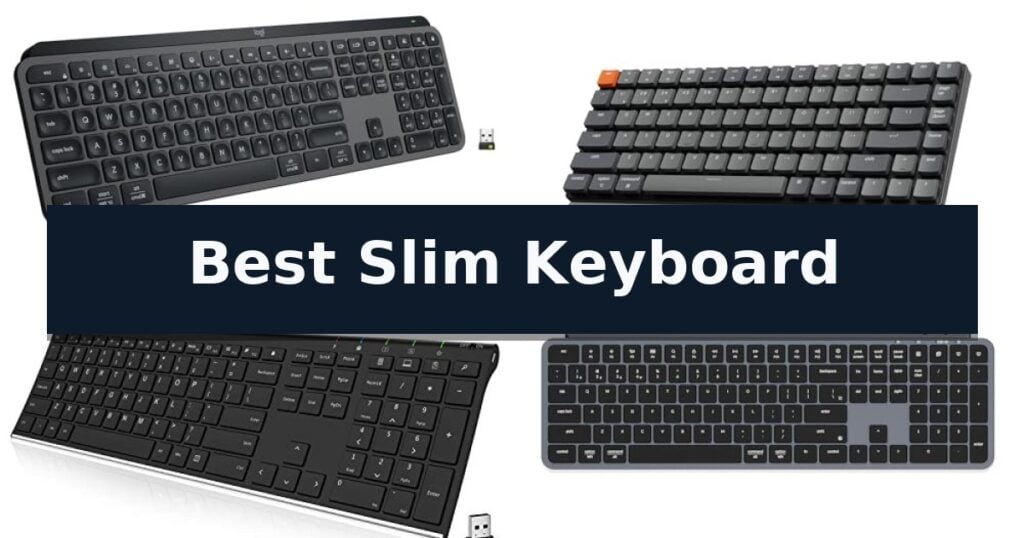
10 Best Slim Keyboard in 2026 Reviews
Quick Comparison
| Product | Best For | Key Strength | Score |
|---|---|---|---|
| Logitech MX Keys S Wireless Keyboard | Best Overall | Spherically-dished keys provide a comfortable and quiet typing experience. | 4.9 |
| Keychron K3 Version 2 Mechanical Keyboard | Ultra-Slim Mechanical Productivity | Ultra-slim, lightweight design with a reinforced aluminum frame. | 4.7 |
| Arteck 2.4G Wireless Keyboard | Durable Stainless Steel Build | Long-lasting rechargeable battery rated for up to 6 months of use. | 4.9 |
| Keychron B6 Pro Wireless Keyboard | Exceptional Long-Lasting Battery | 1200-hour battery life for extended, uninterrupted usage. | 4.7 |
| Logitech Pebble Keys 2 K380s Keyboard | Ultra-Portable Minimalist Design | Ultra-slim and portable design for easy transport. | 4.3 |
| Logitech K585 Wireless Keyboard | Integrated Device Cradle | Integrated phone/tablet cradle for organized device viewing. | 4.6 |
| Logitech MK470 Slim Wireless Combo | Space-Saving Quiet Combo | Compact, low-profile design saves significant desk space. | 4.5 |
| Razer Joro Wireless Gaming Keyboard | Responsive Low-Profile Gaming | Ultra-slim and lightweight aluminum frame for maximum portability. | 4.8 |
| Seenda SKM64-3 Wireless Keyboard Combo | Multi-Device Switching Efficiency | Triple device connectivity via USB and dual Bluetooth channels. | 4.6 |
| OMOTON Ultra-Slim Bluetooth Keyboard | Perfect for Mobile Devices | Ultra-slim 0.2-inch design for maximum portability. | 4.8 |
How We Chose
Selecting the best slim keyboard requires a careful assessment of how a device balances physical aesthetics with long-term usability. We evaluate these keyboards based on their switch technology, ergonomic profile, and the reliability of their wireless connections, ensuring that each recommendation provides a tangible improvement to your daily typing workflow and desk organization.
- Typing feel and key travel distance
- Connectivity options and multi-device switching
- Build quality and material durability
- Backlighting features and customization
- Battery life and charging convenience
1 Logitech MX Keys S Wireless Keyboard — Premium Fluid Typing Experience
The Logitech MX Keys S Wireless Keyboard prioritizes a refined typing experience through its low-profile, spherically-dished keys designed to cradle fingertips for fluid and precise input. This keyboard is engineered to minimize noise while maintaining a tactile feel, making it a suitable choice for environments where quiet operation is essential.
Beyond its physical build, the device integrates advanced productivity features via the Logi Options+ app. Users can configure Smart Actions to execute complex, multi-step tasks with a single keystroke, significantly reducing repetitive input. The integrated smarter illumination system enhances usability by detecting approaching hands and automatically adjusting backlight intensity to match ambient lighting conditions.
Connectivity and versatility are central to its design, supporting pairing with up to three devices simultaneously across various operating systems, including Windows, macOS, and Linux. The USB-C rechargeable battery provides up to 10 days of power with backlighting enabled, or up to 5 months when the lighting is disabled, ensuring reliable performance for extended workflows.
The keyboard features an optimum angle intended to support wrist posture during long sessions. Constructed with a solid, low-profile frame, it also incorporates certified post-consumer recycled plastic to align with sustainability considerations. For users who utilize multiple peripherals, it pairs seamlessly with the MX Master 3S mouse to facilitate cross-computer text and file transfers.
Best for: Professionals and power users who require a multi-device, customizable, and quiet typing experience for heavy daily workflows.
Skip if: Users who prefer the deep travel and mechanical feedback of traditional high-profile mechanical keyboards.
- Spherically-dished keys provide a comfortable and quiet typing experience.
- Smart Actions automation simplifies complex, repetitive workflows.
- Multi-device connectivity allows seamless switching between three platforms.
- Adaptive backlighting adjusts automatically to environmental light levels.
- Low-profile design lacks the mechanical travel distance preferred by some typists.
- Battery life is significantly reduced when backlighting is active.
2 Keychron K3 Version 2 Mechanical Keyboard — Ultra-Slim Mechanical Productivity
The Keychron K3 Version 2 Mechanical Keyboard brings a streamlined, low-profile design to the 75% layout, prioritizing a balance between desk space efficiency and tactile typing performance. By utilizing a reinforced aluminum body, it achieves a lightweight yet sturdy build that fits easily into minimalist setups without sacrificing the mechanical feel.
Connectivity is a core strength, featuring a Broadcom Bluetooth 5.1 chipset that allows for seamless multitasking across up to three devices. Users can switch between a laptop, tablet, and phone with ease, while the included USB-C wired mode provides a reliable connection for stationary desktop use.
Customization is handled through open-source QMK firmware and the Keychron Launcher web app, enabling users to remap keys, create macros, and define shortcuts to suit specific workflows. The integration of an AI assistant within the launcher simplifies the configuration process, allowing for adjustments through plain-language requests.
Designed with versatility in mind, the keyboard includes a unique Mac layout with dedicated multimedia keys, while remaining fully compatible with Windows systems. The package includes extra keycaps for both operating systems, ensuring the hardware adapts to your specific computing environment.
Best for: Users who require a portable, low-profile mechanical keyboard that supports multi-device wireless connectivity and deep software customization.
Skip if: Users who prefer a full-sized keyboard layout with a dedicated number pad or those who require a high-profile typing angle.
- Ultra-slim, lightweight design with a reinforced aluminum frame.
- Bluetooth 5.1 connectivity for up to three devices.
- Full QMK/VIA support for extensive key remapping and macros.
- Cross-platform compatibility with dedicated Mac and Windows keycaps.
- Low-profile switches may not provide the same travel distance as traditional mechanical switches.
- Plastic bottom frame construction may feel less premium than a full-metal chassis.
3 Arteck 2.4G Wireless Keyboard — Durable Stainless Steel Build
Maintaining a clean, minimalist workspace often starts with the hardware you interact with most, and the Arteck 2.4G USB Wireless Keyboard offers a streamlined solution for those looking to reduce cable clutter. Its stainless steel construction provides a rigid, durable feel while maintaining an ultra-slim 0.6-inch profile that sits nearly flush with your desk surface.
This keyboard prioritizes efficiency through its full-size layout, which includes a dedicated numeric keypad and integrated shortcut keys. Despite its compact footprint, the device utilizes low-profile keys designed for quiet operation, making it suitable for shared office environments or home setups where noise reduction is a priority.
Connectivity is handled via a nano USB receiver, allowing for a straightforward plug-and-play setup across various operating systems. The internal rechargeable lithium battery is a standout feature, rated to last up to 6 months on a single charge based on average daily usage of two hours, effectively eliminating the need for disposable batteries.
While the Arteck 2.4G USB Wireless Keyboard excels in portability and aesthetics, users should note that it relies on a dedicated USB port for the receiver. Its lightweight 14.9oz design makes it easy to move between workstations, though the fixed, low-profile key travel may feel different compared to traditional mechanical or high-profile desktop keyboards.
Best for: Users seeking a low-profile, rechargeable wireless keyboard that combines a full-size layout with a durable stainless steel aesthetic.
Skip if: Users who require a mechanical typing experience with deep key travel or those who prefer Bluetooth connectivity over a USB receiver.
- Long-lasting rechargeable battery rated for up to 6 months of use.
- Durable stainless steel housing provides a premium, heavy-duty feel.
- Ultra-slim design saves desk space without sacrificing a full numeric keypad.
- Quiet, low-profile keys suitable for professional and shared environments.
- Requires a USB port for the nano receiver, which may be a limitation for devices without available ports.
- Fixed key travel may not suit users accustomed to mechanical or high-profile switches.
4 Keychron B6 Pro Wireless Keyboard — Exceptional Long-Lasting Battery
The Keychron B6 Pro Ultra-Slim Full-Size Wireless Keyboard prioritizes longevity and versatility, boasting a continuous battery life of up to 1200 hours. This impressive capacity translates to approximately eight months of typical use, assuming five hours of daily operation, making it a reliable choice for users who prefer to minimize charging frequency.
Designed for a clean workspace, the keyboard offers multiple connectivity options including 2.4 GHz wireless, Bluetooth 5.2, and a USB-C wired mode. The 2.4 GHz connection features a 1000 Hz polling rate, providing responsive performance for a cable-free setup. Users can easily toggle between connected devices, such as PCs, Macs, tablets, or phones, to facilitate efficient multitasking.
Customization is a core component of the Keychron B6 Pro, utilizing the Keychron Launcher web app. By connecting the keyboard via cable, users can drag and drop key assignments or macro commands directly in a web browser to remap keys for macOS, Windows, or Linux. For those seeking deeper control, the device also supports open-sourced ZMK firmware.
The layout is specifically engineered to support both Mac and Windows users. It replicates the multimedia and function key operations found on Apple keyboards while providing enhanced tactile feedback. Its ultra-slim, full-size design includes a dedicated numeric keypad, balancing a compact profile with the utility of a standard layout.
Best for: Users who require a full-size, multi-device wireless keyboard with exceptional battery life and extensive key-remapping capabilities.
Skip if: Users who prefer a mechanical keyboard with hot-swappable switches or a more compact tenkeyless form factor.
- 1200-hour battery life for extended, uninterrupted usage.
- Versatile connectivity including 2.4 GHz, Bluetooth 5.2, and USB-C wired modes.
- Customizable key mapping via the Keychron Launcher web app or ZMK firmware.
- Full-size layout with a dedicated numeric keypad in an ultra-slim profile.
- Non-mechanical switch design may not satisfy users seeking traditional mechanical tactile feel.
5 Logitech Pebble Keys 2 K380s Keyboard — Ultra-Portable Minimalist Design
The Logitech Pebble Keys 2 K380s Keyboard prioritizes a minimalist, ultra-portable footprint for users who need a reliable typing experience on the go. Measuring just over 10 inches in length and less than an inch thick, this device is engineered to fit into tight workspaces or travel bags without adding significant bulk.
Performance is driven by a focus on quiet, tactile feedback. The keyboard features scooped round keys that mimic the feel of a laptop, designed to provide a comfortable typing experience during extended sessions. To maintain its slim profile, it utilizes a wireless Bluetooth connection that supports multi-device workflows.
Functionality is enhanced through the Easy-Switch buttons, which allow users to toggle between three paired devices across various operating systems, including Windows, macOS, and iPadOS. The inclusion of Fn shortcut keys provides quick access to common tasks like screen capture, search, and emoji menus, which can be further customized via the Logi Options+ app.
Efficiency is a core design pillar, evidenced by the 3-year battery life and an integrated auto-sleep power-saving mode. The construction also reflects a commitment to sustainability, as the plastic components contain a minimum of 49% certified post-consumer recycled plastic. This model is specifically designed for those who value a clean, clutter-free desk setup without sacrificing essential connectivity.
Best for: Users who require a highly portable, multi-device keyboard for mobile work or minimalist desk setups.
Skip if: Users who require a full-sized keyboard with a dedicated numeric keypad or those who prefer mechanical switches for heavy-duty typing.
- Ultra-slim and portable design for easy transport.
- Easy-Switch buttons for seamless toggling between three devices.
- 3-year battery life with auto-sleep power-saving technology.
- Customizable Fn keys via Logi Options+ app.
- Compact layout lacks a dedicated numeric keypad.
- Non-mechanical keys may not suit users preferring high-travel tactile switches.
6 Logitech K585 Wireless Keyboard — Integrated Device Cradle
The Logitech K585 Wireless Keyboard integrates a dedicated phone cradle directly into its frame, allowing users to dock a smartphone or tablet in landscape mode while maintaining a clean, minimalist desk aesthetic. This design choice addresses the common clutter of mobile devices on a workspace by keeping screens visible and accessible during typing sessions.
Engineered for versatility, this keyboard features a compact layout that includes a full numeric keypad, providing a balance between space-saving dimensions and functional data entry. The keys are designed for a whisper-quiet, fluid typing experience that mimics the feel of a laptop, while 12 programmable FN keys allow for customized media shortcuts via the Logi Options+ software.
Connectivity is handled through dual-mode wireless technology, offering a secure range of up to 10 meters via either Bluetooth or the included 2.4GHz USB receiver. The Easy-Switch functionality enables seamless toggling between multiple paired devices, such as switching from a primary PC to a tablet or phone, making it a practical solution for multi-platform workflows across Windows, macOS, iOS, Android, and ChromeOS.
Power management is optimized through an auto-sleep feature designed to extend battery life during periods of inactivity. With a slim profile measuring only 0.76 inches in height, the keyboard is built to fit into various desk configurations while providing a stable, reliable input method for both mobile and desktop environments.
Best for: Users who need a compact, multi-device keyboard with an integrated stand for tablets or smartphones.
Skip if: Users who require a full-sized mechanical keyboard with deep key travel or a dedicated wired-only connection.
- Integrated phone/tablet cradle for organized device viewing.
- Easy-Switch technology for seamless multi-device pairing.
- Compact, slim profile with a full numeric keypad.
- Dual-mode connectivity via Bluetooth or 2.4GHz USB receiver.
- Compact layout may require adjustment for those accustomed to full-sized spacing.
- No wired connectivity option available.
7 Logitech MK470 Slim Wireless Combo — Space-Saving Quiet Combo
Maintaining a clean, efficient workspace often hinges on selecting hardware that maximizes available surface area without compromising functionality. The Logitech MK470 Slim Wireless Combo addresses this by pairing a compact, low-profile keyboard with a matching mouse, both designed to minimize their physical footprint. By integrating a full number pad into a slim, ultra-thin chassis, this set provides the utility of a standard layout while remaining small enough for crowded desks.
The typing experience is defined by low-profile scissor keys, which are engineered for a quiet, responsive feel. This focus on noise reduction extends to the included ambidextrous 3-button mouse, which features a mechanical scroll wheel and high-precision optical tracking at 1000 DPI. Because both components are lab-tested for noise reduction, this combo is well-suited for shared office environments or home setups where keeping distractions to a minimum is essential.
Connectivity is managed via a plug-and-play USB nano receiver, which utilizes a 2.4 GHz wireless connection to maintain a stable link up to 10 meters away. To maximize efficiency, the system incorporates an auto-sleep feature that activates during periods of inactivity, significantly extending battery life to 36 months for the keyboard and 18 months for the mouse. This longevity reduces the frequency of maintenance, allowing for a set-and-forget experience.
Beyond its physical design, the Logitech MK470 Slim Wireless Combo offers software-based personalization through Logi Options. Users can assign custom shortcuts to the 12 customizable FN keys, tailoring the keyboard to specific productivity workflows. A notable trade-off for this slim, quiet design is the reliance on a USB-A port for the receiver and the lack of mechanical switches, which may not provide the deep tactile feedback preferred by some typists.
Best for: Users with limited desk space who require a quiet, full-featured keyboard with a number pad and a matching wireless mouse.
Skip if: Users who prefer mechanical switches with high tactile feedback or those who require a keyboard without a USB receiver dependency.
- Compact, low-profile design saves significant desk space.
- Whisper-quiet operation for both the keyboard and mouse.
- Long battery life with auto-sleep functionality.
- Customizable FN keys for personalized productivity.
- Non-mechanical keys may not satisfy users who prefer high-travel tactile feedback.
- USB receiver dependency requires an available USB-A port.
8 Razer Joro Wireless Gaming Keyboard — Responsive Low-Profile Gaming
Precision and portability define the Razer Joro Wireless Gaming Keyboard, a device engineered for users who require a high-performance input tool without the bulk of traditional full-sized peripherals. Measuring just 16.5 mm in height and weighing only 374 g, this keyboard integrates a dedicated function row and full-sized arrow keys into a hyper-slim aluminum frame, making it an ideal companion for mobile workstations or compact gaming setups.
Performance is driven by ultra low profile switches that provide quick, precise actuation with tactile feedback, designed to minimize strain during extended sessions. For competitive users, the inclusion of Razer Snap Tap via Synapse 4 allows for the prioritization of inputs between two keys, facilitating near-instant directional changes. The device also features Razer Chroma RGB lighting, offering 16.8 million colors and integration with hundreds of games to personalize the aesthetic.
Connectivity and power management are optimized for multi-device environments. The keyboard supports Bluetooth 5.0 and allows users to pair up to three devices simultaneously, enabling seamless switching between PCs, Macs, and handheld devices like the Steam Deck. With a battery life rated for up to 1800 hours, users can extend operation further by activating the dedicated Power Saving Mode, and the included USB-C cable ensures uninterrupted use during charging.
The Razer Joro Wireless Gaming Keyboard balances its slim form factor with robust functionality, catering to those who prioritize desk space and portability. While the ultra-low profile design is engineered for comfort, users accustomed to the deep travel of mechanical switches may find the typing experience distinct. Its combination of wireless versatility, durable aluminum construction, and specialized gaming features makes it a sophisticated choice for modern, multi-platform users.
Best for: Gamers and professionals who need a highly portable, multi-device compatible keyboard that maintains a full function row in a slim, lightweight form factor.
Skip if: Users who prefer the deep physical travel and distinct click of traditional high-profile mechanical switches may find the low-profile design less satisfying for their specific typing preferences.
- Ultra-slim and lightweight aluminum frame for maximum portability.
- Multi-device connectivity via Bluetooth 5.0 for up to three devices.
- Razer Snap Tap technology for faster, more responsive input control.
- Extended battery life rated up to 1800 hours with power-saving features.
- Low-profile switch design may not suit users who prefer traditional mechanical key travel.
9 Seenda SKM64-3 Wireless Keyboard Combo — Multi-Device Switching Efficiency
Maintaining a clean, efficient workspace often starts with reducing peripheral clutter. The Seenda SKM64-3 Wireless Keyboard Combo addresses this by integrating a full-size keyboard and a precise mouse into a single, multi-device ecosystem that connects via 2.4G USB or dual Bluetooth channels.
Designed for versatility, the Seenda SKM64-3 Wireless Keyboard Combo features a dual OS layout that supports Windows, macOS, iOS, and Android. This allows users to switch between a desktop, laptop, and tablet seamlessly without needing to relearn key placements. The scissor-switch keys are engineered to provide a quiet, responsive typing experience, making it suitable for shared office environments or late-night work sessions.
Portability and durability are central to its design. The keyboard measures just 0.12 inches thick and is constructed from stainless steel, providing a slim yet rigid profile that fits easily into bags. The included mouse features adjustable DPI settings (1000/1600/2400) and noiseless clicks, ensuring that performance remains consistent across different tasks while keeping noise to a minimum.
Power management is handled through Type-C fast rechargeability, with a built-in battery that supports up to 200 hours of use on a single three-hour charge. To further preserve battery life, the device includes an integrated on/off switch and an auto-sleep function, ensuring the unit is ready for use during long travel periods or extended remote work sessions.
Best for: Multitaskers and hybrid workers who need a slim, portable, and quiet peripheral set that switches seamlessly between multiple operating systems and devices.
Skip if: Users who require a mechanical keyboard with deep key travel or those who prefer a dedicated numeric keypad layout that is not integrated into a slim, scissor-switch design.
- Triple device connectivity via USB and dual Bluetooth channels.
- Slim, durable stainless steel construction for high portability.
- Type-C fast charging with 200 hours of battery life.
- Silent operation with noiseless mouse clicks and quiet scissor-switch keys.
- 2.4G USB mode is limited to Windows compatibility only.
- Slim profile may not provide the tactile feedback preferred by mechanical keyboard enthusiasts.
10 OMOTON Ultra-Slim Bluetooth Keyboard — Perfect for Mobile Devices
The OMOTON Ultra-Slim Bluetooth Keyboard features an ultra-thin 0.2-inch profile and a compact 11.2-inch by 4.7-inch footprint, making it a highly portable solution for users who need to type on the go with their mobile devices. Designed specifically for the iPad and iPhone ecosystem, this device provides a dedicated QWERTY layout that integrates seamlessly with your mobile workflow.
Equipped with 12 multimedia hotkeys, this keyboard allows for one-key control over volume, brightness, and music playback, enhancing efficiency when working within iPadOS or iOS. The unit utilizes stable Bluetooth wireless connectivity to maintain a reliable link to your device, while the high-quality ABS material construction ensures a durable build for daily use in office, travel, or school environments.
Power management is handled through two AAA batteries, which are not included in the package. The keyboard includes an energy-saving auto-sleep function that activates after 10 minutes of inactivity, extending battery life up to 400 hours. This design choice removes the need for frequent recharging, providing approximately 100 days of use based on a four-hour daily typing schedule.
Compatibility is a primary focus, with the device supporting a wide range of Apple hardware, including various generations of the iPad, iPad Pro, iPad Air, and iPad mini, as well as recent iPhone models. While the keyboard is optimized for Apple systems, users should note that function key compatibility may be limited when attempting to pair the device with other operating systems.
Best for: Users seeking a lightweight, battery-powered wireless keyboard specifically optimized for iPad and iPhone productivity.
Skip if: Users who require a rechargeable internal battery or full function key compatibility across non-Apple operating systems.
- Ultra-slim 0.2-inch design for maximum portability.
- 12 dedicated multimedia hotkeys for efficient iOS control.
- Long battery life of up to 400 hours with auto-sleep functionality.
- Broad compatibility with a wide range of iPad and iPhone models.
- Requires external AAA batteries rather than an internal rechargeable power source.
- Limited function key compatibility when used with non-iOS systems.
Best Slim Keyboard Buying Guide
Understanding Low-Profile Switch Technology
Low-profile keyboards utilize shorter switches that require less travel distance to actuate compared to traditional mechanical boards. This design choice results in a thinner chassis that can reduce wrist strain by keeping your hands closer to the desk surface.
While these switches offer a faster response, they often provide less tactile feedback than full-height alternatives. Buyers should consider whether they prefer the quiet, soft-touch feel of scissor-switch membranes or the distinct, clicky response of low-profile mechanical switches.
Connectivity and Multi-Device Management
Modern slim keyboards frequently support multiple connection methods, including Bluetooth and 2.4GHz wireless via USB receivers. The ability to pair with three or more devices simultaneously allows users to toggle between a primary computer, a tablet, and a smartphone with a single keystroke.
When choosing between these options, verify the compatibility with your operating systems. Some keyboards are optimized for macOS layouts, while others provide dedicated function keys for Windows, and many offer software-based remapping to bridge the gap between platforms.
The Importance of Build Materials
The chassis material significantly impacts the stability and longevity of a slim keyboard. Models constructed with aluminum or stainless steel frames tend to resist flexing during intense typing sessions, providing a more premium, rigid feel on the desk.
Plastic builds are often lighter and more portable, making them suitable for users who frequently travel with their gear. However, heavier metal-reinforced boards are generally preferred for stationary setups where desk presence and durability are prioritized.
Battery Life and Power Management
Wireless slim keyboards rely on either internal rechargeable batteries or replaceable cells. Rechargeable models often feature USB-C ports for quick power-ups, though battery longevity varies drastically depending on whether backlighting is enabled.
If you prefer a set-and-forget experience, look for keyboards with aggressive auto-sleep modes or high-capacity batteries that can last for months. Always check the manufacturer's claims against your expected daily usage to avoid frequent downtime.
Customization and Productivity Features
Beyond basic typing, many slim keyboards offer software support for creating custom macros and shortcuts. These features allow you to automate repetitive tasks, which is particularly useful for programmers or power users who rely on specific key combinations.
Consider whether the keyboard allows for physical keycap replacement or firmware-level remapping. These advanced customization options can extend the life of your device by allowing you to adapt it to changing software requirements over time.
Frequently Asked Questions
Are slim keyboards better for ergonomics?
Slim keyboards can be more ergonomic because their lower profile allows for a more neutral wrist position, reducing the need for an extreme angle while typing.
Can I use a slim keyboard for gaming?
Yes, many low-profile mechanical keyboards are designed with gaming-grade switches that offer fast actuation, making them suitable for both work and play.
Do all slim keyboards work with Mac and Windows?
Most modern wireless keyboards are cross-platform compatible, but some may require specific keycap swaps or software settings to match the layout of your operating system.
How often do I need to charge a wireless slim keyboard?
Battery life varies widely; some models last a few weeks with heavy backlighting, while others can last several months if the lighting is turned off or used sparingly.
Is a mechanical slim keyboard louder than a membrane one?
Generally, yes. Mechanical switches, even low-profile ones, typically produce more audible feedback than scissor-switch membrane keyboards, which are designed for near-silent operation.
Conclusion: Our Top Pick
Our top pick is Logitech MX Keys S Wireless Keyboard. Finding the right slim keyboard involves balancing your specific need for portability, tactile feedback, and multi-device connectivity. By prioritizing the features that match your daily workflow, you can significantly improve your comfort and efficiency.
Whether you choose a premium, feature-rich model or a simple, travel-ready device, the best slim keyboard is one that integrates seamlessly into your environment and supports your typing style without unnecessary bulk.