Logitech M350s Pebble 2 Mouse is our pick for the Best Slim Travel Mouse because its minimalist, lightweight profile and silent-click technology make it an ideal companion for mobile professionals who need to work discreetly in public spaces.
When selecting a mouse for travel, the primary considerations are physical footprint and connectivity versatility. A truly portable device must slide easily into a laptop sleeve or pocket without adding bulk, while also offering the ability to switch between multiple devices like tablets and laptops without re-pairing.
Beyond size, battery efficiency and build quality determine long-term reliability on the road. We prioritize models that offer long-lasting power, such as those with auto-sleep modes or rechargeable batteries, ensuring you aren't left stranded during a trip.
If you are looking for a more comprehensive breakdown of hardware for mobile setups, our guide on the Best Slim Mouse for Laptop provides additional insights into pairing peripherals with portable computers.
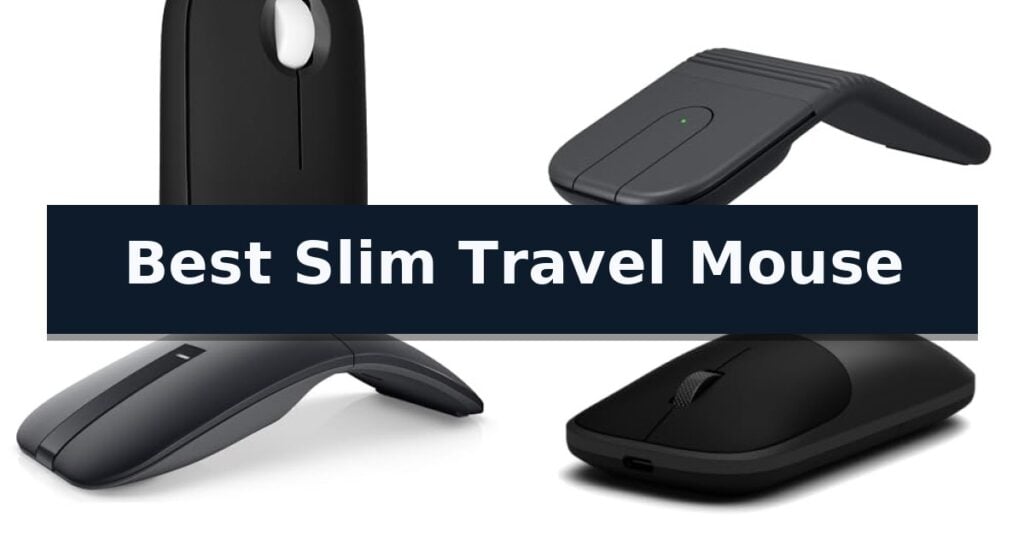
10 Best Slim Travel Mouse in 2026 Reviews
Quick Comparison
| Product | Best For | Key Strength | Score |
|---|---|---|---|
| Logitech M350s Pebble 2 Mouse | Best Overall | Ultra-slim and lightweight design for maximum portability. | 4.9 |
| Logitech Mobi Fold Mouse | Folds Flat for Maximum Portability | Ultra-portable foldable design for easy storage. | 4.7 |
| Dell MS700 Travel Mouse | Twist-to-Off Slim Profile | Twist-to-off design for easy storage | 4.7 |
| Satechi Slim EX Wireless Mouse | Premium Aluminum Travel Build | 3-in-1 Multi-Device Freedom for seamless switching between three distinct devices. | 4.9 |
| DELUX MF20 Pocket Mouse | Retractable Body for Small Bags | Unique sliding structure for ultra-compact storage. | 4.8 |
| NYIEFADA Arc Travel Mouse | Snaps Flat for Pocket Storage | Snaps flat for ultra-compact storage in pockets or bags. | 4.5 |
| TECKNET Bluetooth Wireless Mouse | High DPI Precision for Travel | Multi-device connectivity via Bluetooth and 2.4G USB receiver. | 4.6 |
| Afaartcci Rechargeable Wireless Mouse | Vibrant LED for Dim Environments | Dual-mode connectivity allows for easy switching between Bluetooth and 2.4GHz USB. | 4.3 |
| SUNGI Bluetooth Mouse | Integrated Jiggler for Remote Work | Integrated Jiggler mode prevents screen sleep. | 4.6 |
| VssoPlor Wireless Mouse | Budget-Friendly Slim Travel Essential | Intelligent sleep mode significantly extends battery life by entering standby after 5 minutes of inact… | 4.6 |
How We Chose
To identify the best slim travel mouse, we evaluate models based on their ability to balance a compact, low-profile design with the performance features required for daily productivity. We prioritize devices that offer seamless multi-device switching, quiet operation, and reliable battery life, ensuring they remain functional and unobtrusive during frequent travel.
- Portability and physical dimensions for bag storage
- Multi-device connectivity and switching speed
- Click noise reduction for shared environments
- Battery life and power management efficiency
- Surface tracking precision and DPI adjustability
1 Logitech M350s Pebble 2 Mouse — Minimalist Design for Easy Packing
The Logitech M350s Pebble 2 Mouse is engineered for users who prioritize portability without sacrificing functionality, featuring a distinct minimalist round design that measures just over one inch in height. This ultra-slim profile makes it a practical choice for slipping into crowded bags or laptop sleeves during travel.
Beyond its compact form, the device incorporates Silent Touch Technology, which is designed to reduce click noise by 90% compared to standard mice. This allows for quiet operation in shared workspaces or libraries, ensuring your workflow remains unobtrusive.
Connectivity is managed via Bluetooth, allowing you to pair up to three devices across different operating systems, including Windows, macOS, and Android. The integrated Easy-Switch button enables rapid transitions between these devices, while the customizable middle button can be configured through the Logi Options+ app to launch specific app shortcuts.
Efficiency is a core component of its design, with the mouse offering up to 2 years of battery life and an automatic sleep mode to conserve power. Constructed with a minimum of 58% certified post-consumer recycled plastic, the unit balances modern tech requirements with sustainable material choices.
Best for: Mobile professionals and students who require a quiet, multi-device compatible mouse that fits easily into slim travel bags.
Skip if: Users who prefer a full-sized ergonomic mouse with a high arch or those who require a dedicated USB receiver, as the Logitech Bolt receiver is not included.
- Ultra-slim and lightweight design for maximum portability.
- Silent Touch Technology reduces click noise by 90%.
- Easy-Switch button allows seamless toggling between three Bluetooth devices.
- Long-lasting battery life of up to 2 years.
- Logitech Bolt receiver is not included in the box.
- Minimalist profile may lack the ergonomic support found in larger, contoured mice.
2 Logitech Mobi Fold Mouse — Folds Flat for Maximum Portability
Maximizing desk space while maintaining high-precision input is a common challenge for mobile professionals. The Logitech Mobi Fold Mouse addresses this by utilizing a unique folding design that allows the device to collapse into an ultra-thin profile, making it effortless to slide into a pocket or laptop sleeve when you are on the move.
Beyond its portability, this mouse is engineered for productivity with 4K DPI tracking and Adaptive Touch Scrolling, which provide granular control for both detailed work and rapid navigation. The inclusion of quiet click technology ensures that your workspace remains distraction-free, whether you are working in a crowded cafe or a quiet office environment.
Connectivity is a core strength of the Logitech Mobi Fold Mouse, featuring Bluetooth integration that supports seamless switching between up to three devices using Easy-Switch technology. It is fully compatible with a wide range of operating systems, including Windows, macOS, Chrome OS, and iPadOS, and is certified for Fast Pair to streamline the initial setup process.
Designed with sustainability in mind, the device incorporates certified post-consumer recycled plastic in its construction. It also supports efficient power management, offering up to one month of use on a full charge, with a rapid-charge feature that provides significant uptime from just a one-minute connection via USB-C.
Best for: Frequent travelers and mobile professionals who require a high-precision, multi-device mouse that minimizes physical footprint in a bag.
Skip if: Users who prefer a traditional, full-sized ergonomic mouse shape for long-term desktop use may find the ultra-thin, foldable design less comfortable for extended sessions.
- Ultra-portable foldable design for easy storage.
- Quiet click technology for noise-sensitive environments.
- Multi-device connectivity with seamless switching.
- High-precision 4K DPI tracking.
- USB-C cable not included in the package.
- Unique form factor may require an adjustment period for users accustomed to traditional mice.
3 Dell MS700 Travel Mouse — Twist-to-Off Slim Profile
The Dell MS700 Travel Mouse features a unique twistable design that allows you to power the device off and stow it away with a simple rotation, making it a highly portable solution for mobile professionals. Weighing only 56.9 grams, this peripheral is engineered for those who prioritize a lightweight and compact setup in their travel bag.
Performance is driven by an adjustable 4000 DPI sensor, which provides precise pointer control across various surfaces. The device incorporates Bluetooth 5.0 LE for wireless connectivity, supporting up to three devices simultaneously. Users can switch between paired hardware with a dedicated button, while Dell Pair technology simplifies the initial connection process.
Usability is enhanced by quiet click buttons and a responsive touch scroll interface, designed to minimize noise in shared workspaces. The mouse is powered by AAA batteries, which are included in the package, and it is backed by a 3-year Advanced Exchange Service warranty to support long-term reliability.
While the slim profile is ideal for portability, the low-profile ergonomics may feel different compared to full-sized desktop mice. The device is a specialized tool for users who value space-saving design and multi-device switching over traditional ergonomic contours.
Best for: Mobile professionals who need a slim, lightweight mouse capable of switching between three Bluetooth-connected devices.
Skip if: Users who prefer the ergonomic support of a high-profile, full-sized mouse for extended daily use.
- Twist-to-off design for easy storage
- Multi-device connectivity for up to 3 devices
- Adjustable 4000 DPI sensitivity
- Lightweight build at 56.9 grams
- Low-profile design may not suit all hand sizes for long-term comfort
4 Satechi Slim EX Wireless Mouse — Premium Aluminum Travel Build
The Satechi Slim EX Wireless Mouse prioritizes a refined workspace aesthetic through its precision-machined metal wheel and durable anodized aluminum shell. Designed for users who move between multiple workstations, this peripheral offers 3-in-1 Multi-Device Freedom, allowing seamless switching between two Bluetooth channels and a 2.4GHz USB-C receiver without the need for constant re-pairing.
Performance is centered on quiet operation, utilizing discreet click switches that ensure a calm environment whether you are in a shared office or traveling. The device is powered by a USB-C rechargeable battery that provides up to three months of continuous use on a single charge, with an extended standby capacity of over a year when in sleep mode.
Measuring approximately 4.34 inches in length and 2.41 inches in width, the mouse maintains a low-profile form factor suitable for mobile setups. The inclusion of a removable battery and a dedicated USB-C charging cable simplifies maintenance, while the manufacturer provides a 2-year limited warranty to address potential defects in materials or workmanship.
While the aluminum construction provides a premium feel, users should note that the device is specifically optimized for modern connectivity standards. It is a practical solution for those managing Mac, Windows, tablet, and desktop environments simultaneously who require a consistent, quiet, and portable input device.
Best for: Professionals and travelers who need a durable, multi-device mouse that can switch instantly between Bluetooth and 2.4GHz connections.
Skip if: Users who prefer a highly ergonomic, contoured shape for long-term wrist support or those who require a wired-only connection.
- 3-in-1 Multi-Device Freedom for seamless switching between three distinct devices.
- Anodized aluminum shell and metal wheel offer a premium, durable build.
- Quiet click switches minimize noise in professional or quiet environments.
- Long-life rechargeable battery lasts up to three months on a single charge.
- Low-profile design may not provide the ergonomic support required by some users for extended daily use.
5 DELUX MF20 Pocket Mouse — Retractable Body for Small Bags
Maximizing desk space while maintaining functionality is a common challenge for mobile professionals and students. The DELUX MF20 Pocket Mouse addresses this with a unique sliding structure that allows the device to retract into a compact, pocket-friendly form factor when not in use. This design choice protects the sensor during transit and minimizes bulk in small bags or pockets, making it a highly portable input solution.
Performance is managed through dual-mode connectivity, offering both 2.4GHz wireless and Bluetooth 5.2 options. This flexibility enables users to toggle between devices like laptops, tablets, and smartphones, ensuring a consistent workflow across different hardware. The mouse is equipped with a 300mAh rechargeable battery that supports a 3-month standby duration and features a front-mounted USB-C charging port for convenient power replenishment.
Precision is handled by an adjustable optical sensor offering 5 DPI levels ranging from 800 to 4000. Users can toggle these settings via a bottom-mounted switch to suit specific tasks, whether performing detailed photo editing or general navigation. The device is engineered for noise-free clicking, which is particularly beneficial for maintaining a quiet environment in shared workspaces, libraries, or during travel.
Compatibility is broad, supporting Windows, macOS, Android, and iOS systems. The device provides a reliable interface for various digital ecosystems, with specific support for back and forward button functionality on macOS. While it offers a versatile feature set for productivity, it is a streamlined tool designed for portability rather than complex, programmable button configurations.
Best for: Frequent travelers and remote workers who require a compact, highly portable mouse that connects to multiple devices via Bluetooth or 2.4GHz wireless.
Skip if: Users who require programmable buttons or advanced macro functionality for specialized software workflows.
- Unique sliding structure for ultra-compact storage.
- Dual-mode connectivity (Bluetooth 5.2 and 2.4GHz) for multi-device support.
- 5 adjustable DPI levels up to 4000 for varied precision needs.
- Noise-free clicking suitable for quiet environments.
- USB-C rechargeable integrated battery.
- No programmable buttons available for custom shortcuts.
6 NYIEFADA Arc Travel Mouse — Snaps Flat for Pocket Storage
When space is at a premium, the NYIEFADA Arc Travel Mouse offers a unique solution by featuring a rotating, foldable design that allows the device to snap flat for easy storage in a pocket or slim laptop sleeve. This mechanical flexibility makes it a practical choice for professionals who need to minimize their carry-on footprint without sacrificing the utility of a full-sized peripheral.
Beyond its physical design, the mouse supports tri-mode connectivity, allowing users to pair with up to three devices simultaneously. It utilizes Bluetooth 5.0 and 4.0 for wireless freedom, alongside a 2.4GHz USB nano receiver for legacy compatibility. This multi-device capability enables seamless switching between a desktop, tablet, and laptop, streamlining workflows across different operating systems including Windows and Linux.
The device is engineered for quiet environments, incorporating silent and soft-click switches that eliminate the audible noise typically associated with standard mice. Power management is handled by a built-in rechargeable battery, which provides up to 30 days of operation on a single charge. To preserve energy, the mouse features an automatic power-off function that triggers when the receiver is disconnected or the computer is shut down.
Measuring 4.6 inches in length and 1.4 inches in height, the NYIEFADA Arc Travel Mouse balances portability with ergonomic intent. While its slim profile is ideal for travel, users should note that the arc shape is distinct from traditional high-profile ergonomic mice. It remains a specialized tool for those prioritizing a lightweight, stowable form factor for mobile computing.
Best for: Frequent travelers and mobile professionals who require a multi-device, space-saving mouse that fits easily into pockets or slim bags.
Skip if: Users who prefer a high-profile, traditional ergonomic grip for long-term desktop use may find the flat arc design less supportive.
- Snaps flat for ultra-compact storage in pockets or bags.
- Tri-mode connectivity supports up to 3 devices via Bluetooth and 2.4GHz.
- Silent click switches for quiet operation in shared spaces.
- Rechargeable battery eliminates the need for disposable replacements.
- Arc design may not provide the same palm support as traditional ergonomic mice.
- Manual rotation required to switch between flat and operational modes.
7 TECKNET Bluetooth Wireless Mouse — High DPI Precision for Travel
Navigating a mobile workspace requires gear that balances portability with functional versatility, and the TECKNET Bluetooth Wireless Mouse addresses this by integrating multi-device connectivity into an ultra-slim, travel-ready frame. Measuring just 2.26 x 4.48 x 0.93 inches, this device is engineered for users who prioritize a compact footprint without sacrificing the ability to toggle between different hardware setups.
The mouse features multi-device control, allowing users to switch between three separate devices using either Bluetooth 5.2/3.0 or a 2.4G USB receiver. This flexibility is supported by an optical sensor with 6-level adjustable DPI settings, ranging from 800 to 4800, which allows for sensitivity adjustments depending on the task at hand. The inclusion of whisper-quiet clicks is designed to reduce operational noise by 90%, making it suitable for shared environments.
Power management is handled by an internal rechargeable battery, which supports USB-C fast charging. According to manufacturer specifications, a 2.5-hour charge provides up to 60 days of usage based on two hours of daily activity. The device also incorporates a 30-minute auto-sleep function to conserve energy during periods of inactivity, contributing to a 12-month standby capacity.
The exterior is finished with a soft, anti-slip skin-touch coating intended to provide a comfortable grip while resisting fingerprints. While the matte finish offers a sleek aesthetic, users should note that the black version may show residue from sweaty hands more readily than other surfaces. With its broad compatibility across Windows, macOS, Android, iOS, and ChromeOS, this mouse serves as a comprehensive input solution for diverse computing environments.
Best for: Multitaskers who need a compact, rechargeable mouse capable of switching between three different devices on the go.
Skip if: Users who prefer a full-sized, contoured ergonomic mouse for long-term desktop use may find the ultra-thin, flat profile less supportive for extended sessions.
- Multi-device connectivity via Bluetooth and 2.4G USB receiver.
- 60-day battery life with convenient USB-C fast charging.
- 6-level adjustable DPI for customizable tracking precision.
- Silent click design reduces noise by 90%.
- Matte finish on the black model may be prone to showing residue from sweaty hands.
- Ultra-slim profile may lack the palm support found in larger ergonomic mice.
8 Afaartcci Rechargeable Wireless Mouse — Vibrant LED for Dim Environments
Maintaining a clutter-free workspace while traveling requires gear that prioritizes efficiency without sacrificing functionality. The Afaartcci Rechargeable Wireless Mouse addresses this by combining a slim, portable profile with versatile connectivity options, making it a practical addition to any mobile workstation.
This device features dual-mode wireless connectivity, allowing users to toggle between a Bluetooth 5.2/3.0 connection and a 2.4GHz USB receiver. This flexibility ensures compatibility across various operating systems, including Windows, Mac, and Android, without the need for additional drivers. The USB receiver conveniently stores within the mouse chassis when not in use.
Designed for quiet environments, the mouse utilizes silent click technology to minimize noise during operation. Its compact dimensions of 4.4 x 2.3 x 1.1 inches are specifically engineered to fit easily into laptop bags. For power management, it includes a 500mAh lithium-ion battery that reaches a full charge in approximately two hours, providing over seven days of active use and up to 30 days of standby time.
The mouse also incorporates an automatic sleep mode that activates after five minutes of inactivity to conserve battery life. While the colorful LED breathing light adds a visual element to the workspace, the core design remains focused on ergonomic portability for users who frequently transition between home, office, and travel settings.
Best for: Travelers and professionals who need a compact, silent, and multi-device compatible mouse for use across laptops, tablets, and smartphones.
Skip if: Users who require simultaneous multi-device control or high-precision gaming sensors will find the limitations of this basic, travel-focused design insufficient.
- Dual-mode connectivity allows for easy switching between Bluetooth and 2.4GHz USB.
- Silent click technology enables quiet operation in shared or public spaces.
- Rechargeable 500mAh battery eliminates the need for disposable batteries.
- Compact, ergonomic design is optimized for portability in laptop bags.
- Cannot use both wireless modes simultaneously.
- Automatic sleep mode requires a click to wake the device.
9 SUNGI Bluetooth Mouse — Integrated Jiggler for Remote Work
The SUNGI Bluetooth Mouse distinguishes itself from standard peripherals by incorporating an integrated Jiggler mode, a specialized feature designed to prevent computer screens from entering sleep or lock modes during periods of inactivity. By holding the DPI button for three seconds, users can toggle this function on or off, providing a practical utility for those managing remote workflows or long-running background tasks.
Designed with portability in mind, this ultra-thin device features a slim profile measuring less than an inch in height, making it well-suited for travel. The mouse utilizes Bluetooth 4.0 connectivity, eliminating the need for external USB receivers or additional ports, which simplifies setup across various platforms including Windows, Linux, Android, and macOS.
To minimize environmental noise, the mouse is engineered with silent click technology, which is reported to reduce click sound by 80%. This design choice aims to maintain a quiet environment in shared spaces like offices or libraries. Furthermore, the unit includes a built-in lithium-ion battery that is rechargeable via a standard interface, removing the requirement for disposable AAA batteries.
Power management is handled through an auto-sleep mode that activates after 10 minutes of inactivity, helping to conserve battery life. Users can further customize their experience using the 3 adjustable DPI settings (800, 1200, and 1600), allowing for variable cursor sensitivity depending on the specific task requirements.
Best for: Remote workers and frequent travelers who require a quiet, portable mouse with an integrated jiggler function to keep their system active.
Skip if: Users who prefer a full-sized, ergonomic mouse with a dedicated USB receiver or those who require advanced programmable buttons for gaming or professional design work.
- Integrated Jiggler mode prevents screen sleep.
- Silent click technology reduces operational noise.
- Bluetooth 4.0 connectivity eliminates the need for USB receivers.
- Rechargeable lithium-ion battery removes the need for disposable batteries.
- Battery life may vary significantly based on individual usage patterns.
- Slim design may not provide the same ergonomic support as full-sized mice.
10 VssoPlor Wireless Mouse — Budget-Friendly Slim Travel Essential
Maintaining a clutter-free workspace while traveling requires gear that balances functionality with a minimal footprint. The VssoPlor Wireless Mouse addresses this by combining a slim, portable chassis with a convenient storage solution for its wireless receiver, making it a practical choice for users who frequently transition between home and office environments.
Equipped with a 2.4 GHz wireless connection, this mouse offers reliable performance with an operating range of up to 10 meters. The device is designed for efficiency, featuring an intelligent sleep mode that automatically activates after five minutes of inactivity to conserve battery life. When it is time to resume work, a simple click wakes the sensor, ensuring the mouse is ready for use without unnecessary power drain.
The design prioritizes a quiet user experience through whisper-sensitive clicking, which minimizes noise during operation. Its frosted surface provides a tactile grip, while the high-resolution optical sensor is engineered to track smoothly across most standard desk surfaces. This combination of silent operation and reliable tracking makes it suitable for shared workspaces or quiet environments.
Compatibility is broad, supporting various versions of Windows and Mac OS. However, users should note that the mouse relies on a USB-A nano receiver. Because the receiver requires a traditional USB-A port, it is not compatible with laptops or tablets that only feature USB-C connectivity, necessitating an adapter for those specific hardware configurations.
Best for: Users seeking a quiet, portable, and energy-efficient mouse for laptops equipped with standard USB-A ports.
Skip if: Users who rely exclusively on USB-C ports or require a mouse for high-precision gaming applications.
- Intelligent sleep mode significantly extends battery life by entering standby after 5 minutes of inactivity.
- Whisper-sensitive clicking mechanism reduces noise for quiet work environments.
- Compact, slim design includes an integrated storage slot for the USB-A nano receiver.
- 2.4 GHz wireless technology provides a stable connection up to 10 meters.
- USB-A requirement limits direct compatibility with modern laptops featuring only USB-C ports.
- Manual wake-up required after sleep mode, which may be a minor adjustment for some users.
Best Slim Travel Mouse Buying Guide
Prioritizing Portability
The most critical factor for a travel mouse is its ability to fit into tight spaces. Look for designs that are either inherently slim, like the Pebble 2, or those that feature folding mechanisms to reduce their height when stored.
Weight is equally important for long-term travel. A mouse that weighs under 0.2 pounds is generally considered ideal, as it minimizes the burden on your gear bag without sacrificing the necessary surface area for comfortable navigation.
Connectivity and Multi-Device Support
Frequent travelers often switch between a laptop, a tablet, and perhaps a secondary workstation. Mice that support Bluetooth with dedicated 'Easy-Switch' buttons allow you to toggle between three distinct devices instantly.
Consider whether you require a USB receiver. While Bluetooth is standard for modern devices, having a 2.4GHz USB-C or USB-A dongle provides a reliable backup for older hardware or environments where Bluetooth interference is high.
Noise Management in Public Spaces
Working in cafes, libraries, or on airplanes requires a quiet input device. Silent-click technology is a standard feature in high-end travel mice, significantly reducing the audible 'snap' of the buttons.
This feature is not just about courtesy; it helps you maintain focus in quiet environments. Many modern travel mice now claim to reduce click noise by up to 90%, making them virtually inaudible to those sitting next to you.
Battery Life and Charging
Travelers should avoid mice that require frequent battery changes. Rechargeable models with USB-C ports are becoming the industry standard, allowing you to top up your mouse using the same cable as your laptop or phone.
If you prefer a battery-powered model, look for one with an auto-sleep function. This feature significantly extends the life of standard AAA batteries, often allowing them to last for up to two years with regular use.
Tracking Precision and DPI
While travel mice are rarely used for high-end gaming, tracking precision still matters for productivity tasks like photo editing or spreadsheet management. High DPI settings allow for faster cursor movement on smaller screens.
Look for adjustable DPI settings if you frequently switch between different screen sizes. A mouse that offers 4000 DPI or higher provides the flexibility to maintain smooth control whether you are working on a small tablet or a large external monitor.
Frequently Asked Questions
Can I use a travel mouse on a glass surface?
Most slim travel mice use standard optical sensors, which may struggle on glass. It is recommended to carry a small mousepad or use a surface like a notebook or desk mat for consistent tracking.
Do I need to install software to use these mice?
Most travel mice are plug-and-play via Bluetooth. However, manufacturers like Logitech offer optional software to customize buttons and shortcuts, which can enhance productivity if you have access to install it.
How do I know if a mouse will fit in my bag?
Check the height and length dimensions provided. Mice under 1 inch in height are generally the easiest to slide into laptop sleeves or front pockets without creating unsightly bulges.
Are foldable mice more fragile than fixed-design mice?
Foldable mice have more moving parts, which can be a point of failure over time. If you prioritize extreme durability, a solid, low-profile design is generally more robust.
Can I connect a travel mouse to my iPad?
Yes, as long as the mouse supports Bluetooth, it is compatible with iPadOS. Ensure your iPad is updated to the latest software version for the best cursor support.
Conclusion: Our Top Pick
Our top pick is Logitech M350s Pebble 2 Mouse. Choosing the right travel mouse depends on your specific workflow, whether you prioritize a flat, pocketable design or a more traditional ergonomic shape. The Logitech M350s Pebble 2 remains our top recommendation for its balance of portability, silent operation, and reliable multi-device connectivity.
Before purchasing, verify the connectivity options your devices support. If you rely on multiple operating systems, ensure the mouse you choose offers easy switching capabilities to keep your workflow efficient while on the move.