Keychron K3 Version 2 Mechanical Keyboard is our top choice for the Best Slim Wireless Mechanical Keyboard, offering a refined 75% layout that balances desk space with essential functionality for professional users.
Selecting a low-profile mechanical board requires balancing physical dimensions with typing feel. We focus on how these keyboards manage wireless latency, switch actuation, and multi-device switching to ensure a seamless transition between your primary workstation and secondary mobile devices.
Beyond the keyboard itself, your desk setup often requires complementary peripherals to maintain a consistent workflow. Integrating the right tools can significantly improve your overall ergonomics and efficiency during long hours of focused work.
When setting up your workspace, finding the Best Slim Keyboards for PC is crucial for maintaining a clean and efficient desk environment. For those who spend their day writing code, the Best Slim Keyboards for Programming can offer programmable layers that significantly speed up your workflow.
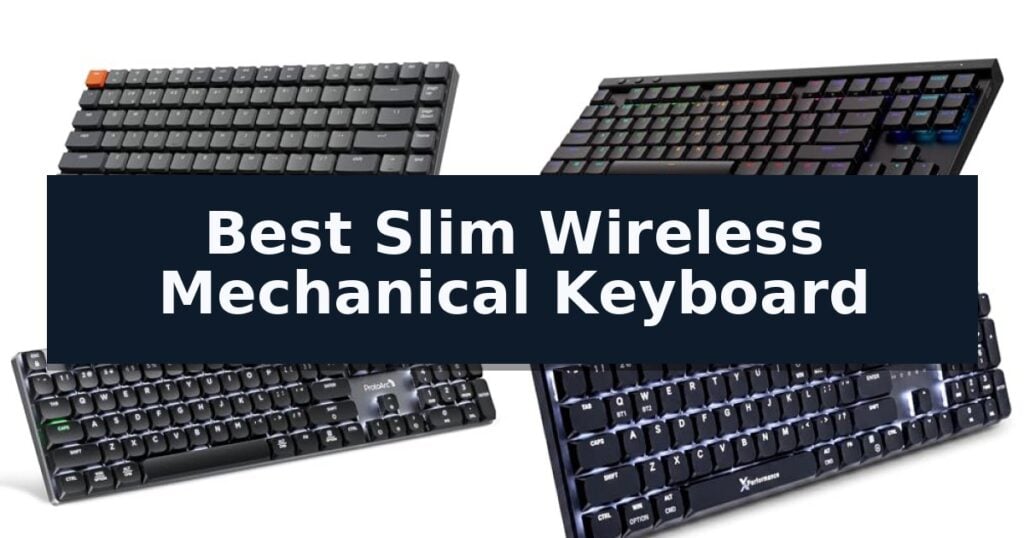
10 Best Slim Wireless Mechanical Keyboard in 2026 Reviews
Quick Comparison
| Product | Best For | Key Strength | Score |
|---|---|---|---|
| Keychron K3 Version 2 Mechanical Keyboard | Best Overall | Ultra-slim and lightweight aluminum construction for portability. | 4.9 |
| Logitech G515 LIGHTSPEED Mechanical Keyboard | Pro-grade wireless gaming | Tri-mode connectivity including LIGHTSPEED wireless, Bluetooth, and wired options. | 4.5 |
| ProtoArc K310 Pro Mechanical Keyboard | Full-size aluminum build | Quiet linear switches ideal for office use | 4.7 |
| X9 Performance Slim Mechanical Keyboard | Quiet laptop-style feel | Triple-mode connectivity for seamless switching between four devices. | 4.4 |
| Satechi SM3 Mechanical Keyboard | Premium tactile office typing | Multi-device connectivity supporting up to four devices via Bluetooth, 2.4GHz, or wired USB-C. | 4.5 |
| Keychron K5 Version 2 Mechanical Keyboard | Full-size low-profile comfort | Full-size 100% layout including a dedicated numpad and multimedia keys. | 4.8 |
| Keychron K5 Ultra 8K Mechanical Keyboard | High-performance wireless speed | 8000Hz polling rate for ultra-responsive input in wired and 2.4GHz modes. | 4.8 |
| TMKB T68 Mechanical Keyboard | Compact 60% desk saver | Tri-mode connectivity allows for seamless switching between wired, 2.4GHz, and Bluetooth devices. | 4.6 |
| Redragon BS8773 Mechanical Keyboard | Budget-friendly wireless combo | Shared 2.4GHz wireless dongle for a clutter-free, single-port connection. | 4.8 |
| Arteck Mechanical Wireless Keyboard | Extended six-month battery | Extended 6-month battery life on a single charge. | 4.5 |
How We Chose
Evaluating the best slim wireless mechanical keyboard requires a focus on how physical constraints impact daily typing performance. We assess each model by its ability to maintain a stable wireless connection, the tactile quality of its low-profile switches, and how effectively the layout serves specific productivity needs without sacrificing desk space.
- Connectivity stability across Bluetooth and 2.4GHz wireless modes.
- Switch actuation feel and noise profile for office environments.
- Layout efficiency, specifically regarding the inclusion of function rows and number pads.
- Build materials and overall chassis height for ergonomic wrist alignment.
- Battery longevity and ease of charging during daily use.
1 Keychron K3 Version 2 Mechanical Keyboard — Ultra-slim 75% layout
The Keychron K3 Version 2 Mechanical Keyboard prioritizes a streamlined workspace by combining a 75% compact layout with an ultra-slim profile. This design utilizes a reinforced aluminum body to maintain a lightweight footprint while housing mechanical switches that provide a distinct tactile typing experience.
Connectivity is handled via a stable Broadcom Bluetooth 5.1 chipset, allowing users to pair up to three devices simultaneously. The keyboard supports seamless switching between laptops, tablets, and phones, or it can be used in a wired configuration via USB-C. Its low-profile architecture is complemented by a floating keycap design and white LED backlighting.
For users who require specific workflows, the inclusion of open-source QMK firmware enables extensive customization. Through the Keychron Launcher web app, owners can remap keys, create macros, and define shortcuts. The board is natively compatible with macOS and includes dedicated multimedia keys, with additional keycaps provided for Windows users to ensure proper layout mapping.
While the K3 offers significant flexibility, the low-profile design is a specialized choice. It is engineered for those who prefer a shorter travel distance compared to traditional mechanical boards. The integration of an AI assistant within the customization software further simplifies the process of configuring complex key functions for productivity-focused tasks.
Best for: Users who prioritize a compact, low-profile mechanical typing experience with multi-device wireless connectivity and deep software customization.
Skip if: Users who prefer the deep travel and high-profile aesthetic of traditional mechanical switches or those who require a full-sized layout with a dedicated number pad.
- Ultra-slim and lightweight aluminum construction for portability.
- Bluetooth 5.1 supports seamless switching between three devices.
- QMK firmware allows for advanced key remapping and macro creation.
- Native Mac layout with included Windows-compatible keycaps.
- Low-profile switches offer a different feel than standard mechanical keyboards.
- Plastic bottom frame construction contrasts with the aluminum top plate.
2 Logitech G515 LIGHTSPEED Mechanical Keyboard — Pro-grade wireless gaming
Achieving a clean, minimalist workspace often starts with the hardware on your desk, and the Logitech G515 LIGHTSPEED TKL Wireless Gaming Keyboard offers a refined, low-profile aesthetic without sacrificing functional depth. Its slim tenkeyless design reduces the physical footprint, making it a suitable choice for users who prioritize desk real estate and a streamlined setup.
Performance is driven by factory-lubed GL Red Linear switches, which are engineered for a smooth feel and fast actuation. These switches are paired with double-shot PBT keycaps, featuring an anti-oil design intended to maintain a premium texture and appearance even after extended use. The keyboard balances this tactile experience with a thin, low-profile chassis that sits lower on the desk than traditional mechanical boards.
Connectivity is handled through a tri-mode system, allowing for LIGHTSPEED wireless, Bluetooth, or wired data transfer depending on your environment. For wireless sessions, the device provides up to 36 hours of continuous battery life, though actual duration will fluctuate based on usage conditions and lighting settings.
Advanced users can leverage KEYCONTROL to program up to 15 functions per key, effectively turning the compact frame into a highly personalized control center. This level of software-based customization, combined with the LIGHTSYNC RGB lighting, allows for significant adjustments to both the visual and functional aspects of the keyboard to suit specific workflows or gaming preferences.
Best for: Users who require a low-profile, tenkeyless mechanical keyboard with extensive per-key programmability and multiple wireless connectivity options.
Skip if: Users who prefer a full-sized layout with a dedicated number pad or those who require significantly longer battery life between charges.
- Tri-mode connectivity including LIGHTSPEED wireless, Bluetooth, and wired options.
- Low-profile design with factory-lubed GL Red linear switches for smooth actuation.
- KEYCONTROL technology enables deep customization with up to 15 functions per key.
- Durable double-shot PBT keycaps with an anti-oil finish.
- 36-hour battery life may require frequent charging compared to non-RGB or non-mechanical wireless alternatives.
- Tenkeyless layout lacks a dedicated number pad, which may be a limitation for data-heavy tasks.
3 ProtoArc K310 Pro Mechanical Keyboard — Full-size aluminum build
The ProtoArc K310 Pro Mechanical Keyboard prioritizes a streamlined workspace by combining a full-size 108-key layout with a modern, low-profile aluminum top case. This design choice provides a sophisticated aesthetic while maintaining the structural rigidity expected from a premium peripheral, all within a compact footprint that maximizes desk real estate.
Performance is driven by low-profile linear red switches, engineered to deliver a smooth, quiet typing experience suitable for shared office environments. The inclusion of 10 adjustable backlight effects allows for visual customization, with users able to modify lighting levels and speed to suit their specific lighting preferences.
Connectivity is handled through a versatile multi-device system, supporting up to three devices simultaneously via Bluetooth or a 2.4G USB receiver. Transitioning between Windows, Mac, iOS, and Android platforms is managed through single-button controls, ensuring a fluid workflow for users juggling multiple operating systems.
Power management is simplified through a USB-C rechargeable battery system, which provides up to 150 days of standby time on a single 6-8 hour charge. Additionally, the keyboard features 2-level ergonomically adjustable tilt legs, allowing for personalized typing angles during extended sessions.
Advanced users can utilize macro customization to tailor key functions and backlight settings. Note that macro functionality is currently limited to Windows in 2.4G mode and is not supported on macOS, and the device requires a direct connection rather than a multi-port hub for optimal detection.
Best for: Professionals and typists who require a quiet, full-size mechanical keyboard with multi-device connectivity and a sleek, low-profile aesthetic.
Skip if: Users who rely heavily on advanced macro customization on macOS or those who require a keyboard compatible with multi-port USB hubs.
- Quiet linear switches ideal for office use
- Multi-device connectivity supporting up to 3 devices
- USB-C rechargeable battery with long standby time
- Sleek aluminum top case design
- Macro customization limited to Windows 2.4G mode
- Incompatibility with multi-port hubs
4 X9 Performance Slim Mechanical Keyboard — Quiet laptop-style feel
Achieving a clean, clutter-free workspace often starts with the hardware you use every day. The X9 Performance Slim Mechanical Keyboard addresses this by combining a low-profile aesthetic with the tactile precision of mechanical switches, offering a typing experience that mimics a premium laptop while maintaining the durability of a desktop peripheral.
Engineered for versatility, this keyboard features triple-mode connectivity, allowing users to switch instantly between two Bluetooth devices, a 2.4GHz wireless connection, and a wired USB-C or USB-A link. This capability eliminates the need for constant re-pairing when shifting between different computers or tablets, streamlining workflows for multi-device users.
The device is built with a solid aluminum top case that provides a stable, flex-free foundation for the 107-key layout. Productivity is further enhanced by the inclusion of a dedicated number pad, 15 shortcut keys, a Copilot key, and a physical volume knob. For low-light environments, the keyboard includes white backlighting with three adjustable brightness levels.
Powering the unit is a 2000mAh rechargeable battery, designed to support days of wireless usage on a single charge. By removing the need for disposable batteries, the keyboard offers a sustainable and consistent power solution for demanding office or home environments.
Best for: Professionals and power users who require a full-sized, multi-device mechanical keyboard with a low-profile design for a clean desk setup.
Skip if: Users who prefer high-profile mechanical switches, deep key travel, or a compact tenkeyless form factor will find this full-sized, low-profile model less suitable for their preferences.
- Triple-mode connectivity for seamless switching between four devices.
- Low-profile red switches provide a quiet, linear, and laptop-like typing feel.
- Solid aluminum top case ensures a stable and durable typing surface.
- Full-size layout includes a number pad, media controls, and a dedicated volume knob.
- Full-size footprint may occupy significant space on smaller desks.
- Fixed low-profile switches do not offer the customization of hot-swappable mechanical boards.
5 Satechi SM3 Mechanical Keyboard — Premium tactile office typing
The Satechi SM3 Mechanical Keyboard distinguishes itself with a versatile connectivity suite, allowing users to toggle between four devices simultaneously using dual Bluetooth 5.0, a 2.4GHz USB receiver, or a wired USB-C connection. This full-size 108-key layout integrates a numeric keypad within a low-profile aluminum frame, balancing professional utility with a compact, desk-friendly footprint.
Engineered for tactile responsiveness, the keyboard utilizes low-profile brown switches designed for fast actuation and quieter operation, making it suitable for shared office environments. The ergonomic, slim profile is intended to minimize hand fatigue during extended typing sessions, while the durable aluminum construction provides a stable typing surface.
Customization and visibility are managed through a white LED backlight system featuring 14 distinct patterns, three brightness levels, and four speed settings. Users can adjust these lighting preferences directly via dedicated shortcut keys, or toggle the backlight off entirely by holding the lightbulb key for five seconds.
The device is built with broad compatibility in mind, offering dedicated shortcuts for macOS while remaining fully functional with Windows, iPad, and Chromebook systems. The package includes essential accessories such as a 1.2-meter USB-C cable, a 2.4GHz receiver, and additional keycaps for Windows and Alt keys, all backed by a 2-year limited warranty.
Best for: Professionals requiring a versatile, full-size mechanical keyboard that can switch seamlessly between multiple Mac and Windows devices.
Skip if: Users who prefer high-profile mechanical switches or a compact tenkeyless layout will likely find this full-size, low-profile design less suited to their specific ergonomic preferences.
- Multi-device connectivity supporting up to four devices via Bluetooth, 2.4GHz, or wired USB-C.
- Low-profile brown switches provide tactile feedback with quieter operation for office use.
- Durable aluminum construction ensures a stable and premium build quality.
- Extensive compatibility with dedicated shortcuts for macOS and full support for Windows and mobile devices.
- Full-size 108-key layout may occupy more desk space than compact or tenkeyless alternatives.
6 Keychron K5 Version 2 Mechanical Keyboard — Full-size low-profile comfort
The Keychron K5 Version 2 Mechanical Keyboard prioritizes a low-profile typing experience within a full-size 100% layout, incorporating a dedicated numpad and 12 multimedia keys for efficient desktop workflows. Its slim design, measuring less than an inch in height, is supported by an aluminum and ABS frame that balances structural rigidity with a lightweight feel.
Performance is driven by Keychron Milk POM low-profile switches, which are integrated into a chassis lined with IXPE, EPDM, and latex acoustic foams to refine the sound and typing feedback. The inclusion of open-source QMK firmware allows for granular control over key mapping, macros, and layer customization through the Keychron Launcher, which operates directly in web browsers without requiring additional software installations.
Connectivity options include Bluetooth 5.2 for multi-device pairing with up to three devices, alongside a Type-C wired mode for consistent desktop use. The device is engineered to support Mac, Windows, and Linux environments, featuring dedicated keycaps and separate keymaps for different operating systems to ensure consistent functionality across platforms.
Power management is handled by a 2000mAh rechargeable battery, providing up to 160 hours of operation with the backlight disabled or 105 hours at the lowest RGB brightness setting. This combination of wireless flexibility and deep customization makes it a versatile tool for users requiring a compact yet fully featured mechanical input device.
Best for: Users who require a full-size layout with a numpad but prefer the reduced travel and slim profile of low-profile mechanical switches.
Skip if: Users who prefer high-profile keycaps or deep-travel mechanical switches will find the low-profile design significantly different from traditional mechanical keyboards.
- Full-size 100% layout including a dedicated numpad and multimedia keys.
- QMK firmware support allows for deep customization of macros and key layers.
- Bluetooth 5.2 connectivity enables seamless switching between three devices.
- Acoustic foam integration including IXPE, EPDM, and latex layers to improve sound quality.
- Low-profile switch design limits the ability to swap in standard-height mechanical switches or keycaps.
7 Keychron K5 Ultra 8K Mechanical Keyboard — High-performance wireless speed
The Keychron K5 Ultra 8K Mechanical Keyboard distinguishes itself by integrating a full-size layout with a high-performance 8000Hz polling rate, offering a responsive experience for both gaming and professional workflows. Its low-profile design is engineered to minimize wrist lift, providing a more ergonomic posture for extended typing sessions without sacrificing the utility of a dedicated number pad and function row.
Performance is driven by triple-mode connectivity, allowing users to toggle between ultra-fast 2.4GHz wireless, Bluetooth 5.2 for up to three devices, or a stable USB-C wired connection. This flexibility ensures compatibility across Mac, Windows, and Linux environments, while the inclusion of a programmable knob provides tactile control over volume, RGB brightness, or custom macro functions.
The typing experience is refined through pre-lubed low-profile Milk POM switches, which are designed for a smooth, precise feel and a deeper sound profile. Users can further tailor the board to their preferences using hot-swappable sockets and the Launcher web app, which utilizes ZMK firmware to enable deep customization of keys and macros without requiring local software installations.
Constructed with double-shot PBT keycaps and per-key RGB lighting, this keyboard balances durability with aesthetic customization. The integration of an AI assistant within the configuration interface simplifies the setup process, making advanced firmware adjustments accessible even for those new to mechanical keyboard customization.
Best for: Users who require a full-size, low-profile keyboard that combines high-speed 8000Hz polling with multi-device wireless versatility.
Skip if: Users who prefer high-profile mechanical switches or a compact tenkeyless layout that occupies less desk space.
- 8000Hz polling rate for ultra-responsive input in wired and 2.4GHz modes.
- Low-profile design reduces wrist strain during daily use.
- Hot-swappable switches allow for easy customization without soldering.
- Triple-device connectivity via Bluetooth 5.2 for seamless multi-platform switching.
- Full-size footprint may be too large for users with limited desk space.
8 TMKB T68 Mechanical Keyboard — Compact 60% desk saver
Maximizing desk real estate often requires moving away from full-sized peripherals, and the TMKB T68 Mechanical Keyboard addresses this by utilizing a space-saving 60% layout. This compact design retains essential functionality, including dedicated arrow keys and function layers, within a 68-key footprint that is well-suited for travel or minimalist gaming setups.
Connectivity flexibility is a core feature of this model, offering tri-mode support via Bluetooth 5.0, a 2.4GHz wireless dongle, or a wired USB-C connection. The internal 3000mAh battery is engineered to provide up to 12 hours of operation with RGB lighting active, or up to 333 hours when the backlighting is disabled, supported by an auto-sleep function that triggers after three minutes of inactivity.
For those who prioritize a quiet typing experience, the TMKB T68 Mechanical Keyboard is equipped with red linear switches. These switches are rated for up to 50 million keystrokes, providing a consistent, smooth feel without the tactile bump or audible click associated with other switch types. The board also features full N-Key Rollover, ensuring that simultaneous inputs are registered accurately during rapid typing or gaming.
Aesthetic customization is managed through per-key RGB backlighting, which offers 16.8 million colors and various dynamic effects like wave, breathing, and reactive modes. These settings are adjustable directly through FN shortcuts, allowing users to modify brightness and speed without the need for additional software, maintaining a plug-and-play experience across Windows and Mac platforms.
Best for: Users seeking a compact, multi-device wireless keyboard that balances quiet linear switches with customizable RGB lighting.
Skip if: Users who require a dedicated number pad or a full-sized layout for data entry tasks will find the 60% form factor restrictive.
- Tri-mode connectivity allows for seamless switching between wired, 2.4GHz, and Bluetooth devices.
- Quiet red linear switches provide a smooth, low-noise typing experience suitable for shared environments.
- Compact 60% layout effectively saves desk space while retaining necessary arrow keys.
- Long battery life reaches up to 333 hours when used without backlighting.
- 60% form factor lacks a dedicated number pad and specific function keys found on full-sized boards.
- RGB lighting impact significantly reduces battery life to 12 hours when enabled.
9 Redragon BS8773 Mechanical Keyboard — Budget-friendly wireless combo
The Redragon BS8773 Mechanical Keyboard prioritizes a streamlined workspace by integrating both a keyboard and a mouse into a single 2.4GHz wireless connection. This combo utilizes a shared dongle to ensure lag-free data transmission, removing the need for multiple USB ports and reducing cable clutter on your desk.
Designed with a focus on a low-profile aesthetic, the keyboard features a 30% thinner construction compared to standard models. It utilizes low-profile red switches that require a minimum actuation force of 30g, intended to shorten the distance required for each keypress. The layout is compact, housing 78 keys within a small footprint to save valuable desk space.
For users working in low-light environments, the device includes a single blue backlight paired with double-shot shine-through keycaps. The setup is complemented by an ergonomic keyboard stand, which provides an adjustable typing angle to support comfort during extended sessions. The included mouse offers 5 adjustable DPI settings, ranging from 800 to 2400 DPI, allowing for sensitivity adjustments based on the task at hand.
This hardware is tailored for professionals and writers who require a reliable, space-saving input solution. While the compact design enhances portability and desk organization, users should note that the 78-key layout omits a dedicated number pad, which may impact workflows heavily reliant on numeric data entry.
Best for: Office professionals and writers seeking a space-saving, low-profile wireless input solution for a cleaner desk setup.
Skip if: Users who require a full-sized keyboard with a dedicated number pad for frequent data entry tasks.
- Shared 2.4GHz wireless dongle for a clutter-free, single-port connection.
- Low-profile design with 30g actuation force for reduced travel distance.
- Adjustable DPI mouse with 5 settings up to 2400 DPI.
- Ergonomic stand included for improved typing comfort.
- Compact 78-key layout lacks a dedicated number pad.
- Single-color blue backlight offers less customization than RGB alternatives.
10 Arteck Mechanical Wireless Keyboard — Extended six-month battery
The Arteck Mechanical Wireless Keyboard prioritizes longevity and workspace efficiency by incorporating an industry-high capacity rechargeable battery that provides up to 6 months of use on a single charge, based on a standard daily usage of two hours. This full-size peripheral is engineered with a focus on ergonomics and precision, utilizing low-profile mechanical brown switches that offer a tactile typing experience while maintaining a quieter operation than traditional mechanical alternatives.
Designed for seamless integration into modern desktop environments, this keyboard features a stainless steel back that enhances its structural integrity. The layout is optimized for comfort, featuring low-profile keys that reduce the travel distance required for each keystroke. Users can monitor their status through integrated Caps Lock and battery indicators, ensuring that power management remains straightforward.
Installation is simplified through a plug-and-play approach using a 2.4G nano USB receiver. For convenience, the receiver is stored directly within the keyboard chassis when not in use, preventing loss during transport or storage. The package includes a USB-C charging cable, facilitating quick power replenishment when the battery levels eventually run low.
This model serves as a reliable solution for users seeking a clutter-free desk without sacrificing the tactile feedback associated with mechanical switches. By combining a slim, low-profile aesthetic with the durability of a stainless steel base, it balances professional utility with a refined design suitable for various computing setups.
Best for: Users who require a full-size mechanical typing experience with a low-profile design and long-lasting battery life for a clutter-free workspace.
Skip if: Users who prefer a compact or tenkeyless form factor, or those who specifically require Bluetooth connectivity instead of a 2.4G USB receiver.
- Extended 6-month battery life on a single charge.
- Low-profile tactile brown switches for quiet and ergonomic typing.
- Durable stainless steel back construction.
- Full-size layout with integrated status indicators.
- Requires a USB port for the 2.4G receiver.
- Lacks Bluetooth connectivity for multi-device pairing.
Best Slim Wireless Mechanical Keyboard Buying Guide
Understanding Low-Profile Switches
Low-profile switches are the defining feature of these keyboards, designed to reduce the distance between the keycap and the PCB. This results in a shorter actuation point, which can lead to faster input speeds and a more responsive feel compared to traditional mechanical switches.
While these switches offer a sleek aesthetic, they often have less travel distance. Users transitioning from standard mechanical boards may notice a firmer bottom-out feel, which is a common trade-off for the reduced height and improved portability.
Layout and Desk Real Estate
The choice between a 60%, 75%, or full-size layout depends entirely on your specific workflow. A 75% layout, like that of the Keychron K3, maintains arrow keys and a function row, making it a versatile middle ground for both coding and general office tasks.
If your work involves heavy data entry, a full-size layout with a dedicated number pad is essential. However, keep in mind that these larger boards occupy significantly more desk space and may force your mouse further to the right, impacting your shoulder posture.
Wireless Connectivity Standards
Modern slim mechanical keyboards typically offer Bluetooth, 2.4GHz wireless, or both. Bluetooth is ideal for switching between multiple devices like tablets and laptops, while 2.4GHz receivers generally provide lower latency for gaming or high-speed typing.
Always verify the number of devices a keyboard can pair with simultaneously. Many models support up to three devices, allowing you to toggle between a primary desktop and a secondary mobile device with a simple key combination.
Build Quality and Materials
The chassis material significantly impacts the keyboard's stability. Aluminum top plates provide a rigid, premium feel that reduces deck flex, whereas plastic frames are lighter and more portable but may feel less substantial during intense typing sessions.
Look for double-shot PBT keycaps if durability is a priority. These keycaps are more resistant to the shine that develops over time with ABS plastic, ensuring that your legends remain clear and the texture stays consistent after months of use.
Customization and Firmware
Advanced users should prioritize keyboards that support QMK or ZMK firmware. These open-source options allow for deep customization, including key remapping and macro creation, which can be managed through web-based launchers without needing heavy background software.
Not all keyboards offer this level of control. If you rely on specific shortcuts for your software, ensure the model you choose supports programmable layers, as this can drastically improve your efficiency compared to a standard, non-programmable board.
Frequently Asked Questions
Are low-profile mechanical keyboards quieter than standard ones?
Generally, yes. Because low-profile switches have less travel and often use different housing designs, they tend to produce less acoustic resonance than traditional mechanical switches, making them better suited for shared office spaces.
Can I use these keyboards with both Mac and Windows?
Most modern wireless mechanical keyboards are designed with hybrid compatibility. Many include swappable keycaps for both operating systems and allow you to toggle between Mac and Windows layouts via a physical switch or firmware setting.
How often will I need to charge a wireless mechanical keyboard?
Battery life varies significantly based on backlight usage. With RGB lighting disabled, many models can last for weeks or even months on a single charge. Using high-brightness lighting will drastically reduce this duration.
What is the benefit of a 75% layout over a full-size layout?
A 75% layout provides a more compact footprint by removing the number pad while retaining the function row and arrow keys. This is often preferred by users who want a smaller desk footprint without losing the utility of dedicated function keys.
Do I need special software to customize the keys?
Many modern keyboards now utilize web-based launchers, such as the Keychron Launcher, which allow you to remap keys and create macros directly in your browser. This eliminates the need to install proprietary software on your computer.
Conclusion: Our Top Pick
Our top pick is Keychron K3 Version 2 Mechanical Keyboard. Choosing the right slim wireless mechanical keyboard comes down to balancing your need for portability against your requirement for specific layout features like a number pad or dedicated function keys. The Keychron K3 Version 2 stands out for its versatile 75% layout and robust firmware support.
Before purchasing, consider your primary connection method and whether you need the low-latency performance of 2.4GHz or the multi-device convenience of Bluetooth. Matching these technical specifications to your daily workflow will ensure you get the most out of your new hardware.