Aurevita 7 Inch Mini Monitor earns our recommendation for the Best Small Monitor thanks to its versatile input options and compact, durable design that suits specialized DIY and technical projects.
Selecting a display in this category requires balancing physical dimensions with the specific connectivity needs of your host device. Whether you are integrating a screen into a custom PC case, a security system, or a portable workstation, the interface compatibility and mounting flexibility are as critical as the resolution itself.
Experienced buyers should prioritize how these displays handle power delivery and signal input. While some models offer one-cable USB-C solutions for modern laptops, others rely on HDMI or VGA, necessitating careful planning for cable management and power source availability in your specific setup.
For those building a dedicated workstation, our guide on the Best Small Monitor for PC provides additional insights into optimizing your multi-screen setup.
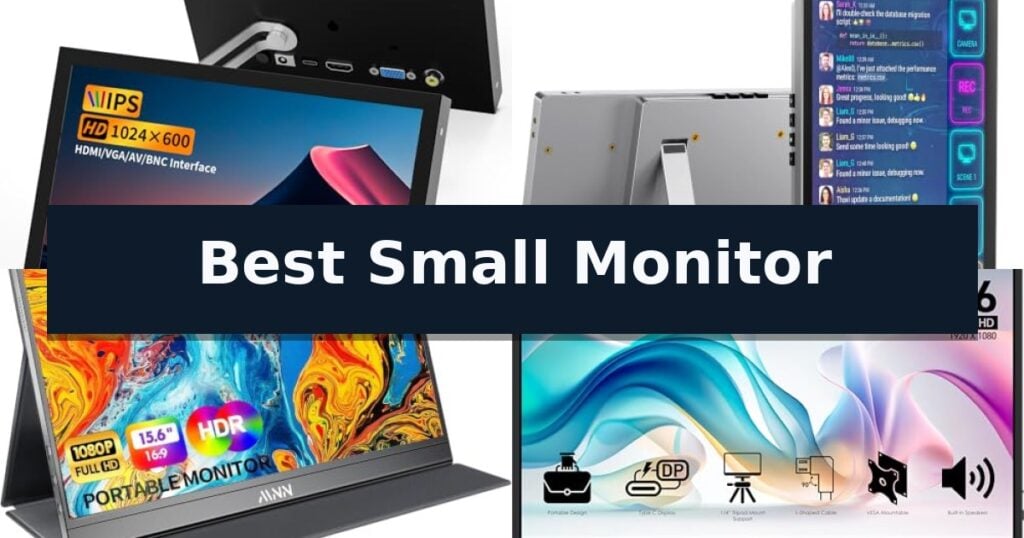
10 Best Small Monitor in 2026 Reviews
Quick Comparison
| Product | Best For | Key Strength | Score |
|---|---|---|---|
| Aurevita 7 Inch Mini Monitor | Best Overall | Versatile input options including HDMI, VGA, AV, and BNC. | 4.9 |
| KOGODA 12.3 Inch Stretched Monitor | Perfect Desktop Status Display | One-cable USB-C connectivity for simplified desk setups. | 4.3 |
| MNN 15.6 Inch Portable Monitor | Lightweight Travel Productivity | One-cable connectivity via full-feature Type-C ports. | 4.8 |
| msi Pro MP165 E6 Portable Monitor | Versatile Tripod-Ready Setup | Integrated 1/4-inch tripod mount for versatile, hands-free positioning. | 4.4 |
| ARZOPA 16.1 Inch Gaming Monitor | High Refresh Rate for Gaming | 144Hz refresh rate for smooth motion. | 4.8 |
| Sceptre 22 Inch Gaming Monitor | Compact Bezel-Free Desktop Choice | High refresh rate up to 144Hz for fluid visual performance. | 4.5 |
| Philips 24 Inch Computer Monitor | Reliable Office Workhorse | Virtually bezel-free design facilitates seamless multi-monitor setups. | 4.5 |
| Sceptre Prime 24 Inch Monitor | Smooth 100Hz Desktop Display | 100Hz refresh rate for smooth visual performance. | 4.3 |
| Dell 24 Plus Monitor | High-Performance Compact Workspace | 144Hz refresh rate for smooth motion. | 4.6 |
| Dell 27 Inch 4K Monitor | Sharp Detail in Small Footprint | 4K UHD resolution provides sharp, detailed visuals. | 4.9 |
How We Chose
When evaluating the Best Small Monitor, we focus on how these displays integrate into constrained environments. An experienced reviewer assesses the balance between display clarity, port accessibility, and mounting options to ensure the hardware meets the specific demands of a secondary screen or dedicated project display.
- Input versatility including support for HDMI, VGA, and USB-C.
- Display panel technology and viewing angles for consistent color.
- Physical footprint and mounting compatibility for desktop integration.
- Power delivery methods such as DC, USB, or single-cable solutions.
- Build quality and material durability for long-term use.
1 Aurevita 7 Inch Mini Monitor — Ultra-Compact for DIY Projects
The Aurevita 7 Inch Mini Monitor provides a versatile display solution for compact setups, featuring a 1024×600 resolution and a 178° IPS viewing angle. Its 500 nits brightness ensures clear visibility, making it a practical choice for users needing a small-scale visual interface for technical projects or monitoring systems.
Designed for flexibility, this monitor supports multiple inputs including HDMI, VGA, AV, and BNC, allowing it to connect to a wide range of devices such as Raspberry Pi, laptops, and CCTV systems. The unit is housed in a durable aluminum shell that remains lightweight, balancing portability with long-term resilience for various environments.
Powering the device is straightforward, with support for both 12V/1A DC and 5V/2A Micro USB connections. This dual-power capability allows for use with power banks, which is particularly useful for mobile or remote setups where traditional outlets may not be accessible.
While the monitor includes built-in speakers, it is important to note that it lacks dedicated volume buttons, requiring users to manage audio levels directly through their connected host device. Additionally, while it supports BNC inputs, users should verify if their camera requires an adapter for AHD, TVI, or CVI compatibility.
Best for: DIY enthusiasts and professionals requiring a compact, multi-input display for Raspberry Pi, security monitoring, or portable live-streaming setups.
Skip if: Users who require dedicated physical volume controls or built-in audio output jacks will find this monitor's reliance on host-device audio management inconvenient.
- Versatile input options including HDMI, VGA, AV, and BNC.
- Flexible power supply via DC or Micro USB for portable use.
- Durable aluminum shell that is both scratch-resistant and lightweight.
- High-quality IPS display with 178° viewing angles and 500 nits brightness.
- No dedicated volume buttons on the unit.
- Limited audio functionality with no external audio output jack.
2 KOGODA 12.3 Inch Stretched Monitor — Perfect Desktop Status Display
The KOGODA 12.3 Inch Stretched Monitor offers a unique, elongated form factor designed specifically for specialized desktop tasks. With its 1920 x 720 resolution and 12.3-inch IPS panel, this display serves as a secondary screen that fits neatly under or beside a primary monitor, providing a dedicated space for status dashboards, chat windows, or stream deck controls.
Engineered for versatility, the device features an anodized aluminum body and a built-in, hideaway magnetic stand that supports 85-degree rotation. This allows users to switch between landscape orientation for charts and portrait mode for vertical feeds. The integration of dual 1W speakers and a 3.5mm AUX jack adds audio functionality without requiring extra desk space.
Connectivity is streamlined through a full-function USB-C port that handles video, touch data, and power via a single cable. For broader compatibility, the monitor also includes HDMI and DC 5V inputs, making it compatible with Windows, Linux, Android, and Raspberry Pi systems without the need for additional drivers. The 5-point capacitive touchscreen ensures responsive interaction for various input tasks.
For users concerned about cursor management, an optional utility is available to automatically return the cursor to the primary display when interaction with the secondary screen concludes. Whether mounted via VESA holes or used as a standalone desktop accessory, this compact monitor provides a practical solution for expanding screen real estate in constrained environments.
Best for: Users needing a secondary, low-profile touchscreen for system monitoring, chat feeds, or custom control interfaces.
Skip if: Users requiring a high-refresh-rate display for competitive gaming or a large-format screen for primary content creation.
- One-cable USB-C connectivity for simplified desk setups.
- Versatile mounting options including VESA, Raspberry Pi, and PC case integration.
- Durable anodized aluminum construction with a space-saving hideaway stand.
- Responsive 5-point touch interface for interactive applications.
- Non-standard 1920×720 resolution may require specific software configuration for some applications.
- Limited audio output from the 1W dual speakers.
3 MNN 15.6 Inch Portable Monitor — Lightweight Travel Productivity
Maximizing desk space while maintaining high-resolution output is a common challenge for remote professionals and students. The MNN 15.6 Inch Portable Monitor addresses this by offering a 1920×1080 Full HD resolution in an ultra-slim, lightweight form factor that fits easily into standard laptop bags.
This monitor features an IPS glossy screen with a 178-degree viewing angle, ensuring color consistency even when viewed from the side. To support extended work sessions, it includes eye-care technology designed to reduce blue light radiation and eliminate flickering, which helps minimize eye strain during long periods of use.
Connectivity is streamlined through two full-feature Type-C ports, allowing for a single-cable setup for both power and display signals, provided the host device supports Thunderbolt 3.0 or USB 3.1 Type-C DP Alt-Mode. For added versatility, the monitor supports multiple display modes including Extended, Second Screen, and Portrait, making it adaptable for various workflows.
The package includes a scratch-proof smart cover made of durable PU leather. This cover serves a dual purpose, acting as a protective sleeve during transport and folding into an adjustable stand for both landscape and portrait orientations, providing a complete, ready-to-use solution for mobile productivity.
Best for: Travelers, students, and remote workers who need a lightweight, secondary display for multitasking on the go.
Skip if: Users whose host devices lack Thunderbolt 3.0 or USB 3.1 Type-C DP Alt-Mode, as they will require additional adapters or power configurations.
- One-cable connectivity via full-feature Type-C ports.
- Ultra-slim and lightweight design for easy portability.
- Versatile smart cover that doubles as a multi-angle stand.
- Eye-care features including blue light reduction and flicker-free technology.
- Compatibility requirements for USB-C display signals may limit use with older hardware.
4 msi Pro MP165 E6 Portable Monitor — Versatile Tripod-Ready Setup
Finding a reliable secondary display for mobile workflows often involves balancing screen real estate with portability. The msi Pro MP165 E6 Portable Monitor addresses this by integrating a 1/4-inch tripod mount directly into its chassis, allowing users to secure the display to standard camera gear for stable, eye-level viewing in any environment.
This 15.6-inch Full HD IPS display provides a crisp 1920×1080 resolution with wide 178-degree viewing angles, ensuring color consistency whether you are presenting to a group or working from a cramped cafe table. To support extended productivity, the panel features TÜV Rheinland certified Low Blue Light and Flicker Free technologies, which are engineered to reduce eye strain during long sessions.
Connectivity is streamlined through USB Type-C (DisplayPort 1.2a Alt Mode) and HDMI inputs, offering plug-and-play compatibility with laptops, gaming consoles like the PS5 and Xbox, and mobile devices. The inclusion of integrated built-in speakers and L-shaped cable plugs helps maintain a clutter-free workspace by minimizing side cable protrusion.
Designed for high-mobility users, the monitor weighs only 0.78kg and measures 1.38cm in thickness, making it easy to stow in most laptop sleeves. For those requiring a more permanent setup, the device also includes VESA mount compatibility, allowing it to attach to standard monitor arms or wall brackets when you return to your primary desk.
Best for: Professionals and gamers who need a highly portable, tripod-compatible second screen for travel or flexible workstation setups.
Skip if: Users who require high-refresh-rate gaming panels or integrated battery power, as this monitor relies on external device connectivity.
- Integrated 1/4-inch tripod mount for versatile, hands-free positioning.
- Ultra-slim and lightweight design at 0.78kg for effortless transport.
- TÜV Rheinland certified eye-care features for reduced strain.
- VESA mount compatibility for flexible desktop integration.
- Lacks an internal battery, requiring a direct connection to a host device for power.
- Standard 60Hz refresh rate may not satisfy competitive gaming requirements.
5 ARZOPA 16.1 Inch Gaming Monitor — High Refresh Rate for Gaming
The ARZOPA 16.1 Inch Gaming Monitor distinguishes itself with a high 144Hz refresh rate, providing fluid motion clarity for gaming and video playback. This portable display is designed for users who require a secondary screen that balances high-speed performance with a slim, lightweight form factor.
Equipped with a 106% sRGB IPS screen, the monitor delivers vibrant color reproduction at 1080P FHD resolution. The inclusion of a built-in kickstand allows for precise tilt adjustments, making it adaptable for various desk setups or travel environments. Its ultra-slim profile ensures it remains easy to transport alongside a laptop or gaming console.
Connectivity is handled via two fully functional USB Type-C ports and a Mini HDMI port, supporting a plug-and-play experience across devices like Mac, PC, PS5, Xbox, and Steam Deck. The monitor supports both horizontal and vertical orientations, allowing users to optimize their workspace for multitasking or specific content viewing needs.
While the device offers high-speed visual output, it is important to note that it does not include adaptive sync or FreeSync technology. It is a dedicated solution for those prioritizing a high refresh rate in a portable, secondary display format.
Best for: Gamers and professionals who need a high-refresh-rate secondary display that is easy to transport and quick to set up.
Skip if: Users who require adaptive sync or FreeSync technologies for their gaming setup will find this model unsuitable.
- 144Hz refresh rate for smooth motion.
- 106% sRGB color gamut for vivid visuals.
- Integrated kickstand for adjustable viewing angles.
- Plug-and-play connectivity with USB-C and Mini HDMI.
- No adaptive sync or FreeSync support.
6 Sceptre 22 Inch Gaming Monitor — Compact Bezel-Free Desktop Choice
Optimizing a compact workstation requires balancing screen real estate with physical desk footprint, a challenge the Sceptre New 22-Inch Gaming Monitor addresses through its efficient 22-inch display and slim profile. By utilizing a minimal bezel design, this monitor minimizes the physical frame around the screen, which is particularly advantageous for users aiming to maintain a clean, distraction-free environment or those configuring a dual-monitor setup where a continuous visual field is preferred.
Performance is driven by a high refresh rate of up to 144Hz, a specification that facilitates fluid motion during fast-paced visual tasks. This capability is supported by versatile connectivity options, including HDMI and DisplayPort inputs, allowing the monitor to interface reliably with a wide range of modern computing hardware. These inputs ensure that the high-refresh-rate performance remains consistent across different workstation configurations.
To support user comfort during extended sessions, the monitor incorporates Blue-Light Shift technology. This feature functions by adjusting the color spectrum to reduce the emission of blue light, a design choice intended to mitigate eye strain. This is a practical consideration for users who spend significant time at their desks, as it addresses the physical fatigue often associated with prolonged screen exposure.
The unit further streamlines the workspace by including built-in speakers. By integrating audio output directly into the monitor housing, the need for external desktop speakers is eliminated, effectively reducing cable clutter and reclaiming valuable desk surface area. While this provides a functional audio solution for daily tasks, users seeking high-fidelity sound may still prefer dedicated external audio systems as a trade-off for the convenience of an all-in-one design.
Best for: Users seeking a compact, high-refresh-rate display that integrates audio and eye-comfort features into a small desk footprint.
Skip if: Users requiring a larger screen size for professional creative work or those who prefer dedicated high-fidelity external audio systems.
- High refresh rate up to 144Hz for fluid visual performance.
- Minimal bezel design ideal for seamless dual-monitor arrangements.
- Blue-Light Shift technology to help reduce eye strain.
- Integrated speakers to keep desk space clutter-free.
- 22-inch size may be too small for users prioritizing expansive screen real estate.
7 Philips 24 Inch Computer Monitor — Reliable Office Workhorse
A clean workspace often begins with the right display, and the Philips 24 Inch Computer Monitor offers a streamlined approach for those balancing productivity with desk space. This 23.8-inch display utilizes a VA panel to deliver 1920×1080 Full HD resolution, prioritizing visual clarity for daily tasks and media consumption.
The monitor is built with a virtually bezel-free design on three sides, which minimizes the physical footprint and supports seamless multi-monitor configurations. Its 178/178 degree extra wide viewing angle ensures that color consistency remains stable even when looking at the screen from an offset position, a practical benefit for collaborative work environments.
For users who spend significant time reading, the EasyRead mode provides a more paper-like experience, reducing eye strain during long document reviews. The inclusion of Adaptive Sync technology and a 100Hz refresh rate helps maintain fluid motion, while the Low Blue Light setting is designed to support a more comfortable viewing experience over extended periods.
Practicality extends to the physical design, which features tilt adjustment to help achieve a comfortable viewing angle. The unit is backed by a 4-year advance replacement warranty, providing long-term support for the hardware. This monitor is a straightforward, reliable tool for office workflows where space and visual consistency are primary requirements.
Best for: Office professionals and home users who need a compact, reliable display for document-heavy workflows and multi-monitor setups.
Skip if: Users requiring specialized color accuracy for professional graphic design or those needing high-resolution 4K panels for detailed creative work.
- Virtually bezel-free design facilitates seamless multi-monitor setups.
- VA panel technology provides high contrast and consistent wide viewing angles.
- EasyRead mode creates a comfortable, paper-like experience for text-heavy tasks.
- 4-year advance replacement warranty offers significant long-term hardware support.
- Standard 1080p resolution may lack the sharpness required for high-end creative work.
- Limited ergonomic adjustments beyond basic tilt functionality.
8 Sceptre Prime 24 Inch Monitor — Smooth 100Hz Desktop Display
Finding a display that balances desk space with visual clarity is essential for a streamlined workspace. The Sceptre Prime 24 Inch Monitor (E248W-FW100T) addresses this by combining a compact 24-inch form factor with a high-performance 100Hz refresh rate, ensuring fluid motion for both professional tasks and gaming.
This monitor utilizes an edgeless design to maximize screen real estate, effectively reducing distractions during use. With a 1920 x 1080 resolution and a 100% sRGB color gamut, it provides a wide variance in color reproduction, resulting in a more naturalistic image. The inclusion of DisplayPort and HDMI 2.0 ports supports the 100Hz refresh rate, which is a significant step up from standard 60Hz panels.
For those concerned about long-term comfort, the monitor features Blue Light Shift technology, which filters out harmful blue light to reduce eye strain during extended sessions. Additionally, the unit includes built-in speakers, which help maintain a minimalist desk setup by eliminating the need for external audio hardware.
Versatility is a core component of its design, as the monitor is VESA wall mountable. This allows users to reclaim desk space or adjust the viewing angle to their specific ergonomic needs. It also includes specialized FPS and RTS game modes, which are pre-calibrated settings designed to enhance visibility in fast-paced gaming environments.
Best for: Users seeking a space-saving, high-refresh-rate display that integrates essential features like built-in audio and eye-care technology.
Skip if: Users requiring higher resolutions like 1440p or 4K for professional graphic design or video editing work.
- 100Hz refresh rate for smooth visual performance.
- 100% sRGB color gamut for accurate and vibrant color reproduction.
- Edgeless design maximizes the viewing area while keeping the footprint small.
- VESA mount compatibility allows for flexible installation options.
- Integrated speakers may not match the audio fidelity of dedicated external sound systems.
- Limited to 1080p resolution, which may not be sufficient for high-detail creative tasks.
9 Dell 24 Plus Monitor — High-Performance Compact Workspace
A high-refresh-rate display is often the primary requirement for a responsive desktop experience, and the Dell 24 Plus Monitor addresses this with a 144Hz refresh rate and a 1ms Moving Picture Response Time (MPRT). This combination is designed to provide fluid motion, making it a capable choice for users who prioritize visual smoothness in a compact, 23.8-inch form factor.
Beyond its speed, the monitor features a 1500:1 contrast ratio and FHD resolution, which work together to maintain image clarity. The display is also TÜV-certified for eye comfort, incorporating technology to reduce blue light emissions without sacrificing color accuracy, a practical consideration for extended periods of use.
Usability is enhanced through a versatile stand that supports height, tilt, pivot, and swivel adjustments, allowing for a customized viewing position. The inclusion of integrated dual 3W speakers provides an all-in-one audio solution, reducing the need for external peripherals on a crowded desk.
To streamline management, the monitor is compatible with the Dell Display and Peripheral Manager application. This software allows users to optimize workspace settings directly from their PC, ensuring that the display performance remains consistent with their specific workflow requirements.
Best for: Users seeking a high-refresh-rate, adjustable display for a compact workspace that integrates audio and eye-comfort features.
Skip if: Users who require a higher resolution than 1080p or a larger screen size for professional creative work or multi-window multitasking.
- 144Hz refresh rate for smooth motion.
- Ergonomic stand with full height, tilt, pivot, and swivel adjustments.
- Integrated 3W speakers for a clutter-free desk.
- TÜV-certified blue light reduction for eye comfort.
- 1080p resolution may be limiting for users needing higher pixel density.
- 23.8-inch size is fixed and may not suit all desk configurations.
10 Dell 27 Inch 4K Monitor — Sharp Detail in Small Footprint
Maintaining a clean, productive workspace often requires balancing screen real estate with a compact footprint. The Dell 27 Monitor S2725QS addresses this by integrating a high-resolution 4K UHD IPS panel into a sleek, minimalist frame featuring ultra-thin bezels and an elegant ash white finish. This design choice maximizes the active display area while keeping the overall dimensions manageable for smaller desks.
Performance is driven by a 120Hz refresh rate paired with AMD FreeSync Premium technology, which works to minimize screen tearing during motion-intensive tasks. The display also incorporates Improved ComfortView Plus hardware, designed to reduce harmful blue light emissions to 35% or less while maintaining color accuracy for extended work sessions. This hardware-level solution provides a practical advantage for users who spend long hours in front of the screen, as it manages eye strain without the yellow tint often associated with software-based filters.
Visual fidelity is supported by a 1,500:1 contrast ratio and 99% sRGB color coverage, ensuring depth and detail for creative or professional applications. The 4K UHD resolution provides the pixel density necessary for sharp text and detailed imagery. Beyond the screen, the monitor includes re-engineered integrated audio with increased output power and a broader frequency response compared to previous generations, offering a more robust sound profile for media consumption.
Ergonomics and connectivity are central to its design, offering a height-adjustable stand with swivel and pivot capabilities. The inclusion of HDMI, DisplayPort, and USB-C ports provides versatile options for modern workstations, while the 0.03ms response time ensures rapid input feedback. This combination of features makes it a capable tool for professionals who need a reliable, high-resolution display that does not dominate their entire workspace.
Best for: Professionals and creators who require high-resolution 4K clarity and smooth motion in a space-saving, aesthetically refined design.
Skip if: Users who require a larger display for specialized multi-window workflows or those who prioritize professional-grade color gamut coverage beyond sRGB.
- 4K UHD resolution provides sharp, detailed visuals.
- 120Hz refresh rate ensures smooth motion for work and media.
- Improved ComfortView Plus reduces blue light without compromising color.
- Versatile connectivity including USB-C, HDMI, and DisplayPort.
- Fixed 27-inch size may not suit users needing larger screen real estate.
- sRGB color space is standard, which may limit professional color-grading workflows.
Best Small Monitor Buying Guide
Connectivity and Compatibility
The primary consideration for any compact display is how it communicates with your host device. Monitors featuring USB-C with DisplayPort Alt Mode offer the cleanest setups, often handling both power and video through a single cable.
For legacy hardware or specialized projects like Raspberry Pi, HDMI and VGA inputs remain essential. Always verify that the monitor supports the specific signal type your host device outputs, as adapters can introduce latency or connection instability.
Panel Quality and Resolution
While higher resolution is generally preferred, smaller screens often prioritize pixel density over raw pixel count. An IPS panel is highly recommended for these sizes, as it provides the wide viewing angles necessary when the monitor is positioned at unconventional desk angles.
Brightness levels should also be considered, especially if the screen will be used in a well-lit office or as a status display inside a PC case. Look for matte finishes if you are concerned about glare from overhead lighting.
Mounting and Ergonomics
Compact monitors often lack the standard height-adjustable stands found on larger displays. Evaluate whether the model includes VESA mounting holes or integrated tripod mounts, which provide significantly more flexibility for positioning.
If you plan to use the monitor as a secondary screen, consider the footprint of the included stand. Some models feature magnetic or hideaway stands that allow for a flush, unobtrusive profile on a crowded desk.
Power Requirements
Power management is a frequent point of friction for small displays. Some units require a dedicated 12V DC power brick, which can add clutter to your workspace, while others can draw sufficient power directly from a USB port on your computer.
Check the power specifications carefully to ensure your intended power source can provide the necessary voltage and amperage. Using an underpowered source can lead to flickering, dimmed backlights, or intermittent signal loss.
Audio and Utility Features
Many small monitors include built-in speakers to save desk space, though their audio quality is typically limited. If you rely on these for system sounds, confirm whether the volume is controlled via the monitor itself or the host operating system.
Additional features like low blue light modes or flicker-free technology can improve comfort during extended use. These are particularly valuable if the monitor is positioned close to your primary line of sight for long periods.
Frequently Asked Questions
Can I use a small monitor as my primary display?
While technically possible, small monitors are generally designed for secondary tasks like status monitoring, chat windows, or specialized project interfaces rather than primary computing.
Do I need special drivers for these monitors?
Most modern small monitors are plug-and-play, meaning they use standard HDMI or USB-C protocols that do not require proprietary drivers for basic operation.
How do I mount a monitor that lacks a stand?
Many compact monitors feature VESA mounting patterns or 1/4-inch tripod threads, allowing you to use third-party arms, wall mounts, or camera tripods for flexible positioning.
Will a USB-C monitor work with any laptop?
Only if your laptop's USB-C port supports DisplayPort Alt Mode. Check your laptop's technical specifications to confirm compatibility before purchasing a single-cable monitor.
Why does my monitor screen look blurry?
Blurriness is often caused by the monitor not running at its native resolution. Ensure your computer's display settings are set to match the monitor's specific resolution, such as 1024×600 or 1920×1080.
Conclusion: Our Top Pick
Our top pick is Aurevita 7 Inch Mini Monitor. Choosing the right compact display depends heavily on your specific integration needs, whether that involves a simple desk-side secondary screen or a complex DIY project. Prioritizing input compatibility and mounting flexibility will ensure your chosen monitor functions reliably within your existing setup.
By focusing on the practical requirements of your workspace, you can select a display that enhances your productivity without creating unnecessary clutter. Carefully matching the monitor's power and connection capabilities to your host device remains the most effective way to guarantee a seamless experience.