Samsung M8 M80F Smart Monitor is our pick for the Best Smart Monitors because it integrates a versatile 4K display with a comprehensive suite of streaming apps, an included camera, and convenient USB-C power delivery for a streamlined desk setup.
Selecting a smart monitor requires balancing traditional display performance with the convenience of built-in operating systems. Unlike standard monitors, these devices function as standalone entertainment hubs, allowing users to stream content, access cloud-based office applications, and manage smart home devices without needing a connected PC.
When evaluating these displays, consider how the interface interacts with your existing ecosystem. Features like AirPlay, screen mirroring, and native app support determine whether the monitor acts as a true productivity tool or merely a secondary screen for media consumption.
When setting up your workspace, finding the Best Smart Monitor can significantly simplify your cable management and improve overall productivity.
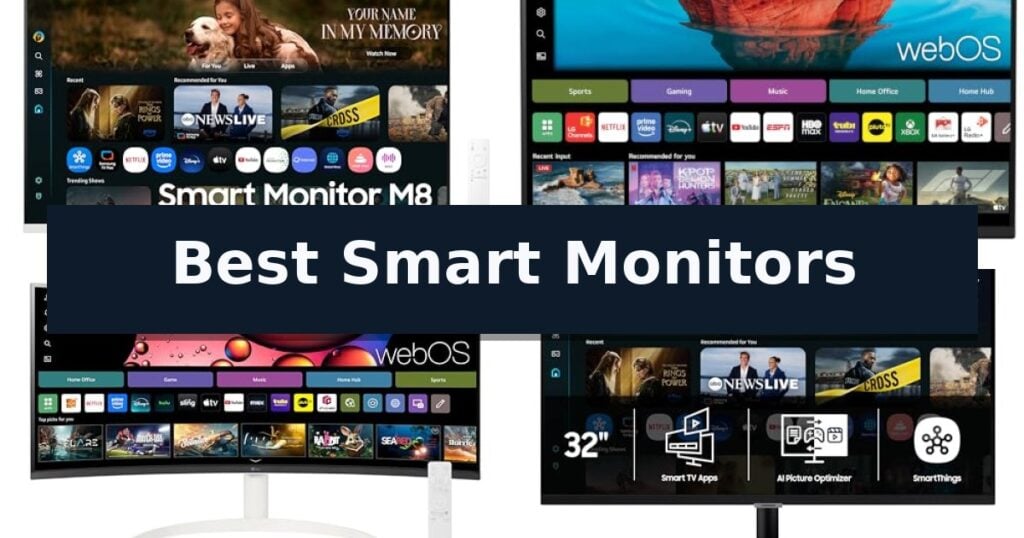
9 Best Smart Monitors in 2026 Reviews
Quick Comparison
| Product | Best For | Key Strength | Score |
|---|---|---|---|
| Samsung M8 M80F Smart Monitor | Best Overall | All-in-one functionality with built-in streaming apps and gaming hub. | 4.9 |
| LG 32U701SB Smart Monitor | Best 4K Visual Clarity | PC-free productivity via integrated webOS and cloud-based office apps. | 4.6 |
| LG 34SR60QC Smart Monitor | Best Ultrawide Multitasking | Integrated webOS23 allows for streaming and cloud computing without an external PC. | 4.4 |
| Samsung M7 M70F Smart Monitor | Best Value 4K Smart Display | 4K UHD resolution for high-clarity visuals. | 4.6 |
| Samsung Movingstyle Essential Smart Monitor | Best Portable Rolling Design | Height-adjustable rolling stand for effortless room-to-room mobility. | 4.8 |
| Samsung M5 M50F Smart Monitor | Best Entry-Level Streaming | Integrated Gaming Hub allows for console-free gaming via streaming partners. | 4.3 |
| Acer KS272 Smart Monitor | Best WebOS Integration | Integrated WebOS platform for native streaming. | 4.6 |
| Acer KS242Y Smart Monitor | Best Compact Smart Hub | Integrated WebOS provides native access to streaming services and smart home management. | 4.3 |
| LG 34SR63QA Smart Monitor | Best Curved Streaming Experience | Built-in webOS for direct access to streaming apps without a PC. | 4.8 |
How We Chose
To identify the top smart monitors, we evaluate how effectively each model bridges the gap between a high-resolution computer display and a standalone streaming device. We prioritize models that offer seamless OS navigation, robust connectivity for peripherals, and ergonomic flexibility, ensuring the hardware supports both intensive work tasks and high-quality media consumption.
- Display resolution and panel technology for visual clarity
- Smart operating system integration and app availability
- Connectivity options including USB-C power delivery and ports
- Ergonomic adjustments and physical build quality
- Integrated hardware features like cameras and speakers
1 Samsung M8 M80F Smart Monitor — Best for All-in-One Productivity
The Samsung M8 M80F Smart Monitor integrates a 32-inch 4K UHD VA display with a versatile suite of streaming and productivity features, effectively bridging the gap between a traditional computer display and a standalone entertainment hub. By utilizing an NQM AI Processor, this monitor provides 4K AI upscaling and picture optimization, ensuring that both media content and workspace visuals maintain clarity.
Designed for a clutter-free desk, the monitor includes a detachable SlimFit camera for video conferencing and supports up to 65W USB-C power delivery, allowing users to charge compatible laptops directly through a single cable connection. The inclusion of built-in 10W speakers and a dedicated remote control further emphasizes its role as an all-in-one device that operates independently of a PC.
Beyond its display capabilities, the unit features Samsung's Gaming Hub and access to various Smart TV apps, enabling direct streaming or cloud gaming via Wi-Fi and Bluetooth. The hardware is supported by a height-adjustable pivot stand, allowing for ergonomic adjustments, while features like Multi View and Eye Saver Mode cater to multitasking and extended viewing sessions.
While the monitor offers significant versatility, users should note that the VA panel technology is optimized for general productivity and media consumption rather than professional-grade color-critical work. The integration of Knox Security and Active Voice Amplifier Pro adds layers of utility, making this a robust choice for users seeking a consolidated desktop environment.
Best for: Users who want to consolidate their workspace and entertainment center into a single, PC-free display solution.
Skip if: Professional designers or editors who require specific color-accurate panel technologies or higher refresh rates for competitive gaming.
- All-in-one functionality with built-in streaming apps and gaming hub.
- 65W USB-C power delivery for convenient single-cable laptop charging.
- 4K AI upscaling and picture optimization for improved visual quality.
- Included SlimFit camera for integrated video conferencing.
- VA panel technology may not meet the needs of professional color-critical workflows.
- 60Hz refresh rate is limited for high-end competitive gaming applications.
2 LG 32U701SB Smart Monitor — Best 4K Visual Clarity
The LG 32U701SB Smart Monitor distinguishes itself by integrating a powerful alpha 7 AI Processor 4K Gen9, which serves as the central brain for real-time picture and sound optimization. This 32-inch display offers a native 4K UHD (3840×2160) resolution, ensuring high visual clarity for both professional tasks and immersive entertainment.
Designed for versatility, the monitor features webOS, allowing users to access essential office applications and cloud-based services directly on the screen without needing a connected PC. For those who require a secondary workstation, the Remote PC capability provides seamless access to external computers, while the LG Gaming Portal offers instant entry to cloud gaming services like Xbox Cloud Gaming and GeForce NOW.
The display is engineered for high-quality visuals, boasting 90% DCI-P3 color gamut coverage and HDR10 support. To maintain consistent image quality, the monitor utilizes AI Picture Pro for 4K upscaling and Dynamic Tone Mapping Pro, which balances brightness and detail across various scenes. The Auto Brightness Control further enhances the experience by adjusting the screen output based on ambient lighting conditions.
Audio performance is managed by AI Sound Pro, which creates a virtual 9.1.2 channel surround sound environment. The system intelligently separates voices, music, and sound effects to improve clarity. Additionally, the LG Gallery+ feature provides access to over 4,500 curated artworks, allowing the monitor to function as a digital display piece when not in active use.
For connectivity and ergonomics, the unit includes standard HDMI and USB-A ports. The included tilt stand allows for basic adjustments to ensure a comfortable viewing angle. Users can also utilize the AI Picture Wizard, which analyzes preferences across 1.6 billion image possibilities to generate a personalized picture profile tailored to individual visual tastes.
Best for: Users who want a PC-free workspace that doubles as a high-end streaming and cloud gaming hub.
Skip if: Users who require a high-refresh-rate panel for competitive gaming or those who need a monitor with height-adjustable and swivel ergonomic features.
- PC-free productivity via integrated webOS and cloud-based office apps.
- AI-enhanced visuals with 4K upscaling and real-time picture optimization.
- Cloud gaming support through native access to major streaming platforms.
- Virtual 9.1.2 channel audio for immersive sound without external speakers.
- Limited ergonomic adjustments restricted to a basic tilt stand.
- Standard 60Hz refresh rate may not meet the needs of competitive gamers.
3 LG 34SR60QC Smart Monitor — Best Ultrawide Multitasking
The LG 34SR60QC Smart Monitor integrates a 34-inch ultrawide display with built-in webOS23, allowing users to transition seamlessly between professional multitasking and streaming entertainment without needing an external computer. Its 21:9 aspect ratio provides a 34% wider field of view compared to standard 16:9 monitors, while the 1800R curvature is engineered to create an immersive, panoramic visual experience.
Designed for versatility, this monitor features 99% sRGB color gamut coverage and HDR10 support, ensuring vibrant color reproduction for both creative work and media consumption. The inclusion of Apple AirPlay 2 and HomeKit compatibility enables wireless screen mirroring and control from iOS or macOS devices, simplifying the setup for users within the Apple ecosystem.
Productivity is further enhanced by the ability to access cloud-based services like Microsoft 365 and Google applications directly through the interface. Connectivity is managed via two HDMI ports and three USB-A ports, providing sufficient options for peripherals and gaming consoles. The unit also supports the LG Magic Remote, which allows for voice-activated navigation through streaming apps like Netflix, Disney+, and Prime Video.
The LG 34SR60QC Smart Monitor features a minimalist, 3-side virtually frameless design that fits into modern workspaces. While it includes a tilt-adjustable stand for ergonomic positioning, the ultrawide footprint requires significant desk space. This display serves as a comprehensive hub for those who prioritize a clutter-free environment by consolidating streaming and computing capabilities into a single, curved panel.
Best for: Users who want to combine a high-resolution ultrawide workspace with integrated streaming and cloud-based productivity apps in one device.
Skip if: Users who require a standard 16:9 aspect ratio or those with limited desk space who cannot accommodate a 34-inch curved ultrawide footprint.
- Integrated webOS23 allows for streaming and cloud computing without an external PC.
- 34-inch Ultrawide QHD resolution with 1800R curvature for immersive viewing.
- Apple AirPlay 2 and HomeKit support for seamless wireless connectivity.
- 99% sRGB color gamut and HDR10 support for accurate, vibrant visuals.
- Large physical footprint may not fit on smaller or compact desks.
- Magic Remote is sold separately rather than included in the box.
4 Samsung M7 M70F Smart Monitor — Best Value 4K Smart Display
Integrating a high-resolution display with comprehensive smart home management, the Samsung 32”M7 (M70F) Series 4K UHD Smart Monitor serves as a versatile hub for both productivity and entertainment. This monitor distinguishes itself by eliminating the need for a separate PC or console, offering direct access to streaming content and gaming platforms through an integrated interface.
The device features 4K UHD resolution to ensure sharp, detailed visuals, while the AI Picture Optimizer automatically adjusts image quality to suit specific tasks, whether you are drafting documents or gaming. To enhance the audio experience, the monitor utilizes Active Voice Amplifier technology, which monitors ambient noise levels and dynamically adjusts volume to maintain clear dialogue.
Beyond display performance, the monitor acts as a command center for your living space. Users can view and manage smart home devices via a 3D Map View and monitor energy consumption directly on the screen. Security is managed through Samsung Knox, which provides multi-layered protection for both local data and connected IoT devices.
For those who enjoy interactive content, the Click to Search feature provides instant access to actor biographies and filmographies while you watch. The inclusion of the Samsung Gaming Hub further expands its utility, allowing users to stream games from top partners without additional hardware, making it a robust solution for a streamlined workspace.
Best for: Users who want a multifunctional display that combines 4K productivity, integrated streaming apps, and smart home control in one device.
Skip if: Users who require a professional-grade color-accurate monitor for specialized creative work or those who prefer a traditional, non-smart display setup.
- 4K UHD resolution for high-clarity visuals.
- Samsung Gaming Hub allows for console-free gaming.
- Smart home management via integrated 3D Map View.
- Active Voice Amplifier ensures clear audio in noisy environments.
- Samsung Knox security protects connected IoT data.
- Smart features may be unnecessary for users seeking a simple, dedicated PC monitor.
5 Samsung Movingstyle Essential Smart Monitor — Best Portable Rolling Design
The Samsung 32" The Movingstyle Essential 4K UHD Smart Monitor redefines versatility by integrating a height-adjustable rolling stand, allowing users to transition their workspace or entertainment setup between rooms with ease. This mobility is supported by a weighted base equipped with hidden urethane wheels, ensuring that movement remains stable and quiet across various floor surfaces.
Beyond its physical flexibility, the monitor features a 32-inch display with 4K UHD resolution and an NQM AI Processor, which work in tandem to provide enhanced image clarity. The design maintains a clean, minimalist aesthetic through its cylindrical column and rounded base, while the screen itself offers full ergonomic control with the ability to pivot, swivel, and tilt to match specific viewing requirements.
Functionality extends well beyond traditional computing, as the device includes built-in Smart TV Apps for instant content access and a dedicated Gaming Hub. This hub allows users to stream top games directly without the need for a separate PC or console, effectively turning the monitor into a self-contained entertainment station.
This unit is built to serve as a comprehensive, all-in-one solution for those who prioritize a clutter-free environment and the ability to relocate their display at a moment's notice. While it offers significant convenience, users should note that the integrated stand design is a permanent feature of this specific model, making it best suited for open floor plans rather than cramped, static desk setups.
Best for: Users who require a mobile, all-in-one 4K display that can easily transition between home office, living room, and gaming environments.
Skip if: Users with limited floor space or those who prefer a traditional, fixed-position monitor mount for a standard desk setup.
- Height-adjustable rolling stand for effortless room-to-room mobility.
- NQM AI Processor for enhanced 4K UHD picture quality.
- Integrated Gaming Hub allows for console-free gaming.
- Flexible ergonomics with pivot, swivel, and tilt capabilities.
- Fixed rolling stand design may not suit users seeking a standard desktop mount.
- Large physical footprint requires dedicated floor space for movement.
6 Samsung M5 M50F Smart Monitor — Best Entry-Level Streaming
The Samsung 27-Inch M5 (M50F) Series FHD Smart Monitor integrates streaming and productivity into a single display, allowing users to bypass external hardware for media consumption. By consolidating streaming applications and free content through Samsung TV Plus, this monitor functions as a standalone entertainment hub rather than a traditional computer peripheral.
Performance is enhanced by Adaptive Sound technology, which utilizes audio scenic intelligence to analyze content in real-time and adjust output accordingly. For users interested in gaming, the built-in Gaming Hub provides access to cloud-based titles from major streaming partners, eliminating the requirement for a dedicated PC or console to begin playing.
Connectivity is a primary focus, with the device supporting seamless mobile integration to project videos, documents, and photos directly onto the screen. The monitor also includes a Workout Tracker and various vision accessibility tools, expanding its utility beyond standard office tasks or media playback.
While the Samsung 27-Inch M5 (M50F) Series offers a versatile feature set, it is optimized for users who prioritize an all-in-one streaming experience. The inclusion of multiple ports and a clean, white aesthetic makes it a functional addition to workspaces where desk space is limited and cable management is a priority.
Best for: Users who want to combine a computer monitor with a dedicated streaming and cloud-gaming platform in a single device.
Skip if: Users who require high-resolution professional color accuracy or high-refresh-rate gaming performance beyond cloud-based streaming.
- Integrated Gaming Hub allows for console-free gaming via streaming partners.
- Adaptive Sound technology optimizes audio based on real-time content analysis.
- Built-in streaming apps and Samsung TV Plus provide immediate access to content.
- Seamless mobile connectivity for easy screen mirroring of photos and documents.
- FHD resolution may not meet the needs of users requiring 4K clarity for detailed design work.
- Cloud-dependent gaming relies entirely on internet connection quality.
7 Acer KS272 Smart Monitor — Best WebOS Integration
The Acer KS272 Smart Monitor distinguishes itself by integrating the WebOS platform directly into a 27-inch IPS display, effectively bridging the gap between a traditional computer monitor and a standalone smart TV. This device is designed for users who want to consolidate their workspace, offering native streaming capabilities for platforms like Netflix and YouTube alongside a zero-frame design that maximizes screen real estate.
Beyond its display capabilities, the monitor functions as a central IoT device for your smart home ecosystem. It supports wireless projection via Airplay and Miracast, allowing for seamless content sharing from mobile devices. For those working or learning from home, the remote PC function provides access to computing resources without requiring a dedicated laptop connection, while the inclusion of USB camera support facilitates streamlined video conferencing.
Technical performance is supported by a 120Hz refresh rate and HDR 10 support, ensuring fluid motion and enhanced color depth. The monitor features sRGB 99% color saturation and a 14ms response time, making it suitable for a variety of media consumption tasks. Connectivity is robust, featuring two HDMI 1.4 ports, an Ethernet port for stable network connections, and two USB 2.0 ports for peripherals.
The physical design emphasizes ergonomics and utility, featuring a tilt range of -5° to 15° and VESA mounting compatibility for flexible installation. While the monitor includes two 3-watt speakers for basic audio, users can utilize Bluetooth connectivity to pair wireless speakers for a more immersive theatrical experience. This all-in-one approach provides a versatile solution for users looking to reduce clutter while maintaining high functionality.
Best for: Users seeking an all-in-one display that combines smart TV streaming features with traditional monitor functionality for home offices and entertainment.
Skip if: Users requiring high-performance gaming specifications, such as ultra-low response times or high-end color accuracy for professional creative work.
- Integrated WebOS platform for native streaming.
- Seamless wireless projection via Airplay and Miracast.
- Centralized IoT device management capabilities.
- Convenient remote PC functionality for work-from-home setups.
- Webcam not included in the package.
- Limited to 1080p resolution on a 27-inch panel.
8 Acer KS242Y Smart Monitor — Best Compact Smart Hub
The Acer KS242Y Smart Monitor integrates a 23.8-inch Full HD IPS display with WebOS, transforming a standard workspace into a centralized hub for both productivity and entertainment. By incorporating native support for streaming platforms like Netflix and YouTube, this monitor functions as an independent media device without requiring a constant connection to a PC.
Designed for modern connectivity, the monitor features wireless projection capabilities via Airplay and Miracast, allowing users to stream content directly from mobile devices or laptops. The inclusion of Bluetooth support enables the connection of external speakers, enhancing the audio experience beyond the integrated 3-watt stereo speakers.
For remote work environments, the device offers a remote PC function and supports external USB webcams, such as the Logitech C920 series, to facilitate video conferencing. Its role as an IoT device allows it to serve as a control center for smart home ecosystems, while the 120Hz refresh rate and 99% sRGB color saturation provide a responsive and color-accurate visual experience.
The physical design emphasizes versatility with a zero-frame aesthetic and VESA mounting compatibility. Users can adjust the tilt from -5 to 15 degrees for ergonomic comfort, while the inclusion of two HDMI 1.4 ports, two USB 2.0 ports, and an Ethernet port ensures reliable connectivity for various peripherals and network configurations.
Best for: Users seeking a compact, all-in-one display that combines PC monitor functionality with integrated smart TV features and IoT home control.
Skip if: Users who require high-resolution 4K displays or specialized professional-grade color accuracy for intensive creative workflows.
- Integrated WebOS provides native access to streaming services and smart home management.
- Wireless projection support via Airplay and Miracast for seamless device mirroring.
- High 120Hz refresh rate offers smooth visual performance for a smart monitor.
- Versatile connectivity including Ethernet, HDMI, and USB ports for peripheral support.
- Webcam not included, requiring a separate purchase of a compatible model for video conferencing.
- Limited to 1080p resolution, which may not satisfy users needing higher pixel density.
9 LG 34SR63QA Smart Monitor — Best Curved Streaming Experience
The LG 34SR63QA Smart Monitor transforms the desktop experience by integrating a 34-inch UltraWide QHD (3440×1440) display with a built-in webOS streaming platform. This unique combination allows users to transition seamlessly from professional multitasking to consuming content from services like Netflix and Disney+ without needing a secondary device or a connected PC.
Designed with a 1800R curvature, the monitor provides a panoramic view that enhances immersion while maintaining a 21:9 aspect ratio. The panel supports HDR10 and covers up to 99% sRGB color gamut, ensuring vibrant visuals for both work and entertainment. Its 3-side, virtually frameless design and sleek white finish make it a clean, modern centerpiece for any workspace.
Connectivity is handled through a versatile USB Type-C port that offers up to 65W power delivery, allowing users to charge laptops while transmitting data and video over a single cable. Additional inputs include two HDMI ports and two USB 3.0 ports, while wireless capabilities like Apple AirPlay 2 and Bluetooth enable easy screen mirroring and peripheral integration.
For productivity, the monitor supports cloud-based applications like Microsoft 365 directly through the interface. Navigation is simplified via the Magic Remote (sold separately) or by using a standard wireless keyboard and mouse, offering a flexible control scheme that adapts to the user's preferred workflow.
Best for: Users who want a single, wide-format display that functions as both a high-resolution PC monitor and a standalone streaming television.
Skip if: Users who require a flat screen for precision design work or those who need a higher refresh rate than 100Hz for competitive gaming.
- Built-in webOS for direct access to streaming apps without a PC.
- USB Type-C with 65W power delivery for simplified cable management.
- 34-inch UltraWide QHD display with an immersive 1800R curve.
- Wireless connectivity including AirPlay 2 and Bluetooth.
- Magic Remote for voice control and advanced navigation is sold separately.
- 100Hz refresh rate may not meet the needs of high-end competitive gamers.
Best Smart Monitors Buying Guide
Understanding Smart Monitor Connectivity
Smart monitors distinguish themselves from standard panels through their ability to act as independent hubs. Look for models featuring USB-C ports with power delivery, which allow you to charge your laptop while simultaneously transmitting video and data through a single cable.
Beyond USB-C, consider the number of HDMI ports and wireless connectivity options. Bluetooth support is essential for connecting keyboards, mice, or external speakers, while built-in Wi-Fi is necessary for accessing streaming services and cloud-based productivity suites without a wired connection.
Operating System and App Ecosystems
The smart functionality is typically powered by a proprietary operating system, such as Samsung's Tizen or LG's webOS. These platforms determine which streaming services, cloud gaming portals, and productivity apps are available natively on the display.
Before purchasing, verify that the monitor supports the specific services you use most frequently. Some models offer better integration with smart home ecosystems, allowing you to monitor connected devices directly from the screen, which is a significant advantage for home office setups.
Visual Performance and Panel Quality
While smart features are the primary draw, the core display quality remains paramount. A 4K resolution is recommended for 32-inch screens to maintain text sharpness and image detail, especially when using the monitor for document-heavy work.
Consider the panel type and color gamut coverage if you plan to use the monitor for creative tasks. HDR support and high contrast ratios are beneficial for media consumption, while features like auto-brightness can help reduce eye strain during extended work sessions.
Ergonomics and Physical Design
A monitor's stand significantly impacts your daily comfort. Look for height-adjustable, tiltable, or pivot-capable stands that allow you to position the screen at eye level, which is crucial for maintaining good posture throughout the day.
If desk space is limited, consider the footprint of the stand. Some specialized designs, such as rolling stands, offer unique flexibility for moving the monitor between rooms, though these may require more floor space than a traditional desk-mounted stand.
Integrated Peripherals
Many smart monitors include built-in cameras and speakers, which can help declutter your desk. A detachable camera is often preferred for privacy, while high-quality speakers can eliminate the need for external audio hardware.
Assess whether these built-in components meet your professional needs. If you participate in frequent video conferences, ensure the camera resolution and microphone quality are sufficient, or be prepared to supplement the monitor with dedicated external peripherals.
Frequently Asked Questions
Can I use a smart monitor without a computer?
Yes, most smart monitors feature built-in operating systems that allow you to access streaming apps, cloud-based office suites, and web browsers independently of a PC.
Do all smart monitors include a camera?
No, camera inclusion varies by model. Some, like the Samsung M8, include a detachable camera, while others require you to purchase and connect a compatible USB webcam separately.
Can I connect my gaming console to a smart monitor?
Yes, smart monitors function like standard displays and include HDMI ports for connecting gaming consoles, PCs, and other external devices.
What is the benefit of USB-C power delivery?
USB-C power delivery allows you to charge your laptop and transfer video signals using a single cable, reducing cable clutter on your desk.
Are smart monitors suitable for professional creative work?
While many smart monitors offer excellent color accuracy and 4K resolution, you should check the specific sRGB or DCI-P3 color gamut coverage of the model to ensure it meets your professional requirements.
Conclusion: Our Top Pick
Our top pick is Samsung M8 M80F Smart Monitor. Choosing the right smart monitor depends on how you intend to balance work and entertainment. Models like the Samsung M8 provide a comprehensive all-in-one experience, while ultrawide options from LG are better suited for users who prioritize multitasking and expansive screen real estate.
By focusing on connectivity, native app support, and ergonomic design, you can select a display that serves as a central hub for your digital life. Ensure the chosen model aligns with your specific desk setup and peripheral requirements to get the most out of your investment.