Kisnt KN85 Wireless Mechanical Keyboard is our top choice for the Best Wireless Gaming Keyboard for Mac, offering a refined gasket-mounted design that balances quiet, creamy acoustics with reliable multi-device connectivity. The AULA F99 provides an expansive 99-key layout for users who prioritize a dedicated number pad for productivity, while the EPOMAKER X Aula F75 MAX serves those who prefer an integrated TFT screen for real-time system monitoring and media control.
Selecting a wireless keyboard for macOS requires more than just standard Bluetooth support; it demands seamless integration with Apple's layout and reliable latency performance. While many gaming keyboards are optimized for Windows, the best options for Mac users offer dedicated software or hardware-level toggles to ensure function keys and system shortcuts operate intuitively across the operating system.
Beyond connectivity, the physical typing experience remains a primary differentiator. Whether you prefer the tactile feedback of mechanical switches or the cushioned, silent nature of membrane boards, the choice depends on your specific environment and whether you share your workspace with others. We prioritize models that offer hot-swappable components or high-capacity batteries to ensure your setup remains functional and customizable over the long term.
For a broader look at performance features, our guide to the Best Wireless Gaming Keyboard covers additional technical specifications that may influence your decision.
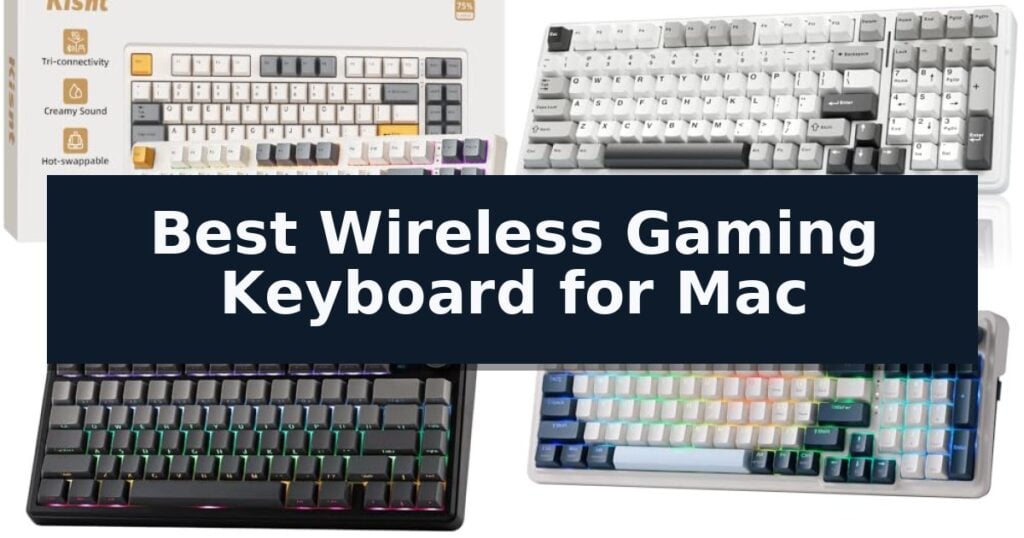
10 Best Wireless Gaming Keyboard for Mac in 2026 Reviews
Quick Comparison
| Product | Best For | Key Strength | Score |
|---|---|---|---|
| Kisnt KN85 Wireless Mechanical Keyboard | Best Overall | Gasket-mounted design for a smooth, cushioned typing sound. | 4.9 |
| AULA F99 Wireless Mechanical Keyboard | Large Battery for Long Sessions | 8000mAh battery for long-lasting performance | 4.3 |
| EPOMAKER X Aula F75 MAX Keyboard | TFT Screen with Media Controls | Integrated TFT smart display for battery and connectivity monitoring | 4.9 |
| Redragon K686 PRO Wireless Keyboard | Gasket Mount for Soft Typing | Tri-mode connectivity for seamless switching between multiple devices. | 4.5 |
| Redragon K524 Wireless Gaming Keyboard | Compact Tenkeyless Design | Tri-mode connectivity for versatile device switching. | 4.3 |
| DIERYA DK63 Wireless Mechanical Keyboard | Ultra Compact 60 Percent Build | Compact 60% form factor saves significant desk space. | 4.7 |
| Womier DK75 Wireless Gaming Keyboard | Silent Membrane for Shared Spaces | Triple-mode connectivity for flexible multi-device usage. | 4.5 |
| Redragon K671KS Wireless Mechanical Keyboard | Hot Swappable Custom Switches | Tri-mode connectivity supports up to five devices. | 4.4 |
| Pauroty 60% Wireless Mechanical Keyboard | Tactile Blue Switch Response | Triple-mode connectivity supports 2.4G, Bluetooth, and wired USB-C. | 4.4 |
| AULA S99 Wireless Gaming Keyboard | Full Size with Dedicated Knob | Tri-mode connectivity for versatile device switching. | 4.6 |
How We Chose
To determine the best wireless gaming keyboard for Mac, we evaluate each model based on its ability to bridge the gap between high-performance gaming features and the specific requirements of the macOS ecosystem. We focus on connection reliability, layout ergonomics, and the quality of the typing experience to ensure these keyboards serve both professional and gaming needs effectively.
- Connectivity stability across Bluetooth 5.0 and 2.4GHz wireless modes.
- Native macOS compatibility including function key mapping and system shortcuts.
- Battery capacity and power management features for extended wireless use.
- Build quality, including gasket-mount structures and noise-dampening materials.
- Customization options such as hot-swappable switches and programmable macro support.
1 Kisnt KN85 Wireless Mechanical Keyboard — Creamy Thocky Typing Feel
The Kisnt KN85 Wireless Mechanical Keyboard distinguishes itself with a gasket-mounted design that prioritizes a soft, marbly sound profile over the sharp, clacky feedback common in many gaming boards. By utilizing pre-lubed Bsun linear switches, this 75% layout keyboard delivers a cushioned typing experience that is well-suited for both intense gaming sessions and prolonged writing tasks.
Designed to maximize desk real estate, the Kisnt KN85 Wireless Mechanical Keyboard retains essential navigation keys and function rows while eliminating the number pad to provide 25% more space for mouse movement. Its tri-mode connectivity—supporting USB-C, 2.4GHz wireless, and Bluetooth 5.0—allows for seamless switching between Mac, Windows, and mobile devices, supported by a 4000mAh rechargeable battery.
Customization remains a core focus, as the board features hot-swappable sockets compatible with both 3-pin and 5-pin switches, allowing users to tailor the tactile feel without soldering. The integrated RGB backlighting provides an ambient glow, and users can utilize companion software on Windows to remap keys or configure macros for enhanced productivity.
To maintain peak performance, the keyboard includes a 2-year manufacturer warranty and 24/7 support. Users should note that while the layout is compact and efficient, the board requires a standard 5V 1A charge and is best paired with a wrist rest to ensure ergonomic comfort during extended use.
Best for: Minimalist gamers and hybrid workers who prioritize a quiet, cushioned typing feel and multi-device connectivity on a compact desk.
Skip if: Users who require a dedicated number pad for data entry or those who prefer the tactile, audible click of non-linear switches.
- Gasket-mounted design for a smooth, cushioned typing sound.
- Tri-mode connectivity allows seamless switching between multiple devices.
- Hot-swappable PCB supports easy customization with 3-pin or 5-pin switches.
- Compact 75% layout saves significant desk space.
- Windows-only driver software limits advanced macro customization for native Mac users.
- No dedicated number pad may hinder heavy spreadsheet or data entry workflows.
2 AULA F99 Wireless Mechanical Keyboard — Large Battery for Long Sessions
The AULA F99 Wireless Mechanical Keyboard distinguishes itself with a high-capacity 8000mAh battery, designed to sustain extended gaming and productivity sessions without frequent recharging. This 96% layout keyboard balances desktop space efficiency with the inclusion of essential arrow keys and a dedicated number pad, catering to users who require a full-featured input device in a compact footprint.
Connectivity is handled through a versatile tri-mode system, offering BT5.0, 2.4GHz wireless, and USB-C wired options. Users can manage up to five simultaneous device connections, toggling between them via simple key combinations. The board features a gasket structure paired with PCB single key slotting and five layers of sound-dampening material, which work in tandem to minimize cavity noise and provide a softer, more elastic typing feel.
For those who prioritize customization, the hot-swappable PCB supports both 3-pin and 5-pin switches, allowing for modifications without soldering. The keyboard arrives with pre-lubed linear switches for smooth actuation and double-shot PBT keycaps that resist fading over time. Integrated RGB backlighting offers 16 lighting effects, with further customization available through driver software, including macro recording and music-reactive patterns.
While the AULA F99 Wireless Mechanical Keyboard provides a robust feature set, its dense construction and large battery result in a weight of approximately 3.3 pounds. This makes it a substantial piece of hardware, best suited for a permanent desk setup rather than frequent travel. The N-key rollover ensures reliable input registration during fast-paced gaming, making it a capable tool for both competitive play and daily office tasks.
Best for: Users who need a versatile, long-lasting wireless keyboard that supports multi-device switching and deep customization.
Skip if: Users who require an ultra-lightweight or portable keyboard for frequent travel will find the 3.3-pound build and large footprint less convenient.
- 8000mAh battery for long-lasting performance
- Tri-mode connectivity supporting up to five devices
- Hot-swappable PCB for easy switch customization
- Gasket-mounted structure for improved typing acoustics
- Heavy build at over 3 pounds may limit portability
3 EPOMAKER X Aula F75 MAX Keyboard — TFT Screen with Media Controls
The EPOMAKER X Aula F75 MAX Wireless Mechanical Keyboard distinguishes itself with a built-in TFT smart display that provides real-time monitoring of connectivity, battery life, and indicator status. This 75% layout keyboard integrates a dedicated volume knob and a customizable screen, offering a functional upgrade for users who prioritize media control and system visibility in a compact footprint.
Designed for both productivity and gaming, the keyboard features a gasket-mount structure that separates the PCB from the shell to reduce harsh bottom-out impacts. The typing experience is further refined by a flex-cut PC plate and factory-lubed linear switches, which are supported by a sandwich of foam and silicone to dampen internal echo and produce a consistent, mellow sound profile.
Connectivity is handled through Bluetooth, 2.4GHz wireless, and wired modes, with a 1000Hz polling rate available in USB and 2.4GHz configurations. The unit supports NKRO for simultaneous key inputs, making it suitable for high-speed gaming, while its compatibility with Mac, Windows, Linux, and Android ensures versatility across different operating systems.
Customization remains a core focus, as the board includes south-facing per-key RGB LEDs and hot-swappable sockets compatible with 3-pin or 5-pin mechanical switches. Users can adjust lighting effects, remap keys, and edit macros through dedicated software, allowing for a tailored typing and gaming environment.
Best for: Users who want a compact, hot-swappable mechanical keyboard with integrated media controls and a customizable status display for Mac and PC workflows.
Skip if: Users who require a full-sized keyboard layout with a dedicated number pad for data entry tasks.
- Integrated TFT smart display for battery and connectivity monitoring
- Gasket-mount structure for a flexible and cushioned typing feel
- Hot-swappable PCB compatible with 3/5-pin mechanical switches
- Versatile connectivity including Bluetooth, 2.4GHz, and wired modes
- 75% compact layout lacks a dedicated number pad
4 Redragon K686 PRO Wireless Keyboard — Gasket Mount for Soft Typing
Finding a reliable peripheral for a macOS environment often involves balancing connectivity with typing comfort. The Redragon K686 PRO Wireless Keyboard addresses this by integrating a gasket-mounted construction with 5-layer noise dampening, which creates a soft, cushioned typing feel designed to minimize harsh impacts during long sessions.
This keyboard prioritizes versatility through its tri-mode connectivity, allowing users to switch between USB-C, Bluetooth, and 2.4GHz wireless without needing to re-pair devices. This functionality is particularly useful for those who frequently transition between a desktop Mac, a laptop, and a tablet, as it maintains a stable connection across different hardware setups.
Usability is enhanced by a multi-function control knob that provides direct access to backlight brightness and media playback. By centralizing these controls, the design removes the need for complex key combinations, streamlining the workflow for media-heavy tasks or quick adjustments during use.
The Redragon K686 PRO Wireless Keyboard also features an upgraded hot-swappable socket that supports both 3-pin and 5-pin switches, offering flexibility for those who prefer specific mechanical switch profiles. Finished in a distinct Blue Himmel colorway, the board provides a visual alternative to standard monochromatic peripherals while maintaining a professional aesthetic.
Best for: Users who require a versatile, hot-swappable mechanical keyboard that can seamlessly toggle between multiple devices via tri-mode wireless connectivity.
Skip if: Users who prefer a low-profile, ultra-slim keyboard or those who require a full-sized layout with a dedicated number pad, as this unit uses a 98-key compact configuration.
- Tri-mode connectivity for seamless switching between multiple devices.
- Gasket-mounted construction with 5-layer dampening for a cushioned typing experience.
- Hot-swappable sockets compatible with 3-pin and 5-pin switches.
- Multi-function control knob for intuitive media and lighting adjustments.
- 98-key layout may feel cramped compared to a standard full-sized keyboard.
- Blue Himmel colorway may not suit all minimalist or professional desk aesthetics.
5 Redragon K524 Wireless Gaming Keyboard — Compact Tenkeyless Design
The Redragon K524 Wireless Gaming Keyboard provides a versatile interface for Mac users by offering tri-mode connectivity, allowing you to switch seamlessly between Bluetooth 5.0, 2.4G wireless, and USB-C wired connections. This flexibility enables instant toggling between multiple devices, such as a Mac, tablet, or smartphone, using dedicated hotkeys.
Designed with a 75% compact tenkeyless layout, this keyboard maximizes desk space without sacrificing functionality. The unit features a 4000mAh rechargeable battery capable of delivering up to 50 hours of continuous use with RGB lighting active, or up to 300 hours with the lighting disabled. An integrated auto-sleep function activates after two minutes of inactivity to preserve power.
For gaming precision, the keyboard includes 26-keys anti-ghosting to ensure accurate input during complex key combinations. The keys are engineered with a mechanical feeling to provide tactile feedback and fast response times. Users can further customize their experience via the official Redragon driver software, which allows for adjustments to the 16.8 million RGB color settings and lighting effects.
Efficiency is supported by 12 multimedia combination keys and dedicated controls for brightness and lighting profiles. The keyboard is built for both productivity and gaming, offering a balanced design that caters to users who require a portable, high-performance input device for their workspace.
Best for: Users who need a compact, multi-device wireless keyboard that balances gaming features with office productivity on a Mac.
Skip if: Users who require a full-sized keyboard layout with a dedicated number pad or those who prefer authentic mechanical switches over membrane-based mechanical-feeling keys.
- Tri-mode connectivity for versatile device switching.
- Compact 75% layout saves significant desk space.
- High-capacity 4000mAh battery with long runtime.
- 26-keys anti-ghosting for precise gaming inputs.
- Membrane-based mechanical feel may not satisfy users seeking true mechanical switches.
- Lacks a dedicated number pad due to the compact design.
6 DIERYA DK63 Wireless Mechanical Keyboard — Ultra Compact 60 Percent Build
Maximizing desk real estate often requires a shift toward minimalist hardware, and the DIERYA DK63 Wireless Mechanical Keyboard addresses this by utilizing a 60% layout. By incorporating 63 keys while retaining essential directional inputs, this compact board relies on an "FN" layer to maintain full functionality without the footprint of a traditional full-sized keyboard.
Performance is driven by custom Red switches, which provide a linear, 45g actuation force. These switches are engineered for a smooth, silent experience, operating at approximately 40dB, which makes them suitable for environments where noise reduction is a priority. The switches are rated for a durability of 600,000 presses, ensuring consistent input accuracy for both typing and gaming tasks.
Versatility is a core component of the DIERYA DK63 Wireless Mechanical Keyboard, as it supports three distinct connection modes: 2.4G wireless, Bluetooth 5.0, and a wired USB connection. This allows users to toggle between various devices, including laptops, tablets, and smartphones, with ease. The internal 3000mAh battery provides up to 8 hours of usage with the RGB backlight at maximum intensity, or up to 90 hours with the lighting disabled.
For visual customization, the keyboard features an integrated RGB lighting system. Users can choose from 18 distinct lighting modes and a spectrum of 16.8 million colors, all of which can be adjusted via dedicated control software. This lighting capability enhances visibility in low-light conditions while providing a personalized aesthetic for the workstation.
Best for: Users who require a space-saving, multi-device wireless keyboard for mixed work and gaming environments.
Skip if: Users who rely heavily on a dedicated number pad or prefer the tactile feedback of clicky mechanical switches.
- Compact 60% form factor saves significant desk space.
- Three connection modes allow for seamless switching between multiple devices.
- Silent linear Red switches provide a quiet typing experience.
- High-capacity 3000mAh battery supports long-term wireless use.
- Lack of a dedicated number pad may hinder data entry tasks.
- Battery life decreases significantly when using maximum RGB backlight intensity.
7 Womier DK75 Wireless Gaming Keyboard — Silent Membrane for Shared Spaces
The Womier DK75 Wireless Gaming Keyboard distinguishes itself with a dedicated OLED screen and a rotary knob that provide real-time status updates and tactile media control without requiring additional software. This 75% layout keyboard is designed to balance a compact footprint with the functional needs of gamers and professionals who require a clutter-free workspace.
Engineered for quiet environments, this keyboard utilizes a silent membrane switch structure that delivers smooth, cushioned keystrokes. The integration of triple-mode connectivity—supporting Bluetooth 5.0, 2.4GHz wireless, and USB-C wired connections—allows for seamless switching between Mac, Windows, and mobile devices, making it a versatile tool for various computing setups.
Durability and aesthetics are prioritized through the inclusion of oil and wear-resistant PBT keycaps, which maintain their texture over extended use. Users can personalize their desk setup using the built-in RGB lighting system, featuring 15 dynamic effects and seven colors, all adjustable directly via keyboard shortcuts.
To support extended sessions, the device is equipped with a 4000mAh rechargeable battery and an auto-sleep function to maximize power efficiency. The ergonomic tilt-angle design further assists in reducing typing fatigue, ensuring a comfortable hand position during prolonged work or gaming tasks.
Best for: Users who require a quiet, compact keyboard with multi-device connectivity and integrated media controls for a Mac or PC setup.
Skip if: Users who prefer the distinct tactile feedback and actuation of mechanical switches, as this model utilizes a membrane switch structure.
- Triple-mode connectivity for flexible multi-device usage.
- OLED screen and rotary knob for convenient status monitoring and media control.
- Silent membrane switches ideal for shared or quiet workspaces.
- Durable PBT keycaps that resist shine and wear over time.
- Large 4000mAh battery for extended wireless operation.
- Membrane switch design may not satisfy users seeking traditional mechanical switch feedback.
8 Redragon K671KS Wireless Mechanical Keyboard — Hot Swappable Custom Switches
Achieving a streamlined workspace often requires hardware that adapts to multiple devices without cluttering your desk. The Redragon K671KS Wireless Mechanical Gaming Keyboard addresses this through its integrated tri-mode connectivity, allowing users to toggle between USB-C wired, Bluetooth 3.0/5.0, and 2.4GHz wireless modes. This flexibility supports up to five distinct devices, making it a versatile choice for those managing both a Mac and other peripherals simultaneously.
Beyond its connectivity, the keyboard features a durable metal panel design that provides a stable typing surface. The inclusion of double injection PBT keycaps ensures that the 16 preset RGB backlight effects remain clear and readable during both day and night use. Users can further customize their environment by adjusting the brightness across five levels, tailoring the visual output to their specific workspace needs.
For those who prioritize tactile feedback, the Redragon K671KS Wireless Mechanical Gaming Keyboard utilizes a hot-swappable switch architecture. This design allows for the replacement of the stock red switches with custom alternatives to better suit individual typing preferences or to mitigate fatigue during extended sessions. The package includes eight spare switches and two replacement keycaps, facilitating straightforward maintenance.
Efficiency is further enhanced through macro editing capabilities. The software allows for key remapping, the creation of custom shortcuts, and the combination of multiple functions into single keystrokes. This level of programmability, combined with the ability to adjust RGB effects on a per-key basis, provides a high degree of control over the keyboard's functionality for both gaming and professional workflows.
Best for: Users who require a multi-device wireless setup with the ability to customize switches and key functions.
Skip if: Users who prefer a full-sized keyboard with a dedicated number pad, as this unit's compact design omits that section.
- Tri-mode connectivity supports up to five devices.
- Hot-swappable switches allow for easy customization and maintenance.
- Durable metal panel construction.
- Programmable macro support for efficient workflow management.
- Compact layout lacks a dedicated numeric keypad.
9 Pauroty 60% Wireless Mechanical Keyboard — Tactile Blue Switch Response
The Pauroty 60% Wireless Mechanical Keyboard prioritizes desk space and mobility by eliminating the numeric keypad and navigation cluster, resulting in an ultra-compact 60% form factor. This design choice provides significantly more room for mouse movement, making it a functional solution for gamers who prefer a minimalist setup.
Connectivity is a primary strength of this unit, offering triple-mode functionality that includes 2.4G wireless, two Bluetooth channels (BT1/BT2), and a wired USB-C connection. This versatility allows users to switch between a Mac, PC, iPad, or phone seamlessly. The included Type-C cable also enables simultaneous charging during use, ensuring the device remains operational during extended sessions.
Equipped with clicky blue switches, the keyboard delivers tactile feedback and rapid response times. The typing experience is further enhanced by a stepped layout and a foldable stand, which together establish an ergonomic typing angle. For visual customization, the integrated RGB backlighting features 16 modes, 8 color options, and 6 brightness levels, all of which can be adjusted or disabled to conserve power.
Power management is handled by a built-in 1600mAh rechargeable battery. The keyboard supports up to 360 hours of standby time and over 10 hours of continuous active use. To maximize efficiency, the device incorporates a 10-minute sleep mode that activates automatically when the keyboard is idle, helping to extend battery life between charges.
Best for: Users who require a space-saving, highly portable mechanical keyboard that can switch between multiple wireless and wired devices.
Skip if: Users who rely on a dedicated numeric keypad or a full-sized navigation cluster for productivity tasks.
- Triple-mode connectivity supports 2.4G, Bluetooth, and wired USB-C.
- 60% compact layout maximizes desk space and portability.
- Tactile blue switches provide responsive, clicky feedback.
- Customizable RGB lighting with multiple modes and brightness levels.
- Lacks a dedicated numeric keypad and function row.
- 10-hour continuous battery life may require frequent charging during heavy use.
10 AULA S99 Wireless Gaming Keyboard — Full Size with Dedicated Knob
The AULA S99 Wireless Gaming Keyboard distinguishes itself with a versatile dual-mode rotary knob that allows for precise, tactile adjustments to volume, connection modes, and RGB lighting effects. This 99-key layout integrates a number pad while maintaining a compact footprint, catering to users who require full-functionality without sacrificing desk space.
Connectivity is a primary strength of this device, offering tri-mode flexibility via Bluetooth 5.0, 2.4GHz wireless, and a wired USB-C connection. This enables seamless switching between multiple devices, including Windows, macOS, Android, and iOS systems. The keyboard includes specific key combinations to optimize performance across these different operating systems.
Designed with ergonomics in mind, the unit features a foldable 2-stage kickstand to help users achieve a comfortable typing angle. The membrane-based construction delivers a distinct, clicky, and creamy sound profile, though it is important to note that the switches are fixed and do not support hot-swapping.
Customization is handled through dedicated macro support and software, allowing users to remap keys or merge complex actions into single inputs. The 16.8 million color RGB backlighting includes 16 pre-set effects, with brightness and speed easily managed via the integrated knob or function keys, ensuring a personalized gaming or work environment.
Best for: Users who need a full-sized, multi-device wireless keyboard with dedicated media controls and customizable RGB lighting for gaming or productivity.
Skip if: Users who prefer mechanical switches with hot-swappable capabilities or those who require a low-profile design.
- Tri-mode connectivity for versatile device switching.
- Integrated rotary knob for convenient media and lighting control.
- Macro customization on all keys for complex input sequences.
- Ergonomic 2-stage kickstand for adjustable typing posture.
- Non-mechanical membrane switches that do not support hot-swapping.
Best Wireless Gaming Keyboard for Mac Buying Guide
Connectivity and Latency
A reliable wireless connection is essential for both gaming and daily productivity. Look for keyboards that offer tri-mode connectivity, allowing you to switch between 2.4GHz for low-latency gaming and Bluetooth for multi-device workflows across your Mac, iPad, or other peripherals.
While 2.4GHz provides the fastest response times, Bluetooth is often more convenient for switching between devices without a dongle. Ensure the keyboard supports stable Bluetooth 5.0 to minimize input lag and connection drops during critical tasks.
Layout and Ergonomics
The physical layout of your keyboard significantly impacts desk space and comfort. 75% and 60% layouts are popular for their compact footprint, which provides more room for mouse movement, though they may require learning function-layer shortcuts for specific keys.
If you frequently use spreadsheets or data entry tools, a 96% or full-size layout with a dedicated number pad may be more practical. Always consider the front height and tilt-adjustment options to ensure your wrists remain in a neutral position during long sessions.
Switch Types and Typing Feel
Mechanical switches offer distinct tactile or linear feedback that many gamers prefer for precision. Linear switches are generally smoother and quieter, making them suitable for office environments, while tactile switches provide a physical bump that confirms each keystroke.
Membrane keyboards, by contrast, offer a softer, more cushioned feel with lower noise output. If you work in a shared space, a high-quality membrane or a gasket-mounted mechanical keyboard with sound-dampening foam will prevent your typing from becoming a distraction.
Customization and Software
Many modern gaming keyboards allow for hot-swapping, meaning you can replace the switches without soldering. This is a significant advantage if you want to experiment with different typing feels or replace a faulty switch later on.
Check if the keyboard supports software for remapping keys or creating macros. While some drivers are Windows-only, many keyboards retain your custom settings in onboard memory, allowing you to keep your preferred layout when connected to your Mac.
Battery Life and Power Management
Wireless keyboards rely on internal batteries, so capacity is a key performance metric. A 4000mAh battery is generally sufficient for several days of use with RGB lighting, but turning off the backlighting can extend usage time significantly.
Look for features like auto-sleep timers and USB-C wired modes. Being able to use the keyboard while it charges ensures you are never left without a functional input device during an important project or gaming session.
Frequently Asked Questions
Do these gaming keyboards work natively with macOS?
Yes, most of these keyboards support Mac mode via function key combinations or hardware toggles, ensuring that media keys and system shortcuts function as expected.
Can I use these keyboards while they are charging?
Yes, all models listed support wired USB-C connectivity, which allows you to continue using the keyboard while the internal battery charges.
What is the benefit of a gasket-mounted keyboard?
Gasket mounting isolates the plate from the case, which reduces vibrations and hollow echoes, resulting in a softer, more cushioned typing feel and a deeper sound profile.
Are hot-swappable switches difficult to replace?
No, hot-swappable sockets allow you to pull out old switches and push in new ones without any soldering, making it easy to customize your typing experience.
Will RGB lighting drain the battery quickly?
Yes, high-intensity RGB lighting significantly increases power consumption. We recommend using lower brightness settings or turning off the lights during wireless use to maximize battery life.
Conclusion: Our Top Pick
Our top pick is Kisnt KN85 Wireless Mechanical Keyboard. Choosing the right wireless gaming keyboard for your Mac involves balancing your need for gaming performance with the ergonomic and functional requirements of your daily workflow. By prioritizing connectivity, layout, and build quality, you can find a device that enhances both your gaming experience and your productivity.
Ultimately, the best choice depends on your specific desk setup and typing preferences. Whether you opt for a compact 75% layout for mouse space or a full-size board for data entry, the models highlighted here provide the reliability and features necessary for a premium macOS experience.