The Logitech K400 Plus Wireless Touch Keyboard is our top choice for the Best Wireless HTPC Keyboard and Mouse Combos, offering an integrated touchpad that eliminates the need for a separate mouse on your couch. The Arteck 2.4G Wireless Touch Keyboard provides a durable, ultra-slim stainless steel build for those prioritizing a premium feel, while the Rii X8 Mini Wireless Keyboard features RGB backlighting and a compact handheld design ideal for navigating media in dark rooms.
Selecting the right peripheral for a home theater PC requires balancing input precision with the physical constraints of a living room environment. An experienced reviewer evaluates these devices based on their ability to maintain a stable wireless connection from a distance, the responsiveness of the integrated pointing device, and the overall ergonomics for lap-based use.
If you are looking to expand your setup for gaming, our guide on Best Wireless Headsets for PC Gaming provides excellent audio options to complement your HTPC keyboard.
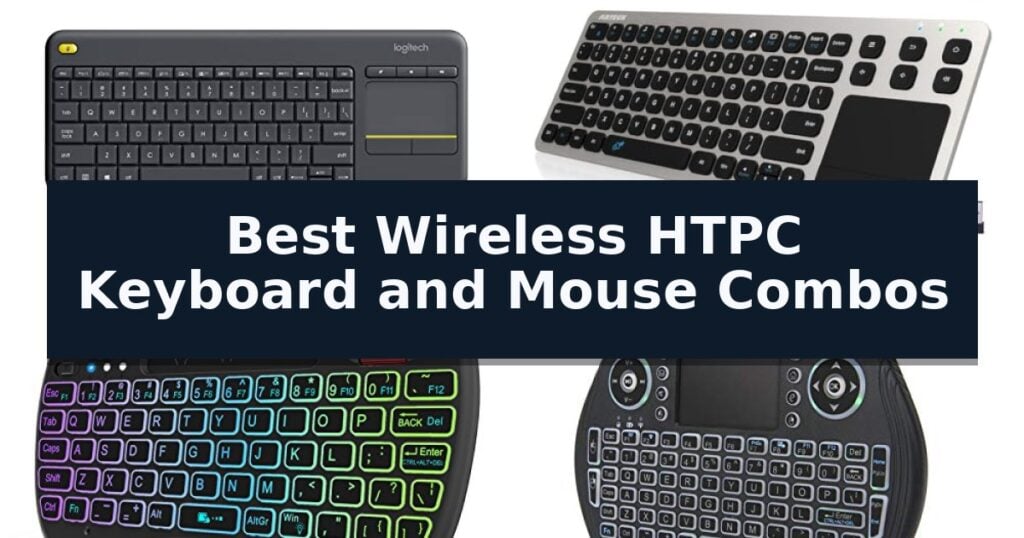
10 Best Wireless HTPC Keyboard and Mouse Combos in 2026 Reviews
Quick Comparison
| Product | Best For | Key Strength | Score |
|---|---|---|---|
| Logitech K400 Plus Wireless Touch Keyboard | Best Overall | Integrated touchpad removes the need for a separate mouse. | 4.9 |
| Arteck 2.4G Wireless Touch Keyboard | Ultra-Slim Stainless Steel Build | Integrated touchpad eliminates the need for a separate mouse. | 4.8 |
| Rii X8 Mini Wireless Keyboard | RGB Backlit for Dark Rooms | Integrated touchpad with multi-touch support for mouse-free navigation. | 4.3 |
| Easytone Backlit Mini Wireless Keyboard | Handheld Design for Easy Navigation | All-in-one design combines a keyboard, mouse, and touchpad in a single handheld unit. | 4.9 |
| IDEALROYAL Mini Wireless Keyboard | Multi-Gesture Touchpad Control | Integrated multi-gesture touchpad for efficient navigation without a separate mouse. | 4.6 |
| Goeasily Trackball Wireless Keyboard | Precision Trackball for Couch Use | Integrated trackball provides precise cursor navigation without a separate mouse. | 4.7 |
| Fonicer Wireless Mini Keyboard | Tactile X-Structure Key Feedback | Integrated trackball allows for precise mouse control without a desk surface. | 4.4 |
| Logitech MK270 Wireless Keyboard Combo | Reliable Full-Size Typing Experience | 33-foot wireless range via a single USB-A Nano Receiver | 4.7 |
| Logitech MK345 Wireless Keyboard Combo | Integrated Palm Rest for Comfort | Long-lasting battery life of up to 3 years for the keyboard. | 4.7 |
| Logitech Pebble 2 Wireless Combo | Silent Clicking for Quiet Environments | Silent Touch Technology ensures quiet operation during use. | 4.8 |
How We Chose
To identify the most effective input solutions for home theater PCs, we evaluate how well each device bridges the gap between traditional desktop typing and the unique demands of living room entertainment. Our criteria focus on connectivity, navigation efficiency, and physical comfort to ensure seamless control from your couch.
- Wireless range and signal stability from a distance of at least 10 feet
- Integration quality of the touchpad or trackball for precise cursor control
- Ergonomic design suitable for extended use on a lap or couch armrest
- Battery longevity and power management features such as auto-sleep modes
- Compatibility with common HTPC operating systems including Windows, Android, and ChromeOS
1 Logitech K400 Plus Wireless Touch Keyboard — Integrated Touchpad for Couch Comfort
Navigating a PC-connected television setup often requires a streamlined control solution, and the Logitech K400 Plus Wireless Touch Keyboard addresses this by integrating a built-in touchpad directly into the chassis. This design choice eliminates the need for a separate mouse, providing a cohesive interface for managing media from the comfort of a couch.
The keyboard utilizes a plug-and-play setup via a single USB Unifying receiver, which handles the wireless connection up to a range of 33 feet. This connectivity allows for reliable interaction with devices running Windows, Android, or Chrome OS. Users can further customize their experience by utilizing the Logitech Options Software to adjust navigation and control settings to their preference.
Designed for long-term utility, the device features a power-efficient architecture that supports up to 18 months of battery life, complemented by a physical on/off switch to conserve energy. The build is also spill-resistant, providing a degree of durability against accidental mishaps during entertainment sessions.
While the Logitech K400 Plus Wireless Touch Keyboard excels in HTPC environments, it is optimized for media navigation rather than intensive typing tasks. Its compact footprint and integrated controls prioritize space-saving and ease of use in living room settings, making it a practical tool for those looking to declutter their home theater peripherals.
Best for: Users seeking an all-in-one, space-saving control solution for PC-to-TV entertainment setups.
Skip if: Users who require a full-sized keyboard with a dedicated number pad or high-precision mechanical switches for heavy typing.
- Integrated touchpad removes the need for a separate mouse.
- Long battery life of up to 18 months reduces maintenance frequency.
- Spill-resistant design adds durability for casual living room use.
- 33 ft wireless range provides flexibility for couch-based navigation.
- Compact layout may not be suitable for high-volume typing tasks.
- Lacks illuminated keys found in higher-tier models like the K830.
2 Arteck 2.4G Wireless Touch Keyboard — Ultra-Slim Stainless Steel Build
Managing media playback and navigation from the couch requires a reliable interface, and the Arteck 2.4G Wireless Touch TV Keyboard addresses this with an integrated touchpad and dedicated media hot keys. This device eliminates the need for a separate mouse, consolidating control into a single, slim peripheral designed for living room environments.
The keyboard features a solid stainless steel construction, providing a durable and compact frame that measures just 0.67 inches in height. Its 2.4G wireless connectivity utilizes a nano USB receiver to establish a connection with a range of up to 10 meters, allowing for flexible positioning while using a smart TV, HTPC, or TV-connected computer.
Setup is straightforward, requiring only the insertion of the nano USB receiver into a compatible port on the host device. The unit is powered by two AAA batteries and offers broad compatibility with major operating systems, including Windows and Chrome OS, making it a versatile choice for various home theater setups.
While the ultra-compact design saves space, users should note that the integrated touchpad replaces a traditional mouse, which may require an adjustment period for those accustomed to desktop peripherals. The inclusion of a 24-month warranty provides additional support for this dedicated home theater input solution.
Best for: Users seeking an all-in-one, space-saving input device for controlling HTPCs or smart TVs from a distance.
Skip if: Users who prefer a full-sized mechanical keyboard or a dedicated ergonomic mouse for intensive typing or precision tasks.
- Integrated touchpad eliminates the need for a separate mouse.
- Solid stainless steel construction for a durable, slim profile.
- 10-meter wireless range provides flexibility for couch-based use.
- Easy setup via a simple nano USB receiver.
- Compact layout may be less comfortable for extended typing sessions.
- Touchpad navigation is not a direct replacement for high-precision desktop mice.
3 Rii X8 Mini Wireless Keyboard — RGB Backlit for Dark Rooms
Managing a home theater or media center from the couch requires a streamlined interface, and the Rii X8 Mini Wireless Keyboard provides a compact solution designed for handheld use. This device integrates a full QWERTY layout with a built-in touchpad that supports multi-touch gestures, allowing users to navigate cursors, perform left and right clicks, and execute scrolling functions without needing a separate mouse. Its ergonomic, handheld form factor is specifically engineered to replace bulky desktop peripherals in living room environments.
The keyboard utilizes a 2.4GHz USB dongle for a plug-and-play connection, ensuring compatibility with HTPCs, Android TV boxes, and Raspberry Pi systems. To enhance usability in low-light conditions, the unit features 8-color RGB backlighting, which improves key visibility during movie nights. The inclusion of dedicated multimedia buttons and a scroll wheel further simplifies menu navigation and web browsing, effectively consolidating media control into one portable device.
Power is supplied by an internal rechargeable lithium-ion battery, which eliminates the ongoing cost and waste associated with disposable batteries. This design choice supports long-term use while maintaining a lightweight profile of approximately 0.4 pounds. While the device is highly portable, users should note that specific hardware configurations may require additional accessories; for instance, connecting this keyboard to an Amazon Fire TV 4K or Fire Stick requires a Micro USB host OTG cable to facilitate the connection.
The primary trade-off for this compact design is the physical layout. While the small form factor is ideal for portability and handheld operation, it does not offer the tactile feedback or spacing of a standard-sized desktop keyboard. Users who perform extensive typing tasks may find the smaller keys less comfortable for long-form input compared to full-sized alternatives.
Best for: Users seeking a compact, all-in-one handheld controller for HTPC and Android-based streaming devices.
Skip if: Users who require a full-sized desktop keyboard layout for heavy typing or those who lack an available USB port or OTG adapter for their specific streaming device.
- Integrated touchpad with multi-touch support for mouse-free navigation.
- 8-color RGB backlighting for improved visibility in dark rooms.
- Rechargeable lithium-ion battery eliminates the need for disposable batteries.
- Plug-and-play 2.4GHz wireless connectivity via included USB dongle.
- Requires OTG adapter for specific devices like Amazon Fire TV sticks.
- Small form factor may not be suitable for users who require a standard-sized typing experience.
4 Easytone Backlit Mini Wireless Keyboard — Handheld Design for Easy Navigation
Navigating a home theater setup often requires a compact interface that does not clutter the living space, and the Easytone Backlit Mini Wireless Keyboard addresses this by integrating a keyboard, touchpad, and mouse into a single, handheld form factor. This device connects via a USB receiver with a range of up to 10 meters, allowing for flexible control of media centers from across the room.
Designed for versatility, the unit features multi-color backlit keys to ensure visibility in low-light environments, such as during movie nights. The inclusion of a rechargeable Li-ion battery with an auto sleep and wake-up function helps manage power consumption, while the compact, ergonomic shape is intended to replace bulky, traditional desktop peripherals.
The integrated multi-finger touchpad and eight dedicated hotkeys facilitate navigation, including tasks like copying and pasting or browsing web pages. It is compatible with a wide range of hardware, including Android TV boxes, smart TVs, PCs, and gaming consoles like the PS3 and Xbox, though users without a standard USB port will need an OTG cable to establish a connection.
While this device offers a comprehensive suite of inputs in a small footprint, its primary trade-off is the physical size of the keys, which are optimized for portability rather than high-speed typing. It serves as a specialized tool for media navigation and light input tasks rather than a replacement for a full-sized workstation keyboard.
Best for: Users seeking a compact, all-in-one handheld controller for media navigation on smart TVs, HTPCs, and gaming consoles.
Skip if: Users who require a full-sized keyboard layout for extensive typing or data entry tasks.
- All-in-one design combines a keyboard, mouse, and touchpad in a single handheld unit.
- Multi-color backlighting improves visibility during nighttime use.
- Wide compatibility across various platforms including Android, Windows, and gaming consoles.
- Rechargeable battery with power-saving auto sleep and wake-up functionality.
- Small key size may be less comfortable for extended typing sessions.
- Requires OTG cable for devices lacking a standard USB port.
5 IDEALROYAL Mini Wireless Keyboard — Multi-Gesture Touchpad Control
Navigating a home theater PC setup requires a compact input solution that bridges the gap between a traditional desktop keyboard and a remote control. The IDEALROYAL Mini Wireless Keyboard addresses this by integrating a full-function QWERTY layout with a multi-gesture touchpad in a handheld, portable form factor.
This device utilizes a 2.4 GHz wireless connection via an included USB dongle, providing a reliable operating range of up to 49 feet. Its design is centered on versatility, functioning as a controller for HTPCs, smart TVs, and Android boxes, while also serving as a chatpad for gaming consoles. The built-in, high-sensitivity touchpad supports multi-finger gestures, allowing users to perform left and right clicks, as well as page scrolling, directly from the handheld unit.
For operation in low-light environments, the keyboard features 7-color RGB backlighting. Users can toggle between red, green, or blue modes using the Fn and F2 keys, or cycle through additional color options using the touchpad controls. The unit is powered by a rechargeable lithium-ion battery, which includes an automatic sleep function to preserve power, and an LED indicator to signal when the battery is low or fully charged.
Compatibility is straightforward due to its plug-and-play design, which requires no drivers for devices with a standard USB interface. For hardware lacking a direct USB port, the keyboard remains functional when paired with an appropriate USB adapter. Its compact dimensions of 5.9 by 3.8 inches make it a space-efficient choice for users who prefer a minimalist entertainment center setup.
Best for: Users seeking a compact, all-in-one handheld input device for controlling media centers and smart devices from a distance.
Skip if: Users who require a full-sized keyboard for heavy typing tasks or those who prefer a traditional desktop mouse experience.
- Integrated multi-gesture touchpad for efficient navigation without a separate mouse.
- 7-color RGB backlighting for clear visibility in dark viewing environments.
- Rechargeable Li-ion battery with automatic sleep mode for power efficiency.
- Compact, handheld design that minimizes clutter in media setups.
- Small form factor may not be suitable for extended typing sessions.
- Requires a USB port or adapter, which may be inconvenient for some mobile devices.
6 Goeasily Trackball Wireless Keyboard — Precision Trackball for Couch Use
Navigating a home theater PC or smart TV setup often requires a more intuitive interface than a standard desktop peripheral. The Goeasily Trackball Wireless Keyboard addresses this by integrating a built-in trackball for precise cursor control, effectively removing the need for a separate mouse while lounging on a couch.
This handheld device is engineered for versatility, featuring a compact and ergonomic design suitable for both one-handed and two-handed operation. It includes a dedicated mouse scroll wheel that supports Easy Zoom Control; by using a simple key combination of Ctrl and the scroll wheel, users can quickly adjust the view of small text or fine details on screen.
Connectivity is managed via a reliable 2.4GHz wireless signal using an included USB receiver. The unit utilizes Nordic chipsets to optimize battery consumption and maintain a stable connection. It is a true plug-and-play solution, requiring no additional drivers for operation across various platforms including Windows, Android, Linux, and gaming consoles like the PS4.
The keyboard layout is rounded out with essential media keys, allowing for streamlined control of home theater applications. Its lightweight construction and specific dimensions make it a practical tool for users who need a portable, all-in-one input device for media consumption or presentations.
Best for: Users who require an all-in-one, handheld input device for navigating home theater PCs or smart TVs from a distance.
Skip if: Users who prefer a full-sized mechanical keyboard layout or require Bluetooth connectivity for multi-device pairing.
- Integrated trackball provides precise cursor navigation without a separate mouse.
- Easy Zoom Control functionality via scroll wheel simplifies viewing small text.
- Compact, ergonomic handheld design is optimized for couch-based media control.
- Plug-and-play 2.4GHz wireless ensures a stable, driver-free connection.
- No Bluetooth support, limiting connectivity to the included USB receiver.
- Handheld form factor may not be ideal for users requiring a traditional typing experience.
7 Fonicer Wireless Mini Keyboard — Tactile X-Structure Key Feedback
Navigating a home theater PC setup from the comfort of a sofa requires a controller that balances typing utility with mouse-like precision. The Fonicer Wireless Mini Keyboard addresses this by integrating a full QWERTY layout with a dedicated trackball, allowing users to manage media and web browsing without needing a flat surface for a traditional mouse.
Designed for versatility, this peripheral utilizes a 2.4GHz wireless connection via a plug-and-play USB dongle, ensuring compatibility across a wide range of devices including PCs, Macs, and various gaming consoles. The inclusion of X-structure keys provides tactile feedback intended to improve typing comfort during extended sessions, while the dedicated media control section simplifies navigation through streaming services.
The physical design prioritizes ergonomics for handheld use, featuring click buttons positioned at the corners to mimic a game controller layout. This dual-purpose design supports both casual media consumption and more active tasks like gaming or social networking. To preserve battery life, the unit includes an integrated ON/OFF power switch, preventing unnecessary drainage when the device is not in use.
While this device offers a compact solution for living room computing, its form factor is specifically tailored for handheld operation. Users who require a full-sized keyboard for heavy document creation may find the mini layout less efficient than a standard desktop peripheral, though it remains a highly portable choice for HTPC and console environments.
Best for: Users seeking a compact, handheld controller for media center PCs, smart TV boxes, and gaming consoles.
Skip if: Users who prioritize high-speed typing for long-form document creation or those who prefer a full-sized desktop keyboard layout.
- Integrated trackball allows for precise mouse control without a desk surface.
- Plug-and-play 2.4GHz wireless connectivity ensures broad device compatibility.
- Tactile X-structure keys provide comfortable feedback for typing.
- Dedicated media control buttons streamline navigation for streaming services.
- Compact form factor may be less comfortable for users accustomed to full-sized keyboards.
- Handheld-only design limits utility for traditional desk-based work.
8 Logitech MK270 Wireless Keyboard Combo — Reliable Full-Size Typing Experience
Managing a home theater setup requires a reliable interface that balances desk-free operation with consistent responsiveness. The Logitech MK270 Full Size Wireless Keyboard and Mouse Combo addresses this by utilizing a single USB-A Nano Receiver to maintain a stable wireless connection at distances up to 33 feet, ensuring your media controls remain functional from across the room.
Designed for practical utility, the keyboard features a full-size layout complete with a number pad and dedicated F-keys. It incorporates 8 multimedia hotkeys that provide instant access to volume, play/pause, and email functions, which simplifies navigation when managing content on an HTPC. The chassis is built with a spill-resistant design and includes adjustable tilt legs to accommodate different viewing or typing angles.
The included compact mouse is engineered for ambidextrous use, providing consistent cursor control across most surfaces. Both devices prioritize power efficiency, with the keyboard rated for a 36-month battery life and the mouse for 12 months. Each component features a dedicated on/off switch to conserve power during extended periods of inactivity.
Sustainability is integrated into the build, as the plastic components contain 49% post-consumer recycled plastic for the mouse and 54% for the keyboard. While this model offers a standard, reliable input experience, users seeking additional ergonomic support or customizable shortcuts may consider the upgraded MK540, which features scooped keys and a palm rest.
Best for: Users seeking a reliable, long-battery-life input solution for basic HTPC media control and occasional typing.
Skip if: Users who require advanced ergonomic features, backlit keys for dark rooms, or a more compact footprint for small coffee tables.
- 33-foot wireless range via a single USB-A Nano Receiver
- Extended battery life of up to 36 months for the keyboard
- 8 dedicated multimedia hotkeys for media playback and volume control
- Spill-resistant design for increased durability
- Lacks backlighting, which may hinder use in dim home theater environments
- Standard profile design without integrated palm rests
9 Logitech MK345 Wireless Keyboard Combo — Integrated Palm Rest for Comfort
Managing a home theater setup requires a reliable input device that balances comfort with long-range connectivity. The Logitech MK345 Wireless Keyboard Combo addresses this by utilizing a 2.4 GHz wireless connection that maintains a stable link up to 10 meters away, ensuring you can navigate your media from the comfort of your couch.
The keyboard features a full-size layout with an integrated palm rest, which provides ergonomic support during extended use. It is designed with media keys for quick access to volume and playback controls, making it a practical choice for controlling HTPC applications without needing to reach for a separate remote.
Durability and maintenance are simplified through a spill-resistant design, which helps protect the internal components from accidental liquid exposure. The system is plug and play, requiring only the single included USB-A Nano Receiver to function across Windows, macOS, and ChromeOS environments.
Efficiency is a core strength of this combo, with the keyboard offering a battery life of up to 3 years and the mouse lasting up to 18 months. The included contoured right-handed mouse provides precise tracking, ensuring smooth navigation across your screen while you manage your entertainment library.
Best for: Users seeking a reliable, long-battery-life input solution for living room media centers that prioritizes typing comfort and simple plug-and-play connectivity.
Skip if: Users who require a compact or backlit keyboard, or those whose HTPC setup lacks an available USB-A port for the required wireless receiver.
- Long-lasting battery life of up to 3 years for the keyboard.
- Integrated palm rest enhances comfort during extended use.
- Spill-resistant design adds a layer of protection against accidents.
- Dedicated media keys for convenient playback control.
- USB-A receiver requires a dedicated port, which may be a limitation for some modern devices.
- Full-size footprint may be too large for small coffee tables or tight storage spaces.
10 Logitech Pebble 2 Wireless Combo — Silent Clicking for Quiet Environments
Navigating a living room setup often requires balancing functionality with a minimalist aesthetic, and the Logitech Pebble 2 Silent Compact Wireless Keyboard and Mouse Combo addresses this with its ultra-slim, portable design. This set is engineered for those who want a clean, unobtrusive interface for their media center or home office, utilizing a compact footprint that fits easily on a couch armrest or coffee table.
The combo prioritizes a quiet environment through Silent Touch Technology in the mouse and laptop-like, low-profile keys on the keyboard. This ensures that typing and clicking do not distract from the media experience. Connectivity is handled via Bluetooth or the included Logi Bolt USB-A receiver, allowing for flexible integration with various operating systems including Windows, macOS, and iPadOS.
Efficiency is built into the workflow with the Easy-Switch button, which allows users to toggle between three connected devices with a single click. The Logi Options+ App provides further utility, enabling users to customize 10 Fn keys and the mouse's middle button to trigger specific shortcuts like screen capture or search, streamlining navigation across a home theater PC.
Durability and sustainability are integrated into the build, with the keyboard and mouse constructed using a significant percentage of certified post-consumer recycled plastic. Power management is also a highlight, as the keyboard is rated for up to a 3-year battery life and the mouse for up to a 2-year battery life, ensuring long-term reliability without frequent maintenance.
Best for: Users seeking a quiet, space-saving input solution that can seamlessly switch between multiple devices in a home entertainment or desktop environment.
Skip if: Users who require a full-sized keyboard layout with a dedicated number pad or those who prefer mechanical switches for tactile feedback.
- Silent Touch Technology ensures quiet operation during use.
- Easy-Switch button allows for quick toggling between three devices.
- Long battery life with up to 3 years for the keyboard and 2 years for the mouse.
- Compact, slim design is highly portable and space-efficient.
- Lacks a dedicated number pad due to the compact form factor.
- No mechanical key switches for users who prioritize tactile typing feedback.
Best Wireless HTPC Keyboard and Mouse Combos Buying Guide
Integrated Pointing Devices
The most critical feature for an HTPC keyboard is the inclusion of a built-in touchpad or trackball. By combining the mouse and keyboard into a single chassis, you remove the need for a flat surface like a desk, which is rarely available in a living room setting.
Touchpads are generally preferred for their familiarity and gesture support, while trackballs offer a stationary alternative that can be more comfortable for users who prefer thumb-based navigation. Choose the pointing method that best matches your preferred style of cursor movement.
Wireless Connectivity and Range
Reliable 2.4GHz wireless connectivity via a USB dongle is the industry standard for HTPC peripherals. This connection type typically offers a plug-and-play experience that avoids the pairing complexities often associated with Bluetooth in home theater environments.
Ensure the device you select is rated for at least 30 feet of range. This provides a buffer against signal interference from other electronics, ensuring your inputs remain responsive even if your PC is tucked away inside a media cabinet.
Ergonomics for Lap Use
Since HTPC keyboards are rarely used on a desk, the physical shape and weight distribution are paramount. Look for models with a lightweight, low-profile design that rests comfortably on your lap without causing fatigue during long movie marathons.
Some models include integrated palm rests or contoured edges to improve comfort. A spill-resistant design is also a practical consideration for devices that will inevitably be used near food and drinks.
Backlighting for Dark Environments
Home theaters are often kept dim, which can make a standard keyboard difficult to read. Models with RGB or single-color backlighting allow you to see the keys clearly without needing to turn on overhead lights.
If you frequently browse the web or manage files on your HTPC at night, a backlit keyboard is a significant quality-of-life upgrade. Consider models that offer adjustable brightness levels to prevent the light from becoming a distraction.
Battery Efficiency and Power Management
Frequent battery changes are a nuisance for living room hardware. Many modern HTPC keyboards utilize power-efficient components that can last for months or even years on a single set of batteries.
Alternatively, rechargeable models offer the convenience of USB charging, though they require periodic tethering. Check for physical on/off switches, which are essential for maximizing battery life when the keyboard is not in use.
Frequently Asked Questions
Do I need special software to use these keyboards?
Most HTPC keyboards are plug-and-play, meaning they work immediately upon plugging in the USB receiver. While some manufacturers offer optional software for customizing keys or touchpad sensitivity, it is rarely required for basic functionality.
Can I use these keyboards with a smart TV?
Many of these keyboards are compatible with smart TVs that support USB input devices. However, compatibility can vary by TV brand and operating system, so it is best to verify your TV's support for external keyboards.
Is a trackball better than a touchpad for HTPC use?
It depends on your preference. Touchpads are better for multi-touch gestures like scrolling, while trackballs allow for precise cursor movement without moving your entire hand, which some users find more ergonomic.
What should I do if the wireless signal is laggy?
Signal lag is often caused by physical obstructions between the keyboard and the USB receiver. Using a USB extension cable to move the receiver closer to your seating area can often resolve connectivity issues.
Are these keyboards suitable for gaming?
These keyboards are designed for media navigation and light typing. While they work for casual browsing or simple games, they lack the high polling rates and mechanical switches required for competitive gaming.
Conclusion: Our Top Pick
Our top pick is Logitech K400 Plus Wireless Touch Keyboard. Choosing the right HTPC keyboard comes down to how you plan to navigate your media. If you prioritize a simple, all-in-one solution for browsing and playback, a keyboard with an integrated touchpad is the most reliable path to a clutter-free living room.
For those who frequently use their PC in the dark or require specific ergonomic features like trackballs, specialized models offer tailored benefits. By focusing on connection stability and physical comfort, you can find a peripheral that makes your home theater experience significantly more enjoyable.