Logitech G305 LIGHTSPEED Wireless Gaming Mouse earns our recommendation for the Best Wireless Mice thanks to its combination of low-latency performance and long-lasting battery efficiency.
For those prioritizing a quiet work environment, the Logitech M330 Silent Plus offers significant noise reduction, while the Logitech Signature M550 L provides a larger form factor for enhanced ergonomic support during extended sessions.
Selecting a wireless mouse requires balancing your specific workflow needs against technical specifications like sensor precision, connectivity type, and physical dimensions. Whether you require a high-DPI sensor for gaming or a compact, travel-friendly design for mobile productivity, understanding these trade-offs ensures you choose a device that matches your daily usage patterns.
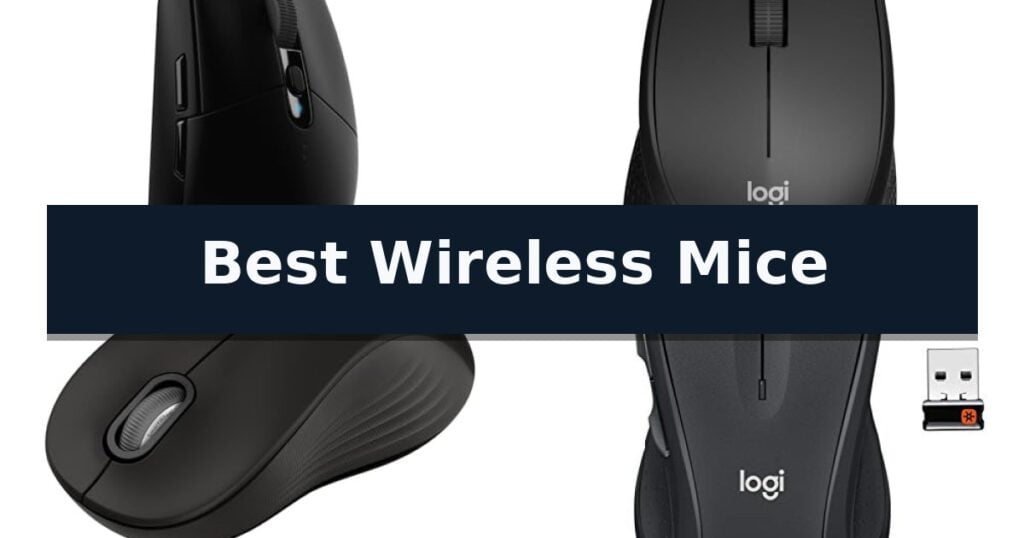
10 Best Wireless Mice in 2026 Reviews
Quick Comparison
| Product | Best For | Key Strength | Score |
|---|---|---|---|
| Logitech G305 LIGHTSPEED Wireless Gaming Mouse | Best Overall | LIGHTSPEED wireless technology provides a 1 ms report rate for lag-free performance. | 4.9 |
| Logitech M330 Silent Plus Wireless Mouse | Whisper-quiet clicks for shared workspaces | SilentTouch Technology significantly reduces clicking noise. | 4.6 |
| Logitech Signature M550 L Wireless Mouse | Ergonomic comfort for larger hands | SmartWheel technology for efficient line-by-line and high-speed scrolling. | 4.5 |
| Logitech M510 Full Size Wireless Mouse | Programmable buttons for faster navigation | Ergonomic contoured shape with rubber grips for sustained comfort. | 4.3 |
| Logitech M196 Bluetooth Wireless Mouse | Dongle-free connectivity for modern laptops | Dongle-free Bluetooth connectivity eliminates the need for USB ports. | 4.7 |
| Logitech M185 Compact Wireless Mouse | Reliable portability for tight workspaces | Ambidextrous contoured shape for comfortable use in either hand | 4.4 |
| HP X3000 G3 Wireless Mouse | Multi-surface tracking for versatile use | 15-month battery life on a single AA battery | 4.4 |
| TECKNET Ergonomic Wireless Mouse | High-precision tracking with side grips | 24-month battery life with power-saving mode | 4.8 |
| SABLUTE Wireless Mouse | Includes USB-C adapter for broad compatibility | Dual-compatibility with included USB-A and USB-C adapters. | 4.3 |
| E-YOOSO Wireless Mouse | Adjustable DPI for custom cursor speed | 5-level adjustable DPI for tailored cursor precision. | 4.6 |
How We Chose
When evaluating the best wireless mice, we focus on technical reliability and physical comfort. An experienced reviewer looks beyond marketing claims to assess how sensor performance, battery management, and button layout translate into real-world productivity or gaming utility. We prioritize devices that offer consistent connectivity and ergonomic designs suited for diverse hand sizes and work styles.
- Sensor precision and DPI adjustability for cursor control
- Battery longevity and power-saving features
- Ergonomic design and physical size compatibility
- Connectivity reliability and receiver storage
- Noise reduction capabilities for shared environments
1 Logitech G305 LIGHTSPEED Wireless Gaming Mouse — Lag-free performance for competitive gaming
Precision and responsiveness are the primary requirements for any competitive setup, and the Logitech G305 LIGHTSPEED Wireless Gaming Mouse addresses these needs with its proprietary LIGHTSPEED wireless technology. By delivering a consistent 1 ms report rate, this mouse provides a connection that rivals wired alternatives, ensuring that every movement is registered without the lag often associated with wireless peripherals.
At the heart of this device is the HERO optical sensor, which is engineered for both high-performance tracking and energy efficiency. Capable of reaching up to 12,000 DPI with 400 IPS precision, the sensor allows for rapid, accurate cursor movement. This efficiency is a critical design choice, as it enables the mouse to operate for up to 250 hours of continuous gameplay on a single AA battery.
Despite its internal power source, the Logitech G305 LIGHTSPEED Wireless Gaming Mouse maintains a highly maneuverable 3.4 oz lightweight design. The chassis includes 6 programmable buttons and integrated on-board memory, allowing users to save their preferred configurations directly to the device for use across different machines. The inclusion of a built-in nano receiver storage slot further enhances its utility as a portable solution for laptop users.
For those seeking to maximize longevity, the Logitech G305 LIGHTSPEED Wireless Gaming Mouse features an Endurance mode accessible via the Logitech G HUB software. When enabled, this setting can extend the battery life to as long as nine months, making it a practical choice for users who prioritize long-term reliability alongside high-speed performance.
Best for: Competitive gamers and mobile users who require a lag-free wireless connection and long battery life in a compact, lightweight form factor.
Skip if: Users who prefer a rechargeable built-in battery or an ergonomic shape designed specifically for larger hand sizes may find this AA-battery-powered, standard-profile mouse less suitable.
- LIGHTSPEED wireless technology provides a 1 ms report rate for lag-free performance.
- HERO sensor offers high precision up to 12,000 DPI with significant power efficiency.
- Extended battery life reaching up to 250 hours of gameplay, or 9 months in Endurance mode.
- Lightweight 3.4 oz design enhances maneuverability during fast-paced use.
- Requires AA batteries rather than utilizing a built-in rechargeable battery system.
- Standard compact shape may lack the specialized ergonomic contours found in larger gaming mice.
2 Logitech M330 Silent Plus Wireless Mouse — Whisper-quiet clicks for shared workspaces
Maintaining a quiet workspace is a primary concern for professionals who share environments or require deep focus, and the Logitech M330 Silent Plus Wireless Mouse is engineered to address this through proprietary SilentTouch Technology. By reducing clicking sounds by over 90 percent compared to standard mice, this peripheral effectively minimizes the repetitive mechanical noise that can disrupt concentration in shared offices or quiet home settings.
The mouse is specifically crafted for right-handed users, featuring a contoured shape with soft rubber grips that promote long-term comfort during extended computing sessions. Its 1000 dpi optical tracking ensures consistent and precise cursor control across a wide variety of surfaces, while the 2.4 GHz wireless connection provides a reliable, tether-free link up to 33 feet away via the included USB-A nano receiver. This plug-and-play design offers broad compatibility with Windows, macOS, ChromeOS, and Linux systems without the need for complex driver installations.
Efficiency is a core component of the design, highlighted by an 18-month battery life that is further extended by an integrated automatic sleep mode to preserve power when the device is idle. Sustainability is also prioritized in the manufacturing process, as the black model is constructed using 76 percent certified post-consumer recycled plastic. This lightweight mouse balances ergonomic utility with quiet operation, providing a practical, reliable solution for daily productivity tasks.
A key trade-off for users to consider is the reliance on a dedicated USB-A receiver. While this ensures a stable connection, it requires an available port on your computer and lacks the flexibility of Bluetooth connectivity found in some other models. Additionally, the ergonomic contour is strictly optimized for right-handed use, which may limit its suitability for left-handed individuals.
Best for: Office workers or students who need a quiet, comfortable, and reliable wireless mouse for daily productivity in shared or noise-sensitive environments.
Skip if: Users requiring advanced features like programmable side buttons, high-precision gaming sensors, or multi-device Bluetooth connectivity will find this basic model too limited for their needs.
- SilentTouch Technology significantly reduces clicking noise.
- Ergonomic contoured shape designed for right-handed comfort.
- Extended 18-month battery life with auto-sleep functionality.
- Constructed with certified post-consumer recycled plastic.
- Right-handed design is not suitable for left-handed users.
- USB-A receiver requires a dedicated port and lacks Bluetooth connectivity.
3 Logitech Signature M550 L Wireless Mouse — Ergonomic comfort for larger hands
Navigating long documents or sprawling web pages often requires constant scrolling, but the Logitech Signature M550 L Wireless Mouse simplifies this task with its integrated SmartWheel. This feature provides line-by-line precision for detailed work and switches automatically to a high-speed scrolling mode with a simple flick, allowing for efficient navigation through lengthy content.
Designed specifically for users with larger hands, this full size wireless mouse prioritizes ergonomics through a contoured shape and a dedicated soft thumb area. The inclusion of rubber side grips ensures the device remains secure during extended periods of use, reducing the physical strain often associated with smaller, less supportive peripherals.
The device emphasizes a quiet workspace by utilizing SilentTouch technology, which is engineered to reduce click noise by 90 percent. This makes it a practical choice for shared environments or home offices where minimizing distractions is a priority. Connectivity is equally flexible, offering users the choice between Bluetooth Low Energy or the included Logi Bolt USB receiver for a stable, cordless connection.
Maintenance is minimal, as the mouse is rated for up to 24 months of battery life on a single AA battery. It maintains broad compatibility across major operating systems, including Windows, macOS, Linux, Chrome OS, iPadOS, and Android. Furthermore, the construction incorporates certified post-consumer recycled plastic, reflecting a focus on material sourcing.
Best for: Users with larger hands who require a quiet, ergonomic mouse with versatile scrolling capabilities for mixed document and web navigation.
Skip if: Users who require a compact, travel-sized mouse or those who prefer a high-performance gaming sensor with adjustable DPI settings.
- SmartWheel technology for efficient line-by-line and high-speed scrolling.
- Ergonomic full-size design tailored for larger hands.
- SilentTouch technology significantly reduces click noise.
- Long battery life lasting up to 24 months.
- Large form factor may be cumbersome for users with smaller hands or those seeking a portable travel device.
4 Logitech M510 Full Size Wireless Mouse — Programmable buttons for faster navigation
The Logitech M510 Full Size Wireless Mouse is designed to provide sustained comfort during extended use, featuring a contoured shape with soft rubber grips and a broad palm area. This ergonomic design ensures that your hand remains supported, making it a practical choice for long work sessions or daily computing tasks.
Navigation is enhanced through a suite of customizable controls. Beyond the standard three-button layout, the device includes Back/Forward buttons that can be programmed to switch applications or toggle full-screen modes. Users can also utilize the tilt-to-scroll function for horizontal and vertical movement, which is particularly useful for managing spreadsheets or large music libraries when paired with the necessary software.
Power efficiency is a core component of this model, boasting a 2-year battery life under typical conditions. To maximize longevity, the mouse includes an integrated On/Off switch, a smart sleep mode, and a dedicated indicator light to provide status updates, reducing the frequency of battery replacements.
Connectivity is managed via the Logitech Unifying receiver, a compact USB-A nano receiver that can remain plugged into a laptop port without needing to be removed during transport. This receiver also supports the addition of other compatible wireless mice and keyboards, streamlining your peripheral setup.
Best for: Users seeking a full-sized, ergonomic wireless mouse with programmable buttons for improved navigation and long-term battery efficiency.
Skip if: Users who require a compact, travel-specific mouse or those who prefer a high-performance gaming sensor with adjustable DPI settings.
- Ergonomic contoured shape with rubber grips for sustained comfort.
- Programmable buttons and tilt-to-scroll functionality for efficient navigation.
- 2-year battery life supported by smart sleep mode and power switch.
- Logitech Unifying receiver allows for multiple device connections.
- Software requirement for full button customization and advanced scrolling features.
- Full-size dimensions may be less portable than compact travel models.
5 Logitech M196 Bluetooth Wireless Mouse — Dongle-free connectivity for modern laptops
The Logitech M196 Compact Ambidextrous Bluetooth Wireless Mouse prioritizes portability and ease of use by utilizing a reliable, dongle-free Bluetooth connection that pairs instantly with laptops and tablets. By eliminating the need for a USB receiver, this device ensures that your ports remain free, making it a streamlined choice for modern devices like MacBook Neo laptops, Windows PCs, and Chromebooks.
Designed for productivity on the move, this mouse features a lightweight, contoured, ambidextrous shape that accommodates both left- and right-handed users comfortably. Its optical tracking sensor provides smooth, accurate cursor control across a variety of surfaces, while the line-by-line scrolling functionality maintains efficiency during daily tasks.
Maintenance is simplified through a power-efficient design that delivers up to a 12-month battery life from a single AA battery. The inclusion of an auto-sleep feature further extends battery longevity, ensuring the device is ready when needed. The construction also reflects a focus on sustainability, with plastic parts containing between 66% and 67% certified post-consumer recycled plastic depending on the color choice.
While the device offers a straightforward, plug-and-play experience, it is a minimalist tool featuring three non-customizable buttons. This design choice favors simplicity and cost-effectiveness over advanced programmable inputs, making it a specialized solution for users who prioritize a clean, wireless workspace over complex macro capabilities.
Best for: Students and professionals who require a portable, dongle-free mouse for travel and daily productivity across multiple operating systems.
Skip if: Users who require programmable buttons, high-precision gaming sensors, or multi-device switching capabilities will find this basic model too limited for their needs.
- Dongle-free Bluetooth connectivity eliminates the need for USB ports.
- Ambidextrous, travel-ready design fits comfortably in any bag.
- 12-month battery life with an integrated auto-sleep feature.
- Sustainable construction using certified post-consumer recycled plastic.
- Non-customizable buttons limit functionality for power users.
- Basic feature set lacks advanced ergonomic or gaming-grade specifications.
6 Logitech M185 Compact Wireless Mouse — Reliable portability for tight workspaces
The Logitech M185 Compact Wireless Mouse distinguishes itself through a highly portable, ambidextrous design that prioritizes ease of use in constrained workspaces. By utilizing a tiny 2.4 GHz USB-A nano receiver, this device ensures a reliable wireless connection up to 33 feet, allowing users to maintain a clutter-free desk without complex setup procedures.
Engineered for efficiency, this mouse features a contoured shape that provides a more ergonomic alternative to standard laptop touchpads. Its optical tracking technology delivers smooth cursor control, while the inclusion of a smart sleep mode allows the device to achieve up to 12 months of battery life from a single AA battery. This power-saving functionality is ideal for users who require a low-maintenance peripheral for daily tasks.
Compatibility remains a core strength, as the Logitech M185 Compact Wireless Mouse functions seamlessly across Windows PCs, Macs, and laptops. The plug-and-play simplicity means the nano receiver can remain in the computer port, making it a convenient solution for professionals who frequently transition between different workstations or travel with their equipment.
Constructed with sustainability in mind, the device incorporates certified post-consumer recycled plastic in its housing. Despite its compact footprint, the mouse is built for durability, featuring a line-by-line scroll wheel and a 3-year limited warranty, ensuring it remains a dependable tool for long-term use in busy office or home environments.
Best for: Users seeking a compact, reliable, and ambidextrous wireless mouse for portable laptop use or tight office workspaces.
Skip if: Users who require advanced programmable buttons, high-precision gaming sensors, or multi-device Bluetooth connectivity.
- Ambidextrous contoured shape for comfortable use in either hand
- Extended 12-month battery life with smart sleep mode
- Plug-and-play nano receiver for simple, reliable wireless connectivity
- Universal compatibility across Windows and Mac operating systems
- Small form factor may not be ideal for users with large hands
- Lacks advanced features like side buttons or high-DPI adjustment
7 HP X3000 G3 Wireless Mouse — Multi-surface tracking for versatile use
Navigating a workspace often requires a peripheral that balances precision with long-term reliability, and the HP X3000 G3 Wireless Mouse addresses this by integrating a high-performance 1600 DPI optical sensor. Designed to provide consistent tracking across a variety of surfaces, this mouse offers the responsiveness needed for both professional tasks and casual navigation.
The HP X3000 G3 Wireless Mouse features a contoured, ambidextrous design equipped with side grips, ensuring comfort during extended use regardless of which hand you prefer. Its 3-button navigation and integrated scroll wheel provide a straightforward interface that is compatible with Windows PCs, Macs, and Chromebooks, making it a versatile addition to multi-OS environments.
Connectivity is handled via a 2.4 GHz USB-A nano receiver that maintains a stable signal up to a range of 30 feet. For portability, the receiver can be stored directly inside the mouse, protecting it during travel. Furthermore, the device is engineered for efficiency, boasting an impressive 15-month battery life on a single AA battery, which minimizes the frequency of maintenance.
By utilizing LED multi-surface technology, this mouse ensures smooth movement even on challenging textures. While it lacks advanced programmable buttons found on high-end gaming peripherals, its focus on reliable tracking and power efficiency makes it a practical solution for users seeking a dependable, cordless pointing device for daily computing.
Best for: Users who prioritize long battery life and reliable multi-surface tracking in a portable, ambidextrous design.
Skip if: Users who require advanced programmable buttons, high-speed gaming features, or Bluetooth connectivity.
- 15-month battery life on a single AA battery
- 1600 DPI optical sensor for precise tracking
- Ambidextrous, contoured design with side grips
- Multi-surface LED technology for versatile use
- Lacks Bluetooth connectivity options
- Limited to 3-button navigation without customization
8 TECKNET Ergonomic Wireless Mouse — High-precision tracking with side grips
The TECKNET Ergonomic Wireless Mouse is engineered for users who prioritize comfort during extended computer sessions, featuring a contoured shape and rubberized side-grips designed to support the natural curve of the hand. This peripheral provides a practical solution for maintaining productivity without the clutter of wired connections.
Equipped with advanced optical tracking, this mouse offers 5-level adjustable DPI settings ranging from 800 to 2600, allowing for precise cursor control across various surfaces. Its plug-and-play functionality via a USB-A mini-receiver ensures quick setup across Windows, Mac, Chrome OS, and Linux systems with a wireless range of up to 49 feet.
Efficiency is a core design element, with the device offering up to 24 months of battery life when used with the integrated power-saving mode and on/off switch. The compact dimensions of 4.09 x 2.68 x 1.49 inches make it a highly portable choice for travelers, while the receiver stores conveniently within the mouse housing when not in use.
Users should note that this model requires AAA batteries, which are not included in the package. Additionally, while the mouse is compatible with a wide range of operating systems, the side buttons are not supported on Mac systems, and the device is strictly limited to connectivity with USB-A port-equipped hardware.
Best for: Users seeking a portable, ergonomic mouse with long battery life for general productivity and travel.
Skip if: Users who require side-button functionality on a Mac or those who exclusively use devices with USB-C ports.
- 24-month battery life with power-saving mode
- 5-level adjustable DPI for precision control
- Ergonomic contoured design with rubber side-grips
- Compact, travel-friendly dimensions
- USB-A connectivity only, requiring adapters for modern devices
- Side buttons incompatible with Mac operating systems
9 SABLUTE Wireless Mouse — Includes USB-C adapter for broad compatibility
Finding a reliable peripheral for mobile productivity often comes down to balancing portability with ergonomic support. The SABLUTE Wireless Mouse addresses this by utilizing a compact, asymmetrical shape specifically engineered for small to medium hands, complete with a built-in thumb rest to minimize grip strain during extended use.
Beyond its physical design, this mouse prioritizes a quiet workspace through its silent-click switches, which provide a 90% noise reduction compared to standard models. It offers versatile tracking with three adjustable DPI settings—800, 1200, and 1600—allowing for precise cursor control on diverse surfaces like fabric, wood, and paper without requiring a dedicated mouse pad.
Connectivity is handled via a stable 2.4GHz wireless link, supported by an included USB-A nano receiver and a USB-C adapter. This dual-adapter approach ensures compatibility across a wide range of devices, including Windows, Mac, Linux, and OTG-enabled mobile devices. The setup is entirely plug-and-play, maintaining a reliable connection up to 33 feet.
To maximize efficiency, the device features an intelligent power-saving system that cycles through light and deep sleep modes, contributing to a battery life of up to 18 months on a single AA battery. The inclusion of dedicated forward and back navigation buttons further enhances workflow speed when browsing documents or web pages.
Best for: Office professionals and students who require a quiet, portable, and ergonomically shaped mouse for use with both legacy USB-A and modern USB-C devices.
Skip if: Users with large hands or those who prefer a full-sized, high-performance gaming mouse with advanced software customization will find this compact model too small and limited in feature set.
- Dual-compatibility with included USB-A and USB-C adapters.
- Quiet-click technology reduces noise by up to 90%.
- Ergonomic design with a built-in thumb rest for comfort.
- Extended battery life of up to 18 months with auto-sleep features.
- Requires a single AA battery which is not included in the package.
- Compact size may be uncomfortable for users with larger hands.
10 E-YOOSO Wireless Mouse — Adjustable DPI for custom cursor speed
Precision control over cursor speed is a primary requirement for diverse computing tasks, and the E-YOOSO Wireless Mouse addresses this with a 5-level adjustable DPI system. Ranging from 800 to 4800 DPI, this optical mouse allows users to toggle between settings to suit specific workflows, whether navigating spreadsheets or engaging in gaming, with LED flash indicators confirming the active speed.
Connectivity is managed via a 2.4GHz wireless signal, providing a reliable link up to 33 feet away. The included USB Nano Receiver stores conveniently in the back of the device, supporting plug-and-play functionality across various operating systems including Windows, Linux, and macOS. For those who prioritize efficiency, the mouse features dedicated forward and backward buttons to streamline web navigation.
Designed for extended use, the E-YOOSO Wireless Mouse utilizes an anti-slip and anti-sweat material to maintain a secure grip. The internal hardware is rated for over 5,000,000 keystrokes, ensuring long-term utility. To conserve energy, the device incorporates a smart auto sleep mode that activates after 8 minutes of inactivity, contributing to an impressive 18-month battery life.
While highly versatile, users should note that the side navigation buttons are not supported on Mac OS. The mouse maintains a compact profile, measuring approximately 4.4 inches in height, making it a portable solution for laptop users who require a stable, cord-free interface.
Best for: Users who need a versatile, portable mouse with adjustable sensitivity and long battery life for office or home computing.
Skip if: Mac users who specifically require functional side buttons for navigation, as these are not supported on that platform.
- 5-level adjustable DPI for tailored cursor precision.
- 18-month battery life with smart power-saving sleep mode.
- Reliable 2.4GHz wireless connection with a 33ft range.
- Anti-slip and anti-sweat ergonomic construction.
- Side buttons are not available when used with Mac OS.
Best Wireless Mice Buying Guide
Sensor Performance and Precision
The sensor is the core component of any mouse, dictating how accurately your physical movements translate to the screen. High-DPI sensors, such as the HERO sensor found in gaming models, offer greater sensitivity and precision, which is beneficial for tasks requiring rapid, minute adjustments.
For general office work, standard optical sensors provide sufficient tracking on most surfaces. If you frequently work on varied materials like wood or fabric, look for mice with advanced optical tracking that maintains stability without needing a dedicated mouse pad.
Connectivity and Portability
Wireless mice typically use either a 2.4 GHz USB receiver or Bluetooth. USB-based connections often provide a more stable, lag-free experience, making them ideal for gaming or high-intensity tasks where latency is a concern.
Bluetooth connectivity offers the convenience of a dongle-free setup, which is essential for modern laptops with limited USB ports. Consider whether your workspace requires the portability of a nano receiver that stores inside the mouse or the flexibility of multi-device Bluetooth pairing.
Ergonomics and Hand Fit
A mouse that does not fit your hand size can lead to discomfort during long work sessions. Contoured shapes with rubber side grips are designed to support the natural curve of the hand and reduce wrist strain.
Size matters significantly; compact mice are excellent for travel and smaller hands, while full-size models provide better palm support for larger hands. Always check the physical dimensions to ensure the mouse aligns with your grip style and desk space.
Battery Management
Battery life is a critical factor for wireless peripherals. Many modern mice utilize power-saving modes or auto-sleep functions to extend usage time, often reaching 12 to 24 months on a single battery.
For high-performance gaming mice, battery life is often measured in hours of continuous gameplay rather than months. If you choose a high-performance model, consider the trade-off between weight and battery capacity, as larger batteries can make the device heavier.
Noise and Build Quality
In shared office spaces or quiet environments, the sound of clicking can be disruptive. Silent-click technology reduces the audible noise of buttons, allowing for a more focused working experience without sacrificing the tactile feedback of a standard switch.
Build quality also includes the durability of the buttons and the quality of the scroll wheel. Look for features like programmable buttons if you need to streamline repetitive tasks, as these can significantly improve your workflow efficiency.
Frequently Asked Questions
Do I need a gaming mouse for office work?
Not necessarily. While gaming mice offer higher precision and programmable buttons, standard office mice are often more ergonomically focused and feature longer battery life, which is usually more beneficial for daily productivity.
What is the difference between a 2.4 GHz receiver and Bluetooth?
A 2.4 GHz receiver uses a dedicated USB dongle for a stable, low-latency connection, while Bluetooth connects directly to your device's built-in radio, saving a USB port but potentially introducing slight latency.
How do I know if a mouse is the right size for my hand?
Check the product dimensions provided in the specifications. As a general rule, compact mice are under 4 inches in length, while full-size mice are typically 4.5 inches or longer.
Can I use a wireless mouse on any surface?
Most modern optical mice track well on wood, fabric, and paper. However, glass or highly reflective surfaces may require specialized sensors for accurate tracking.
Are silent click mice less responsive?
No, silent click technology is designed to reduce the acoustic output of the switch while maintaining the same level of responsiveness and tactile feedback as a standard mouse button.
Conclusion: Our Top Pick
Our top pick is Logitech G305 LIGHTSPEED Wireless Gaming Mouse. Choosing the right wireless mouse depends on balancing your specific needs for precision, comfort, and connectivity. By focusing on the sensor type, physical dimensions, and battery life, you can find a device that enhances your daily computing experience.
Take the time to consider your primary use case, whether it is competitive gaming or standard office productivity, to ensure the features you pay for provide actual value to your workflow.