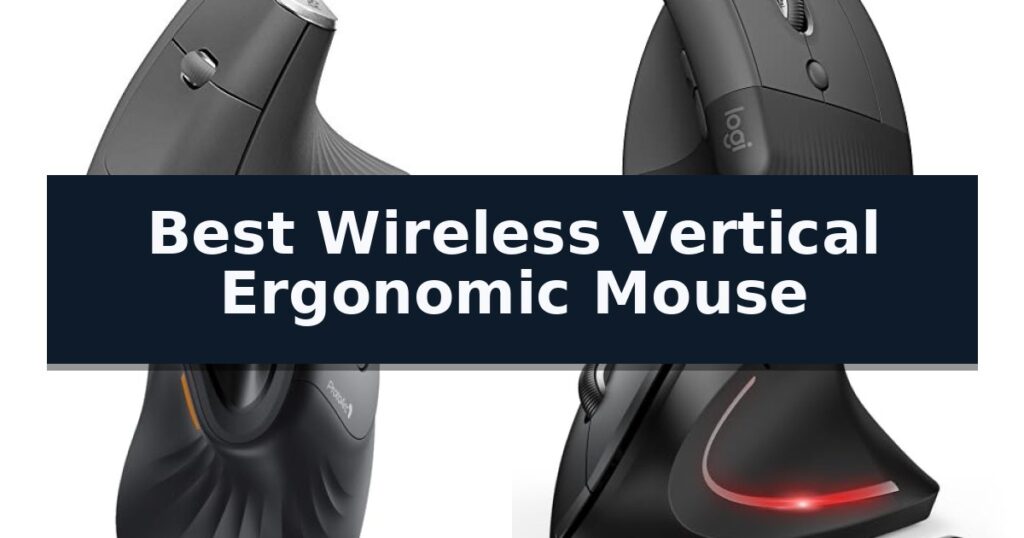
The Logitech MX Vertical Wireless Mouse is our top choice for the Best Wireless Vertical Ergonomic Mouse, offering a 57-degree angle that significantly reduces forearm strain during long work sessions. For users with smaller hands, the Logitech Lift Vertical Ergonomic Mouse provides a more compact, tailored fit, while the ProtoArc EM11 NL stands out as a versatile, budget-friendly option for those needing multi-device connectivity.
Transitioning to a vertical orientation requires a brief adjustment period, typically lasting a few days as your muscles adapt to the natural handshake position. Once acclimated, the reduction in wrist pressure and muscular activity often justifies the initial learning curve for professionals who spend their entire day at a desk.
When selecting a vertical mouse, prioritize models that align with your specific hand dimensions and connectivity requirements. Whether you need seamless switching between multiple computers or a simple, reliable plug-and-play experience, the right ergonomic tool can transform your daily comfort and productivity.
If you are exploring broader options for your desk setup, our guide to the Best Wireless USB Mouse provides additional insights into standard ergonomic and productivity peripherals.
10 Best Wireless Vertical Ergonomic Mouse in 2026 Reviews
Quick Comparison
| Product | Best For | Key Strength | Score |
|---|---|---|---|
| Logitech MX Vertical Wireless Mouse | Best Overall | 57° vertical angle promotes a natural handshake position. | 4.9 |
| Logitech Lift Vertical Ergonomic Mouse | Ideal Fit for Smaller Hands | 57-degree vertical angle promotes a more natural forearm posture. | 4.7 |
| ProtoArc EM11 NL Wireless Mouse | Rechargeable Comfort for Daily Tasks | 58-degree vertical design promotes a natural, neutral wrist position. | 4.8 |
| TECKNET Ergonomic Wireless Mouse | High DPI Sensitivity for Precision | Seamless 3-device switching via Bluetooth and 2.4GHz connectivity. | 4.8 |
| UGREEN Ergonomic Wireless Mouse | Smooth Glide for Large Hands | Vertical handshake design reduces wrist rotation and muscle strain. | 4.5 |
| Lekvey Rechargeable Vertical Mouse | Reliable Support for Long Sessions | Ergonomic vertical design promotes a neutral wrist and arm position. | 4.8 |
| seenda Ergonomic Wireless Mouse | Stylish Design for Shared Spaces | 52-degree vertical angle promotes a natural handshake position. | 4.5 |
| Uineer Ergonomic Vertical Mouse | Ambient Lighting for Modern Setups | Tri-mode connectivity for seamless switching between three devices. | 4.4 |
| JYKEYMOUT Dual Mode Vertical Mouse | Seamless Switching Between Devices | Dual-mode connectivity allows for simultaneous pairing with two devices. | 4.7 |
| Anker Wireless Ergonomic Mouse | Classic Shape for Natural Posture | Vertical ergonomic design promotes a neutral wrist and arm position. | 4.4 |
How We Chose
Selecting the right vertical mouse requires evaluating how a device physically interacts with your hand and workspace. We analyze each model based on its ergonomic geometry, sensor precision, and connectivity versatility. By focusing on these practical performance metrics, we identify which mice effectively minimize repetitive strain while maintaining the functionality required for modern professional workflows.
- Hand size compatibility and physical dimensions
- Ergonomic angle and wrist posture support
- Connectivity options including Bluetooth and USB receivers
- Button customization and navigation efficiency
- Battery life and charging convenience
1 Logitech MX Vertical Wireless Mouse — Advanced Precision for Heavy Users
Maintaining a neutral wrist position during long hours at a desk is a primary challenge for many computer users, and the Logitech MX Vertical Wireless Mouse addresses this through its unique 57° vertical angle. By encouraging a natural handshake position, this device is engineered to reduce muscular activity by 10 percent compared to a traditional mouse, helping to lower wrist pressure while providing a comfortable thumb rest.
Beyond its ergonomic shape, the mouse features an advanced 4000 DPI high-precision sensor. This high sensitivity is designed to result in 4x less hand movement, which can effectively reduce fatigue during repetitive tasks. Users can instantly adjust their cursor speed and accuracy using the dedicated cursor speed switch located on the device.
The Logitech MX Vertical Wireless Mouse is built with a textured rubber surface to ensure a secure grip, and its form factor is designed to accommodate a variety of hand shapes and sizes. It offers versatile connectivity, including the ability to move content seamlessly between three different Windows or Apple computers.
This rechargeable mouse is designed with both functionality and sustainability in mind, utilizing FSC-certified paper for its packaging. It includes a wireless USB receiver, which is conveniently stored with the mouse, ensuring a straightforward setup for users looking to improve their desktop ergonomics.
Best for: Users seeking to reduce wrist strain and muscle fatigue through an ergonomic, high-precision vertical design.
Skip if: Users who prefer a traditional flat mouse profile or those with very small hands who may find the vertical form factor difficult to grip.
- 57° vertical angle promotes a natural handshake position.
- 4000 DPI high-precision sensor reduces the amount of physical hand movement required.
- Multi-computer control allows for seamless content transfer between three devices.
- Textured rubber surface provides a secure and comfortable grip.
- Vertical form factor requires an adjustment period for users accustomed to standard mice.
2 Logitech Lift Vertical Ergonomic Mouse — Ideal Fit for Smaller Hands
Maintaining a natural forearm posture during extended computer use is a common challenge for desk-bound professionals. The Logitech Lift Vertical Ergonomic Mouse addresses this by utilizing a unique 57-degree vertical angle, which is specifically engineered to reduce strain and promote a more comfortable, upright hand position throughout the workday.
Designed with a compact footprint, this mouse is a tailored fit for small to medium-sized right hands. The device features a softly textured grip and a dedicated thumb rest, ensuring that comfort remains a priority during long sessions. Its whisper-quiet clicks and smooth-scrolling SmartWheel allow for a focused work environment, minimizing distractions while navigating documents or web pages.
Versatility is central to its design, offering dual connectivity options via Bluetooth Low Energy or the included Logi Bolt USB-A receiver. It is compatible with a wide range of operating systems, including Windows, macOS, iPadOS, Chrome OS, and Linux. The unit is also built with sustainability in mind, incorporating certified post-consumer recycled plastic in its construction.
Functionality is further enhanced by six buttons, four of which are fully customizable to suit individual workflow requirements. With an impressive battery life of up to two years, this ergo-certified peripheral provides a reliable solution for those seeking to improve their workspace ergonomics without the constant need for maintenance or battery replacements.
Best for: Users with small to medium-sized hands looking for a more natural, upright wrist posture during daily computer tasks.
Skip if: Users with large hands or those who require a left-handed ergonomic design, as this model is specifically shaped for right-handed users with smaller grips.
- 57-degree vertical angle promotes a more natural forearm posture.
- Whisper-quiet clicks and smooth scrolling for a quiet work environment.
- Dual connectivity via Bluetooth or Logi Bolt USB receiver.
- Customizable buttons allow for personalized workflow efficiency.
- Long battery life lasting up to two years.
- Right-hand specific design limits use for left-handed individuals.
- Size constraints may not be comfortable for users with larger hands.
3 ProtoArc EM11 NL Wireless Mouse — Rechargeable Comfort for Daily Tasks
Maintaining a natural wrist posture during long work sessions is a primary challenge for many desk users, and the ProtoArc EM11 NL Wireless Ergonomic Vertical Mouse addresses this with a specific 58-degree vertical design. By aligning the forearm and wrist in a more neutral position, this device aims to reduce the strain often associated with traditional, flat-profile mice.
Designed specifically for users with hand lengths under 7.5 inches, this mouse offers a tailored fit for small to medium hands. The ProtoArc EM11 NL Wireless Ergonomic Vertical Mouse features dual Bluetooth and 2.4G USB-A connectivity, allowing you to pair and switch between up to three devices simultaneously. This multi-device capability is supported across Windows, Mac OS, and Android platforms.
Performance is driven by an adjustable DPI sensor with settings at 1000, 1600, and 2400, providing variable sensitivity for different tasks. While the left and right buttons are engineered for quiet clicking to minimize noise, the scroll wheel and navigation buttons maintain a standard tactile feel. Note that the forward and back buttons are not compatible with Mac OS systems.
Power management is handled by a built-in 500mAh rechargeable battery, which is replenished via the included USB-C cable. Because the vertical orientation requires a different grip than standard mice, the manufacturer recommends a one-to-two-week adjustment period to build comfort and muscle memory. It is important to measure your hand size before purchase to ensure the ergonomic benefits align with your physical dimensions.
Best for: Users with small to medium-sized hands seeking a vertical orientation to improve wrist alignment during daily computer tasks.
Skip if: Users with hand lengths exceeding 7.5 inches or those who require fully programmable buttons for professional workflows.
- 58-degree vertical design promotes a natural, neutral wrist position.
- Multi-device connectivity supports up to three devices via Bluetooth and 2.4G USB-A.
- Rechargeable 500mAh battery eliminates the need for disposable cells.
- Quiet click switches on primary buttons reduce ambient noise.
- Non-programmable buttons limit customization for advanced users.
- Size constraints make it unsuitable for users with large hands.
- Incompatibility of forward/back buttons with Mac OS systems.
4 TECKNET Ergonomic Wireless Mouse — High DPI Sensitivity for Precision
Maintaining a natural wrist posture during extended computer use is essential for comfort, and the TECKNET Ergonomic Wireless Mouse addresses this by positioning your hand at a near-vertical angle. This design choice aims to reduce the physical strain often associated with traditional flat mice, making it a practical consideration for those spending long hours at a desk.
Connectivity is a primary strength of this device, offering both Bluetooth 5.0/3.0 and a 2.4GHz USB-A receiver for versatile pairing. With the ability to switch among 3 devices seamlessly, it enhances workflow efficiency for users managing multiple computers. The 2.4GHz receiver is conveniently stored at the bottom of the mouse when not in use.
Precision and customization are supported by a high-performance chip that provides 6 adjustable DPI levels, ranging from 800 to 4800. Users can easily toggle between these sensitivities, with an LED indicator flashing to confirm the selected level. The mouse is also engineered for quiet environments, featuring silent left and right click buttons to minimize noise during operation.
Power management is handled through a battery-operated system requiring 2 AAA batteries. To extend longevity, the mouse includes an automatic deep sleep mode that activates after 10-30 minutes of inactivity. While compatible with Windows, Mac, Chrome, and Linux, users should note that the side buttons are not functional on macOS, and the device is intended exclusively for right-handed use.
Best for: Right-handed users who need to switch between multiple devices and prefer a vertical orientation to reduce wrist strain.
Skip if: Left-handed users or those requiring full side-button functionality on macOS devices.
- Seamless 3-device switching via Bluetooth and 2.4GHz connectivity.
- 6 adjustable DPI levels for customizable tracking precision.
- Silent click buttons for use in quiet workspaces.
- Ergonomic vertical design to promote a more natural wrist position.
- Right-handed only design limits accessibility.
- Side buttons are incompatible with macOS systems.
5 UGREEN Ergonomic Wireless Mouse — Smooth Glide for Large Hands
Maintaining a natural hand position during long work sessions is essential for comfort, and the UGREEN Ergonomic Wireless Mouse addresses this through its vertical handshake design. By encouraging a more neutral wrist posture, this device aims to reduce muscle strain compared to traditional flat mice, making it a specialized tool for users who spend significant time at a desk.
The mouse features a 5-button layout and 4 adjustable DPI levels ranging from 1000 to 4000, allowing for precise cursor control across various tasks. Whether you are editing documents or navigating complex interfaces, the ability to toggle sensitivity ensures the tracking speed matches your workflow requirements. The inclusion of PTFE glide feet further supports smooth movement across surfaces while keeping operation quiet.
Connectivity is handled through a dual-mode system, offering both 2.4G wireless and Bluetooth options. This flexibility allows you to switch between up to 3 devices seamlessly, which is particularly useful for multi-system setups involving laptops, desktops, or tablets. The device is powered by a single AA battery and utilizes a smart sleep mode to manage power consumption effectively.
Compatibility is broad, covering Windows, macOS, Linux, ChromeOS, and Android. It is important to note that the UGREEN Ergonomic Wireless Mouse is specifically engineered for medium to large hands. Users with smaller hands may find the vertical form factor less comfortable, so verifying your hand size against the manufacturer's guide is recommended before purchase.
Best for: Users with medium to large hands seeking a vertical mouse to promote a more neutral wrist posture during extended computer use.
Skip if: Individuals with small hands or those who prefer a traditional, low-profile mouse design will likely find this vertical form factor uncomfortable.
- Vertical handshake design reduces wrist rotation and muscle strain.
- Dual wireless connectivity allows switching between up to 3 devices.
- 4 adjustable DPI levels provide customizable cursor precision.
- Silent click buttons ensure a quiet workspace environment.
- Large form factor is not suitable for users with small hands.
- Requires a physical AA battery rather than an internal rechargeable power source.
6 Lekvey Rechargeable Vertical Mouse — Reliable Support for Long Sessions
Maintaining a neutral wrist position during long work sessions is essential for comfort, and the Lekvey Rechargeable Vertical Mouse is engineered specifically to address this through its scientific vertical design. By encouraging a natural "handshake" posture, this device aims to reduce the strain often associated with traditional, flat-profile mice.
The Lekvey Rechargeable Vertical Mouse features a 600mAh rechargeable battery that eliminates the need for disposable replacements. Depending on usage, a single charge via the included USB-C cable can last between three to four weeks with standard daily use, or up to three months with lighter activity. The integrated auto sleep mode further preserves battery life when the device is idle.
Functionality is enhanced by three adjustable DPI levels (800/1200/1600), allowing users to toggle sensitivity based on their specific task requirements. Navigation is simplified through dedicated "Page Back" and "Page Forward" buttons, which provide added convenience during web browsing. These features are housed in a chassis measuring 5.0" x 3.0" x 2.5", making it a suitable choice for medium to large hands.
Setup is straightforward with a plug-and-play 2.4G wireless connection via a nano USB receiver stored at the bottom of the mouse. This eliminates the need for complex Bluetooth pairing or driver installations. The device maintains broad compatibility across Windows, Mac OS, and Linux systems, ensuring it integrates easily into most desktop environments.
Best for: Users with medium to large hands seeking to transition to a vertical orientation to improve wrist comfort during extended computer use.
Skip if: Users with small hands or those who require fully programmable buttons, as this model features a fixed button configuration.
- Ergonomic vertical design promotes a neutral wrist and arm position.
- Rechargeable 600mAh battery removes the need for disposable batteries.
- Convenient plug-and-play connectivity via a 2.4G nano USB receiver.
- Adjustable DPI settings for customized cursor sensitivity.
- Non-programmable buttons limit customization options for power users.
- Large physical footprint may not be suitable for users with smaller hands.
7 seenda Ergonomic Wireless Mouse — Stylish Design for Shared Spaces
Maintaining a natural posture during long hours of desk work is a primary challenge for many professionals. The seenda Ergonomic Wireless Mouse addresses this by utilizing a 52-degree vertical design, which encourages a more natural handshake position to reduce strain on the wrist and forearm.
This device is built for versatility in modern workspaces, offering dual Bluetooth channels and a 2.4 GHz USB receiver. This allows users to switch between three separate devices—such as a desktop, laptop, and tablet—with the press of a single button, effectively minimizing cable clutter.
Designed with shared environments in mind, the mouse features quiet clicks tested under 40 dB, ensuring that work or study sessions remain unobtrusive to others nearby. The exterior is finished in a matte purple with a silicone thumb rest and anti-slip lines, providing a steady, comfortable grip for extended use.
Functionality is further enhanced by adjustable DPI settings (1000, 1600, and 2400), allowing users to toggle between precision tasks and faster navigation. While the mouse is compatible with Windows, macOS, and Android, it is important to note that the integrated forward and back buttons are not supported on macOS systems.
Best for: Users seeking a comfortable, vertical mouse design for multi-device workflows in shared office or home environments.
Skip if: Users who require full functionality of side navigation buttons on macOS or those who prefer a traditional horizontal mouse shape.
- 52-degree vertical angle promotes a natural handshake position.
- Multi-device connectivity via dual Bluetooth and 2.4 GHz USB receiver.
- Quiet click technology suitable for shared workspaces.
- Adjustable DPI settings for varied navigation needs.
- Side navigation buttons are not supported on macOS.
- Vertical design requires an adjustment period for those accustomed to standard mice.
8 Uineer Ergonomic Vertical Mouse — Ambient Lighting for Modern Setups
The Uineer Ergonomic Vertical Mouse distinguishes itself with a specialized natural grip design intended to keep the wrist straight and the forearm relaxed, specifically addressing discomfort associated with prolonged computer use. Weighing only 105 grams, this peripheral integrates vibrant RGB ambient lighting to complement modern desktop setups while providing a functional, ergonomic alternative to traditional mouse shapes.
Performance is driven by a 500mAh rechargeable battery, engineered to support weeks of typical 8-hour daily use. The device includes a Type-C charging port and a low-battery indicator to prevent unexpected power loss. For energy efficiency, it features a smart sleep mode that activates after 10 to 30 minutes of inactivity, requiring only a single click to wake the sensor.
Connectivity options include tri-mode wireless support via Bluetooth 5.0, Bluetooth 4.0, and a 2.4GHz USB-A receiver. This versatility allows users to switch between three devices seamlessly, facilitating multitasking across laptops, tablets, and desktops. The mouse is compatible with Windows, Mac OS, Chrome OS, and Linux systems.
Precision and navigation are handled by a 4-level adjustable DPI sensor, which can be toggled between 800, 1600, 2400, and 3200 DPI to suit various tasks from document processing to creative design. The inclusion of silent left and right buttons, along with a side scroll wheel and dedicated forward/back navigation buttons, enhances operational fluency without generating clicking noise.
Best for: Office users and remote workers seeking a vertical ergonomic design to reduce wrist strain while multitasking across multiple devices.
Skip if: Users who require a traditional mouse form factor or those who are not prepared for the 1-2 week adjustment period required to adapt to a vertical grip.
- Tri-mode connectivity for seamless switching between three devices.
- Adjustable 4-level DPI up to 3200 for customized cursor sensitivity.
- Silent button technology for quiet operation in shared environments.
- Rechargeable 500mAh battery eliminates the need for disposable batteries.
- Adaptation period of 1-2 weeks required for users new to vertical mouse ergonomics.
9 JYKEYMOUT Dual Mode Vertical Mouse — Seamless Switching Between Devices
Maintaining a neutral handshake position is the primary design goal of the JYKEYMOUT Dual Mode Vertical Mouse, which aims to reduce wrist and arm pressure during extended computer use. By orienting the hand vertically rather than flat, this peripheral encourages a more natural posture for daily navigation and productivity tasks.
The device offers versatile connectivity through its 2-in-1 (Bluetooth & 2.4G) Dual Mode functionality. Users can pair the mouse via Bluetooth 5.2/3.0 or utilize the included 2.4GHz USB receiver, allowing for seamless switching between two devices with a dedicated button. This dual-mode capability is particularly useful for users managing multiple systems, such as a laptop and a desktop, without needing to re-pair or swap receivers.
Equipped with 6 silent buttons, the mouse is engineered for quiet environments like offices or libraries. It features an optical sensor with adjustable resolution settings of 1000/1200/1600 DPI, providing users with the ability to toggle tracking precision based on their specific workflow requirements. The inclusion of "Back" and "Forward" buttons further assists with navigation, though these specific functions are not compatible with Mac OS.
Power management is handled by a built-in high-capacity rechargeable battery that charges via a Type-C interface. The mouse includes an automatic power-saving mode that activates after 10 minutes of inactivity to preserve battery life. A full charge is rated to last between 1 to 3 months, depending on individual usage patterns and frequency.
Best for: Users who need to switch between two devices simultaneously and prefer a vertical ergonomic design to reduce wrist strain.
Skip if: Mac OS users who require dedicated side navigation buttons, as the 'Back' and 'Forward' functions are not supported on that operating system.
- Dual-mode connectivity allows for simultaneous pairing with two devices.
- Ergonomic vertical design promotes a neutral handshake position.
- Silent buttons minimize noise in shared workspaces.
- Rechargeable battery eliminates the need for disposable battery replacements.
- Navigation buttons are incompatible with Mac OS.
- Charging limitations require avoiding fast-charging adapters to protect battery health.
10 Anker Wireless Ergonomic Mouse — Classic Shape for Natural Posture
Maintaining a neutral wrist position during long hours at a desk is essential for comfort, and the Anker Wireless Ergonomic Mouse addresses this with a scientifically designed vertical structure. By encouraging a natural "handshake" posture, this device aims to reduce forearm strain compared to traditional flat mouse designs.
This mouse utilizes 2.4 GHz wireless technology via a compact USB receiver, ensuring a reliable connection for your laptop or desktop. It features 800/1200/1600 DPI Resolution Optical Tracking Technology, allowing you to toggle between sensitivity levels to match your specific precision needs for various tasks, from office work to casual browsing.
Usability is enhanced by the inclusion of dedicated next/previous buttons, which simplify navigation through web pages. The device is built for efficiency, incorporating an automatic power-saving mode that triggers after 8 minutes of inactivity to conserve battery life. It wakes instantly with a simple click, ensuring it is ready when you are.
Measuring 120 by 62.8 by 74.8 mm and weighing 3.4 oz, the mouse provides a substantial feel without being cumbersome. It requires 2 AAA batteries and comes with an 18-month warranty, offering a straightforward solution for those seeking to transition to a more ergonomic desk setup.
Best for: Users seeking to improve wrist comfort through a vertical, handshake-style grip during daily computer tasks.
Skip if: Users who require Bluetooth connectivity or those who prefer silent clicking, as the key clicks on this model are audible.
- Vertical ergonomic design promotes a neutral wrist and arm position.
- Adjustable 800/1200/1600 DPI settings for varied tracking precision.
- Power-saving mode automatically disconnects after 8 minutes of inactivity.
- Includes convenient next/previous buttons for easier web navigation.
- No Bluetooth support; requires a USB receiver.
- Audible click sounds may not be suitable for quiet environments.
Best Wireless Vertical Ergonomic Mouse Buying Guide
Understanding the Vertical Angle
The primary purpose of a vertical mouse is to place your forearm in a neutral handshake position. This orientation prevents the forearm bones from crossing, which is the standard position when using a traditional flat mouse, thereby reducing muscular tension.
Most ergonomic vertical mice feature an angle between 45 and 60 degrees. While a steeper angle often provides more pronounced relief, it may also require a longer adjustment period for your motor skills to adapt to the new movement pattern.
Matching Hand Size to Design
Ergonomic benefits are only realized if the mouse fits your hand correctly. A mouse that is too large can force your fingers to overextend, while one that is too small may cause you to grip too tightly, negating the ergonomic advantages.
Always check the manufacturer's recommended hand size guidelines. Many brands now offer specific versions for smaller or medium hands, ensuring that the buttons and scroll wheels remain easily accessible without straining your reach.
Connectivity and Multi-Device Workflow
Modern wireless mice typically offer both Bluetooth and 2.4GHz USB receiver connectivity. Bluetooth is ideal for maintaining a clean desk and connecting to tablets or laptops, while a dedicated USB receiver often provides a more stable, low-latency connection for desktop workstations.
If you frequently switch between a work laptop and a personal computer, look for models that support multi-device pairing. This feature allows you to toggle between systems with a single button press, streamlining your multi-tasking setup.
Sensor Precision and DPI Settings
DPI (dots per inch) settings determine how much the cursor moves relative to your hand movement. High-precision sensors allow you to cover more screen area with less physical effort, which is essential for reducing fatigue during high-volume tasks.
Many vertical mice include an adjustable DPI switch. This allows you to toggle between slower, more precise tracking for detailed design work and faster speeds for general navigation, giving you greater control over your workflow.
Battery Management and Charging
Wireless vertical mice are either rechargeable via USB-C or powered by replaceable batteries. Rechargeable models reduce long-term waste and cost, though they require occasional downtime for charging.
Battery-powered models can offer months of usage on a single set of batteries, making them convenient for users who prefer not to manage charging cables. Consider your workspace access to power when deciding between these two power delivery methods.
Frequently Asked Questions
How long does it take to get used to a vertical mouse?
Most users report an adjustment period of three to five days. During this time, it is normal to feel slightly less precise, but comfort usually improves as your muscles adapt to the neutral position.
Are vertical mice suitable for gaming?
While vertical mice are designed primarily for office productivity and comfort, many models feature adjustable DPI and responsive sensors that work well for casual gaming. However, competitive gamers often prefer traditional shapes for specific grip styles.
Do I need special software to use the side buttons?
Many vertical mice have plug-and-play functionality for basic navigation. However, to customize buttons for specific applications, you may need to download the manufacturer's software, which is often not compatible with macOS.
Can a vertical mouse help with carpal tunnel syndrome?
A vertical mouse is designed to reduce wrist pressure and muscle strain, which are common contributors to discomfort. While it can be a helpful part of an ergonomic setup, it is not a medical treatment for carpal tunnel syndrome.
What should I do if the mouse feels too big?
If a mouse feels too large, it may cause finger fatigue or discomfort. We recommend checking the dimensions provided in the product specifications and opting for a model specifically marketed for small-to-medium hands.
Conclusion: Our Top Pick
Our top pick is Logitech MX Vertical Wireless Mouse. Choosing the right vertical mouse is a personal decision that hinges on your hand size and the specific demands of your daily tasks. By prioritizing ergonomic design and connectivity features, you can significantly improve your comfort and reduce the physical strain associated with long hours of computer use.
We recommend starting with a model that matches your hand dimensions to ensure the best possible experience. Whether you choose a high-end option with advanced customization or a reliable, budget-friendly model, the transition to a vertical orientation is a meaningful step toward a more sustainable workspace.