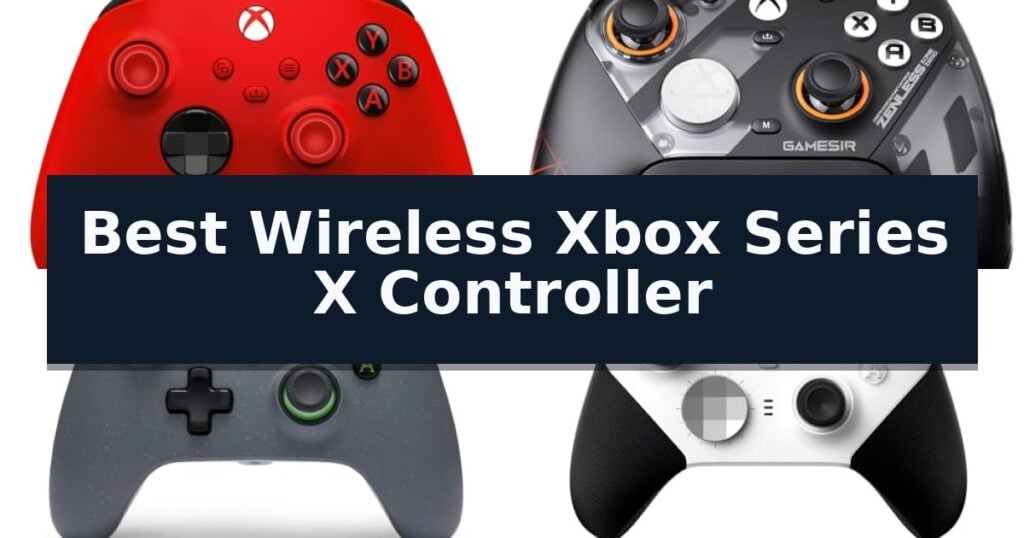
The Xbox Wireless Gaming Controller is our top choice for the Best Wireless Xbox Series X Controller because it offers a reliable, standardized experience that integrates seamlessly with the console ecosystem. For those seeking advanced precision, the GameSir G7 Pro Wireless Controller provides specialized TMR sticks to minimize drift, while the PowerA Advantage Wireless Controller offers a sustainable build with hall effect sensors for enhanced longevity.
Selecting the right controller involves balancing standard compatibility with specialized hardware features that cater to different playstyles. While the base model provides the expected tactile feedback and connectivity, third-party options often introduce programmable back buttons, trigger locks, or hall effect components that can significantly alter the feel and responsiveness of competitive gaming sessions.
When evaluating these devices, consider how specific features like trigger stops or remappable inputs align with your favorite genres. A controller designed for high-speed shooters may prioritize instant actuation, whereas a general-purpose gamepad focuses on long-term comfort and broad compatibility across PC and cloud platforms.
If you are concerned about long-term hardware reliability, exploring the Best Wireless Xbox Controllers Without Stick Drift can help you find models equipped with magnetic sensors. These options often overlap with the Best Wireless Xbox Controllers with Hall Effect Sensors for those prioritizing precision.
10 Best Wireless Xbox Series X Controller in 2026 Reviews
Quick Comparison
| Product | Best For | Key Strength | Score |
|---|---|---|---|
| Xbox Wireless Gaming Controller | Best Overall | Versatile connectivity options including Xbox Wireless, Bluetooth, and USB-C. | 4.9 |
| GameSir G7 Pro Wireless Controller | Drift-free precision with TMR sticks | Mag-Res TMR technology effectively eliminates stick drift for long-term precision. | 4.8 |
| PowerA Advantage Wireless Controller | Sustainable build with hall effects | Hall Effect sensors provide superior precision and prevent stick drift. | 4.3 |
| Xbox Elite Series 2 Core Controller | Pro-level customization and feel | Adjustable-tension thumbsticks for personalized control resistance. | 4.7 |
| Razer Wolverine V3 Pro Controller | Tournament-grade wireless performance | Ultra-responsive mouse-click back buttons and claw grip bumpers. | 4.8 |
| ASUS ROG Raikiri II Controller | Ultra-low latency for competitive play | Ultra-low latency performance with a 1000Hz polling rate. | 4.3 |
| Dinosoo RGB Wireless Controller | Stylish design with customizable lighting | Customizable 8-mode RGB lighting for a personalized aesthetic. | 4.7 |
| SZDILONG Wireless Gaming Controller | Budget-friendly with extended battery | Extended 10-14 hour battery life with rapid Type-C charging. | 4.7 |
| SZYUYU Wireless Gaming Controller | Affordable pick with programmable keys | Programmable back buttons for custom macro mapping. | 4.6 |
| ADHJIE Wireless Gaming Controller | Simple plug-and-play connectivity | Stable 2.4GHz wireless connection with a 32-foot range. | 4.5 |
How We Chose
To identify the best wireless controllers for Xbox Series X, we analyze technical specifications such as polling rates, stick sensor technology, and button actuation. We prioritize controllers that offer consistent wireless performance and meaningful customization, ensuring that each recommendation provides a tangible improvement in control and comfort for diverse gaming requirements.
- Connectivity stability and latency across Xbox and PC platforms
- Durability and precision of analog stick technology
- Customization options including remappable buttons and trigger sensitivity
- Ergonomic design and tactile feedback quality
- Battery life and charging convenience
1 Xbox Wireless Gaming Controller — Reliable standard for console gaming
The Xbox Wireless Gaming Controller features a refined, modernized design that prioritizes ergonomics through sculpted surfaces and updated geometry. This controller is engineered to provide a consistent feel across extended gaming sessions, whether you are navigating complex menus or engaging in high-intensity action.
Precision is central to the hardware, which incorporates a hybrid D-pad for accurate directional input. To maintain a secure hold, the device includes textured grips on the triggers, bumpers, and the back case. These tactile surfaces are intended to improve handling and overall control during gameplay.
Connectivity is highly versatile, supporting Xbox Wireless and Bluetooth for seamless pairing across consoles, PCs, and cloud-enabled devices. Users can also utilize the USB-C port for a direct, plug-and-play connection. For audio, a built-in 3.5mm headset jack allows for direct voice chat and game audio integration.
Functionality is further expanded by a dedicated Share button, which simplifies the process of capturing and distributing screenshots or video clips. Additionally, the Xbox Accessories app provides the ability to remap buttons and create custom controller profiles, allowing for a personalized configuration tailored to specific playstyles.
Best for: Gamers who require a versatile, ergonomic controller that functions seamlessly across consoles, PCs, and cloud gaming platforms.
Skip if: Users who prefer a wired-only controller or those who require advanced pro-level features like back paddles or adjustable tension thumbsticks.
- Versatile connectivity options including Xbox Wireless, Bluetooth, and USB-C.
- Enhanced ergonomics with sculpted surfaces and textured grips for improved handling.
- Customizable controls via the Xbox Accessories app for button remapping.
- Dedicated Share button for quick content capture.
- Standard feature set lacks advanced hardware additions like back paddles or modular components.
2 GameSir G7 Pro Wireless Controller — Drift-free precision with TMR sticks
The GameSir G7 Pro Wireless Controller distinguishes itself through its advanced Mag-Res TMR technology, which provides ultra-smooth, precise control while virtually eliminating stick drift. This controller is engineered for gamers who demand high-performance input, featuring Hall Effect sensors that ensure long-lasting durability and consistent accuracy during intense sessions.
Designed for versatility, the controller offers a seamless transition between Hall Effect analog triggers and micro-switches, allowing players to adapt their input style for different game genres. The inclusion of optical micro-switch ABXY buttons and a mechanical D-pad provides crisp, tactile feedback that enhances responsiveness. For those who prioritize customization, the GameSir G7 Pro Wireless Controller includes a three-part magnetic swappable faceplate and extra D-pads, enabling users to tailor the physical grip and aesthetic to their personal preferences.
Connectivity is a major highlight, with the device supporting a stable 2.4G wireless connection for Xbox Series X|S and Xbox One consoles, complete with one-press wake-up functionality. PC users gain an additional advantage with support for a 1000Hz ultra-low latency polling rate, ensuring rapid input registration. The package is rounded out by a smart auto start-stop charging station and a 1200mAh battery, keeping the controller powered and ready for extended play.
Advanced users can further refine their experience using the GameSir Nexus app. This software suite allows for deep configuration, including gyro settings, stick curve adjustments, and button-to-mouse mapping. With four remappable buttons—two mini bumpers and two lockable back buttons—the controller provides ample flexibility for complex control schemes, making it a comprehensive tool for competitive gaming setups.
Best for: Gamers seeking a highly customizable, drift-free wireless controller with advanced polling rates for PC and console play.
Skip if: Users who prefer a standard, lightweight controller without the complexity of remappable buttons, swappable faceplates, or dedicated charging docks.
- Mag-Res TMR technology effectively eliminates stick drift for long-term precision.
- 1000Hz polling rate on PC ensures ultra-low latency for competitive responsiveness.
- Versatile trigger system allows switching between Hall Effect and micro-switch modes.
- Extensive customization via the GameSir Nexus app and swappable magnetic faceplates.
- 1000Hz polling rate is restricted to PC use only.
- Added weight from the internal battery and premium mechanical components may feel different than standard controllers.
3 PowerA Advantage Wireless Controller — Sustainable build with hall effects
Precision control and long-term reliability define the PowerA Advantage Wireless Controller, which utilizes Hall Effect Thumbsticks and Triggers to eliminate the common issue of stick drift. By employing contact-free magnetic sensors, this controller ensures smoother inputs and increased longevity compared to traditional mechanical potentiometers.
Designed for versatility, the controller features a 3-Mode Switch that allows seamless connectivity across Xbox Series X|S, Xbox One, Windows 10/11, and mobile devices via a low-latency 2.4 GHz USB adapter. Competitive players can also utilize the 1000Hz Polling Rate when connected in wired mode to achieve faster response times during intense PC gaming sessions.
Customization is central to the user experience, supported by 4 mappable Advanced Gaming Buttons that can be programmed on the fly without exiting your game. Users can further refine their setup through the PowerA Gamer HQ App, which provides granular control over audio settings, rumble intensity, dead zones, and trigger sensitivity.
The hardware is built with a focus on both performance and sustainability, featuring a chassis partially constructed from 65% reclaimed materials. It includes Tactical Trigger Locks with two-way adjustment, allowing for shorter pulls in shooters or full-range movement for racing titles, all powered by a rechargeable battery rated for up to 30 hours of use.
Best for: Gamers seeking a sustainable, drift-free controller with advanced customization options for both console and PC play.
Skip if: Players who require a native Bluetooth connection for mobile devices without the need for a USB adapter.
- Hall Effect sensors provide superior precision and prevent stick drift.
- 4 mappable buttons allow for rapid, on-the-fly customization.
- Tactical Trigger Locks offer adjustable travel distances for different game genres.
- Sustainable design incorporating 65% reclaimed materials.
- 1000Hz Polling Rate is restricted to wired PC connections only.
- USB adapter required for wireless functionality on supported platforms.
4 Xbox Elite Series 2 Core Controller — Pro-level customization and feel
The Xbox Elite Series 2 Core Controller offers professional-grade tactile feedback through its adjustable-tension thumbsticks, allowing users to customize the resistance of their inputs for greater precision. This controller is designed for those who prioritize mechanical control, featuring a wrap-around rubberized grip and shorter hair trigger locks that reduce the travel distance required for rapid-fire actions.
Engineered for versatility, the device supports Xbox Wireless, Bluetooth, and USB-C connectivity, ensuring seamless integration across Xbox Series X|S, Xbox One, and Windows devices. Users can manage their preferences via the Xbox Accessories app, which provides exclusive button mapping options and the ability to customize the color of the Xbox button illumination.
Efficiency is a core focus, with the controller providing up to 40 hours of battery life on a single charge. It also includes three custom profiles that can be saved directly to the hardware, allowing for quick switching between different control schemes without needing to reconfigure settings mid-game.
The package includes the essential hardware needed for competitive play, such as a D-pad, two standard thumbsticks, and a thumbstick-adjustment tool. While it provides a high degree of customization out of the box, users seeking additional physical components can expand the controller's capabilities with the separately sold Complete Component Pack.
Best for: Competitive gamers who require high-precision, adjustable hardware and long battery life across multiple platforms.
Skip if: Casual players who do not require advanced features like adjustable thumbstick tension or custom button mapping and prefer a standard, lower-cost controller.
- Adjustable-tension thumbsticks for personalized control resistance.
- Up to 40 hours of battery life for extended gaming sessions.
- Shorter hair trigger locks for faster response times.
- Customizable button mapping via the Xbox Accessories app.
- Additional components for further customization must be purchased separately.
- Higher price point compared to standard wireless controllers.
5 Razer Wolverine V3 Pro Controller — Tournament-grade wireless performance
The Razer Wolverine V3 Pro Controller distinguishes itself with 4 mouse-click back buttons and 2 claw grip bumpers integrated directly into its rubberized, ergonomic handles. This design choice provides rapid, tactile input responses similar to high-end gaming mice, offering a competitive edge for players who prioritize speed and precision during intense sessions on Xbox and PC.
Engineered for reliability, the controller features Hall Effect precision thumbsticks that utilize anti-friction rings and pro-grade materials to ensure smooth, accurate movement without the wear associated with traditional analog designs. The HyperSpeed Wireless 2.4 GHz connection, facilitated by a USB Type A dongle, is built to maintain low-latency performance, while the Razer Mecha-Tactile action buttons and 8-way floating D-pad combine the responsiveness of microswitches with a cushioned feel.
Customization is a core component of this device, supported by a dedicated app that allows users to adjust thumbstick sensitivity and map custom button layouts. For competitive PC play, a wired Tournament Mode can be activated to enable a 1000Hz polling rate, ensuring that input speed remains consistent under demanding conditions.
The package is designed for portability and maintenance, including a custom carrying case, a 10 ft cable for wired play, and replaceable thumbstick caps. This comprehensive set of features positions the controller as a specialized tool for players seeking tournament-grade hardware with extensive configuration options.
Best for: Competitive gamers who require ultra-low latency, extensive button remapping, and high-precision Hall Effect thumbsticks for Xbox and PC.
Skip if: Casual players who prefer a standard, lightweight controller without the complexity of extra back buttons, claw grip bumpers, or dedicated software customization.
- Ultra-responsive mouse-click back buttons and claw grip bumpers.
- Durable Hall Effect thumbsticks for improved accuracy and longevity.
- HyperSpeed Wireless technology for low-latency competitive performance.
- Pro-level customization via a dedicated app for button mapping and sensitivity.
- Higher complexity due to the inclusion of multiple remappable buttons and software-based settings.
- Requires USB dongle for wireless connectivity, which occupies a port on the console or PC.
6 ASUS ROG Raikiri II Controller — Ultra-low latency for competitive play
The ASUS ROG Raikiri II Controller distinguishes itself with a high-performance 1000Hz polling rate, ensuring ultra-low latency for competitive gaming across both wired and 2.4GHz wireless connections. This controller is engineered for precision, utilizing ROG SpeedNova Wireless technology to maintain a stable, responsive link during intense gameplay sessions.
Equipped with advanced Anti-Drift TMR Joysticks, this model offers increased accuracy and improved power efficiency compared to standard Hall Effect sensors. The design prioritizes tactile feedback, featuring micro-switch buttons for the D-Pad, ABXY, and bumpers, which provide instant actuation for every input.
Versatility is a core component of its build, offering tri-mode connectivity that allows users to switch between 2.4GHz RF, Bluetooth, and wired USB-C. For those requiring advanced mapping, the controller includes four fully programmable rear buttons, alongside dual-mode triggers that allow seamless switching between short-travel micro-switch activation and full-travel TMR sensor inputs.
Designed for long-term comfort and utility, the device features an anti-slip grip and comes with a comprehensive accessory kit, including a protective travel case that supports charging while stored. Users can expect at least 30 hours of wireless battery life when operating without RGB lighting, audio, or vibration features enabled.
Best for: Competitive gamers who require ultra-low latency, programmable inputs, and versatile connectivity across PC and Xbox platforms.
Skip if: Users who prefer a lightweight, minimalist controller without the complexity of rear-button mapping or advanced trigger-mode switching.
- Ultra-low latency performance with a 1000Hz polling rate.
- Anti-Drift TMR Joysticks for enhanced accuracy and power efficiency.
- Tri-mode connectivity including 2.4GHz, Bluetooth, and wired USB-C.
- Four programmable rear buttons for customized control layouts.
- Battery life is reduced when using RGB lighting, audio, and vibration features.
- Increased complexity due to dual-mode trigger settings and programmable inputs.
7 Dinosoo RGB Wireless Controller — Stylish design with customizable lighting
The Dinosoo RGB Wireless Controller offers a distinct approach to gaming peripherals by integrating customizable visual flair with a suite of advanced hardware features. Designed to support a wide range of platforms, including Xbox Series X|S, Xbox One, Windows 10/11, and Android, this controller provides a versatile solution for players who move between console and PC environments. Its 2.4GHz wireless connectivity ensures a reliable connection with a range exceeding 30 feet, allowing for flexible positioning during intense gaming sessions without the constraints of a wired setup.
At the core of its performance, the device utilizes Hall Effect technology to provide precise input detection. This is complemented by dual vibration motors located in the side grips, which work in tandem with pulse triggers to deliver nuanced tactile feedback. These components translate in-game actions, such as weapon usage or environmental collisions, into physical sensations, increasing the level of immersion. Additionally, the inclusion of a six-axis gyroscope enables motion-based control schemes for titles that support this input method.
Functionality is further expanded through dedicated hardware controls, including a Turbo function for rapid combo execution and two mappable PL/PR buttons. These programmable inputs allow users to customize their button layouts to suit specific playstyles, with an integrated set command for clearing configurations. The controller also features a 3.5mm headphone jack for direct audio output, ensuring that communication and game sound remain accessible.
Aesthetically, the controller features 8 distinct RGB light modes, allowing users to personalize their setup to match their preferences. While the device includes a built-in battery for wireless operation, it is important to note that this integrated design necessitates tethered play if the battery requires charging during extended use. This trade-off is common in rechargeable peripherals, but the ability to switch between wireless and wired modes ensures that gameplay remains uninterrupted.
Best for: Gamers who want customizable RGB lighting and programmable macro buttons across multiple platforms including Xbox and PC.
Skip if: Users who prefer a lightweight, minimalist controller without additional lighting or programmable button features.
- Customizable 8-mode RGB lighting for a personalized aesthetic.
- Hall Effect technology and dual vibration motors for immersive feedback.
- Programmable PL/PR buttons and Turbo functionality for enhanced control.
- Multi-platform compatibility including Xbox, PC, and Android.
- Integrated battery design may require tethered play if charging is needed during long sessions.
8 SZDILONG Wireless Gaming Controller — Budget-friendly with extended battery
Equipped with a high-capacity 1000mAh battery, the SZDILONG Wireless Gaming Controller provides between 10 and 14 hours of continuous gameplay on a single 2-3 hour charge. This controller utilizes 2.4GHz wireless transmission technology to maintain a stable, delay-free connection within a 33-foot range, ensuring consistent input responsiveness during intensive gaming sessions.
The controller features Hall Effect sticks and a 360-degree omnidirectional joystick design, engineered for rapid rebound and enhanced accuracy. For added tactile feedback, the unit includes dual vibration motors that provide precise responses to in-game impacts and weapon usage, creating a more immersive experience across supported platforms.
Customization is a core component of this model, offering programmable back buttons (ML/MR) that allow users to map up to 16 combination functions. Additionally, the integrated Turbo and Auto-Turbo modes can be toggled for specific inputs, while the aesthetic is customizable through four RGB lighting modes and seven distinct color sequences.
Designed for versatility, the controller includes a 3.5mm stereo jack for simultaneous audio transmission and reception through connected headsets. It supports a dual-use configuration, allowing for both wireless play via the included 2.4GHz adapter and wired connectivity via the Type-C charging port, ensuring compatibility with Xbox Series X|S, Xbox One, and Windows 10+ PCs.
Best for: Gamers who prioritize extended battery life and customizable button mapping on Xbox and PC platforms.
Skip if: Users who require native Bluetooth connectivity or compatibility with mobile phones and televisions.
- Extended 10-14 hour battery life with rapid Type-C charging.
- Programmable back buttons for custom input mapping.
- Dual vibration motors for precise tactile feedback.
- Hall Effect sticks for improved accuracy and rapid rebound.
- Requires 2.4GHz receiver as it lacks built-in Bluetooth.
- Not compatible with mobile phones or televisions.
9 SZYUYU Wireless Gaming Controller — Affordable pick with programmable keys
The SZYUYU Wireless Gaming Controller offers a distinct approach to console and PC interaction by utilizing a dedicated 2.4GHz wireless adapter rather than standard Bluetooth. This design choice ensures a stable connection for gaming sessions across Xbox Series X|S, Xbox One, and Windows-based PCs, providing a reliable link within a 33-foot range.
Engineered for extended play, the controller features a built-in 1000mAh lithium battery that supports Type-C charging. Users can expect 10-14 hours of operation from a 2-3 hour charge. The hardware includes 360-degree omnidirectional joysticks designed for rapid rebound, paired with dual vibration motors that provide tactile feedback during gameplay.
Customization is a core component of this model, highlighted by its programmable "ML" and "MR" back buttons. These allow for the mapping of basic inputs to create complex combination functions. Additionally, the controller integrates an RGB lighting system with four distinct modes, allowing users to cycle through seven colors to suit their aesthetic preferences.
For audio and connectivity, the device includes a 3.5mm stereo jack for simultaneous headphone and microphone use. It functions as a plug-and-play device on compatible platforms, requiring no additional driver installation. The inclusion of an auto-turbo function further enhances its utility for specific gaming genres, providing a versatile tool for various playstyles.
Best for: Gamers seeking an affordable, programmable controller with customizable RGB lighting for Xbox and PC setups.
Skip if: Users who require Bluetooth connectivity for mobile devices or televisions, as this controller is strictly limited to 2.4GHz wireless or wired connections.
- Programmable back buttons for custom macro mapping.
- Built-in 1000mAh battery with convenient Type-C charging.
- Integrated RGB lighting with multiple color and breathing modes.
- Dual vibration motors for immersive feedback.
- No Bluetooth support limits connectivity to the included 2.4GHz adapter or wired mode.
- Incompatible with mobile phones and television interfaces.
10 ADHJIE Wireless Gaming Controller — Simple plug-and-play connectivity
Reliable input response is essential for competitive gaming, and the ADHJIE Wireless Gaming Controller addresses this by utilizing a dedicated 2.4GHz wireless adapter to maintain a stable connection within a 32-foot range. This design choice prioritizes consistent signal transmission over standard Bluetooth alternatives, ensuring that your inputs reach the console without unnecessary latency.
The controller features an ergonomic grip and palm structure, specifically engineered to minimize hand fatigue during extended play sessions. It includes two built-in feedback motors that provide double shock functionality, translating in-game events into physical sensations for racing, shooting, and sports titles.
Versatility is a core component of this device, as it maintains compatibility across the Xbox One, Xbox Series S/X, and Windows 10/8/7 systems. For users who prefer private audio, the integrated 3.5mm headphone jack offers a direct connection for headsets, allowing for immersive sound without external distractions.
Setup is straightforward, utilizing a plug-and-play approach with the included 2.4GHz receiver. If you encounter issues with camera movement, the manufacturer recommends cleaning the joystick and performing a recalibration to address potential drift, ensuring the sensitive joystick and buttons remain precise over time.
Best for: Players seeking a dedicated 2.4GHz wireless connection for consistent performance across Xbox consoles and Windows PCs.
Skip if: Users who require native Bluetooth connectivity or official first-party Xbox controller features like specialized button remapping software.
- Stable 2.4GHz wireless connection with a 32-foot range.
- Ergonomic grip design to reduce fatigue during long sessions.
- Integrated 3.5mm headphone jack for private audio.
- Dual feedback motors for enhanced haptic response.
- Requires a 2.4GHz USB adapter for wireless operation.
- Manual recalibration may be necessary if joystick drift occurs.
Best Wireless Xbox Series X Controller Buying Guide
Understanding Connectivity and Latency
Wireless controllers for the Xbox Series X rely on either the proprietary Xbox Wireless protocol or 2.4GHz adapters to maintain a stable connection. The official controller is designed for seamless pairing with the console, while many third-party alternatives use a USB dongle to ensure low-latency performance on both console and PC.
For competitive players, the polling rate is a critical metric, especially when gaming on a PC. Controllers that support a 1000Hz polling rate provide faster input registration, which can be the difference between success and failure in high-stakes scenarios.
The Role of Hall Effect and TMR Sensors
Stick drift is a common issue caused by the wear of traditional potentiometers in analog sticks. Modern controllers increasingly use Hall Effect or TMR (Tunneling Magnetoresistance) sensors, which utilize magnetic fields to track movement without physical contact, significantly extending the lifespan of the sticks.
Choosing a controller with these advanced sensors is a proactive way to maintain precision over years of use. While these components are more common in premium third-party models, they represent a significant upgrade in reliability compared to standard mechanical designs.
Customization and Programmable Inputs
Many advanced controllers feature extra remappable buttons, often located on the back or as additional bumpers. These inputs allow players to perform complex actions without taking their thumbs off the primary sticks, providing a distinct advantage in fast-paced games.
Software integration is equally important for customization. Apps that allow you to adjust dead zones, button mapping, and trigger sensitivity enable you to tailor the controller's response to your specific preferences and playstyle.
Trigger Sensitivity and Physical Adjustments
Trigger locks are a valuable feature for players who switch between different genres. By limiting the travel distance of the triggers, you can achieve near-instant actuation for shooting games, while a full-pull setting remains available for racing games that require analog throttle control.
Some controllers offer physical switches to toggle between these modes, while others rely on software adjustments. Having the ability to physically adjust trigger depth provides a tactile advantage that software alone cannot replicate.
Ergonomics and Build Materials
Comfort during long sessions is dictated by the controller's shape, weight, and surface texture. Textured grips on the triggers, bumpers, and back case help maintain control even during intense gameplay when hands might become sweaty.
Sustainability is also becoming a factor, with some manufacturers incorporating reclaimed materials into their designs. Beyond the environmental impact, the choice of materials often affects the overall weight and tactile feel of the controller in the hand.
Frequently Asked Questions
Do all third-party wireless controllers work directly with the Xbox console?
No. While many are compatible, some third-party controllers require a 2.4GHz USB adapter to connect to the console, whereas the official Xbox Wireless Controller connects natively.
What is the benefit of Hall Effect sticks?
Hall Effect sticks use magnets to detect movement, which eliminates the physical wear associated with traditional potentiometers, effectively preventing stick drift.
Can I remap buttons on any Xbox controller?
Most modern Xbox controllers allow for button remapping through the official Xbox Accessories app or the manufacturer's specific software, though the level of customization varies by model.
Does a higher polling rate help on Xbox consoles?
High polling rates, such as 1000Hz, are primarily beneficial for PC gaming. Xbox consoles are optimized for stable performance, and the benefits of ultra-high polling rates are generally more pronounced on a PC.
How do I know if my controller has trigger locks?
Check the product features for mentions of 'trigger stops' or 'adjustable triggers.' These are physical mechanisms that limit how far the trigger can be pulled.
Conclusion: Our Top Pick
Our top pick is Xbox Wireless Gaming Controller. Choosing the right wireless controller depends on whether you prioritize the seamless, native experience of the standard Xbox model or the specialized competitive features found in third-party alternatives. For most users, the standard controller provides the best balance of reliability and ease of use.
If you require specific advantages like drift-free sticks, programmable back buttons, or adjustable trigger travel, look toward premium third-party options. Assessing your primary gaming habits will help you decide if these advanced features are necessary for your setup.