msi MAG 272QP QD-OLED Gaming Monitor is our top choice for the Best WQHD Gaming Monitors, offering an elite combination of self-emitting pixel contrast and a rapid 0.03ms response time for competitive clarity.
Selecting a display at this resolution requires balancing panel technology against your specific gaming needs. While OLED panels provide unmatched dark levels and color accuracy, high-speed IPS alternatives offer excellent motion handling for fast-paced shooters without the risk of burn-in.
Experienced buyers should prioritize refresh rates and connectivity options that match their hardware. Whether you need a standard 27-inch flat panel for esports or an ultrawide curved display for immersive simulation, the right monitor choice depends on your primary gaming genre and desk space.
For users who also require professional-grade color accuracy for creative tasks, our guide on Best Workstation Gaming Monitors provides additional insights into panels that bridge the gap between gaming and productivity.
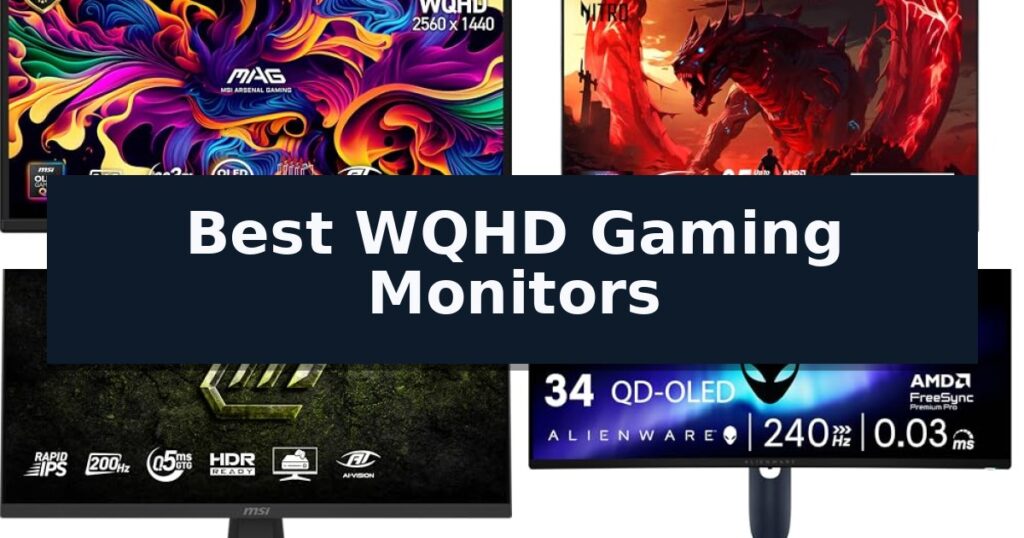
10 Best WQHD Gaming Monitors in 2026 Reviews
Quick Comparison
| Product | Best For | Key Strength | Score |
|---|---|---|---|
| msi MAG 272QP QD-OLED Gaming Monitor | Best Overall | 0.03ms response time for industry-leading motion clarity. | 4.9 |
| Acer Nitro XV272U Gaming Monitor | Ultra-Fast 240Hz Refresh Rate | 240Hz refresh rate for smooth motion in competitive gaming. | 4.6 |
| msi MAG 274QF E20 Gaming Monitor | Rapid IPS for Competitive Play | 200Hz refresh rate for ultra-smooth motion. | 4.7 |
| Alienware 34 QD-OLED Gaming Monitor | Immersive Ultrawide OLED Visuals | 240Hz refresh rate for ultra-smooth motion. | 4.7 |
| Sceptre 34-inch Curved Gaming Monitor | Budget-Friendly Ultrawide Immersion | 21:9 Ultrawide aspect ratio for increased screen real estate. | 4.4 |
| Hoowel 27-inch Curved Gaming Monitor | High-Speed 280Hz Performance | 280Hz high refresh rate for fluid motion in competitive gaming. | 4.7 |
| Acer Nitro EDA323QU Curved Gaming Monitor | Expansive 31.5-inch Curved View | 180Hz refresh rate for ultra-smooth motion. | 4.8 |
| SANSUI 27-inch Fast IPS Gaming Monitor | Responsive IPS Panel Value | High 180Hz refresh rate for fluid motion | 4.3 |
| LG UltraGear 34-inch Gaming Monitor | Versatile Ultrawide Productivity | 160Hz refresh rate for fluid frame transitions. | 4.7 |
| Acer Nitro KG271U Gaming Monitor | Extreme 275Hz Motion Clarity | Ultra-smooth 275Hz refresh rate for reduced input lag. | 4.6 |
How We Chose
When evaluating the best WQHD gaming monitors, we focus on technical specifications that directly impact the visual experience and competitive edge. An experienced reviewer looks beyond marketing claims to analyze how panel types, refresh rates, and physical connectivity options interact to provide a stable, high-performance gaming environment for various user needs.
- Panel Technology: Evaluating the benefits of QD-OLED versus IPS for color depth, contrast, and response times.
- Motion Clarity: Assessing refresh rates and GtG response times to ensure smooth frame delivery during high-speed action.
- Resolution and Aspect Ratio: Comparing standard 16:9 WQHD against 21:9 ultrawide formats for different gaming immersion styles.
- Connectivity Standards: Verifying HDMI 2.1 and DisplayPort 1.4a support for high-bandwidth, high-refresh-rate output.
- Ergonomics and Adjustability: Checking for height, tilt, and swivel capabilities to maintain comfortable viewing angles.
1 msi MAG 272QP QD-OLED Gaming Monitor — Elite OLED Color and Speed
The msi MAG 272QP QD-OLED Gaming Monitor leverages a sophisticated Quantum Dot OLED panel to deliver high-contrast visuals, pairing self-emitting pixels with 10-bit color depth for precise imagery. This 26.5-inch display is engineered for competitive environments, offering a 240Hz refresh rate and an exceptionally fast 0.03ms (GtG) response time, which earns it a VESA ClearMR 13000 certification for motion clarity.
Beyond its raw speed, the monitor integrates Gaming Intelligence software, providing users with tools like OLED Care 2.0 to mitigate burn-in risks and AI-enhanced features such as a Smart Crosshair. The hardware design includes an elite graphene heatsink for fanless cooling, ensuring consistent performance without the noise associated with active cooling solutions.
Connectivity is handled through DisplayPort 1.4a and HDMI 2.1 ports, supporting high-bandwidth signals across PCs, consoles, and laptops. The unit features a 4-way adjustable stand, allowing for ergonomic positioning, while the enhanced sub-pixel arrangement is specifically tuned to improve text and image sharpness compared to traditional OLED layouts.
This monitor balances high-end gaming specifications with practical maintenance features, making it a robust choice for users prioritizing motion performance and color accuracy. While it offers premium visual fidelity, buyers should ensure their desk space accommodates the 24-inch wide footprint and verify that their source hardware supports the necessary display outputs for full 240Hz performance.
Best for: Competitive gamers and enthusiasts who require elite motion clarity and high-contrast color accuracy for fast-paced titles.
Skip if: Users who primarily perform static productivity tasks where text clarity on OLED sub-pixel layouts may not meet their specific preferences.
- 0.03ms response time for industry-leading motion clarity.
- Quantum Dot OLED technology providing 99% DCI-P3 color coverage.
- Fanless graphene heatsink design for silent operation.
- OLED Care 2.0 software suite to protect panel longevity.
- 400 nits peak brightness may be lower than some high-end LCD alternatives in brightly lit rooms.
2 Acer Nitro XV272U Gaming Monitor — Ultra-Fast 240Hz Refresh Rate
Achieving fluid motion and high-fidelity visuals is the primary objective for competitive gamers, and the Acer Nitro XV272U Gaming Monitor addresses this with a high-performance 240Hz refresh rate. This 27-inch WQHD display leverages IPS panel technology to balance color accuracy with the rapid response times required for fast-paced titles, supporting up to 0.5ms (G to G) response times.
The monitor is engineered for versatility in both connectivity and physical positioning. It features a robust Ergostand that provides extensive adjustability, including a 4.7-inch height adjustment range, 360-degree swivel, and 90-degree pivot capability. Users can connect via a DisplayPort 1.4 for the full 240Hz experience or utilize the two HDMI 2.0 ports for 144Hz operation.
Visual fidelity is supported by AMD FreeSync Premium technology, which works to minimize screen tearing and stuttering during intensive gameplay. The panel boasts 99% sRGB color coverage and VESA HDR400 certification, ensuring that the 2560 x 1440 resolution is complemented by vibrant color reproduction and improved contrast for a more immersive experience.
Practical integration is simplified by the inclusion of both DisplayPort and HDMI cables in the box. The unit also features built-in 2-watt speakers and is VESA mount compatible (100 x 100mm) for users who prefer custom mounting solutions over the included ergonomic stand.
Best for: Competitive gamers who prioritize a high 240Hz refresh rate and ergonomic flexibility in a 27-inch WQHD form factor.
Skip if: Users who require 4K resolution or those who do not have a graphics card capable of driving high frame rates at 1440p.
- 240Hz refresh rate for smooth motion in competitive gaming.
- Highly adjustable Ergostand with pivot, swivel, and height control.
- AMD FreeSync Premium support for tear-free gaming.
- IPS panel providing wide viewing angles and 99% sRGB color accuracy.
- HDMI port limited to 144Hz, requiring DisplayPort for maximum refresh rate.
- Integrated speakers are limited to 2 watts per channel, which may lack depth for immersive audio.
3 msi MAG 274QF E20 Gaming Monitor — Rapid IPS for Competitive Play
High-speed gaming demands hardware that can keep pace with rapid frame transitions, and the msi MAG 274QF E20 Gaming Monitor is built specifically for this requirement. Featuring a Rapid IPS Panel, this display achieves a 0.5ms (GtG, Min.) response time to minimize ghosting and motion blur during intense sequences.
The monitor supports a 200Hz refresh rate, which provides a fluid visual experience by updating the screen more frequently than standard panels. This high refresh rate, paired with AMD FreeSync Premium and NVIDIA G-SYNC compatibility, works to synchronize the display with your graphics card to eliminate screen tearing and choppy frame rates.
For visual clarity in varied lighting conditions, the integrated AI Vision technology dynamically adjusts screen brightness and color saturation. This feature is designed to reveal hidden details in darker areas of the image without washing out the rest of the frame, providing a more consistent viewing experience across different game environments.
Ergonomics and eye comfort are addressed through a Less Blue Light software solution, which reduces emissions in the blue-violet spectrum. The monitor also includes a tilt-adjustable stand and VESA mount compatibility, allowing for flexible positioning on most desk setups.
Best for: Competitive gamers who prioritize high refresh rates and minimal response times for fast-paced titles.
Skip if: Users who require 4K resolution for professional creative work or high-fidelity media consumption may find the WQHD resolution insufficient.
- 200Hz refresh rate for ultra-smooth motion.
- 0.5ms (GtG, Min.) response time reduces motion blur.
- AI Vision technology enhances detail in dark scenes.
- AMD FreeSync Premium and NVIDIA G-SYNC compatible for tear-free gaming.
- Software-based blue light reduction may not be as effective as hardware-level solutions for long-term eye strain.
4 Alienware 34 QD-OLED Gaming Monitor — Immersive Ultrawide OLED Visuals
Achieving deep immersion in high-speed gaming requires more than just resolution; it demands a display capable of keeping pace with rapid frame rates. The Alienware 34 240Hz QD-OLED Curved Gaming Monitor – AW3425DW centers its design around a 34.2-inch QD-OLED panel, utilizing an 1800R curve to wrap the action around your field of view while maintaining consistent visual clarity. This curvature is specifically engineered to minimize distortion at the edges, ensuring that your peripheral vision remains engaged during fast-paced titles.
Performance is at the core of this unit, which boasts a 240Hz refresh rate paired with an ultra-fast 0.03ms response time. These specifications are critical for competitive players, as they work in tandem to virtually eliminate motion blur and ghosting during intense sequences. To ensure that frame delivery remains fluid, the monitor integrates NVIDIA G-SYNC Compatible, AMD FreeSync Premium Pro, and VESA AdaptiveSync technologies, effectively preventing screen tearing across a wide variety of hardware configurations.
Visual fidelity is a primary focus, supported by DCI-P3 99.3% color coverage and a Delta E < 2 color accuracy rating. This level of precision ensures that colors are rendered as intended, providing a professional-grade experience for both gaming and color-sensitive tasks. Furthermore, the inclusion of VESA DisplayHDR TrueBlack 400 and 1000 nits peak HDR brightness allows for an infinite contrast ratio, delivering deep blacks and vibrant highlights that bring dark environments to life.
The Alienware 34 240Hz QD-OLED Curved Gaming Monitor – AW3425DW balances its high-end display technology with a functional, sleek chassis measuring approximately 31.71 inches in length. While the 1800R curve provides an immersive experience, it is a design choice that may impact specific productivity workflows where perfectly flat lines are required. Backed by a 3-year warranty, this monitor is designed for users who prioritize fluid motion and color accuracy in an ultrawide format.
Best for: Competitive gamers and enthusiasts seeking an ultrawide, high-refresh-rate OLED experience with superior color accuracy.
Skip if: Users who require a standard 16:9 aspect ratio or those working in professional environments where a flat screen is preferred over an 1800R curve.
- 240Hz refresh rate for ultra-smooth motion.
- QD-OLED panel providing infinite contrast and wide color gamut.
- 0.03ms response time to virtually eliminate ghosting.
- Comprehensive adaptive sync support for tear-free gaming.
- Ultrawide 1800R curve may not suit all productivity workflows.
- Premium pricing associated with advanced OLED technology.
5 Sceptre 34-inch Curved Gaming Monitor — Budget-Friendly Ultrawide Immersion
The Sceptre 34-inch Curved Gaming Monitor (C345B-QUT168) centers its design around an immersive 21:9 ultrawide aspect ratio, providing 30% more screen space compared to standard displays. This expansive canvas is paired with a WQHD resolution (3440 x 1440), offering 5 million pixels to deliver detailed imagery for both high-end gaming and multitasking workflows.
Engineered for fluid motion, this monitor features a 1ms MPRT response time, which minimizes ghosting during rapid action sequences. Gamers can leverage a high refresh rate of up to 180Hz/165Hz, ensuring smooth frame transitions. The display also covers 99% sRGB color space, supporting accurate color reproduction for varied visual content.
Aesthetically, the monitor incorporates Luminous Backcover Lights, providing a modern, illuminated accent to any desk setup. The R1500 curved panel is designed to wrap the display around the user's field of vision, enhancing depth and immersion during extended gaming sessions.
Connectivity is handled via two DisplayPort inputs, allowing for flexible hardware configurations. For those requiring basic audio output without external peripherals, the unit includes built-in speakers. The monitor measures approximately 31.8 inches in width, making it a substantial addition to a workspace while maintaining a sleek, machine-black finish.
Best for: Gamers and professionals who require an ultrawide, high-refresh-rate display for immersive gaming and expanded multitasking productivity.
Skip if: Users with limited desk space or those who prefer a flat display panel for professional graphic design work may find the curved ultrawide form factor less suitable.
- 21:9 Ultrawide aspect ratio for increased screen real estate.
- High refresh rate up to 180Hz/165Hz for fluid motion.
- 1ms MPRT response time to reduce ghosting.
- 99% sRGB color gamut coverage for vibrant visuals.
- Curved panel design may not be ideal for all professional design tasks.
- Large footprint requires significant desk space.
6 Hoowel 27-inch Curved Gaming Monitor — High-Speed 280Hz Performance
Achieving a high-speed gaming experience requires a display that can keep pace with rapid frame rates, and the Hoowel 27-inch Curved Gaming Monitor delivers exactly that with its impressive 280Hz refresh rate. Designed for competitive play, this monitor bridges the gap between high-fidelity visuals and the fluid motion necessary for fast-paced titles.
The monitor utilizes a Fast VA panel that provides a 1ms MPRT response time, minimizing ghosting during intense action. With a WQHD 2560×1440 resolution spread across a 1500R curved screen, it offers an immersive field of view. The inclusion of FreeSync technology further ensures that screen tearing is kept to a minimum during high-refresh gaming sessions.
Visual performance is supported by a 5000:1 contrast ratio and a wide color gamut covering 134% sRGB and 99% DCI-P3, resulting in vibrant color reproduction. The monitor also integrates AI Gaming Assistant features, such as an AI Crosshair and dynamic picture quality optimization, which are designed to assist with targeting precision and visual clarity.
Connectivity is handled by two HDMI 2.1 ports and one DP 1.4 port, supporting high-refresh-rate output for modern consoles and PCs. While the unit is highly capable for gaming, it is important to note that it does not include built-in speakers, requiring external audio solutions. The chassis is VESA 100x100mm compatible, allowing for flexible mounting options.
Best for: Competitive FPS gamers who require a high 280Hz refresh rate and immersive curved display for their PC or console setup.
Skip if: Users who require integrated audio or those who do not have hardware capable of supporting HDMI 2.1 high-refresh-rate standards.
- 280Hz high refresh rate for fluid motion in competitive gaming.
- 1500R curvature for an immersive viewing experience.
- Wide color gamut with 134% sRGB coverage for vivid visuals.
- Dual HDMI 2.1 ports supporting VRR for modern consoles.
- No built-in speakers require external audio hardware.
- High refresh rate via HDMI 2.1 requires specific modern GPU or console hardware.
7 Acer Nitro EDA323QU Curved Gaming Monitor — Expansive 31.5-inch Curved View
Immersive gaming requires a display that balances screen real estate with fluid motion, and the Acer Nitro EDA323QU Curved Gaming Monitor addresses this with its expansive 31.5-inch panel. Featuring a 1500R curvature, this monitor is engineered to keep every corner of the screen at a uniform distance from your eyes, minimizing distortion and enhancing focus during intense sessions.
Performance is anchored by a high 180Hz refresh rate when connected via DisplayPort, which significantly reduces frame rendering times and input lag. To further ensure visual clarity, the monitor utilizes AMD FreeSync technology to synchronize frame rates with your graphics card, effectively eliminating screen tearing and stuttering for a seamless experience.
The Acer Nitro EDA323QU Curved Gaming Monitor features a 1ms (VRB) response time, which is critical for maintaining smooth transitions during fast-paced action without the interference of ghosting or smearing. The WQHD (2560 x 1440) resolution provides sharp detail across the large display, while the Zero-Frame design maximizes your viewing area, making it an effective choice for multi-monitor setups.
Designed for versatility, the monitor includes an ergonomic tilt range of -5 to 20 degrees to help you find a comfortable viewing angle. Connectivity options include one DisplayPort 1.4, two HDMI 2.0 ports, and an audio out jack. For added convenience, the unit is VESA mountable (100 x 100mm), allowing for flexible desk or wall placement.
Best for: Gamers who prioritize a large, immersive curved display and high refresh rates for fast-paced titles.
Skip if: Users with limited desk space or those who require a flat screen for professional color-critical design work.
- 180Hz refresh rate for ultra-smooth motion.
- 1500R curved screen for an immersive viewing experience.
- AMD FreeSync support to prevent screen tearing.
- Zero-Frame design for a near-seamless multi-monitor setup.
- Large 31.5-inch footprint requires significant desk space.
- HDMI refresh rate is capped at 144Hz compared to the 180Hz available via DisplayPort.
8 SANSUI 27-inch Fast IPS Gaming Monitor — Responsive IPS Panel Value
Visual clarity and fluid motion define the SANSUI 27-inch Fast IPS Gaming Monitor, a display engineered to handle demanding frame rates with its 180Hz refresh rate and 1ms response time. By utilizing Adaptive Sync technology, this monitor minimizes screen tearing, providing a consistent experience for fast-paced gaming sessions.
The 27-inch WQHD 2560×1440 resolution panel delivers sharp detail, supported by a 120% sRGB color gamut for vibrant color reproduction. With a brightness rating of 320 Nits and HDR support, the display offers a balanced visual profile suitable for both competitive gaming and media consumption. Integrated eye care technologies, including anti-flicker and low blue light modes, are included to assist with extended viewing comfort.
Connectivity is handled through a versatile array of ports, featuring two HDMI 2.0 inputs and two DP 1.2 ports. While the monitor lacks built-in speakers, it includes an audio jack for external sound solutions. The design prioritizes ergonomics and utility with a tilt-adjustable metal stand and VESA mount (100x100mm) compatibility, allowing for flexible desk or wall-mounted configurations.
Practical gaming enhancements such as CrossHair, Timer, and specialized game modes like RTS, FPS, and RACING are built into the interface to assist with gameplay precision. The monitor maintains a wide 178-degree viewing angle, ensuring color consistency even when viewed from off-center positions.
Best for: Gamers seeking a high-refresh-rate WQHD display with color-accurate IPS technology and flexible mounting options.
Skip if: Users who require built-in speakers or a height-adjustable stand will find this model's fixed-height, tilt-only design limiting.
- High 180Hz refresh rate for fluid motion
- Sharp WQHD 2560×1440 resolution
- Wide 120% sRGB color gamut coverage
- Integrated game assistant tools like CrossHair and Timer
- No built-in speakers included
- Stand is tilt-adjustable only without height adjustment
9 LG UltraGear 34-inch Gaming Monitor — Versatile Ultrawide Productivity
The LG UltraGear 34-inch Gaming Monitor distinguishes itself with an immersive 1800R curved display that significantly expands the field of view for gaming and multitasking. This 34-inch ultrawide screen provides a WQHD resolution of 3440 x 1440, ensuring that users can dive into fine details while maintaining a spacious desktop environment.
Performance is driven by a 160Hz refresh rate paired with 1ms Motion Blur Reduction (MBR), which work together to minimize ghosting and stutter during fast-paced sequences. The integration of AMD FreeSync Premium technology further ensures fluid, tear-free visuals by synchronizing the display with compatible graphics hardware, even during HDR10 content playback.
Visual fidelity is supported by up to 99% sRGB color gamut coverage, providing vibrant and accurate color reproduction for both gaming and creative workflows. LG has also included specialized tools such as a Black Stabilizer to enhance visibility in dark scenes and a crosshair overlay to assist with precision in first-person shooters.
The monitor is built for versatility, featuring a stand that supports tilt, height, and swivel adjustments to accommodate various desk setups. Audio is handled by built-in stereo speakers enhanced with Waves MaxxAudio, while connectivity options include HDMI 2.1 and DisplayPort to support high-bandwidth signals.
Best for: Gamers and professionals who require an ultrawide, high-refresh-rate display for immersive gaming and expanded multitasking screen real estate.
Skip if: Users who prefer a flat panel display or those with limited desk space who cannot accommodate the 31.9-inch width of this curved unit.
- 160Hz refresh rate for fluid frame transitions.
- 1800R curvature provides deep immersion.
- AMD FreeSync Premium eliminates screen tearing.
- 99% sRGB coverage ensures accurate, vibrant colors.
- Adjustable stand allows for height, tilt, and swivel customization.
- Large physical footprint requires significant desk space.
- Built-in speakers may not replace dedicated audio solutions.
10 Acer Nitro KG271U Gaming Monitor — Extreme 275Hz Motion Clarity
The Acer Nitro KG271U Gaming Monitor prioritizes fluid motion and visual fidelity through its high-performance 275Hz refresh rate and 0.5ms GTG response time. Designed for competitive gaming and color-critical tasks, this 27-inch WQHD display utilizes an IPS panel to deliver crisp 2560 x 1440 resolution while minimizing the motion blur and ghosting often found in fast-paced transitions.
Engineered to eliminate screen tearing, the monitor features AMD FreeSync Premium technology, which synchronizes the display's frame rate with the graphics card. For creative workflows, the panel supports a 90% DCI-P3 color gamut and includes HDR 10 support, providing improved contrast and color accuracy for photographers and editors.
The physical design incorporates a zero-frame aesthetic to maximize screen real estate and includes a VESA-compatible mount for flexible workspace setups. Connectivity options include one DisplayPort 1.4, two HDMI 2.0 ports, and an audio out, with both cables included in the box. Users can adjust the tilt from -5° to 25° to suit their ergonomic preferences.
While the monitor offers high-speed performance, buyers should note that the 275Hz refresh rate is achieved via the DisplayPort connection, whereas the HDMI ports are limited to 144Hz. The built-in 2-watt speakers provide basic audio output, though the primary focus remains on the panel's high-speed rendering capabilities and color precision.
Best for: Competitive gamers and creative professionals who require both a high 275Hz refresh rate and accurate DCI-P3 color reproduction.
Skip if: Users who rely primarily on HDMI connections for high-refresh gaming, as the HDMI ports are capped at 144Hz.
- Ultra-smooth 275Hz refresh rate for reduced input lag.
- 0.5ms GTG response time effectively eliminates ghosting.
- 90% DCI-P3 color gamut support for accurate color work.
- AMD FreeSync Premium integration for tear-free gaming.
- HDMI connectivity limited to 144Hz, requiring DisplayPort for maximum refresh rate.
- 250 nits brightness may be insufficient for extremely bright environments.
Best WQHD Gaming Monitors Buying Guide
OLED vs. IPS Panel Performance
OLED panels, such as those featuring Quantum Dot technology, deliver superior contrast ratios and near-instantaneous response times, making them ideal for dark-scene immersion and fast-paced titles. The self-emitting pixels eliminate the need for a backlight, resulting in true blacks and vibrant color reproduction.
IPS panels remain the standard for many gamers due to their consistent color accuracy and durability. Modern 'Rapid IPS' variants have significantly closed the gap in response times, providing a reliable, burn-in-free alternative for those who spend long hours on static desktop tasks or productivity work.
Refresh Rate and Motion Handling
A high refresh rate, such as 240Hz or 280Hz, is essential for reducing input lag and motion blur in competitive gaming. These high rates ensure that the monitor can keep pace with modern graphics cards, providing a clearer image during rapid camera movements.
Response time is equally critical, with sub-1ms ratings being the benchmark for high-end displays. Technologies like GtG (Gray to Gray) and MPRT (Moving Picture Response Time) help minimize ghosting, ensuring that fast-moving objects remain sharp rather than trailing across the screen.
Ultrawide vs. Standard WQHD
Standard 27-inch WQHD monitors offer a balanced pixel density that is ideal for most desk setups and competitive gaming. The 16:9 aspect ratio is widely supported by all game engines, ensuring no compatibility issues with user interfaces or field-of-view settings.
Ultrawide monitors provide an expansive 21:9 field of view, which is particularly beneficial for simulation games and productivity multitasking. While these monitors offer greater immersion, they require more powerful hardware to maintain high frame rates at the increased pixel count.
Connectivity and Console Compatibility
Modern gaming monitors should feature HDMI 2.1 ports to support variable refresh rates and high-bandwidth signals from current-generation consoles. This ensures that features like VRR (Variable Refresh Rate) function correctly, preventing screen tearing during intense gameplay.
DisplayPort 1.4a remains the preferred connection for PC gamers to unlock the maximum refresh rate and color depth of the panel. Buyers should verify that their specific graphics card supports the necessary version to avoid bandwidth bottlenecks.
Ergonomics and Long-Term Comfort
A monitor's stand should offer more than just basic stability; height, tilt, and swivel adjustments are vital for maintaining proper posture during long sessions. VESA mount compatibility is a useful feature for those who prefer using monitor arms to save desk space.
Additional features like blue light filters and flicker-less technology contribute to eye comfort over extended use. These are particularly important for users who use their gaming monitor for both professional work and leisure, reducing strain during prolonged screen time.
Frequently Asked Questions
Is 240Hz necessary for WQHD gaming?
While 144Hz is sufficient for many, 240Hz provides a noticeable improvement in motion clarity for competitive shooters. It is recommended if your PC hardware can consistently push high frame rates at 1440p.
Do I need a curved monitor for WQHD?
Curvature is largely a matter of personal preference, though it can help reduce distortion on larger 34-inch ultrawide displays by keeping the edges at a more uniform distance from your eyes.
What is the risk of burn-in on OLED monitors?
OLED burn-in is a concern with static elements like taskbars or HUDs. Modern monitors include software features like pixel shifting and screen savers to mitigate this risk, but users should still practice good display hygiene.
Can I use a WQHD monitor with a console?
Yes, provided the monitor supports the resolution and has an HDMI 2.1 port. Ensure the monitor supports the specific refresh rate modes required by your console for optimal performance.
Does IPS panel speed match OLED?
Rapid IPS panels are very fast and sufficient for most gamers, but OLED technology still holds the advantage in raw response time and contrast, making it the superior choice for pure performance enthusiasts.
Conclusion: Our Top Pick
Our top pick is msi MAG 272QP QD-OLED Gaming Monitor. Choosing the right WQHD gaming monitor depends on whether you prioritize the absolute speed and contrast of OLED or the reliability and versatility of high-refresh IPS panels. By aligning your choice with your primary gaming habits, you can significantly enhance your visual experience.
Always verify that your current hardware supports the monitor's native resolution and refresh rate via the appropriate cable standard. Investing in a display with robust ergonomic adjustments will further ensure that your setup remains comfortable and effective for years to come.