Logitech MX Ergo S Trackball Mouse is our top choice for the Best Roller Ball Mouse, offering a 20-degree adjustable tilt that significantly reduces forearm strain during long work sessions. The Logitech Ergo M575S provides a more compact, space-saving alternative for smaller desks, while the Kensington Expert Trackball Mouse serves those who prefer a large, finger-operated ball for high-precision tasks.
Selecting a trackball requires balancing your preferred control method—thumb versus finger—against the physical demands of your daily workflow. While thumb-operated models excel at saving desk space and maintaining a natural hand position, finger-operated units often provide a larger surface area for more granular cursor control, which can be beneficial for design work or repetitive navigation tasks.
Connectivity and customization also play a critical role in your final decision. Modern wireless options now frequently include multi-device switching and rechargeable batteries, removing the need for constant cable management. However, wired models remain a reliable, battery-free solution for stationary setups where consistent, lag-free performance is the primary requirement for your professional environment.
For professionals who require high precision for creative tasks, selecting the Best Photo Editing Mouse can be a great way to complement your trackball setup.
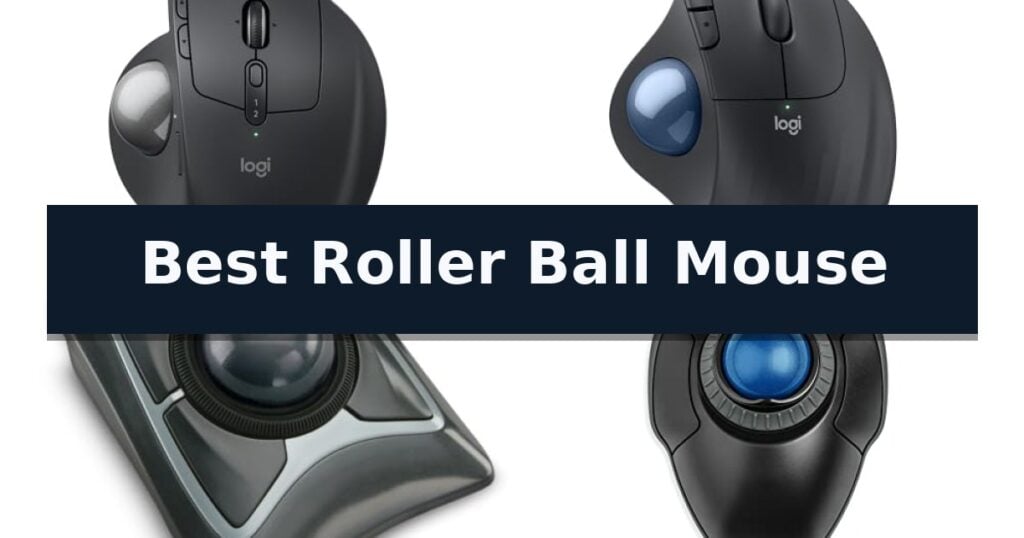
10 Best Roller Ball Mouse in 2026 Reviews
Quick Comparison
| Product | Best For | Key Strength | Score |
|---|---|---|---|
| Logitech MX Ergo S Trackball Mouse | Best Overall | 20-degree tilt for improved forearm posture and reduced muscle strain. | 4.9 |
| Logitech Ergo M575S Trackball Mouse | Reliable Daily Thumb Control | Ergonomic sculpted shape reduces forearm muscle strain. | 4.9 |
| Kensington Expert Trackball Mouse | Precision Finger-Operated Control | Large 55mm ball for precise cursor control | 4.6 |
| Kensington Orbit Trackball Mouse | Efficient Scroll Ring Navigation | Unique scroll ring for intuitive vertical navigation. | 4.8 |
| Nulea M501 Wireless Trackball Mouse | Versatile Multi-Device Connectivity | Ergonomic thumb-operated design reduces wrist and arm movement. | 4.7 |
| ProtoArc EM02 Wireless Trackball Mouse | Adjustable Tilt for Natural Posture | Customizable 0° to 15° tilt angle for personalized ergonomic comfort. | 4.8 |
| TECKNET Wireless Trackball Mouse | Optimized for Larger Hands | Triple-device connectivity allows for seamless switching between Bluetooth and 2.4G sources. | 4.7 |
| PORLEI Wired Trackball Mouse | Stable Wired Finger Control | Ergonomic sculpted design specifically for larger hands. | 4.5 |
| seenda Wireless Trackball Mouse | Compact Space-Saving Design | Stationary thumb-control design saves significant desk space. | 4.5 |
| Perixx Perimice-717 Trackball Mouse | Ergonomic Right-Handed Support | Ergonomic right-handed design helps reduce repetitive strain. | 4.8 |
How We Chose
To identify the best roller ball mouse, we evaluate how each device addresses the physical strain of traditional computing. We prioritize ergonomic support, sensor precision, and the practical integration of connectivity features. By assessing these criteria, we distinguish between models suited for high-intensity professional use and those designed for general office efficiency.
- Ergonomic design and adjustable tilt angles for wrist health
- Control mechanism (thumb-operated versus finger-operated)
- Connectivity options including Bluetooth, 2.4GHz wireless, and wired USB
- Customization features like programmable buttons and DPI adjustment
- Battery life and charging convenience for wireless models
1 Logitech MX Ergo S Trackball Mouse — Advanced Ergonomics for Heavy Users
The Logitech MX Ergo S Trackball Mouse distinguishes itself with a unique 20-degree tilt design, specifically engineered to improve forearm posture and reduce muscle strain by 27% during extended use. This sculpted, ergonomic device is tailored for medium- to large-sized hands, featuring a soft rubber grip that prioritizes comfort for heavy daily tasks.
Equipped with advanced thumb control, the mouse allows users to toggle between speed and high-precision tracking modes with a single button press. Productivity is further enhanced through the Logi Options+ App, which supports six programmable buttons and customizable shortcuts. The inclusion of 80% quieter clicks ensures a subtle operation suitable for shared office environments.
Connectivity remains flexible with dual wireless options, allowing users to pair the device via Bluetooth or the included Logi Bolt USB receiver. An Easy-Switch button facilitates quick transitions between devices. The internal rechargeable battery is designed for longevity, offering up to 120 days of use on a full charge, with a rapid USB-C quick-charge feature providing 24 hours of power from a one-minute charge.
Constructed with sustainability in mind, the plastic components contain 20% certified post-consumer recycled plastic. For those building a comprehensive ergonomic workstation, the device is designed to pair seamlessly with the ERGO K860 split-curved keyboard, providing a cohesive setup for all-day comfort.
Best for: Users seeking an ergonomic, stationary pointing device to reduce wrist and forearm strain during long hours of computer work.
Skip if: Users who prefer traditional mouse movement or those with smaller hand sizes may find the fixed, sculpted shape of this trackball less comfortable.
- 20-degree tilt for improved forearm posture and reduced muscle strain.
- Dual wireless connectivity via Bluetooth or Logi Bolt receiver.
- Long battery life lasting up to 120 days on a full charge.
- Customizable controls through the Logi Options+ App.
- Fixed ergonomic shape may not suit all hand sizes or grip preferences.
- Requires specific thumb-based navigation which may have a learning curve for traditional mouse users.
2 Logitech Ergo M575S Trackball Mouse — Reliable Daily Thumb Control
The Logitech Ergo M575S Wireless Bluetooth Trackball Mouse distinguishes itself through a sculpted, ergonomic design that prioritizes forearm comfort by eliminating the need for wrist movement. By utilizing precise thumb control, this device allows users to navigate their workspace without shifting their hand, making it a functional solution for those with limited desk space.
Engineered with input from Logi Ergo Lab experts, the mouse is designed to reduce muscle strain in the forearm by 25% compared to a standard non-ergonomic mouse. Its shape is intended to support various hand sizes while promoting a more natural posture during extended use. The inclusion of quiet clicks further refines the user experience for shared or quiet environments.
Connectivity is handled through either Bluetooth or the included Logi Bolt USB receiver, providing flexibility for different computing setups. Users can customize the three buttons and adjust cursor speed via the Logi Options+ App, allowing for personalized control. The device is powered by a single AA battery, which supports up to 18 months of operation.
Sustainability is integrated into the build, as the plastic components are manufactured using certified post-consumer recycled plastic. The trackball mechanism is designed for maintenance, allowing users to eject the ball from its cage for cleaning, ensuring long-term smooth tracking performance.
Best for: Users seeking to reduce forearm strain and save desk space through a stationary, thumb-operated ergonomic interface.
Skip if: Users who prefer traditional high-speed optical movement across large surface areas or those who do not require an ergonomic, thumb-based control scheme.
- Ergonomic sculpted shape reduces forearm muscle strain.
- Space-saving design eliminates the need for large mouse movement areas.
- Dual connectivity via Bluetooth or Logi Bolt USB receiver.
- Customizable buttons and cursor speed settings via software.
- Thumb-operated tracking requires an adjustment period for users accustomed to traditional mice.
- Stationary base limits cursor travel speed compared to high-DPI gaming mice.
3 Kensington Expert Trackball Mouse — Precision Finger-Operated Control
The Kensington Expert Trackball Mouse distinguishes itself with a large 55mm ball design paired with Diamond Eye optical tracking, providing precise cursor control that differs significantly from traditional mouse movement. This stationary peripheral is engineered to reduce repetitive motion, making it a specialized tool for users seeking a different ergonomic approach to desktop navigation.
Designed for versatility, the device features a patented scroll ring that allows for efficient page scanning. The inclusion of a detachable, ergonomic wrist rest provides support for the hand and wrist during extended use. Its ambidextrous design ensures that the unit can be utilized comfortably by both left- and right-handed operators.
Connectivity is handled via a reliable wired USB-A interface. Users can leverage the KensingtonKonnect software to customize the four-button layout, as well as adjust scroll and cursor speeds. Please note that Windows ARM-based computers are currently not supported, and while ChromeOS users can access standard HID functions, they will not have access to the customization software.
With a 5-year warranty, this trackball is built for long-term integration into a workstation. It serves as a stable, stationary alternative to standard mice, prioritizing desk space efficiency and wrist comfort through its unique form factor.
Best for: Users seeking a stationary, ergonomic pointing device with customizable buttons and a dedicated scroll ring for precise navigation.
Skip if: Users who require wireless connectivity or those operating on Windows ARM-based systems, as this model relies on a wired USB-A connection and lacks software support for that architecture.
- Large 55mm ball for precise cursor control
- Patented scroll ring for efficient page navigation
- Detachable wrist rest for improved ergonomic support
- Ambidextrous design suitable for all users
- Wired USB-A connection limits placement flexibility
- Software incompatibility with Windows ARM-based computers
4 Kensington Orbit Trackball Mouse — Efficient Scroll Ring Navigation
The Kensington Orbit Trackball Mouse with Scroll Ring distinguishes itself with a unique physical scroll ring, allowing users to navigate through long documents and web pages by rotating the ring around the trackball rather than relying on a traditional scroll wheel. This design choice aims to streamline navigation while maintaining a compact footprint on the desk.
Equipped with optical tracking technology, the device utilizes a 40mm blue ball featuring an absolute spherical, hard surface for precise cursor movement. The ambidextrous chassis ensures that both left-handed and right-handed users can operate the device comfortably, while the included detachable wrist rest provides support during extended periods of use.
Functionality is further extended through the KensingtonKonnect software, which allows for button customization and adjustment of cursor or scrolling speeds. While ChromeOS users can utilize the trackball for standard HID functions, they are unable to access these specific software-based customization features.
This trackball is backed by a 5-year warranty, reflecting its construction as a dedicated input tool. It serves as a practical solution for those looking to reduce hand movement by keeping the base stationary while manipulating the cursor via the central ball.
Best for: Users seeking an ergonomic, stationary input device with a dedicated scroll ring for efficient document navigation.
Skip if: Users who require extensive button customization on ChromeOS or those who prefer a traditional mouse form factor.
- Unique scroll ring for intuitive vertical navigation.
- Ambidextrous design suitable for all users.
- Detachable wrist rest for improved ergonomic support.
- Optical tracking for precise cursor control.
- Limited software support for customization on ChromeOS.
- Stationary base requires a different learning curve compared to standard mice.
5 Nulea M501 Wireless Trackball Mouse — Versatile Multi-Device Connectivity
The Nulea M501 Wireless Trackball Mouse shifts the burden of cursor navigation from your wrist and arm to a smooth, thumb-operated trackball, designed to reduce muscle stress during extended computer use. Its ergonomic, curved shape promotes a natural palm position, making it a practical choice for those looking to optimize their workspace comfort.
This device offers precise tracking with 4 DPI levels, allowing for accurate cursor control across various surfaces, including tight or unconventional spaces like a couch or small writing board. The inclusion of six buttons, including forward and back controls, enhances productivity, though it is important to note that these buttons are not programmable.
Connectivity is a highlight, featuring true wireless freedom with the ability to connect up to three devices simultaneously via Bluetooth or the included USB receiver. A physical switch on the bottom of the mouse allows for quick transitions between paired devices, streamlining multi-tasking workflows.
Power management is handled by a built-in rechargeable battery, eliminating the need for disposable dry cells. For optimal performance, the manufacturer recommends using the provided charging cable and connecting it to a standard computer USB port or a 5V charger, while explicitly advising against the use of fast chargers.
Best for: Users seeking to minimize wrist strain through thumb-based navigation while managing multiple devices in limited desk space.
Skip if: Users who require programmable buttons for custom macro assignments or specialized software workflows.
- Ergonomic thumb-operated design reduces wrist and arm movement.
- Multi-device connectivity supports up to three devices via Bluetooth or USB.
- Rechargeable battery removes the need for disposable batteries.
- Adjustable DPI settings provide precise control on various surfaces.
- Non-programmable buttons limit custom configuration options.
- Charging limitations require avoiding fast chargers to maintain battery health.
6 ProtoArc EM02 Wireless Trackball Mouse — Adjustable Tilt for Natural Posture
The ProtoArc EM02 Wireless Trackball Mouse distinguishes itself with a customizable hinge that allows users to toggle between a flat 0° and a tilted 15° angle, promoting a more natural hand posture during extended work sessions. By prioritizing wrist stability, this device serves as a specialized ergonomic tool designed to mitigate the strain often associated with traditional mouse navigation.
Engineered for efficiency, the ProtoArc EM02 Wireless Trackball Mouse utilizes thumb-based cursor control, which eliminates the need for large wrist movements and makes it an effective solution for users operating in tight or cluttered desk environments. The inclusion of five adjustable DPI settings—ranging from 200 to 1600—allows for precise cursor speed customization to match individual workflow requirements.
Connectivity and power management are central to its design, offering both 2.4GHz wireless and Bluetooth options to pair with up to three devices simultaneously. The unit is USB-C rechargeable and supports an impressive 90-day standby time, ensuring consistent performance with minimal maintenance. Quiet-touch buttons further enhance its utility, making it suitable for noise-sensitive environments.
While the device offers significant ergonomic benefits, users should anticipate a brief adjustment period. As with any trackball, maintaining precision requires occasional cleaning of the ball and its three internal rollers to prevent dust accumulation. Note that the forward and backward navigation buttons are not compatible with Mac OS systems.
Best for: Users seeking an ergonomic, space-saving input device who require multi-device connectivity and adjustable wrist positioning.
Skip if: Users who require full button functionality on Mac OS or those who prefer the traditional movement mechanics of a standard optical mouse.
- Customizable 0° to 15° tilt angle for personalized ergonomic comfort.
- Multi-device connectivity via Bluetooth and 2.4GHz wireless.
- USB-C rechargeable battery with 90-day standby time.
- Quiet-touch buttons for silent operation.
- Forward/backward buttons are not compatible with Mac OS.
- Requires periodic cleaning of the ball and rollers to maintain tracking precision.
7 TECKNET Wireless Trackball Mouse — Optimized for Larger Hands
The TECKNET Wireless Trackball Mouse utilizes a thumb-operated trackball design to minimize hand movement, making it a practical choice for those working in confined desk spaces. By shifting cursor control to the thumb, this device allows for precise navigation without requiring the broad arm sweeps associated with traditional mice.
Engineered with a 16° vertical angle, this mouse is designed to promote a more natural forearm posture, which can help reduce muscle strain during extended periods of use. The chassis measures 5.5" × 4.1" × 2", providing a physical footprint specifically tailored for users with medium to large hands.
Connectivity is handled through a triple-device system, supporting both Bluetooth and 2.4G wireless connections. Users can toggle between three paired devices with a single button press, maintaining a stable signal up to 34 feet. The unit is powered by a 500mAh rechargeable battery, which requires only a 15-minute charge to provide a full day of operation.
For those requiring varied cursor speeds, the mouse features 5 adjustable DPI levels ranging from 100 to 1200. The integrated silent buttons ensure quiet operation, while the inclusion of RGB lighting adds a distinct aesthetic. The manufacturer includes a 36-month warranty to support the device's long-term utility.
Best for: Medium to large-handed users who need to manage multiple devices in a compact workspace while prioritizing ergonomic wrist positioning.
Skip if: Users with small hands or those who prefer a traditional palm-grip mouse without a thumb-operated trackball mechanism.
- Triple-device connectivity allows for seamless switching between Bluetooth and 2.4G sources.
- 16° vertical ergonomic angle promotes improved forearm posture.
- 500mAh rechargeable battery supports rapid charging for daily use.
- 5 adjustable DPI levels enable customized cursor sensitivity.
- Large physical dimensions may be uncomfortable for users with smaller hand sizes.
- Learning curve typically requires 1–2 weeks of adjustment for those new to trackball navigation.
8 PORLEI Wired Trackball Mouse — Stable Wired Finger Control
The PORLEI Wired Trackball Mouse is engineered with a 44mm index finger-operated trackball, a design choice that allows for precise cursor navigation while keeping the device stationary on your desk. By shifting the movement from your wrist to your index finger, this mouse provides a distinct alternative to traditional mice, particularly for users seeking to reduce muscle strain during extended work sessions.
Designed with a sculpted, ergonomic shape, this mouse is tailored to support larger hands comfortably. The device features 5 adjustable DPI levels, allowing you to customize the cursor sensitivity to match your specific workflow requirements. It is important to note that the high-performance optical sensor and 3-point positioning technology are optimized for office and design productivity rather than gaming applications.
Connectivity is straightforward with a 1.8m wired cable that supports both USB-A and USB-C connections, ensuring a reliable, driver-free plug-and-play experience. The mouse is compatible with Windows and Mac systems, though users should be aware that the forward and backward buttons are not supported on Mac OS. Its stationary footprint makes it a practical solution for cluttered desks or limited workspace environments.
This model includes an 18-month limited warranty covering repairs or replacements for the sensor, switches, and trackball mechanism. While it excels in stationary office environments, its wired nature and specific tracking profile mean it is best utilized for professional tasks where precision and ergonomic support are the primary objectives.
Best for: Users with larger hands who require a stationary, ergonomic pointing device for office productivity and design tasks.
Skip if: Gamers or users who require wireless connectivity and full button compatibility across all operating systems.
- Ergonomic sculpted design specifically for larger hands.
- 44mm finger-operated trackball for stationary use.
- 5 adjustable DPI levels for customizable precision.
- Plug-and-play connectivity via 1.8m cable.
- Not recommended for gaming due to tracking profile.
- Forward/backward buttons are not supported on Mac systems.
9 seenda Wireless Trackball Mouse — Compact Space-Saving Design
Navigating a workspace with limited desk area requires hardware that prioritizes footprint without sacrificing control, which is where the seenda Wireless Trackball Mouse excels. By utilizing a thumb-operated trackball, this device allows for precise cursor movement while keeping your hand stationary, effectively eliminating the need for wide, sweeping mouse gestures.
The seenda Wireless Trackball Mouse is engineered with an ergonomic, contoured shape designed to follow the natural curvature of the palm, aiming to reduce strain during extended sessions. Its advanced sensors are capable of tracking on diverse surfaces, including fabrics and tabletops, providing flexibility for various workstation setups.
Connectivity is a primary focus, as the mouse supports three-device switching via 2.4G USB or Bluetooth modes. Users can toggle between a home PC, laptop, or tablet with a single click using the mode control button located on the rear of the chassis. This multi-device capability is complemented by 5-level DPI adjustments, allowing for customized sensitivity to match different workflows.
Power management is simplified through a USB-C rechargeable design, removing the dependency on disposable batteries. This integrated approach ensures consistent operation and reduces maintenance overhead, making it a practical choice for users seeking a streamlined, space-saving desktop interface.
Best for: Users with limited desk space who require a stationary, ergonomic pointing device with multi-device connectivity.
Skip if: Users who prefer traditional optical mouse movement or those who require a high-performance gaming-grade sensor for competitive play.
- Stationary thumb-control design saves significant desk space.
- Multi-device connectivity supports up to three devices via Bluetooth and 2.4G USB.
- USB-C rechargeable battery eliminates the need for disposable replacements.
- Ergonomic contoured shape designed to reduce hand and wrist strain.
- Thumb-operated trackball may require an adjustment period for users accustomed to traditional mice.
10 Perixx Perimice-717 Trackball Mouse — Ergonomic Right-Handed Support
The Perixx Perimice-717 Wireless Trackball Mouse is engineered for users who prioritize wrist and forearm comfort during extended computer sessions. By utilizing a 1.34-inch trackball for cursor movement, it allows for navigation without requiring the repetitive arm movements associated with traditional mice, making it a practical choice for those seeking to minimize strain.
This device features a right-handed ergonomic design that promotes a more natural hand position. Connectivity is handled via a 2.4 GHz wireless connection, and the mouse includes 5 programmable buttons that can be customized using software available from the manufacturer's website. Users can also toggle between 2 DPI levels to adjust cursor speed according to their specific task requirements.
Efficiency is supported by an auto power-saving feature, which transitions the device into sleep mode after 10 seconds of inactivity and standby mode after 8-10 minutes. The mouse is compatible with Windows 7, 8, and 10, with basic functionality supported on Linux, Android, and iOS. It operates within a 10-meter range and is designed to function in environments between 0ºC and 40ºC.
Measuring 5.12 x 4.21 x 1.77 inches, this unit is built for a stable desktop footprint. The package includes the necessary USB receiver, which is stored within or alongside the device. Users should note that while the mouse is designed for long-term use, it requires a USB port for connectivity, and advanced customization is dependent on the downloadable software.
Best for: Users who work at a computer for long periods and require an ergonomic design to reduce repetitive wrist and arm movement.
Skip if: Users who require a mobile, compact mouse for travel or those who prefer the traditional sliding motion of a standard optical mouse.
- Ergonomic right-handed design helps reduce repetitive strain.
- Programmable buttons allow for personalized workflow customization.
- Auto power-saving mode extends battery efficiency during idle periods.
- Adjustable DPI settings provide flexible cursor speed control.
- Requires a USB port for the wireless receiver, limiting use on devices without standard USB-A ports.
- Software customization is necessary to unlock the full potential of the programmable buttons.
Best Roller Ball Mouse Buying Guide
Thumb vs. Finger Control
The primary distinction in trackball design is whether you operate the ball with your thumb or your fingers. Thumb-operated models, like the Logitech MX Ergo S, allow you to keep your hand in a more conventional mouse-like position, which can be easier for users transitioning from standard mice.
Finger-operated trackballs, such as the Kensington Expert, utilize a larger ball that you manipulate with your index, middle, and ring fingers. This design often allows for finer motor control and can be more comfortable for users who experience thumb fatigue during extended periods of use.
Ergonomic Adjustability
Ergonomics is the main reason to switch to a trackball, but not all designs offer the same level of support. Models with adjustable tilt angles allow you to customize the orientation of your hand, which can help realign your forearm and reduce muscle tension.
When choosing a device, look for a sculpted shape that supports the natural arch of your palm. A well-designed trackball should minimize the need for awkward wrist twisting, allowing your hand to rest in a neutral, relaxed position throughout the workday.
Connectivity and Multi-Device Support
Modern trackballs offer various ways to connect to your computer, including Bluetooth and dedicated USB receivers. If you use multiple devices, such as a laptop and a desktop, look for models that support easy switching between connections with a single button press.
While wireless connectivity provides a clean, clutter-free desk, wired trackballs offer the advantage of never needing to charge a battery. Consider your workspace setup and whether you prefer the convenience of wireless freedom or the reliability of a direct, always-on connection.
Programmability and Workflow
Many trackballs feature programmable buttons that can be mapped to specific tasks or shortcuts. This is particularly useful for professionals who use design software or complex office applications, as it allows you to automate repetitive actions without reaching for the keyboard.
Before purchasing, verify if the device requires specific software to enable these features. Some models are plug-and-play, while others rely on proprietary apps to unlock their full potential, which may be a factor depending on your organization's security policies.
Maintenance and Cleaning
Trackballs require periodic cleaning to maintain smooth operation, as dust and oils can accumulate in the ball cage. Choose a model that allows for easy removal of the ball, as this makes the cleaning process significantly faster and more effective.
Regular maintenance ensures that your cursor movement remains precise and fluid. If you notice the ball feeling sticky or jumping on the screen, a quick cleaning of the internal rollers and the ball itself usually restores performance to its original state.
Frequently Asked Questions
Is there a learning curve when switching to a trackball mouse?
Yes, most users require one to two weeks to adapt to the different muscle movements required for trackball navigation. It is normal to feel less precise initially, but comfort typically improves as you adjust to the new hand position.
Can I use a trackball mouse for gaming?
While trackballs are excellent for office productivity and design, they are generally not recommended for fast-paced competitive gaming due to their different tracking profiles and response characteristics compared to high-performance gaming mice.
How do I clean my trackball if it becomes sticky?
Most trackballs allow you to pop the ball out of its housing. Once removed, wipe the ball with a soft cloth and use a dry cotton swab to remove any dust or debris from the internal rollers or sensors.
Do I need special software to use a trackball?
Most trackballs work as standard mice immediately upon plugging them in. However, to customize button functions or adjust DPI settings, you may need to download the manufacturer's specific software.
Are trackballs better for wrist pain than regular mice?
Trackballs are often recommended for those with wrist pain because they eliminate the need to move your entire arm or wrist to control the cursor. By keeping your wrist stationary, you reduce the repetitive strain associated with traditional mouse movement.
Conclusion: Our Top Pick
Our top pick is Logitech MX Ergo S Trackball Mouse. Choosing the right trackball depends on your specific workspace needs and whether you prefer thumb or finger-based control. By focusing on ergonomic adjustability and the right connectivity for your devices, you can significantly improve your comfort and productivity.
Regardless of your choice, remember that the transition to a trackball takes time. Give yourself a few weeks to build the necessary muscle memory, and you will likely find that the reduction in wrist strain is well worth the initial adjustment period.