ARZOPA Z1FC Portable Monitor is our pick for the Best Second Monitors because its 144Hz refresh rate provides superior motion clarity for both high-paced gaming and fluid productivity tasks.
For those prioritizing a permanent desk setup, the Dell S2425HSM Monitor offers extensive ergonomic adjustments including pivot and height control, while the Philips 241V8LB Monitor serves as a reliable, minimalist option for users seeking a clean, bezel-free aesthetic.
For those exploring different configurations, our guide on Best Secondary Monitors provides additional context on how to balance desk space with screen real estate.
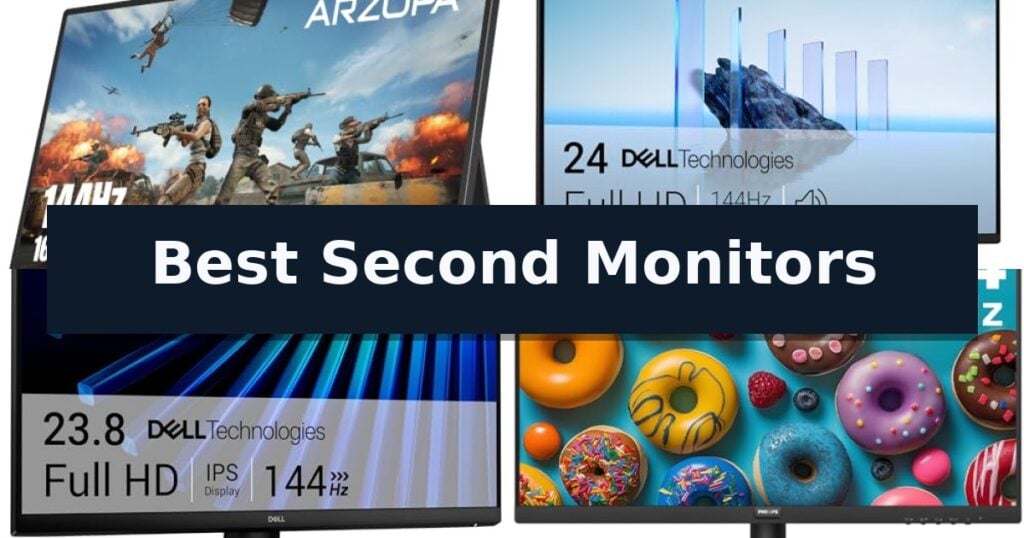
10 Best Second Monitors in 2026 Reviews
Quick Comparison
| Product | Best For | Key Strength | Score |
|---|---|---|---|
| ARZOPA Z1FC Portable Monitor | Best Overall | 144Hz refresh rate for smoother motion clarity. | 4.9 |
| Dell S2425HSM Monitor | Ergonomic Adjustability for Daily Comfort | Highly adjustable stand supporting height, tilt, pivot, and swivel. | 4.4 |
| Dell SE2426H Monitor | Fluid Motion for Work and Play | 144Hz refresh rate for smooth motion. | 4.3 |
| Philips 241V8LB Monitor | Crisp Visuals with Minimalist Bezels | Virtually bezel-free design facilitates clean multi-monitor configurations. | 4.4 |
| Sceptre E225W-FW144G Gaming Monitor | Seamless Dual Monitor Arrangement | Minimal bezel design ideal for multi-monitor setups | 4.8 |
| MNN 15.6-Inch Portable Monitor | One-Cable Setup for Travel | USB-C one-cable connectivity for streamlined power and signal transmission. | 4.8 |
| KYY Portable Monitor | Ultra-Slim Design for On-the-Go | Ultra-slim 0.3-inch design and lightweight build for easy transport. | 4.6 |
| Yxk Portable Monitor | Integrated Kickstand for Flexible Viewing | Ultra-portable design weighing only 1.43 lbs. | 4.9 |
| ForHelp Portable Monitor | Durable Aluminum Alloy Build | Ultra-slim 0.3-inch profile and lightweight 1.52lb aluminum alloy construction. | 4.4 |
| InnoView Portable Monitor | Plug-and-Play for Quick Productivity | Plug-and-play connectivity via USB-C or HDMI. | 4.6 |
How We Chose
Selecting the right display for an expanded workspace requires evaluating how a monitor integrates into your existing environment. We analyze these monitors by focusing on display responsiveness, physical adjustability, and the ease of connecting to various host devices. Our criteria prioritize functional utility, ensuring that each recommendation effectively balances visual performance with the practical demands of a multi-screen setup.
- Refresh Rate and Motion Fluidity
- Panel Technology and Color Accuracy
- Ergonomic Adjustability and Mounting Options
- Connectivity Versatility and Cable Management
- Portability and Build Durability
1 ARZOPA Z1FC Portable Monitor — High Refresh Rate for Smooth Motion
Expanding your digital workspace requires a display that balances high-performance motion with portability. The ARZOPA Z1FC Portable Monitor addresses this by integrating a 144Hz refresh rate into a slim, travel-ready chassis, providing smoother visual transitions for gaming and high-motion work compared to standard 60Hz panels.
Designed for versatility, this 16.1-inch display utilizes an IPS panel with a 106% sRGB color gamut, ensuring vibrant color reproduction and crisp details at 1080P FHD resolution. The inclusion of a built-in kickstand allows for precise tilt adjustments, making it easier to position the screen for ergonomic comfort in various environments.
Connectivity is handled through two fully functional USB Type-C ports and a Mini HDMI port, enabling a true plug-and-play experience across laptops, consoles like the PS5 and Xbox, and mobile devices. This setup eliminates the need for complex driver installations, allowing users to transition between horizontal and vertical orientations to suit their specific workflow needs.
While the monitor offers high refresh capabilities, it is important to note that it does not support adaptive sync or FreeSync technologies. Its lightweight design, weighing approximately 3.13 pounds, combined with the integrated stand, makes it a practical solution for users needing an external second screen that can be easily stowed away when not in use.
Best for: Gamers and professionals who require a high-refresh-rate secondary display that is easy to transport and set up without additional software.
Skip if: Users who require adaptive sync or variable refresh rate technologies for tear-free gaming, or those who need a larger screen size for primary workstation use.
- 144Hz refresh rate for smoother motion clarity.
- 106% sRGB color gamut for vibrant, accurate visuals.
- Integrated kickstand for adjustable viewing angles.
- Plug-and-play connectivity via USB-C and Mini HDMI.
- No adaptive sync or FreeSync support.
- Limited to 1080P resolution despite the larger 16.1-inch screen size.
2 Dell S2425HSM Monitor — Ergonomic Adjustability for Daily Comfort
Expanding your digital workspace requires a display that balances visual fidelity with physical flexibility. The Dell 24 Plus Monitor – S2425HSM addresses this need by combining a crisp FHD resolution with a high 144Hz refresh rate, ensuring that motion remains fluid whether you are navigating complex spreadsheets or managing multiple windows.
Beyond its core display capabilities, this monitor emphasizes user comfort through its TÜV-certified eye comfort features. By reducing harmful blue light emissions, it aims to maintain visual clarity during extended work sessions. The inclusion of integrated dual 3W speakers also helps declutter your desk by providing audio output without requiring external peripherals.
Physical ergonomics are a primary focus of the Dell S2425HSM Monitor, which features a stand capable of height, tilt, pivot, and swivel adjustments. This allows for precise positioning to match your specific desk setup. Furthermore, the Dell Display and Peripheral Manager software provides a centralized interface to optimize your workspace settings, streamlining the management of your connected devices.
For users seeking a reliable secondary screen, the Dell 24 Plus Monitor – S2425HSM offers a well-rounded feature set. With a 1500:1 contrast ratio and a 1ms Moving Picture Response Time (MPRT), it provides a responsive viewing experience suitable for a variety of professional and casual tasks.
Best for: Users who require a highly adjustable, ergonomic secondary display with integrated audio for a cleaner desktop setup.
Skip if: Users who require a higher resolution than 1080p or those who need specialized color accuracy for professional creative work.
- Highly adjustable stand supporting height, tilt, pivot, and swivel.
- 144Hz refresh rate for smooth visual transitions.
- Integrated 3W speakers to reduce desk clutter.
- TÜV-certified eye comfort technology.
- FHD resolution may be limiting for users requiring high pixel density.
- Limited to HDMI connectivity for external devices.
3 Dell SE2426H Monitor — Fluid Motion for Work and Play
The Dell SE2426H Monitor prioritizes fluid motion for both professional tasks and entertainment through its 144Hz refresh rate and 1ms MPRT response time. By minimizing motion blur and screen tearing, this 23.8-inch display provides a consistently clear visual experience for users who require high-performance output from their secondary screen.
Designed with In-Plane Switching (IPS) technology, the monitor maintains accurate color reproduction and consistent image quality across a wide 178-degree viewing angle. This makes it a practical choice for multi-monitor setups where the screen may be viewed from off-center positions. The ultra-thin bezels further enhance the setup by reducing the visual gap between displays.
User comfort is addressed through TÜV Rheinland 3-star certification, which is engineered to reduce harmful blue light emissions without compromising color depth. The monitor includes a tilt-adjustable stand to help achieve a more ergonomic viewing position, while the inclusion of dual HDMI ports simplifies connectivity with multiple devices.
This model is backed by a 1-year Advanced Exchange Service warranty, providing a clear support path for hardware concerns. While it offers high-refresh-rate capabilities, users should ensure their primary workstation hardware supports the necessary output to fully utilize the 144Hz refresh rate.
Best for: Users seeking a high-refresh-rate secondary display with wide viewing angles and eye-comfort features for mixed-use productivity and gaming.
Skip if: Users who require professional-grade color calibration for print design or those who need height-adjustable stands beyond simple tilt functionality.
- 144Hz refresh rate for smooth motion.
- IPS panel ensures consistent color accuracy.
- TÜV Rheinland 3-star certification for reduced blue light.
- Ultra-thin bezels ideal for multi-monitor configurations.
- Limited ergonomic adjustments restricted to tilt only.
- 1-year warranty period is shorter than some premium display options.
4 Philips 241V8LB Monitor — Crisp Visuals with Minimalist Bezels
Expanding your digital workspace requires a display that balances screen real estate with a clean, modern aesthetic. The Philips 241V8LB Monitor is designed for this exact purpose, featuring a virtually bezel-free design on three sides that allows for seamless multi-monitor setups. By minimizing the physical frame, it creates a more continuous viewing experience, which is essential for maintaining focus across extended desktop configurations.
Beyond its sleek exterior, this 23.8-inch display utilizes a VA panel to deliver deep blacks and bright whites, supported by a 16.7 million color palette. The monitor provides a 178/178 degree wide viewing angle, ensuring that color consistency is maintained even when the screen is positioned at an offset angle—a common requirement when using multiple monitors in a side-by-side arrangement.
For those who spend long hours reading or managing documentation, the monitor includes an EasyRead mode. This feature adjusts the display settings to provide a more paper-like experience, reducing eye strain during text-heavy tasks. The inclusion of Flicker-Free technology and a Low Blue Light setting further supports user comfort during prolonged work sessions.
Practicality is built into the hardware, which includes a 4-year advance replacement warranty for long-term reliability. The unit is equipped with Adaptive Sync technology and a 100Hz refresh rate, providing smooth visuals for general office applications and media playback. With its tilt-adjustable stand, users can fine-tune the viewing angle to suit their specific desk ergonomics.
Best for: Office professionals and multitaskers seeking a sleek, bezel-free display for seamless multi-monitor productivity setups.
Skip if: Users requiring high-end color accuracy for professional graphic design or those needing specialized connectivity beyond standard HDMI 1.4.
- Virtually bezel-free design facilitates clean multi-monitor configurations.
- VA panel technology offers superior contrast and wide viewing angles.
- EasyRead mode enhances comfort for text-heavy office workflows.
- 4-year advance replacement warranty provides significant long-term support.
- HDMI 1.4 connectivity limits bandwidth compared to newer standards.
- Fixed height stand lacks the ergonomic versatility of more advanced mounts.
5 Sceptre E225W-FW144G Gaming Monitor — Seamless Dual Monitor Arrangement
Maximizing your workspace requires a display that integrates seamlessly into your existing setup without creating clutter. The Sceptre E225W-FW144G Gaming Monitor features a sleek minimal bezel design specifically engineered to facilitate a clean, distraction-free dual monitor arrangement. By minimizing the frame around the screen, this 22-inch display allows for an unobstructed transition between screens, making it an effective solution for users who need to focus on multiple windows simultaneously.
Beyond its physical design, the monitor includes functional features to support extended daily use. It is equipped with Blue-Light Shift technology, which is designed to reduce harmful blue light emissions to help alleviate eye strain during long sessions. This focus on viewing comfort is complemented by the inclusion of integrated speakers, which provide audio output directly from the display, helping to keep your desk surface clear of external peripheral cables.
Performance-wise, the monitor supports a refresh rate of up to 144Hz, providing a smooth visual experience for high-motion tasks. Connectivity is handled through HDMI and DisplayPort inputs, ensuring compatibility with a variety of modern computer setups. The unit measures 19.9 inches in width and 15.5 inches in height, offering a compact footprint that fits well in tight office or gaming environments.
While the monitor is designed for versatility, it is important to note that its 22-inch size is tailored for specific space-saving needs. The limited 1-year warranty provides standard manufacturer coverage, and the unit weighs approximately 7 pounds, making it relatively easy to position on most standard desk mounts or stands.
Best for: Users seeking a compact, bezel-conscious display for a clean dual-monitor workstation setup.
Skip if: Users who require a larger screen real estate or higher resolution than 1080p for professional creative work.
- Minimal bezel design ideal for multi-monitor setups
- Blue-Light Shift technology for reduced eye strain
- Integrated speakers to minimize desk clutter
- 144Hz refresh rate for smooth visual performance
- 22-inch screen size may be too small for some professional workflows
- Limited 1-year warranty coverage
6 MNN 15.6-Inch Portable Monitor — One-Cable Setup for Travel
The MNN 15.6-Inch Portable Monitor simplifies mobile workstation setups by utilizing a USB-C one-cable connection that handles both power and display signals simultaneously. This design choice eliminates the clutter of multiple cords, provided your host device supports Thunderbolt 3.0 or USB 3.1 Type-C with DP Alt-Mode.
Engineered for versatility, the MNN 15.6-Inch Portable Monitor features a 1920×1080 Full HD resolution on an IPS glossy panel. The display supports a 178-degree viewing angle and includes an HDR mode designed to enhance color depth and highlight brightness for both gaming and professional tasks.
Portability is a core focus, as the unit is built to be ultra-slim and lightweight, making it suitable for transport in standard backpacks or suitcases. The monitor includes a scratch-proof smart cover made of PU leather that serves a dual purpose: protecting the screen during transit and functioning as an adjustable stand for both landscape and portrait orientations.
To support diverse workflows, the device offers multiple display modes including Extended, Copy, and Portrait configurations. It is compatible with a wide range of hardware, including laptops, MacBooks, smartphones, and gaming consoles like the PS5, Xbox, and Switch, ensuring it functions as a flexible secondary screen in various environments.
Best for: Travelers and remote workers who need a lightweight, single-cable secondary display for laptops or mobile devices.
Skip if: Users whose host devices lack Thunderbolt 3.0 or USB 3.1 Type-C DP Alt-Mode support, as this monitor requires these specific standards for its one-cable functionality.
- USB-C one-cable connectivity for streamlined power and signal transmission.
- IPS panel with 178-degree viewing angles for consistent color.
- Portable, ultra-slim design that fits easily into travel bags.
- Included smart cover that doubles as a protective case and stand.
- Device compatibility limitations regarding USB-C port specifications.
- Glossy screen surface may be prone to reflections in bright lighting.
7 KYY Portable Monitor — Ultra-Slim Design for On-the-Go
The KYY Portable Monitor features an ultra-slim 0.3-inch profile and weighs only 1.7 pounds, making it a highly mobile solution for users who need to extend their screen real estate while traveling. This 15.6-inch display utilizes an IPS panel with a 1920×1080 FHD resolution, providing a wide 178-degree viewing angle for consistent image quality across various tasks.
Connectivity is handled through two full-function USB-C ports and a Mini-HDMI port, allowing for a single-cable setup with devices that support Thunderbolt 3 or USB 3.1. The monitor includes built-in stereo speakers and a 3.5mm audio jack, which helps streamline multimedia setups without requiring external audio hardware.
Designed for versatility, the display supports both landscape and portrait modes and includes a scratch-proof smart cover made of PU leather. This cover doubles as a stand with two grooves, offering adjustable viewing angles for different environments. The unit is powered by a menu control wheel for settings adjustments and requires no additional drivers for operation.
While the KYY Portable Monitor offers significant flexibility for on-the-go productivity, users should verify that their host device supports the necessary video output standards via USB-C or has an available HDMI port. The reliance on a magnetic smart cover for stand functionality provides convenience but may be less rigid than a dedicated mechanical stand for intensive touch-based workflows.
Best for: Professionals and students who require a lightweight, portable secondary display for travel or temporary dual-monitor setups.
Skip if: Users who require a high-refresh-rate gaming display or a permanent, height-adjustable desktop monitor with advanced ergonomic mounting options.
- Ultra-slim 0.3-inch design and lightweight build for easy transport.
- Single-cable connectivity via full-function USB-C ports.
- 1080P FHD IPS screen with HDR technology for clear visuals.
- Integrated stereo speakers and 3.5mm audio input.
- Magnetic smart cover stand may offer limited stability compared to traditional monitor stands.
- Requires specific device compatibility for single-cable USB-C power and video transmission.
8 Yxk Portable Monitor — Integrated Kickstand for Flexible Viewing
Expanding your digital workspace requires a reliable, portable solution that integrates seamlessly into various environments. The Yxk Portable Monitor addresses this need with its 15.6-inch FHD display, utilizing an IPS A-grade screen that delivers a 1920×1080 resolution and a 178-degree full viewing angle. Designed for users who prioritize mobility, this monitor weighs just 1.43 lbs and features an ultra-slim 0.31-inch profile, making it a practical addition to a laptop bag for remote work or travel.
Connectivity is streamlined through two full-featured Type-C ports and a Mini HDMI port, allowing for a straightforward plug-and-play experience. The monitor is compatible with devices that support Thunderbolt 3.0/4.0 or USB 3.1 Type-C with DP Alt-Mode, ensuring it works with a wide range of laptops, game consoles like the PS4/5, Xbox, and Switch, and various mobile devices without requiring additional drivers or software installations.
The device offers versatile utility through multiple display modes, including copy, extension, and second-screen configurations. For those focused on visual quality, the inclusion of HDR mode enhances highlights and color depth, while the Low Blue Light technology aims to reduce eye strain during extended use. Integrated dual speakers provide audio output, further supporting its role as a self-contained secondary display for presentations or media consumption.
Built for stability, the monitor includes an integrated VESA kickstand that allows for flexible positioning on a desk or table. This design choice supports various viewing angles, accommodating different workspace setups whether you are in a home office or a temporary meeting space. By combining these hardware features, the monitor serves as a functional tool for users looking to increase their screen real estate without the bulk of a traditional desktop monitor.
Best for: Professionals and gamers who need a lightweight, portable secondary screen for laptops and consoles that supports USB-C connectivity.
Skip if: Users who require a high-refresh-rate gaming monitor or a larger desktop display with advanced ergonomic height adjustments.
- Ultra-portable design weighing only 1.43 lbs.
- Versatile connectivity with two Type-C and one Mini HDMI port.
- Plug-and-play functionality requiring no driver installation.
- HDR support for improved image quality and color reproduction.
- Device compatibility limited to hardware supporting DP Alt-Mode or Thunderbolt.
- Small screen size may not be sufficient for complex professional design workflows.
9 ForHelp Portable Monitor — Durable Aluminum Alloy Build
The ForHelp Portable Monitor features an ultra-slim 0.3-inch profile and an aluminum alloy body, weighing just 1.52lb for high portability. This 15.6-inch display utilizes an IPS matte screen with 1920×1080 resolution, designed to provide a 178-degree viewing angle while incorporating eye-care technology to reduce blue light radiation and flickering.
Connectivity is handled via two full-featured Type-C ports and one Mini HDMI port. The monitor is compatible with devices supporting Thunderbolt 3.0/4.0 or USB 3.1 Type-C DP Alt-Mode, as well as standard HDMI-equipped hardware like laptops and game consoles. Users can select between copy, extension, or second-screen modes to suit different workflows.
For added versatility, the device includes an HDR mode to enhance highlights and color depth, complemented by two built-in speakers for audio output. The package includes a magnetic smart holster made of durable PU leather, which serves as a protective cover and a stand with two adjustable viewing grooves.
Designed for both productivity and entertainment, this monitor balances work-related tasks with gaming or media consumption. The inclusion of a scratch-proof smart cover ensures the unit remains protected during transport, making it a practical choice for users who require a secondary display on the go.
Best for: Users needing a lightweight, portable secondary display for laptops or gaming consoles that supports USB-C DP Alt-Mode or HDMI connectivity.
Skip if: Users whose primary devices lack USB-C DP Alt-Mode or HDMI ports, or those requiring a high-refresh-rate monitor for competitive professional gaming.
- Ultra-slim 0.3-inch profile and lightweight 1.52lb aluminum alloy construction.
- Extensive connectivity with dual USB Type-C and Mini HDMI ports.
- Eye-care IPS matte screen with 178-degree viewing angles.
- Included magnetic smart cover that functions as a protective stand.
- Device compatibility requirements necessitate support for Thunderbolt 3.0/4.0 or USB 3.1 Type-C DP Alt-Mode.
- Fixed HDMI port location on the left side may affect cable management depending on the user's desk setup.
10 InnoView Portable Monitor — Plug-and-Play for Quick Productivity
Expanding your digital workspace requires a display that balances portability with visual clarity. The InnoView Portable Monitor addresses this by offering a 15.6-inch FHD 1080P IPS screen that functions as a secondary display for laptops, tablets, and gaming consoles without the need for additional drivers.
Connectivity is streamlined through two full-function Type-C ports and an HDMI port. The device supports power pass-through reverse charging when connected via a single USB-C cable to compatible devices, such as those supporting Thunderbolt 3.0/4.0 or USB 3.1 Type-C DP ALT-MODE. For devices lacking these standards, the HDMI port provides a reliable alternative.
Designed for versatility, the monitor includes a scratch-resistant smart protective cover made of PU leather. This cover doubles as a stand with two grooves for angle adjustment, allowing for both landscape and portrait orientations. The display also features low blue light technology and a 178-degree viewing angle to assist with extended work sessions.
While the monitor is built for plug-and-play convenience, users should note that power requirements vary by device. If the screen flickers or restarts, connecting an external power source is necessary to ensure stable operation. The unit is backed by an 18-month warranty.
Best for: Remote workers and travelers needing a lightweight, plug-and-play secondary display for multi-tasking.
Skip if: Users whose primary devices do not support USB-C DP ALT-MODE or Thunderbolt and who prefer not to manage extra power cables for HDMI connections.
- Plug-and-play connectivity via USB-C or HDMI.
- Versatile protective cover that functions as an adjustable stand.
- IPS FHD display with wide viewing angles and low blue light settings.
- Supports power pass-through to charge connected devices.
- External power may be required for devices with insufficient output.
- HDMI cable and power adapter are not included in the package.
Best Second Monitors Buying Guide
Prioritizing Refresh Rates for Productivity
While high refresh rates are often associated with gaming, they also significantly improve the experience of general desktop navigation. A 144Hz display makes cursor movement and window dragging feel noticeably smoother compared to standard 60Hz panels, reducing visual fatigue during long work sessions.
When choosing a secondary screen, consider whether your primary tasks involve high-motion content. If you frequently scroll through long documents or work with video timelines, the increased fluidity of a higher refresh rate can make a tangible difference in daily comfort.
Ergonomics and Physical Positioning
A second monitor is only as useful as its placement. Desktop models with height, tilt, and pivot adjustments allow you to align the screen perfectly with your primary display, which is essential for maintaining a consistent viewing angle and preventing neck strain.
If you have limited desk space, look for monitors that support VESA mounting or feature ultra-thin bezels. These design choices help minimize the physical footprint of your setup while allowing you to position screens closer together for a more seamless transition between windows.
Connectivity and Integration
Modern secondary monitors should offer flexible connectivity options to accommodate different host devices. USB-C with power delivery is particularly valuable for laptop users, as it enables a single-cable solution that handles both video signal and power, significantly reducing cable clutter.
Always verify the port configuration of your potential monitor against your computer's available outputs. While HDMI remains a universal standard, having additional DisplayPort or USB-C inputs ensures your setup remains compatible as you upgrade your primary workstation hardware.
Panel Technology and Visual Quality
The choice between IPS and VA panels impacts your viewing experience. IPS panels are generally preferred for their wide viewing angles and color accuracy, making them ideal if you often look at your second monitor from an offset position.
VA panels often provide higher contrast ratios, which can result in deeper blacks and more vibrant images. If your secondary monitor is primarily used for media consumption or dark-mode workflows, the contrast benefits of a VA panel may outweigh the wider viewing angles of IPS technology.
Portability Considerations
Portable monitors are designed for users who need to maintain a multi-screen workflow while traveling or working in flexible environments. These devices prioritize a slim profile and lightweight construction, often including protective covers that double as stands.
When evaluating portable options, check the stability of the included stand. A robust kickstand or a secure magnetic cover is crucial for ensuring the monitor remains at a comfortable angle during use, especially when working on varied surfaces like coffee shop tables or small desks.
Frequently Asked Questions
Do I need a high refresh rate for a second monitor used only for office work?
While not strictly necessary, a higher refresh rate can make the interface feel more responsive and fluid, which may reduce eye strain during extended periods of document editing or web browsing.
Can I use a portable monitor as a permanent secondary screen?
Yes, portable monitors function well as permanent additions to a desk, especially if you have limited space. However, they lack the height and pivot adjustments found in dedicated desktop monitors.
What is the advantage of a monitor with USB-C connectivity?
USB-C allows for a single-cable connection that carries both video signals and power to the monitor, which simplifies your desk setup and reduces the number of cables required.
How do I ensure my laptop is compatible with a portable monitor?
Check if your laptop's USB-C port supports DisplayPort Alt-Mode or Thunderbolt 3/4. If it does not, you will need to use an HDMI connection, which may require an external power source for the monitor.
Is an IPS panel better than a VA panel for a second monitor?
IPS panels offer better color consistency and wider viewing angles, which is helpful if you look at your second monitor from the side. VA panels are better if you prioritize contrast and deep blacks for media viewing.
Conclusion: Our Top Pick
Our top pick is ARZOPA Z1FC Portable Monitor. Selecting the right secondary monitor depends on whether you require the flexibility of a portable display or the ergonomic benefits of a dedicated desktop unit. By focusing on connectivity and panel type, you can significantly enhance your productivity and comfort.
Consider your specific desk layout and the devices you intend to connect to ensure your chosen monitor integrates seamlessly into your existing workflow.