The nuphy Air100 V3 Mechanical Keyboard is our top choice for the Best Silent Low-Profile Keyboards, offering a refined gasket-mounted design that minimizes typing noise while maintaining a premium feel. The Keychron J9 Ultra Wireless Keyboard serves as a high-performance alternative for users requiring ultra-low latency and advanced programmability, while the Logitech MK470 Wireless Keyboard Combo provides a streamlined, whisper-quiet solution for shared workspaces.
Selecting a low-profile keyboard requires balancing tactile feedback with acoustic output. While some users prioritize the mechanical precision of hot-swappable switches, others may prefer the consistent, shallow travel of scissor-switch mechanisms. Our selection focuses on models that reduce desk noise without sacrificing the responsiveness necessary for daily productivity or extended typing sessions.
Beyond the switch type, connectivity and build quality play significant roles in the overall user experience. Modern low-profile boards often feature multi-device switching and robust wireless protocols, allowing for seamless transitions between different operating systems. We evaluate these keyboards based on their ability to integrate into diverse environments, from compact home offices to busy professional settings.
If you are looking for broader options beyond the low-profile form factor, our guide to the Best Silent Keyboards covers a wider variety of switch types and layouts. For those specifically optimizing a professional setup, we also detail the Best Silent Keyboard for Work to help you maintain a quiet and efficient office environment.
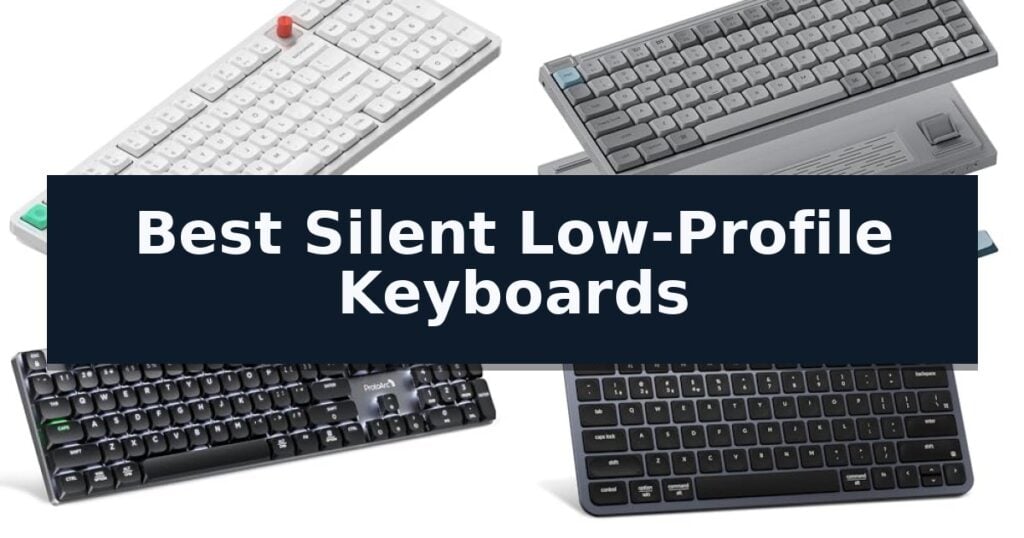
10 Best Silent Low-Profile Keyboards in 2026 Reviews
Quick Comparison
| Product | Best For | Key Strength | Score |
|---|---|---|---|
| nuphy Air100 V3 Mechanical Keyboard | Best Overall | Gasket-mounted design significantly reduces typing noise and vibration. | 4.9 |
| Keychron J9 Ultra Wireless Keyboard | Ultra-slim with acoustic foam | Advanced acoustic dampening using IXPE and EPDM foam for quieter operation. | 4.6 |
| ProtoArc K310 Pro Mechanical Keyboard | Linear switches for office silence | Linear red switches provide a quiet, smooth typing experience. | 4.3 |
| Keychron B1 Pro Wireless Keyboard | Silent scissor-switch design | Silent scissor-switch keys ideal for quiet environments. | 4.5 |
| LeadsaiL Wireless Mechanical Keyboard | Tactile feel without loud clicks | Low-profile red switches provide tactile feedback with reduced noise. | 4.9 |
| HP 230 Wireless Keyboard | Minimal noise chiclet keys | Minimal noise chiclet keys for quiet operation | 4.9 |
| Logitech MK470 Wireless Keyboard Combo | Whisper-quiet for shared spaces | Whisper-quiet operation for both keyboard and mouse. | 4.9 |
| Arteck Backlit Wired Keyboard | Low-profile scissor structure | Quiet typing via low-profile scissors X structure keys. | 4.3 |
| AUSDOM Wireless Keyboard | Responsive and quiet flat keys | Scissor-switch structure for quiet and stable typing. | 4.6 |
| Razer Ornata V3 X Gaming Keyboard | Silent membrane switch feel | Low-profile key design reduces wrist strain during extended use. | 4.5 |
How We Chose
When evaluating the best silent low-profile keyboards, we prioritize the balance between typing comfort and noise reduction. An experienced reviewer examines the switch structure, chassis resonance, and wireless reliability to determine which models effectively dampen sound while providing a satisfying, responsive experience for professional and personal workflows.
- Switch mechanism and acoustic profile
- Connectivity options and multi-device support
- Build materials and chassis durability
- Programmability and software customization
- Battery life and power management
1 nuphy Air100 V3 Mechanical Keyboard — Gasket-mounted for quieter typing
The nuphy Air100 V3 Wireless Mechanical Keyboard utilizes a specialized gasket-mounted design to provide a distinctively quiet typing experience. By integrating silicone gaskets, the chassis effectively absorbs the impact of every keystroke, which minimizes vibration and eliminates the hollow resonance often found in standard mechanical boards.
Designed for versatility, this 99-key low-profile keyboard offers robust multi-device compatibility through Bluetooth, 2.4GHz wireless, and USB-C wired connections. Users can manage up to five devices simultaneously, switching between them seamlessly using dedicated shortcuts. The inclusion of a multifunctional knob adds a layer of tactile control for media or system adjustments.
Durability and customization are central to the build, featuring an aluminum alloy top plate that provides a rigid, stable typing surface. The dye-sublimated PBT keycaps are engineered to resist sweat and fading over time. For those interested in personalization, the hot-swappable socket allows for the replacement of switches without the need for soldering, making it accessible for users to adjust their typing feel.
Software management is simplified through the NuPhyIO web driver, which requires no local installation. This interface allows for intuitive customization of the keyboard's layout and RGB lighting effects. With its slim profile and high-quality materials, the board is built to maintain performance and aesthetic appeal during extended office use.
Best for: Professionals and enthusiasts who require a quiet, highly customizable, and multi-device compatible low-profile mechanical keyboard.
Skip if: Users who prefer a full-sized layout with a dedicated number pad or those who require a high-profile mechanical typing experience.
- Gasket-mounted design significantly reduces typing noise and vibration.
- Hot-swappable sockets enable easy switch customization without soldering.
- Multi-device connectivity supports up to five devices via Bluetooth, 2.4GHz, and USB-C.
- Durable aluminum alloy top plate and fade-resistant PBT keycaps.
- Low-profile design may not suit users who prefer the travel distance of traditional mechanical switches.
2 Keychron J9 Ultra Wireless Keyboard — Ultra-slim with acoustic foam
Achieving a quiet and responsive workspace requires hardware that balances tactile feedback with noise reduction. The Keychron J9 Ultra Wireless Keyboard addresses this by integrating advanced IXPE acoustic foam and EPDM support foam, which work together to dampen keystroke noise while maintaining a stable typing feel.
This keyboard is engineered for performance, featuring an 8000 Hz polling rate in both wired and 2.4 GHz wireless modes. By utilizing low-profile mechanical switches that are 33% slimmer than standard alternatives, the device maintains a sleek, low-profile aesthetic without sacrificing the mechanical actuation expected by power users.
Customization is a core component of the user experience, facilitated by ZMK programmability and the Keychron Launcher web app. Users can remap keys, create macros, and manage per-key RGB lighting. The system also supports multi-device workflows, allowing for seamless switching between up to three devices via Bluetooth 5.2.
Designed for longevity and cross-platform utility, the unit offers up to 480 hours of battery life with the backlight disabled. It includes dedicated system toggles and keycaps for both macOS and Windows, ensuring that the layout remains consistent regardless of the operating system in use.
Best for: Users who require a high-performance, ultra-slim mechanical keyboard with silent acoustics and multi-device wireless connectivity.
Skip if: Users who prefer a full-sized keyboard layout or those who do not require the high-speed 8K polling rate for their specific workflow.
- Advanced acoustic dampening using IXPE and EPDM foam for quieter operation.
- High-speed 8000 Hz polling rate for minimal input latency.
- Ultra-slim profile featuring low-profile mechanical switches.
- Extensive customization via ZMK firmware and Keychron Launcher.
- Requires wired mode for initial configuration via the Keychron Launcher web app.
- Compact layout may necessitate an adjustment period for users accustomed to full-sized boards.
3 ProtoArc K310 Pro Mechanical Keyboard — Linear switches for office silence
The ProtoArc K310 Pro Mechanical Keyboard distinguishes itself with low-profile linear red switches, providing a smooth, consistent keystroke that minimizes noise for shared office environments. This full-size, 108-key unit balances mechanical precision with a sleek, modern aluminum top case, offering a sophisticated aesthetic that fits professional workspaces.
Connectivity is a core strength of this model, supporting up to three devices simultaneously via Bluetooth or a 2.4G USB receiver. Users can transition between Windows, Mac, iOS, and Android platforms with single-button convenience. The keyboard includes 10 adjustable backlight effects, allowing for customized lighting levels and speeds to suit different lighting conditions.
For power management, the ProtoArc K310 Pro Mechanical Keyboard utilizes a USB-C rechargeable battery. A single 6-8 hour charge provides up to 150 days of standby time, reducing the frequency of maintenance. The chassis is designed for comfort, featuring 2-level ergonomically adjustable tilt legs to help maintain a natural wrist position during extended typing sessions.
Advanced users can utilize macro customization to record and edit specific key functions and backlight effects. While this feature offers significant workflow flexibility, it is important to note that macro support is currently limited to Windows in 2.4G mode and is not supported on macOS. Additionally, the device is designed for direct connection and may not be detected when used with a multi-port hub.
Best for: Office professionals seeking a quiet, multi-device mechanical keyboard with a low-profile design and long battery life.
Skip if: Users who rely on macOS for macro programming or those who require consistent keyboard detection through multi-port hubs.
- Linear red switches provide a quiet, smooth typing experience.
- Multi-device connectivity allows seamless switching between three devices.
- USB-C rechargeable battery offers up to 150 days of standby time.
- Aluminum top case provides a durable and modern aesthetic.
- Macro customization is not supported on macOS.
- Connectivity limitations prevent detection when using a multi-port hub.
4 Keychron B1 Pro Wireless Keyboard — Silent scissor-switch design
The Keychron B1 Pro Ultra-Slim Wireless Keyboard prioritizes a distraction-free workspace by combining a low-profile aesthetic with a specialized silent scissor-switch design. Measuring only 0.2 inches at the front, this keyboard is engineered for users who require a portable, unobtrusive typing experience suitable for shared office environments or late-night home use.
Connectivity is handled through a versatile tri-mode system, featuring a 1000 Hz polling rate on 2.4 GHz wireless for responsive input, alongside Bluetooth 5.2 for multi-device multitasking. The inclusion of ZMK firmware and the Keychron Launcher web app allows for extensive customization, enabling users to remap keys and create macros directly within modern web browsers without needing additional software installations.
Efficiency is a core focus, evidenced by a battery capacity that supports up to 1200 hours of use on a single charge. The hardware is complemented by concave keycaps designed to align with finger contours, promoting comfort during extended typing sessions. For added utility, the keyboard includes a protective silicone skin to maintain its condition during transport.
While the Keychron B1 Pro Ultra-Slim Wireless Keyboard offers high-level programmability and a slim form factor, its scissor-switch mechanism provides a distinct tactile feel that differs from mechanical switches. Users should consider whether the low-travel, silent typing experience aligns with their specific ergonomic preferences before committing to this ultra-slim layout.
Best for: Professionals and students who require a silent, highly programmable, and portable keyboard for multi-device environments.
Skip if: Users who prefer the deep tactile feedback and long travel distance associated with traditional mechanical switches.
- Silent scissor-switch keys ideal for quiet environments.
- 1200 hours of battery life for long-term reliability.
- ZMK and web-based programmability for custom key mapping.
- Ultra-slim, portable design with included protective skin.
- Low-profile key travel may not suit those accustomed to mechanical switches.
5 LeadsaiL Wireless Mechanical Keyboard — Tactile feel without loud clicks
Maintaining a quiet workspace often requires hardware that balances tactile feedback with noise reduction. The LeadsaiL Wireless Mechanical Keyboard addresses this by utilizing low-profile red switches, which are engineered to provide a smooth, semi-quiet typing experience without the audible clicking associated with traditional mechanical boards.
This keyboard features a compact 98-key layout, designed to minimize desktop footprint while maintaining essential functionality. The construction includes double-shot injection keycaps, which use dual-color molding to ensure that symbols remain vivid and resistant to fading over extended use. Its slim profile is complemented by a sturdy build, making it a practical choice for varied office environments.
Connectivity is managed via a 2.4GHz wireless receiver, which supports both the keyboard and the included silent mouse through a single nano USB dongle. This setup provides a stable connection range of up to 33 feet and functions across Windows, MacOS, and Linux platforms without requiring additional driver installations.
The keyboard is designed for efficiency, with keys that rebound quickly to help reduce finger fatigue during long typing sessions. By combining a minimalist aesthetic with a matte finish, the device integrates easily into professional setups where space and noise management are priorities.
Best for: Users seeking a compact, quiet mechanical typing experience for multi-platform office environments.
Skip if: Users who require a full-sized layout with a dedicated number pad or those who prefer Bluetooth connectivity over a USB receiver.
- Low-profile red switches provide tactile feedback with reduced noise.
- Compact 98-key design saves valuable desk space.
- Double-shot injection keycaps ensure long-term durability and symbol clarity.
- Unified 2.4GHz receiver simplifies connection for both keyboard and mouse.
- USB receiver required for connectivity, limiting use on devices without standard USB ports.
- No Bluetooth option available for multi-device switching.
6 HP 230 Wireless Keyboard — Minimal noise chiclet keys
The HP 230 Wireless Keyboard is engineered to streamline your workspace by removing the constraints of physical cables. Its core design utilizes low-profile chiclet keys, which are specifically crafted to provide a responsive, accurate typing experience while keeping noise levels to a minimum. This makes it a suitable peripheral for shared office environments or quiet home setups where loud mechanical clicking might be disruptive.
Functionality is enhanced through a full-sized layout that includes an integrated number pad, essential for data entry and financial tasks. To further boost efficiency, the keyboard features 12 dedicated shortcut keys. These provide immediate, one-press access to common system functions, allowing users to navigate tasks on both Windows and Mac OS systems without needing to reach for a mouse or navigate complex software menus.
Reliability and maintenance are addressed through the device's power management system, which is rated for up to 16 months of battery life using two standard AAA batteries. This extended operational capacity minimizes the need for frequent battery changes, ensuring the keyboard remains ready for consistent daily use. Its slim, portable form factor—measuring 17.32"L x 5.76"W x 1.09"H—allows it to transition easily between a dedicated desk and more casual settings like a kitchen table.
While the keyboard excels in quiet environments, users should note the trade-offs inherent in its design. The chiclet-style switches prioritize a slim profile and silence over the deep, tactile feedback found in mechanical keyboards. Additionally, the lack of backlighting means this model is best suited for well-lit rooms rather than dark workspaces, where visibility of the key legends could become a practical limitation.
Best for: Users seeking a quiet, full-sized wireless keyboard with a number pad for general office or home productivity.
Skip if: Users who require mechanical switches, backlighting, or specialized gaming features will find this standard chiclet-style keyboard insufficient for their needs.
- Minimal noise chiclet keys for quiet operation
- 16-month battery life reduces maintenance frequency
- Integrated number pad and 12 shortcut keys for productivity
- Wireless connectivity eliminates cord clutter
- Standard chiclet design lacks mechanical tactile feedback
- No backlighting for low-light environments
7 Logitech MK470 Wireless Keyboard Combo — Whisper-quiet for shared spaces
Maintaining a quiet workspace often begins with the tools you use most frequently, and the Logitech MK470 Wireless Keyboard Combo is engineered specifically to minimize auditory distractions. Featuring low-profile scissor keys, this keyboard provides a tactile yet hushed typing experience that is well-suited for shared office environments or home setups where noise reduction is a priority.
The combo includes a slim, ambidextrous mouse that complements the keyboard's aesthetic while maintaining a quiet operation. Both devices connect via a single plug-and-play USB nano receiver, utilizing a 2.4 GHz wireless connection that offers a range of up to 10 meters. This setup helps keep desk spaces uncluttered by reducing cable dependency.
Efficiency is integrated into the design through several practical features. The keyboard includes a dedicated number pad and 12 customizable FN keys that can be programmed using Logi Options software to streamline specific workflows. Additionally, the system incorporates an auto-sleep feature designed to extend battery life, supporting up to 36 months for the keyboard and 18 months for the mouse.
While the compact, modern design is optimized for smaller workspaces, users should note that the low-profile nature of the keys offers a distinct feel compared to traditional mechanical keyboards. The combination of a whisper-quiet keyboard and a lab-tested, noise-reduced mouse makes this an effective solution for those seeking a minimalist and unobtrusive input setup.
Best for: Professionals and home users who require a quiet, space-saving input solution for shared or compact workspaces.
Skip if: Users who prefer the tactile feedback and travel distance of traditional mechanical switches or those who require a full-sized, ergonomic keyboard layout.
- Whisper-quiet operation for both keyboard and mouse.
- Compact, low-profile design ideal for small desk footprints.
- Extended battery life with auto-sleep functionality.
- Customizable FN keys via Logi Options software.
- Fixed low-profile key travel may not suit all typing preferences.
- USB nano receiver requires an available USB-A port.
8 Arteck Backlit Wired Keyboard — Low-profile scissor structure
The Arteck Backlit USB Wired Full Size Keyboard utilizes a specialized scissors X structure to provide a tactile, low-profile typing experience that prioritizes quiet operation. This design choice makes it a practical solution for shared workspaces or environments where minimizing audible distractions is a priority.
Beyond its quiet mechanical foundation, the keyboard features 7 unique backlight colors with three adjustable brightness levels, allowing for visibility in various lighting conditions. The unit maintains a slim profile, measuring only 0.24 inches in height, while still offering a full-size layout that includes dedicated arrow keys and a number pad for efficient data entry.
Setup is straightforward via a 1.8-meter (6-foot) USB wired connection, which ensures consistent power and input without the need for batteries or wireless pairing. The lightweight, 17.4-ounce frame is designed for portability and desk space efficiency, though it is explicitly noted as being incompatible with Apple devices.
The keyboard includes integrated media hotkeys to streamline common computer tasks. It is backed by a 24-month warranty, providing long-term support for the hardware. Users should ensure their workstation has an available USB port and is running a compatible operating system, as this is a dedicated wired peripheral.
Best for: Users seeking a quiet, full-sized, backlit keyboard for PC or laptop workstations who prefer the reliability of a wired USB connection.
Skip if: Users who require compatibility with Apple devices or those who prefer a wireless or mechanical switch keyboard.
- Quiet typing via low-profile scissors X structure keys.
- Customizable 7-color LED backlight with three brightness levels.
- Full-size layout including a number pad and media hotkeys.
- Simple plug-and-play 1.8M USB wired connectivity.
- Not compatible with Apple devices.
- Wired-only connection limits placement flexibility compared to wireless models.
9 AUSDOM Wireless Keyboard — Responsive and quiet flat keys
The AUSDOM Wireless Keyboard prioritizes a quiet workspace through its specialized scissor-switch structure, which is engineered to provide a precise, tactile feel while significantly reducing the audible tapping noise typically associated with standard mechanical or membrane boards. This low-profile design ensures that each keystroke remains stable and muted, making it a practical choice for shared office environments or quiet home setups.
Beyond its acoustic performance, this full-size keyboard integrates a dedicated numeric keypad and 15 shortcut keys, streamlining data entry and navigation tasks. Its ultra-slim profile is designed for portability, allowing users to transition between workstations without adding significant bulk to their carry-on gear.
Connectivity is handled through a versatile multi-device system that supports switching between three separate devices using either Bluetooth 5.0 or a 2.4Ghz USB receiver. This flexibility allows for seamless transitions between a laptop, tablet, or desktop computer without the need for constant re-pairing.
Power management is addressed via a built-in rechargeable lithium battery, which is rated to provide over 30 days of usage on a single charge. To preserve longevity, the device includes an automatic sleep mode that activates after 30 minutes of inactivity, ensuring efficient energy consumption during periods of non-use.
Best for: Professionals and students who require a quiet, multi-device input solution with a numeric keypad for data-heavy tasks.
Skip if: Users who prefer the deep travel and tactile feedback of mechanical switches or those who require a wired-only connection for specific security requirements.
- Scissor-switch structure for quiet and stable typing.
- Multi-device connectivity via Bluetooth 5.0 or 2.4Ghz USB.
- Rechargeable battery offering 30+ days of usage per charge.
- Full-size layout including a dedicated numeric keypad.
- Low-profile key travel may not suit users accustomed to mechanical keyboards.
10 Razer Ornata V3 X Gaming Keyboard — Silent membrane switch feel
The Razer Ornata V3 X Gaming Keyboard prioritizes user comfort through its low-profile keys and shorter switches, which facilitate a more natural hand position during extended typing or gaming sessions. By reducing the travel distance required for each keystroke, this design aims to minimize strain while maintaining a slim, modern aesthetic on the desktop.
Engineered for quiet operation, the keyboard utilizes silent membrane switches. This feature provides a tactile experience that is significantly less audible than traditional mechanical alternatives, making it a suitable choice for shared workspaces or environments where noise reduction is a priority. The inclusion of an ergonomic wrist rest further supports long-term use by providing a dedicated surface to align the wrists, reducing fatigue.
Durability and maintenance are addressed through a spill-resistant design, which helps protect the internal components from minor liquid accidents. The chassis is built to withstand rigorous daily use, ensuring the device remains functional even during intense activity. Additionally, the integrated cable routing options allow users to manage their workspace effectively by tucking the cord into dedicated grooves, keeping the desk free from unnecessary clutter.
Customization is handled via Razer Chroma RGB lighting, offering access to 16.8 million colors and a variety of dynamic effects. This system integrates with over 150 Chroma-enabled games, allowing the lighting to react to in-game events. The keyboard measures 17.46 inches in length and 5.68 inches in width, providing a full-sized layout that remains compact enough for most workstation configurations.
Best for: Users who require a quiet typing experience and ergonomic support for long hours of work or gaming.
Skip if: Users who specifically prefer the distinct tactile click and actuation feedback of mechanical switches.
- Low-profile key design reduces wrist strain during extended use.
- Silent membrane switches provide a quiet typing environment.
- Spill-resistant construction adds a layer of protection against minor accidents.
- Integrated cable routing helps maintain a clean and organized desk space.
- Membrane switch feel may not satisfy users accustomed to mechanical keyboard feedback.
Best Silent Low-Profile Keyboards Buying Guide
Mechanical vs. Scissor Switches
Low-profile mechanical switches offer a distinct tactile bump or linear travel that many typists prefer for speed and accuracy. These switches are often hot-swappable, allowing for future customization or repair without needing to replace the entire unit.
Scissor switches, commonly found in laptop-style keyboards, provide a shorter travel distance and a flatter profile. They are generally quieter than mechanical counterparts and are ideal for users who prefer a very low-to-the-desk typing experience.
Acoustic Dampening Features
To achieve a silent typing experience, manufacturers often incorporate internal acoustic foam or silicone gaskets. These materials absorb the vibration caused by the keycap hitting the switch housing, effectively muting the high-pitched clatter often associated with standard mechanical boards.
Chassis construction also influences sound. Aluminum top plates, for instance, provide a more solid foundation than plastic, which can help reduce hollow-sounding resonance during rapid typing.
Connectivity and Multi-Device Use
Most modern low-profile keyboards support both Bluetooth and 2.4GHz wireless connections. This versatility allows users to pair the keyboard with multiple devices simultaneously, such as a desktop computer, a laptop, and a tablet.
Switching between these devices via dedicated hardware keys or software shortcuts is essential for maintaining a clean and efficient workflow in multi-device environments.
Customization and Programmability
Advanced keyboards often include web-based drivers or firmware support that allows for key remapping and macro creation. This level of control is particularly useful for power users who want to optimize their layout for specific software or repetitive tasks.
While some models require dedicated software, others utilize browser-based launchers, which offer the benefit of portability and ease of use across different operating systems without needing to install heavy background applications.
Battery Life and Portability
Battery longevity is a critical factor for wireless keyboards, especially for those who travel or prefer a clutter-free desk. Many low-profile models now feature high-capacity rechargeable batteries that can last for months on a single charge.
The physical footprint also matters; compact, ultra-slim designs are easier to transport and save valuable desk space, making them a practical choice for minimalist setups.
Frequently Asked Questions
Are low-profile mechanical keyboards actually silent?
While no mechanical keyboard is completely silent, low-profile models with linear switches and internal dampening foam are significantly quieter than standard mechanical keyboards and are suitable for most office environments.
Can I use a low-profile keyboard with both Mac and Windows?
Yes, most modern low-profile keyboards are designed with multi-system compatibility in mind, often including dedicated keycaps or software toggles to switch between macOS and Windows layouts.
What is the benefit of a hot-swappable keyboard?
A hot-swappable keyboard allows you to remove and replace individual switches without soldering. This makes it easy to experiment with different switch types or replace a faulty switch without buying a new keyboard.
Do I need software to customize my keyboard?
Many modern keyboards use web-based launchers that run directly in your browser, eliminating the need to download and install permanent software on your computer.
How do I know if a keyboard is low-profile?
Low-profile keyboards are characterized by shorter switch stems and thinner keycaps, resulting in a significantly lower overall height compared to traditional mechanical keyboards.
Conclusion: Our Top Pick
Our top pick is nuphy Air100 V3 Mechanical Keyboard. Choosing the right low-profile keyboard depends heavily on your specific needs for typing feel and desk space. If you prioritize a premium, customizable mechanical experience, models with gasket-mounting and hot-swap capabilities are excellent investments.
For those who prefer a more traditional, ultra-slim feel, scissor-switch options provide a reliable and quiet alternative. Regardless of your choice, focusing on connectivity and build quality will ensure your keyboard remains a productive tool for years to come.