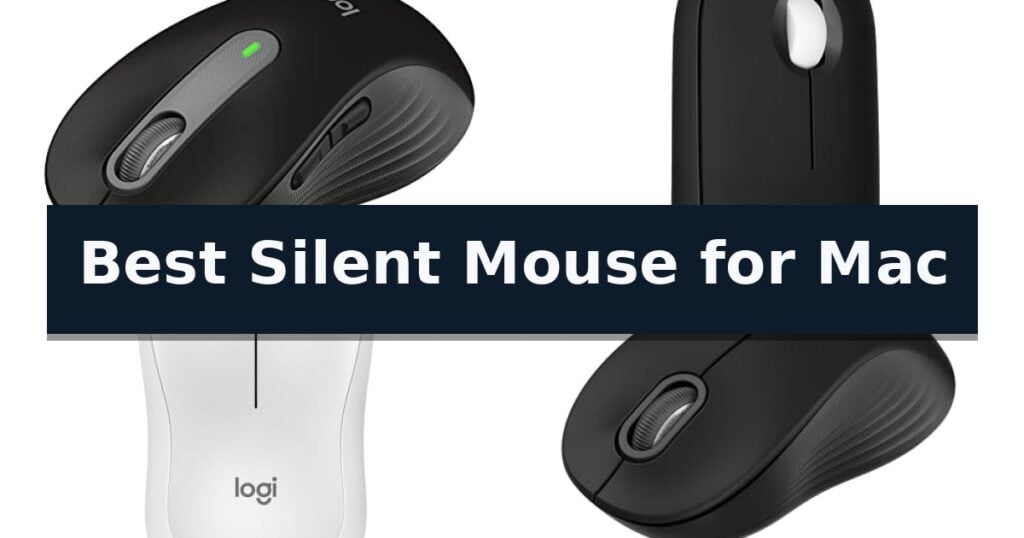
Logitech Signature M650 Wireless Mouse is our top choice for the Best Silent Mouse for Mac, offering a refined balance of quiet click technology and customizable productivity features. For those prioritizing a slim, travel-ready profile, the Logitech Pebble 2 M350s Mouse serves as an excellent alternative, while the Logitech M240 Silent Bluetooth Mouse provides a reliable, no-dongle solution for users who prefer a straightforward, compact design.
Selecting a mouse for macOS requires careful consideration of how the hardware integrates with Apple's ecosystem. While many mice offer basic compatibility, the best options provide consistent Bluetooth stability and software support that allows for button customization, ensuring your workflow remains uninterrupted and quiet.
Beyond connectivity, ergonomics play a significant role in daily comfort, especially during extended work sessions. A well-designed mouse should support your hand's natural posture while minimizing the auditory distraction of repetitive clicking, which is essential for shared office spaces or quiet home environments.
If you frequently work on the go and need a portable solution, our guide to the Best Silent Mouse for Laptop provides additional options optimized for travel. For a broader look at noise-dampening peripherals, you can explore the Best Silent Mouse options available across various platforms.
10 Best Silent Mouse for Mac in 2026 Reviews
Quick Comparison
| Product | Best For | Key Strength | Score |
|---|---|---|---|
| Logitech Signature M650 Wireless Mouse | Best Overall | SilentTouch technology significantly reduces click noise. | 4.9 |
| Logitech Pebble 2 M350s Mouse | Ultra-Slim Portable Design | Silent Touch Technology reduces click noise by 90%. | 4.8 |
| Logitech M240 Silent Bluetooth Mouse | Reliable Bluetooth Connectivity | 90% reduced click sound for a quiet workspace | 4.8 |
| Logitech Signature M550 Wireless Mouse | Comfortable Contoured Shape | SilentTouch technology significantly reduces click noise for a quieter environment. | 4.5 |
| Logitech M330 Silent Plus Mouse | Full-Size Ergonomic Comfort | SilentTouch Technology reduces clicking noise by over 90 percent. | 4.5 |
| Lenovo WL310 Bluetooth Silent Mouse | Precision Adjustable DPI | Silent click technology for noise-sensitive environments. | 4.3 |
| TECKNET Wireless Silent Mouse | Dual-Device Easy Switching | Whisper-quiet clicks for silent operation in shared spaces. | 4.8 |
| TENMOS M18 Rechargeable Silent Mouse | Convenient USB-C Charging | Triple mode connectivity allows for easy switching between three devices. | 4.4 |
| XBG B15Pro Tri-Mode Silent Mouse | Integrated Battery Status Display | Silent button technology minimizes noise in quiet environments. | 4.3 |
| Macally Wired USB-C Silent Mouse | Direct Plug-and-Play Connection | 90% click noise reduction for a quiet environment. | 4.4 |
How We Chose
When evaluating the best silent mouse for Mac, we prioritize hardware that balances noise reduction with reliable performance. An experienced reviewer assesses how well each device maintains a stable connection to Apple hardware, the tactile quality of the silent switches, and the utility of software-driven button mapping to ensure the device enhances rather than hinders your daily workflow.
- Click noise reduction effectiveness
- Bluetooth connectivity stability and pairing speed
- Ergonomic design and hand-fit suitability
- Customization options for macOS via software
- Battery longevity and power management features
1 Logitech Signature M650 Wireless Mouse — Customizable Buttons for Productivity
Maintaining a quiet workspace is essential for focus, and the Logitech Signature M650 Wireless Mouse addresses this with its specialized SilentTouch technology. This feature is engineered to reduce click noise by 90 percent, ensuring that your input remains unobtrusive during late-night projects or in shared office environments.
Beyond its quiet operation, the mouse is built for ergonomic support, featuring a contoured shape, a soft thumb area, and rubber side grips. It accommodates different hand sizes and handedness, promoting comfort during extended use. The device also includes a SmartWheel for efficient navigation, allowing you to switch between line-by-line precision and super-fast scrolling with a simple flick.
Connectivity is handled through either Bluetooth Low Energy or the included Logi Bolt USB receiver, providing flexibility for various setups. Users can further enhance their workflow by using the Logitech Options+ software on macOS to customize the side buttons for specific tasks, such as copy/paste or navigation shortcuts.
Designed for longevity, the mouse operates for up to 24 months on a single AA battery. It is compatible with a wide range of platforms, including macOS, iPadOS, and Windows, making it a versatile peripheral for users managing multiple devices.
Best for: Users who require a quiet, ergonomic input device for Mac-based workflows that benefits from customizable shortcuts and long battery life.
Skip if: Users who prefer a high-performance gaming mouse with adjustable DPI settings or those who require a rechargeable internal battery rather than a replaceable AA battery.
- SilentTouch technology significantly reduces click noise.
- SmartWheel allows for both precise and fast scrolling.
- Customizable side buttons via Logitech Options+ software.
- 24-month battery life on a single AA battery.
- Requires a replaceable AA battery rather than a built-in rechargeable power source.
- Limited to standard office functionality rather than specialized gaming or high-precision tasks.
2 Logitech Pebble 2 M350s Mouse — Ultra-Slim Portable Design
Maintaining a quiet workspace is essential for focus, and the Logitech Pebble 2 M350s Mouse addresses this with Silent Touch Technology, which is engineered to remove 90% of click noise. This allows for a distraction-free environment, ensuring that your work remains the primary focus rather than the sound of your input devices.
Designed for portability, this mouse features a minimalist, slim, and lightweight round profile constructed with at least 58% certified post-consumer recycled plastic. Its compact dimensions—measuring approximately 4.2 inches in length and 2.3 inches in width—make it an ideal companion for mobile setups or crowded desks where space is at a premium.
Connectivity is streamlined through Bluetooth, allowing you to pair with up to three devices across different operating systems, including macOS, iPadOS, and Windows. The integrated Easy-Switch button facilitates rapid transitions between your connected devices, while the Logi Options+ app provides the ability to customize the middle button for app-specific shortcuts, such as launching Spotify or WhatsApp.
Efficiency is a core component of its design, highlighted by a 2-year battery life and an automatic sleep power-saving mode to extend usage intervals. While it does not include a Logitech Bolt receiver, it offers an instant, seamless Bluetooth connection specifically optimized for modern laptops, providing a reliable wireless experience without the need for additional hardware dongles.
Best for: Users seeking a quiet, portable, and multi-device wireless mouse for Mac and mobile environments.
Skip if: Users who require a high-performance gaming mouse with advanced DPI settings or those who prefer a full-sized ergonomic shape for extended daily use.
- Silent Touch Technology reduces click noise by 90%.
- Easy-Switch button connects and toggles between three devices.
- Long-lasting battery life of up to 2 years.
- Slim and lightweight design built with recycled plastic.
- Logitech Bolt receiver is not included in the package.
- Minimalist profile may lack the ergonomic support of larger mice.
3 Logitech M240 Silent Bluetooth Mouse — Reliable Bluetooth Connectivity
Maintaining a quiet workspace is essential for focus, and the Logitech M240 Silent Bluetooth Mouse addresses this with its 90% reduced click sound technology. By retaining the tactile feel of a standard mouse while eliminating distracting noise, it provides a seamless experience for shared environments or late-night work sessions. This design choice ensures that you can maintain productivity without the repetitive auditory fatigue often associated with traditional mechanical switches.
Designed for portability, this ambidextrous compact mouse features a slim profile that fits easily into any bag. Its Bluetooth wireless technology ensures a clutter-free desk by eliminating the need for USB receivers or dongles, offering a reliable connection range of up to 10 meters (33 feet). This is particularly beneficial for Mac users who may have limited ports and prefer a clean, minimalist setup that pairs instantly with their hardware.
Efficiency is central to its design, boasting an 18-month battery life supported by an energy-efficient auto sleep feature. The device is compatible across multiple platforms, including macOS, iPadOS, and Windows, making it a versatile tool for users who switch between different hardware setups. The inclusion of certified post-consumer recycled plastic in its construction also highlights a focus on sustainable material sourcing without compromising the structural integrity of the peripheral.
While the Logitech M240 Silent Bluetooth Mouse excels in mobility and silence, it utilizes a simple, three-button layout. This configuration is ideal for standard navigation and web browsing, though it lacks the advanced programmable side buttons found on larger, productivity-focused mice. This trade-off prioritizes a lightweight, travel-ready form factor over the complex customization options required for intensive creative or professional workflows.
Best for: Users seeking a quiet, portable, and dongle-free mouse for use with Mac, iPad, or other Bluetooth-enabled devices.
Skip if: Users who require programmable side buttons or a larger, ergonomic shape for heavy-duty desktop productivity.
- 90% reduced click sound for a quiet workspace
- Bluetooth connectivity eliminates the need for USB dongles
- 18-month battery life with auto-sleep functionality
- Ambidextrous, travel-friendly compact design
- Three non-customizable buttons limit advanced productivity workflows
4 Logitech Signature M550 Wireless Mouse — Comfortable Contoured Shape
Maintaining a quiet workspace is essential for focus, and the Logitech Signature M550 Wireless Mouse addresses this with SilentTouch technology, which reduces click noise by 90 percent. This mouse is specifically engineered for users with small-to-medium sized hands, prioritizing ergonomics through a contoured shape and rubber side grips.
The device offers versatile connectivity, allowing you to pair it instantly via Bluetooth Low Energy or the included Logi Bolt USB receiver. Its SmartWheel functionality provides a distinct advantage for navigation, enabling line-by-line precision for detailed document work and super-fast scrolling for long web pages with a simple flick.
Designed for long-term utility, the mouse features an impressive 24-month battery life on a single AA battery. It is built for broad compatibility, working seamlessly across macOS, Windows, Linux, Chrome OS, iPadOS, and Android platforms, making it a flexible choice for multi-device environments.
Sustainability is integrated into the design, as the plastic components contain certified post-consumer recycled plastic. The combination of a comfortable, contoured form factor and silent operation makes this a practical tool for extended daily use in both office and home settings.
Best for: Users with small-to-medium sized hands who require a quiet, multi-platform compatible mouse for daily productivity.
Skip if: Users with large hands or those who prefer a full-sized, high-performance gaming mouse with adjustable DPI settings.
- SilentTouch technology significantly reduces click noise for a quieter environment.
- SmartWheel provides efficient switching between precision and fast-scrolling modes.
- 24-month battery life minimizes the frequency of battery replacements.
- Multi-platform compatibility ensures seamless use across macOS and other major operating systems.
- Size limitation may not provide an optimal fit for users with larger hands.
5 Logitech M330 Silent Plus Mouse — Full-Size Ergonomic Comfort
Maintaining a quiet workspace is essential for focus, and the Logitech M330 Silent Plus Mouse addresses this with proprietary SilentTouch Technology. By reducing clicking sounds by over 90 percent compared to standard mice, this device allows for high-performance input without the distracting noise typically associated with mechanical switches.
Designed specifically for right-handed users, the mouse features naturally shaped contoured plastic grips that promote long-lasting comfort during extended sessions. Its lightweight build and compact dimensions make it a practical peripheral for various desk setups, while the 1000 dpi optical tracking ensures precise cursor control on most surfaces.
Connectivity is managed via a 2.4 GHz USB-A Nano Receiver, providing a reliable wireless range of up to 33 feet. This plug-and-play solution is compatible with macOS, Windows, ChromeOS, and Linux, requiring no complex setup. The device also incorporates an auto-sleep power saving mode to help achieve an impressive 18-month battery life from a single AA battery.
Sustainability is integrated into the design, as the black version of the Logitech M330 Silent Plus Mouse is constructed with 76 percent post-consumer recycled plastic. This combination of ergonomic design, noise reduction, and power efficiency makes it a functional choice for Mac users seeking a reliable, quiet pointing device.
Best for: Right-handed users who require a quiet, ergonomic, and long-lasting wireless mouse for office or home productivity.
Skip if: Users who require a mouse with Bluetooth connectivity, side buttons for navigation, or ambidextrous ergonomics.
- SilentTouch Technology reduces clicking noise by over 90 percent.
- 18-month battery life with an integrated auto-sleep power saving mode.
- Contoured ergonomic design specifically crafted for right-handed comfort.
- Constructed with certified post-consumer recycled plastic.
- USB-A receiver requires an adapter for Mac models lacking legacy ports.
- Right-handed only design limits usability for left-handed users.
6 Lenovo WL310 Bluetooth Silent Mouse — Precision Adjustable DPI
Maintaining a quiet workspace is essential for focus, and the Lenovo WL310 Bluetooth Silent Mouse addresses this with specialized hardware designed to eliminate distracting click noise. This peripheral is engineered for users who operate in shared environments or prefer a distraction-free setting for late-night tasks.
Beyond its acoustic performance, the device features Bluetooth 5.0 connectivity, which provides a stable, cable-free link to MacBooks and other compatible systems without requiring a dedicated USB receiver. Its ergonomic design is intended to reduce wrist strain during extended sessions, supporting comfort for both students and professionals.
Precision is managed through customizable DPI settings, allowing users to toggle between 1000, 1200, and 1600 DPI. This adaptability makes the mouse suitable for a variety of workflows, from standard navigation to more detailed design work. The compact, lightweight frame measures 4.2 inches in length, ensuring it remains portable for those who frequently move between locations.
The Lenovo WL310 Bluetooth Silent Mouse balances functional utility with a minimalist aesthetic. While it offers essential wireless freedom and noise reduction, users should note that it relies on Bluetooth connectivity, making it a streamlined choice for modern laptops that prioritize internal wireless modules over legacy ports.
Best for: Professionals and students who require a quiet, portable, and ergonomic wireless mouse for use with Bluetooth-enabled laptops.
Skip if: Users who require a wired connection or a mouse with a dedicated USB-A receiver for older desktop hardware.
- Silent click technology for noise-sensitive environments.
- Bluetooth 5.0 eliminates the need for USB receivers.
- Adjustable DPI settings (1000/1200/1600) for varied precision needs.
- Ergonomic, portable design suitable for travel.
- Bluetooth-only connectivity requires a compatible host device.
- Compact size may be less comfortable for users with very large hands.
7 TECKNET Wireless Silent Mouse — Dual-Device Easy Switching
Maintaining a quiet workspace is essential for sustained focus, and the TECKNET Wireless Silent Mouse addresses this need by incorporating a specialized design that ensures whisper-quiet clicks. This feature is particularly beneficial in shared environments like offices or libraries where minimizing ambient noise is a priority for productivity. While the primary buttons are engineered for silence, it is important to note that the scroll wheel and side buttons retain a standard tactile click, which is a common trade-off in compact, silent-focused peripherals.
Beyond its silent operation, the device offers versatile dual-device connectivity, allowing users to toggle between Bluetooth 5.0/3.0 and a 2.4G USB-A connection with a simple slide of a button. This flexibility is ideal for professionals who manage multiple computers or tablets simultaneously, as it eliminates the need to unplug and re-pair devices. The mouse is built for precision, featuring 6 adjustable DPI levels ranging from 800 to 4800, which allows users to tailor the cursor sensitivity to specific tasks, whether for detailed design work or rapid document navigation.
The ergonomic shape is optimized for small to medium hands, providing a comfortable grip for extended daily use. Power management is handled through automatic sleep technology, which helps extend the lifespan of the 2 AAA batteries required for operation. While the mouse is fully compatible with macOS, Windows, Chrome, and Linux, users should be aware that the side buttons are not functional on macOS systems, a limitation that may impact workflow for those who rely on custom button mapping in that environment.
Best for: Users with small to medium hands who need a quiet, multi-device wireless mouse for office or library environments.
Skip if: Users who require functional side buttons on macOS or those with very large hands who prefer a full-sized ergonomic mouse.
- Whisper-quiet clicks for silent operation in shared spaces.
- Dual-device switching between Bluetooth and USB-A.
- 6 adjustable DPI settings for customizable sensitivity.
- Automatic sleep technology to conserve battery life.
- Side buttons are not compatible with macOS.
- Non-silent scroll wheel and side buttons.
- Compact design may be less comfortable for users with large hands.
8 TENMOS M18 Rechargeable Silent Mouse — Convenient USB-C Charging
Maintaining a quiet workspace is essential for productivity, and the TENMOS M18 Rechargeable Silent Mouse addresses this with its specialized noiseless click mechanism for the left and right buttons. This design choice ensures you can work in shared environments or quiet offices without the distraction of repetitive clicking sounds.
Beyond its silent operation, this device offers significant versatility through its triple mode connection capabilities. By utilizing Bluetooth 5.1, Bluetooth 5.0, or a 2.4G wireless connection, you can seamlessly switch between three different devices using the dedicated mode button located on the bottom of the mouse. This makes it a practical tool for users managing multiple computers or tablets simultaneously.
Usability is further enhanced by the USB-C rechargeable battery, which eliminates the need for disposable batteries. To maximize power efficiency, the mouse features an automatic sleep mode that activates after 8 minutes of inactivity. When it is time to charge, the included cable ensures you are back up and running quickly.
The TENMOS M18 Rechargeable Silent Mouse is designed for broad compatibility, supporting macOS, Windows, iPadOS, ChromeOS, and Linux. It includes both a USB receiver and a USB-C adapter, providing flexible connectivity options for modern MacBooks and laptops that may lack traditional USB-A ports. Its compact dimensions of 4.4 inches by 2.3 inches make it a portable solution for mobile professionals.
Best for: Users who need a quiet, multi-device wireless mouse that supports both USB-A and USB-C connectivity.
Skip if: Users who require a full-sized ergonomic mouse or specialized gaming features like high-DPI sensors and programmable side buttons.
- Triple mode connectivity allows for easy switching between three devices.
- Noiseless click design minimizes noise in quiet environments.
- USB-C rechargeable battery removes the need for disposable batteries.
- Universal compatibility with macOS, iPadOS, and other major operating systems.
- Automatic sleep mode requires a button click to wake the device.
- Compact size may not be ideal for users who prefer larger, full-palm grip mice.
9 XBG B15Pro Tri-Mode Silent Mouse — Integrated Battery Status Display
Maintaining a quiet workspace is essential for focus, and the XBG B15Pro Tri-Mode Silent Mouse addresses this with specialized silent buttons that provide tactile feedback without the audible click. This design choice makes it a practical solution for shared offices, libraries, or late-night work sessions where noise reduction is a priority.
Beyond its quiet operation, the mouse features a unique integrated LED status display that provides real-time visibility into your battery percentage, current DPI setting, and active connection mode. This eliminates the guesswork often associated with wireless peripherals, allowing you to monitor your settings at a glance.
Connectivity is handled through a tri-mode system, allowing you to switch between Bluetooth 5.0/4.0 and 2.4GHz wireless connections. This versatility supports seamless transitions between multiple devices, such as a Mac, PC, or tablet, with a reported switching time of 0.8 seconds. The internal 500mAh rechargeable battery charges via a Type-C port, removing the need for disposable batteries and supporting an automatic sleep mode after five minutes of inactivity.
The chassis is engineered for comfort during extended use, featuring a contoured thumb rest and arched palm support designed to reduce wrist strain. Its matte finish is intended to resist fingerprints, while the textured grip zones assist with precision during movement. With a maximum sensitivity of 2400 DPI, users can adjust the tracking speed to suit their specific workflow requirements.
Best for: Users who require a multi-device, silent-click mouse with visual status monitoring for a clean, quiet workspace.
Skip if: Users who prefer a larger, high-performance gaming mouse or those who require specialized software for custom button mapping.
- Silent button technology minimizes noise in quiet environments.
- Integrated LED display shows battery, DPI, and connection status.
- Tri-mode connectivity allows for quick switching between multiple devices.
- Type-C rechargeable battery eliminates the need for disposable AA batteries.
- Automatic sleep mode may cause a slight delay when waking the device after inactivity.
- Compact dimensions may feel small for users with larger hands.
10 Macally Wired USB-C Silent Mouse — Direct Plug-and-Play Connection
Maintaining a quiet workspace is essential for focus, and the Macally Wired USB-C Silent Mouse addresses this by utilizing specialized buttons that reduce click noise by 90%. This design choice ensures a tranquil environment, making it a functional addition to home offices or shared professional spaces where audible clicking can be a distraction.
Designed specifically for modern connectivity, this mouse features a USB-C interface, allowing for seamless plug-and-play compatibility with MacBook Pro, MacBook Air, iMac, and iPad models. The hardware is built with a straightforward 3-button and scroll wheel layout, prioritizing ease of use over unnecessary, complex controls that often clutter peripheral interfaces.
For users who require varied precision, the device includes Easy DPI Adjustability. By pressing the dedicated button, you can toggle between four sensitivity settings—800, 1200, 1600, and 2400 DPI—to match your specific navigation preferences. This optical sensor provides reliable performance across various desktop tasks without the need for additional software drivers.
The Macally Wired USB-C Silent Mouse maintains a slim, ergonomic profile that fits comfortably in a standard workspace setup. Because it is a corded peripheral, it eliminates the need for battery replacements or charging, ensuring consistent power delivery during extended work sessions.
Best for: Users who require a quiet, reliable, and simple plug-and-play mouse for USB-C equipped Mac or PC devices.
Skip if: Users who prefer the freedom of wireless connectivity or require a mouse with additional programmable side buttons for advanced workflows.
- 90% click noise reduction for a quiet environment.
- Direct USB-C connectivity for plug-and-play convenience.
- Four adjustable DPI settings (800/1200/1600/2400) for custom sensitivity.
- Simple 3-button layout that avoids unnecessary complexity.
- Wired connection limits mobility compared to wireless alternatives.
- Lacks extra programmable buttons for specialized tasks.
Best Silent Mouse for Mac Buying Guide
Silent Switch Technology
Silent mice utilize specialized internal switches designed to dampen the mechanical sound of a click without sacrificing the tactile feedback you expect. This technology is vital for maintaining a professional environment in quiet offices or shared living spaces.
While the click noise is significantly reduced, the feel remains distinct enough to confirm your input. Buyers should note that while primary buttons are often silenced, secondary buttons like side-mounted shortcuts or scroll wheels may still produce standard mechanical sounds.
Connectivity and Compatibility
For Mac users, Bluetooth Low Energy is the preferred connection method as it avoids the need for USB-A dongles, which often require additional adapters on modern MacBook models. A stable Bluetooth connection ensures the mouse remains responsive without the lag sometimes associated with older wireless standards.
Some models include a multi-device feature, allowing you to toggle between a Mac, iPad, or other devices with a single button press. This is particularly useful for users who manage multiple workstations or mobile setups throughout the day.
Ergonomics and Size
The physical shape of the mouse dictates how much strain your wrist experiences during long hours of use. Contoured designs with rubberized grips are generally superior for preventing fatigue compared to ultra-slim, flat profiles.
Consider your hand size when choosing between compact travel mice and full-sized ergonomic options. A mouse that is too small for your hand can lead to cramping, while one that is too large may make reaching buttons difficult.
Customization and Software
Modern wireless mice often support companion software that allows you to remap buttons to specific macOS shortcuts. This functionality can significantly speed up tasks like copying, pasting, or navigating between virtual desktops.
Before purchasing, verify that the manufacturer provides a macOS-compatible version of their configuration software. Without this, you may be limited to default button behaviors, which can restrict your ability to optimize the mouse for your specific workflow.
Battery Life and Maintenance
Battery longevity is a critical factor for a wireless peripheral. Many modern silent mice are designed to last up to two years on a single AA battery, utilizing auto-sleep modes to conserve power when the device is not in use.
Alternatively, some rechargeable models offer the convenience of USB-C charging, eliminating the need for disposable batteries. While this reduces waste, it requires you to manage charging cycles, so consider which maintenance style fits your habits better.
Frequently Asked Questions
Do silent mice feel different to click than standard mice?
Yes, they provide a softer, more muffled sound, but they are engineered to retain a tactile 'click' sensation so you still receive physical feedback for every input.
Can I use a silent mouse with my Mac without a USB receiver?
Most modern silent mice for Mac support Bluetooth connectivity, allowing you to pair them directly to your computer without needing a USB receiver or adapter.
Will side buttons work on my Mac?
Many mice require the manufacturer's companion software to be installed on macOS to enable and customize side button functionality; check the product specifications for Mac compatibility.
How long do batteries usually last in these mice?
Many silent wireless mice are highly efficient, often lasting between 18 to 24 months on a single battery, depending on usage patterns and the specific model.
Are silent mice suitable for gaming?
While they are excellent for office work and quiet environments, they are generally not optimized for high-performance gaming, which often prioritizes high-speed sensors and specific click feedback over noise reduction.
Conclusion: Our Top Pick
Our top pick is Logitech Signature M650 Wireless Mouse. Choosing the right silent mouse for your Mac comes down to balancing your need for portability against the requirement for long-term ergonomic support. The Logitech Signature M650 remains our top recommendation for its versatile feature set, but the specific needs of your workspace—whether it is a fixed desk or a mobile bag—should guide your final selection.
By focusing on connectivity, button customization, and physical comfort, you can select a device that significantly improves your daily interaction with macOS. Ensure that your chosen model supports the specific software features you need to streamline your most frequent tasks.