MEETION Slim Ergonomic Split Keyboard is our top choice for the Best Slim Ergonomic Keyboard, offering a refined split-key layout that promotes natural wrist alignment without the bulk of traditional ergonomic hardware. For those seeking a full-size experience, the MEETION Wireless Ergonomic Keyboard provides a space-saving S-curve design, while the Logitech Ergo K860 serves users who prioritize deep, pillowed wrist support for long-term comfort.
Transitioning to an ergonomic layout often requires a period of adjustment, as the split or curved key placement differs significantly from standard flat keyboards. A slim profile is particularly beneficial for maintaining a clean desk aesthetic while ensuring your hands remain in a neutral position during extended typing sessions.
When selecting a model, consider how the wrist support is integrated, as some designs offer detachable rests for maximum flexibility while others rely on fixed, contoured surfaces. Connectivity options, such as dual-mode Bluetooth or dedicated USB receivers, also play a crucial role in how seamlessly the device integrates into your existing multi-device workflow.
If you are interested in exploring other form factors, our guide to the Best Slim Keyboard covers additional options that prioritize a thin profile for minimalist setups.
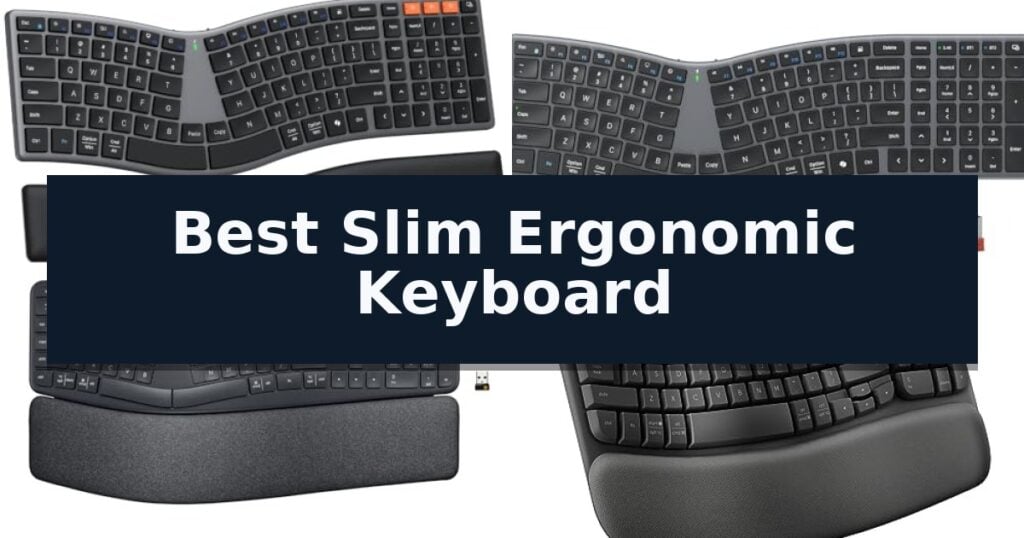
8 Best Slim Ergonomic Keyboard in 2026 Reviews
Quick Comparison
| Product | Best For | Key Strength | Score |
|---|---|---|---|
| MEETION Slim Ergonomic Split Keyboard | Best Overall | Split key layout for improved ergonomic hand positioning. | 4.9 |
| MEETION Wireless Ergonomic Keyboard | Curved layout saves desk space | S-shaped split layout promotes a natural wrist posture. | 4.8 |
| Logitech Ergo K860 Wireless Keyboard | Curved frame improves typing posture | Curved split keyframe reduces muscle strain | 4.7 |
| Logitech Wave Keys Ergonomic Keyboard | Wavy shape eases daily wrist strain | Ergo-certified wavy design promotes a natural hand and wrist position. | 4.7 |
| Logitech MX Keys Mini Keyboard | Minimalist form for portable comfort | Multi-device connectivity allows switching between three systems via Bluetooth. | 4.7 |
| MEETION Foldable Ergonomic Keyboard | Ultra-portable split design for travel | 166° V-shaped split design for improved ergonomic hand alignment. | 4.9 |
| Nulea Wave Keys Ergonomic Keyboard | Natural arc without learning curve | Unique wave shape reduces hand and finger fatigue. | 4.7 |
| Arteck Split Ergonomic Keyboard | Cushioned support for relaxed typing | Split ergonomic design promotes natural wrist and forearm positioning. | 4.3 |
How We Chose
Evaluating the best slim ergonomic keyboard requires a focus on how physical geometry influences long-term comfort. We analyze the specific curvature and split angles of each model, prioritizing designs that reduce wrist strain while maintaining a low-profile aesthetic. Our review process balances these ergonomic benefits against practical connectivity and build quality to ensure a reliable daily typing experience.
- Key layout and split angle effectiveness
- Profile height and overall desk footprint
- Wrist support integration and adjustability
- Connectivity stability across multiple devices
- Battery longevity and charging convenience
1 MEETION Slim Ergonomic Split Keyboard — Slim split design for natural posture
Maintaining a natural hand position during long typing sessions is often a challenge with standard hardware, but the MEETION Slim Ergonomic Split Keyboard addresses this by utilizing a unique split key layout. This design encourages a more relaxed posture, helping to reduce the strain typically associated with traditional straight-line keyboards.
Beyond its ergonomic shape, this keyboard features quiet low-profile scissor keys that deliver a responsive, laptop-like tactile feel. The shallow key travel requires minimal pressing force, which is particularly beneficial for extended periods of writing or office tasks. Because the keys are designed for silence, it is well-suited for shared workspaces where noise reduction is a priority.
Versatility is a core component of this model, as it includes a separate, unattached wrist rest. Unlike fixed designs, this allows users to position the support exactly where it feels most comfortable for their specific desk setup. The overall slim profile ensures it remains unobtrusive, providing ergonomic support without the bulk of traditional, integrated palm rests.
Connectivity is handled through a dual Bluetooth and 2.4G wireless system, allowing users to switch between up to three compatible devices seamlessly. Whether you are toggling between a desktop, laptop, or tablet, the integrated switching capability simplifies multi-device workflows. A built-in rechargeable battery powers the unit, removing the need for disposable batteries and supporting a cleaner, more sustainable workspace.
Best for: Users seeking a low-profile, split-layout keyboard that supports multi-device connectivity and adjustable wrist positioning.
Skip if: Users who require a wired data connection, as the included USB-C port is strictly for charging the internal battery.
- Split key layout for improved ergonomic hand positioning.
- Dual Bluetooth and 2.4G wireless connectivity for up to three devices.
- Quiet low-profile scissor keys for a smooth, laptop-style typing experience.
- Separate, unattached wrist rest for customizable comfort.
- USB-C port is for charging only, preventing a wired data connection.
- Learning curve required to adjust to the split key spacing and angles.
2 MEETION Wireless Ergonomic Keyboard — Curved layout saves desk space
Maintaining a natural wrist position during long typing sessions is often a challenge with standard flat boards, but the MEETION Wireless Ergonomic Keyboard addresses this through a distinct S-shaped split layout. By separating the left and right typing zones, this design encourages a more relaxed posture without requiring the extra bulk of a wrist rest, making it a practical choice for those looking to optimize their desk space while prioritizing comfort.
This full-size keyboard utilizes scissor-switch keys arranged along an ergonomic curve to provide consistent tactile feedback. The slim, low-profile construction is engineered to save desktop space while maintaining the functionality of a complete layout, ensuring that users do not have to sacrifice productivity for a more compact, ergonomic footprint.
Connectivity is handled via dual-mode wireless technology, allowing users to switch between 2.4GHz and Bluetooth connections seamlessly. This flexibility supports multi-device setups, such as desktops, laptops, and tablets, without the clutter of cables or noticeable input delays. The system is designed to provide a stable, instant connection to keep workflows uninterrupted.
Power management is simplified by a rechargeable battery that supports extended use on a single USB-C charge. This design choice eliminates the need for disposable batteries, ensuring the device remains ready for daily productivity with minimal maintenance. The inclusion of fast, hassle-free charging ensures that users spend less time managing power and more time focused on their tasks.
Best for: Users seeking a space-saving, split-layout keyboard that supports multiple wireless devices without the bulk of a traditional wrist rest.
Skip if: Users who prefer the deep travel and mechanical feel of high-profile switches or those who require a specific integrated wrist rest for support.
- S-shaped split layout promotes a natural wrist posture.
- Dual-mode wireless connectivity for 2.4GHz and Bluetooth devices.
- Rechargeable USB-C power removes the need for disposable batteries.
- Slim, low-profile design saves valuable desk space.
- Split-key layout requires an adjustment period for touch typists.
- No integrated wrist rest may not suit users who prefer additional palm support.
3 Logitech Ergo K860 Wireless Keyboard — Curved frame improves typing posture
Maintaining a natural wrist position during long typing sessions is essential for comfort, and the Logitech Ergo K860 Wireless Ergonomic Split Keyboard addresses this with a distinctive curved, split keyframe. This design is specifically engineered to reduce muscle strain on the wrists and forearms by promoting a more natural posture compared to traditional flat keyboards.
The keyboard features a pillowed wrist rest layered with memory foam, which provides 54 percent more wrist support and significantly reduces wrist bending. For added customization, the integrated adjustable palm lift allows you to set the tilt legs to 0, -4, or -7 degrees, ensuring your hands remain comfortable whether you are working from a seated or standing position.
Precision is handled by the brand's signature Perfect Stroke keys, which are scooped to match the shape of your fingertips for fluid, quiet typing. The device offers versatile connectivity options, including Bluetooth and a dedicated USB receiver, and is compatible with both Windows and Mac operating systems.
Beyond its ergonomic benefits, the unit is designed with sustainability in mind, incorporating 71 percent certified post-consumer recycled plastic in its Graphite model. Users can further tailor their experience by using the Logitech Options software to customize function keys and manage shortcuts, making it a highly adaptable tool for professional workflows.
Best for: Users seeking to reduce wrist and forearm strain through an adjustable, split-key ergonomic design.
Skip if: Users who require a compact, portable keyboard or those who prefer a traditional, non-split layout for their typing style.
- Curved split keyframe reduces muscle strain
- Pillowed memory foam wrist rest provides enhanced support
- Adjustable palm lift with three tilt settings
- Perfect Stroke keys offer precise and quiet typing
- Large footprint occupies significant desk space
- Split-key layout requires a learning curve for touch typists
4 Logitech Wave Keys Ergonomic Keyboard — Wavy shape eases daily wrist strain
The Logitech Wave Keys Ergonomic Wireless Keyboard features a distinctive wavy, contoured design specifically engineered to promote a more natural typing posture for your hands, wrists, and forearms. This ergonomic layout is designed to reduce strain during extended work sessions, providing a comfortable alternative to traditional flat keyboards.
Beyond its physical shape, the keyboard includes an integrated cushioned palm rest with memory foam to provide continuous support and reduce pressure on the wrists. The unit is ergo-certified by United States Ergonomics, reflecting its design and testing against professional ergonomic criteria.
Connectivity is handled through either Bluetooth or the included Logi Bolt Receiver, allowing for seamless integration with Windows, macOS, iPadOS, and ChromeOS. The Easy-Switch functionality enables users to toggle between up to three connected devices, such as a laptop, tablet, and phone, with a single button press.
Customization is managed via the Logi Options+ App, which allows users to assign specific shortcuts to streamline workflows. The device is also built with sustainability in mind, utilizing certified post-consumer recycled plastic in its construction, with up to 61% recycled content in the Graphite model.
Best for: Users seeking a contoured, ergo-certified keyboard layout to improve wrist comfort and posture during long hours of typing.
Skip if: Users who require a mechanical key feel or a traditional flat keyboard profile for specific gaming or professional typing preferences.
- Ergo-certified wavy design promotes a natural hand and wrist position.
- Integrated cushioned memory foam palm rest enhances long-term comfort.
- Easy-Switch technology supports multi-device connectivity across different operating systems.
- Customizable shortcuts via the Logi Options+ App.
- Non-mechanical key switches may not suit users preferring tactile or clicky feedback.
- The contoured footprint takes up more desk space than standard slim keyboards.
5 Logitech MX Keys Mini Keyboard — Minimalist form for portable comfort
The Logitech MX Keys Mini Minimalist Wireless Illuminated Keyboard prioritizes desk space and portability with its compact, minimalist layout designed for precise, tactile typing. By utilizing keys shaped specifically for your fingertips, this device aims to provide a comfortable experience for users who require a high-performance input tool in a smaller footprint.
This keyboard features Smart Illumination, which detects when your hands approach and automatically adjusts the backlighting to match your environment. It is powered by a USB-C rechargeable battery that offers up to 10 days of use with backlighting enabled, or up to 5 months when the lighting is turned off, providing flexibility for various work habits.
Connectivity is a core strength, allowing you to pair the device with up to three computers or laptops via Bluetooth Low Energy. When used alongside compatible mice like the MX Master 3, the Smart keys flow feature enables a seamless transition between multiple devices, effectively streamlining complex workflows across different operating systems including Windows, macOS, Linux, and Android.
Constructed with sustainability in mind, the graphite version of this keyboard incorporates 30% certified post-consumer recycled plastic. Its compact design is engineered to support professional tasks, including specialized functions like voice-to-text dictation, dedicated emoji keys, and microphone mute/unmute controls, making it a versatile choice for modern digital communication.
Best for: Professionals and remote workers who need a compact, multi-device keyboard that integrates seamlessly into a portable or minimalist workspace.
Skip if: Users who require a dedicated numeric keypad for data entry or those who prefer the tactile feedback and customization options of a full-sized mechanical keyboard.
- Multi-device connectivity allows switching between three systems via Bluetooth.
- Smart Illumination adjusts automatically based on hand proximity and ambient light.
- Compact, minimalist layout saves desk space and improves portability.
- USB-C rechargeable battery offers long-lasting power management.
- Lacks a dedicated numeric keypad due to the minimalist form factor.
- Fixed layout may not suit users accustomed to full-sized ergonomic spacing.
6 MEETION Foldable Ergonomic Keyboard — Ultra-portable split design for travel
The MEETION Foldable Ergonomic Keyboard addresses the common challenge of maintaining wrist comfort while working on the move by utilizing a unique 166° V-shaped split design. This architecture encourages a more natural hand posture, which helps reduce tension during extended typing sessions compared to standard flat keyboards.
Designed specifically for portability, this device features a foldable chassis that fits easily into bags, making it a practical companion for students and professionals. The exterior is wrapped in a durable, wipe-clean PU leather that protects the internal components, while a secure magnetic clasp ensures the unit remains closed during transit.
Performance is supported by low-profile scissor-switch keys that provide tactile feedback while operating quietly, reducing typing noise by over 90%. Connectivity is handled via Bluetooth, allowing users to pair and switch between three devices, such as a laptop, tablet, and smartphone, with a single tap.
The keyboard includes an integrated metal kickstand to maintain stability on uneven surfaces or laps. Power management is handled by a 140mAh rechargeable battery, supported by a 20-minute auto-sleep mode to preserve energy. A 6-row layout with dedicated hotkeys for volume, app switching, and emojis ensures that efficiency is maintained despite the compact, travel-focused form factor.
Best for: Digital nomads and professionals who require a portable, ergonomic typing solution that works across multiple mobile devices.
Skip if: Users who require a full-sized numeric keypad or those who prefer a traditional, non-split keyboard layout for their primary workstation.
- 166° V-shaped split design for improved ergonomic hand alignment.
- Multi-device Bluetooth connectivity allows seamless switching between three devices.
- Ultra-portable foldable design with a protective PU leather finish.
- Silent scissor-switch keys reduce typing noise by over 90%.
- Requires an adaptation period to adjust to the V-shaped split layout.
- Compact form factor lacks a dedicated numeric keypad.
7 Nulea Wave Keys Ergonomic Keyboard — Natural arc without learning curve
The Nulea Wave Keys Ergonomic Keyboard distinguishes itself with a unique wave-shaped layout designed to mimic the natural curvature of the human hand. By aligning the keys in an arc, this design allows fingers to reach each row more naturally, which helps reduce the physical strain often associated with long-term typing sessions.
Unlike traditional split keyboards that often require a significant learning curve, this model retains a familiar key arrangement. This approach ensures that users can transition to an ergonomic setup without sacrificing their existing typing speed or efficiency. The keyboard is fully wireless, removing cable clutter from your workspace while maintaining a full key layout suitable for both professional document processing and general entertainment.
Comfort is further enhanced by the inclusion of adjustable tilt legs, which allow you to customize the typing angle to your personal preference. Whether you prefer a flatter surface or a slight upward tilt to alleviate wrist pressure, the keyboard adapts to your posture. The integrated cushioned palm rest provides additional support, helping to maintain a neutral wrist position during extended use.
Under the hood, the keyboard utilizes precise crater key positions that are engineered for consistent tactile feedback. This molding process ensures that every keystroke feels uniform, minimizing the risk of jamming and providing a smooth, reliable rhythm. As a plug-and-play device, it is designed for immediate integration into your office environment, supporting both Windows and Mac systems.
Best for: Office professionals seeking ergonomic wrist support and a natural typing posture without the need to relearn their typing style.
Skip if: Users who require a mechanical keyboard with high-profile switches or those who prefer a compact, tenkeyless design for limited desk space.
- Unique wave shape reduces hand and finger fatigue.
- No learning curve compared to traditional split keyboards.
- Adjustable tilt legs for personalized ergonomic comfort.
- Cushioned palm rest provides essential wrist support.
- Wireless connection eliminates cable clutter.
- Full key layout results in a larger footprint than compact keyboards.
8 Arteck Split Ergonomic Keyboard — Cushioned support for relaxed typing
Maintaining a natural, relaxed posture during extended typing sessions is the primary focus of the Arteck Split Ergonomic Keyboard. Its distinctive split layout is engineered to encourage a more neutral alignment of the wrists and forearms, reducing the strain often associated with traditional, flat keyboard designs. By angling the keys, this layout helps users maintain a more comfortable, open-shoulder position throughout the workday.
This wireless solution simplifies your workspace by utilizing a 2.4G USB nano receiver for an immediate, plug-and-play connection. The keyboard is built with a soft cushioned wrist and palm rest, providing integrated support that helps maintain comfort. This padding is essential for reducing pressure on the carpal tunnel area, which is a common concern for those who type for several hours at a time. The trade-off for this integrated comfort is a larger physical footprint compared to standard, non-ergonomic keyboards.
Power management is handled by an internal rechargeable lithium battery, which is rated for an impressive 6-month battery life based on two hours of daily use. This high-capacity battery reduces the need for frequent charging, keeping your desk free of unnecessary cables. When the charge eventually runs low, the included USB-C charging cable allows for straightforward replenishment, ensuring minimal downtime.
Measuring 16.5 inches in length and 9.6 inches in width, the Arteck Split Ergonomic Keyboard offers a substantial footprint designed for stability. The package includes the keyboard, receiver, charging cable, and a 24-month warranty to support long-term use. The size reflects its ergonomic focus, providing ample space for the split key arrangement and the integrated palm rest, though it requires a larger desk surface than compact models.
Best for: Users seeking a wireless, split-layout keyboard with integrated wrist support to improve typing comfort.
Skip if: Users who require a compact or portable keyboard, as the integrated palm rest and split design result in a larger footprint.
- Split ergonomic design promotes natural wrist and forearm positioning.
- Integrated cushioned palm rest enhances long-term typing comfort.
- Rechargeable battery provides up to 6 months of use per charge.
- 2.4G wireless connectivity for a clutter-free desk setup.
- Larger footprint may not fit on smaller desks or in limited workspaces.
Best Slim Ergonomic Keyboard Buying Guide
Understanding Split vs. Curved Designs
Split keyboards physically separate the typing zones, encouraging a wider, more natural shoulder width that prevents the inward rotation of wrists. This design is highly effective for reducing muscle tension but typically demands a steeper learning curve for touch typists.
Curved or wave-shaped keyboards maintain a single chassis while angling the keys to match the natural arc of your fingers. These models are generally more approachable for those transitioning from standard keyboards, as they provide ergonomic benefits without requiring a complete change in typing technique.
The Role of Slim Profiles in Ergonomics
A slim, low-profile design reduces the height of the keyboard relative to your desk surface, which helps keep your wrists in a neutral, flat position. This minimizes the need for excessive wrist extension, a common cause of discomfort during long work sessions.
While thinner keyboards are visually appealing and portable, they often use shorter key travel distances. It is important to ensure the tactile feedback remains responsive enough to prevent bottoming out, which can lead to finger fatigue over time.
Wrist Support and Positioning
Integrated wrist rests are often contoured to match the keyboard's specific shape, providing consistent support. However, fixed rests can sometimes take up significant desk space, making them less ideal for smaller workstations.
Detachable or separate wrist rests offer the most versatility, allowing you to position them exactly where your hands naturally fall. This modularity is particularly useful if you prefer to adjust your posture throughout the day or if you share your workspace with others.
Connectivity and Multi-Device Workflow
Modern ergonomic keyboards often support multiple connection methods, including 2.4GHz wireless and Bluetooth. The ability to switch between a desktop, laptop, and tablet with a single button press is essential for maintaining productivity in a multi-device environment.
Check the battery management features of your chosen model, as rechargeable internal batteries are increasingly standard. These eliminate the need for disposable cells and often include power-saving modes that extend usage time significantly between charges.
Adapting to a New Ergonomic Layout
Regardless of the model you choose, expect a transition period when switching to an ergonomic layout. Your muscle memory will need time to adjust to the new key spacing and angles, which can initially lead to slower typing speeds.
Consistency is key during this adjustment phase. Avoid switching back and forth between your old keyboard and the new ergonomic one, as this will only prolong the time it takes for your hands to adapt to the new, healthier posture.
Frequently Asked Questions
Do I need a separate wrist rest with a slim ergonomic keyboard?
Many slim ergonomic keyboards are designed to be low enough that a wrist rest is optional, but using one can provide additional comfort by keeping your wrists at a neutral angle.
Are split keyboards difficult to learn?
There is a learning curve, especially for touch typists, but most users adapt to the split layout within a few days of consistent use.
Can I use these keyboards with both Windows and Mac?
Most wireless ergonomic keyboards are compatible with multiple operating systems, though you may need to adjust software settings or key mappings to match your specific platform.
How often do I need to charge a rechargeable ergonomic keyboard?
Battery life varies by model and usage, but many modern rechargeable keyboards can last several weeks or even months on a single charge depending on backlighting and daily activity.
Is a slim keyboard better for travel?
Yes, slim and low-profile designs are significantly easier to pack in a laptop bag compared to traditional, bulky mechanical ergonomic keyboards.
Conclusion: Our Top Pick
Our top pick is MEETION Slim Ergonomic Split Keyboard. Choosing the right ergonomic keyboard comes down to balancing your need for wrist support with your available desk space and typing style. Whether you prefer the total separation of a split layout or the familiar arc of a wave design, the goal remains the same: reducing strain for a more comfortable workday.
We recommend prioritizing models that offer adjustable angles or modular wrist support to ensure the keyboard can grow with your ergonomic needs. By investing in a design that fits your natural posture, you can significantly improve your long-term comfort and productivity.