X9 Performance Slim Mechanical Keyboard is our pick for the Best Slim Keyboards for Programming because it combines the tactile precision of mechanical switches with a low-profile design that minimizes wrist strain during long coding sessions.
For developers who prioritize multi-device versatility, the Logitech Signature Slim K950 Keyboard offers seamless switching across operating systems, while the Satechi Slim EX3 Wireless Keyboard provides a dedicated physical toggle for instant OS remapping, making it an ideal choice for cross-platform environments.
When selecting a keyboard for programming, the balance between key travel, noise output, and connectivity is essential. Slim profiles often utilize scissor-switch or low-profile mechanical mechanisms to reduce the distance fingers travel, which can increase typing speed and reduce fatigue. Connectivity options such as multi-device Bluetooth or stable wired USB-C are critical for maintaining a clean, distraction-free desk setup.
If you are looking for a broader range of options beyond mechanical switches, our guide to the Best Slim Keyboard covers various membrane and scissor-switch alternatives for different desk setups. For those working in shared office spaces, we also explore the Best Silent Low-Profile Keyboards to help you maintain a quiet and professional environment.
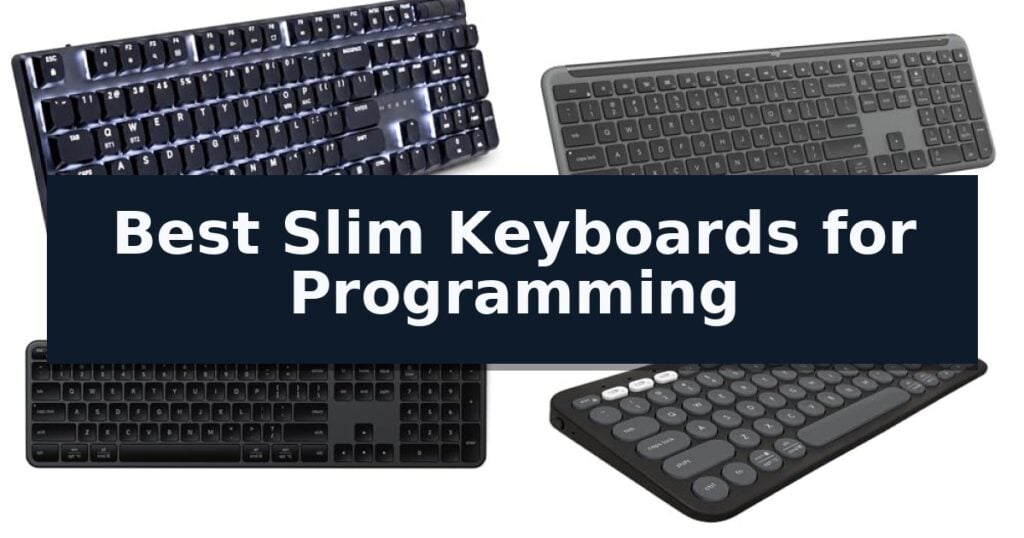
10 Best Slim Keyboards for Programming in 2026 Reviews
Quick Comparison
| Product | Best For | Key Strength | Score |
|---|---|---|---|
| X9 Performance Slim Mechanical Keyboard | Best Overall | Low-profile mechanical switches provide a quiet, linear typing feel. | 4.9 |
| Logitech Signature Slim K950 Keyboard | Seamless Multi-Device Workflow | Multi-device switching allows toggling between three devices with one tap. | 4.6 |
| Satechi Slim EX3 Wireless Keyboard | Instant OS Switching for Developers | 4-in-1 Multi-Device Connectivity allows for quick switching between four distinct devices. | 4.7 |
| Logitech Pebble Keys 2 K380s | Ultra-Portable Minimalist Design | Compact and slim design ideal for portable setups and small workspaces. | 4.3 |
| Perixx PERIBOARD-332 Backlit Keyboard | High-Visibility Compact Layout | Ultra-compact footprint saves valuable desk space. | 4.6 |
| Satechi Slim W3 Wired Keyboard | Optimized for Apple Environments | Wired USB-C connection for consistent, lag-free performance. | 4.9 |
| Satechi Slim LX3 Wired Keyboard | Stable Wired Cross-Platform Control | Physical OS toggle for instant switching between Mac and PC layouts. | 4.8 |
| Macally Slim USB Wired Keyboard | Tactile Scissor-Switch Typing | Scissor-switch keycaps provide smooth, tactile feedback. | 4.5 |
| Kensington Slim Type Wired Keyboard | Quiet Laptop-Style Keystrokes | Quiet scissor switch action provides a responsive, laptop-like feel. | 4.4 |
| TECKNET Wired RGB Keyboard | Spill-Resistant Office Essential | Low-profile membrane keys significantly reduce typing noise. | 4.6 |
How We Chose
To determine the best slim keyboards for programming, we evaluate how each model handles the specific demands of code entry and terminal navigation. We prioritize keyboards that offer responsive, quiet switches and reliable connectivity, ensuring that the hardware supports a high-volume typing workflow without introducing latency or physical discomfort during extended development hours.
- Switch mechanism type and tactile feedback consistency
- Compatibility with macOS, Windows, and Linux shortcuts
- Connectivity stability and multi-device switching speed
- Build quality and desk footprint efficiency
- Ergonomic typing angle and keycap stability
1 X9 Performance Slim Mechanical Keyboard — Mechanical Precision in Laptop Profile
The X9 Performance Slim Mechanical Keyboard distinguishes itself by integrating low-profile mechanical switches into a full-size, 107-key layout, providing a tactile typing experience that mimics the shallow travel of a laptop while maintaining the precision of mechanical hardware. This design choice addresses the common trade-off between the portability of slim keyboards and the performance requirements of intensive coding sessions.
Engineered for high-output environments, the keyboard features a solid aluminum top case that minimizes deck flex, ensuring stability during rapid keystroke entry. The inclusion of a dedicated number pad, 15 shortcut keys, a Copilot key, and a physical volume knob provides immediate control over media and data entry tasks, reducing the need for mouse navigation while working in complex IDEs.
Connectivity is handled through a versatile triple-mode system, allowing users to toggle between two Bluetooth devices, a 2.4GHz wireless connection, and a wired USB-A/C link. This multi-device support enables seamless transitions between different workstations without requiring re-pairing or external adapters.
Power management is addressed by a 2000mAh rechargeable battery, which eliminates the need for disposable cells and supports extended wireless operation. The white backlighting, adjustable across three brightness levels, ensures visibility in low-light conditions while maintaining a professional, distraction-free aesthetic suitable for any workspace.
Best for: Developers and power users who require a full-size layout with mechanical switches that maintain a low-profile, laptop-like typing height.
Skip if: Users who prioritize extreme portability or a compact tenkeyless (TKL) footprint for limited desk space will find the full-size 107-key layout unnecessarily large.
- Low-profile mechanical switches provide a quiet, linear typing feel.
- Triple-mode connectivity supports up to four devices simultaneously.
- Solid aluminum top case construction reduces keyboard flex.
- Integrated volume knob and dedicated shortcut keys enhance workflow efficiency.
- Full-size 107-key layout occupies significant desk real estate.
- Single-color white backlighting lacks the customization options of RGB alternatives.
2 Logitech Signature Slim K950 Keyboard — Seamless Multi-Device Workflow
The Logitech Signature Slim K950 Wireless Keyboard offers a streamlined solution for multi-device workflows, featuring the ability to switch between three connected devices with a single tap. Designed with a full-size layout that includes a dedicated number pad, this keyboard provides a familiar laptop-style typing experience while maintaining a sleek, low-profile aesthetic suitable for modern workspaces.
Engineered for versatility, the device supports a worry-free wireless connection via Bluetooth or the included Logi Bolt receiver. It is compatible with a wide range of operating systems, including Windows, macOS, Chrome OS, Linux, iPadOS, iOS, and Android. The keyboard is constructed with a minimum of 48% certified post-consumer recycled plastic, aligning functional design with sustainable material choices.
Productivity is enhanced through the Logi Options+ App, which allows users to customize keys for specific tasks on Windows and macOS. The hardware includes out-of-the-box shortcuts for common functions like volume control, muting, and screen clipping. Furthermore, the quiet typing mechanism is specifically designed to maintain a discreet environment, making it a practical choice for shared office spaces or home setups.
For users seeking an integrated ecosystem, this keyboard is designed to pair effectively with the Signature Mouse M650, which features a SmartWheel for efficient document scrolling. The unit is powered for daily use and includes a one-year limited hardware warranty, providing support for its core functionality across various computing platforms.
Best for: Professionals and students who frequently switch between multiple computers, tablets, and phones and require a quiet, full-size typing experience.
Skip if: Users who prefer mechanical switches with high tactile feedback or those who require a wired-only connection for specific security environments.
- Multi-device switching allows toggling between three devices with one tap.
- Quiet typing design minimizes noise in shared or professional environments.
- Customizable keys via the Logi Options+ App for personalized workflow efficiency.
- Broad compatibility across Windows, macOS, Chrome OS, and mobile operating systems.
- Non-mechanical keys may not satisfy users seeking traditional tactile or clicky feedback.
- Software customization for keys is limited to Windows and macOS platforms.
3 Satechi Slim EX3 Wireless Keyboard — Instant OS Switching for Developers
Efficiency in a workspace often comes down to minimizing clutter without sacrificing the tactile feedback required for long coding sessions. The Satechi Slim EX3 Wireless Keyboard addresses this by combining a full-size layout, including a dedicated number pad, into a remarkably thin profile that measures just over half an inch in height.
Connectivity is a primary strength of this model, offering 4-in-1 Multi-Device Connectivity. Users can toggle between three Bluetooth channels and one 2.4GHz wireless connection, allowing for seamless transitions between a primary workstation, a tablet, and a mobile device. The inclusion of a physical OS toggle enables instant OS key remapping, ensuring that command and function keys operate as expected whether the user is on macOS, Windows, or Android.
The typing experience is defined by low-profile scissor keys, which are engineered for a quiet and precise feel. This design choice prioritizes a consistent, tactile response that remains unobtrusive in shared environments. Power management is handled by a 450mAh rechargeable battery, which provides up to five weeks of usage on a single charge, reflecting a focus on efficiency by omitting power-hungry backlighting.
Designed for versatility, the Satechi Slim EX3 Wireless Keyboard serves as a reliable input device for developers who frequently switch between different operating systems. While it lacks customizable backlighting, its robust connectivity and slim, portable form factor make it a practical choice for those who value a clean, minimalist desk setup.
Best for: Developers and power users who require a full-size layout with multi-device switching across different operating systems.
Skip if: Users who prioritize backlit keys for low-light environments or those who prefer the deep travel and mechanical feel of high-profile switches.
- 4-in-1 Multi-Device Connectivity allows for quick switching between four distinct devices.
- Physical OS toggle provides native shortcut support for macOS, Windows, and Android.
- Low-profile scissor keys offer a quiet, tactile typing experience suitable for professional settings.
- USB-C rechargeable battery delivers up to five weeks of power on a single charge.
- No backlit keys are included, which may limit visibility in dim lighting.
- Non-mechanical switch design may not satisfy users seeking deep key travel.
4 Logitech Pebble Keys 2 K380s — Ultra-Portable Minimalist Design
Maintaining a clean, efficient workspace often starts with hardware that minimizes clutter without sacrificing functionality. The Logitech Pebble Keys 2 K380s addresses this through a slim, compact footprint that fits easily into tight desk setups, making it a practical choice for developers who prioritize portability and a minimalist aesthetic.
This keyboard features a laptop-like typing experience with scooped, round keys designed for comfortable, quiet input. Its Easy-Switch buttons allow for seamless transitions between up to three paired devices across various operating systems, including Windows, macOS, and iPadOS. This multi-device capability is particularly useful for programmers who manage workflows across different machines or tablets simultaneously.
Efficiency is further supported by Fn shortcut keys that provide instant access to essential tools like screen capture and search. Users can also personalize these 10 Fn keys using the Logi Options+ app to better align with specific coding or productivity workflows. The device is built with sustainability in mind, incorporating a minimum of 49% certified post-consumer recycled plastic.
Power management is optimized for long-term use, featuring an auto-sleep power-saving mode and a battery life rated for up to 3 years. The Logitech Pebble Keys 2 K380s is designed for those who need a reliable, lightweight input device that can be moved between locations without taking up significant bag space or requiring constant battery maintenance.
Best for: Developers and professionals who require a highly portable, multi-device keyboard that maintains a minimalist desk footprint.
Skip if: Users who require a full-sized layout with a dedicated number pad or mechanical switches for specific tactile feedback preferences.
- Compact and slim design ideal for portable setups and small workspaces.
- Easy-Switch technology allows for quick toggling between three connected devices.
- Long battery life with up to 3 years of usage and auto-sleep functionality.
- Customizable Fn keys via the Logi Options+ app for personalized shortcuts.
- Lacks a dedicated number pad due to the compact, minimalist form factor.
- Non-mechanical key switches may not satisfy users seeking specific tactile or clicky feedback.
5 Perixx PERIBOARD-332 Backlit Keyboard — High-Visibility Compact Layout
Maintaining a clean, efficient workspace is essential for long coding sessions, and the Perixx PERIBOARD-332 Wired Backlit USB Keyboard offers a streamlined solution for developers who prioritize desk real estate. Measuring just 11.22 x 4.57 x 0.83 inches, this ultra-thin peripheral eliminates the number pad to provide a compact footprint without sacrificing essential functionality.
The keyboard utilizes low-profile scissor keys designed to deliver a quiet and comfortable typing experience, which is beneficial for maintaining focus in shared or quiet office environments. Its minimalistic design features concave keycaps that contribute to a modern, uncluttered aesthetic, fitting neatly into professional or home setups.
Visibility is a key consideration for late-night programming, and this model addresses it with laser-etched big font letters paired with white illuminated LED backlighting. Users can easily adjust the brightness levels using a dedicated shortcut, ensuring that key legends remain sharp and readable regardless of ambient lighting conditions.
While the keyboard is compatible with Windows, macOS, Linux, and Chrome OS, it is important to note that the integrated multimedia shortcut keys are optimized specifically for Windows operating systems. For those working across different platforms, the media keys will function according to the specific settings of the host operating system.
Best for: Developers and professionals seeking a compact, high-visibility keyboard for minimalist desk setups.
Skip if: Users who require a dedicated number pad for data entry or those who rely heavily on specialized multimedia keys on non-Windows operating systems.
- Ultra-compact footprint saves valuable desk space.
- High-visibility backlit keys with large, laser-etched fonts.
- Quiet scissor-switch mechanism for comfortable typing.
- Adjustable brightness settings for various lighting environments.
- Multimedia shortcuts are optimized primarily for Windows.
- No integrated number pad for numeric-heavy workflows.
6 Satechi Slim W3 Wired Keyboard — Optimized for Apple Environments
Maintaining a clean, efficient workspace is essential for long coding sessions, and the Satechi Slim W3 Wired Keyboard offers a refined solution for Apple users. Its ultra-low profile and aluminum finish provide a stable, minimalist foundation that integrates seamlessly into a modern desk setup, ensuring your peripherals match the aesthetic of your workstation.
Designed specifically for macOS, this keyboard features a full QWERTY layout complete with a numeric number pad and dedicated function keys. The wired USB-C connection ensures a reliable, plug-and-play experience without the latency concerns or battery management often associated with wireless peripherals. By utilizing a direct cable connection, you eliminate the need for pairing or recharging, which is a significant advantage for developers who require consistent, uninterrupted input during intensive programming tasks.
Visibility is addressed through adjustable backlit keys that offer three levels of brightness, allowing for comfortable typing in various lighting conditions. The inclusion of two rubber risers provides an ergonomic tilt, helping to maintain a comfortable wrist position during extended coding sessions. This physical adjustment is a practical touch for those who spend hours at their desk, as it helps align the keyboard to a more natural typing angle.
The Satechi Slim W3 Wired Keyboard prioritizes a clutter-free, functional aesthetic while maintaining the responsiveness required for rapid input. With its durable aluminum construction and straightforward connectivity, it serves as a reliable tool for developers who prefer a stable, wired connection for their daily workflow. A notable trade-off is that the low-profile keys offer less travel than mechanical alternatives, which may be a consideration for users who prefer a more tactile, deep-click typing experience.
Best for: Developers and power users who utilize Apple hardware and prefer the reliability of a wired, backlit, full-sized keyboard.
Skip if: Users who require a wireless connection for mobility or those who prefer mechanical switches with significant key travel.
- Wired USB-C connection for consistent, lag-free performance.
- Adjustable backlighting with three brightness levels for low-light environments.
- Full-sized layout including a dedicated numeric keypad for data entry.
- Sleek aluminum finish that complements Apple hardware aesthetics.
- Wired-only design limits portability and cable-free desk setups.
- Low-profile keys may not provide the tactile feedback preferred by some mechanical keyboard enthusiasts.
7 Satechi Slim LX3 Wired Keyboard — Stable Wired Cross-Platform Control
The Satechi Slim LX3 Wired Keyboard prioritizes a streamlined, desk-first aesthetic by utilizing a slim metal construction that provides lasting durability without the bulk of traditional mechanical boards. This full-size layout includes a dedicated numeric keypad and navigation keys, making it a functional choice for users managing spreadsheets or complex coding environments.
Designed for cross-platform versatility, the keyboard features a physical OS toggle that allows for instant key remapping between macOS and Windows. This ensures that system-specific shortcuts remain intuitive regardless of the host machine. The low-profile scissor keys are engineered to provide a quiet and precise typing experience, which is beneficial for maintaining focus in shared or quiet workspaces.
Connectivity is handled through a reliable, always-powered USB-C interface. The package includes a USB-C to USB-A adapter, ensuring compatibility with various hardware setups without the need for drivers, pairing, or battery management. This wired approach eliminates the latency and power concerns often associated with wireless peripherals.
With its focus on professional utility, this keyboard serves as a stable input device for those who prefer a consistent, maintenance-free connection. The inclusion of a 2-year limited warranty provides additional support for the hardware's build quality and materials under normal daily use.
Best for: Users who require a stable, wired, full-size keyboard that can seamlessly switch between macOS and Windows environments.
Skip if: Users who prefer the tactile feedback of mechanical switches or require the portability and cable-free workspace of a wireless keyboard.
- Physical OS toggle for instant switching between Mac and PC layouts.
- Slim metal construction offers a durable and clean aesthetic.
- Reliable wired connectivity eliminates battery and pairing issues.
- Low-profile scissor keys provide a quiet and precise typing feel.
- Wired-only design limits desk mobility and cable management options.
- Non-mechanical switches may not satisfy users seeking high-travel tactile feedback.
8 Macally Slim USB Wired Keyboard — Tactile Scissor-Switch Typing
Maintaining a clean, efficient workspace is essential for long coding sessions, and the Macally Slim USB Wired Keyboard offers a streamlined solution for those who prefer a low-profile typing experience. This full-sized 104-key layout provides a familiar, tactile feel without the bulk of traditional mechanical boards, making it a practical choice for developers who prioritize desk space and consistent feedback.
The keyboard is engineered with scissor-switch keycaps, which deliver a smooth, quiet keystroke reminiscent of high-end laptop typing. This design choice helps reduce finger fatigue during extended periods of programming. The low-profile body ensures your wrists remain at a comfortable angle, while the built-in numeric keypad remains accessible for data-heavy tasks.
Integration is straightforward thanks to its USB-A wired connection, which removes the need for batteries or wireless pairing concerns. Designed specifically for Mac users, the board includes 16 dedicated shortcut keys that provide instant access to essential system applications and media controls, effectively streamlining your workflow.
Measuring 17 inches in width and only 1 inch in height, this keyboard is built to fit seamlessly into any minimalist setup. With a 1-year warranty and a focus on reliable, plug-and-play functionality, it serves as a dependable input device for both MacBook and iMac users seeking a consistent, wired typing experience.
Best for: Developers who prefer a quiet, low-profile typing experience and require a full-sized layout with dedicated Mac shortcut keys.
Skip if: Users who require mechanical switches, wireless connectivity, or backlighting for low-light programming environments.
- Scissor-switch keycaps provide smooth, tactile feedback.
- 16 dedicated shortcut keys for efficient Mac application control.
- Full-sized 104-key layout includes a convenient numeric keypad.
- Plug-and-play USB-A connectivity eliminates battery requirements.
- Wired-only connection limits desk placement flexibility.
- Lacks backlighting for use in dim environments.
9 Kensington Slim Type Wired Keyboard — Quiet Laptop-Style Keystrokes
The Kensington Slim Type Wired Keyboard prioritizes a low-profile aesthetic, measuring just 0.75 inches in height to minimize wrist strain during long coding sessions. Its design centers on a full-size layout that includes an integrated numeric keypad, ensuring that developers who rely on rapid data entry or specific key combinations retain a familiar, efficient workspace.
Performance is driven by premium laptop-style scissor keys, which provide a quiet, tactile response that is distinct from traditional mechanical switches. This mechanism is engineered for precision, allowing for rapid, consistent keystrokes without the audible distraction often associated with high-profile boards. The inclusion of one-touch media and email hot keys further streamlines workflow by providing instant access to essential system functions.
Ergonomics are addressed through integrated tilt legs, which allow the user to elevate the keyboard to a 30-degree angle. This adjustment capability helps align the board with individual typing preferences, potentially reducing physical fatigue over extended periods. The unit connects via a reliable USB cable, eliminating the maintenance requirements of batteries or the potential latency of wireless connections.
As a driver-free, plug-and-play device, the keyboard is compatible with Windows 10, 8.1, 8, 7, and Mac OS X 10.6 and later. Its straightforward, wired construction makes it a dependable choice for stationary workstations where consistent uptime and minimal desk clutter are the primary objectives.
Best for: Developers who prefer a quiet, low-profile typing experience and require a full-sized layout with a numeric keypad for their primary workstation.
Skip if: Users who require mechanical switches for tactile feedback or those who need wireless connectivity for a mobile or minimalist desk setup.
- Quiet scissor switch action provides a responsive, laptop-like feel.
- Slim 0.75-inch profile saves desk space and promotes a natural wrist position.
- Integrated tilt stands allow for a 30-degree typing angle.
- Reliable USB connectivity requires no batteries or driver installations.
- Wired-only connection limits portability and cable management options.
- Fixed switch type does not offer the customization or tactile depth of mechanical keyboards.
10 TECKNET Wired RGB Keyboard — Spill-Resistant Office Essential
The TECKNET Wired RGB Keyboard prioritizes a distraction-free environment through its low-profile membrane keys, which are specifically engineered to minimize typing noise. This design choice makes it a practical selection for shared workspaces or late-night coding sessions where maintaining a quiet atmosphere is essential.
Beyond its silent operation, the keyboard features a full-size 104-key layout that facilitates efficient data entry and navigation. Users can customize their physical setup using the adjustable tilt feet and anti-slip pads, which help maintain stability and ergonomic positioning during extended periods of use.
For those who prefer a personalized aesthetic, the device includes 7-color RGB lighting with two distinct modes—static and breathing—and four brightness levels. This lighting system provides visibility in low-light conditions while allowing for desk customization.
Functionality is further enhanced by 12 FN+F multimedia shortcuts, granting quick access to volume controls, media playback, and system tools. The spill-resistant conductive film adds a layer of protection against accidental liquid exposure, while the keys are rated for up to 80 million keystrokes to support long-term reliability.
The keyboard utilizes a USB plug-and-play connection, ensuring compatibility with Windows, Mac OS, and Raspberry Pi without the need for additional drivers. Because it is a wired peripheral, it eliminates the maintenance requirements associated with batteries or charging.
Best for: Programmers and office workers who require a quiet, full-size, and spill-resistant keyboard with basic multimedia controls.
Skip if: Users who require mechanical switches for tactile feedback or those who need a compact, tenkeyless design for limited desk space.
- Low-profile membrane keys significantly reduce typing noise.
- Spill-resistant design protects internal components from accidental liquid exposure.
- 12 FN+F multimedia shortcuts allow for rapid system and media control.
- Plug-and-play USB connectivity requires no drivers or battery maintenance.
- Multimedia key functionality may be limited when used with Mac OS systems.
Best Slim Keyboards for Programming Buying Guide
Mechanical vs. Scissor Switches
Mechanical switches, even in low-profile variants, provide a distinct tactile bump or linear actuation that many programmers prefer for accuracy. These switches are generally more durable and offer consistent feedback over millions of keystrokes.
Scissor-switch keyboards, commonly found in laptop-style designs, offer a shorter, quieter keystroke. While they lack the deep travel of traditional mechanical boards, they are often preferred for their low-profile aesthetic and minimal noise in shared office environments.
Connectivity and Multi-Device Support
For developers working across multiple machines, keyboards that support simultaneous Bluetooth pairing or quick-switch buttons are invaluable. These features allow you to transition from a primary workstation to a secondary laptop or tablet without re-pairing.
Wired connections remain the gold standard for reliability and latency-free performance. If your setup is stationary, a USB-C wired keyboard eliminates the need for battery management and ensures your input is always registered instantly.
OS Compatibility and Remapping
Programming often requires specific OS-level shortcuts. Look for keyboards that offer native support for both Windows and macOS, ideally with physical toggles or software-based remapping to ensure your modifier keys function as expected.
Some models include dedicated keys for common tasks like screen capture, volume control, or media playback. While helpful, ensure these keys do not interfere with your primary coding environment or IDE-specific keybindings.
Build Quality and Desk Ergonomics
A slim keyboard should still feel substantial enough to remain stable during rapid typing. Aluminum top plates or reinforced chassis designs help prevent deck flex, which can make a keyboard feel hollow or imprecise.
Consider the overall footprint of the keyboard. Full-size layouts with number pads are beneficial for data-heavy tasks, while compact or TKL (tenkeyless) designs provide more room for mouse movement, which is often preferred in gaming or design-heavy workflows.
Backlighting and Visibility
Backlit keys are a significant advantage for late-night coding sessions. Adjustable brightness levels allow you to maintain visibility without causing eye strain or distraction in darker environments.
If you prefer a cleaner look or longer battery life, non-backlit models are often more power-efficient. However, for those who work in varying light conditions, white or RGB backlighting is a practical feature that improves key legibility.
Frequently Asked Questions
Are slim mechanical keyboards better for programming than standard ones?
Slim mechanical keyboards offer a balance between the tactile feedback of mechanical switches and the ergonomic benefits of a lower profile, which can reduce wrist extension and fatigue.
Do I need a full-size keyboard for coding?
A full-size keyboard is useful if you frequently use the number pad for data entry or spreadsheets, but many programmers prefer compact layouts to keep their mouse closer to the home row.
Can I use a Windows-optimized keyboard on a Mac?
Most keyboards are cross-compatible, but you may need to remap keys in your OS settings to ensure the Command and Option keys function correctly.
How long do rechargeable slim keyboards last?
Battery life varies significantly based on usage and backlighting. Many modern slim keyboards can last several weeks on a single charge, depending on the brightness settings used.
Is a wired connection better for programming?
Wired connections provide the most reliable performance without the risk of interference or battery failure, making them a preferred choice for professional workstations.
Conclusion: Our Top Pick
Our top pick is X9 Performance Slim Mechanical Keyboard. Selecting the right slim keyboard for programming depends on your specific workflow, whether you prioritize the tactile precision of mechanical switches or the quiet, low-profile feel of scissor-switch designs. Focus on connectivity and OS compatibility to ensure the hardware integrates seamlessly into your existing development environment.
By evaluating how each keyboard handles key travel, build stability, and multi-device switching, you can find a tool that enhances your productivity and comfort. Choose a model that aligns with your desk space requirements and long-term typing preferences to support your daily coding tasks.