Logitech Pebble 2 M350s Wireless Mouse is our pick for the Best Slim Mouse because it balances a highly portable, low-profile design with reliable multi-device Bluetooth connectivity and silent click technology. The Satechi Slim EX Wireless Mouse offers a more premium feel with its anodized aluminum construction, while the Logitech Mobi Fold Wireless Mouse provides a unique, collapsible form factor for maximum space savings in a bag.
Selecting a mouse for mobile productivity requires balancing physical dimensions with functional longevity. A truly slim profile must not sacrifice the essential tactile feedback needed for daily tasks, nor should it compromise on the connectivity options required to switch between a laptop, tablet, and desktop throughout the workday.
When evaluating these devices, we prioritize how effectively they integrate into a minimalist setup without requiring bulky receivers or frequent battery replacements. The following guide highlights how specific design choices, such as foldable frames or rechargeable internal batteries, impact the long-term utility of your peripheral choices.
If your primary concern is working in quiet environments, you may also want to explore the Best Silent Wireless Mouse to ensure your setup remains as unobtrusive as possible. For users specifically within the Apple ecosystem, our guide on the Best Simple Mouse for Mac provides additional options that prioritize seamless integration with macOS.
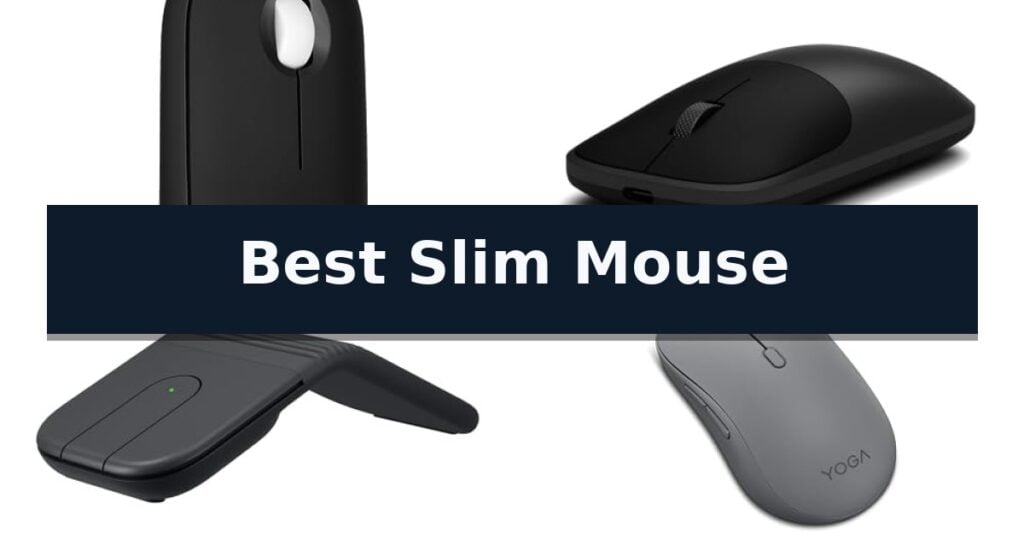
10 Best Slim Mouse in 2026 Reviews
Quick Comparison
| Product | Best For | Key Strength | Score |
|---|---|---|---|
| Logitech Pebble 2 M350s Wireless Mouse | Best Overall | Silent Touch Technology for quiet operation | 4.9 |
| Satechi Slim EX Wireless Mouse | Premium Aluminum Build | 3-in-1 multi-device connectivity for efficient switching between platforms. | 4.3 |
| Logitech Mobi Fold Wireless Mouse | Unique Foldable Travel Design | Unique foldable design for extreme portability and automatic power management. | 4.6 |
| Lenovo Yoga Bluetooth Silent Mouse | Longest Battery Life | Bluetooth 5.3 enables simultaneous connection to three devices. | 4.7 |
| Logitech M196 Bluetooth Wireless Mouse | Simple Reliable Bluetooth Pairing | Reliable Bluetooth connectivity eliminates the need for USB receivers. | 4.5 |
| TECKNET Rechargeable Bluetooth Wireless Mouse | High Precision DPI Settings | Multi-device connectivity via Bluetooth and 2.4G wireless. | 4.7 |
| Logitech POP Wireless Mouse | Customizable Shortcut Buttons | Silent Touch Technology significantly reduces click noise. | 4.9 |
| HP Z3700 Wireless Mouse | Sleek Profile for Any Surface | Ultra-slim design that fits easily into laptop bags. | 4.9 |
| TENMOS M18 Bluetooth Wireless Mouse | Visible Battery Level Indicator | Triple-mode connectivity for switching between three devices. | 4.9 |
| Acer Wireless Slim Mouse | Ultra-Lightweight Travel Companion | Ultra-portable 56g design for easy travel. | 4.7 |
How We Chose
To determine the best slim mouse for professional and travel use, we evaluate these peripherals based on their ability to maintain a low-profile footprint while delivering consistent performance. We focus on how effectively each model manages multi-device workflows and whether its power-saving features align with the needs of a mobile user.
- Portability and physical dimensions
- Connectivity versatility across operating systems
- Battery life and power management efficiency
- Switching mechanisms between multiple devices
- Click noise reduction and tactile feedback
1 Logitech Pebble 2 M350s Wireless Mouse — Minimalist Design for On-the-Go
Prioritizing a clean workspace often begins with your peripherals, and the Logitech Pebble 2 M350s Wireless Mouse offers a distinct, minimalist round design that emphasizes portability. Measuring just over one inch in height, this device is engineered for users who need a slim, lightweight tool that fits easily into a bag for travel.
Beyond its physical form, the mouse integrates Silent Touch Technology, which is designed to reduce click noise by 90% compared to standard models. This makes it a practical choice for shared office environments or quiet study spaces where minimizing audible distractions is a priority.
Connectivity is handled via Bluetooth, allowing you to pair with up to three devices across various operating systems, including Windows, macOS, and ChromeOS. The Easy-Switch button enables quick transitions between these devices, while the Logi Options+ app provides customization for the middle button to create shortcuts for frequently used applications.
Maintenance is straightforward, as the device features an auto-sleep power-saving mode that contributes to a battery life of up to two years. Constructed with a minimum of 58% certified post-consumer recycled plastic, the mouse balances functional utility with a focus on material sourcing.
Best for: Users who require a quiet, highly portable, and multi-device compatible mouse for mobile work setups.
Skip if: Users who prefer a full-sized, ergonomic mouse with a high-profile arch or those who specifically require a dedicated USB receiver, as the Logitech Bolt receiver is not included.
- Silent Touch Technology for quiet operation
- Multi-device connectivity with Easy-Switch
- Slim and lightweight minimalist profile
- Long battery life of up to 2 years
- Logitech Bolt receiver not included
- Low-profile design may not suit all hand grips
2 Satechi Slim EX Wireless Mouse — Premium Aluminum Build
A refined workspace requires tools that balance functionality with a low profile, and the Satechi Slim EX Wireless Mouse achieves this through its precision-machined aluminum shell. This peripheral is engineered for users who prioritize both aesthetics and a clutter-free desk, offering a slim form factor that complements modern computing setups.
The device provides 3-in-1 Multi-Device Freedom, allowing seamless switching between two Bluetooth channels and a 2.4GHz USB-C receiver. This capability enables users to control multiple systems, such as a Mac, Windows PC, or tablet, without the need for constant re-pairing. The internal mechanism features quiet and confident clicks alongside a metal scroll wheel, ensuring that navigation remains discreet and tactile.
Power management is handled by a rechargeable battery that supports USB-C charging. Satechi notes that the battery is removable and can provide up to three months of continuous use on a single charge, with an extended standby duration of over a year in sleep mode. The inclusion of a USB-C cable in the package ensures immediate readiness for setup.
Constructed with an anodized aluminum shell, the mouse is built to withstand regular use while maintaining a premium look. The manufacturer includes a 2-year limited warranty, covering potential defects in materials and workmanship to provide long-term assurance for the hardware.
Best for: Users who need to switch between multiple devices like laptops, tablets, and desktops using a single, low-profile, and aesthetically premium mouse.
Skip if: Users who prefer a high-profile, ergonomic mouse designed for heavy gaming or those who require a larger, contoured grip for extended daily use.
- 3-in-1 multi-device connectivity for efficient switching between platforms.
- Anodized aluminum construction for a durable and premium aesthetic.
- Quiet click switches suitable for shared or quiet work environments.
- USB-C rechargeable battery with long-lasting performance.
- Slim, low-profile design may not provide the ergonomic support required by some users for long-term comfort.
3 Logitech Mobi Fold Wireless Mouse — Unique Foldable Travel Design
The Logitech Mobi Fold Wireless Mouse introduces a unique foldable design that allows you to power the device on by unfolding it and power it off by simply folding it flat. This ultra-thin, lightweight construction is engineered for maximum portability, making it an ideal companion for those who need to slip a mouse into a pocket or bag while commuting.
Beyond its physical design, this mouse offers 4K DPI tracking and Adaptive Touch Scrolling for precise, line-by-line navigation. It is designed to reduce muscle strain by 22% compared to standard laptop trackpads, providing a more ergonomic experience during extended use. The inclusion of quiet clicks ensures that your workspace remains undisturbed, which is particularly beneficial in shared environments or public settings.
Connectivity is handled through Bluetooth, allowing you to pair with up to three devices and switch between them seamlessly using Easy-Switch technology. It is compatible with a wide range of operating systems, including Windows, macOS, Chrome OS, Android, and iPadOS. The device also supports Fast Pair and Swift Pair for quick, hassle-free connections.
Power management is efficient, with a battery that lasts up to one month on a full charge. If you are in a rush, a one-minute charge provides up to 22 hours of usage via a USB-C cable. Furthermore, the construction incorporates certified post-consumer recycled plastic, reflecting a commitment to sustainable material choices in its manufacturing process.
Best for: Frequent travelers and mobile professionals who require an ultra-portable, space-saving mouse that transitions easily between multiple devices.
Skip if: Users who prefer a traditional, full-sized ergonomic mouse with a fixed shape or those who require a dedicated USB receiver, as the Logi Bolt receiver is sold separately.
- Unique foldable design for extreme portability and automatic power management.
- Multi-device connectivity allows switching between three devices via Bluetooth.
- Quiet click technology minimizes noise in shared or public workspaces.
- Fast charging capability provides 22 hours of use from a one-minute charge.
- USB-C charging cable is not included in the package.
- Logi Bolt receiver must be purchased separately if Bluetooth is not the preferred connection method.
4 Lenovo Yoga Bluetooth Silent Mouse — Longest Battery Life
The Lenovo Yoga Bluetooth Silent Mouse is engineered for professionals who require a quiet, clutter-free workspace without sacrificing connectivity. Its standout feature is the ability to pair with three devices simultaneously via Bluetooth 5.3, allowing for seamless transitions between a laptop, tablet, and desktop. This functionality is complemented by a 3-level DPI adjustment system, providing the precision needed for varied tasks throughout the workday.
Designed with a focus on longevity, this mouse features an impressive 36-month battery life powered by a single AA battery. The exterior is finished with a soft-touch coating that provides a comfortable grip for extended use. Its whisper-quiet operation ensures that clicks remain unobtrusive, making it a suitable choice for shared office environments or quiet home setups.
The device is built for portability and efficiency, measuring just 4.63 inches in length and weighing less than a quarter of a pound. Users can take advantage of programmable buttons to customize their workflow, while the Swift pairing technology ensures quick connectivity with non-Yoga devices and tap-to-pair convenience for compatible Lenovo hardware.
While the mouse offers significant utility for multitaskers, it is a dedicated Bluetooth device, meaning it lacks a traditional USB receiver option. The Luna Grey finish provides a professional aesthetic that fits well in any modern office, backed by a one-year manufacturer warranty to ensure reliability.
Best for: Multitaskers who need to switch between three devices seamlessly and prefer a silent, long-lasting wireless mouse.
Skip if: Users who require a dedicated USB receiver or a wired connection for their workflow.
- Bluetooth 5.3 enables simultaneous connection to three devices.
- 36-month battery life reduces the frequency of maintenance.
- Whisper-quiet buttons minimize noise in shared environments.
- Programmable buttons allow for customized control.
- No USB receiver included for non-Bluetooth devices.
- AA battery requirement may be less convenient than rechargeable internal batteries for some users.
5 Logitech M196 Bluetooth Wireless Mouse — Simple Reliable Bluetooth Pairing
Maintaining a clutter-free workspace often starts with selecting peripherals that minimize physical footprint without sacrificing essential functionality. The Logitech M196 Compact Ambidextrous Bluetooth Wireless Mouse addresses this need through a streamlined, travel-ready design that eliminates the requirement for external dongles or USB ports.
Equipped with a reliable pair-and-play Bluetooth connection, this mouse integrates seamlessly with a wide range of devices, including Windows, Chromebook, and Apple hardware. Its contoured, ambidextrous shape ensures comfortable operation for both left- and right-handed users, while the compact dimensions of 3.9 inches in length and 2.36 inches in width allow it to fit easily into most bags for mobile productivity.
Performance is supported by precise line-by-line scrolling and optical tracking, which provides consistent cursor control across a variety of surfaces. The device features three non-customizable buttons and is engineered for quiet operation, making it suitable for shared environments where noise reduction is prioritized.
Longevity is a key consideration for portable peripherals, and the Logitech M196 delivers with an auto sleep feature and a 12-month battery life powered by a single AA battery. Furthermore, the construction incorporates certified post-consumer recycled plastic, reflecting a focus on material sustainability in its manufacturing process.
Best for: Mobile professionals and students who require a reliable, portable, and dongle-free mouse for use across multiple devices.
Skip if: Users who require advanced customization, programmable side buttons, or a high-performance sensor for gaming and precision design work.
- Reliable Bluetooth connectivity eliminates the need for USB receivers.
- Compact, ambidextrous design is optimized for travel and portability.
- 12-month battery life reduces the frequency of maintenance.
- Quiet click buttons minimize noise in shared workspaces.
- Non-customizable buttons limit functionality for power users.
- Basic feature set lacks advanced ergonomic or high-precision gaming capabilities.
6 TECKNET Rechargeable Bluetooth Wireless Mouse — High Precision DPI Settings
The TECKNET Rechargeable Bluetooth Wireless Mouse offers a highly versatile input solution by allowing users to switch between three separate devices using a combination of Bluetooth 5.2, 3.0, and a 2.4G USB receiver. This connectivity flexibility is paired with a slim, portable chassis measuring just 2.26 by 4.48 by 0.93 inches, making it a practical choice for users who prioritize workspace mobility.
Performance is managed through a 6-level adjustable DPI sensor, which allows users to toggle between 800 and 4800 DPI. This range supports tasks ranging from standard office navigation to more granular cursor control. The device features a silent click mechanism designed to reduce operational noise by 90%, which is beneficial for shared work environments.
Power management is handled by a rechargeable battery that supports USB-C fast charging. According to technical specifications, a 2.5-hour charge provides up to 60 days of usage based on 2 hours of daily activity. The mouse also includes a 30-minute auto-sleep function to help preserve battery life during periods of inactivity.
The exterior is finished with an anti-slip, skin-touch coating intended to provide a comfortable grip while resisting fingerprints. While the design is optimized for portability and multi-device workflows, users should note that the matte finish on the black model may require regular cleaning if used in environments where hand moisture is a factor.
Best for: Multitaskers who need to switch between multiple devices across different operating systems like Windows, macOS, and Android using a single, portable peripheral.
Skip if: Users who prefer a full-sized, contoured ergonomic mouse for long-duration daily use may find the ultra-thin profile of this model less supportive for their palm.
- Multi-device connectivity via Bluetooth and 2.4G wireless.
- 6-level adjustable DPI up to 4800 for varied precision needs.
- Silent click design reduces noise by 90%.
- Long battery life with USB-C fast charging.
- Matte finish on the black model may show residue from sweaty hands.
- Ultra-thin profile may not suit users seeking traditional ergonomic palm support.
7 Logitech POP Wireless Mouse — Customizable Shortcut Buttons
The Logitech POP Wireless Mouse distinguishes itself through its Silent Touch Technology, which is engineered to reduce click noise by 90% compared to standard mice. This feature makes it a practical choice for shared workspaces or quiet environments where minimizing auditory distraction is a priority.
Designed for portability, this slim wireless mouse features a lightweight, contoured shape that fits easily into bags. It supports multi-device workflows by allowing users to connect via Bluetooth to up to three devices across various operating systems, including Windows, macOS, and ChromeOS. Switching between these devices is handled by a dedicated Easy-Switch button.
Customization is a core component of its utility, as the device includes programmable buttons that can be configured via the Logi Options+ App. Users can assign these buttons to specific shortcuts for work, social media, or AI tools. The mouse also incorporates a power-saving auto-sleep mode to help maintain its 2-year battery life using a single AA battery.
Sustainability is integrated into the construction, with plastic components containing between 37% and 68% recycled material, depending on the colorway. The packaging is also FSC-certified. While its compact 4.13-inch length is ideal for travel, users with larger hands should consider whether the low-profile, contoured design provides sufficient ergonomic support for extended daily use.
Best for: Users who require a quiet, highly portable mouse for multi-device setups and travel.
Skip if: Users who prefer a full-sized, ergonomic mouse for long-duration daily computing tasks.
- Silent Touch Technology significantly reduces click noise.
- Easy-Switch button allows seamless toggling between 3 devices.
- Programmable Action Buttons via Logi Options+ App.
- Long 2-year battery life with auto-sleep functionality.
- Compact, low-profile design may lack ergonomic support for large hands.
- Requires AA battery rather than an internal rechargeable power source.
8 HP Z3700 Wireless Mouse — Sleek Profile for Any Surface
The HP Wireless Mouse Z3700 is engineered for users who require a streamlined, unobtrusive pointing device that integrates seamlessly into a modern, minimalist workspace. With a height of just 1 inch, this mouse offers a distinctively slim profile that prioritizes portability, making it an ideal companion for those who frequently transition between different work environments or carry their laptop in a slim bag.
Reliability is central to the device's performance, utilizing a 2.4 GHz wireless connection to maintain a stable, consistent link to your computer. Precision is handled by a 1200 DPI optical sensor, which provides the necessary accuracy for standard navigation tasks, including document editing, web browsing, and general productivity workflows. This sensor configuration is balanced for everyday use, ensuring responsive tracking without the complexity of higher-end gaming hardware.
Efficiency is a key design pillar, evidenced by the device's power management system, which supports up to 16 months of battery life on a single AA battery. This longevity significantly reduces the frequency of battery replacements, allowing for extended periods of maintenance-free operation. Furthermore, the inclusion of Blue LED technology enhances the mouse's versatility by allowing it to track effectively on a wide range of surfaces, providing consistent performance even when a dedicated mousepad is unavailable.
While the HP Wireless Mouse Z3700 excels in portability and power efficiency, it is important to note the trade-offs inherent in its compact form factor. The low-profile, slim design is optimized for travel and aesthetic integration rather than ergonomic support for long-duration use. Additionally, the device features a basic button configuration, which may not satisfy users who rely on programmable side buttons or complex macro functions for specialized professional tasks.
Best for: Users who prioritize a low-profile, portable design and long battery life for general productivity tasks.
Skip if: Users who require advanced ergonomic contours, programmable side buttons, or high-DPI performance for gaming or precision design work.
- Ultra-slim design that fits easily into laptop bags.
- 16-month battery life reduces maintenance frequency.
- Blue LED technology allows for tracking on diverse surfaces.
- Reliable 2.4 GHz wireless connectivity.
- Basic feature set lacks programmable buttons for advanced workflows.
- Low-profile ergonomics may not suit users preferring high-arch mice.
9 TENMOS M18 Bluetooth Wireless Mouse — Visible Battery Level Indicator
The TENMOS M18 Bluetooth Wireless Mouse simplifies complex multi-device workflows by offering triple-mode connectivity, allowing users to toggle between two Bluetooth channels and a 2.4GHz wireless connection with a single button press. This versatility makes it a practical choice for those managing multiple laptops or tablets simultaneously, as it eliminates the need to physically disconnect and reconnect peripherals when switching between workstations.
Designed for quiet environments, the mouse features noiseless clicking on the primary buttons, ensuring that your work remains unobtrusive during late-night projects or in shared office spaces. Its slim, portable form factor—measuring just 0.1 inches in height—is complemented by a rechargeable battery that eliminates the need for disposable cells, utilizing a convenient USB-C charging port for power replenishment.
Compatibility is broad, supporting Windows, macOS, iPadOS, ChromeOS, and Linux systems. To accommodate various hardware configurations, the package includes a USB receiver and a USB-C adapter, ensuring it can connect to both legacy USB-A ports and modern USB-C ports found on newer laptops. For USB-C setups, the receiver is simply plugged into the adapter before connecting to the host device.
To preserve battery life, the device enters an automatic sleep mode after eight minutes of inactivity. Users can easily track power status through the visible battery level indicator, providing a clear signal of when it is time to recharge using the included cable. While this power-saving feature is efficient, it does require a physical button click to wake the device from its standby state, which is a minor trade-off for the extended battery performance.
Best for: Users who need a portable, silent mouse capable of switching between three different devices via Bluetooth or a wireless receiver.
Skip if: Users who prefer a full-sized, ergonomic mouse with a high-profile arch for extended, heavy-duty daily use.
- Triple-mode connectivity for switching between three devices.
- USB-C rechargeable battery removes the need for disposable batteries.
- Noiseless clicking mechanism for quiet operation.
- Includes a USB-C adapter for modern device compatibility.
- Slim profile may lack the ergonomic support of larger, contoured mice.
- Automatic sleep mode requires a button click to wake the device.
10 Acer Wireless Slim Mouse — Ultra-Lightweight Travel Companion
Efficiency in a workspace often comes down to minimizing clutter, and the Acer Wireless Slim Mouse addresses this with an ultra-portable, flat design that weighs just 56g. By prioritizing a low-profile form factor, this device is engineered to slip easily into bags, making it a practical choice for those who frequently transition between home, office, and travel environments.
Performance is managed through customizable DPI settings, allowing users to toggle between 800, 1200, and 1600 DPI to match their specific screen resolution or task requirements. This adjustment capability ensures smooth tracking whether you are navigating a compact tablet display or a larger desktop monitor setup.
Connectivity is handled via a plug-and-play USB A receiver, which eliminates the need for complex software installations. The mouse is designed for broad compatibility, functioning seamlessly across Windows, macOS, and Linux systems. To maintain efficiency, it features low power consumption technology, entering an automatic sleep mode after 10 minutes of inactivity to extend battery life to between 3 and 6 months.
For users concerned about ergonomics, the manufacturer suggests adjusting your grip so the palm rests naturally on the device to reduce fatigue during extended use. The Acer Wireless Slim Mouse operates on a 2.4Ghz frequency with a valid range of up to 32.8ft, providing consistent wireless freedom for standard computing tasks.
Best for: Travelers and professionals who require an ultra-portable, lightweight mouse that fits easily into small bags and offers adjustable sensitivity for various screen sizes.
Skip if: Users who prefer a full-sized, ergonomic mouse with a high-arch palm support or those who require Bluetooth connectivity instead of a USB A receiver.
- Ultra-portable 56g design for easy travel.
- Three adjustable DPI levels (800/1200/1600) for precise tracking.
- Automatic sleep mode to conserve battery life.
- Broad compatibility across major operating systems.
- Requires AAA batteries which are not included.
- USB A receiver requires an available port on your device.
Best Slim Mouse Buying Guide
Connectivity and Multi-Device Support
Modern slim mice often prioritize Bluetooth connectivity to eliminate the need for USB dongles, which is essential for laptops with limited ports. Look for models that support multiple Bluetooth channels, allowing you to pair with a laptop, tablet, and phone simultaneously.
The ability to switch between these devices with a dedicated button is a significant productivity advantage. Ensure the mouse supports your specific operating systems, as some models are optimized for Windows and macOS while others include specific features for iPadOS or ChromeOS.
Portability and Form Factor
The primary advantage of a slim mouse is its ability to slide into tight laptop sleeves or pockets. While flat designs are highly portable, they may lack the ergonomic arch found in standard desktop mice, which can affect comfort during extended use.
Some manufacturers utilize innovative designs, such as foldable bodies or ultra-thin aluminum shells, to reduce bulk. Consider whether you prefer a rigid, minimalist chassis or a collapsible design that prioritizes space-saving above all else.
Battery Life and Charging Methods
Slim mice typically use either replaceable AA/AAA batteries or internal rechargeable batteries. Replaceable batteries often offer longer standby times, sometimes lasting over a year, which is ideal for users who do not want to manage charging cables.
Rechargeable models, usually charged via USB-C, offer the convenience of not needing spare batteries. While they require occasional charging, they are often lighter and more environmentally friendly, provided the internal battery capacity is sufficient for your usage patterns.
Silent Click Technology
Working in shared spaces like cafes, libraries, or open offices makes click noise a critical consideration. Many modern slim mice feature specialized switches designed to reduce noise by up to 90% compared to standard mechanical mice.
This silent operation does not necessarily mean a loss of tactile feedback. High-quality silent mice still provide a distinct physical sensation, ensuring you know when a click has been registered without the audible distraction.
Customization and Software Integration
While most slim mice are designed for simplicity, some models allow for button customization via companion software. This can be useful for assigning shortcuts to specific applications, such as media controls or productivity tools.
If you rely on specific workflows, check if the mouse is compatible with software that lets you remap buttons. For users who prefer a plug-and-play experience, a simpler mouse without software requirements may be more reliable and easier to set up across different machines.
Frequently Asked Questions
Do slim mice provide enough ergonomic support for all-day use?
Slim mice are primarily designed for portability and travel rather than long-term ergonomic support. If you experience wrist fatigue, you may find that a flatter profile requires a different grip style compared to a full-sized ergonomic mouse.
Can I use a Bluetooth mouse with a computer that lacks Bluetooth?
If your computer does not have built-in Bluetooth, you will need a mouse that includes a 2.4 GHz USB receiver. Many slim mice offer both Bluetooth and USB receiver connectivity to ensure compatibility with older hardware.
How do I know if a mouse will work with my tablet?
Most modern Bluetooth mice are compatible with iPadOS and Android tablets. Ensure the mouse supports Bluetooth 4.0 or higher, which is the standard for most mobile devices today.
Are rechargeable slim mice better than those using AA batteries?
It depends on your preference. Rechargeable mice are more convenient if you have access to USB-C ports, while AA-powered mice are often better for long-term travel where you might not have a charging cable handy.
Do silent clicks feel different from standard clicks?
Yes, silent clicks often have a softer, more dampened feel. While they are quieter, they are engineered to retain enough tactile response so you can still feel the click action.
Conclusion: Our Top Pick
Our top pick is Logitech Pebble 2 M350s Wireless Mouse. Choosing the right slim mouse depends on your specific balance of portability and feature requirements. For most users, a model that combines silent clicking with multi-device switching offers the best daily utility, ensuring you can move between devices without interruption.
Prioritize your primary use case, whether that is frequent travel where space is at a premium, or a stationary desk setup where you simply prefer a clean, minimalist aesthetic. By focusing on battery type and connectivity, you can select a device that fits your workflow seamlessly.