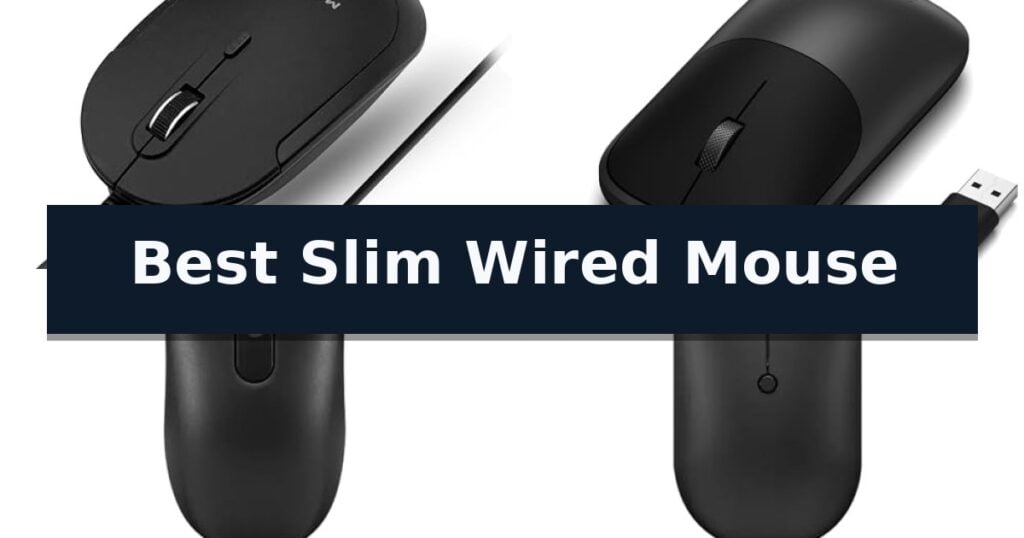
Macally Wired Computer Mouse is our top choice for the Best Slim Wired Mouse, offering a reliable, low-profile design that reduces click noise by 90% for quiet office environments.
For users prioritizing premium materials, the Satechi Slim LX Wired Mouse provides a refined aluminum finish, while the Lenovo 100 Wired USB Mouse serves as a dependable, full-size option for those who prefer a more traditional grip in a slim form factor.
Selecting a wired mouse requires balancing physical dimensions with connection requirements. Whether you need a USB-A or USB-C interface, our selection focuses on devices that eliminate battery dependency and latency issues, ensuring consistent performance for daily productivity.
If you are looking for more options to refine your setup, our guide on the Best Slim Mouse covers a wider range of form factors and features. For users who specifically need a portable solution for their workstation, we also recommend exploring the Best Slim Mouse for Laptop for additional travel-friendly recommendations. When you are constantly on the move, finding the Best Slim Travel Mouse can help ensure you have a reliable, compact tool that fits easily into any laptop bag.
8 Best Slim Wired Mouse in 2026 Reviews
Quick Comparison
| Product | Best For | Key Strength | Score |
|---|---|---|---|
| Macally Wired Computer Mouse | Best Overall | 90% noise reduction for silent clicking | 4.9 |
| Satechi Slim LX Wired Mouse | Premium aluminum for modern desks | Anodized aluminum shell for a premium, durable build. | 4.5 |
| Lenovo 100 Wired USB Mouse | Reliable full-size slim grip | Ambidextrous design fits comfortably in either hand. | 4.7 |
| Lenovo 400 USB-C Wired Mouse | Pocket-friendly for mobile productivity | USB-C connectivity eliminates the need for batteries or wireless dongles. | 4.3 |
| Macally USB-C Wired Mouse | Simple plug-and-play for USB-C | Direct USB-C connectivity for modern devices. | 4.8 |
| Verbatim Mini Wired Travel Mouse | Retractable cable for easy travel | Retractable cable prevents tangles and simplifies storage. | 4.7 |
| Amazon Basics 3-Button Wired Mouse | Essential navigation for daily tasks | Plug-and-go setup requires no drivers for immediate use. | 4.6 |
| Logitech B100 Ambidextrous Wired Mouse | Classic design for comfortable use | Ambidextrous shape provides comfort for both left- and right-handed users. | 4.5 |
How We Chose
Evaluating the best slim wired mouse requires a focus on how these compact peripherals integrate into modern desk setups. We prioritize consistent connectivity, ergonomic comfort for extended use, and the practical benefits of silent operation. An experienced reviewer assesses these devices by comparing their build materials, sensor responsiveness, and overall footprint to ensure they meet diverse professional needs.
- Connectivity interface (USB-A vs. USB-C compatibility)
- Physical dimensions and portability
- Click noise reduction and tactile feedback
- DPI sensitivity and tracking precision
- Cable length and durability
1 Macally Wired Computer Mouse — Silent clicks for quiet workspaces
Maintaining a quiet and clutter-free workspace often starts with the peripherals you use daily. The Macally Wired Computer Mouse addresses the common annoyance of audible clicking by utilizing a design that reduces click noise by 90%, making it a practical choice for shared offices or late-night work sessions where minimizing distractions is a priority.
Beyond its silent operation, this mouse prioritizes a low-profile, ergonomic shape that accommodates both left- and right-handed users. Its compact dimensions of 4.2 by 2.3 inches allow it to fit easily into crowded desk setups, while the 5FT USB-A cable ensures a stable, latency-free connection without the need for batteries or charging. This wired design eliminates the trade-off of potential signal interference or power failure common with wireless alternatives.
Functionality is further enhanced by instant DPI adjustability, allowing users to toggle between 800, 1200, 1600, and 2400 DPI settings with a dedicated button. This flexibility provides control over cursor sensitivity, whether you are performing precise editing tasks or navigating general desktop applications. By offering multiple sensitivity levels, the device adapts to different screen resolutions and user preferences without requiring additional software.
As a plug-and-play device, it requires no driver installation, offering immediate compatibility with both Apple Mac and Windows PC systems. This straightforward approach makes it a reliable replacement or secondary mouse for those who prefer a simple, wired interface. The lack of complex, programmable side buttons keeps the design clean and focused on essential navigation, which is ideal for users who prioritize simplicity over specialized workflows.
Best for: Users seeking a quiet, compact, and battery-free mouse for general office or home computing tasks.
Skip if: Users who require a wireless connection for mobility or a larger, high-performance mouse with programmable side buttons for specialized tasks.
- 90% noise reduction for silent clicking
- Adjustable DPI settings up to 2400 for sensitivity control
- Ambidextrous design suitable for left- and right-handed users
- No batteries required via stable wired USB-A connection
- Wired-only connection limits desk mobility
- Lacks extra programmable buttons for specialized workflows
2 Satechi Slim LX Wired Mouse — Premium aluminum for modern desks
A refined workspace often demands equipment that balances aesthetics with functional reliability, and the Satechi Slim LX Wired Mouse addresses this by integrating a premium anodized aluminum shell with a precision-machined metal scroll wheel. This construction choice provides a durable, tactile experience that complements modern desktop environments while maintaining a low-profile, slim footprint.
Engineered for focused productivity, the mouse features quiet click switches that allow for discreet operation during extended work sessions. The internal mechanism is rated for up to 3 million clicks, ensuring longevity for heavy users of spreadsheets and creative software. Its tracking is designed to be smooth and responsive, prioritizing accuracy for daily professional tasks.
Connectivity is streamlined through a universal USB-C interface, which offers immediate plug-and-play functionality across macOS, Windows, ChromeOS, and iPadOS without the need for additional drivers. To ensure broad compatibility with various hardware configurations, the package includes a USB-C to USB-A adapter.
The device is backed by a 2-year limited warranty, covering defects in materials and workmanship under normal use. By focusing on a minimalist design and reliable wired connectivity, this model serves as a straightforward, maintenance-free input tool for those who prefer to avoid the battery management associated with wireless alternatives.
Best for: Users seeking a durable, minimalist wired input device that integrates seamlessly with USB-C equipped laptops and modern desktop setups.
Skip if: Users who require programmable side buttons, high-DPI gaming sensors, or the freedom of a wireless connection.
- Anodized aluminum shell for a premium, durable build.
- Quiet click switches suitable for shared or quiet workspaces.
- Universal USB-C compatibility with an included adapter for legacy ports.
- Driver-free installation for immediate use across multiple operating systems.
- Wired-only design limits mobility compared to wireless models.
3 Lenovo 100 Wired USB Mouse — Reliable full-size slim grip
Maintaining an efficient workspace often hinges on the reliability of your primary input device. The Lenovo 100 Wired USB Mouse provides a consistent, no-nonsense solution for daily computing by utilizing a full-size, slim-grip profile. This design is specifically engineered to be ambidextrous, ensuring that both left- and right-handed users can maintain a comfortable, neutral wrist position during extended periods of use.
Performance is driven by a red optical sensor capable of 1000 DPI resolution. This specification is calibrated to provide smooth, predictable tracking across standard desktop surfaces, making it well-suited for document editing, web browsing, and general administrative tasks. Because it operates via a 1.7-meter USB-A cable, the device eliminates the common frustrations associated with wireless peripherals, such as signal interference, latency, or the need for periodic battery replacements.
Durability and ease of use are central to its construction. The internal switches are rated for a 3 million clicks button life, offering a robust lifespan for high-volume office work. Furthermore, the plug-and-play functionality means the mouse is ready for immediate operation upon connection to any compatible USB-A port, requiring no additional driver software or complex configuration.
With a low-profile height of 1.14 inches and a width of 2.17 inches, the mouse occupies minimal desk real estate. While it lacks programmable side buttons or adjustable DPI settings—a trade-off that keeps the device focused on simplicity and maintenance-free operation—it remains a dependable tool for users who prioritize a stable, wired connection for their primary workstation.
Best for: Users seeking a reliable, no-fuss, ambidextrous mouse for standard office or home productivity tasks.
Skip if: Gamers or power users who require high-DPI precision, programmable side buttons, or wireless connectivity.
- Ambidextrous design fits comfortably in either hand.
- Plug-and-play connectivity via a 1.7-meter USB-A cable.
- 3 million clicks button life for long-term durability.
- Slim-grip profile saves desk space.
- Wired-only connection limits cable-free desk setups.
- Fixed 1000 DPI resolution lacks sensitivity adjustment.
4 Lenovo 400 USB-C Wired Mouse — Pocket-friendly for mobile productivity
The Lenovo 400 USB-C Compact Wired Mouse provides a streamlined solution for mobile professionals who require a reliable pointing device without the maintenance of batteries or wireless connectivity. Measuring just 3.78 by 2.2 inches, this pocket-sized peripheral is engineered to fit easily into laptop sleeves or travel bags, making it a functional companion for Ultrabooks and mobile workstations where space is at a premium.
Connectivity is handled through a direct USB-C interface, which ensures immediate plug-and-play functionality across modern systems including Windows 10, Windows 11, and Chrome OS. By utilizing a wired connection, the device eliminates the need for external dongles or the periodic replacement of batteries, providing a consistent power source and reducing the number of accessories a user needs to manage during travel.
Precision is managed via an adjustable optical sensor that reaches up to 2400 DPI. This feature allows users to toggle sensitivity settings on the fly, facilitating a transition between high-detail tasks and standard navigation. The ambidextrous design is shaped to accommodate both left- and right-handed users, providing a symmetrical grip that remains comfortable during extended computing sessions.
While the wired architecture offers a straightforward, maintenance-free experience, it does introduce a physical tether that limits the range of movement compared to wireless alternatives. This trade-off is often acceptable for users prioritizing a lightweight, battery-free tool that integrates seamlessly with USB-C ports on both compact laptops and larger desktop setups.
Best for: Mobile professionals and students who require a compact, battery-free pointing device for USB-C equipped laptops.
Skip if: Users who prefer a full-sized ergonomic mouse or those who require wireless freedom for their workspace setup.
- USB-C connectivity eliminates the need for batteries or wireless dongles.
- Adjustable DPI up to 2400 allows for on-the-fly precision adjustments.
- Ambidextrous, compact design is highly portable for travel.
- Wired connection limits movement range compared to wireless alternatives.
5 Macally USB-C Wired Mouse — Simple plug-and-play for USB-C
Modern workspaces often demand streamlined hardware that minimizes clutter while maintaining high functionality. The Macally USB-C Wired Mouse addresses this by integrating a direct USB-C connection, eliminating the need for adapters when working with contemporary laptops and tablets. This design choice ensures a stable, plug-and-play experience for users who prioritize simplicity and consistent connectivity.
Beyond its interface, this mouse is engineered for a quiet workspace. The buttons are designed to reduce click noise by 90%, making it a practical choice for shared offices or home environments where silence is valued. Its slim, ergonomic profile fits comfortably into a mobile setup, weighing just over 0.16 pounds, which makes it easy to transport alongside a laptop.
Performance customization is handled through a dedicated DPI button, allowing users to toggle between 800, 1200, 1600, and 2400 DPI settings. This flexibility enables precise cursor control adjustments based on the specific task at hand, whether it involves detailed design work or general navigation. The simple three-button and scroll wheel layout keeps the interface intuitive, avoiding the complexity of unnecessary programmable keys.
While the Macally USB-C Wired Mouse excels in minimalist setups, users should note its specific connectivity requirements. Because it relies exclusively on a USB-C cable, it is best suited for devices equipped with that port. Those working with older hardware that only features USB-A ports would require an additional adapter, which may negate the benefit of its streamlined design.
Best for: Users with USB-C enabled laptops or tablets who require a quiet, simple, and portable input device.
Skip if: Users who rely on older hardware with only USB-A ports or those who prefer a wireless workspace.
- Direct USB-C connectivity for modern devices.
- Silent click technology reduces noise by 90%.
- Adjustable DPI settings from 800 to 2400.
- Slim and lightweight design for portability.
- Wired-only connection limits desk placement flexibility.
- USB-C port requirement may necessitate adapters for older computers.
6 Verbatim Mini Wired Travel Mouse — Retractable cable for easy travel
Managing desk space while traveling requires hardware that balances functionality with a minimal footprint. The Verbatim Mini Wired Travel Mouse addresses this by integrating a 27-inch retractable cable directly into its chassis, eliminating the clutter of excess cord length during use and storage.
Designed for high portability, this device measures just 3.03in x 1.7in x 1.09in. Its compact dimensions allow it to slide into small compartments, laptop bags, or briefcases without adding significant bulk. The plug-and-play USB-A connection ensures immediate compatibility with standard computer ports, removing the need for batteries or external wireless receivers.
Despite its small size, the unit features an optical sensor engineered for smooth, precise tracking on standard surfaces. This makes it a reliable tool for everyday notebook and laptop navigation. The retractable cable mechanism serves a dual purpose: it prevents tangling during transit and protects the cord from wear when not in use.
The Verbatim Mini Wired Travel Mouse is built for straightforward operation across various Windows environments. By focusing on a wired, battery-free design, it provides a consistent connection for users who prioritize reliability over wireless freedom. It is supported by a one-year limited warranty.
Best for: Frequent travelers who need a compact, battery-free pointing device that stores easily in tight spaces.
Skip if: Users who require a full-sized ergonomic grip or those whose computers lack a standard USB-A port.
- Retractable cable prevents tangles and simplifies storage.
- Ultra-compact design fits easily into small bags.
- Plug-and-play functionality requires no batteries.
- Optical sensor provides responsive cursor control.
- Small form factor may not be comfortable for users with larger hands.
- USB-A connection requires an adapter for modern laptops lacking legacy ports.
7 Amazon Basics 3-Button Wired Mouse — Essential navigation for daily tasks
Reliable cursor control and a straightforward setup define the Amazon Basics 3-Button USB Wired Mouse with Responsive Tracking, Plug & Play, Compatible with Windows and Mac, Black, a peripheral engineered for users who prioritize functional simplicity. This device features a high-definition 1000 DPI optical sensor, ensuring responsive tracking for daily tasks like text selection and interface navigation. By relying on an optical sensor rather than mechanical components, the mouse maintains consistent performance across standard desk surfaces without the need for frequent cleaning.
Designed with a versatile, lightweight ambidextrous shape, this mouse measures 4.3 x 2.4 x 1.4 inches, making it a portable solution for various workspace configurations. The unit connects via a 4.9-foot USB-A cable, providing a consistent, lag-free connection that eliminates the need for battery replacements or wireless pairing. This wired approach is particularly beneficial for users who prefer a set-it-and-forget-it hardware solution that remains powered directly through the computer's USB port.
Installation is simplified through a plug-and-go design that requires no additional drivers for operation on Windows or Mac systems. The three-button layout includes a tactile scroll wheel for efficient document and web browsing, offering essential control for standard computing environments. Because it does not require software installation, it remains a highly compatible choice for locked-down office environments or shared workstations.
While the wired design ensures constant connectivity, users should note that the cable length is fixed at 4.9 feet, which may limit placement in larger desk setups. Furthermore, for users utilizing modern hardware that exclusively features USB-C ports, an additional adapter will be necessary to establish a connection, as the device utilizes a standard USB-A interface.
Best for: Users seeking a reliable, driver-free, and battery-free navigation tool for standard office or home computing tasks.
Skip if: Users who require wireless freedom, programmable side buttons, or native USB-C connectivity without the use of external adapters.
- Plug-and-go setup requires no drivers for immediate use.
- Ambidextrous design accommodates both left and right-handed users.
- 1000 DPI optical sensor provides responsive and precise tracking.
- Wired USB-A connection ensures a reliable, lag-free experience.
- Fixed 4.9-foot cable may limit reach in larger desk setups.
- USB-A interface requires an adapter for devices with only USB-C ports.
8 Logitech B100 Ambidextrous Wired Mouse — Classic design for comfortable use
Reliable input devices are essential for maintaining a clean and efficient workspace, and the Logitech B100 Ambidextrous Wired Mouse offers a straightforward, no-nonsense solution for daily computing tasks. Designed with a focus on ergonomics and simplicity, this peripheral eliminates the need for batteries or complex software installations.
The Logitech B100 Ambidextrous Wired Mouse features an ambidextrous shape that accommodates both left- and right-handed users, ensuring comfort throughout extended work sessions. Its 800 dpi sensitivity provides the necessary precision for document editing and web navigation, while the integrated side-to-side scrolling and zoom functionality simplifies the management of spreadsheets and presentations.
Connectivity is handled via a standard USB interface, allowing for zero-setup, plug-and-play functionality across various computer and laptop systems. This model is engineered by Logitech with a focus on durability and consistent performance, drawing on the design standards established across their extensive history of mouse manufacturing.
Sustainability is also integrated into the build, as the plastic components of the black version contain 72% certified post-consumer recycled plastic. With a compact footprint measuring approximately 4.44 inches in height and 2.44 inches in width, this mouse provides a reliable, wired connection that works immediately out of the box.
Best for: Users seeking a reliable, plug-and-play wired mouse with an ambidextrous design for standard office and web navigation tasks.
Skip if: Users who require high-DPI gaming performance, programmable side buttons, or a wireless workspace setup.
- Ambidextrous shape provides comfort for both left- and right-handed users.
- Plug-and-play USB connectivity requires no software setup.
- Side-to-side scrolling and zoom capabilities enhance productivity in spreadsheets.
- Constructed with certified post-consumer recycled plastic.
- Fixed 800 dpi sensitivity may not be sufficient for high-precision tasks.
- Wired connection limits mobility compared to wireless alternatives.
Best Slim Wired Mouse Buying Guide
Connectivity and Compatibility
The primary consideration for any wired mouse is the connection type. Modern ultrabooks and tablets often feature only USB-C ports, making a native USB-C mouse or one that includes an adapter essential for seamless integration without the need for external hubs.
Conversely, traditional desktop setups and older laptops typically rely on USB-A ports. Choosing a mouse with the correct connector prevents the frustration of needing extra dongles, which can degrade the signal or simply add unnecessary clutter to your workspace.
Ergonomics and Form Factor
Slim mice are designed for portability and minimal desk footprint, but their lower profiles can impact long-term comfort. Ambidextrous shapes are generally more versatile, allowing both left- and right-handed users to maintain a neutral wrist position during extended tasks.
While a compact size is ideal for travel, consider the trade-off in palm support. If you spend eight hours a day navigating spreadsheets, a slightly larger slim model may provide better support than an ultra-miniature travel version.
Click Noise and Workspace Environment
In shared offices or quiet home environments, the audible click of a standard mouse can be distracting. Many modern slim mice now incorporate silent switches that significantly dampen the sound without sacrificing the tactile feedback required for accurate clicking.
This feature is particularly valuable for professionals who participate in frequent video calls or work in open-plan settings. Prioritizing a silent-click model can improve your focus and maintain a more professional atmosphere during collaborative work.
Tracking Precision and DPI Settings
Dots Per Inch (DPI) determines how far the cursor moves on screen relative to your physical movement. A mouse with adjustable DPI allows you to switch between higher sensitivity for quick navigation and lower sensitivity for precise tasks like photo editing or detailed design work.
Look for models that offer on-the-fly DPI switching. This functionality lets you adapt your mouse's performance to the specific application you are using, providing a more tailored experience than a fixed-DPI sensor.
Cable Management and Durability
The advantage of a wired mouse is the lack of battery maintenance and zero signal latency. However, the cable itself can become a point of failure if it is too thin or prone to tangling, which is why retractable cables are a popular choice for mobile users.
For stationary setups, a standard 5-foot cable is usually sufficient to reach a desktop tower under a desk. Ensure the cable is flexible enough to move without resistance, as a stiff cord can inadvertently pull the mouse and disrupt your tracking accuracy.
Frequently Asked Questions
Do I need special drivers for these wired mice?
No, all the models listed are plug-and-play devices. They are designed to work immediately upon connection to your computer's USB port without requiring any additional software or driver installations.
Are slim wired mice comfortable for large hands?
Slim mice are generally designed for portability and may lack the height required for full palm support. If you have larger hands, you might find a full-size slim model more comfortable than an ultra-compact travel mouse.
Can I use a USB-C mouse on a computer with only USB-A ports?
Most USB-C mice require a USB-C port. While some manufacturers include a USB-C to USB-A adapter, you should verify the specific product contents before purchasing if your computer lacks a USB-C input.
How do I know if a mouse is 'silent'?
Silent mice use specialized internal switches that dampen the sound of the click. Look for product descriptions that explicitly mention 'silent click' or 'reduced click noise' to ensure you are getting a quieter experience.
Is a wired mouse better than a wireless one for travel?
A wired mouse is often better for travel if you want to avoid the risk of dead batteries or lost wireless receivers. Models with retractable cables are particularly convenient for keeping your bag organized.
Conclusion: Our Top Pick
Choosing the right slim wired mouse depends on your specific port availability and how much desk space you have. If you need a quiet, versatile option that works across most platforms, the Macally Wired Computer Mouse is a reliable choice that balances performance with a low-profile design.
For those who travel frequently, consider a model with a retractable cable to keep your workspace tidy. Regardless of your choice, prioritizing a comfortable shape and appropriate DPI settings will significantly improve your daily navigation and productivity.