Samsung M5 Series Smart Monitor is our pick for the Best Smart Monitors for Gaming because it integrates a dedicated Gaming Hub that allows users to stream titles directly without needing a console or PC.
Selecting a display that bridges the gap between traditional office productivity and cloud-based entertainment requires balancing panel responsiveness with smart platform accessibility. While some models prioritize high-refresh-rate competitive play, others focus on 4K resolution and integrated streaming apps to serve as an all-in-one media center.
Experienced buyers should weigh the trade-offs between native resolution and input latency. A monitor with a high refresh rate is essential for fast-paced action, whereas those with advanced AI upscaling and smart OS features are better suited for users who want a seamless transition between work tasks and streaming content.
For those interested in broader options, our guide on Best Smart Monitors provides a deeper look at displays that balance work and play.
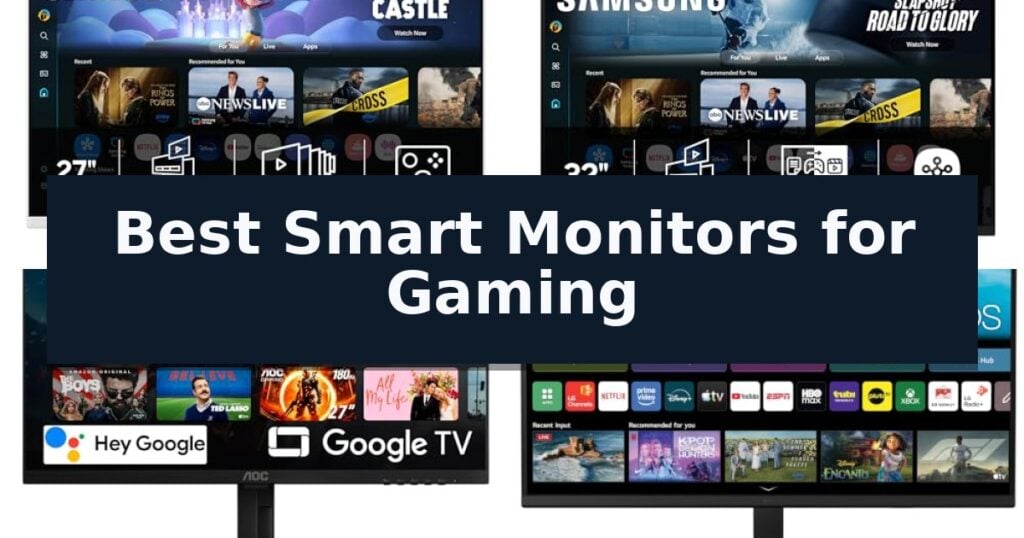
10 Best Smart Monitors for Gaming in 2026 Reviews
Quick Comparison
| Product | Best For | Key Strength | Score |
|---|---|---|---|
| Samsung M5 Series Smart Monitor | Best Overall | Integrated Gaming Hub for console-free cloud gaming | 4.9 |
| Samsung M7 Series 4K Smart Monitor | Vivid 4K with integrated gaming cloud | Integrated Gaming Hub for console-free cloud gaming. | 4.6 |
| AOC Q27G4XY Smart Gaming Monitor | High-speed QHD with Google TV | Integrated Google Smart OS for direct streaming access. | 4.6 |
| LG 32U701SB-B Smart 4K Monitor | Premium 4K with AI-powered visuals | Cloud gaming integration allows for instant play without a console or PC. | 4.8 |
| Sceptre C275B-FW180T Gaming Monitor | Fast 180Hz curved immersive display | 180Hz overclocked refresh rate for smooth motion. | 4.8 |
| Sceptre E225W-FW144 Gaming Monitor | Compact 144Hz for tight spaces | 144Hz refresh rate for smooth motion in fast-paced games. | 4.7 |
| SANSUI ES-G27C1 PRO Gaming Monitor | Ultra-fast 280Hz competitive performance | High-speed 280Hz refresh rate for fluid competitive gameplay. | 4.6 |
| SANSUI ES-G32C1F Gaming Monitor | Large curved screen for immersion | 240Hz high refresh rate for smooth motion handling | 4.4 |
| Dell SE2426HG Gaming Monitor | Responsive IPS with smooth motion | 240Hz refresh rate for ultra-smooth motion. | 4.4 |
| Acer KB272 G0bi Gaming Monitor | Reliable 120Hz for fluid motion | 120Hz refresh rate for smooth motion in games and video. | 4.6 |
How We Chose
Evaluating the best smart monitors for gaming requires a focus on how these displays handle both high-speed inputs and multimedia streaming. We analyze each model by testing its interface responsiveness, the depth of its cloud gaming ecosystem, and its core display performance to ensure it meets the needs of both casual gamers and desktop users.
- Refresh rate and response time capabilities for motion clarity.
- Integration of cloud gaming platforms and native streaming apps.
- Display resolution and panel technology for visual fidelity.
- Connectivity options including USB-C power delivery and HDMI standards.
- Ergonomic adjustments and VESA mounting compatibility for workspace flexibility.
1 Samsung M5 Series Smart Monitor — All-in-one streaming and gaming hub
The Samsung 27-Inch M5 (M50F) Series FHD Smart Monitor integrates a dedicated Gaming Hub, allowing users to access cloud-based gaming services directly without requiring a PC or console. This display functions as an all-in-one entertainment station, combining streaming app support with a built-in Workout Tracker and Vision Accessibility Tools.
Designed for versatility, the monitor features Adaptive Sound technology, which utilizes audio scenic intelligence to adjust output based on the content being played. Whether streaming movies or navigating the gaming interface, the monitor optimizes audio performance in real-time to match the on-screen action.
Connectivity is a central focus, as the unit supports seamless mobile streaming. Users can easily project photos, videos, and documents from their mobile devices to the display. The inclusion of Samsung TV Plus provides access to a variety of free channels, including news, sports, and entertainment, directly through the monitor's smart interface.
The monitor is built with a clean, white aesthetic and includes multiple ports to accommodate various peripherals. Its smart functionality extends to content management, organizing all streaming applications in a centralized location for quick navigation.
Best for: Users seeking a space-saving, all-in-one display that combines cloud gaming, streaming media, and productivity without needing a separate computer.
Skip if: Competitive gamers requiring high-refresh-rate panels or users who prioritize native 4K resolution over integrated smart streaming features.
- Integrated Gaming Hub for console-free cloud gaming
- Adaptive Sound technology for real-time audio optimization
- Built-in streaming apps and free Samsung TV Plus channels
- Mobile connectivity for easy content casting
- FHD resolution may limit visual sharpness compared to 4K displays
- Smart features require a stable internet connection for full functionality
2 Samsung M7 Series 4K Smart Monitor — Vivid 4K with integrated gaming cloud
The Samsung 32” M7 (M70F) Series 4K UHD Smart Monitor integrates a dedicated Gaming Hub, allowing users to access cloud-based gaming services directly without the need for a separate PC or console. This display serves as a versatile workstation and entertainment center, leveraging 4K UHD resolution to provide sharp, detailed visuals for both productivity tasks and immersive media consumption.
Equipped with AI Picture Optimizer, the monitor automatically adjusts visual settings to enhance document clarity or deepen black levels for gaming. The inclusion of Samsung Knox provides multi-layered security to protect data and IoT connections, ensuring that your smart home management via the integrated 3D Map View remains private and controlled.
Usability is further enhanced by Active Voice Amplifier technology, which monitors ambient noise levels and adjusts content volume to ensure dialogue remains audible in busy environments. The Click to Search feature simplifies content discovery, offering instant recommendations and background information on actors or films while you watch.
Connectivity options include USB-C, HDMI, and USB-A ports, providing a flexible interface for various peripherals. While the monitor excels as an all-in-one smart hub, its performance is best suited for users who prioritize streaming and cloud-based gaming over high-refresh-rate competitive PC gaming hardware.
Best for: Users who want an all-in-one display that combines 4K productivity with cloud gaming and smart home management.
Skip if: Competitive gamers who require ultra-high refresh rates and specialized low-latency hardware typically found in dedicated gaming monitors.
- Integrated Gaming Hub for console-free cloud gaming.
- 4K UHD resolution for high-clarity visuals.
- Samsung Knox security for protected IoT and data management.
- AI-driven audio and visual optimization for varied environments.
- Not designed for high-refresh-rate competitive gaming.
- Relies on cloud services for gaming capabilities.
3 AOC Q27G4XY Smart Gaming Monitor — High-speed QHD with Google TV
Integrating smart functionality directly into a high-performance display, the AOC Q27G4XY Smart Gaming Monitor bridges the gap between a dedicated gaming station and a standalone media hub. By incorporating a built-in Google Smart OS, this display allows users to stream content from platforms like Netflix, YouTube, and Disney+ without needing to power on a connected PC or console.
Beyond its smart capabilities, the monitor is built for competitive play, featuring a 180Hz refresh rate and a 1ms GtG response time. These specifications are paired with a QHD 2560×1440 resolution on a 27-inch panel, ensuring that high-frame-rate gaming remains sharp and fluid. To maintain visual integrity during intense scenes, the unit includes support for both AMD FreeSync and NVIDIA G-SYNC to mitigate screen tearing.
Connectivity is a primary focus for this model, highlighted by a USB-C port with 65W power delivery. This allows users to charge a laptop or connect peripherals through a single cable, simplifying desk cable management. The inclusion of a height-adjustable stand and VESA mount compatibility provides necessary ergonomic flexibility for extended sessions.
While the monitor offers significant versatility, users should note that the smart features are designed to complement, not replace, a primary gaming system. The integration of USB 3.2, DP 1.4, and HDMI 2.0 ports ensures broad compatibility with various hardware setups, making it a functional centerpiece for both entertainment and productivity.
Best for: Gamers who want a single display that functions as both a high-refresh gaming monitor and a standalone streaming device for media consumption.
Skip if: Users who require a 4K resolution display or those who prefer a dedicated monitor without smart operating system overhead.
- Integrated Google Smart OS for direct streaming access.
- 180Hz refresh rate for smooth, responsive gaming.
- 65W USB-C Power Delivery for convenient device charging.
- AMD FreeSync and NVIDIA G-SYNC compatibility for tear-free visuals.
- VA panel technology may have different viewing angle characteristics compared to IPS alternatives.
- Smart OS features add complexity that may not be necessary for pure PC-only users.
4 LG 32U701SB-B Smart 4K Monitor — Premium 4K with AI-powered visuals
The LG 32U701SB-B Smart 4K Monitor distinguishes itself by integrating a dedicated Gaming Portal that allows users to access cloud gaming services like Xbox Cloud Gaming and GeForce NOW directly through the display, bypassing the need for a separate PC or console. This 32-inch 4K UHD display is engineered to serve as a versatile hub for both high-resolution productivity and instant entertainment.
Driven by the alpha 7 AI Processor 4K Gen9, the monitor utilizes AI Picture Pro to upscale content toward 4K clarity while employing Dynamic Tone Mapping Pro to balance brightness and detail across scenes. The visual experience is further supported by a 90% DCI-P3 color gamut and HDR10 compatibility, ensuring precise color reproduction for creative tasks or immersive media consumption.
Beyond gaming, the device functions as a standalone workstation via webOS, providing access to essential office applications and remote PC connectivity. The inclusion of AI Sound Pro with virtual 9.1.2 channel surround sound enhances audio depth, while Auto Brightness Control ensures the display adapts to ambient lighting conditions for consistent viewing comfort.
Designed for a clean workspace, the monitor features a tilt-adjustable stand and includes LG Gallery+, which offers access to over 4,500 curated artworks to transform the screen into a digital canvas when not in use. This combination of smart streaming capabilities, AI-enhanced processing, and PC-free functionality positions it as a multifunctional centerpiece for modern home offices.
Best for: Users who want a multifunctional 32-inch 4K display that combines cloud gaming, streaming, and PC-free productivity in one device.
Skip if: Competitive gamers requiring high refresh rates above 60Hz or specialized low-latency gaming features found in dedicated high-performance gaming monitors.
- Cloud gaming integration allows for instant play without a console or PC.
- AI-powered upscaling and tone mapping improve visual clarity for various content types.
- PC-free productivity via webOS and remote desktop access.
- Versatile smart features including built-in streaming apps and digital art display.
- Standard 60Hz refresh rate may not meet the needs of competitive or high-frame-rate gamers.
- Limited ergonomic adjustments restricted to a tilt-only stand.
5 Sceptre C275B-FW180T Gaming Monitor — Fast 180Hz curved immersive display
The Sceptre C275B-FW180T Gaming Monitor utilizes a 1500R curved screen design to create an immersive visual field, making it a compelling choice for users seeking to reduce peripheral distractions. By pairing this curvature with a nearly bezel-free frame, the display allows for a seamless multi-monitor setup that prioritizes an unobstructed view of your digital workspace or gaming environment.
Performance is driven by an overclocked 180Hz refresh rate, which works in tandem with a 1ms Blur Reduction (BR) response time. These specifications are engineered to provide high-speed visual clarity, minimizing motion blur during fast-paced sequences. Connectivity is handled through two HDMI ports and two DisplayPort inputs, offering the flexibility to switch between multiple devices without constant cable adjustments.
Beyond raw speed, the monitor emphasizes color accuracy and user comfort. It features a 100% sRGB color gamut to ensure vibrant, true-to-life visuals suitable for creative tasks. To support extended sessions, the integrated Blue-Light Shift technology actively reduces harmful blue light emissions, aiming to alleviate eye strain over long periods of use.
Practicality is further enhanced by built-in speakers, which provide audio output without requiring extra desk space for external hardware. While the monitor is designed for high-performance gaming, its combination of color fidelity and ergonomic features makes it a versatile addition to any desktop setup where both productivity and entertainment are key requirements.
Best for: Gamers and multimedia users who prioritize high refresh rates and immersive curved displays for both gaming and creative work.
Skip if: Users who require ultra-high resolutions above standard 1080p or those with limited desk space who prefer a flat-panel display.
- 180Hz overclocked refresh rate for smooth motion.
- 1ms Blur Reduction ensures high responsiveness.
- 100% sRGB color gamut for accurate color reproduction.
- Blue-Light Shift technology to reduce eye strain.
- Curved 1500R design may not suit users who prefer flat screens for professional graphic design.
- Integrated speakers may lack the fidelity of dedicated external audio systems.
6 Sceptre E225W-FW144 Gaming Monitor — Compact 144Hz for tight spaces
Achieving a fluid gaming experience in a compact workspace requires hardware that balances high-speed performance with a space-saving footprint. The Sceptre E225W-FW144 Gaming Monitor addresses this by pairing a 144Hz refresh rate with a 22-inch display, ensuring smooth motion for competitive play without overwhelming smaller desks.
Designed for versatility, the monitor features integrated speakers that help maintain a clutter-free environment by eliminating the need for external audio hardware. The sleek minimal bezel design is particularly effective for users interested in a dual-monitor setup, as the thin edges provide a nearly continuous viewing area that minimizes visual distractions during intense sessions.
Prioritizing user comfort during extended periods of use, the display includes Blue-Light Shift technology. This feature is engineered to reduce harmful blue light emissions, which can help mitigate eye strain. The monitor also offers flexible connectivity options, including HDMI and DisplayPort inputs, ensuring compatibility with various gaming systems and PC configurations.
While the 22-inch form factor is ideal for tight quarters, users should consider if this screen size meets their specific immersion requirements. The unit is a practical choice for those who need a high-refresh-rate display that fits into constrained spaces while providing essential features for both work and play.
Best for: Gamers with limited desk space who require a high 144Hz refresh rate in a compact 22-inch form factor.
Skip if: Users who prefer large-format displays for immersive cinematic gaming or those who require higher resolution than 1080p.
- 144Hz refresh rate for smooth motion in fast-paced games.
- Compact 22-inch size fits easily into tight desk setups.
- Minimal bezel design supports seamless dual-monitor configurations.
- Integrated speakers reduce desktop cable and hardware clutter.
- Blue-Light Shift technology helps reduce eye strain during long sessions.
- 22-inch display may be too small for users seeking high-immersion or large-screen gaming.
- 1080p resolution is standard but may lack the sharpness of higher-resolution alternatives.
7 SANSUI ES-G27C1 PRO Gaming Monitor — Ultra-fast 280Hz competitive performance
Competitive gaming demands hardware that keeps pace with rapid movement, and the SANSUI ES-G27C1 PRO Gaming Monitor addresses this with an overclockable refresh rate reaching up to 280Hz. This high-speed capability ensures fluid motion for fast-paced titles, supported by a 1ms MPRT response time that minimizes ghosting during intense gameplay.
The display features a 1500R curvature, designed to provide an immersive viewing experience by wrapping the screen around the user's field of vision. Beyond its speed, the monitor emphasizes visual fidelity with a 4000:1 contrast ratio and a wide color gamut covering 130% sRGB and 95% DCI-P3, ensuring deep blacks and vibrant color reproduction for cinematic gaming environments.
Engineered for versatility, the monitor includes integrated FreeSync technology to synchronize frame rates with compatible hardware, reducing screen tearing. Practical additions like Black Level adjustment (shadow booster) and built-in crosshair presets allow users to optimize visibility in dark scenes and improve targeting precision without relying on external software.
Setup is straightforward thanks to a Plug & Play design featuring HDMI 2.0 and DP 1.4 ports. The unit includes a durable metal stand with adjustable tilt functionality (-5°~15°) and is VESA 100x100mm compatible for users preferring wall or arm mounts. While the monitor lacks built-in speakers, it provides an audio jack for direct headphone or external sound system connection.
Best for: Competitive gamers seeking high refresh rates and immersive curved visuals for fast-paced titles.
Skip if: Users who require built-in speakers or a flat screen panel for professional color-critical design work.
- High-speed 280Hz refresh rate for fluid competitive gameplay.
- 1500R curvature for enhanced immersion.
- Wide color gamut with 130% sRGB coverage.
- Durable metal stand with VESA mounting support.
- No built-in speakers requiring external audio solutions.
- FHD 1080P resolution may appear less sharp on a 27-inch screen compared to 1440p alternatives.
8 SANSUI ES-G32C1F Gaming Monitor — Large curved screen for immersion
The SANSUI ES-G32C1F Gaming Monitor centers its design around a 1500R curved display, intended to wrap the visual field and enhance immersion for desktop gaming setups. This 32-inch panel combines a high 240Hz refresh rate with a 1ms MPRT response time to facilitate fluid motion during fast-paced gameplay.
Engineered for color accuracy and visual depth, the monitor features a 125% sRGB color gamut and HDR technology, supported by a 3500:1 contrast ratio. The 300 Nits brightness level provides sufficient output for standard indoor environments, while the anti-flicker and low blue light settings are integrated to assist with longer viewing sessions.
Connectivity options include HDMI and DP 1.4 ports, both capable of supporting the 240Hz refresh rate. The unit includes a DisplayPort cable in the box, though it lacks built-in speakers, requiring users to utilize the integrated earphone jack for audio output.
The physical build incorporates a metal stand with a tilt range of -5° to 15°, and the chassis is VESA compatible (100 x 100mm) for alternative mounting configurations. SANSUI recommends a viewing distance of approximately 1.2 meters to optimize the experience provided by the 1500R curvature.
Best for: Gamers seeking an immersive, large-format curved display with a high refresh rate for competitive or fast-paced titles.
Skip if: Users requiring integrated audio or those with limited desk space who cannot accommodate the 32-inch footprint and recommended 1.2-meter viewing distance.
- 240Hz high refresh rate for smooth motion handling
- 1500R curvature provides an immersive field of view
- 125% sRGB color gamut for vibrant color reproduction
- VESA compatible for flexible mounting options
- No built-in speakers requiring external audio solutions
- Large 32-inch size necessitates significant desk depth
9 Dell SE2426HG Gaming Monitor — Responsive IPS with smooth motion
Competitive gaming demands hardware that keeps pace with rapid on-screen action, and the Dell 24 240Hz Gaming Monitor – SE2426HG is engineered specifically to meet these high-speed requirements. By pairing a high 240Hz refresh rate with a 0.5ms response time, this display minimizes input lag to provide fluid, responsive visuals that are essential for fast-paced titles.
The monitor utilizes Fast IPS technology, which balances the need for speed with high-quality color reproduction. It offers 99% sRGB color coverage, ensuring that images remain vivid and accurate across wide viewing angles. This makes the display versatile enough for both intense gaming sessions and general media consumption where color fidelity matters.
To ensure a seamless experience, the Dell SE2426HG Gaming Monitor incorporates AMD FreeSync Premium and HDMI VRR support. These features actively work to eliminate screen tearing and stuttering during gameplay on both PC and console platforms. Furthermore, the display is TÜV Rheinland 3-star certified, indicating a focus on eye comfort through reduced blue light output without sacrificing visual clarity.
The physical design emphasizes utility, featuring a tilt-adjustable stand and a compact footprint that fits easily into most desk setups. Connectivity is handled through 2X HDMI ports and a DisplayPort 1.4, providing flexible options for multiple devices. Backed by a 1-Year Advanced Exchange Service warranty, this monitor provides a balanced solution for users prioritizing motion clarity and color accuracy.
Best for: Competitive gamers and users who prioritize high-refresh-rate motion clarity and accurate color reproduction in a compact 23.8-inch form factor.
Skip if: Users who require higher resolutions than 1080p or those who need a larger screen size for multitasking or immersive cinematic experiences.
- 240Hz refresh rate for ultra-smooth motion.
- 0.5ms response time significantly reduces input lag.
- 99% sRGB color coverage provides vivid and accurate imagery.
- AMD FreeSync Premium eliminates screen tearing.
- 1080p resolution may lack the sharpness of higher-density displays.
- 23.8-inch screen size is smaller than many enthusiast gaming monitors.
10 Acer KB272 G0bi Gaming Monitor — Reliable 120Hz for fluid motion
The Acer KB272 G0bi Gaming Monitor delivers a fluid visual experience by combining a 120Hz refresh rate with a 1ms response time, effectively minimizing motion blur during fast-paced gaming sequences. This 27-inch display utilizes an IPS panel to maintain consistent image quality, ensuring that transitions remain clear and free from the smearing often found in high-action scenes.
Engineered for competitive and casual play, the monitor includes Adaptive-Sync (FreeSync Compatible) technology. This feature synchronizes the display's refresh rate with your graphics card to provide a tear-free experience during demanding video playback and gaming sessions. The 1920 x 1080 Full HD resolution provides a standard 16:9 aspect ratio suitable for a variety of desktop applications.
The design prioritizes versatility with a VESA mountable chassis, allowing for flexible installation on monitor arms or wall mounts. Connectivity is managed through standard HDMI and VGA inputs, while the integrated bluelight filter supports extended viewing sessions. With a brightness rating of 250 nits and a pixel pitch of 0.311mm, it serves as a functional display for both office productivity and entertainment.
While the monitor offers high-refresh-rate performance, users should note that it is limited to a 1080p resolution. This makes it an ideal choice for gamers prioritizing frame rates over ultra-high-definition pixel density. The inclusion of a 3-year parts and labor warranty provides long-term support for the hardware.
Best for: Gamers and office users who prioritize a 120Hz refresh rate and smooth motion for 1080p gaming and daily productivity.
Skip if: Users who require 1440p or 4K resolution for high-fidelity graphics or professional color-critical design work.
- 120Hz refresh rate for smooth motion in games and video.
- 1ms response time to reduce ghosting and smearing.
- Adaptive-Sync (FreeSync) support for tear-free gameplay.
- IPS panel technology for consistent image quality.
- 1080p resolution may lack the sharpness of higher-density displays.
- 250 nits brightness is standard and may struggle in very bright rooms.
Best Smart Monitors for Gaming Buying Guide
Refresh Rate vs. Resolution
Choosing between a high refresh rate and a higher resolution is a primary trade-off for gamers. Displays like the SANSUI ES-G27C1 PRO offer up to 280Hz, which is ideal for competitive titles where every millisecond counts, though this often requires sticking to 1080p resolution.
Conversely, 4K monitors like the Samsung M7 Series prioritize visual detail and clarity. These are better suited for cinematic games and media consumption, though they typically operate at lower refresh rates that may not satisfy users focused on high-speed competitive play.
Cloud Gaming Integration
The defining feature of a smart monitor is its ability to bypass external hardware. Models with built-in Gaming Hubs or support for services like Xbox Cloud Gaming and GeForce NOW allow you to jump into titles instantly using only a controller.
This functionality is perfect for minimalist setups where desk space is at a premium. However, performance remains dependent on your internet connection speed and stability, which is a critical factor for cloud-based gaming experiences.
Panel Technology and Color Accuracy
IPS panels, found in models like the Dell SE2426HG, are generally preferred for their wide viewing angles and consistent color reproduction. This makes them versatile for both gaming and color-sensitive productivity tasks.
VA panels, often used in curved monitors like the Sceptre C275B-FW180T, provide higher contrast ratios, which can make dark scenes in games look more immersive. The trade-off is often slightly slower response times compared to high-end IPS displays.
Connectivity and Peripheral Support
A smart monitor should act as a central hub for your devices. Look for USB-C ports with power delivery, which allow you to charge a laptop while simultaneously using it as a secondary display for your gaming console or PC.
Additional ports like HDMI 2.0 or DisplayPort 1.4 ensure compatibility with various hardware. Always verify that the monitor has enough physical inputs to accommodate your specific combination of consoles, PCs, and streaming devices.
Ergonomics and Workspace Design
The physical design of your monitor impacts long-term comfort. Features such as height-adjustable stands and VESA mount compatibility allow you to position the screen at eye level, which is crucial for preventing neck strain during long sessions.
Curved screens, such as the 1500R curvature found on many SANSUI and Sceptre models, can enhance immersion by wrapping the display around your field of view. Ensure your desk depth is sufficient to accommodate the footprint of these stands.
Frequently Asked Questions
Do I need a PC to use a smart monitor for gaming?
No, many smart monitors include built-in gaming hubs that allow you to stream games directly from cloud services without a PC or console.
What is the benefit of a 180Hz or higher refresh rate?
A higher refresh rate provides smoother motion and reduced input lag, which is highly beneficial for fast-paced competitive gaming.
Can I use a smart monitor for office work?
Yes, most smart monitors are designed to function as standard computer displays with multiple ports, making them excellent for productivity tasks.
Are curved monitors better for gaming?
Curved monitors can provide a more immersive experience by matching the natural curvature of the eye, though preference is subjective.
What does USB-C power delivery do?
USB-C power delivery allows you to charge your laptop or mobile device through the monitor using a single cable, reducing desk clutter.
Conclusion: Our Top Pick
Our top pick is Samsung M5 Series Smart Monitor. Selecting the right monitor depends on whether you prioritize high-speed competitive performance or an all-in-one streaming experience. Models like the Samsung M5 and M7 series excel at providing a seamless smart interface, while options from AOC and SANSUI cater to those needing high refresh rates for fast action.
By evaluating your specific gaming habits and desk setup, you can choose a display that effectively serves as both a powerful gaming tool and a versatile home entertainment center.