Logitech MX Keys S Wireless Keyboard is our pick for the Best Wireless Keyboard because it combines a premium, low-profile typing experience with smart, proximity-sensing backlighting that adapts to your environment.
Selecting a reliable input device requires balancing your specific workflow needs against physical comfort. Whether you prioritize a compact footprint for travel, a full-sized layout with a number pad for data entry, or specialized features like integrated touchpads for home theater setups, the right choice hinges on how you interact with your computer daily.
For those who frequently switch between multiple machines, look for models that support seamless multi-device pairing via Bluetooth or dedicated USB receivers. We evaluate these keyboards based on their build quality, connectivity stability, and the longevity of their rechargeable batteries to ensure your peripheral remains a productive asset rather than a source of frustration.
If you are looking for a model that provides visual clarity in low-light environments, our guide on Best Wireless Illuminated Keyboards offers several high-performance options. For users setting up a home theater PC, exploring the Best Wireless HTPC Keyboard and Mouse Combos can help you find integrated solutions that simplify media control.
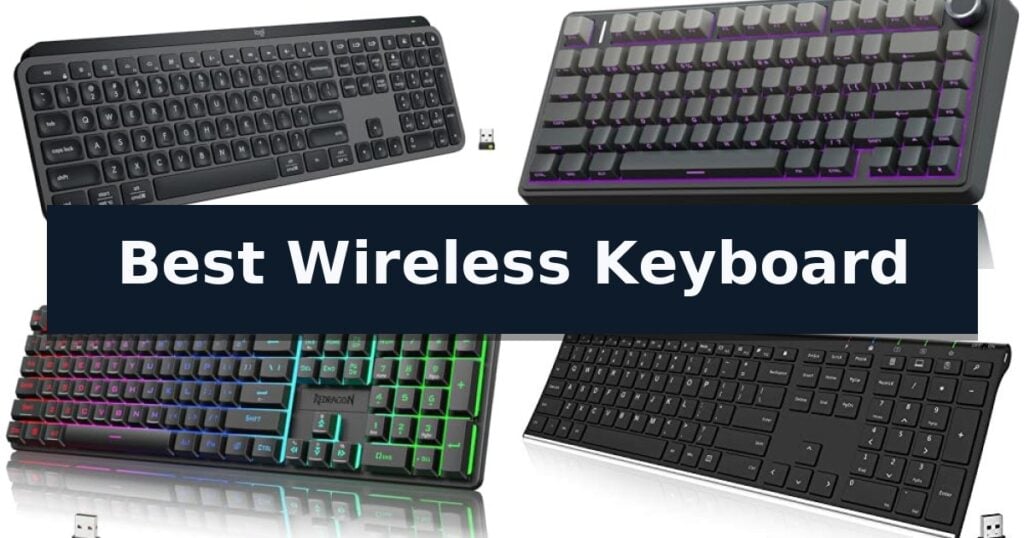
10 Best Wireless Keyboard in 2026 Reviews
Quick Comparison
| Product | Best For | Key Strength | Score |
|---|---|---|---|
| Logitech MX Keys S Wireless Keyboard | Best Overall | Spherically-dished keys provide a fluid and quiet typing experience. | 4.9 |
| AULA F75 Pro Mechanical Keyboard | Customizable Creamy Typing Feel | Tri-mode connectivity allows for easy switching between five devices. | 4.5 |
| Redragon K521KS Wireless Gaming Keyboard | Versatile Tri-Mode Connectivity | Tri-mode connectivity supports Bluetooth, 2.4GHz, and wired USB-C. | 4.3 |
| Arteck 2.4G Wireless Keyboard | Ultra-Slim Stainless Steel Build | Long-lasting battery life of up to 6 months on a single charge. | 4.7 |
| Logitech Signature K650 Wireless Keyboard | Deep-Cushioned Comfort Focus | Integrated soft-touch palm rest for enhanced typing comfort. | 4.5 |
| Logitech K400 Plus Touch Keyboard | Integrated Touchpad for TV | Integrated touchpad eliminates the need for a separate mouse. | 4.3 |
| Logitech K250 Bluetooth Keyboard | Compact Bluetooth-Only Design | Bluetooth wireless connectivity eliminates the need for USB receivers. | 4.8 |
| HP 230 Wireless Keyboard | Low-Profile Quiet Productivity | Quiet, low-profile chiclet keys for comfortable and unobtrusive typing. | 4.5 |
| QUASIO Wireless Keyboard | Built-in Ergonomic Palm Rest | Integrated palm rest for improved ergonomic comfort. | 4.5 |
| Soueto RGB Wireless Keyboard | Convenient Built-in Device Holder | Integrated 8.7-inch device holder for tablets and phones. | 4.3 |
How We Chose
When evaluating the best wireless keyboard for professional or personal use, we focus on the tactile feedback of the keys and the reliability of the wireless connection. An experienced reviewer prioritizes how these devices integrate into a multi-device workflow, examining battery longevity and ergonomic design to ensure long-term comfort during extended typing sessions.
- Typing feel and key switch responsiveness
- Connectivity options including Bluetooth and dedicated USB dongles
- Battery efficiency and rechargeability cycles
- Ergonomic features such as wrist support and key layout
- Build quality and material durability
1 Logitech MX Keys S Wireless Keyboard — Premium Fluid Typing Experience
The Logitech MX Keys S Wireless Keyboard distinguishes itself through a low-profile, laptop-like typing experience featuring spherically-dished keys designed to cradle your fingertips. This design choice prioritizes a fluid, precise, and quieter keystroke, making it a sophisticated tool for those who spend significant time at their desk.
Beyond its physical build, the keyboard integrates advanced software capabilities via the Logi Options+ app. Users can configure Smart Actions to automate repetitive workflows, executing multiple tasks with a single keystroke. The smarter illumination system is equally intuitive, as the backlit keys automatically adjust to ambient lighting conditions and activate as your hands approach the device.
Connectivity and ergonomics are central to its utility. The keyboard supports multi-device pairing for up to three systems across Windows, macOS, Linux, and Googlebook OS via Bluetooth Low Energy or the included Logi Bolt USB receiver. Its solid, low-profile construction provides an optimal typing angle, intended to support better wrist posture during extended sessions.
Power management is handled through a USB-C rechargeable battery, which offers up to 10 days of use with backlighting enabled, or up to 5 months when the lighting is turned off. Furthermore, the device incorporates sustainable materials, with the graphite model containing 26% certified post-consumer recycled plastic.
Best for: Professionals and power users who require a multi-device, customizable keyboard with a quiet, low-profile typing feel.
Skip if: Users who prefer the deep travel and tactile feedback of mechanical switches or those who require a full-sized numeric keypad layout in a more compact form factor.
- Spherically-dished keys provide a fluid and quiet typing experience.
- Smart Actions automation simplifies complex, repetitive workflows.
- Adaptive backlighting adjusts automatically based on hand proximity and environment.
- Multi-device connectivity allows seamless switching between three different operating systems.
- Battery life is significantly reduced when backlighting is utilized.
- Non-mechanical design may not satisfy users seeking traditional tactile switch feedback.
2 AULA F75 Pro Mechanical Keyboard — Customizable Creamy Typing Feel
The AULA F75 Pro Wireless Mechanical Keyboard distinguishes itself with a specialized internal architecture featuring an extended integrated silicone pad and PCB single key slotting, which work together to minimize cavity noise and provide a soft, elastic typing feel. This 75% layout keyboard is engineered for users who prioritize desk space without sacrificing essential navigation keys.
Connectivity is a primary focus, offering a tri-mode connection system that supports Bluetooth 5.0, 2.4GHz wireless, and USB-C wired modes. The device can maintain connections with up to five devices simultaneously, allowing for seamless switching via dedicated shortcuts. Powering these features is a 4000mAh large-capacity battery, designed to support extended usage periods.
Customization is central to the design, featuring a hot-swappable base that accommodates 3-pin or 5-pin switches, enabling users to modify their typing experience without soldering. The board arrives with pre-lubricated stabilizers and LEOBOG reaper switches, which are complemented by side-printed PBT keycaps that utilize double injection molding and heat sublimation for enhanced durability and a distinct aesthetic.
For control and atmosphere, the keyboard includes a multi-function knob that toggles between gaming and office modes, allowing for adjustments to volume, media playback, or lighting brightness. The integrated 16.8 million RGB lighting system offers 16 pre-set effects and 10 music-reactive modes, all of which can be managed via the included driver software for macro programming and key customization.
Best for: Users seeking a compact, hot-swappable mechanical keyboard with versatile wireless connectivity and advanced acoustic dampening.
Skip if: Users who require a full-sized keyboard layout with a dedicated number pad for data entry tasks.
- Tri-mode connectivity allows for easy switching between five devices.
- Hot-swappable PCB supports easy switch customization for 3-pin or 5-pin variants.
- Advanced acoustic dampening with five layers of filling silencer reduces cavity noise.
- Multi-function knob provides intuitive control over media and lighting settings.
- 75% compact layout lacks a dedicated number pad.
- Six-month warranty period is relatively short compared to some premium peripherals.
3 Redragon K521KS Wireless Gaming Keyboard — Versatile Tri-Mode Connectivity
The Redragon K521KS Wireless Gaming Keyboard offers a highly adaptable input experience by utilizing tri-mode connectivity, which allows users to seamlessly toggle between Bluetooth, 2.4GHz wireless, and USB-C wired connections. This versatility is particularly useful for those managing multiple workstations, as the device supports simultaneous connection to up to five different devices. By providing these varied connection paths, the keyboard ensures consistent performance whether you are prioritizing a clutter-free wireless desk or the low-latency reliability of a direct wired link.
Power management is a core strength of this model, featuring a high-capacity 4000mAh rechargeable battery. This substantial capacity is designed to significantly reduce the frequency of charging sessions, allowing for extended periods of uninterrupted use. For productivity and gaming efficiency, the keyboard includes 12 dedicated multimedia keys, which streamline navigation and media control without requiring complex software shortcuts or menu diving.
Customization remains a primary focus, with the keyboard offering 8 RGB backlighting modes and 7 monochrome colors. These visual settings, including brightness and breathing effects, can be further refined through the manufacturer's software. This software also serves as a hub for deeper personalization, enabling users to remap keys and configure macros to suit specific workflows or gaming requirements. The ability to tailor the hardware to individual preferences makes it a flexible tool for diverse computing tasks.
Performance is supported by 25-key anti-ghosting technology, which ensures that complex key combinations are registered accurately during intense gameplay. The keys are engineered to provide a mechanical-like feel, delivering tactile feedback that facilitates rapid input and precise command execution. While this mechanical-feeling design offers a distinct tactile response, it serves as a practical trade-off for users who prefer a responsive typing experience without the specific actuation force or acoustic profile associated with genuine mechanical switches.
Best for: Users who require a multi-device, wireless setup with customizable RGB lighting and macro support for gaming or productivity.
Skip if: Users who strictly prefer the specific actuation force and sound profile of genuine mechanical switches, as this model uses a mechanical-feeling design.
- Tri-mode connectivity supports Bluetooth, 2.4GHz, and wired USB-C.
- Large 4000mAh battery capacity for extended wireless use.
- Fully programmable software for custom macros and RGB lighting.
- 25-key anti-ghosting for accurate input during gaming.
- Mechanical-feeling keys may not replicate the exact experience of dedicated mechanical switches.
4 Arteck 2.4G Wireless Keyboard — Ultra-Slim Stainless Steel Build
The Arteck 2.4G Wireless Keyboard prioritizes a streamlined workspace by utilizing a durable stainless steel construction that provides a heavy-duty feel while maintaining an ultra-slim profile. This full-size keyboard integrates a numeric keypad and dedicated shortcut keys, ensuring that functionality is not sacrificed for its compact 16.9-inch length and lightweight 14.9-ounce design.
Connectivity is managed via a simple plug-and-play setup using a nano USB receiver, which facilitates an immediate connection to your computer or laptop. The device features low-profile keys engineered for quiet and comfortable typing, making it suitable for environments where noise reduction is a priority. Its versatile compatibility extends across various operating systems, including Windows 10, 8, and 7, as well as smart TVs.
Power management is a core feature of this model, which includes a built-in rechargeable lithium battery. According to the manufacturer, this battery offers an industry-high capacity capable of lasting up to 6 months on a single charge, assuming a usage pattern of 2 hours per day. The package includes the necessary USB charging cable to maintain the battery, alongside the nano receiver and a 24-month warranty.
This keyboard balances portability with a full-sized layout, offering a practical solution for users who require a reliable input device without the clutter of wired connections. The combination of its stainless steel build and rechargeable power system positions it as a functional tool for both desktop and mobile computing setups.
Best for: Users seeking a slim, rechargeable, full-size wireless keyboard with a durable stainless steel build for office or home computing.
Skip if: Users who require Bluetooth connectivity or a mechanical key switch feel will find this 2.4GHz USB-only model insufficient for their needs.
- Long-lasting battery life of up to 6 months on a single charge.
- Durable stainless steel construction provides a premium, heavy-duty feel.
- Low-profile, quiet keys designed for comfortable and unobtrusive typing.
- Full-size layout including a numeric keypad in a compact, ultra-thin frame.
- USB receiver dependency means it lacks Bluetooth connectivity for devices without a standard USB-A port.
- Non-mechanical key switches may not satisfy users who prefer tactile, high-travel typing feedback.
5 Logitech Signature K650 Wireless Keyboard — Deep-Cushioned Comfort Focus
The Logitech Signature K650 Wireless Keyboard prioritizes long-term typing comfort through its integrated soft-touch palm rest and deep-cushioned keys. Designed for those who spend extended periods at their desk, this full-size layout includes a dedicated number pad and a suite of shortcut keys for efficient navigation, including controls for mic mute, screenshot, and web browser access.
Connectivity is handled through dual-mode wireless technology, allowing users to pair via BLE (Bluetooth Low Energy) or the included Logi Bolt USB receiver. This flexibility ensures compatibility across a wide range of platforms, including Windows, macOS, Chrome OS, Linux, iPadOS, iOS, and Android. The hardware is built with sustainability in mind, incorporating certified post-consumer recycled plastic—28% in the Graphite model.
Maintenance is straightforward due to the spill-resistant design, which simplifies cleaning. The device is engineered for longevity, boasting a battery life of up to 36 months, though actual performance depends on specific usage conditions. For users seeking a unified workspace, the keyboard can be paired with the M650 mouse and further customized using the Logi Options+ Software on supported operating systems.
While the keyboard offers a robust feature set for productivity, users should note that the integrated palm rest is fixed, which may influence desk space requirements given its 18-inch length. The Logitech Signature K650 Wireless Keyboard provides a reliable, plug-and-play experience for multi-device environments, backed by a 1-year limited hardware warranty.
Best for: Users seeking a full-size, comfortable keyboard with integrated wrist support and multi-platform wireless connectivity for office or home productivity.
Skip if: Users who require a compact or tenkeyless design for limited desk space or those who prefer mechanical switches over deep-cushioned membrane keys.
- Integrated soft-touch palm rest for enhanced typing comfort.
- Dual-mode wireless connectivity via Bluetooth or Logi Bolt receiver.
- Spill-resistant design for easier maintenance and durability.
- Extended battery life rated for up to 36 months.
- Fixed palm rest increases the overall footprint, which may not suit smaller workstations.
6 Logitech K400 Plus Touch Keyboard — Integrated Touchpad for TV
The Logitech K400 Plus Wireless Touch TV Keyboard streamlines home entertainment by integrating a built-in touchpad directly into the keyboard layout, removing the need for a separate mouse when navigating PC-to-TV setups. This compact device is designed for laid-back use, offering a wireless range of up to 33 feet via a plug-and-play USB Unifying receiver.
Engineered for durability and longevity, the keyboard features a spill-resistant design and keys built to withstand regular use. It is highly power-efficient, boasting a battery life of up to 18 months, and includes a dedicated on/off switch to conserve energy when the device is not in use.
Compatibility is broad, supporting Windows 7 and later, Android 7 or later, and Chrome OS. Users can further customize their experience by adjusting controls through the Logitech Options Software, ensuring the navigation and media keys align with personal preferences for a seamless HTPC experience.
While this model excels at media control and basic navigation, those requiring advanced features like illuminated keys or multi-device Bluetooth connectivity may consider the Logitech K830 as an alternative. The Logitech K400 Plus Wireless Touch TV Keyboard remains a practical, carbon-neutral choice for users seeking a reliable, all-in-one interface for their living room media systems.
Best for: Users who need a compact, all-in-one keyboard and touchpad solution for controlling PC-to-TV media setups from a distance.
Skip if: Users who require backlit keys for low-light environments or those who prefer Bluetooth connectivity over a USB receiver.
- Integrated touchpad eliminates the need for a separate mouse.
- Long battery life of up to 18 months.
- 33-foot wireless range provides flexible control from across the room.
- Spill-resistant design adds durability for living room use.
- Lacks backlighting for use in dark rooms.
- USB receiver required as it does not support native Bluetooth connectivity.
7 Logitech K250 Bluetooth Keyboard — Compact Bluetooth-Only Design
A clutter-free workspace often begins with eliminating unnecessary cables, and the Logitech K250 Compact Wireless Bluetooth Keyboard achieves this by utilizing fast, easy Bluetooth wireless technology. By removing the need for a USB dongle, this keyboard connects directly to your computer, freeing up valuable ports while maintaining a clean aesthetic.
Despite its space-saving compact layout, the keyboard retains a full number pad, arrow keys, and dedicated F-key shortcuts, ensuring that productivity is not sacrificed for size. The deep-profile keys are engineered for responsive typing, complemented by an adjustable tilt-leg design that allows users to customize the typing angle for improved comfort during extended sessions.
Durability is a core focus of the design, featuring a spill-resistant construction that helps protect against minor accidents. The device is built with a commitment to sustainability, as the plastic components consist of a minimum 64% recycled plastic. Furthermore, the unit is designed for longevity, offering up to 12 months of battery life under daily use conditions.
Compatibility is straightforward, as the Logitech K250 Compact Wireless Bluetooth Keyboard is designed to work seamlessly with both Windows and MacOS environments. Its reliable connection and robust build quality make it a practical choice for users seeking a dependable, low-maintenance peripheral for their daily computing tasks.
Best for: Users who need a compact, cable-free keyboard that retains a full number pad for efficient data entry.
Skip if: Users who require a wired connection for specific low-latency environments or those who prefer a full-sized, non-compact keyboard layout.
- Bluetooth wireless connectivity eliminates the need for USB receivers.
- Compact layout includes a full number pad and dedicated shortcuts.
- Spill-resistant design adds a layer of protection against accidental liquid exposure.
- 12-month battery life reduces the frequency of maintenance.
- Bluetooth-only connection means it cannot be used with devices lacking Bluetooth capability.
- Compact footprint may feel crowded compared to traditional full-sized keyboards.
8 HP 230 Wireless Keyboard — Low-Profile Quiet Productivity
Maintaining a clutter-free workspace often begins with the input devices you choose, and the HP 230 Wireless Keyboard offers a streamlined solution for those looking to minimize cable management. This full-sized keyboard features a low-profile, chiclet-style key design that prioritizes quiet operation, making it suitable for shared office environments or home setups where noise reduction is a priority.
Beyond its physical design, the keyboard integrates a dedicated numeric keypad and 12 shortcut keys, providing quick access to essential functions without requiring complex software configurations. The wireless connectivity ensures a clean desk aesthetic while maintaining reliable input, allowing for flexibility in placement whether you are working from a desktop or a laptop.
Efficiency is further supported by the device's power management, which is rated for up to 16 months of battery life using two standard AAA batteries. This longevity reduces the frequency of maintenance, allowing for consistent use over extended periods without the constant need for replacements.
Measuring 17.32 inches in length, the HP 230 Wireless Keyboard provides a standard layout that accommodates users who require a full set of keys for data entry or general productivity tasks. Its cordless, battery-powered construction enhances portability, enabling users to move the device easily between different workstations or storage locations as needed.
Best for: Users who require a quiet, full-sized keyboard with a numeric keypad and want to eliminate cable clutter on their desk.
Skip if: Users who prefer mechanical switches, backlighting, or a compact tenkeyless form factor for gaming or specialized typing needs.
- Quiet, low-profile chiclet keys for comfortable and unobtrusive typing.
- Long battery life lasting up to 16 months on two AAA batteries.
- Integrated numeric keypad and 12 dedicated shortcut keys for enhanced productivity.
- Wireless connectivity to reduce desk clutter and improve workspace organization.
- Standard membrane design may not satisfy users seeking mechanical tactile feedback.
9 QUASIO Wireless Keyboard — Built-in Ergonomic Palm Rest
Maintaining a comfortable posture during long typing sessions is essential for productivity, and the QUASIO Wireless Keyboard addresses this with an integrated palm rest and an adjustable folding stand. By providing an ergonomic slope, this keyboard helps reduce wrist strain while ensuring the device remains stable on your desk thanks to its built-in anti-slide pads.
Connectivity is handled via a Plug & Play 2.4 GHz wireless receiver, which offers a reliable connection range of up to 33 feet. The receiver is conveniently stored within the battery compartment, ensuring it stays protected when not in use. This full-sized 104-key layout includes a dedicated number pad and status indicators for Number Lock, Caps Lock, and power, providing a familiar experience for data entry and general computing.
To maximize battery longevity, the device features a Smart Power Saving Function. If the keyboard remains idle for more than 30 minutes, it automatically enters sleep mode. Waking the device is straightforward, requiring only a single key press to resume operation. This efficiency-focused design ensures the keyboard is ready when needed without constant battery management.
The QUASIO Wireless Keyboard is designed for broad compatibility, functioning seamlessly with Windows, Mac, and other operating systems commonly found on laptops, desktops, and Chromebooks. With a 12-month warranty included, this peripheral offers a straightforward, ergonomic solution for users seeking a reliable, full-sized wireless typing experience.
Best for: Users who require a full-sized, ergonomic keyboard with a dedicated number pad and wrist support for extended typing tasks.
Skip if: Users who prefer a compact, tenkeyless layout or those who require Bluetooth connectivity instead of a 2.4 GHz USB receiver.
- Integrated palm rest for improved ergonomic comfort.
- Smart power saving mode extends battery life automatically.
- Plug & Play 2.4 GHz wireless connection for reliable performance.
- Full-sized 104-key layout with dedicated number pad.
- USB receiver required, which occupies a port on your computer.
10 Soueto RGB Wireless Keyboard — Convenient Built-in Device Holder
Managing a workspace often involves balancing multiple devices, and the Soueto RGB Wireless Keyboard addresses this by integrating an 8.7-inch device holder directly into its frame. This design choice allows users to dock a smartphone or tablet alongside their computer, keeping the desk surface uncluttered while maintaining visibility of mobile notifications.
The keyboard utilizes 2.4G wireless RF technology to maintain a stable connection via a single USB dongle, eliminating the need for complex pairing routines in most environments. It features a full-size layout equipped with dedicated multimedia and shortcut keys, which are intended to streamline navigation and improve daily work efficiency.
For those who prefer a specific visual aesthetic, the unit offers 7-color RGB backlighting with four distinct modes and adjustable brightness levels. The keys are engineered for tactile, quiet typing, aiming to provide a responsive feel without the noise often associated with mechanical alternatives.
Power is managed through a built-in 1500mAh rechargeable battery, which removes the dependency on disposable batteries. The manufacturer includes a 12-month warranty to support the hardware, and they provide specific troubleshooting steps for pairing or backlight activation, such as ensuring the receiver is plugged in before powering on the device.
Best for: Users who need a dedicated space to dock mobile devices while maintaining a full-size, backlit typing experience.
Skip if: Users who require Bluetooth connectivity or a compact, tenkeyless form factor for travel.
- Integrated 8.7-inch device holder for tablets and phones.
- Rechargeable 1500mAh battery eliminates disposable battery waste.
- Customizable 7-color RGB backlighting with adjustable brightness.
- Quiet, tactile keystrokes designed for efficient typing.
- Requires a USB dongle for 2.4G wireless connectivity.
- Backlight function requires an active connection to a computer to remain illuminated.
Best Wireless Keyboard Buying Guide
Connectivity and Multi-Device Support
Modern wireless keyboards often provide multiple ways to connect, including Bluetooth and proprietary 2.4GHz USB receivers. Bluetooth is ideal for tablets and laptops where USB ports are limited, while a dedicated receiver often offers a more stable, lag-free connection for desktop environments.
If you work across multiple computers, look for keyboards that allow you to pair with three or more devices simultaneously. The ability to switch between a PC, tablet, and phone with a single keystroke significantly streamlines your workflow and reduces desk clutter.
Ergonomics and Typing Comfort
The physical design of a keyboard, including its angle and key profile, directly impacts your wrist posture and comfort over time. Low-profile keys, similar to those found on laptops, are often preferred for speed, while deep-cushioned keys provide a more traditional, tactile feel.
Integrated palm rests or adjustable tilt legs are essential for users who spend hours typing each day. These features help maintain a neutral wrist position, reducing strain and allowing for longer, more comfortable work sessions.
Battery Life and Power Management
Wireless keyboards rely on either internal rechargeable batteries or replaceable cells. Rechargeable models are generally more convenient and eco-friendly, often charging via USB-C, though they require occasional downtime when the power runs low.
Battery life varies significantly based on usage patterns and features like backlighting. Keyboards with proximity sensors that turn lights on only when your hands approach can extend battery life by weeks or even months compared to models with constant illumination.
Layout and Specialized Features
Full-sized keyboards include a dedicated number pad, which is indispensable for accounting or data-heavy tasks. Conversely, compact 75% or tenkeyless layouts save valuable desk space and are easier to transport for hybrid workers.
Some keyboards include specialized features like built-in touchpads for controlling media on a TV or integrated device holders for tablets and phones. Choose a layout that matches your primary use case rather than one that simply offers the most keys.
Build Quality and Sustainability
A solid, well-constructed keyboard should not flex or slide during use. Materials like brushed aluminum or high-quality reinforced plastics provide a premium feel and ensure the device can withstand the rigors of daily typing.
Many manufacturers now incorporate post-consumer recycled plastics into their designs. Checking for these sustainable materials allows you to make an environmentally conscious choice without compromising on the performance or longevity of your hardware.
Frequently Asked Questions
How do I know if a keyboard is compatible with my operating system?
Most modern wireless keyboards are designed to be platform-agnostic, supporting Windows, macOS, ChromeOS, and Linux. Always check the product specifications to ensure your specific OS is listed, especially if you require special function keys.
Is a mechanical keyboard better than a membrane keyboard?
It depends on your preference. Mechanical keyboards offer distinct tactile feedback and are often preferred by gamers and typists, while membrane or scissor-switch keyboards are typically quieter and lower-profile, making them better for office environments.
Do I need a USB receiver if my computer has Bluetooth?
No, you can connect via Bluetooth. However, a USB receiver is often recommended if your computer's Bluetooth connection is unstable or if you want a plug-and-play experience that works before the operating system fully loads.
How often will I need to charge a rechargeable wireless keyboard?
This varies by model and usage. Some high-end keyboards can last up to 10 days with backlighting enabled, or several months with the backlight turned off. Always check the manufacturer's battery life estimates based on your expected usage.
Can I use a wireless keyboard for gaming?
Yes, many modern wireless keyboards offer low-latency connections via 2.4GHz receivers that are indistinguishable from wired performance. Ensure the model you choose supports this connection type for the best gaming experience.
Conclusion: Our Top Pick
Our top pick is Logitech MX Keys S Wireless Keyboard. Choosing the right wireless keyboard depends on balancing your need for comfort, connectivity, and specific layout features. By prioritizing the factors that matter most to your daily tasks, you can find a reliable tool that enhances your productivity.
Consider your workspace constraints and device ecosystem before making a final decision. With the variety of options available, there is a solution that fits your specific requirements, whether you need a portable compact board or a full-sized, feature-rich workstation companion.