Elgato Wave XLR MK.2 Audio Interface is our top choice for the Best XLR Audio Interface for Streaming because it integrates seamlessly with Stream Deck for intuitive, tactile control. The Focusrite Scarlett Solo 3rd Gen Interface serves as a reliable industry standard for those prioritizing vocal clarity and clean preamps. For creators needing high-gain support for dynamic microphones without external boosters, the MAONO P1 USB Audio Interface offers a powerful, specialized solution.
Selecting an audio interface for live broadcasting requires balancing hardware performance with software flexibility. While raw audio quality is essential, the ability to route desktop audio, manage gain levels on the fly, and monitor your voice without latency often determines the success of a stream. We prioritize devices that offer stable drivers and intuitive physical controls that do not distract from the broadcast.
If you are building a dedicated setup, our guide on the Best XLR Audio Interface for Gaming provides additional insights into hardware that prioritizes low latency and surround sound features.
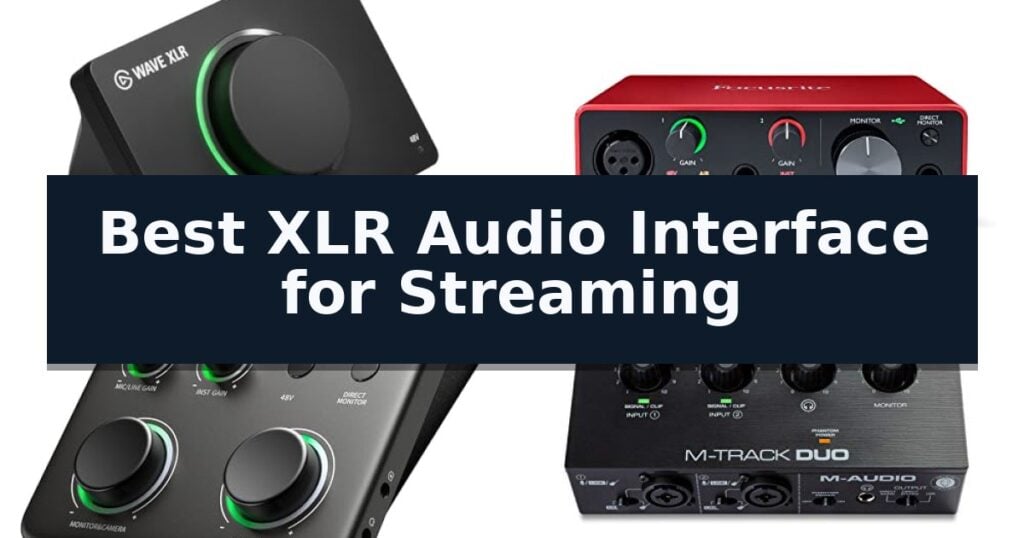
10 Best XLR Audio Interface for Streaming in 2026 Reviews
Quick Comparison
| Product | Best For | Key Strength | Score |
|---|---|---|---|
| Elgato Wave XLR MK.2 Audio Interface | Best Overall | 80dB of gain provides sufficient headroom for virtually any XLR microphone. | 4.9 |
| Focusrite Scarlett Solo 3rd Gen Interface | Industry Standard for Vocal Clarity | High-performance mic preamp with switchable Air mode for enhanced clarity | 4.5 |
| MAONO P1 USB Audio Interface | High Gain for Dynamic Mics | 70dB of gain eliminates the need for external microphone boosters. | 4.9 |
| M-AUDIO M-Track Duo Audio Interface | Dual Input for Co-host Streams | Dual combo inputs allow for simultaneous microphone and instrument recording. | 4.4 |
| FIFINE Ampligame SC3 Audio Mixer | Budget Pick with RGB Control | Built-in 48V phantom power for condenser microphones. | 4.9 |
| Audio-Technica AT-UMX3 Audio Mixer | Compact Desktop Streaming Solution | High-resolution 24-bit/192 kHz A/D conversion for professional sound quality. | 4.5 |
| Zoom AMS-22 USB Audio Interface | Simplest Mode Switching for Streaming | Hardware-based Streaming mode simplifies signal routing for live broadcasts. | 4.5 |
| MAONO PS22 Lite Audio Interface | Intuitive Routing for Beginners | Compact, ergonomic design with a helpful dynamic light ring for input monitoring. | 4.9 |
| BOMGE 22M USB Audio Interface | Essential Features at Low Cost | Driver-free installation for immediate setup on Mac and Windows. | 4.5 |
| FIFINE SC8 Gaming Audio Mixer | Surround Sound for Immersive Gaming | 48V phantom power supports professional-grade XLR microphones with adjustable gain. | 4.7 |
How We Chose
When evaluating the best XLR audio interface for streaming, we focus on how these devices handle the unique demands of live production. An effective interface must provide clean, high-headroom gain for various microphone types while offering software-level routing that simplifies the management of game audio, music, and voice tracks for a polished final output.
- Gain range and compatibility with dynamic microphones
- Software routing capabilities for multi-channel audio
- Latency performance during real-time monitoring
- Physical control layout and accessibility
- Compatibility with streaming software and OS drivers
1 Elgato Wave XLR MK.2 Audio Interface — Best for Stream Deck Integration
Achieving professional-grade audio for your broadcast requires hardware that balances raw power with intuitive software control. The Elgato Wave XLR MK.2 Audio Interface distinguishes itself by providing a massive 80dB of gain, ensuring that even demanding dynamic microphones receive clean, clear amplification without the need for external signal boosters.
Beyond its raw power, the interface integrates directly into your streaming workflow through the Wave Link app. This software allows for precise routing, effects management, and monitoring, effectively turning the hardware into a comprehensive DSP mixer. Users can leverage the Wave FX Processor to apply built-in voice enhancement, compression, and EQ directly within the signal chain, offloading processing tasks from the host computer.
The physical design emphasizes tactile efficiency during live sessions. It features touch-sensitive controls for instant muting and level adjustments, paired with customizable LED level feedback that provides immediate visual status updates. This allows streamers to monitor their audio levels at a glance without navigating complex software menus.
With ultra-low-latency monitoring at 24bit, 48kHz resolution, the device ensures that what you hear in your headphones is perfectly synchronized with your broadcast. Its native integration with the Stream Deck ecosystem further streamlines the experience, allowing for seamless control over audio routing and effects switching during active streams.
Best for: Streamers who prioritize deep software integration and require high-gain amplification for professional XLR microphones.
Skip if: Users who require multiple XLR inputs for multi-person recording or those who prefer a purely analog interface without software-dependent features.
- 80dB of gain provides sufficient headroom for virtually any XLR microphone.
- Wave Link app integration enables powerful, centralized audio routing and DSP control.
- Touch-sensitive interface with LED feedback allows for quick, intuitive adjustments.
- Stream Deck compatibility offers advanced hardware-based control over audio settings.
- Single XLR input limits the device to solo streaming setups.
- Software-dependent functionality requires the Wave Link app for full feature access.
2 Focusrite Scarlett Solo 3rd Gen Interface — Industry Standard for Vocal Clarity
Achieving professional-grade audio for your streams requires a reliable foundation, and the Focusrite Scarlett Solo 3rd Gen Interface serves as a compact, high-performance solution for creators. This unit centers on a high-performing XLR mic preamp that delivers clean, studio-quality sound, ensuring your voice remains the focal point of your broadcast.
The interface features a switchable Air mode, which adds a distinct clarity to your recordings, particularly useful for acoustic instruments or enhancing vocal presence. With high-performance converters supporting up to 24-bit/192kHz resolution, you can capture and mix audio with high fidelity, retaining the sonic nuances of your performance.
Usability is enhanced by the inclusion of Gain Halos, which provide visual feedback to help you monitor levels and prevent unwanted clipping or distortion during live sessions. The device also includes a dedicated Hi-Z instrument input, allowing you to plug in a guitar or bass directly for seamless integration into your streaming setup.
Designed for versatility, the interface includes two low-noise balanced outputs for clear playback and a headphone output for private monitoring. It comes bundled with a comprehensive software suite, including Pro Tools Intro, Ableton Live Lite, and the Hitmaker Expansion, providing the necessary tools to start producing professional content immediately.
Best for: Solo streamers and podcasters who need a compact, high-fidelity interface with a dedicated XLR input and professional-grade preamps.
Skip if: Users who require multiple XLR microphone inputs for group streaming or multi-person podcasting will need an interface with more than one preamp.
- High-performance mic preamp with switchable Air mode for enhanced clarity
- Gain Halos for easy visual monitoring of input levels
- 24-bit/192kHz high-resolution audio conversion
- Includes a comprehensive software suite for immediate recording and mastering
- Three-year warranty provided for hardware protection
- Single XLR input limits the device to solo recording setups
- Requires a computer connection for operation
3 MAONO P1 USB Audio Interface — High Gain for Dynamic Mics
Achieving professional-grade audio capture for streaming often requires significant gain, and the MAONO P1 USB Audio Interface addresses this with an impressive 70dB of gain. This high-gain capability allows creators to drive power-hungry dynamic microphones directly without the need for external boosters, ensuring a cleaner signal path for podcasts, voice-overs, and live commentary.
Designed for versatility, the interface features a hybrid computer and mobile workflow that enables seamless transitions between PC, Mac, and mobile devices. With dual USB connectivity, you can record or stream to an iPhone, iPad, or Android device as easily as a desktop computer. The unit captures audio in 24-bit/192kHz detail, providing the high-fidelity headroom necessary for professional content creation.
The MAONO P1 USB Audio Interface simplifies complex routing through its ProStudio2 software. This allows users to route audio from browsers, Spotify, or streaming applications into dedicated channels, while built-in loopback functionality captures desktop audio and your voice simultaneously. Integrated VST effects and real-time noise reduction further refine your sound before it ever hits your stream.
Built for the modern creator desk, the device features a compact, angled layout that keeps essential controls within reach. The rugged metal housing provides durability for daily use, while front-facing headphone access and independent monitor controls allow for quick adjustments. With direct monitoring to eliminate latency, this interface offers a practical, focused solution for solo creators looking to streamline their recording setup.
Best for: Solo creators and streamers who need high-gain support for dynamic microphones and a flexible workflow between desktop and mobile devices.
Skip if: Users requiring a multi-input interface for full-band sessions or large-scale podcasting will find the single-input design of this unit too restrictive.
- 70dB of gain eliminates the need for external microphone boosters.
- Hybrid connectivity supports seamless recording on both desktop and mobile platforms.
- ProStudio2 software enables simplified audio routing and VST effects.
- 24-bit/192kHz resolution ensures studio-quality audio capture.
- Single XLR input limits the interface to solo recording or basic instrument tracking.
- Compact design is not intended for multi-person podcasting or full-band sessions.
4 M-AUDIO M-Track Duo Audio Interface — Dual Input for Co-host Streams
Achieving professional-grade audio for your broadcast requires a reliable foundation, and the M-AUDIO M-Track Duo USB Audio Interface provides a compact, dual-input solution designed to handle vocals, instruments, and line-level signals simultaneously. This unit is built to support creators who need a straightforward, portable interface for podcasting, live streaming, and home recording.
At the core of its performance are the Crystal Preamps, which are engineered to deliver transparent, high-quality signal capture for a variety of microphones, including condenser models that require 48V phantom power. The interface supports 48kHz audio resolution, ensuring your stream maintains clarity throughout your session.
Usability is prioritized through a flexible monitoring system that includes a 1/4" headphone output and dedicated stereo outputs. A key feature for streamers is the USB/Direct switch, which allows for zero-latency monitoring, ensuring you hear exactly what you are broadcasting without distracting delays.
The M-AUDIO M-Track Duo USB Audio Interface is designed for versatility, featuring two combo XLR/Line/Instrument inputs. This dual-input configuration is particularly effective for co-hosted streams or setups requiring a microphone and a secondary instrument input. The package also includes the MPC Beats Software suite to provide essential production tools for your recording workflow.
Best for: Streamers and podcasters who need a portable, dual-input interface for simultaneous voice and instrument recording.
Skip if: Users requiring high-resolution recording above 48kHz or those who need more than two simultaneous input channels.
- Dual combo inputs allow for simultaneous microphone and instrument recording.
- Zero-latency monitoring via the USB/Direct switch.
- Transparent Crystal Preamps support a wide range of microphones.
- Includes MPC Beats software for immediate production capability.
- Limited to 48kHz maximum audio resolution.
- Two-input limit may restrict complex multi-person setups.
5 FIFINE Ampligame SC3 Audio Mixer — Budget Pick with RGB Control
The FIFINE Ampligame SC3 Audio Mixer integrates a dedicated XLR microphone input with 48V phantom power, providing a direct upgrade path for streamers looking to move beyond USB-based audio setups. This compact interface is designed to centralize your broadcast controls, allowing for physical adjustments that bypass the need to navigate complex software menus during a live session.
Equipped with individual channel control, the mixer features smooth volume slider faders for the microphone, line-in, headphone, and line-out channels. This level of granular control ensures that you can balance game audio, music, and vocal levels in real-time. The unit also includes a mute button and a monitoring jack, which provides immediate audio feedback to help maintain consistent vocal levels without distraction.
For content creators looking to add personality to their streams, the device offers six voice-changing modes and 12 auto-tune effects. These are complemented by four customizable, pre-recorded sound effect buttons that can be triggered instantly. The aesthetic is rounded out by controllable vibrant RGB lighting, which features both flowing and frozen color modes to match your streaming setup's theme.
The FIFINE Ampligame SC3 Audio Mixer is a plug-and-play solution compatible with both Windows and Mac OS. It supports dual-PC setups and provides a versatile array of input and output interfaces, including a dedicated headset port. While the unit is designed for ease of use, users should note that an XLR cable is not included and a shielded cable is recommended to maintain signal integrity.
Best for: Streamers and podcasters who want an affordable, all-in-one XLR interface with built-in sound effects and RGB lighting.
Skip if: Users who require multiple XLR microphone inputs or advanced multi-track recording capabilities for professional studio production.
- Built-in 48V phantom power for condenser microphones.
- Individual volume sliders for precise channel mixing.
- Integrated voice-changing and auto-tune effects.
- Plug-and-play compatibility with Windows and Mac.
- XLR cable not included in the package.
- Limited to a single XLR microphone input.
6 Audio-Technica AT-UMX3 Audio Mixer — Compact Desktop Streaming Solution
The Audio-Technica AT-UMX3 Audio Mixer simplifies desktop audio production by integrating a high-performance A/D converter capable of 24-bit/192 kHz resolution. This compact device serves as a central hub for streamers and podcasters, offering a versatile XLR/6.3mm combo jack alongside two dedicated line inputs for instruments like guitars or keyboards.
Designed for immediate utility, the mixer features plug-and-play connectivity that bypasses the need for specialized drivers on computers or mobile devices. The inclusion of a loopback function is particularly useful for creators who need to mix microphone signals with background music or game audio, allowing the entire stereo mix to be routed back to the computer for seamless streaming.
Measuring just over five inches in length and weighing less than a pound, the unit maintains a minimal footprint on crowded desks. It provides essential control over audio levels while supporting 48V phantom power for condenser microphones. The interface connects via USB-C, ensuring compatibility with modern hardware setups.
While the mixer is highly capable for single-mic setups, users should note that it is designed with a single primary microphone input. This makes it an efficient choice for solo creators or those focusing on streamlined, high-fidelity audio capture without the complexity of multi-mic arrangements.
Best for: Solo streamers and podcasters who require a compact, high-resolution interface to mix microphone and instrument audio with computer sound.
Skip if: Users who require multiple XLR microphone inputs for group recording or multi-person podcasting will find this single-input device insufficient.
- High-resolution 24-bit/192 kHz A/D conversion for professional sound quality.
- Plug-and-play USB-C connectivity eliminates the need for complex driver installations.
- Integrated loopback functionality for easy mixing of system audio and mic inputs.
- Compact, space-saving design ideal for desktop environments.
- Single microphone input limits the device to solo recording or streaming setups.
7 Zoom AMS-22 USB Audio Interface — Simplest Mode Switching for Streaming
Streamlining your audio setup requires a device that balances input flexibility with ease of use. The Zoom AMS-22 USB Audio Interface distinguishes itself with a dedicated Streaming mode, which intelligently combines all connected inputs into a single signal for seamless broadcasting without needing complex routing software.
Designed for portability, this interface is bus-powered via a USB-C connection, eliminating the need for external power supplies. It features one XLR/TRS combo input equipped with Hi-Z capability for instruments, alongside a stereo 3.5mm input. This configuration provides a clean signal path for solo creators, whether you are recording vocals or capturing line-level audio from external gear.
The hardware-based controls prioritize efficiency during live sessions. You can toggle between Music mode for traditional DAW recording with individual gain control and Streaming mode with a single switch. Additionally, the Direct Monitor and Loopback switches allow for real-time signal monitoring and the integration of computer audio into your stream, all managed directly on the chassis.
Compatibility is broad, as the unit functions across Mac, PC, iOS, and Android platforms. It integrates with standard software suites like Pro Tools, Cubase, and GarageBand, as well as streaming platforms such as YouTube and Twitch. With its compact dimensions of approximately 6.1 by 5.6 inches, it serves as a practical solution for mobile setups where space and simplicity are paramount.
Best for: Solo streamers and mobile content creators who require a compact, bus-powered interface with hardware-based loopback and mode switching.
Skip if: Users who require multiple XLR microphone inputs or advanced multi-track recording capabilities beyond a single combo input.
- Hardware-based Streaming mode simplifies signal routing for live broadcasts.
- Bus-powered design via USB-C enhances portability for mobile setups.
- Integrated Loopback and Direct Monitor switches allow for immediate control without extra software.
- Compact footprint fits easily into small desk spaces or travel bags.
- Limited to a single XLR/TRS combo input, which may restrict multi-microphone setups.
8 MAONO PS22 Lite Audio Interface — Intuitive Routing for Beginners
The MAONO PS22 Lite Audio Interface distinguishes itself through its compact, palm-sized design that integrates a dynamic light ring to provide immediate visual feedback on sound input status. This interface is engineered for creators who require a portable yet capable solution for managing vocals, guitar inputs, and streaming audio without the clutter of larger hardware.
Equipped with a low-noise preamp providing up to 56 dB of gain and 48V phantom power, this unit supports both condenser and dynamic microphones. It delivers high-resolution audio at 24-bit/192kHz with a 106dB dynamic range, ensuring signal clarity for home studio recordings and live broadcasts. Musicians can utilize the dedicated instrument input to manage impedance and apply effects, making it a versatile tool for guitarists.
For streamers and influencers, the device includes ProStudio Routing Software that enables advanced control through virtual channels and loopback functionality. It is compatible with ASIO drivers to ensure low-latency output, which is essential for maintaining synchronization during live broadcasts. The interface also features a side-mounted headphone monitoring port to help reduce cable congestion on the desktop.
Designed for ease of use, the MAONO PS22 Lite Audio Interface offers a plug-and-play experience across Windows, Mac, and iPad platforms. It includes intuitive physical controls for switching between recording, live broadcast, and instrument modes. The package comes with a USB-A/USB-C to USB-C cable, providing the necessary connectivity to integrate with popular DAW software like Ableton Live, Avid Pro Tools, and Steinberg Cubase.
Best for: Beginner streamers and content creators who need a compact, portable interface with intuitive routing software for voice and instrument recording.
Skip if: Users who require more than one XLR microphone input or advanced hardware-based mixing controls beyond what the software routing provides.
- Compact, ergonomic design with a helpful dynamic light ring for input monitoring.
- High-resolution 24-bit/192kHz recording capability for clear audio capture.
- Includes ProStudio Routing Software with virtual channels and loopback for flexible streaming.
- Plug-and-play compatibility with PC, Mac, and iPad.
- Limited to a single XLR input, which may restrict multi-microphone setups.
- Requires specific MAONO (ASIO) driver selection within software settings for optimal performance.
9 BOMGE 22M USB Audio Interface — Essential Features at Low Cost
The BOMGE 22M USB Audio Interface serves as a streamlined, entry-level solution for creators who require a compact, plug-and-play device for streaming, podcasting, and home recording. By eliminating the need for external driver downloads on both Mac OS and Windows systems, it allows users to connect and begin capturing audio immediately, reducing the technical friction often associated with studio hardware setup.
Equipped with two combo XLR/MIC/LINE inputs, this interface provides the versatility to connect a wide range of sources, including condenser microphones and instruments like guitars. The inclusion of 48V phantom power ensures compatibility with professional-grade microphones that require external voltage. With an ultra-low noise design and 48 kHz audio resolution, the unit is engineered to maintain signal integrity during live broadcasts or vocal tracking sessions.
Monitoring flexibility is a core component of the BOMGE 22M USB Audio Interface, featuring dedicated 1/4-inch headphone and stereo outputs. A physical USB/Direct switch is integrated to enable zero-latency monitoring, a critical feature for performers who need to hear their input in real-time without the processing delays inherent in software-based monitoring paths.
Measuring approximately 5.1 by 4.7 inches, the device is built for portability, making it suitable for mobile recording rigs or tight desk setups. It also includes independent RCA stereo jacks, which allow for direct connection to powered monitors or external amplifiers. While it offers a robust foundation for basic production, its 48 kHz resolution represents a trade-off, as it may not satisfy the requirements of high-end professional applications that demand higher sample rates for complex multi-track mixing.
Best for: Beginners and mobile creators who need a simple, driver-free interface for basic XLR microphone and instrument recording.
Skip if: Users requiring high-fidelity multi-track recording or advanced digital signal processing features found in professional-grade interfaces.
- Driver-free installation for immediate setup on Mac and Windows.
- Zero-latency monitoring via a dedicated hardware switch.
- Dual combo inputs with switchable 48V phantom power.
- Ultra-compact footprint suitable for portable use.
- Limited to 48 kHz resolution, which may not meet the requirements of high-end professional studio applications.
10 FIFINE SC8 Gaming Audio Mixer — Surround Sound for Immersive Gaming
Achieving professional-grade audio control for your broadcast requires more than just a microphone; it demands a dedicated hub to manage your signal chain. The FIFINE SC8 Gaming Audio Mixer provides a comprehensive solution for streamers by integrating a 48V phantom power XLR port, allowing you to unlock studio-quality capture with high-sensitivity microphones.
Designed for tactical gaming environments, this mixer features a dedicated Game/Chat balance dial that lets you prioritize teammate communication or in-game audio cues on the fly. The integration of virtual 7.1 surround sound and three distinct EQ presets—Game, Music, and Movie—ensures that your audio profile is optimized for both competitive play and immersive media consumption.
Usability is at the core of the FIFINE SC8 Gaming Audio Mixer, which utilizes three smart knobs with push-mute functionality for rapid adjustments without the need to tab out of your game. Connectivity is equally versatile, featuring optical AUX input for consoles, 3.5mm auxiliary ports, and USB-C plug-and-play compatibility across PC, PS5, and mobile platforms.
Beyond core audio routing, the unit includes creative tools like an 8-voice changer and four customizable buttons for instant sound profile recall. The chassis is finished with synchronized RGB lighting that reacts to audio peaks, providing a visual indicator of your stream's output while maintaining a clean, professional aesthetic for your setup.
Best for: Streamers and gamers who need an all-in-one XLR interface with tactile mixing controls and built-in voice effects for multi-platform broadcasting.
Skip if: Users who rely exclusively on USB-connected microphones, as this mixer is designed specifically for XLR or 6.35mm input devices.
- 48V phantom power supports professional-grade XLR microphones with adjustable gain.
- Dedicated Game/Chat balance dial for precise audio prioritization during intense sessions.
- Multi-platform compatibility via USB-C, optical, and 3.5mm inputs.
- Customizable sound profiles and voice-changing effects for interactive streaming.
- Not compatible with USB microphones, limiting hardware choices to XLR or 6.35mm connections.
- XLR cable not included, requiring a separate purchase of a shielded cable for optimal fidelity.
Best XLR Audio Interface for Streaming Buying Guide
Understanding Gain Requirements
Dynamic microphones often require significant gain to reach professional volume levels. Interfaces with high gain ranges, such as those offering 70dB or more, ensure you can achieve a strong signal without introducing excessive noise or needing an external inline preamp.
Always verify the gain specifications of your chosen interface against your specific microphone. If you use a gain-hungry dynamic mic, prioritize models that explicitly state high-gain capabilities to avoid weak or noisy audio during your streams.
Software Routing and Virtual Channels
Modern streaming interfaces often include proprietary software that acts as a virtual mixer. This allows you to route different audio sources—like your game, browser, and microphone—into separate channels, giving you precise control over what your audience hears.
Look for interfaces that support loopback functionality. This feature is critical for streaming as it allows you to capture system audio and mix it with your microphone input, which is essential for sharing game sound or music with your viewers.
Latency and Monitoring
Ultra-low-latency monitoring is vital for streamers who need to hear themselves in real-time without distracting delays. Interfaces that offer direct monitoring switches allow you to bypass the computer's processing, providing an immediate feed of your voice through your headphones.
When choosing, consider whether the interface provides independent volume controls for your headphones and monitors. This flexibility ensures you can adjust your own listening levels without affecting the volume levels being sent to your stream.
Physical Controls and Workflow
During a live broadcast, you need to make adjustments quickly without tabbing out of your game or streaming software. Interfaces with physical knobs, faders, or touch-sensitive mute buttons provide a tactile advantage that keeps your workflow focused.
Consider the layout of the front panel. Having headphone jacks and gain controls easily accessible on the front of the unit is more practical for desktop setups than having these inputs located on the rear, which can lead to cable clutter.
Compatibility and Connectivity
Ensure the interface is compatible with your operating system and preferred streaming software. Most modern interfaces are plug-and-play, but some require specific drivers to unlock advanced routing features or low-latency performance.
Check the input types available on the device. While a single XLR input is sufficient for most solo streamers, those who plan to have a co-host or use multiple instruments should look for interfaces with dual combo inputs to accommodate more gear.
Frequently Asked Questions
Do I need an external preamp for my dynamic microphone?
It depends on the interface's maximum gain. If your interface provides 70dB or more of gain, you likely do not need an external preamp. If your interface has lower gain, you may need one to get a clean signal.
What is loopback and why is it important for streaming?
Loopback allows you to route computer audio, such as game sounds or music, back into your streaming software alongside your microphone. It is essential for creating a professional mix for your audience.
Can I use a condenser microphone with these interfaces?
Yes, all interfaces listed here support 48V phantom power, which is required to power condenser microphones. Ensure you enable the 48V switch on the device when using a condenser mic.
Is there a difference between USB-C and USB-A interfaces?
The connection type primarily affects compatibility with your computer. Most modern interfaces use USB-C for faster data transfer and power delivery, but they are generally backward compatible with USB-A using the correct cable.
Do I need to install drivers for these interfaces?
Many modern interfaces are plug-and-play, but installing the manufacturer's specific software is often required to access advanced features like virtual routing, EQ, and compressor settings.
Conclusion: Our Top Pick
Our top pick is Elgato Wave XLR MK.2 Audio Interface. Choosing the right audio interface depends on your specific streaming setup and the type of microphone you use. For those deeply integrated into the Elgato ecosystem, the Wave XLR MK.2 offers unparalleled control, while the Focusrite Scarlett Solo remains a reliable choice for pure audio quality.
Regardless of your choice, prioritize interfaces that offer sufficient gain for your microphone and software that simplifies your routing needs. A well-chosen interface will serve as the backbone of your streaming audio, ensuring your voice remains clear and professional throughout every broadcast.