Dell S2425HSM Monitor is our top choice for the Best Multimedia Computer Monitors, offering a balanced combination of high-refresh-rate visuals and integrated audio that simplifies a desktop workspace.
Selecting a display for multimedia requires balancing screen clarity with functional extras like built-in speakers and adjustable stands. We prioritize models that provide consistent color accuracy and smooth motion, ensuring that video playback and casual gaming remain fluid without requiring additional peripheral clutter.
When evaluating these displays, we focus on how connectivity options and ergonomic adjustments impact daily use. A monitor that integrates well into your existing setup while providing eye-comfort features often proves more valuable than one with higher raw specifications but limited physical flexibility.
For users who need a versatile display for varied tasks, our guide on Best Multi-Use Monitors provides additional insights into selecting hardware that handles both work and play effectively.
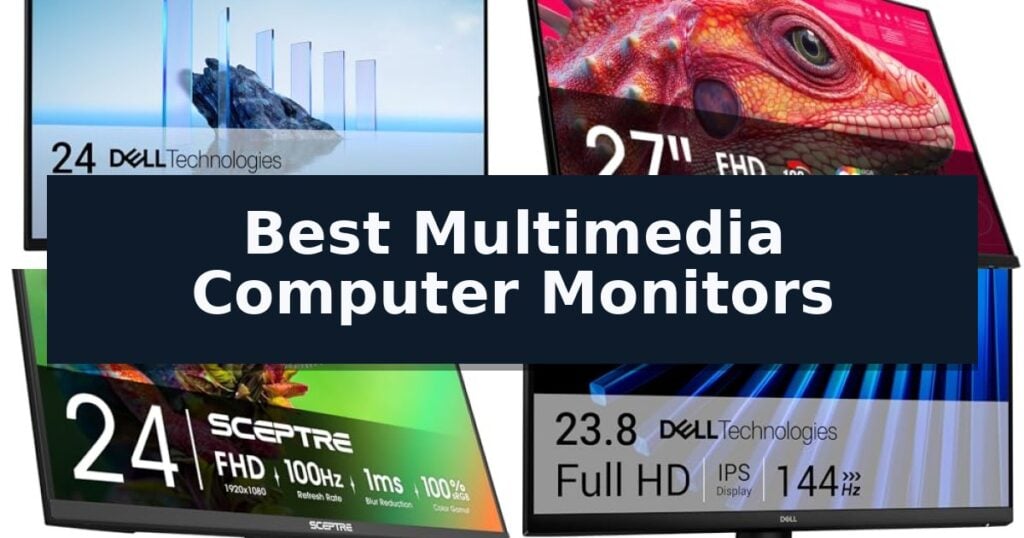
10 Best Multimedia Computer Monitors in 2026 Reviews
Quick Comparison
| Product | Best For | Key Strength | Score |
|---|---|---|---|
| Dell S2425HSM Monitor | Best Overall | Integrated dual 3W speakers for convenient multimedia audio. | 4.9 |
| Sceptre E275B-FW180T Gaming Monitor | Smooth Visuals for Multimedia | 180Hz refresh rate for smooth motion handling. | 4.5 |
| Sceptre E275W-FW100T Gaming Monitor | Vibrant Color Accuracy | 100% sRGB color gamut for accurate color reproduction | 4.9 |
| Dell SE2426H Monitor | Fluid Motion for Streaming | 144Hz refresh rate for fluid motion | 4.4 |
| Acer KB272 G0bi Gaming Monitor | Responsive Media Playback | 120Hz refresh rate for smooth motion in games and video. | 4.9 |
| ViewSonic VA3209M Computer Monitor | Large Screen for Home Office | Large 32-inch IPS display for expansive workspace | 4.9 |
| Sceptre C275W-1920RN Curved Monitor | Immersive Curved Viewing | 1500R curvature for an immersive viewing experience. | 4.4 |
| Philips 241V8LB Computer Monitor | Crisp Full HD Detail | VA panel technology delivers high contrast for deeper blacks and better detail. | 4.3 |
| Sceptre E225W-FW144 Gaming Monitor | Compact Desk Solution | Nearly bezel-free design facilitates seamless multi-monitor arrangements. | 4.8 |
| Sceptre C248W-1920RN Curved Monitor | Space-Saving Curved Design | 1800R curvature provides an immersive viewing depth. | 4.5 |
How We Chose
Evaluating the best multimedia computer monitors requires a focus on how visual performance and physical design intersect. An experienced reviewer assesses these displays by prioritizing panel consistency, motion handling, and the utility of built-in features, ensuring that the hardware supports both high-definition media consumption and productive daily tasks without unnecessary complexity.
- Display panel technology and color accuracy for consistent image reproduction.
- Refresh rate and response time capabilities for smooth motion in video and gaming.
- Integrated audio quality and speaker configuration for space-saving multimedia use.
- Ergonomic adjustability including height, tilt, and swivel options for user comfort.
- Connectivity versatility to support multiple devices and legacy hardware.
1 Dell S2425HSM Monitor — Best for Immersive Audio
The Dell 24 Plus Monitor – S2425HSM distinguishes itself through its integrated dual 3W speakers, providing a dedicated audio solution for users who prioritize desk space and multimedia immersion. This 23.8-inch display combines a 144Hz refresh rate with a 1ms Moving Picture Response Time (MPRT) to ensure fluid motion, making it a capable choice for both entertainment and general productivity tasks.
Visual clarity is supported by an FHD resolution and a 1500:1 contrast ratio, which work together to produce sharp, defined imagery. The inclusion of AMD FreeSync technology further enhances the viewing experience by promoting tear-free visuals during dynamic content playback. For those concerned about eye strain, the monitor features a 4-star TÜV-certified design that reduces harmful blue light emissions without sacrificing color accuracy.
Ergonomics remain a central focus of the Dell S2425HSM Monitor, offering height, tilt, pivot, and swivel adjustability to accommodate various workspace setups. Users can further refine their experience using the Dell Display and Peripheral Manager, an application designed to streamline the configuration and performance of the monitor within a broader PC workspace.
While the monitor excels in multimedia utility, its 1920×1080 resolution is standard for its class. The Ash White finish provides a distinct aesthetic departure from traditional black office hardware, allowing it to integrate into modern home or studio environments with a cleaner, more minimalist look.
Best for: Users who require a space-saving multimedia setup with integrated audio and fluid motion capabilities for entertainment.
Skip if: Professionals requiring 4K resolution or higher color precision for specialized creative work will find this FHD panel insufficient.
- Integrated dual 3W speakers for convenient multimedia audio.
- 144Hz refresh rate and 1ms MPRT for smooth visual performance.
- Comprehensive ergonomic adjustments including height, tilt, pivot, and swivel.
- TÜV-certified eye comfort features to reduce blue light.
- FHD (1920×1080) resolution may lack the sharpness of higher-density displays.
- 3W speaker output is limited compared to dedicated external sound systems.
2 Sceptre E275B-FW180T Gaming Monitor — Smooth Visuals for Multimedia
The Sceptre E275B-FW180T Gaming Monitor utilizes a high-performance 180Hz refresh rate to provide fluid visual transitions for both competitive gaming and high-demand multimedia tasks. This 27-inch display is engineered to balance technical performance with desk-friendly ergonomics, making it a functional choice for users seeking to upgrade their visual workspace.
Connectivity is a primary focus of this model, featuring two HDMI ports and two DisplayPort inputs. This array of inputs allows for versatile device integration, ensuring that users can switch between multiple sources without constant cable management. The inclusion of built-in speakers and an audio out jack further simplifies desk setups by reducing the need for external sound hardware.
To address long-term viewing comfort, the monitor incorporates Blue-Light Shift technology. This feature is designed to reduce harmful blue light emissions, which can assist in minimizing eye strain during extended periods of use. The physical design features a minimal bezel, which is specifically intended to support seamless dual-monitor configurations for an unobstructed, expanded field of view.
The monitor also offers custom gaming modes optimized for specific genres, including First Person Shooters (FPS) and Real-Time Strategy (RTS) titles. These settings allow users to adjust display parameters to suit the requirements of different software, ensuring that visual output remains consistent with the demands of the application.
Best for: Users who require a high refresh rate for gaming and multimedia while maintaining a clean, multi-monitor desk setup.
Skip if: Users who require professional-grade color accuracy for photo or video editing, as this model is optimized primarily for gaming performance.
- 180Hz refresh rate for smooth motion handling.
- Versatile connectivity with four total video inputs.
- Minimal bezel design ideal for multi-monitor arrays.
- Integrated speakers reduce desk clutter.
- Limited 1-year warranty coverage.
- Fixed stand design may lack advanced ergonomic adjustments.
3 Sceptre E275W-FW100T Gaming Monitor — Vibrant Color Accuracy
The Sceptre E275W-FW100T Gaming Monitor features a 100% sRGB color gamut, providing a wide range of color variance for naturalistic image reproduction in both graphic design projects and gaming. This 27-inch display is engineered to balance visual fidelity with performance, making it a versatile choice for users who switch between creative work and entertainment.
Equipped with two HDMI ports and one DisplayPort, the monitor supports a 100Hz refresh rate to enhance motion clarity. The inclusion of FPS and RTS game modes allows users to toggle custom display settings optimized for specific genres, while the 1ms response time is designed to keep pace with fast-moving action sequences.
For extended usage, the monitor incorporates Blue Light Shift technology to help minimize eye strain during long sessions. The built-in speakers offer a space-saving audio solution, and the frameless design contributes to a clean aesthetic on any desk setup.
Installation flexibility is provided by the VESA wall mount pattern, which allows for ergonomic positioning and improved cable management. This model is built to serve as a functional hub for various multimedia needs, supported by a 1-year limited warranty.
Best for: Users seeking a versatile 27-inch display that balances high color accuracy for design work with a 100Hz refresh rate for gaming.
Skip if: Users who require higher resolution than standard 1080p or those needing advanced ergonomic adjustments like height-adjustable stands.
- 100% sRGB color gamut for accurate color reproduction
- 100Hz refresh rate for smooth motion in games and media
- VESA mount compatibility for flexible desk or wall installation
- Blue Light Shift to reduce eye fatigue
- Limited ergonomic adjustments compared to premium stands
- Integrated speakers may lack the fidelity of dedicated audio systems
4 Dell SE2426H Monitor — Fluid Motion for Streaming
Achieving fluid motion during high-intensity tasks is the primary focus of the Dell 24 Monitor – SE2426H, which integrates a 144Hz refresh rate and 1ms MPRT to minimize motion blur. This combination ensures that whether you are navigating complex workflows or streaming high-definition content, the visual output remains smooth and free from distracting screen tearing.
The display utilizes In-Plane Switching (IPS) technology, which is engineered to provide consistent color accuracy and clarity across a wide 178-degree viewing angle. This makes the monitor a practical choice for environments where you may need to view the screen from off-center positions without experiencing color shifting or loss of detail.
Prioritizing user well-being during extended sessions, the monitor features TÜV Rheinland 3-star eye comfort certification. This hardware-level implementation reduces harmful blue light emissions while maintaining color integrity, allowing for longer periods of use without the typical strain associated with standard displays.
Designed with a focus on maximizing screen real estate, the monitor features ultra-thin bezels that create a clean, modern aesthetic. The inclusion of dual HDMI ports provides flexible connectivity, while the integrated tilt functionality allows for basic ergonomic adjustments to suit your preferred viewing position.
Best for: Users seeking a responsive, high-refresh-rate display for a mix of productivity and media consumption.
Skip if: Professionals requiring specialized color-critical calibration or those who need advanced ergonomic adjustments like height, swivel, or pivot.
- 144Hz refresh rate for fluid motion
- IPS technology for consistent color accuracy
- TÜV 3-star certification for reduced blue light
- Ultra-thin bezels for a maximized viewing area
- Limited ergonomic adjustments restricted to tilt only
5 Acer KB272 G0bi Gaming Monitor — Responsive Media Playback
The Acer KB272 G0bi Gaming Monitor is built for users who prioritize fluid motion, featuring a 120Hz refresh rate that significantly enhances the smoothness of 2D motion in gaming and video playback. By increasing the frames per second, this 27-inch display ensures that fast-paced action remains clear and consistent, providing a more responsive experience than standard 60Hz panels.
To further minimize visual artifacts, the monitor incorporates Adaptive-Sync Support (FreeSync Compatible). This technology synchronizes the display's refresh rate directly with your graphics card, effectively eliminating screen tearing during rapid transitions. Complementing this is a 1ms VRB response time, which is engineered to reduce ghosting and smearing, ensuring that quick movements on screen appear sharp rather than blurred.
The display utilizes an IPS panel with a 1920 x 1080 resolution, offering a 99% sRGB color gamut coverage for accurate and consistent color reproduction across multimedia tasks. While the 27-inch screen provides ample real estate, the 1080p resolution results in a pixel pitch of 0.311mm, which is a trade-off to consider if you prioritize high-density text clarity or professional-grade detail over raw motion performance.
Designed for flexible integration, the unit features a VESA mountable chassis, allowing it to fit into various workspace or gaming setups. Connectivity is handled via HDMI and VGA ports, providing compatibility with a wide range of hardware configurations. For extended viewing sessions, the monitor includes a built-in bluelight filter to assist with comfort, while the 250 nits of brightness ensures adequate visibility in standard indoor lighting environments.
Best for: Users who require a responsive 120Hz display for gaming and multimedia playback on a 27-inch screen.
Skip if: Users who require higher than 1080p resolution for professional creative work or high-density text clarity.
- 120Hz refresh rate for smooth motion in games and video.
- Adaptive-Sync (FreeSync Compatible) technology to prevent screen tearing.
- 1ms response time to reduce ghosting effects.
- VESA mountable design for flexible desk or wall installation.
- 1080p resolution may appear less sharp on a 27-inch panel compared to higher resolution displays.
- Limited connectivity options compared to premium monitors.
6 ViewSonic VA3209M Computer Monitor — Large Screen for Home Office
The ViewSonic VA3209M Computer Monitor centers its design around a spacious 32-inch Full HD IPS display, providing a substantial canvas for multitasking and media consumption. This monitor is engineered to deliver consistent color accuracy and wide viewing angles, ensuring that visuals remain clear regardless of your seating position.
For those who engage in casual gaming or fluid multimedia playback, the integration of VESA Adaptive Sync technology is a notable inclusion. By supporting a 75Hz refresh rate, the monitor works to minimize screen tearing and maintain consistent frame rates during dynamic on-screen movement.
The device prioritizes user comfort through built-in Flicker-Free technology and a Blue Light Filter, which are designed to mitigate eye fatigue during extended periods of work or study. Additionally, the ViewMode presets allow users to toggle between specific configurations like 'Game,' 'Movie,' 'Web,' and 'Text' to optimize brightness, contrast, and gamma curves for the task at hand.
Connectivity is handled through standard HDMI and VGA inputs, offering a practical balance for users who need to interface with both modern laptops and legacy desktop hardware. The monitor also features a frameless design and integrated dual speakers, keeping the aesthetic clean while providing basic audio output for daily tasks.
Best for: Home office users and students who require a large, comfortable screen for daily productivity and casual multimedia viewing.
Skip if: Users who require higher than 1080p resolution for professional graphic design or those needing advanced connectivity like DisplayPort or USB-C.
- Large 32-inch IPS display for expansive workspace
- Adaptive Sync support for smoother visuals
- Integrated eye-care features to reduce strain
- Versatile ViewMode presets for quick optimization
- Limited to 1080p resolution at a large screen size
- Basic connectivity options lacking modern standards like USB-C
7 Sceptre C275W-1920RN Curved Monitor — Immersive Curved Viewing
The Sceptre C275W-1920RN Curved Monitor utilizes a distinct 1500R curved display to wrap the screen around your field of vision, a design choice intended to enhance immersion during gaming or high-intensity work sessions. By curving the panel, this monitor aims to keep the edges of the display closer to the user's eyes, potentially reducing the need for constant focus adjustments.
Visual fidelity is supported by a 99% sRGB color gamut, which provides a broader range of color reproduction than standard monitors, resulting in deeper, more defined imagery. For those managing multiple tasks, the inclusion of built-in speakers helps maintain a clean desk aesthetic by eliminating the need for external audio hardware, providing a functional solution for both professional and entertainment environments.
Performance is bolstered by a 100Hz refresh rate accessible through its dual HDMI and VGA inputs, offering a smoother motion experience than traditional 60Hz panels. To further refine the visual output, the monitor features Adaptive Sync technology, which dynamically synchronizes the display's refresh rate with the graphics card to minimize image tearing and stuttering during fast-paced movement.
Measuring 19.93 inches in width and weighing 5.5 pounds, this unit is designed for straightforward integration into most desktop setups. It is backed by a limited 1-year warranty, providing a baseline of manufacturer support for its core components.
Best for: Gamers and professionals seeking an immersive, curved display with a higher refresh rate and integrated audio for a streamlined workspace.
Skip if: Users who require high-resolution 4K output or professional-grade color accuracy for precision photo and video editing.
- 1500R curvature for an immersive viewing experience.
- 99% sRGB color gamut for enhanced color depth.
- 100Hz refresh rate with Adaptive Sync to reduce motion artifacts.
- Built-in speakers for a clutter-free desk setup.
- 1080p resolution may appear less sharp on a 27-inch screen compared to higher-density displays.
- Limited port selection relies primarily on HDMI and VGA connections.
8 Philips 241V8LB Computer Monitor — Crisp Full HD Detail
The Philips 241V8LB Computer Monitor is a 23.8-inch display engineered to provide crisp Full HD 1920×1080 resolution for office and home multimedia use. By utilizing VA panel technology, this monitor achieves high contrast ratios, which allows for deeper blacks and brighter whites compared to standard panels. This capability results in a more nuanced visual experience, particularly when viewing high-contrast media, shows, or detailed documents where clarity is paramount.
A standout design feature is the virtually bezel-free aesthetic on three sides. This choice not only contributes to a clean, modern desk appearance but also serves a practical purpose for users who rely on multi-monitor configurations. By minimizing the frame, the monitor allows for a more seamless transition between screens, effectively creating a larger, unified workspace that can significantly improve productivity during complex multitasking sessions.
For users who spend extended periods reading or editing text, the monitor includes an EasyRead mode. This setting adjusts the display to mimic a paper-like experience, which is intended to reduce eye strain during long document-viewing sessions. Complementing this is a 100Hz refresh rate and Adaptive Sync technology, which work together to ensure smoother motion during general use, providing a more fluid experience than traditional 60Hz displays.
The physical build prioritizes versatility with tilt adjustment for ergonomic positioning and VESA mounting compatibility, allowing users to attach the display to aftermarket arms or wall mounts. Philips also provides a 4-year advance replacement warranty, which offers significant long-term support for both parts and labor, ensuring the monitor remains a reliable component of your setup for years to come.
While the VA panel offers excellent contrast, it is important to note that it may exhibit some color shifting when viewed from extreme off-axis angles compared to IPS technology. This trade-off is typical for this panel type and is generally negligible for standard office tasks, though it is a factor to consider if your workflow requires absolute color consistency from every possible viewing position.
Best for: Office professionals and home users who prioritize high contrast for document work and seamless multi-monitor productivity.
Skip if: Users who require professional-grade color accuracy for photo editing or high-speed gaming performance beyond the capabilities of a standard 100Hz VA panel.
- VA panel technology delivers high contrast for deeper blacks and better detail.
- Virtually bezel-free design facilitates seamless multi-monitor setups.
- EasyRead mode provides a comfortable, paper-like experience for long-duration reading.
- 4-year advance replacement warranty ensures extended support for parts and labor.
- VA panel may exhibit color shifting when viewed from extreme off-axis angles.
- Limited ergonomic adjustments are restricted to basic tilt functionality.
9 Sceptre E225W-FW144 Gaming Monitor — Compact Desk Solution
The Sceptre E225W-FW144 Gaming Monitor is a specialized display solution tailored for users who need to maximize limited workspace without sacrificing performance. Its nearly bezel-free design is engineered specifically for multi-monitor arrangements, allowing for a seamless transition between screens that minimizes visual interruptions when managing multiple applications or spanning content across a wider field of view.
Performance is driven by a high 144Hz refresh rate, which provides fluid motion for fast-paced multimedia and gaming. This high-frequency output ensures that visual transitions remain smooth, helping to reduce motion blur. The monitor also includes integrated speakers, a practical addition for users looking to maintain a clean, minimalist desk setup by removing the need for external audio hardware.
To address the physical demands of extended screen time, the monitor incorporates Blue-Light Shift technology. This feature is designed to adjust the color spectrum to reduce harmful blue light emissions, aiming to mitigate eye strain during long working or gaming sessions. This focus on user comfort is complemented by a compact 22-inch footprint, making it an efficient choice for smaller desk surfaces where space is at a premium.
Connectivity is handled through both HDMI and DisplayPort inputs, ensuring the monitor remains compatible with a wide range of modern computing hardware. This flexibility allows users to easily integrate the display into various multimedia setups. While the 1080p resolution is standard for this size, it provides a clear, sharp image suitable for general productivity and gaming, though users requiring high-density professional creative work may find the screen size limiting.
Best for: Users seeking a compact, space-saving display for dual-monitor setups or gaming on a smaller desk surface.
Skip if: Users requiring a larger screen real estate or higher resolution than 1080p for professional creative work or immersive cinematic viewing.
- Nearly bezel-free design facilitates seamless multi-monitor arrangements.
- 144Hz refresh rate supports smooth visual performance.
- Integrated speakers reduce desk clutter by removing the need for external audio.
- Blue-Light Shift technology helps manage eye strain during long-term use.
- 22-inch screen size may be too small for users prioritizing large-scale immersion.
- 1080p resolution is standard but may lack the detail of higher-density displays.
10 Sceptre C248W-1920RN Curved Monitor — Space-Saving Curved Design
The Sceptre C248W-1920RN Curved Monitor introduces an immersive viewing experience through its 1800R screen curvature, which is engineered to wrap the display around your field of vision for enhanced depth. This 24-inch display is designed for users who prioritize a space-saving footprint without sacrificing the visual benefits of a curved panel.
Equipped with a 75Hz refresh rate, the monitor provides smooth motion for standard multimedia tasks and casual gaming. The panel features a 98% sRGB color gamut, ensuring accurate color reproduction for various digital media applications. Its integrated built-in speakers offer a convenient audio solution, reducing the need for external peripherals on your desk.
Connectivity is handled through dedicated HDMI and VGA ports, alongside a PC audio input, allowing for versatile integration with modern and legacy computer systems. The monitor is fully compatible with Windows 10, ensuring seamless operation with current operating systems. With a rated lamp life of over 30,000 hours, this unit is built for long-term reliability in home or office environments.
For those looking to optimize their workspace, the display is VESA wall mount ready, providing flexibility for mounting options beyond the included stand. Its compact dimensions and 6-pound weight make it a manageable addition to any workstation, while the 0.27156mm pixel pitch contributes to clear, detailed imagery across the 1080p resolution.
Best for: Users seeking an immersive, space-saving curved display for general multimedia consumption and light productivity tasks.
Skip if: Professional designers or competitive gamers requiring higher refresh rates, 4K resolution, or advanced color-accurate panels for specialized workflows.
- 1800R curvature provides an immersive viewing depth.
- 98% sRGB color coverage for accurate image reproduction.
- VESA mount compatibility allows for flexible desk or wall installation.
- Built-in speakers minimize the need for extra cables and devices.
- 75Hz refresh rate is limited for high-end competitive gaming.
- 1080p resolution may lack sharpness on larger screens compared to higher-density displays.
Best Multimedia Computer Monitors Buying Guide
Prioritizing Panel Technology
The underlying panel technology, such as IPS or VA, dictates your viewing experience. IPS panels are generally preferred for their wide viewing angles and color consistency, which are essential when sharing a screen or watching media from various positions.
Conversely, VA panels often provide superior contrast ratios, resulting in deeper blacks and brighter whites. Choosing between these depends on whether your priority is color accuracy for creative work or contrast for immersive movie watching in darker environments.
The Role of Refresh Rates
While standard office monitors often operate at 60Hz, multimedia monitors frequently offer 100Hz to 144Hz refresh rates. This higher frequency results in smoother motion during fast-paced video sequences and reduces the stuttering often seen in lower-end displays.
Pairing a high refresh rate with a low response time, such as 1ms, effectively eliminates motion blur. This combination is particularly beneficial for users who transition between professional tasks and gaming or high-action streaming.
Integrated Audio Solutions
Multimedia monitors frequently include built-in speakers to save desk space. While these are rarely a substitute for dedicated sound systems, they provide a convenient solution for casual listening, system alerts, and video calls.
Look for monitors that offer a balance of frequency range and volume output. If your setup requires higher fidelity, ensure the monitor includes an audio-out jack to easily connect external speakers or headphones.
Ergonomics and Physical Adjustability
A monitor's stand design significantly impacts long-term comfort. Models that allow for height, tilt, and swivel adjustments enable you to align the screen with your natural eye level, which is critical for preventing neck strain during extended sessions.
If a monitor lacks these adjustments, verify that it is VESA mount compatible. This allows you to attach the display to an aftermarket arm, providing even greater flexibility and freeing up valuable desk surface area.
Connectivity and Future-Proofing
Versatile connectivity is essential for a multimedia hub. Having multiple HDMI and DisplayPort inputs allows you to keep a PC, gaming console, and streaming device connected simultaneously without needing to swap cables.
Check for support for technologies like Adaptive Sync or FreeSync. These features synchronize the monitor's refresh rate with your graphics card, preventing screen tearing and ensuring a seamless visual experience across different media types.
Frequently Asked Questions
Do I need a high refresh rate for watching movies?
Most movies are filmed at 24 or 30 frames per second, so a standard 60Hz monitor is sufficient. However, a higher refresh rate provides a smoother experience if you also use the monitor for gaming or high-frame-rate content.
Are built-in monitor speakers good enough for music?
Integrated monitor speakers are typically designed for casual use, such as video calls or system sounds. They usually lack the bass response and clarity of dedicated multimedia speakers.
What is the benefit of an IPS panel?
IPS panels offer excellent color accuracy and wide viewing angles, meaning the colors look consistent even if you are not sitting directly in front of the center of the screen.
Can I mount any monitor to a wall?
Only monitors with VESA mounting holes on the back can be attached to wall mounts or monitor arms. Always check the specifications for VESA compatibility before purchasing.
What does Adaptive Sync do?
Adaptive Sync matches the monitor's refresh rate to the frame rate output of your graphics card, which helps eliminate screen tearing and stuttering during gaming or video playback.
Conclusion: Our Top Pick
Our top pick is Dell S2425HSM Monitor. Choosing the right multimedia monitor involves prioritizing the features that best align with your daily habits, whether that is high-refresh-rate gaming or color-accurate content creation. By focusing on panel technology, ergonomic flexibility, and connectivity, you can find a display that serves as a reliable centerpiece for your workspace.
Ultimately, the best choice is one that balances these technical specifications with your available desk space and budget. Investing in a monitor with a versatile stand and multiple inputs ensures your setup remains functional and comfortable as your multimedia needs evolve.