The osee Mega 22S4 Production Monitor is our top choice for the Best Multiview Monitors, offering a high-brightness 1500-nit display that ensures clear visibility for professional broadcast directors in any lighting condition. The FEELWORLD ATEM156 Quad-Split Monitor serves as a specialized alternative for live streaming switchers, while the LILLIPUT PVM270S Broadcast Monitor provides a larger 27-inch canvas for complex multi-camera production workflows.
Selecting a display capable of handling multiple video sources requires balancing input versatility with screen real estate. Whether you are managing a live broadcast feed or organizing multiple software windows for creative work, the ability to view distinct signals simultaneously without signal degradation is critical for maintaining an efficient production environment.
For studio professionals, the priority often shifts toward color accuracy and signal management, such as SDI support and LUT integration. Conversely, office-based users typically prioritize resolution and ergonomic connectivity, such as USB-C power delivery and adjustable stands, to streamline their daily multitasking requirements.
For those seeking more flexibility in window management, our guide to the Best Multi-Window Monitors explores additional options for complex desktop setups. If you require a display that transitions between work and creative tasks, the Best Multi-Use Monitors can provide further insights into versatile hardware.
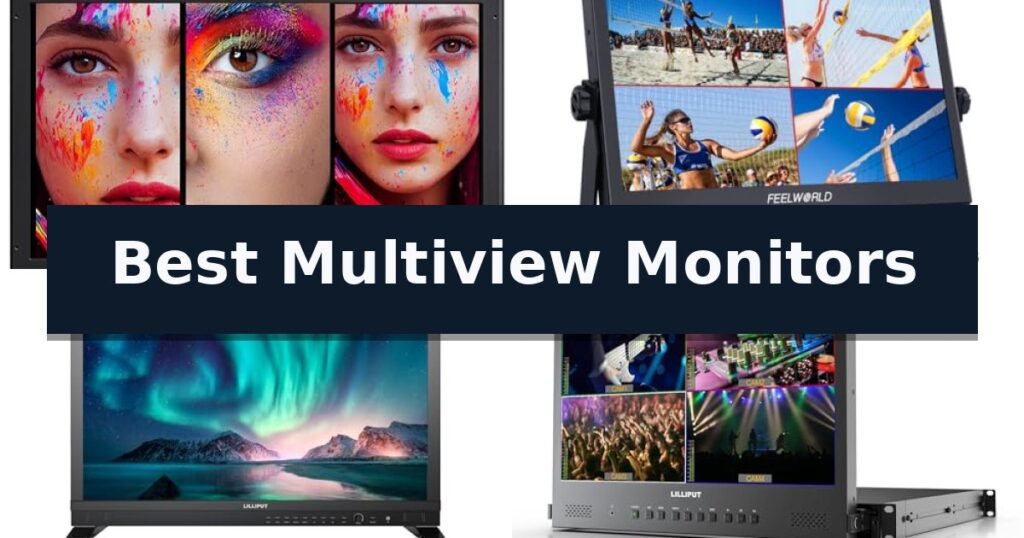
10 Best Multiview Monitors in 2026 Reviews
Quick Comparison
| Product | Best For | Key Strength | Score |
|---|---|---|---|
| osee Mega 22S4 Production Monitor | Best Overall | 1500 nits high-brightness panel for clear outdoor visibility. | 4.9 |
| FEELWORLD ATEM156 Quad-Split Monitor | Ideal for Live Streaming Switchers | Quad-split display capability for monitoring four 4K signals simultaneously. | 4.4 |
| LILLIPUT PVM270S Broadcast Monitor | High-Brightness 4-Channel Production Tool | 1000 nits high brightness for visibility in diverse lighting conditions. | 4.6 |
| LILLIPUT RM1731S-12G Rackmount Monitor | Space-Saving Pull-Out Rack Design | 1RU pull-out design saves significant rack space. | 4.7 |
| FEELWORLD M101S Field Monitor | Daylight-Viewable Portable Multiview | 1200 nits brightness for outdoor visibility | 4.4 |
| SEETEC ATEM156 Director Monitor | Reliable Multi-Camera Preview | Quad-view monitoring capability for multi-camera setups. | 4.4 |
| Philips 27E1N5900R 4K Monitor | Productivity-Focused Desktop Multiview | MultiView dual-device support for enhanced multitasking. | 4.7 |
| Sceptre C345B-QUT168 Ultrawide Monitor | Expansive Screen for Seamless Multitasking | Ultrawide 21:9 aspect ratio provides 30% more screen space for multitasking. | 4.5 |
| Samsung ViewFinity S7 4K Monitor | High-Resolution Detail for Creators | 4K UHD resolution for exceptional visual detail and clarity. | 4.3 |
| ViewSonic VX3276-MHD IPS Monitor | Affordable Large-Format Office Display | Large 32-inch screen with ultra-thin bezels for an immersive workspace. | 4.8 |
How We Chose
To identify the most effective multiview monitors, we evaluate each display based on its ability to handle simultaneous video inputs and its practical utility in high-pressure environments. We prioritize hardware that offers reliable signal switching, color precision, and flexible mounting, ensuring that the chosen monitors meet the specific demands of both broadcast production and professional multitasking.
- Input versatility including support for both SDI and HDMI signal types
- Screen real estate and split-screen layout customization options
- Panel brightness and color fidelity for accurate monitoring
- Build quality and mounting options for studio or desk environments
- Integration with common switchers and production hardware
1 osee Mega 22S4 Production Monitor — Best for Professional Broadcast Sets
The osee Mega 22S4 Production Monitor features an innovative horizontal and vertical rotation system, allowing production teams to switch between orientations instantly via a quick-lock VESA mount. This design choice specifically addresses the needs of modern sets balancing traditional landscape cinematography with vertical content for social media platforms.
Engineered for high-intensity environments, this 21.5-inch cinematic monitor utilizes an ultra-bright 1500 nits panel with an 1100:1 contrast ratio, ensuring visibility in direct sunlight without the need for bulky sun tents. The inclusion of a professional sun hood further assists in maintaining image clarity and focus during outdoor shoots.
Connectivity is handled by a versatile array of 3x 4K60 HDMI and 3x 3G-SDI inputs, supporting seamless switching between six video sources. The unit also integrates a Color-Fidelity V2 processor with tetrahedral 3D-LUT interpolation, providing 10-bit color accuracy that covers Rec.709 and supports professional log profiles and HDR formats.
Built for durability and professional utility, the monitor features a rugged metal uni-body design with integrated cheese plates for mounting accessories. It includes both V-Mount and Gold Mount battery plates, ensuring compatibility with standard industry power ecosystems, and comes with custom-cut foam for secure transport in hard cases.
Best for: Professional broadcast and commercial production crews requiring high-brightness, multi-source monitoring with flexible orientation options.
Skip if: Users who do not require professional SDI/HDMI connectivity or the specific high-brightness daylight-viewable panel may find more cost-effective standard desktop monitors suitable.
- 1500 nits high-brightness panel for clear outdoor visibility.
- Innovative H/V rotation for rapid switching between landscape and portrait layouts.
- Versatile 6-input I/O supporting both 4K HDMI and 3G-SDI signals.
- Professional color tools including 3D LUT support and built-in calibration.
- Hard case not included, requiring separate purchase for transit protection.
- Large physical footprint may be cumbersome for small-scale or solo run-and-gun setups.
2 FEELWORLD ATEM156 Quad-Split Monitor — Ideal for Live Streaming Switchers
Managing multiple high-resolution video signals in a professional broadcast or live streaming environment requires reliable hardware, and the FEELWORLD ATEM156 Quad-Split Monitor is engineered specifically for this task. Featuring a 15.6-inch IPS display with 1920 x 1080 resolution, this unit allows directors and technicians to monitor four distinct DCI or UHD 4K HDMI signals simultaneously on a single screen.
The monitor is built with a robust aluminum alloy housing that serves a dual purpose: it provides a durable, corrosion-resistant exterior while facilitating efficient heat dissipation for stable operation during long broadcast sessions. Its versatile input and output configuration includes 4 x HDMI ports with loop-out functionality, enabling seamless integration with switchers like the ATEM Mini, OBS, or eCam Live.
Usability is enhanced through intuitive software features such as peaking and false color, which assist in precise image analysis. The monitor includes a 3.5mm headphone jack for direct audio monitoring and supports multiple display modes, including quad-split, dual-view, and picture-in-picture, allowing users to customize their workflow based on specific production needs.
Installation flexibility is provided by 100mm and 75mm VESA mounting options, making it compatible with standard broadcast stands or desk mounts. The package includes a U-shaped bracket and a V-mount battery plate, offering power flexibility for field use. Note that for signals protected by HDCP, an external HDMI splitter is required to strip the signal for proper display.
Best for: Professional live streaming and broadcast environments requiring simultaneous monitoring of multiple 4K HDMI sources.
Skip if: Users who do not require quad-split functionality or those who need a monitor with built-in HDCP decryption without external hardware.
- Quad-split display capability for monitoring four 4K signals simultaneously.
- Durable aluminum alloy housing for improved heat dissipation and longevity.
- Versatile mounting options including 100mm and 75mm VESA compatibility.
- Seamless integration with popular switchers like the ATEM Mini.
- External HDMI splitter required for signals protected by HDCP.
- Battery not included in the provided package.
3 LILLIPUT PVM270S Broadcast Monitor — High-Brightness 4-Channel Production Tool
The LILLIPUT PVM270S Broadcast Monitor is a 27-inch Full HD 1920×1080 display engineered to provide high-visibility monitoring in demanding production environments. With a peak brightness of 1000 nits, this monitor maintains clear image reproduction whether used in controlled studio settings or under the variable lighting conditions of outdoor production shoots.
Designed for complex multi-camera workflows, the unit features dual 3G-SDI and triple HDMI 2.0 inputs. This connectivity allows for seamless integration into professional switching setups. The monitor supports 4-channel multiview monitoring, offering flexible layout configurations such as quad split, dual view, and full-screen modes, which are essential for tracking multiple video feeds simultaneously during live broadcasts.
To ensure color accuracy and technical precision, the LILLIPUT PVM270S Broadcast Monitor includes a suite of professional tools. Users have access to waveform, vectorscope, histogram, false color, peaking focus assist, and audio meters. These features, supported by HDR monitoring and 3D LUT compatibility, allow for precise calibration and monitoring, critical for filmmaking and high-end live streaming applications.
Measuring 25.35 inches in width and 16.11 inches in height, the monitor is built for permanent studio integration. It includes a Gold Mount battery plate, providing a versatile power solution for mobile production setups where AC power may not be readily available. While its large physical footprint is ideal for expansive studio desks, it may present a challenge for users with limited workspace or those requiring highly portable, compact gear.
Best for: Professional live production and studio environments requiring multi-camera monitoring and high-brightness color accuracy.
Skip if: Users who do not require professional SDI/HDMI connectivity or advanced broadcast-specific monitoring tools like waveform and 3D LUTs.
- 1000 nits high brightness for visibility in diverse lighting conditions.
- 4-channel multiview monitoring with customizable layouts.
- Comprehensive professional monitoring tools including waveform and vectorscope.
- Versatile dual 3G-SDI and triple HDMI 2.0 input support.
- Large physical footprint may not be suitable for compact or portable desktop setups.
4 LILLIPUT RM1731S-12G Rackmount Monitor — Space-Saving Pull-Out Rack Design
The LILLIPUT 17.3 Inch RM1731S-12G is a professional-grade solution for broadcast environments requiring high-density monitoring within a standard equipment rack. Its 1RU pull-out rackmount design allows for efficient space management, providing a 17.3-inch 1920×1080 FullHD IPS screen that slides away when not in use, making it an ideal choice for mobile production units or crowded control rooms.
Equipped with 4x12G-SDI inputs, this monitor supports advanced Quad-Split Multiview functionality, enabling operators to observe multiple video feeds simultaneously on a single display. The interface also includes HDMI 2.0 support and loop outputs, ensuring compatibility with a wide range of professional video sources and signal chains.
Beyond simple display, the unit integrates critical monitoring tools such as waveform and audio vector scope. These auxiliary functions are calibrated to industry standards, providing accurate data for technical analysis. The inclusion of HDR and 3D-LUT support further enhances color precision and dynamic range, essential for high-end production workflows.
The monitor is designed for reliability and ease of integration, featuring a LAN interface for remote control capabilities. The package includes a 12V 3A power adapter and a Tally Connector, providing the necessary hardware for immediate deployment into professional broadcast setups.
Best for: Broadcast engineers and production professionals needing a space-efficient, multi-source monitoring solution for 1RU rack environments.
Skip if: Users who do not require rack-mounted hardware or those who prefer a standalone desktop monitor configuration.
- 1RU pull-out design saves significant rack space.
- Quad-Split Multiview capability for monitoring four 12G-SDI signals simultaneously.
- Includes professional waveform and audio vector scope tools.
- Supports HDR and 3D-LUT for accurate color representation.
- Physical footprint is strictly limited to 1RU rack standards.
- Requires professional-grade 12G-SDI infrastructure to fully utilize input capabilities.
5 FEELWORLD M101S Field Monitor — Daylight-Viewable Portable Multiview
The FEELWORLD M101S Field Monitor provides a high-visibility 10.1-inch IPS touchscreen designed for demanding production environments, featuring a peak brightness of 1200 nits for clear viewing in daylight. This monitor integrates professional-grade tools such as Parade waveform, vector scopes, and brightness histograms to ensure precise image analysis during live shoots or post-production workflows.
Engineered for versatility, the device supports 3G-SDI single-link transmission with a 2.97Gbps rate, allowing seamless conversion between SDI and HDMI signals. This connectivity makes it a reliable asset for both live broadcast setups and cinematic productions where signal routing flexibility is essential.
The unit is housed in a durable aluminum body that incorporates a built-in 1-5 speed cooler to manage thermal output during extended operation. To assist with team coordination, it includes a 3-color Tally light, providing real-time status indicators directly on the monitor housing.
For color accuracy and creative control, the monitor is calibrated using CALMAN professional software and allows users to import custom 3D LUTs via SD card. With a 1920 x 1200 resolution and a 160-degree viewing angle, it offers a sharp, consistent image for operators working from various positions on set.
Best for: Professional filmmakers and videographers requiring a daylight-viewable, high-resolution monitor with integrated SDI/HDMI signal conversion and advanced color-grading tools.
Skip if: Users who require a smaller, lightweight monitor for handheld camera setups may find the 10.1-inch aluminum build and cooling system too bulky for their specific mobility needs.
- 1200 nits brightness for outdoor visibility
- 3G-SDI and HDMI signal conversion capabilities
- CALMAN-calibrated color accuracy
- Durable aluminum housing with active cooling
- Larger form factor may be less portable than smaller field monitors
6 SEETEC ATEM156 Director Monitor — Reliable Multi-Camera Preview
Managing multiple video feeds during a live broadcast requires a reliable way to preview inputs, and the SEETEC ATEM156 Director Monitor provides a dedicated solution for this task. Designed for studio and live production environments, this 15.6-inch display integrates directly into workflows involving switchers like the ATEM Mini, allowing directors to monitor multiple sources simultaneously.
The monitor features a 1920 x 1080 IPS LCD panel that ensures consistent color reproduction and a wide 170-degree viewing angle, which is essential when multiple crew members need to view the screen from different positions. With an 800:1 contrast ratio and 250cd/m² brightness, it offers a clear, detailed picture for real-time monitoring.
Efficiency is supported through a suite of professional tools, including Peaking Focus, False Color, and Pixel to Pixel, which assist in verifying image sharpness and exposure before and during production. The interface is designed for speed, featuring a simple control panel with customizable shortcut keys for quick access to these essential functions.
Connectivity is handled via four 4K HDMI inputs and outputs, enabling seamless integration into complex broadcast setups. For power, the unit includes a V-mount battery plate and a 12V DC input, providing flexibility for both studio use and field production where wall outlets may not be available.
Best for: Live production directors and studio technicians who need a dedicated, multi-input preview screen for broadcast switchers.
Skip if: Users who require a high-brightness display for outdoor use in direct sunlight, as the 250-nit panel may lack sufficient visibility in those conditions.
- Quad-view monitoring capability for multi-camera setups.
- Professional focus-assist tools like Peaking and False Color.
- Flexible power options including V-mount battery support.
- Wide 170-degree viewing angle for group monitoring.
- 250-nit brightness may be limited for bright outdoor environments.
- Requires an external HDMI splitter for signals containing HDCP.
7 Philips 27E1N5900R 4K Monitor — Productivity-Focused Desktop Multiview
Managing complex digital workflows often requires more than a single screen, and the Philips 27E1N5900R 4K Monitor addresses this by integrating advanced MultiView technology into a high-resolution 27-inch display. This monitor allows users to view content from two separate devices simultaneously, making it a practical solution for those who need to monitor multiple data streams or collaborate across different platforms without the clutter of a dual-monitor setup.
The display features a sharp 3840×2160 Ultra HD resolution on an IPS panel, which provides wide viewing angles and accurate color reproduction. To enhance visual depth, the monitor is VESA DisplayHDR 400 certified, ensuring improved brightness and contrast for demanding visual tasks. For those focused on long-term comfort, the integrated LowBlue Mode and Flicker-Free technology are designed to reduce eye strain during extended work sessions.
Connectivity is streamlined through a single USB-C port that supports 65W Power Delivery, allowing users to charge a laptop while simultaneously transferring video and data. The inclusion of a built-in USB 3.2 Hub, along with HDMI 2.0 and DisplayPort 1.2 inputs, offers extensive flexibility for various hardware configurations. The stand is fully adjustable, supporting height, pivot, and tilt movements to accommodate different desk environments.
Built for versatility, the monitor includes Adaptive Sync to support smooth visuals and is compatible with VESA mounts for users who prefer custom arm setups. With a 4-year advance replacement warranty, this model provides a reliable foundation for professional productivity, balancing high-resolution performance with modern connectivity standards.
Best for: Professionals who need to manage dual-device workflows on a single high-resolution display with integrated USB-C power delivery.
Skip if: Users who require a larger screen real estate or specialized high-refresh-rate gaming features beyond standard productivity needs.
- MultiView dual-device support for enhanced multitasking.
- 65W USB-C Power Delivery for single-cable laptop charging and data transfer.
- 4K UHD resolution with VESA DisplayHDR 400 certification.
- 4-year advance replacement warranty for long-term support.
- DisplayPort 1.2 limitation may restrict bandwidth for certain high-refresh-rate applications.
- 27-inch screen size may be insufficient for users requiring expansive multi-window layouts.
8 Sceptre C345B-QUT168 Ultrawide Monitor — Expansive Screen for Seamless Multitasking
The Sceptre C345B-QUT168 Ultrawide Monitor utilizes a 34-inch curved display to provide an expansive workspace, making it a distinct choice for users who need to manage multiple windows simultaneously. By offering a 21:9 aspect ratio, this monitor delivers 30% more screen real estate than a conventional display, allowing for efficient side-by-side multitasking without the need for a secondary screen.
Engineered for both productivity and entertainment, the display features a WQHD resolution of 3440 x 1440, which provides a high level of visual detail. The screen is built with a 1ms MPRT response time, which is designed to minimize ghosting during fast-paced motion. For users who require advanced layout management, the monitor includes built-in PBP (Picture-by-Picture) and PIP (Picture-in-Picture) functionality to handle multiple input sources at once.
The design incorporates an R1500 curvature, which is intended to provide a more immersive viewing experience by keeping the edges of the screen closer to the user's field of vision. Aesthetically, the unit is equipped with luminous backcover lights, adding a modern visual element to the monitor's housing. Connectivity is supported via two DisplayPort inputs, and the monitor includes integrated speakers for basic audio output.
To support extended sessions, the monitor features Eye Care technology, which helps manage visual comfort. With a 100% sRGB color gamut, it provides accurate color reproduction suitable for various creative tasks. While the monitor offers a high refresh rate of up to 180Hz/165Hz, users should ensure their workstation has the necessary desk space to accommodate the 31-inch width of the unit.
Best for: Professionals and gamers who require an expansive, curved ultrawide workspace for seamless multitasking and high-resolution visual performance.
Skip if: Users with limited desk space or those who prefer a flat-panel display for specific graphic design workflows where screen curvature might cause perspective distortion.
- Ultrawide 21:9 aspect ratio provides 30% more screen space for multitasking.
- WQHD 3440 x 1440 resolution ensures sharp, detailed imagery.
- PBP and PIP modes allow for flexible management of multiple input sources.
- 1ms MPRT response time reduces ghosting in fast-moving scenes.
- Large 31-inch width requires significant desk footprint.
- Curved R1500 design may not be suitable for all professional precision tasks.
9 Samsung ViewFinity S7 4K Monitor — High-Resolution Detail for Creators
The Samsung 27" ViewFinity S7 (S71H) 4K UHD Monitor provides a high-density visual workspace designed for professionals who require precise detail for intricate designs and complex diagrams. By utilizing a 4K UHD (3840 x 2160) resolution, this display offers significant screen real estate that supports multitasking and the creation of dynamic video content.
Equipped with an IPS panel, the monitor ensures accurate color representation across a wide gamut. The inclusion of HDR10 technology optimizes contrast, producing deeper blacks and brighter highlights to enhance visual depth. These features work in tandem to provide a clear, color-accurate environment for creative workflows.
For connectivity, the unit features both HDMI and DP ports, facilitating a straightforward interface for various professional setups. The design also prioritizes user comfort through Eye Saver Mode, which is certified by TÜV to minimize blue light emissions and reduce screen flickering during extended work sessions.
Gamers or those requiring specialized visual modes can utilize the integrated Game Mode, which instantly adjusts color and contrast settings to improve scene clarity. With its 27-inch form factor, this monitor balances a compact footprint with the high-resolution performance necessary for modern digital tasks.
Best for: Professionals and creators who require high-resolution 4K clarity and accurate color reproduction for detailed design and video work.
Skip if: Users who require a larger ultrawide display or specialized ergonomic adjustments beyond standard tilt capabilities may find this 27-inch model limiting.
- 4K UHD resolution for exceptional visual detail and clarity.
- HDR10 support for improved contrast and color accuracy.
- Eye Saver Mode certified by TÜV to reduce eye strain.
- Game Mode for quick adjustments to color and contrast.
- Fixed 27-inch screen size may not suit users needing expansive ultrawide workspaces.
- Limited connectivity options restricted to HDMI and DP ports.
10 ViewSonic VX3276-MHD IPS Monitor — Affordable Large-Format Office Display
The ViewSonic VX3276-MHD IPS Monitor provides an expansive 32-inch display designed to streamline multitasking and office workflows through its integrated screen split capability. Its ultra-thin bezels maximize the active viewing area, making it a practical choice for users who need to manage multiple windows or applications simultaneously without the clutter of thick frames.
Engineered for extended use, this monitor incorporates Flicker-Free technology and a Blue Light Filter to assist in reducing eye fatigue during long sessions. The display operates at a 75Hz refresh rate and offers a 1920 x 1080 resolution, balancing visual clarity with smooth motion for daily office tasks and media consumption.
Users can refine the visual output using ViewSonic exclusive ViewMode presets, which allow for rapid switching between specialized profiles such as "Game," "Movie," "Web," "Text," and "Mono." These settings automatically adjust the gamma curve, contrast, and brightness to suit the specific requirements of the content being displayed.
Connectivity is handled through a versatile array of inputs, including HDMI, DisplayPort, and VGA, ensuring compatibility with a wide range of modern laptops, PCs, and Mac devices. The unit is backed by a 3-year limited warranty, providing a reliable foundation for home office setups.
Best for: Home office users and multitaskers who require a large, comfortable display for managing multiple applications simultaneously.
Skip if: Users who require higher pixel density for professional graphic design or 4K video editing, as this model is limited to 1080p resolution.
- Large 32-inch screen with ultra-thin bezels for an immersive workspace.
- Integrated eye care features including Flicker-Free technology and a Blue Light Filter.
- Versatile connectivity options with HDMI, DisplayPort, and VGA inputs.
- Quick-access ViewMode presets for optimized display settings.
- 1080p resolution may appear less sharp on a 32-inch panel compared to higher-resolution alternatives.
- Fixed stand design lacks ergonomic height or swivel adjustments.
Best Multiview Monitors Buying Guide
Signal Management and Input Versatility
The core utility of a multiview monitor lies in its capacity to ingest and display multiple video sources simultaneously. Professional-grade monitors often feature a mix of SDI and HDMI inputs, allowing for seamless integration with cameras, switchers, and playback devices.
When choosing a display, verify the number of supported inputs and whether the monitor allows for custom window layouts. Some models offer fixed quad-split configurations, while others provide more flexibility with picture-in-picture or side-by-side modes to suit specific production needs.
Brightness and Environmental Suitability
For outdoor or bright studio environments, monitor brightness is a non-negotiable factor. High-nit panels, such as those rated at 1000 nits or higher, are essential for maintaining image clarity and preventing glare from washing out critical details.
If you primarily work in a controlled indoor studio, lower-brightness panels may suffice, but they often lack the punch required for outdoor field production. Always consider the ambient light of your typical workspace before selecting a screen brightness specification.
Color Fidelity and Calibration
Accurate color reproduction is vital for broadcast and post-production workflows. Look for monitors that support professional color spaces like Rec.709 and offer 3D LUT integration, which allows you to preview graded footage in real-time.
Factory calibration is a significant advantage for professionals who need consistent results out of the box. Some monitors also include built-in tools like waveform and vectorscope, which provide objective data to ensure your video signals remain within broadcast standards.
Ergonomics and Mounting Options
The physical design of a monitor dictates how it fits into your existing setup. VESA mounting is standard for most professional displays, enabling the use of articulated arms or wall mounts that save valuable desk space.
For mobile production teams, consider monitors that include U-shaped brackets or rack-mount designs. These features provide stability during transport and allow for quick setup in temporary locations, which is essential for fast-paced production schedules.
Connectivity for Productivity
In a desktop or office setting, connectivity extends beyond video inputs. Monitors that feature USB-C power delivery can simplify your workspace by charging your laptop and transferring data through a single cable, reducing cable clutter.
Integrated USB hubs and high-resolution panels also contribute to a more efficient workflow. When comparing models, check for the availability of multiple ports that allow you to connect peripherals directly to the monitor, effectively turning it into a central hub for your workstation.
Frequently Asked Questions
What is the difference between a standard monitor and a multiview monitor?
A multiview monitor is specifically designed to accept multiple video signals simultaneously and display them in a split-screen or picture-in-picture layout, whereas a standard monitor typically displays a single source at a time.
Do I need SDI inputs for my multiview monitor?
SDI inputs are generally required for professional broadcast and cinema cameras. If you are using consumer-grade cameras or computers, HDMI inputs are usually sufficient for your setup.
Can I use a multiview monitor for gaming?
While technically possible, multiview monitors are optimized for video production and signal monitoring. They may lack the high refresh rates and low latency features found in dedicated gaming displays.
What does 1500 nits mean for a monitor?
Nits measure the brightness of a display. A 1500-nit rating indicates a very bright screen, which is necessary for clear visibility in direct sunlight or highly illuminated production environments.
How do I mount a professional multiview monitor?
Most professional monitors use VESA mounting patterns, which allow them to be attached to standard stands, wall mounts, or articulated arms. Some also come with specialized U-shaped brackets for field use.
Conclusion: Our Top Pick
Our top pick is osee Mega 22S4 Production Monitor. Choosing the right multiview monitor depends on whether your primary focus is broadcast production or desktop productivity. Professional sets benefit from high-brightness, SDI-capable displays with robust color tools, while office users should prioritize connectivity and resolution to enhance their multitasking efficiency.
By evaluating your specific input requirements and environmental constraints, you can select a monitor that streamlines your workflow. Focus on the features that directly impact your daily tasks, such as signal management for directors or ergonomic convenience for creators.