Logitech C920x HD Pro Webcam is our top choice for the Best PC Webcam Under $100, providing consistent 1080p video quality and reliable light correction that remains a standard for professional video conferencing.
When selecting a webcam, we prioritize image sensor performance and software compatibility to ensure seamless integration with common platforms like Zoom and Teams. Our evaluation focuses on how these cameras handle varying lighting conditions and whether they offer practical features like privacy shutters or noise-canceling microphones to enhance your remote setup.
Beyond basic resolution, we consider the physical design and mounting flexibility of each unit. Whether you require a wide field of view for group meetings or a simple plug-and-play solution for daily office tasks, these models offer distinct advantages for different workspace configurations.
For a broader look at how different sensors and lens types impact your video calls, our guide to the Best PC Webcam provides additional context on choosing the right hardware for your desk.
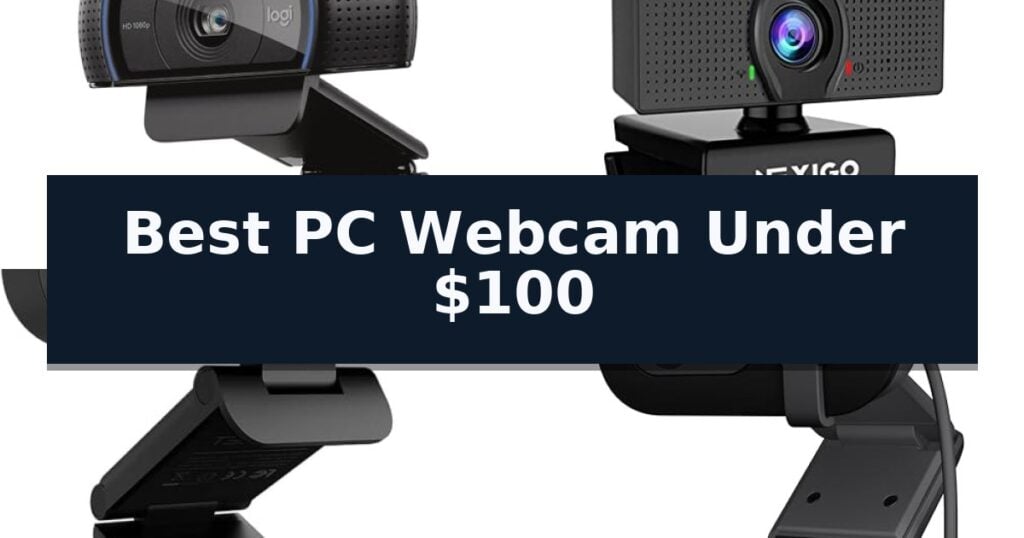
10 Best PC Webcam Under $100 in 2026 Reviews
Quick Comparison
| Product | Best For | Key Strength | Score |
|---|---|---|---|
| Logitech C920x HD Pro Webcam | Best Overall | Automatic HD lighting adjustment and autofocus for consistent image quality. | 4.9 |
| NexiGo N60 1080P Webcam | Software Control for Custom Settings | Plug-and-play setup requires no driver installation. | 4.3 |
| EMEET C960 1080P Webcam | Wide Field of View | Wide 90-degree field of view captures more area. | 4.3 |
| Logitech Brio 101 Webcam | Simple Plug-and-Play Setup | Full HD 1080p resolution for clear video calls. | 4.5 |
| AOC 4K Webcam | Ultra HD Resolution Pick | 4K Ultra HD resolution for high-clarity video output. | 4.6 |
| Acer A610 1080p Webcam | Flexible Mounting Options | Plug-and-play connectivity with included Type-A to Type-C adapter. | 4.6 |
| NIVEOLI 1080P Webcam | Enhanced Low Light Performance | Automatic light correction and HDR for improved visibility in low light. | 4.4 |
| Diccik 1080P Webcam | Durable Braided Cable Design | Large 1/1.69-inch sensor provides enhanced light intake and image depth. | 4.4 |
| XOCLON 1080P HD Webcam | Compact Design for Travel | Plug-and-play USB connectivity for rapid setup. | 4.6 |
| Logitech C270 720p Webcam | Budget Friendly Essential | RightLight 2 technology for automatic lighting adjustment | 4.5 |
How We Chose
To identify the best PC webcam under $100, we analyze how each device handles essential tasks like video clarity and audio capture in real-world office environments. We prioritize cameras that offer stable 1080p performance, effective light balancing, and reliable mounting hardware, ensuring that your choice provides a professional appearance without requiring complex software configurations or additional lighting equipment.
- Resolution and frame rate consistency
- Low-light exposure adjustment capabilities
- Microphone noise-reduction performance
- Mounting versatility and physical privacy features
- Driverless plug-and-play compatibility
1 Logitech C920x HD Pro Webcam — Standard for Reliable Video Quality
The Logitech C920x HD Pro PC Webcam distinguishes itself with integrated HD lighting adjustment and autofocus, which automatically fine-tunes the image to maintain clarity even in challenging, low-light environments. This capability makes it a practical choice for users who need consistent video quality without manually configuring complex lighting setups.
Designed for versatility, this Full HD 1080p webcam captures video at 30 frames per second, ensuring clear and vibrant visuals for professional calls or content creation. The inclusion of stereo audio with dual microphones further supports natural sound capture, reducing the need for external audio hardware during video conferences.
The unit offers broad compatibility, functioning seamlessly with major platforms like Zoom, Microsoft Teams, Skype, and Google Meet across Windows and macOS. Users also gain access to advanced capture software and a 3-month license for XSplit VCam, which allows for background removal, replacement, or blurring without requiring a physical green screen.
While this model is a robust tool for daily communication, it is important to note that it does not feature a physical privacy shutter. It connects via USB and is compatible with Windows 11, providing a straightforward plug-and-play experience for desktop and laptop users alike.
Best for: Remote professionals and content creators who require reliable 1080p video quality and integrated background-editing software.
Skip if: Users who prioritize a physical privacy shutter for security or those who require 4K resolution for high-end production work.
- Automatic HD lighting adjustment and autofocus for consistent image quality.
- Full HD 1080p resolution at 30 fps for clear video conferencing.
- Dual stereo microphones for improved audio capture.
- Includes 3-month XSplit VCam license for advanced background effects.
- No physical privacy shutter included for lens coverage.
2 NexiGo N60 1080P Webcam — Software Control for Custom Settings
Achieving clear video for remote meetings often comes down to the quality of the optical sensor. The NexiGo N60 1080P Webcam utilizes a 1080p FHD two-MP CMOS sensor to deliver sharp, high-definition visuals, ensuring that your image remains crisp during professional calls or personal streams.
Designed for immediate usability, this device features plug-and-play functionality that requires no additional drivers, allowing for setup in under one minute on most modern operating systems. The 3.6mm glass lens is engineered to maintain focus at fixed distances, specifically optimized for environments ranging from 19.6 inches to 13 feet, which covers most standard desk and room configurations.
Audio clarity is managed by a built-in noise-canceling microphone, which works to minimize ambient background sounds during conferencing or recording sessions. For those prioritizing visual privacy, the unit includes an integrated privacy protection cover that physically blocks the lens when the camera is not in active use.
Compatibility is broad, supporting USB 2.0 and 3.0 connections across Windows, Mac OS, Android, Linux, and Chrome OS. While it integrates seamlessly with platforms like Zoom, Skype, and Teams, it is important to note that this model is not compatible with gaming consoles such as the Xbox, PS4, or PS5.
Best for: Users needing a straightforward, plug-and-play 1080p camera for standard office conferencing and video calls.
Skip if: Gamers looking for a webcam to use with Xbox, PS4, or PS5 consoles, as this model is not compatible with those systems.
- Plug-and-play setup requires no driver installation.
- Integrated privacy cover for enhanced security.
- Noise-canceling microphone reduces ambient audio interference.
- Sharp 1080p resolution with a high-quality glass lens.
- Incompatible with gaming consoles like Xbox and PlayStation.
- Fixed-focus lens may not suit users requiring adjustable zoom or autofocus.
3 EMEET C960 1080P Webcam — Wide Field of View
Achieving professional-grade video quality for remote collaboration requires a reliable setup that balances image clarity with ease of use. The EMEET C960 1080P Webcam addresses this need by providing a 1920 x 1080p resolution paired with a 5-layer anti-glare lens, ensuring that your video feed remains sharp and clear during important calls. This model is specifically engineered for those who prioritize a straightforward, plug-and-play experience without the complexity of advanced software configurations.
A standout feature of this device is its 90-degree wide-angle lens, which offers a broader field of view than standard laptop cameras. This design choice is particularly beneficial for users who need to capture a wider workspace or include multiple participants in a single frame, reducing the need for constant camera adjustments. To maintain consistent visual performance, the camera incorporates automatic light adjustment and exposure optimization, which helps balance color and brightness in varying indoor lighting conditions.
Audio clarity is managed through two built-in omnidirectional microphones, designed to pick up voices effectively for clear communication. While the unit provides a robust visual and audio solution, it utilizes a fixed focus range between 11.8 and 118.1 inches. This means the camera is optimized for standard desk setups where the user remains at a consistent distance, rather than scenarios requiring frequent focus shifts. For privacy, the webcam includes a removable cover, allowing you to physically block the lens when the device is not in use.
Compatibility is a core strength of the EMEET C960 1080P Webcam, as it supports Windows 10/11, macOS 10.14+, and Android TV 7.0+. The inclusion of a USB Type-A and A-to-C adapter ensures that it can connect to a variety of modern computers. To ensure the most stable performance, the manufacturer recommends a direct connection to the computer's main USB port, as hubs or docking stations may occasionally limit power delivery and data stability.
Best for: Users seeking a simple, plug-and-play 1080p webcam for video conferencing and streaming in well-lit environments.
Skip if: Users who require Windows Hello facial recognition or need a webcam for tablets, game consoles, or televisions.
- Wide 90-degree field of view captures more area.
- Dual omnidirectional microphones for clear audio pickup.
- Automatic light and color adjustment for stable video quality.
- Versatile connectivity with included USB Type-A to C adapter.
- Fixed focus lacks the flexibility of autofocus models.
- Incompatible with Windows Hello and non-PC devices like consoles.
4 Logitech Brio 101 Webcam — Simple Plug-and-Play Setup
Achieving clear video quality for remote meetings does not require a complex setup or a high budget. The Logitech Brio 101 Webcam simplifies the process by offering Full HD 1080p resolution in a compact, user-friendly design that integrates seamlessly into most workspace environments.
This webcam features RightLight auto-light balance technology, which is engineered to boost brightness by up to 50% compared to previous generations. This adjustment helps mitigate harsh shadows, ensuring a more consistent image in varying indoor lighting conditions. For those who prioritize privacy, the device includes an integrated privacy shutter that slides over the lens when the camera is not in use, providing a physical barrier for peace of mind.
Connectivity is handled through a straightforward USB plug-and-play interface, allowing the device to work immediately with major platforms like Zoom, Microsoft Teams, and Google Meet without the need for additional software configuration. The unit also incorporates a built-in microphone to capture audio during calls, consolidating essential communication tools into a single, space-saving peripheral.
Measuring approximately 2.87 inches in width and weighing just 0.31 pounds, the Logitech Brio 101 Webcam is designed for portability and minimal desk footprint. It is a practical solution for users who need a reliable, no-nonsense camera for daily video conferencing tasks.
Best for: Remote professionals and students seeking a simple, reliable 1080p camera for daily video conferencing on major platforms.
Skip if: Users who require advanced features like adjustable field-of-view, high-frame-rate recording for content creation, or professional-grade external audio inputs.
- Full HD 1080p resolution for clear video calls.
- RightLight auto-light balance reduces shadows in low-light environments.
- Integrated privacy shutter for physical security.
- USB plug-and-play setup requires no complex driver installation.
- Fixed-focus lens lacks the versatility of advanced autofocus systems.
- Basic built-in microphone may not match the fidelity of dedicated external microphones.
5 AOC 4K Webcam — Ultra HD Resolution Pick
Achieving professional-grade video clarity during remote meetings does not require a significant financial investment. The AOC 4K Webcam provides a high-resolution solution for users seeking to upgrade their visual presence, leveraging its 4K Ultra HD video capabilities to deliver sharp, lifelike imagery that ensures you remain the focal point of every call.
Beyond its resolution, this camera is built for versatility and ease of use. It features a wide 80° field of view and offers full 360° swivel rotation alongside 180° tilt adjustment, allowing for precise framing regardless of your workspace setup. The inclusion of automatic light correction helps maintain consistent brightness, which is particularly useful when working in environments with suboptimal lighting.
Integration into existing workflows is straightforward thanks to its true plug-and-play design. The device connects via USB and includes a USB-C to USB-A adapter, ensuring compatibility with a wide range of modern and legacy hardware. For those concerned about digital security, the built-in physical sliding lens cover provides a reliable, manual method to block the sensor when the camera is not in active use.
Audio performance is supported by an integrated noise-reducing microphone, designed to clarify speech during conferences. Whether mounting the unit on a monitor, desk, or tripod, the AOC 4K Webcam balances high-definition output with practical mechanical adjustments to suit various professional communication needs.
Best for: Remote professionals and streamers who require high-resolution 4K video and flexible mounting options on a budget.
Skip if: Users who require advanced software-based background replacement or specialized autofocus tracking features not supported by this hardware.
- 4K Ultra HD resolution for high-clarity video output.
- Physical sliding lens cover for enhanced privacy.
- 360-degree swivel and 180-degree tilt for flexible positioning.
- Plug-and-play compatibility with included USB-C to USB-A adapter.
- Fixed 80-degree field of view may not capture wide group settings as effectively as ultra-wide alternatives.
6 Acer A610 1080p Webcam — Flexible Mounting Options
Achieving clear video communication requires reliable hardware that integrates seamlessly into your existing workflow. The Acer A610 1080p Webcam is designed for users who prioritize simplicity and consistent image quality, featuring a new CMOS sensor that enhances color performance and clarity for professional meetings or remote instruction.
This webcam simplifies setup with its plug-and-play functionality, eliminating the need for complex driver installations. It includes a Type-A to Type-C adapter, ensuring it connects easily to a wide range of modern laptops and desktop configurations. For added security, the device features a built-in privacy cover that allows you to physically conceal the lens when the camera is not in use.
Audio quality is supported by dual noise-reduction microphones, which help isolate your voice from background distractions during calls. The unit is highly adjustable, offering 360° rotation to help you find the ideal angle, while the 83° field of view keeps you centered in the frame. While the camera does not support manual zoom control, it utilizes automatic low-light correction to maintain exposure in varying lighting environments.
Compatibility is broad, as the webcam works with major platforms like Zoom, Teams, and Twitch across Windows and Mac OS systems. By selecting the Acer A610 1080p Webcam as your default microphone input, you can ensure the dual-mic array functions correctly for your streaming or conferencing needs.
Best for: Remote workers and educators who need a straightforward, plug-and-play 1080p camera with integrated privacy features.
Skip if: Users who require advanced features like optical zoom control or built-in speakers will need to look for a different model.
- Plug-and-play connectivity with included Type-A to Type-C adapter.
- Built-in privacy cover for enhanced security.
- Automatic low-light correction for consistent image quality.
- Dual noise-reduction microphones for clearer voice capture.
- No support for zoom control.
- No built-in speakers.
7 NIVEOLI 1080P Webcam — Enhanced Low Light Performance
Maintaining clear visual quality during video calls requires hardware that adapts to your environment. The NIVEOLI 1080P Webcam addresses this with automatic light correction and enhanced high dynamic range (HDR), which work to keep your image visible even in challenging low-light or backlit settings.
This device provides 1080p Full HD video at 30 frames per second, ensuring smooth motion for streaming or online meetings. It features a fixed focus lens designed to deliver sharp, well-balanced images without the need for manual adjustments, making it a straightforward solution for those who prefer plug-and-play functionality.
Audio quality is handled by dual noise-reducing digital microphones paired with an advanced audio processor. This configuration is intended to capture rich stereo sound while actively filtering out background noise, which is useful for maintaining clear communication in busier home or office environments.
Designed for versatility, the webcam includes a built-in privacy shutter that allows you to physically block the lens when not in use. The unit is mounted on a 360° rotating head with an adjustable clip, allowing it to sit securely on monitors or stand independently on a desk. It connects via USB 2.0 and is compatible with Windows, Mac, Linux, and Android systems.
Best for: Users needing a simple, plug-and-play 1080p webcam with integrated privacy features and automatic lighting adjustments.
Skip if: Users who require advanced features like autofocus, high-frame-rate recording above 30fps, or professional-grade optical zoom capabilities.
- Automatic light correction and HDR for improved visibility in low light.
- Built-in privacy shutter for physical security.
- Dual noise-reducing microphones for clearer audio capture.
- 360-degree rotating head for flexible positioning.
- Fixed focus lens may not be ideal for users requiring precise depth-of-field control.
8 Diccik 1080P Webcam — Durable Braided Cable Design
Achieving clear, professional-grade video for remote meetings or streaming does not require a complex setup or a significant financial investment. The Diccik 1080P Webcam simplifies this process by offering a plug and play interface that functions immediately upon connection, eliminating the need for cumbersome driver installations or specialized software.
At the core of this device is an IMX132 sensor paired with an industry-leading 1/1.69-inch sensor size, which provides superior light sensitivity compared to standard webcam hardware. This large sensor, combined with an F2.2 large aperture, allows the camera to maintain image clarity and color accuracy in dim environments, effectively reducing graininess without requiring external studio lighting.
The camera captures Full HD 1080p video at 30fps, ensuring fluid motion for presentations and video calls. To enhance longevity and reliability, the unit includes a 5ft durable braided cable, which offers improved tangle resistance compared to traditional plastic cords. This design choice ensures the connection remains secure and the cable remains manageable during daily use.
Compatibility is broad, supporting Windows 11/10/8/7, macOS, and Linux, making it a versatile choice for various computing environments. Whether integrated with Zoom, Skype, Teams, or OBS, the Diccik 1080P Webcam is engineered to provide a consistent, high-definition presence for both professional and social communication needs.
Best for: Users seeking a reliable, high-sensitivity webcam for low-light environments that requires no driver configuration.
Skip if: Users who require advanced features like physical privacy shutters, integrated autofocus motors, or higher frame rates for professional-grade gaming broadcasts.
- Large 1/1.69-inch sensor provides enhanced light intake and image depth.
- F2.2 large aperture improves performance in dim lighting conditions.
- Durable braided cable offers better tangle resistance and longevity.
- Plug and play functionality requires no extra software or drivers.
- Fixed-focus lens lacks the versatility of an autofocus system for varying distances.
9 XOCLON 1080P HD Webcam — Compact Design for Travel
Reliable video communication requires hardware that balances image clarity with ease of use, particularly for those working in dynamic home environments. The XOCLON 1080P HD Webcam addresses this by providing a high-definition 1080P resolution at 30fps, ensuring that professional meetings and online classes maintain sharp, smooth visual quality.
Designed for immediate deployment, this webcam utilizes a plug-and-play USB interface that eliminates the need for manual driver installation or complex software setup. This streamlined approach allows users to transition between laptop and desktop workstations without technical friction, making it a practical tool for professionals who prioritize efficiency in their daily workflow.
The device incorporates auto light correction technology to maintain consistent brightness, which is particularly useful when ambient lighting conditions fluctuate throughout the day. This feature helps prevent dull or underexposed video, ensuring that the subject remains clearly visible during group meetings or educational sessions.
Audio performance is supported by an integrated microphone featuring advanced noise-canceling technology. This design choice is intended to isolate the user's voice from background noise, facilitating clearer communication in open workspaces or busy home offices. The unit is compatible with common platforms including Zoom, Teams, Skype, and Google Meet, offering broad utility for standard video conferencing needs.
Best for: Professionals and students seeking a simple, plug-and-play 1080P video solution for daily remote meetings and online learning.
Skip if: Users requiring advanced features like manual focus, wide-angle field of view adjustments, or high-frame-rate recording for professional-grade streaming.
- Plug-and-play USB connectivity for rapid setup.
- Auto light correction for consistent video brightness.
- Noise-canceling microphone for clearer audio in busy environments.
- Full HD 1080P resolution at 30fps.
- Limited to standard 30fps frame rate.
- Lacks advanced manual controls for image customization.
10 Logitech C270 720p Webcam — Budget Friendly Essential
Reliable video communication requires hardware that adapts to your environment without complex configuration. The Logitech C270 720p Webcam addresses this by integrating RightLight 2 technology, which automatically adjusts to varying lighting conditions to maintain image contrast and brightness during calls. This ensures that even in rooms with uneven natural light or harsh overhead bulbs, the camera compensates to keep the subject visible, providing a consistent visual experience without requiring the user to manually tweak software settings.
This device captures HD 720p video at 30 fps with a diagonal 55-degree field of view, providing a standard perspective suitable for professional or casual conferencing. It is designed for broad compatibility, supporting platforms like Skype and Zoom, and notably includes support for the Nintendo Switch 2 GameChat mode. The 55-degree field of view is intentionally focused, which helps minimize background distractions by keeping the frame tighter on the user rather than capturing an entire room, making it a practical choice for home office setups where privacy or space is limited.
Audio clarity is managed via a built-in noise-reducing microphone engineered to isolate voices from background interference at distances up to 1.5 meters. This feature is particularly useful for maintaining audio quality in active home or office settings where ambient noise, such as keyboard typing or household activity, might otherwise bleed into the call. By focusing on the user's voice, the microphone reduces the need for external audio hardware in standard conferencing scenarios.
The physical design emphasizes versatility with an adjustable universal clip. This allows the camera to mount securely to laptop screens or monitors, or fold down to sit independently on a shelf or desk surface, ensuring it remains ready for immediate use. While the 720p resolution is sufficient for most standard video calls, users should note that this model prioritizes simplicity and ease of use over the higher detail levels found in 1080p or 4K sensors, representing a trade-off between high-fidelity imaging and a streamlined, plug-and-play workflow.
Best for: Users needing a straightforward, plug-and-play webcam for standard video conferencing and basic voice communication.
Skip if: Users requiring high-definition 1080p or 4K resolution, wide-angle lenses, or advanced manual camera controls.
- RightLight 2 technology for automatic lighting adjustment
- Noise-reducing microphone for clearer audio capture
- Versatile mounting options for screens or flat surfaces
- Plug-and-play compatibility with major video platforms
- 720p resolution limits detail compared to higher-end models
- Fixed 55-degree field of view may be narrow for group framing
Best PC Webcam Under $100 Buying Guide
Resolution and Image Clarity
While 1080p has become the standard for professional video calls, the quality of the sensor behind that resolution varies significantly. A higher pixel count does not always guarantee a sharp image if the lens quality or sensor sensitivity is poor.
Look for webcams that emphasize automatic exposure and light correction. These features allow the camera to compensate for dim rooms or harsh backlighting, ensuring your face remains clear and well-defined during meetings.
Microphone Quality and Audio
Most webcams in this price range include built-in microphones, but their effectiveness depends on noise-canceling technology. If you work in a busy environment, a camera with dual omnidirectional mics can better isolate your voice from ambient room noise.
Keep in mind that even the best webcam microphone is often inferior to a dedicated headset or desktop microphone. If audio clarity is critical for your professional presence, consider using a separate audio input device.
Mounting and Physical Privacy
The physical design of the camera determines how well it fits your specific monitor or laptop setup. Models with 360-degree rotation or tilt adjustments offer more freedom to frame your shot correctly, especially if you use a multi-monitor configuration.
Privacy is a growing concern for remote workers. Many modern webcams now include a physical sliding lens cover, which provides a definitive way to ensure the camera is blocked when not in use, offering more security than software-based toggles.
Compatibility and Connectivity
True plug-and-play functionality is essential for a stress-free experience. The best options require no external drivers, working immediately upon connecting to a standard USB-A or USB-C port on your computer.
Check if the webcam includes an adapter if your computer only has USB-C ports. While most cameras use USB 2.0, ensuring your connection method matches your hardware prevents the need for additional dongles or hubs.
Field of View Considerations
The field of view (FOV) dictates how much of your surroundings are visible. A narrower FOV, around 70 to 80 degrees, is usually ideal for solo video calls as it keeps the focus on you.
If you frequently host meetings with multiple people in the frame, a wider FOV of 90 degrees or more is preferable. Be aware that wider lenses can sometimes introduce distortion at the edges of the image.
Frequently Asked Questions
Do I need a 4K webcam for Zoom calls?
Most video conferencing platforms like Zoom and Teams limit streaming resolution to 1080p or lower to save bandwidth. A 1080p webcam is typically sufficient for professional calls.
Why does my video look grainy in low light?
Graininess occurs when the camera sensor struggles to capture enough light, forcing it to increase sensitivity. Using a well-lit environment or adding a small ring light can significantly improve image quality.
Are these webcams compatible with Mac and Windows?
Yes, all the models listed are designed for universal compatibility and work with standard USB drivers on both Windows and macOS systems.
Do I need to install software for these cameras?
Most of these webcams are plug-and-play. While some manufacturers offer optional software for advanced settings, it is rarely required for basic video calling.
Can I use these webcams with a tripod?
Many webcams feature a standard tripod thread on the base of the mount, allowing you to move the camera off your monitor for more creative framing.
Conclusion: Our Top Pick
Our top pick is Logitech C920x HD Pro Webcam. Choosing the right webcam depends on your specific environment and how you intend to use it. For most users, a reliable 1080p camera with automatic light correction provides the best balance of performance and value.
By focusing on essential features like privacy shutters and mounting flexibility, you can ensure your setup remains professional and secure for all your virtual interactions.