MiniLuxis Ergonomic Productivity Wireless Mouse is our pick for the Best Premium Productivity Mouse because its dual-scroll wheel design and integrated OLED display provide unmatched control for complex professional workflows.
Selecting a high-end mouse requires balancing ergonomic support with the specific navigation tools your software demands. Professionals working in data-heavy environments often prioritize horizontal scrolling, while those in creative fields benefit from high-polling sensors that ensure precise cursor movement across multiple monitors.
Beyond raw performance, connectivity remains a critical factor for modern hybrid setups. Whether you rely on Bluetooth for tablet integration or a stable 2.4GHz connection for desktop workstations, the ability to switch devices instantly defines the difference between a standard peripheral and a true productivity tool.
If your daily routine involves heavy data analysis, you may also want to explore our Best Premium Mouse for Spreadsheets to see how specialized hardware can further streamline your workflow. For a broader look at high-end peripherals, our guide to the Best Premium Mouse covers additional options that prioritize build quality and long-term reliability.
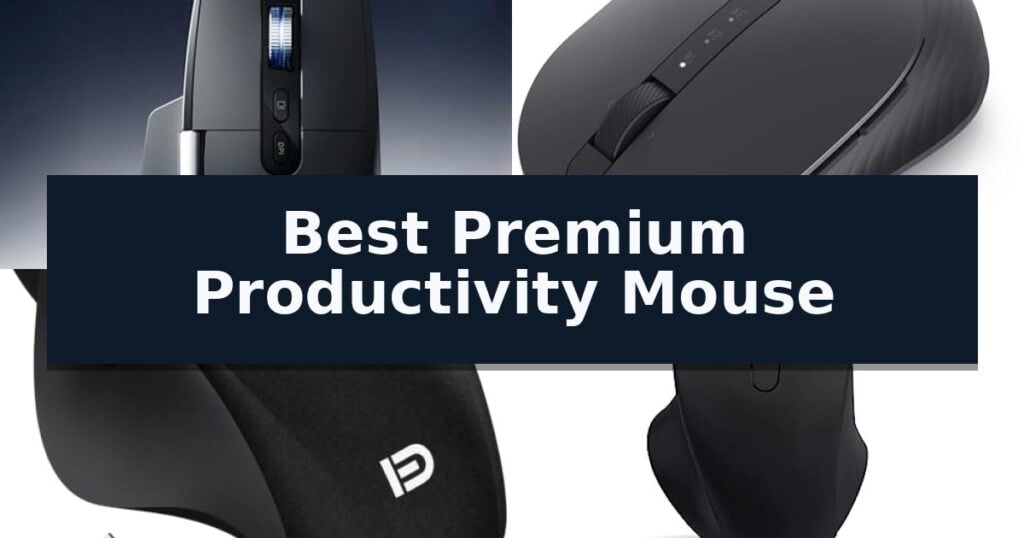
4 Best Premium Productivity Mouse in 2026 Reviews
Quick Comparison
| Product | Best For | Key Strength | Score |
|---|---|---|---|
| MiniLuxis Ergonomic Productivity Wireless Mouse | Best Overall | Dual scroll wheel design for efficient horizontal and vertical navigation. | 4.9 |
| Dell Pro Premium Wireless Mouse MS7421W | Seamless multi-device multitasking | Multi-device pairing for up to three devices. | 4.9 |
| MangoEra Wireless Ergonomic Mouse | Comfortable support for large hands | Thumb-controlled side scroll wheel for efficient horizontal navigation. | 4.9 |
| Matias Premium USB-C Wired Mouse | Durable build for precise control | High-precision optical sensor for consistent tracking. | 4.5 |
How We Chose
Evaluating a premium productivity mouse requires focusing on how hardware features translate into daily efficiency. We assess these devices by examining their ergonomic profile, the utility of secondary scroll wheels for wide documents, and the reliability of multi-device wireless connectivity, ensuring that each recommendation offers tangible improvements for professional tasks.
- Ergonomic design and long-term comfort for extended use
- Availability of specialized navigation features like side-scrolling
- Sensor precision and adjustable DPI for varied screen resolutions
- Multi-device connectivity and switching speed
- Battery management and charging convenience
1 MiniLuxis Ergonomic Productivity Wireless Mouse — Dual scroll for complex workflows
Navigating complex digital workflows requires more than a standard pointer, and the MiniLuxis Ergonomic Productivity Wireless Mouse addresses this with a specialized dual-scroll design. By featuring both a traditional infinite scroll wheel and a dedicated side scroll wheel, this device allows users to manage horizontal and vertical navigation across large spreadsheets, CAD drawings, and video editing timelines with increased efficiency.
At the core of its performance is the PixArt PAW3220 sensor, which supports an adjustable DPI up to 8000 and a 1000Hz polling rate. These specifications provide the tracking precision necessary for detailed graphic design and programming tasks. The inclusion of an OLED smart display provides immediate visual feedback on battery levels, current DPI settings, and connection status, removing the need for software-based status checks.
Connectivity is designed for versatility, offering multi-device support via Bluetooth, 2.4GHz wireless, or a USB-C wired connection. This allows professionals to switch between a laptop, desktop, or tablet seamlessly. The mouse is built with an ergonomic shape intended to support a natural hand position, which is intended to minimize strain during extended periods of use.
The rechargeable battery is replenished via a USB-C port, ensuring the device remains ready for daily operation. Furthermore, the buttons are engineered for quiet clicks, making the mouse suitable for shared office environments or quiet home workspaces where noise reduction is a priority.
Best for: Professionals and creators who frequently navigate wide timelines, large spreadsheets, or complex design software and require multi-device connectivity.
Skip if: Users who prefer a minimalist, lightweight design or those who do not require horizontal scrolling capabilities may find the additional hardware bulk unnecessary.
- Dual scroll wheel design for efficient horizontal and vertical navigation.
- PixArt PAW3220 sensor with high-precision tracking up to 8000 DPI.
- OLED smart display for real-time status monitoring.
- Tri-mode connectivity including Bluetooth, 2.4GHz, and USB-C wired.
- Increased physical footprint due to the inclusion of dual scroll wheels and an OLED display.
- Weight of 2.86 pounds may be heavier than standard productivity mice.
2 Dell Pro Premium Wireless Mouse MS7421W — Seamless multi-device multitasking
Efficiency in a professional workspace often hinges on the ability to manage multiple digital streams without physical clutter. The Dell Pro Premium Wireless Mouse MS7421W addresses this by integrating multi-device pairing, allowing users to connect and switch between up to three devices seamlessly. This capability ensures that transitioning between a primary workstation and a secondary laptop is instantaneous, removing the need for peripheral swapping.
Beyond its connectivity, the mouse is built for longevity and consistent input. It features a rechargeable battery that provides up to 3 months of use on a single charge, supported by a convenient USB-C fast charge interface. This design choice minimizes downtime, ensuring the device remains powered through extended work sessions.
Precision and comfort are central to its construction. The Dell Pro Premium Wireless Mouse MS7421W utilizes adjustable DPI settings ranging from 1000 to 4000, which allows for tailored cursor sensitivity across various display resolutions and surface types. Its ergonomic, shaped design is engineered to support the hand during prolonged daily use, reducing strain.
The mouse offers flexible dual connectivity, providing the choice between Bluetooth 5.0 and a 2.4GHz wireless connection. This dual-mode functionality ensures a reliable, lag-free experience in environments where wireless interference might otherwise be a concern. Constructed from robust materials, the unit is designed to withstand the rigors of daily professional environments.
Best for: Professionals who need to manage multiple devices simultaneously and require a reliable, rechargeable pointing device.
Skip if: Users who prefer a wired-only connection or those who require a highly specialized vertical ergonomic shape for specific wrist comfort needs.
- Multi-device pairing for up to three devices.
- Long battery life with fast USB-C charging.
- Adjustable DPI (1000-4000) for precise tracking.
- Flexible dual connectivity via Bluetooth 5.0 and 2.4GHz.
- Fixed ergonomic shape may not suit all hand sizes or grip styles.
3 MangoEra Wireless Ergonomic Mouse — Comfortable support for large hands
The MangoEra Wireless Ergonomic Mouse is built to address the physical strain associated with long hours of digital work, specifically through its integrated thumb-operated side scroll wheel. By moving horizontal navigation tasks—such as scrolling through expansive spreadsheets or wide timelines—to the thumb, this device enables more efficient workflows while reducing the need for repetitive wrist movements. This design choice is particularly beneficial for professionals who manage complex data sets and require a more fluid interaction with their software.
Engineered with a focus on natural hand positioning, the mouse features a supportive, right-handed ergonomic profile that is specifically tailored for medium and large hands. This physical geometry provides a more substantial grip than standard, flatter mouse designs, which can often lead to discomfort during extended sessions. The ergonomic shape aims to promote a more neutral wrist posture, potentially alleviating some of the fatigue common in high-volume office environments.
For shared or quiet workspaces, the quiet click buttons provide responsive tactile feedback while significantly dampening operational noise. This allows for a more focused atmosphere without the distraction of loud clicking sounds, making it a practical choice for home offices or collaborative settings. The device maintains a clean, cable-free desk through its 2.4GHz USB receiver, which offers simple plug-and-play connectivity for both Windows and Mac systems.
Power management is handled by built-in sleep technology, which automatically conserves energy when the mouse is idle to extend the life of the single replaceable AA battery. This approach eliminates the need for charging cables, ensuring the device is always ready for use. While the reliance on a replaceable battery is a trade-off compared to rechargeable internal cells, it allows for immediate power restoration without downtime for charging.
Best for: Users with medium to large hands who require a quiet, ergonomic solution for navigating wide documents and spreadsheets.
Skip if: Left-handed users or those who require a compact, travel-sized mouse with advanced programmable buttons.
- Thumb-controlled side scroll wheel for efficient horizontal navigation.
- Ergonomic shape specifically designed for medium and large hands.
- Quiet click buttons for reduced noise in focused work environments.
- Wireless connectivity via a reliable 2.4GHz USB receiver.
- Requires a replaceable AA battery, which is not included.
- Right-handed only ergonomic design limits use for left-handed individuals.
4 Matias Premium USB-C Wired Mouse — Durable build for precise control
Reliability in a workspace often comes down to the tools that simply work without requiring complex software or constant connectivity checks. The Matias Premium USB-C Wired Mouse prioritizes this straightforward approach by utilizing a high-precision optical sensor that delivers consistent, responsive tracking for daily tasks. By opting for a wired connection, it removes the common frustrations of battery management and wireless interference, ensuring your cursor remains steady throughout the workday.
Built with a durable PBT material shell, this mouse is designed to maintain its aesthetic and tactile quality over time. The material is specifically chosen for its dry, comfortable feel, which helps prevent the surface degradation often seen in standard plastic peripherals. Its ergonomic design is shaped to support the hand, aiming to reduce fatigue during extended periods of use, whether you are managing spreadsheets or navigating complex web interfaces.
Functionality is centered on a four-button layout, including a dedicated scroll wheel that provides smooth, accurate navigation. These buttons can be programmed to handle specific commands, allowing you to tailor the device to your personal workflow. Because it is a plug-and-play device, it requires no additional driver installations, making it a versatile choice for users moving between different workstations or operating systems.
The inclusion of a USB-C connection ensures compatibility with modern laptops, MacBooks, and desktop setups. By focusing on a robust, wired build, this mouse offers a reliable alternative for those who prefer a consistent, maintenance-free input device that is ready to perform the moment it is connected.
Best for: Users who require a reliable, maintenance-free, and ergonomic wired mouse for consistent daily office or home productivity.
Skip if: Users who prioritize a clutter-free desk and require the freedom of movement provided by wireless connectivity.
- High-precision optical sensor for consistent tracking.
- Durable PBT shell that resists color changes and wear.
- Plug-and-play simplicity with no driver requirements.
- Ergonomic shape designed to reduce hand strain.
- Wired connection limits the range of motion compared to wireless alternatives.
Best Premium Productivity Mouse Buying Guide
Ergonomics and Hand Health
A premium mouse should support a natural hand position to minimize strain during long work sessions. Look for designs that fill the palm and encourage a relaxed grip, which is essential for users who spend eight or more hours a day at a computer.
While shape is subjective, a well-engineered ergonomic mouse reduces the need for repetitive wrist movements. Materials that offer a secure grip and a balanced weight distribution further contribute to comfort, preventing fatigue even during high-intensity projects.
Advanced Navigation Features
Productivity often hinges on how quickly you can move through large files. A dedicated side-scroll wheel is a significant advantage for anyone working in spreadsheets, video editing timelines, or complex design software, as it eliminates the need to constantly click and drag scroll bars.
Infinite scrolling is another feature that transforms navigation. By allowing the wheel to spin freely, you can zip through thousands of lines of code or long webpages in a single motion, significantly reducing the physical effort required to reach the end of a document.
Sensor Accuracy and DPI
The sensor is the engine of your mouse, and for professional work, consistency is more important than raw speed. A high-quality optical sensor ensures that your cursor moves exactly where you intend, which is vital for tasks like photo editing or precise data entry.
Adjustable DPI settings allow you to tailor the cursor speed to your monitor setup. If you use multiple high-resolution displays, a higher DPI setting lets you traverse the entire screen area with minimal hand movement, keeping your workflow fluid and efficient.
Connectivity and Multi-Device Support
Modern workflows often involve jumping between a laptop, a desktop, and perhaps a tablet. A mouse that supports multi-device pairing via Bluetooth or a 2.4GHz receiver allows you to maintain a clean desk while controlling all your hardware with one device.
Reliable switching is key to this experience. Look for models that offer dedicated buttons or software-based switching, as this ensures that your transition between devices is instantaneous and does not interrupt your focus.
Power Management
Battery life is a common pain point for wireless peripherals. Rechargeable models with USB-C charging are generally preferred for premium devices, as they eliminate the need for disposable batteries and provide a consistent power source that can be topped up during breaks.
Smart power management, such as automatic sleep modes, helps extend the time between charges. For those who prefer a set-it-and-forget-it approach, some models offer months of battery life, ensuring that your mouse is always ready when you are.
Frequently Asked Questions
Do I really need a side-scroll wheel for office work?
If you frequently work with wide Excel spreadsheets, video editing timelines, or large design artboards, a side-scroll wheel can drastically reduce the time spent navigating horizontally.
Is a wired mouse better than a wireless one for productivity?
Wired mice offer the benefit of never needing to charge and zero latency, but wireless models provide a clutter-free workspace and greater flexibility for multi-device setups.
How does DPI affect my daily computer use?
DPI determines how far the cursor moves on screen relative to your hand movement. Higher DPI is useful for multi-monitor setups, while lower DPI is often preferred for precision tasks like graphic design.
Can I use a premium productivity mouse for gaming?
While many productivity mice have high-quality sensors, they are generally optimized for comfort and navigation rather than the rapid, twitch-based movements required for competitive gaming.
What is the benefit of an OLED display on a mouse?
An OLED display provides immediate, at-a-glance information about your current DPI settings, battery life, and connection status, removing the need to check software menus.
Conclusion: Our Top Pick
Our top pick is MiniLuxis Ergonomic Productivity Wireless Mouse. Choosing the right productivity mouse comes down to identifying which navigation bottlenecks currently slow you down. Whether you prioritize the advanced dual-scroll capabilities of the MiniLuxis or the reliable, multi-device simplicity of the Dell Pro, the best choice is one that integrates seamlessly into your specific software environment.
Investing in a high-quality mouse is a long-term commitment to your comfort and efficiency. By focusing on ergonomic support and the specific features that match your daily tasks, you can significantly improve your workflow and reduce the physical strain of long hours at the computer.