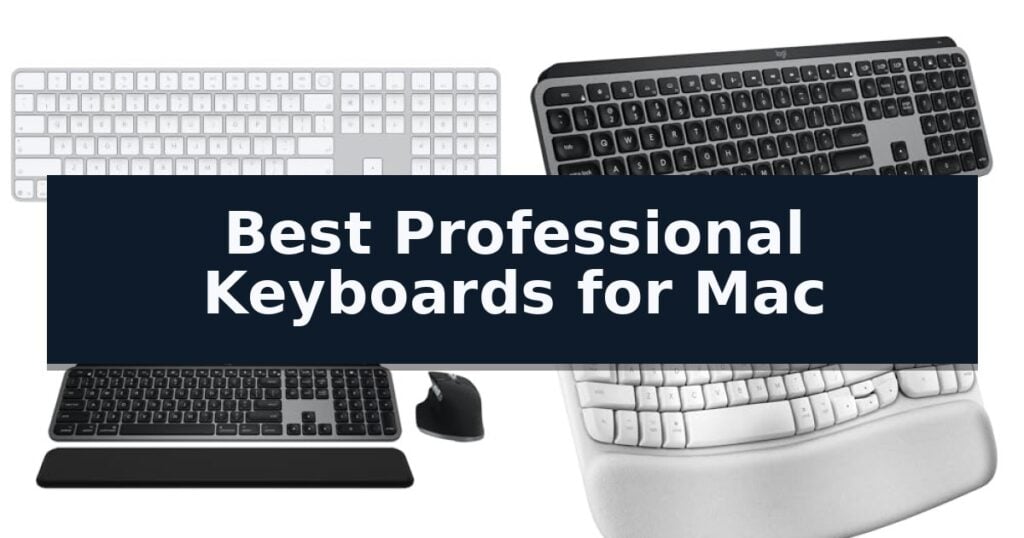
Apple Magic Keyboard with Touch ID is our pick for the Best Professional Keyboards for Mac because it offers seamless, secure biometric authentication and a reliable, low-profile typing experience tailored for Apple silicon.
For professionals who prioritize custom workflows, the Logitech MX Keys S Mac Keyboard provides advanced shortcut automation and multi-device switching. Those seeking a complete desktop solution may prefer the Logitech MX Keys S Combo, which bundles this high-performance keyboard with a precision-engineered mouse for a unified workspace.
Selecting a professional keyboard for macOS requires balancing native integration with physical comfort. While wireless options offer a clean desk, wired alternatives provide consistent, latency-free connectivity for demanding environments.
For those exploring a wider range of hardware, our guide to Best Professional Keyboards provides additional insights into selecting the right input devices for your office.
10 Best Professional Keyboards for Mac in 2026 Reviews
Quick Comparison
| Product | Best For | Key Strength | Score |
|---|---|---|---|
| Apple Magic Keyboard with Touch ID | Best Overall | Integrated Touch ID for secure and fast authentication. | 4.9 |
| Logitech MX Keys S Mac Keyboard | Fluid Typing with Smart Shortcuts | Mac-specific layout with matching Apple finishes for aesthetic and functional integration. | 4.5 |
| Logitech MX Keys S Combo | Complete Desktop Productivity Set | Mac-specific layout and aesthetic integration. | 4.8 |
| Logitech Wave Keys Ergonomic Keyboard | Natural Posture for Long Sessions | Ergo-certified wave design for natural wrist support. | 4.7 |
| ProtoArc KM100-A Backlit Keyboard | Illuminated Keys for Dim Environments | Full-size layout with a dedicated numeric keypad for increased productivity. | 4.4 |
| iClever BK10 SE Bluetooth Keyboard | Sleek Metal Multi-Device Switching | Multi-device switching for up to three devices. | 4.8 |
| OMOTON Dual Interface Wired Keyboard | Reliable Plug and Play Connection | Dual USB-A and Type-C interface for direct compatibility without adapters. | 4.8 |
| Macally Ultra Slim Wired Keyboard | Classic Aluminum Aesthetic | Full-size layout with a dedicated numeric keypad for efficient data entry. | 4.5 |
| Macally Large Print Backlit Keyboard | High Visibility for Easy Reading | Oversized key print for improved legibility. | 4.4 |
| Macally Compact Wired Mac Keyboard | Space-Saving Full Functionality | Dual USB-C and USB-A connectivity for broad Apple device compatibility. | 4.6 |
How We Chose
Evaluating the best professional keyboards for Mac requires a focus on how well each device integrates with the macOS ecosystem. We look beyond basic typing to assess how key layout, connectivity, and specialized software support impact daily productivity, ensuring that each recommendation provides a reliable, efficient experience for professional users.
- Native macOS integration and shortcut key support
- Typing comfort, including key travel and ergonomic profile
- Connectivity reliability, including Bluetooth stability and wired options
- Build quality and aesthetic alignment with Apple hardware
- Productivity features like multi-device switching and programmable keys
1 Apple Magic Keyboard with Touch ID — Secure Authentication for Mac
The Apple Magic Keyboard with Touch ID and Numeric Keypad integrates biometric security directly into your workspace, allowing for fast and secure authentication for logins and purchases through its built-in Touch ID sensor. This model is specifically engineered for Mac computers equipped with Apple silicon, ensuring seamless compatibility and automatic pairing right out of the box.
Designed for productivity, the keyboard features an extended layout that includes dedicated document navigation controls and full-size arrow keys. The addition of a numeric keypad makes this an efficient choice for users frequently working with spreadsheets or finance applications, while the low-profile keys provide a comfortable and precise typing experience.
This wireless peripheral is powered by a rechargeable battery designed to last for about a month or more between charges. It includes a woven USB-C Charge Cable, which allows you to connect directly to your Mac for both charging and pairing, ensuring you can continue working without interruption.
Measuring 17.6 inches in length, the keyboard offers a stable, full-sized footprint that fits well on most professional desks. While it provides a robust set of features for Mac power users, its reliance on a specific port connection and wireless pairing means it is best utilized in environments where Apple silicon hardware is the standard.
Best for: Professional users who require a numeric keypad and secure biometric authentication for their Apple silicon-based Mac workflow.
Skip if: Users who rely on non-Apple operating systems or older Mac models that do not support the Touch ID and Apple silicon connectivity requirements.
- Integrated Touch ID for secure and fast authentication.
- Extended layout with a dedicated numeric keypad for data entry.
- Automatic pairing and seamless integration with Apple silicon Macs.
- Long-lasting rechargeable battery with included woven USB-C cable.
- Limited compatibility restricted to Mac models with Apple silicon.
- Larger footprint due to the extended numeric keypad design.
2 Logitech MX Keys S Mac Keyboard — Fluid Typing with Smart Shortcuts
The Logitech MX Keys S Mac Keyboard streamlines professional workflows through its dedicated Mac-specific key layout and seamless integration with Apple hardware. Designed with a low-profile, laptop-like aesthetic, this keyboard features spherically dished keys that prioritize fingertip comfort and typing precision during extended work sessions.
Beyond its physical build, the keyboard introduces Smart Actions shortcuts via the Logi Options+ app, allowing users to automate repetitive tasks with a single keystroke. The integrated smarter illumination system detects approaching hands and adjusts brightness based on ambient lighting conditions, ensuring visibility while conserving battery life.
Connectivity is handled through Bluetooth Low Energy, supporting stable pairing with up to three Apple devices simultaneously. This multi-device capability, when paired with a compatible MX mouse, enables users to transfer text and files across different macOS, iPadOS, and iOS systems without manual re-pairing.
Constructed with a focus on sustainability, the device incorporates certified post-consumer recycled plastic—26% in the Space Grey model. It features a rechargeable battery via USB-C, providing a 10-day runtime on a full charge, and maintains an optimum typing angle designed to support wrist posture throughout the day.
Best for: Professionals who require a seamless, multi-device typing experience across the Apple ecosystem with customizable automation shortcuts.
Skip if: Users who prefer mechanical switches with high-travel tactile feedback or those who require a wired-only connection for their setup.
- Mac-specific layout with matching Apple finishes for aesthetic and functional integration.
- Smart Actions automation for executing multiple tasks with one keystroke.
- Multi-device pairing for up to three Apple devices via Bluetooth.
- Proximity-sensing backlighting that adapts to environmental conditions.
- Non-mechanical keys may not satisfy users seeking traditional tactile switch feedback.
- 10-day battery life requires periodic USB-C recharging compared to wired alternatives.
3 Logitech MX Keys S Combo — Complete Desktop Productivity Set
Achieving a streamlined workspace requires tools that integrate seamlessly with your existing hardware. The Logitech MX Keys S Combo is engineered specifically for the Apple ecosystem, featuring a dedicated Mac key layout and a sophisticated Space Grey finish that complements MacBook Pro, MacBook Air, iMac, and iPad setups.
This set combines a low-profile, spherically dished keyboard with the high-performance MX Master 3S wireless mouse. The keyboard provides a stable, laptop-like typing experience, while the mouse utilizes an 8K DPI sensor capable of tracking on glass surfaces. Users can scroll through documents at high speeds using the MagSpeed scroll wheel, which is rated for up to 1,000 lines per second.
Productivity is enhanced through smart features like proximity-sensing backlighting, which illuminates the keys as your hands approach. The system is highly customizable via the Logi Options+ software, allowing for programmable functions tailored to macOS workflows. Both devices support Bluetooth Low Energy connectivity, enabling users to switch between up to three paired Apple devices with a single button press.
Designed for long-term comfort, the keyboard includes an optimum typing angle and a dedicated palm rest, while the mouse is sculpted to support natural wrist posture. The combo is constructed with a focus on sustainability, incorporating certified post-consumer recycled plastic in both the keyboard and mouse components.
Best for: Professionals seeking a cohesive, high-performance input solution specifically optimized for multi-device Mac and iPad workflows.
Skip if: Users who prefer mechanical switches with deep key travel or those who require a wired-only connection for their peripherals.
- Mac-specific layout and aesthetic integration.
- MagSpeed scroll wheel for rapid, precise navigation.
- Smarter illumination that adjusts based on hand proximity.
- Multi-device connectivity across three Apple devices.
- Ergonomic design including a dedicated palm rest.
- Non-mechanical key switches may not suit all typing preferences.
- Integrated battery design requires USB-C charging rather than user-replaceable cells.
4 Logitech Wave Keys Ergonomic Keyboard — Natural Posture for Long Sessions
Maintaining a natural typing posture during long work sessions is essential for comfort, and the Logitech Wave Keys Ergonomic Wireless Bluetooth Keyboard for Mac addresses this with a unique wave-shaped design. This keyboard features a cushioned palm rest that provides continuous support, helping to reduce wrist pressure while you navigate your daily tasks.
Designed specifically for the Apple ecosystem, this wireless keyboard integrates seamlessly with macOS, iPadOS, and iOS. It offers versatile connectivity, allowing you to pair with up to three devices and switch between them instantly using the Easy-Switch keys. The quiet keys ensure a peaceful typing environment, while the up to 3-year battery life minimizes the need for frequent maintenance.
The keyboard is Ergo-certified by United States Ergonomics, reflecting its design focus on user comfort. Users can further customize their experience by utilizing the Logi Options+ App to set up time-saving shortcuts and Smart Actions, tailoring the workflow to specific professional needs. It is also built with a conscious design, incorporating 46% recycled plastic.
For those looking to build a complete ergonomic workspace, this model is designed to pair effectively with the Lift for Mac Vertical Ergonomic Mouse. While it offers significant ergonomic benefits, users should note that it does not include a Logi Bolt USB receiver, relying instead on its robust Bluetooth connectivity for wireless operation.
Best for: Professionals seeking a dedicated ergonomic keyboard that integrates seamlessly with multiple Apple devices.
Skip if: Users who require a dedicated numeric keypad or prefer a traditional flat keyboard layout.
- Ergo-certified wave design for natural wrist support.
- Easy-Switch technology for seamless multi-device pairing.
- Cushioned palm rest for all-day comfort.
- Long battery life of up to 3 years.
- Lacks a dedicated numeric keypad due to its compact design.
- No Logi Bolt USB receiver included in the box.
5 ProtoArc KM100-A Backlit Keyboard — Illuminated Keys for Dim Environments
The ProtoArc KM100-A Backlit Keyboard features a full-size layout that integrates a dedicated numeric keypad, specifically designed to mirror the functional efficiency of standard Mac peripherals. This wireless set includes both a keyboard and mouse, utilizing Bluetooth 5.1 connectivity to pair with up to three devices simultaneously, allowing for seamless switching between a MacBook, iPad, or other compatible Apple hardware.
Engineered for quiet operation, the keyboard utilizes responsive scissor switches that provide a low-profile, tactile typing experience. The unit is built with a flat design intended to maintain a neutral wrist position during extended use, which may assist in reducing strain. For low-light environments, the keyboard offers soft white LED backlighting with three adjustable brightness levels, ensuring visibility without excessive glare.
Power management is handled by integrated rechargeable batteries, with a 1200mAh capacity for the keyboard and 300mAh for the mouse. To preserve battery life, the system automatically enters a sleep mode after 60 minutes of inactivity. The included mouse offers customizable sensitivity through three adjustable DPI settings—1000, 1600, and 2400—to accommodate different workflow requirements.
While the full-size configuration enhances productivity, users should note that it requires more desk real estate than compact alternatives. The device is compatible with macOS 10.12 or later and iPadOS 13.0 or above. Note that this set relies exclusively on Bluetooth connectivity and does not include a USB dongle, making it unsuitable for older Macs manufactured before 2013 or non-Bluetooth environments.
Best for: Users who require a full-size, backlit keyboard with a numeric keypad and multi-device Bluetooth switching for a Mac-centric workspace.
Skip if: Users with limited desk space or those who require a wired connection or compatibility with legacy hardware predating 2013.
- Full-size layout with a dedicated numeric keypad for increased productivity.
- Triple-device connectivity via Bluetooth 5.1 for efficient multitasking.
- Adjustable white LED backlighting for improved visibility in dim environments.
- Rechargeable batteries for both the keyboard and mouse.
- Larger footprint requires more desk space than compact keyboards.
- Bluetooth-only connection lacks a USB dongle option for non-Bluetooth setups.
6 iClever BK10 SE Bluetooth Keyboard — Sleek Metal Multi-Device Switching
A clean desk setup often requires balancing functionality with a minimalist aesthetic, and the iClever BK10 SE Bluetooth Keyboard addresses this by integrating a full-size layout into an ultra-slim, 0.16-inch profile. This keyboard is designed for users who prioritize a clutter-free workspace without sacrificing the utility of a dedicated numeric keypad or navigation keys.
The iClever BK10 SE Bluetooth Keyboard features multi-device connectivity, allowing you to pair and switch between up to three devices across MacOS, Windows, iOS, and Android. The keyboard automatically detects the connected operating system to ensure correct key mapping, which simplifies the workflow for those who manage multiple devices simultaneously.
Constructed from premium stainless steel and durable ABS, the device offers a sturdy feel while maintaining a lightweight form factor. The low-profile scissor-switch keys are designed to provide a quiet typing experience, and the 15mm standard keycaps are intended to improve accuracy during extended typing sessions.
Efficiency is a core focus, as the keyboard is powered by an advanced Nordic chipset that supports up to 180 days of use on a single charge. It includes an automatic sleep mode that triggers after two hours of inactivity, waking instantly when a key is pressed. The perforated base design is specifically engineered to ensure consistent Bluetooth signal strength despite the metal construction.
Best for: Users who need a slim, multi-device wireless keyboard that maintains a full-size layout with a numeric keypad for Mac and cross-platform workflows.
Skip if: Users who prefer the tactile feedback and deep travel of mechanical switches or those who require a wired connection for specific low-latency environments.
- Multi-device switching for up to three devices.
- Long battery life lasting up to 180 days per charge.
- Ultra-slim stainless steel construction for a minimalist aesthetic.
- Quiet scissor-switch keys designed for comfortable, accurate typing.
- Integrated navigation keys within the number pad may require an adjustment period for some users.
- No wired connectivity option provided.
7 OMOTON Dual Interface Wired Keyboard — Reliable Plug and Play Connection
The OMOTON Dual Interface Wired Keyboard simplifies connectivity for modern Mac users by offering both USB-A and Type-C interfaces in a single, plug-and-play design. This dual-port configuration eliminates the need for external adapters, providing a stable, wired connection that is essential for consistent performance during office tasks and business presentations.
Designed specifically for the macOS ecosystem, this keyboard features a full layout including a dedicated numeric keypad and a complete row of Mac-optimized shortcut keys. These controls are engineered to accelerate data entry and arithmetic calculations, making it a functional tool for accounting and general office productivity.
The hardware is built with an 8° ergonomic tilt, intended to support a more comfortable typing posture during extended work sessions. Its ultra-slim, portable profile allows for easy transport between conference rooms, while the reliable wired connection ensures glitch-free operation without the latency concerns sometimes associated with wireless peripherals.
Compatibility is strictly limited to macOS 11.3 or later, and the device is not designed for full functionality with non-Mac hardware. Users should note that the USB-A interface requires the Type-C end to be connected to the host device first to establish a successful link, as indicated by the green power status light.
Best for: Mac users who require a reliable, wired full-size keyboard with a numeric keypad and dual-interface connectivity for office and business environments.
Skip if: Users operating on pre-2013 hardware, macOS versions below 10.12, or those who require a wireless keyboard for their workspace setup.
- Dual USB-A and Type-C interface for direct compatibility without adapters.
- Dedicated numeric keypad and Mac-specific multimedia hotkeys.
- 8° ergonomic tilt design for improved typing comfort.
- Ultra-slim and portable form factor suitable for business travel.
- Limited compatibility with non-Mac devices and older operating systems.
- Wired-only connection lacks the flexibility of wireless peripherals.
8 Macally Ultra Slim Wired Keyboard — Classic Aluminum Aesthetic
The Macally Ultra Slim Wired Keyboard distinguishes itself with a sleek, low-profile aluminum backing that provides a modern aesthetic while maintaining a full-size typing experience. Designed for users who prioritize a reliable, consistent connection, this peripheral eliminates the need for batteries, charging, or wireless pairing, ensuring it is ready for use the moment it is plugged into a Mac or Windows system.
Functionality is centered around a full-size layout that includes a dedicated numeric keypad, which is essential for data entry and spreadsheet management. To streamline workflow, the keyboard features 20 integrated Apple shortcut keys, allowing for quick access to common commands such as copy, paste, volume adjustment, and media playback. These controls are specifically mapped to enhance productivity within macOS environments.
The device is engineered for simplicity, utilizing a plug-and-play interface that requires no additional drivers or software installation. Its ultra-thin design is intended to minimize desk clutter while providing a sturdy feel due to the aluminum construction. Measuring 17 inches in width and 4.5 inches in height, it fits standard workstation setups without occupying excessive space.
While the wired connection ensures dependability, it does tether the user to the workstation, which may be a consideration for those seeking a mobile or cable-free desk environment. The keyboard is backed by a 1-year warranty and lifetime customer support, offering a practical solution for professionals who require a stable, no-nonsense input device for their daily computing tasks.
Best for: Professionals who require a reliable, full-size wired keyboard with dedicated numeric and media shortcuts for a Mac or Windows workstation.
Skip if: Users who prioritize a wireless, clutter-free desk setup or those who frequently move their keyboard away from the computer.
- Full-size layout with a dedicated numeric keypad for efficient data entry.
- Plug-and-play connectivity eliminates the need for batteries or wireless pairing.
- 20 integrated shortcut keys for quick access to media and system controls.
- Sleek aluminum design provides a durable and modern aesthetic.
- Wired connection limits portability and desk arrangement flexibility.
- No wireless option available for those preferring a cable-free workspace.
9 Macally Large Print Backlit Keyboard — High Visibility for Easy Reading
Visibility and ease of use are the primary design goals of the Macally Wired Keyboard for Mac, which features oversized key print that is four times larger than standard keyboards. This design choice aims to assist users who require high-contrast, easily legible characters to maintain typing accuracy and comfort during extended work sessions.
The keyboard integrates a 107-key MacOS layout, ensuring that Apple users have immediate access to familiar commands. It includes 16 dedicated shortcut keys that map directly to common system functions, allowing for a more streamlined workflow without the need for additional software configuration.
To accommodate various lighting environments, the unit is equipped with backlit keys that offer three levels of brightness. This functionality ensures that the large-print characters remain visible in low-light settings, providing consistent utility throughout the day or night.
Connectivity is managed via a 2-in-1 wired interface that includes both USB-A and USB-C connectors. This dual-port design allows for direct compatibility with a wide range of Apple devices, including MacBook Pro, MacBook Air, Mac mini, and iMac models, ensuring a stable, latency-free connection without reliance on batteries.
Best for: Users who require high-visibility, large-print keys and a reliable wired connection for their Mac desktop or laptop setup.
Skip if: Users who prefer a wireless, compact, or low-profile mechanical keyboard design.
- Oversized key print for improved legibility.
- 3-level adjustable backlighting for low-light visibility.
- Dual-port USB-C and USB-A wired connectivity.
- Dedicated 16-key MacOS shortcut row.
- Wired-only connection limits desk placement flexibility.
- Full-size 107-key footprint occupies significant desk space.
10 Macally Compact Wired Mac Keyboard — Space-Saving Full Functionality
Maintaining a clean and efficient workspace often requires balancing full-sized functionality with limited desk surface. The Macally Compact Wired Mac Keyboard addresses this by integrating a full numeric keypad and essential navigation controls into a streamlined 98-key layout. This design choice provides the utility of a traditional full-sized keyboard without the excessive footprint, making it a practical solution for professionals who need to manage data entry and system shortcuts in tighter quarters.
Connectivity is streamlined through a dual-interface approach, featuring both USB-C and USB-A compatibility. This flexibility allows the device to integrate directly with a wide range of Apple hardware, including MacBook, iMac, Mac mini, iPad, and iPhone models. By offering native support for both connection types, the keyboard ensures a consistent input experience across diverse multi-device setups without requiring additional adapters.
For efficient navigation, the unit includes 16 dedicated Mac shortcuts. These keys provide one-touch access to system functions such as brightness adjustment, Mission Control, Spotlight, dictation, media playback, volume control, and screen locking. These shortcuts reduce the need to navigate through software menus, which can help streamline daily workflows for power users.
The typing experience is defined by low-profile, scissor-switch keys that offer tactile feedback while maintaining a semi-quiet operation. The construction features a stainless steel base and a silver finish, which adds structural stability and aligns with the aesthetic of contemporary Mac workstations. While the wired-only connection limits placement flexibility compared to wireless alternatives, it ensures a constant, battery-free power supply for uninterrupted productivity.
Best for: Users who require a dedicated numeric keypad and Mac-specific shortcut keys within a space-constrained desktop environment.
Skip if: Users who prefer a wireless typing experience or those who require the deep travel distance of mechanical switches.
- Dual USB-C and USB-A connectivity for broad Apple device compatibility.
- Compact 98-key layout that includes a full numeric keypad.
- 16 dedicated Mac shortcuts for rapid system control.
- Stainless steel base for improved stability and a solid typing feel.
- Wired-only connection limits placement flexibility compared to wireless alternatives.
- Low-profile scissor-switch keys may not suit users who prefer the travel distance of mechanical switches.
Best Professional Keyboards for Mac Buying Guide
Connectivity and Compatibility
Professional Mac users must decide between the convenience of wireless Bluetooth and the stability of a wired connection. Wireless keyboards offer a clutter-free environment and multi-device switching, which is essential for those who manage both a Mac and an iPad simultaneously.
Wired keyboards eliminate the need for battery management and provide an immediate, interference-free connection. When choosing a wired model, ensure the interface matches your Mac's available ports, as many modern devices require USB-C connectivity.
Ergonomics and Typing Feel
The physical profile of a keyboard significantly impacts comfort during long work sessions. Low-profile, scissor-switch keys are standard for many Mac-compatible keyboards, offering a shallow, responsive feel that mimics the experience of using a MacBook.
For users who spend hours typing, ergonomic designs that promote a neutral wrist position can reduce strain. Look for keyboards with adjustable angles or integrated palm rests to support your hands and maintain a comfortable posture throughout the day.
Layout and Productivity Features
A full-size layout with a numeric keypad is often necessary for data entry, finance, and spreadsheet management. These extended keyboards provide dedicated navigation controls that can significantly speed up document editing and general navigation.
Programmable shortcut keys and software-based automation tools allow you to map complex tasks to a single keystroke. These features are particularly valuable for creative professionals who rely on specific software functions to maintain a fast, efficient workflow.
Build Quality and Aesthetics
Professional hardware should feel substantial and look professional on your desk. Keyboards constructed with aluminum or high-quality recycled plastics offer both durability and a visual aesthetic that complements the design language of Apple computers.
Backlighting is a practical feature for those working in dim environments. Adjustable brightness levels allow you to maintain visibility without causing eye strain, ensuring you can work comfortably regardless of the lighting conditions in your office.
Authentication and Security
Integrating biometric security directly into your keyboard can save time throughout the day. Keyboards that support Touch ID allow for fast, secure logins and authentication for purchases without requiring you to reach for your laptop's built-in sensor.
While this feature is typically exclusive to Apple-branded peripherals, it provides a level of convenience and security that is difficult to replicate with third-party alternatives. Consider whether this integration is a priority for your specific security and workflow needs.
Frequently Asked Questions
Do all Mac-compatible keyboards support Touch ID?
No, Touch ID functionality is currently limited to specific Apple-branded keyboards designed for Mac models with Apple silicon.
Can I use a Windows-layout keyboard with my Mac?
While many keyboards will function, the modifier keys (Command, Option) may not align perfectly with macOS, and you may lose access to dedicated Mac shortcut keys.
Is a wired keyboard better for professional work?
Wired keyboards are preferred in environments where wireless interference is a concern or where you want to avoid the need for periodic charging.
How do I know if a keyboard supports multi-device switching?
Look for keyboards that feature dedicated keys or buttons, often labeled as Easy-Switch, which allow you to toggle between paired Bluetooth devices.
What is the benefit of a scissor-switch mechanism?
Scissor-switch keys offer a stable, low-profile typing experience that is generally quieter and more responsive than traditional membrane keyboards.
Conclusion: Our Top Pick
Our top pick is Apple Magic Keyboard with Touch ID. Choosing the right keyboard for your Mac depends on your specific professional requirements, whether you prioritize the seamless security of Touch ID or the advanced customization of third-party software suites.
By evaluating your need for numeric input, ergonomic support, and multi-device connectivity, you can select a tool that enhances your daily efficiency and complements your workspace.