Logitech MX Mechanical Wireless Keyboard is our pick for the Best Professional Keyboards because it balances low-profile mechanical precision with a quiet, tactile typing experience suited for shared office environments.
Selecting a professional keyboard requires balancing tactile feedback with long-term comfort and connectivity versatility. Experienced users prioritize build quality, key switch responsiveness, and the ability to switch seamlessly between multiple devices or operating systems throughout the workday.
Beyond the primary input experience, modern professional setups benefit from customizable function keys and smart backlighting that adapts to ambient conditions. These features reduce eye strain and streamline repetitive tasks, allowing for a more efficient and focused workspace.
If you are just starting to build your workstation, exploring the Best Professional Entry-Level Keyboards can provide a cost-effective path to better typing comfort. For those seeking a broader range of options, our guide on the Best Professional Computer Keyboards offers additional insights into specialized layouts.
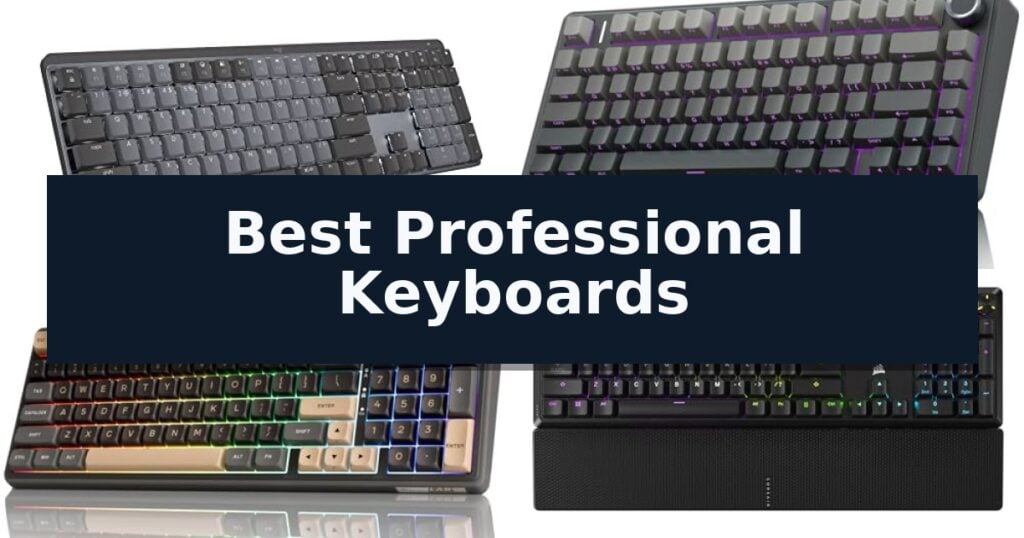
10 Best Professional Keyboards in 2026 Reviews
Quick Comparison
| Product | Best For | Key Strength | Score |
|---|---|---|---|
| Logitech MX Mechanical Wireless Keyboard | Best Overall | Tactile Quiet switches provide precise feedback with reduced noise. | 4.9 |
| AULA F75 Pro Mechanical Keyboard | Creamy Sound in Compact Layout | Tri-mode connectivity supports up to five devices simultaneously. | 4.4 |
| RK ROYAL KLUDGE R98 Pro Keyboard | Gasket Mount for Thocky Typing | Gasket mount design with five layers of sound-absorbing foam for a premium typing sound. | 4.4 |
| Corsair K70 CORE Mechanical Keyboard | Robust Build with Media Dial | Pre-lubricated linear switches provide a smooth and quiet typing experience. | 4.4 |
| CORSAIR GALLEON 100 SD Keyboard | Stream Deck Integrated Controls | Integrated 5-inch LCD screen for real-time system and application monitoring. | 4.7 |
| SOLAKAKA A99 Pro Mechanical Keyboard | Visual Feedback via LCD Screen | Tri-mode connectivity supporting up to 5 devices. | 4.6 |
| Frixalox Wired Ergonomic Split Keyboard | Reduced Strain for Long Sessions | Split-frame ergonomic design with integrated wrist rest to reduce fatigue. | 4.6 |
| Redragon K668 Hot-Swap Keyboard | Dedicated Hotkeys for Efficiency | Hot-swap sockets support 3-pin and 5-pin switches for easy customization. | 4.8 |
| AULA S99 Gaming Keyboard | Versatile Tri-Mode Connectivity | Tri-mode connectivity for flexible device switching | 4.3 |
| Logitech G213 Prodigy Gaming Keyboard | Responsive Feedback for Productivity | Dedicated media controls for instant audio management. | 4.5 |
How We Chose
To identify the most effective professional keyboards, we evaluate how each model handles high-volume typing tasks and multi-device workflows. We focus on the physical construction, the reliability of wireless connections, and the practical utility of onboard software, ensuring that every recommendation provides tangible benefits for daily office productivity.
- Switch type and tactile feedback consistency
- Connectivity options including multi-device Bluetooth and wired stability
- Ergonomic design features like key profile and wrist support
- Customization capabilities for macros and function keys
- Battery life and power management efficiency
1 Logitech MX Mechanical Wireless Keyboard — Tactile Precision for Professionals
Precision and comfort define the Logitech MX Mechanical Wireless Keyboard, a full-size peripheral engineered for professionals who require consistent tactile feedback. Its low-profile mechanical switches provide a distinct bump during each keystroke, ensuring accurate input while maintaining a quieter operation suitable for shared workspaces.
The keyboard integrates smart illumination that detects hand proximity, activating the backlighting automatically and adjusting intensity based on ambient light levels. This feature, combined with a USB-C quick charging system, allows for up to 15 days of use on a single charge with backlighting enabled, or up to 10 months with the lighting turned off.
Designed for multi-device workflows, the unit supports seamless switching between up to three devices across various operating systems via Bluetooth Low Energy or the included Logi Bolt receiver. Users can further refine their experience through the Logi Options+ software, which enables customization of Fn keys and cross-computer control via Flow technology.
Constructed with a focus on ergonomics, the low-profile layout promotes a more natural wrist position during extended typing sessions. The device also incorporates sustainability into its design, utilizing 45% post-consumer recycled plastic in its Graphite model construction.
Best for: Professionals who require a tactile, multi-device mechanical keyboard that integrates seamlessly into a high-productivity workspace.
Skip if: Users who prefer a deep-travel mechanical switch or a tenkeyless form factor for a more compact desk setup.
- Tactile Quiet switches provide precise feedback with reduced noise.
- Smart backlighting adjusts automatically to ambient conditions.
- Multi-device connectivity allows switching between three systems.
- USB-C rechargeable battery offers long-lasting performance.
- Full-size form factor occupies significant desk space.
- Non-removable battery limits long-term serviceability.
2 AULA F75 Pro Mechanical Keyboard — Creamy Sound in Compact Layout
The AULA F75 Pro Wireless Mechanical Keyboard distinguishes itself with a specialized internal architecture featuring an extended integrated silicone pad and PCB single key slotting, which optimizes resilience for a softer, more elastic typing feel. This 75% layout keyboard is engineered to minimize desktop footprint while retaining essential arrow keys, making it a functional choice for users prioritizing space efficiency without sacrificing utility.
Performance is driven by pre-lubricated LEOBOG reaper switches and stabilizers, designed to deliver a smooth, consistent keystroke with a distinct mechanical sound. To manage cavity noise, the chassis incorporates five layers of filling silencer between the PCB, positioning plate, and shaft, resulting in a solid, dampened acoustic profile during operation.
Connectivity is highly versatile, offering tri-mode support via Bluetooth 5.0, 2.4GHz wireless, and USB-C wired connections. The integrated 4000mAh battery provides power for extended use, and the system supports simultaneous connection to up to five devices, allowing for seamless switching between PCs, laptops, tablets, and mobile devices.
Customization is a core component of the AULA F75 Pro Wireless Mechanical Keyboard, which includes a multi-function knob for adjusting volume, media playback, or lighting effects. Users can further personalize the experience using the F75 driver to map macros or adjust the 16.8 million color RGB backlight, which features 16 pre-set effects and 10 music-reactive modes.
Best for: Users who require a compact, highly customizable mechanical keyboard with versatile wireless connectivity and a dampened acoustic profile.
Skip if: Users who require a full-sized keyboard layout with a dedicated number pad for data entry tasks.
- Tri-mode connectivity supports up to five devices simultaneously.
- Hot-swappable base accommodates 3-pin or 5-pin switches for easy customization.
- Advanced sound-dampening structure with five layers of silencer material.
- Multi-function knob allows for quick switching between gaming and office modes.
- 75% layout lacks a dedicated numeric keypad.
- 6-month warranty period is relatively short compared to some professional peripherals.
3 RK ROYAL KLUDGE R98 Pro Keyboard — Gasket Mount for Thocky Typing
The RK ROYAL KLUDGE R98 Pro Wired Mechanical Keyboard utilizes a sophisticated gasket mount design paired with five layers of sound-absorbing foam to deliver a distinctively thocky and creamy acoustic profile. This 96% layout keyboard retains essential functionality, including a dedicated number pad and arrow keys, while optimizing desktop space for both gaming and professional workflows.
Equipped with hot-swappable sockets that support 3/5-pin switches, the board comes pre-installed with pre-lubed linear cream switches known for their smooth keystroke feel. The typing experience is further enhanced by MDA profile PBT keycaps, which feature a double-shot construction and a matte surface designed for long-term durability and resistance to wear.
Usability is prioritized through a detachable aluminum CNC metal volume knob and a clear set of four indicator lights for Num Lock, Caps Lock, Win Lock, and Mac Mode status. Users can leverage the RK online driver to customize key assignments, manage macro settings, and toggle through more than 20 dynamic RGB lighting modes.
This wired keyboard offers broad compatibility across Windows and MacOS, making it a versatile tool for various computing environments. Its combination of structural sound dampening and high-quality materials provides a refined tactile experience for users seeking a compact yet fully functional mechanical keyboard.
Best for: Users who require a compact 96% layout that retains a full number pad and volume control without sacrificing acoustic quality.
Skip if: Users who specifically require a wireless connection or a traditional full-sized 100% layout without the condensed spacing of a 96% design.
- Gasket mount design with five layers of sound-absorbing foam for a premium typing sound.
- Hot-swappable PCB allows for easy customization with 3/5-pin switches.
- MDA profile PBT keycaps provide a comfortable, ergonomic feel and high durability.
- Detachable CNC aluminum knob for convenient volume adjustment.
- Wired-only connectivity limits placement flexibility compared to wireless models.
- 96% layout may require an adjustment period for users accustomed to standard full-sized spacing.
4 Corsair K70 CORE Mechanical Keyboard — Robust Build with Media Dial
The Corsair K70 CORE Mechanical Keyboard centers its design around a responsive typing experience, utilizing pre-lubricated CORSAIR Red linear mechanical switches paired with two layers of integrated sound dampening. This combination aims to provide a smooth, quiet keystroke profile suitable for both extended gaming sessions and professional typing tasks.
Built for structural integrity, the keyboard features a robust aluminum top plate that adds stability to the chassis. The keycaps are constructed from ABS double-shot material, a choice intended to ensure long-term resilience against wear. The full-size layout includes a multi-function rotary dial and a dedicated programmable media button, both of which can be customized via iCUE software to manage volume and other system controls.
For ergonomic support, the unit includes a magnetic detachable soft-touch palm rest. This accessory attaches easily to the base, providing a comfortable surface for the wrists during prolonged use. The keyboard's overall dimensions and weight are balanced to maintain a secure footprint on a desk surface.
While the keyboard offers a comprehensive set of features, it is a wired device, which may be a consideration for those prioritizing a cable-free workspace. The inclusion of the media dial and palm rest makes it a functional choice for users who require dedicated hardware controls and physical comfort during daily operation.
Best for: Users who prioritize a quiet, linear mechanical typing feel and require dedicated physical media controls for their workflow.
Skip if: Users who specifically require a wireless or compact tenkeyless keyboard configuration for their desk setup.
- Pre-lubricated linear switches provide a smooth and quiet typing experience.
- Multi-function rotary dial allows for convenient, customizable media control.
- Durable aluminum top plate enhances the overall stability of the keyboard.
- Magnetic detachable palm rest improves ergonomic comfort during extended use.
- Wired-only connection limits desk placement flexibility compared to wireless models.
- Full-size footprint may occupy significant space on smaller work surfaces.
5 CORSAIR GALLEON 100 SD Keyboard — Stream Deck Integrated Controls
The CORSAIR GALLEON 100 SD Keyboard integrates a 5-inch full-color LCD screen and dedicated Stream Deck controls directly into its chassis, providing a centralized command center for complex workflows and gaming setups. This design eliminates the need for peripheral devices by housing customizable keys and dials that manage system performance, app shortcuts, and real-time hardware monitoring.
Engineered for high-speed input, the keyboard features 8,000Hz hyperpolling and FlashTap SOCD technology, which allows for advanced movement techniques and rapid response times. The inclusion of pre-lubed MLX Pulse Thocky switches provides a specific tactile feel, while the hotswappable PCB allows users to customize their switch preferences without soldering.
Construction quality is reinforced by PBT double-shot keycaps, designed to resist wear during intensive use. The integration with the Elgato Marketplace enables one-touch control of third-party applications like Discord and Spotify, allowing users to execute multi-actions or navigate menus without minimizing active windows.
Measuring 17.64 inches in length and weighing approximately 3.06 pounds, this unit occupies a significant footprint on a desk. While the integrated LCD and Stream Deck functionality offer extensive utility, users should ensure their workspace accommodates the dimensions of this full-featured mechanical board.
Best for: Power users and gamers who require integrated macro management, hardware monitoring, and rapid input response in a single peripheral.
Skip if: Users who prefer a minimalist, compact desk setup or those who do not require integrated stream-deck functionality and prefer a standard mechanical keyboard layout.
- Integrated 5-inch LCD screen for real-time system and application monitoring.
- Stream Deck functionality built directly into the keyboard for advanced macro and app control.
- 8,000Hz hyperpolling and FlashTap SOCD for high-performance input responsiveness.
- Hotswappable PCB allowing for easy switch customization.
- Large physical footprint due to the integrated screen and control hardware.
- Wired-only connectivity may limit cable management options for some users.
6 SOLAKAKA A99 Pro Mechanical Keyboard — Visual Feedback via LCD Screen
The SOLAKAKA A99 Pro Mechanical Keyboard integrates a functional LCD display that provides real-time data such as battery status, connection mode, and system time, allowing for intuitive monitoring of your peripheral settings. This keyboard is designed to serve as a versatile command center for both gaming and professional workflows.
Engineered with a tri-mode connectivity system, this device supports Bluetooth 5.0, 2.4GHz wireless, and USB-C wired connections, enabling seamless switching between up to five devices. The 96% layout retains essential keys like the numeric keypad and arrow keys while maintaining a space-saving footprint, complemented by durable double-shot PBT keycaps in an OEM profile for consistent typing comfort.
The internal architecture features a gasket structure with five layers of cushioning and noise-dampening cotton to minimize cavity resonance, resulting in a distinct acoustic profile. It is a full hot-swappable board compatible with 3/5-pin switches, allowing users to modify the typing feel without soldering. The inclusion of pre-lubricated stabilizers and LEOBOG star vector switches further enhances the out-of-the-box experience.
Customization is managed via a web-based driver that requires no software installation, offering control over macro recording, key mapping, and RGB lighting configurations. The unit is powered by an 8000mAh rechargeable battery, providing up to 61 hours of operation with RGB active or 170 hours with lighting disabled, ensuring reliable performance for extended work sessions.
Best for: Users who require a versatile, hot-swappable mechanical keyboard with extensive connectivity options and integrated system monitoring.
Skip if: Users who prefer a compact 60% or 75% layout or those who require a full-sized 100% keyboard with a dedicated macro column.
- Tri-mode connectivity supporting up to 5 devices.
- Integrated LCD screen and multifunctional metal knob for system control.
- Full hot-swappable PCB for easy switch customization.
- 8000mAh battery for long-lasting wireless operation.
- Web driver access requires a wired connection for configuration.
- 96% layout may require an adjustment period for users accustomed to standard full-sized spacing.
7 Frixalox Wired Ergonomic Split Keyboard — Reduced Strain for Long Sessions
The Frixalox Wired Ergonomic Split Keyboard addresses the physical strain of extended computer use through its specialized split-frame design and integrated wrist rest. This full-size keyboard is engineered to provide a familiar typing experience while promoting a more natural hand position, making it a functional choice for office environments and long-duration typing tasks.
Performance is centered on a reliable, plug-and-play wired connection via a 5.6-foot USB-A cable, which eliminates the need for batteries, charging, or driver installations. The unit includes a USB-C adapter, ensuring compatibility across a wide range of modern laptops and desktops. With a rated 10-million-keystroke lifespan, the hardware is built for consistent daily operation.
Customization and utility are integrated through 17 dedicated multimedia shortcut keys and an RGB backlit system. Users can toggle between 10 dynamic rainbow modes and 7 solid colors, with 5 brightness levels available to maintain visibility in varying light conditions. The inclusion of a number pad ensures that spreadsheet management and data entry remain efficient.
Physical comfort is further supported by two pairs of adjustable kickstands, allowing for three distinct typing angles. The hard plastic palm rest provides a firm, easy-to-clean surface, while the overall layout remains compatible with Windows, macOS, Chrome OS, and Linux systems without requiring additional software.
Best for: Office workers and typists seeking an ergonomic, full-size wired keyboard with integrated wrist support and multimedia controls.
Skip if: Users who require a wireless connection or compatibility with gaming consoles like the PS5 or Xbox.
- Split-frame ergonomic design with integrated wrist rest to reduce fatigue.
- Plug-and-play wired connectivity with no batteries or drivers required.
- 17 dedicated multimedia shortcuts for efficient control of media and system tasks.
- Customizable RGB lighting with 17 effects and 5 brightness levels.
- Wired-only connection limits desk placement flexibility compared to wireless models.
- Not compatible with gaming consoles such as PS5 or Xbox.
8 Redragon K668 Hot-Swap Keyboard — Dedicated Hotkeys for Efficiency
The Redragon K668 Hot-Swap Keyboard distinguishes itself with four dedicated hotkeys that provide immediate access to system functions like volume muting, calculator, screen lock, and desktop management. This full-size 108-key layout is engineered for both productivity and gaming, featuring anti-ghosting technology that ensures accurate registration of inputs during rapid multi-key sequences.
Designed for versatility, the keyboard features a hot-swap socket system that accommodates most 3-pin or 5-pin mechanical switches without the need for soldering. It ships with linear red switches, which are selected for their quiet operation, making the board suitable for shared workspaces. The internal construction includes cushioned noise dampening to produce a refined, consistent sound profile during typing.
Aesthetic customization is managed through vibrant RGB lighting, offering 19 preset modes and a music-sync feature that reacts to desktop audio. Users can further refine the experience using proprietary software to reassign the dedicated hotkeys, create custom lighting effects, or program complex macros. The package includes two sets of mixed-color keycaps, allowing for visual updates, while 2-stage adjustable feet provide ergonomic support for extended sessions.
The Redragon K668 Hot-Swap Keyboard balances functional utility with enthusiast-grade features. By combining a standard full-size layout with hot-swappable internals and dedicated shortcut keys, it serves as a practical tool for users who require both efficiency in their daily workflow and the ability to customize their hardware.
Best for: Users who require a full-size layout with dedicated shortcut keys and the flexibility to customize switches without soldering.
Skip if: Users who prefer a compact tenkeyless or 60% form factor to save desk space.
- Hot-swap sockets support 3-pin and 5-pin switches for easy customization.
- Dedicated hotkeys provide instant access to system tools like the calculator and desktop.
- Cushioned noise dampening creates a quieter typing experience.
- Pro software allows for deep macro and lighting customization.
- Full-size 108-key footprint may be too large for smaller desk setups.
9 AULA S99 Gaming Keyboard — Versatile Tri-Mode Connectivity
The AULA S99 Gaming Keyboard integrates a unique dual-mode rotary knob that allows users to toggle between office and gaming modes while adjusting volume and lighting effects with precision. This 96% layout keyboard balances a compact footprint with the inclusion of a dedicated numeric keypad, catering to users who require full functionality without sacrificing excessive desk space.
Engineered for versatility, this keyboard features tri-mode connectivity, supporting Bluetooth 5.0, 2.4GHz wireless, and USB-C wired connections. This flexibility ensures seamless integration across Windows, Mac, Android, and iOS devices, making it a practical choice for multi-device workflows. The inclusion of three programmable shortcut keys (M1/M2/M3) allows for personalized command mapping to enhance operational efficiency.
The AULA S99 Gaming Keyboard utilizes a creamy silicone structure to deliver a distinct typing experience, complemented by a foldable two-stage stand for ergonomic angle adjustment. While the membrane switches are not hot-swappable, the board supports full-key macro programming, enabling users to record and execute complex command sequences with a single click. The retro-inspired aesthetic is paired with modern craftsmanship to suit various professional and gaming environments.
Backed by a 1-year manufacturer warranty, this keyboard provides a reliable solution for those seeking a balance between vintage style and modern programmable features. Its combination of wireless freedom and macro-customization capabilities makes it an adaptable tool for users who prioritize both aesthetics and functional control in their daily computing tasks.
Best for: Users who need a compact, multi-device compatible keyboard with programmable macros and a dedicated numeric keypad.
Skip if: Users who prefer the tactile feedback and hot-swappability of mechanical switches, as this model uses a non-hot-swappable membrane structure.
- Tri-mode connectivity for flexible device switching
- Full-key macro programming for complex command execution
- Dual-mode rotary knob for quick adjustments
- 96% compact layout with integrated numeric keypad
- Non-hot-swappable membrane switches
- Limited to membrane-style typing feedback
10 Logitech G213 Prodigy Gaming Keyboard — Responsive Feedback for Productivity
Precision in a workspace often begins with the tactile response of your primary input device. The Logitech G213 Prodigy Gaming Keyboard utilizes specialized Mech-Dome keys, which are specifically tuned to deliver a responsive, tactile experience that balances the needs of intensive gaming with the requirements of daily productivity.
Beyond its key switches, the keyboard features a full-sized layout integrated with a comfortable palm rest and adjustable feet to support extended use. The LIGHTSYNC RGB system allows for personalization across five distinct lighting zones, offering over 16.8 million colors that can be synchronized with other compatible hardware via the Logitech G HUB software.
Functionality is further enhanced by dedicated media controls, enabling users to play, pause, and mute audio or adjust volume levels instantly without exiting active applications. The board is built with a durable construction designed to repel liquids, crumbs, and dirt, simplifying maintenance in busy environments.
For technical performance, the Logitech G213 Prodigy Gaming Keyboard incorporates an anti-ghosting gaming matrix, ensuring that inputs remain accurate during rapid sequences. This wired USB device provides a consistent connection for users who prioritize reliability and quick, responsive feedback in their professional or gaming setup.
Best for: Users seeking a full-sized, spill-resistant keyboard with dedicated media controls and customizable RGB lighting for both work and gaming.
Skip if: Users who prefer the specific mechanical switch feel of traditional mechanical keyboards or those requiring a compact, tenkeyless form factor.
- Dedicated media controls for instant audio management.
- Spill-resistant design that repels liquids and debris.
- Customizable LIGHTSYNC RGB lighting zones.
- Integrated palm rest and adjustable feet for ergonomic support.
- Non-mechanical key switches may not satisfy users seeking traditional mechanical tactile feedback.
- Full-sized footprint occupies significant desk space.
Best Professional Keyboards Buying Guide
Mechanical Switch Selection
Mechanical switches are the foundation of a professional typing experience, offering distinct feedback that membrane alternatives often lack. Tactile switches provide a physical bump that confirms a key press, which can improve typing accuracy and reduce the need to bottom out keys.
Linear switches, by contrast, offer a smooth, consistent keystroke favored by those who prefer a quieter, faster feel. Choosing between these depends on your personal preference for feedback versus the need to minimize noise in a collaborative office space.
Connectivity and Multi-Device Workflow
Modern professional environments often require switching between a primary workstation, a laptop, and a tablet. Keyboards that support multiple Bluetooth pairings or dedicated wireless receivers allow for instant transitions without the need to re-pair devices.
Wired connectivity remains a reliable fallback for users who prioritize zero-latency input and want to avoid battery management. Many modern boards now offer tri-mode connectivity, providing the flexibility of wireless with the security of a physical USB-C connection.
Ergonomics and Long-Term Comfort
Typing for extended periods places significant strain on wrists and fingers. Low-profile designs reduce the angle of the wrist, which can help maintain a neutral posture and prevent fatigue during long work sessions.
Integrated palm rests and adjustable kickstands are essential for customizing the keyboard's angle to match your desk setup. These features are not just for comfort; they are critical for maintaining productivity throughout a full workday.
Customization and Productivity Software
Professional keyboards often include programmable function keys or dedicated media controls that can be mapped to specific workflows. Software integration allows users to create macros for repetitive tasks, such as launching applications or executing complex shortcuts.
Beyond macros, the ability to customize backlighting brightness and sleep timers helps manage battery life effectively. A keyboard that allows you to save these settings to onboard memory ensures your preferences remain consistent across different computers.
Build Quality and Durability
A professional tool must withstand the rigors of daily use. Aluminum top plates and high-quality PBT keycaps provide a rigid, durable foundation that resists wear and prevents the key surface from becoming slick or shiny over time.
Hot-swappable sockets are an increasingly important feature for longevity, as they allow users to replace individual switches if they fail or if a different typing feel is desired. This modularity extends the lifespan of the keyboard significantly.
Frequently Asked Questions
Are mechanical keyboards better for office work than membrane keyboards?
Mechanical keyboards offer more consistent tactile feedback and durability, which can improve typing speed and accuracy. However, membrane keyboards are often quieter, making them a better choice for very sensitive shared environments.
What is the benefit of a 75% or 96% layout?
These compact layouts retain the essential keys, including the arrow keys and sometimes the number pad, while reducing the overall footprint. This saves valuable desk space for a mouse or other peripherals without sacrificing core functionality.
Do I need software to use the programmable keys?
While software is often required for advanced macro recording and complex lighting customization, many professional keyboards store these settings on the device itself, allowing them to function on computers where you cannot install third-party drivers.
How do I know if a keyboard is compatible with my operating system?
Most modern professional keyboards are plug-and-play compatible with Windows and macOS. Some models include specific keycaps or toggle switches to ensure the layout matches the OS-specific command functions.
Why would I choose a hot-swappable keyboard?
Hot-swappable sockets allow you to replace mechanical switches without soldering. This is useful if a switch fails, or if you want to experiment with different switch types to find the perfect typing weight and sound profile.
Conclusion: Our Top Pick
Our top pick is Logitech MX Mechanical Wireless Keyboard. Choosing the right professional keyboard depends on your specific workflow, whether you prioritize a compact desk footprint, multi-device connectivity, or the tactile satisfaction of mechanical switches. The best option is one that integrates seamlessly into your daily routine while providing the durability to last for years of intensive use.
By focusing on build quality, ergonomic support, and the ability to customize your inputs, you can significantly improve your comfort and efficiency. Evaluate your most common tasks to determine which features—such as dedicated media controls or wireless flexibility—will provide the most value to your professional setup.