GIGABYTE GeForce RTX 5060 WINDFORCE is our top choice for the Best 1440p Budget GPU, offering efficient performance through the latest NVIDIA Blackwell architecture and DLSS 4 technology. For those requiring higher texture capacity, the PNY GeForce RTX 5060 Ti provides 16GB of GDDR7 memory, while the ARDIYES RX 5700XT serves as an alternative for multi-monitor setups.
Selecting a graphics card for 1440p resolution requires balancing raw frame buffer capacity against the power of the underlying architecture. While entry-level options focus on cost-efficiency, higher-tier budget cards provide the necessary bandwidth to maintain visual fidelity in modern titles without exceeding typical power constraints.
When evaluating these components, we look at how memory interfaces and cooling systems impact sustained performance. A card that manages heat effectively allows for consistent frame rates, which is essential for a smooth experience at 1440p where graphical demands are significantly higher than at 1080p.
For a broader look at performance tiers, our guide on Best 1440p GPU helps you compare these budget options against more powerful alternatives. If you prefer team red, our Best 1440p AMD GPU article provides additional context on alternative hardware.
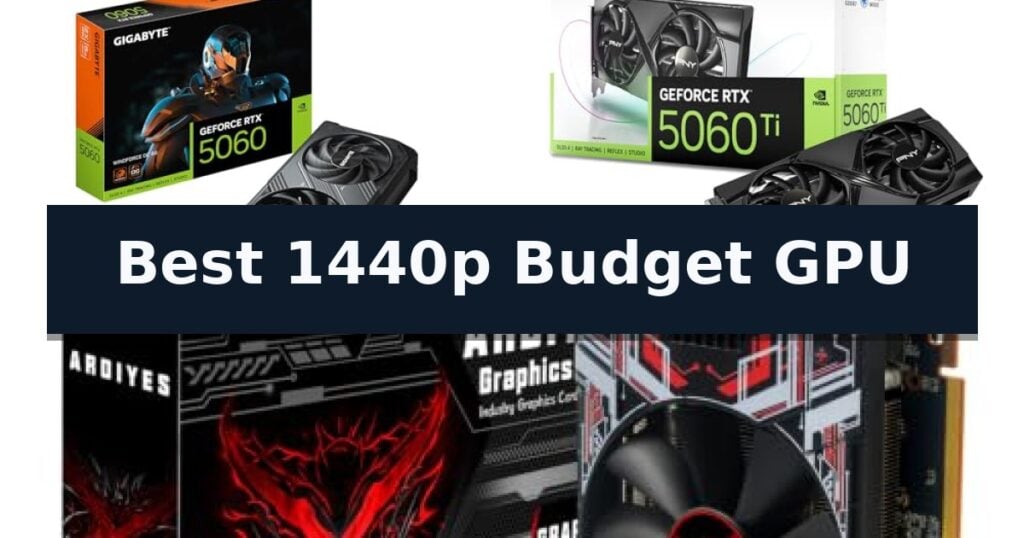
3 Best 1440p Budget GPU in 2026 Reviews
Quick Comparison
| Product | Best For | Key Strength | Score |
|---|---|---|---|
| GIGABYTE GeForce RTX 5060 WINDFORCE | Best Overall | NVIDIA Blackwell architecture for modern efficiency | 4.9 |
| PNY GeForce RTX 5060 Ti | High-Bandwidth 1440p Texture Handling | 16GB GDDR7 memory provides significant headroom for high-resolution textures and AI workloads. | 4.3 |
| ARDIYES RX 5700XT | Value-Focused Multi-Monitor Gaming | 8GB GDDR6 memory for high-resolution content. | 4.3 |
How We Chose
To determine the best 1440p budget GPU, we analyze the technical specifications of current graphics cards, focusing on how architecture, memory, and cooling interact to deliver stable performance. An experienced reviewer prioritizes cards that balance these hardware constraints to ensure reliable operation during demanding gaming and creative workloads.
- Architecture and feature set support
- Video memory capacity and bandwidth
- Thermal management and cooling efficiency
- Physical dimensions and case compatibility
- Display output versatility
1 GIGABYTE GeForce RTX 5060 WINDFORCE — Efficient Entry-Level Blackwell Performance
The GIGABYTE GeForce RTX 5060 WINDFORCE leverages the advanced NVIDIA Blackwell architecture to provide efficient graphical processing for modern gaming setups. This card is engineered to handle demanding visual tasks while maintaining a highly compact form factor, measuring just 7.83 inches in length. Its small footprint makes it a practical choice for users building in space-constrained PC cases without sacrificing the ability to run contemporary titles.
Equipped with 8GB of GDDR7 memory across a 128-bit interface, this GPU is designed to manage high-resolution textures and complex rendering workloads effectively. The inclusion of PCIe 5.0 support ensures compatibility with current high-speed motherboard standards, facilitating rapid data transfer between the system and the graphics processor. This combination of memory speed and interface bandwidth is intended to keep frame rates consistent during intensive gaming sessions.
Thermal management is handled by the proprietary WINDFORCE cooling system, which is designed to maintain stable operating temperatures during extended use. The card provides standard connectivity options including DisplayPort and HDMI, allowing for versatile multi-monitor configurations. These features collectively aim to balance power efficiency with the graphical demands of 1440p resolution gaming.
While this model offers a strong balance of performance and efficiency, users should verify that their power supply unit and case dimensions are compatible with the card's specific requirements. The 8GB VRAM capacity represents a trade-off for those looking to push into extreme 4K gaming or professional-grade 3D rendering, where larger memory buffers may be required to prevent bottlenecks.
Best for: Gamers seeking a compact, efficient GPU for 1440p resolution gaming using the latest NVIDIA Blackwell architecture.
Skip if: Users requiring high-capacity VRAM for professional 3D rendering or extreme 4K gaming, as the 8GB memory limit may become a bottleneck.
- NVIDIA Blackwell architecture for modern efficiency
- Compact 7.83-inch design fits in smaller PC cases
- GDDR7 memory provides high-speed data throughput
- WINDFORCE cooling system for thermal stability
- 8GB VRAM capacity may limit performance in memory-intensive 1440p or 4K titles
2 PNY GeForce RTX 5060 Ti — High-Bandwidth 1440p Texture Handling
Managing high-resolution textures and complex AI workloads at 1440p requires more than just raw clock speed; it demands a substantial frame buffer. The PNY NVIDIA GeForce RTX 5060 Ti 16GB OC addresses this by integrating 16GB of GDDR7 memory, providing the necessary bandwidth to handle demanding visual assets and local AI models that often exceed the capacity of standard mid-range cards.
Built on the advanced NVIDIA Blackwell Architecture, this card utilizes 5th-Gen Tensor Cores and 4th-Gen Ray Tracing Cores to optimize performance for modern gaming and creative applications. The inclusion of DLSS 4.5 further assists in maintaining fluid frame rates, while the card's compact, two-slot design ensures it remains a viable option for users working within space-constrained PC builds.
Thermal management is handled by a dual-fan cooling system paired with a dense heatsink and a vented metal backplate. This configuration provides the necessary thermal headroom to sustain high boost clocks of up to 2692 MHz without requiring an oversized chassis. The backplate also serves a secondary purpose by reinforcing the card, which helps prevent sagging over time.
For users who prefer granular control, the included VelocityX Software provides a centralized interface for monitoring real-time temperatures and adjusting core or memory clocks. The ability to save up to five custom profiles allows for quick switching between settings optimized for different workloads, from intensive rendering tasks to high-fidelity gaming sessions.
Best for: Users seeking a compact, high-memory GPU capable of handling 1440p gaming and AI-driven creative tasks in space-limited systems.
Skip if: Users requiring a full-length, triple-fan cooling solution or those who do not need the additional capacity of a 16GB frame buffer.
- 16GB GDDR7 memory provides significant headroom for high-resolution textures and AI workloads.
- Compact dual-fan design fits into smaller cases while maintaining efficient thermal dissipation.
- VelocityX Software offers robust customization for clock speeds and fan curves.
- Vented metal backplate adds structural rigidity and passive cooling.
- 128-bit memory bus may be a bottleneck in specific bandwidth-heavy applications compared to higher-tier cards.
3 ARDIYES RX 5700XT — Value-Focused Multi-Monitor Gaming
The ARDIYES RX 5700XT provides a balanced solution for users targeting 1440p gaming and creative workflows. By utilizing 8GB of GDDR6 memory paired with a 256-bit interface, this card ensures the high-speed data access necessary for rendering high-resolution textures and managing demanding graphics-intensive applications effectively.
Designed for versatility, the card features a 4-port connectivity array consisting of 3 DisplayPort outputs and 1 HDMI port. This configuration allows for flexible multi-monitor setups, which is a practical advantage for users who need to manage gaming, office productivity, or content creation across several displays simultaneously without the need for additional adapters.
Thermal management is handled by an efficient dual-fan cooling system. The unit includes intelligent fan control that adjusts performance based on the current workload, featuring a fan-stop function to minimize acoustic output during lighter computing tasks. This design helps maintain stable operating temperatures during extended use, ensuring consistent performance.
The card utilizes a PCIe 4.0 interface and offers full support for DirectX 12, ensuring compatibility with contemporary multimedia and gaming software. Its full-size form factor is intended as a straightforward upgrade for standard desktop PC builds, focusing on providing responsive graphics processing without unnecessary complexity for the end user.
Best for: Users seeking a multi-monitor capable GPU for 1440p gaming and productivity tasks.
Skip if: Users requiring a compact, low-profile card or those needing specialized outputs beyond standard DisplayPort and HDMI.
- 8GB GDDR6 memory for high-resolution content.
- Flexible 4-port connectivity for multi-monitor setups.
- Dual-fan thermal design with fan-stop functionality.
- PCIe 4.0 interface for responsive performance.
- Full-size design may not fit in small form factor cases.
Best 1440p Budget GPU Buying Guide
Understanding Memory Requirements
The amount of video memory, or VRAM, is a critical factor for 1440p gaming. Higher capacities allow the GPU to store more detailed textures and assets, which prevents stuttering and performance drops in modern, graphically intensive games.
While 8GB is often sufficient for standard 1440p settings, cards with 16GB provide significantly more headroom. This extra capacity is particularly beneficial for creative applications or games that utilize high-resolution texture packs.
The Role of Architecture
Modern GPU architectures, such as the NVIDIA Blackwell series, introduce specialized cores for AI-driven performance enhancements like DLSS. These technologies allow cards to generate higher frame rates without requiring massive increases in raw power consumption.
Choosing a card with the latest architecture ensures better compatibility with future software updates and game engines. This longevity is a key consideration when selecting a budget-friendly component that you intend to use for several years.
Thermal Management and Cooling
Graphics cards generate significant heat under load, and effective cooling is necessary to prevent thermal throttling. Cards with dual-fan designs or advanced heatsinks can maintain higher boost clocks for longer periods, resulting in more consistent performance.
Look for features like vented backplates and intelligent fan control. These additions not only help in dissipating heat more efficiently but also contribute to a quieter system during lighter tasks or idle states.
Physical Size and Compatibility
Before purchasing, verify the physical dimensions of the GPU against your PC case's available space. Budget cards vary significantly in length and thickness, with some models requiring more room than others to ensure proper airflow.
A compact, dual-slot card is often easier to install in smaller builds, while larger cards might offer better cooling potential. Always check the length and width specifications to avoid installation issues.
Display Connectivity
The number and type of display outputs determine how many monitors you can connect. Most modern cards include a mix of DisplayPort and HDMI, which is standard for most gaming and productivity setups.
If you plan to use a multi-monitor configuration, ensure the card has enough ports to support your display array. Some models prioritize a higher count of DisplayPort outputs, which is ideal for high-refresh-rate monitors.
Frequently Asked Questions
Is 8GB of VRAM enough for 1440p gaming?
Yes, 8GB is generally sufficient for most modern games at 1440p, provided you adjust settings appropriately. However, 16GB is preferred if you frequently play titles with high-resolution textures or engage in creative work.
What is the benefit of DLSS 4?
DLSS 4 uses AI to upscale images and generate frames, which can significantly boost performance and smoothness in supported games without needing a more expensive GPU.
Does the PCIe version matter for my GPU?
While newer PCIe versions offer more bandwidth, most modern GPUs are backward compatible. Using a PCIe 5.0 card on a PCIe 4.0 motherboard will typically result in minimal performance impact for most users.
How do I know if a GPU will fit in my case?
Check the manufacturer's specifications for the card's length, width, and height, then compare these measurements against the maximum GPU clearance listed for your computer case.
Why is cooling important for a budget GPU?
Effective cooling prevents the GPU from overheating and slowing down, known as thermal throttling. A well-cooled card maintains higher performance levels consistently during long gaming sessions.
Conclusion: Our Top Pick
Choosing the right 1440p budget GPU depends on your specific needs for memory capacity and physical size. The GIGABYTE GeForce RTX 5060 WINDFORCE provides a balanced entry point, while other options offer specialized benefits for high-texture workloads or multi-monitor setups.
By considering the architecture, cooling capabilities, and your own system's physical constraints, you can select a card that delivers the performance you need. Prioritize features that align with your primary use case to ensure the best value for your setup.