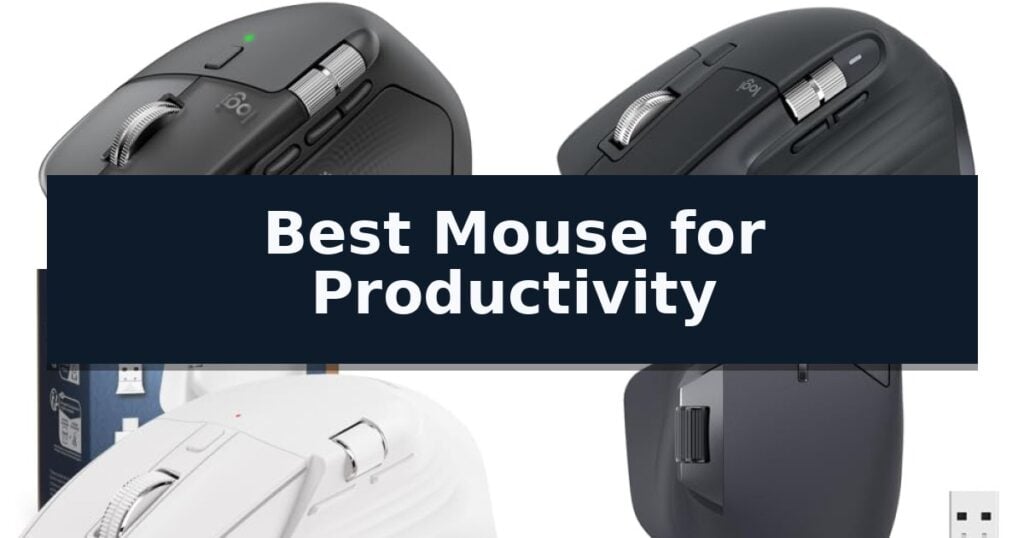
Logitech MX Master 4 Wireless Mouse is our top choice for the Best Mouse for Productivity thanks to its advanced haptic feedback and customizable Actions Ring that adapts to your specific software tools.
For those prioritizing a quieter workspace, the Logitech MX Master 3S Wireless Mouse offers a refined, silent-click experience, while the PHILIPS Ergonomic Wireless Mouse provides a dedicated side scroll wheel for spreadsheet-heavy tasks.
Selecting the right peripheral for professional tasks requires balancing ergonomic support with workflow-enhancing features. We focus on how sensor precision, multi-device connectivity, and specialized inputs like side-scroll wheels impact daily efficiency.
For those looking to optimize their entire desk setup, our Best Mouse for Office Productivity guide covers additional hardware considerations for a professional workspace. If your work requires extreme accuracy, we recommend reviewing our Best Mouse for Precision Work for insights on sensor technology.
10 Best Mouse for Productivity in 2026 Reviews
Quick Comparison
| Product | Best For | Key Strength | Score |
|---|---|---|---|
| Logitech MX Master 4 Wireless Mouse | Best Overall | Haptic Sense Panel for tactile, customizable feedback. | 4.9 |
| Logitech MX Master 3S Wireless Mouse | Quiet Clicks and Precision Tracking | 8K DPI sensor provides high-precision tracking on almost any surface. | 4.7 |
| PHILIPS Ergonomic Wireless Mouse | Dual Wheels for Spreadsheet Efficiency | Dual scroll wheels for efficient horizontal and vertical navigation. | 4.8 |
| Rapoo MT760 Multi-Device Wireless Mouse | Eleven Programmable Workflow Keys | Tri-mode connectivity supports up to four devices via Bluetooth and 2.4GHz. | 4.4 |
| MiniLuxis Ergonomic Productivity Wireless Mouse | OLED Display for Status Monitoring | Dual scroll wheels enable efficient horizontal and vertical navigation. | 4.3 |
| TECKNET Wireless Side Scroll Mouse | Horizontal Navigation for Design Work | Dedicated side scroll wheel for efficient horizontal navigation. | 4.5 |
| Logitech Lift Vertical Wireless Mouse | Natural Posture for Wrist Comfort | 57-degree vertical angle promotes a more natural forearm posture. | 4.5 |
| UGREEN Ergonomic Wireless Mouse | Vertical Design Reduces Muscle Strain | Vertical ergonomic design reduces wrist rotation. | 4.7 |
| Logitech M720 Triathlon Wireless Mouse | Reliable Multi-Device Switching | Multi-device switching across up to three computers or tablets. | 4.4 |
| Logitech G305 LIGHTSPEED Wireless Mouse | Lag-Free Performance for Travel | LIGHTSPEED wireless technology ensures a lag-free, 1 ms report rate. | 4.8 |
How We Chose
Evaluating the best mouse for productivity requires a rigorous look at how hardware features translate into time-saving workflows. We prioritize devices that offer tangible ergonomic benefits and deep software integration, ensuring that every button, scroll wheel, and sensor adjustment serves a clear purpose in reducing repetitive strain and accelerating navigation through complex professional applications.
- Ergonomic design and wrist support for long-duration comfort
- Customizable button layouts and software-integrated shortcuts
- Multi-device connectivity and seamless OS switching capabilities
- Sensor precision and tracking performance across various surfaces
- Battery longevity and efficient charging methods
1 Logitech MX Master 4 Wireless Mouse — Advanced Haptic Productivity Control
The Logitech MX Master 4 Wireless Mouse introduces the Haptic Sense Panel, a specialized interface that provides tactile feedback for specific actions, shortcuts, and notifications to streamline complex workflows. This ergonomic peripheral is designed to keep users in a natural flow state through a contoured tilt and intuitive button placement.
Engineered for high-intensity tasks, the device features the MagSpeed scroll wheel, which allows for scrolling up to 1,000 lines per second while maintaining pixel-level precision. The inclusion of the Actions Ring provides a dynamic, customizable overlay that adapts to individual applications, placing frequently used filters and adjustments directly at the cursor.
Connectivity is handled by a USB-C dongle utilizing an advanced radio chip and optimized antenna, which the manufacturer notes provides 2x more powerful performance compared to standard wireless connections. For added versatility, the mouse also supports Bluetooth pairing, ensuring compatibility across various workstations and Googlebook laptops.
Focus is maintained through the integration of Quiet Clicks, a design choice engineered to reduce click noise by 90% compared to traditional models. The construction emphasizes sustainability, incorporating recycled plastic in the chassis and 100% recycled cobalt in the battery, all while maintaining a durable, stain-resistant finish.
Best for: Professionals and creators who require high-precision navigation, customizable application-specific shortcuts, and tactile feedback to manage complex digital workflows.
Skip if: Users who prefer a lightweight, ambidextrous mouse or those who do not require advanced haptic and multi-button customization features.
- Haptic Sense Panel for tactile, customizable feedback.
- MagSpeed scroll wheel capable of 1,000 lines per second.
- Actions Ring for app-specific shortcut overlays.
- Quiet Clicks technology reducing noise by 90%.
- Sustainable construction using recycled materials.
- Ergonomic right-handed design limits use for left-handed individuals.
- Advanced feature set may be excessive for basic navigation needs.
2 Logitech MX Master 3S Wireless Mouse — Quiet Clicks and Precision Tracking
Precision and comfort define the Logitech MX Master 3S Wireless Mouse, a tool engineered for users who demand high-performance tracking and a quiet workspace. Its standout 8K DPI sensor enables seamless navigation across virtually any surface, including glass, providing the granular control necessary for complex professional tasks.
Designed with an emphasis on ergonomics, the mouse features a silhouette crafted to support a more natural wrist posture. The integration of Quiet Clicks technology reduces operational noise by 90% compared to previous models, ensuring a focused environment without sacrificing the tactile feedback required for reliable input.
Workflow efficiency is central to this device, highlighted by its MagSpeed scrolling mechanism. This system offers remarkable speed and precision, allowing for near-silent navigation through long documents or spreadsheets. Users can further optimize their experience using the Logi Options+ app to create App-specific profiles for the programmable buttons.
Connectivity and multi-tasking are handled through its robust Bluetooth architecture, supporting up to three devices across Windows, macOS, Chrome OS, and Linux. The inclusion of FLOW cross-computer control permits the seamless transfer of text, images, and files between different systems, making it a versatile choice for multi-monitor or multi-computer setups.
Best for: Professionals requiring high-precision tracking, multi-device workflow integration, and a quiet office environment.
Skip if: Users who require a wired connection or a dedicated USB receiver, as this model is exclusively Bluetooth-based and does not include a receiver or charging cable.
- 8K DPI sensor provides high-precision tracking on almost any surface.
- Quiet Clicks technology significantly reduces noise during use.
- MagSpeed scrolling offers fast and precise navigation.
- FLOW cross-computer control enables seamless file transfers across multiple devices.
- No USB receiver included, limiting connectivity to Bluetooth-enabled devices.
- No charging cable provided in the box.
3 PHILIPS Ergonomic Wireless Mouse — Dual Wheels for Spreadsheet Efficiency
Navigating complex spreadsheets and multi-monitor workflows requires a tool that prioritizes both physical comfort and rapid input efficiency. The PHILIPS Ergonomic Wireless Mouse addresses these demands by integrating a dedicated thumb-side horizontal scroll wheel alongside a standard tactile main wheel, allowing users to navigate wide data sets without constant cursor repositioning.
Designed for professionals who switch between multiple machines, this multi-device mouse eliminates the need for peripheral clutter. It supports seamless connectivity across three devices via Bluetooth and a dual-mode 2.4G receiver that includes both USB-A and USB-C connectors. This versatility ensures a direct, stable link to modern laptops and legacy hardware alike.
The device is built with a contoured right-handed shell and an anti-slip thumb rest, specifically engineered to support wider grips and reduce wrist fatigue during extended sessions. To maintain a professional environment, the noise-reduced switches provide library-quiet clicks, ensuring that high-volume input tasks do not distract coworkers or disrupt quiet workspaces.
Precision is managed by an advanced optical sensor featuring 5-level adjustable DPI (800 to 4000), which allows for on-the-fly sensitivity adjustments to suit different screen resolutions or creative tasks. The internal 500mAh battery supports up to 25 days of heavy use, while a 5-minute emergency charge provides one hour of operation, mitigating downtime during critical projects.
Best for: Professionals who manage large spreadsheets or multi-monitor setups and require a comfortable, quiet, and multi-device capable input tool.
Skip if: Users who prefer a symmetrical, ambidextrous design or those who require a high-performance gaming sensor with specialized software suites.
- Dual scroll wheels for efficient horizontal and vertical navigation.
- Multi-device connectivity with both Bluetooth and USB-A/C receiver support.
- Ergonomic contouring with anti-slip thumb rest for reduced fatigue.
- Library-quiet switches for silent operation in shared workspaces.
- Right-handed design limits usability for left-handed users.
- Proprietary software required for advanced custom macro mapping.
4 Rapoo MT760 Multi-Device Wireless Mouse — Eleven Programmable Workflow Keys
Efficiency in a digital workspace often hinges on the ability to manage multiple tasks and devices simultaneously without physical clutter. The Rapoo MT760 Multi-Device Wireless Mouse addresses this by offering a versatile tri-mode connection, allowing users to toggle between Bluetooth 5.0, 3.0, and 2.4GHz wireless modes to control up to four devices at once.
Designed with an ergonomic bow-back shape and dedicated thumb support, this mouse provides a comfortable grip for extended sessions. It features 11 programmable buttons that allow users to assign shortcuts, macros, or media keys to streamline complex workflows. The inclusion of a Hall magnetic induction side scroll wheel, alongside a high-durability center scroll wheel, ensures smooth navigation through long documents or spreadsheets.
Precision and customization are central to its performance, with seven adjustable DPI settings ranging from 800 to 4000. For users managing multiple computers, the M+ Cross-Computer technology enables seamless cursor movement across screens, provided the devices share the same network connection. This functionality is supported by a robust 800mAh lithium-polymer battery, which offers up to 90 days of usage and supports USB-C quick charging.
The device also integrates with Qi wireless charging mouse pads, allowing for a cord-free power boost when paired with the required P3 module. With its matte black finish and anti-slip, anti-sweat exterior, the Rapoo MT760 Multi-Device Wireless Mouse is engineered for professional environments where reliability and multi-tasking capability are essential.
Best for: Professionals who need to manage multiple devices and complex workflows using a single, highly customizable input tool.
Skip if: Users who prefer a lightweight, minimalist design or those who do not require multi-device switching or extensive button programming.
- Tri-mode connectivity supports up to four devices via Bluetooth and 2.4GHz.
- 11 programmable buttons allow for extensive workflow customization.
- M+ Cross-Computer technology enables seamless navigation across multiple screens.
- Long-lasting 800mAh battery provides up to 90 days of operation.
- Wireless charging requires the separate purchase of a P3 module.
- Cross-computer features require specific driver installation and network configuration.
5 MiniLuxis Ergonomic Productivity Wireless Mouse — OLED Display for Status Monitoring
The MiniLuxis Ergonomic Productivity Wireless Mouse distinguishes itself with a built-in OLED smart display, providing immediate visual confirmation of your current DPI settings, battery life, and connection status. This integrated screen removes the guesswork from managing your peripherals, ensuring you remain informed without needing to toggle between software menus.
Engineered for high-intensity workflows, the device features both an infinite scroll wheel for rapid navigation of long documents and a dedicated side scroll wheel for horizontal movement. These controls are particularly useful for managing complex timelines in video editing software, large Excel spreadsheets, or detailed CAD drawings, allowing for precise adjustments that standard mice often lack.
Tracking performance is managed by the PixArt PAW3220 sensor, which supports adjustable DPI settings up to 8000 and a 1000Hz polling rate. This sensor configuration provides the necessary responsiveness for graphic design and programming tasks, while the quiet-click switches ensure the device remains unobtrusive in shared office environments or quiet home workspaces.
Versatility is a core component of its design, offering triple-mode connectivity via Bluetooth, 2.4GHz wireless, or a USB-C wired connection. This flexibility allows users to switch seamlessly between multiple devices, such as a Mac, Windows PC, or tablet, making it a practical choice for hybrid work setups that require frequent transitions between different computing platforms.
Best for: Office professionals and creative users who require multi-device connectivity and precise horizontal scrolling for complex software applications.
Skip if: Users who prefer a minimalist, lightweight mouse without advanced features like OLED displays or secondary scroll wheels will likely find this model unnecessarily complex.
- Dual scroll wheels enable efficient horizontal and vertical navigation.
- OLED smart display provides real-time status monitoring.
- Triple-mode connectivity supports seamless switching between multiple devices.
- Adjustable DPI up to 8000 offers high-precision tracking for various workflows.
- Complex feature set may be excessive for users seeking a simple, standard mouse.
- Heavier build compared to basic travel mice due to the integrated display and dual-scroll hardware.
6 TECKNET Wireless Side Scroll Mouse — Horizontal Navigation for Design Work
Navigating complex spreadsheets or expansive design canvases often requires more than a standard scroll wheel, which is where the TECKNET Wireless Side Scroll Mouse provides a distinct advantage. By integrating a dedicated side-mounted scroll wheel, this device allows for efficient horizontal navigation, helping to reduce repetitive wrist strain during long work sessions.
Beyond its specialized scrolling capabilities, the TECKNET Wireless Side Scroll Mouse is built for multi-device environments. It supports seamless 3-device switching through two Bluetooth 5.3/5.0 connections and a 2.4GHz USB-A receiver, allowing users to toggle between different workstations with a single button press. This flexibility is paired with a high-precision 6-level DPI control system, adjustable up to 4800 DPI, which provides the necessary sensitivity for both detailed design tasks and rapid cursor movement.
The hardware design emphasizes a premium feel and quiet operation. The precision metal scroll wheel offers a distinct tactile sensation and improved durability compared to standard plastic alternatives. Furthermore, the mouse is engineered with quiet clicks, making it suitable for shared office spaces or libraries where noise reduction is a priority.
Maintenance is simplified through its rechargeable design, which provides up to 3 months of usage on a single charge based on two hours of daily activity. The device also includes an auto-sleep feature that activates after 10 minutes of inactivity to preserve battery life. While the side buttons are not supported on macOS, the mouse remains a versatile tool for Windows, Chrome, and Linux users seeking to streamline their workflow.
Best for: Professionals who frequently navigate wide spreadsheets or design software and need to manage multiple devices simultaneously.
Skip if: Users who primarily operate on macOS and require full functionality of side-mounted buttons, or those who prefer programmable buttons for custom macro assignments.
- Dedicated side scroll wheel for efficient horizontal navigation.
- Multi-device connectivity supporting up to three devices via Bluetooth and 2.4GHz USB.
- Rechargeable battery providing long-lasting performance up to 3 months.
- Quiet click switches for a distraction-free work environment.
- Non-programmable buttons limit custom workflow configurations.
- Side buttons are not supported when used with macOS.
7 Logitech Lift Vertical Wireless Mouse — Natural Posture for Wrist Comfort
Maintaining a natural forearm posture during long work sessions is the primary design goal of the Logitech Lift Vertical Wireless Mouse. By positioning the hand at a 57-degree angle, this device aims to reduce strain compared to traditional flat mice, offering a more ergonomic approach to daily computing tasks.
The Logitech Lift Vertical Wireless Mouse is specifically engineered for users with small to medium-sized hands. It features a softly textured grip and a dedicated thumb rest, which contribute to a comfortable, stable feel during extended use. The device is ergo-certified, having been developed and tested against criteria established by professional ergonomists.
Functionality is enhanced through four customizable buttons and a SmartWheel designed for smooth, precise scrolling. To maintain a quiet workspace, the mouse utilizes whisper-quiet clicks. Connectivity is flexible, supporting both Bluetooth Low Energy and the included Logi Bolt USB-A receiver, ensuring compatibility across Windows, macOS, iPadOS, Chrome OS, and Linux.
Sustainability and longevity are integrated into the hardware. The device is constructed with certified post-consumer recycled plastic—70% for the Graphite model—and boasts a battery life of up to two years. This combination of ergonomic shaping, quiet operation, and multi-platform connectivity makes it a specialized tool for productivity-focused environments.
Best for: Users with small to medium-sized hands seeking a vertical ergonomic design to improve wrist posture during daily office tasks.
Skip if: Users with large hands or those who prefer a traditional horizontal mouse grip will likely find the vertical form factor uncomfortable or restrictive.
- 57-degree vertical angle promotes a more natural forearm posture.
- Whisper-quiet clicks minimize noise in shared workspaces.
- Dual connectivity via Bluetooth or Logi Bolt USB receiver.
- Customizable buttons allow for personalized productivity workflows.
- Size-specific design is optimized only for small to medium hands.
- Vertical orientation requires an adjustment period for users accustomed to standard mice.
8 UGREEN Ergonomic Wireless Mouse — Vertical Design Reduces Muscle Strain
Maintaining a comfortable posture during long work sessions is essential for sustained focus and physical well-being. The UGREEN Ergonomic Wireless Mouse addresses this by utilizing a vertical handshake design, which is specifically engineered to reduce wrist rotation and muscle strain compared to traditional flat mice.
Beyond its ergonomic shape, this device offers a 5-button layout and 4 adjustable DPI levels ranging from 1000 to 4000. These settings allow users to toggle between precise document editing and faster cursor movements. The inclusion of PTFE glide feet ensures that the mouse moves smoothly across surfaces with minimal friction.
Connectivity is handled through a dual-mode system, supporting both 2.4G wireless and Bluetooth connections. This allows for seamless switching between up to three devices, making it a practical choice for multi-computer setups. The mouse is powered by a single AA battery and incorporates a smart sleep mode to preserve power during periods of inactivity.
Compatibility is broad, covering Windows, macOS, Linux, ChromeOS, and Android systems. While the design is intended to provide a more natural grip, it is important to note that the UGREEN Ergonomic Wireless Mouse is sized for medium to large hands; users with smaller hands may find the vertical orientation less comfortable.
Best for: Users with medium to large hands seeking to reduce wrist strain during extended daily computer tasks.
Skip if: Individuals with small hands or those who prefer a traditional low-profile mouse design.
- Vertical ergonomic design reduces wrist rotation.
- Multi-device connectivity allows switching between three devices.
- Adjustable DPI levels up to 4000 for varied precision needs.
- Silent click buttons maintain a quiet workspace.
- Not suitable for small hands due to its large form factor.
9 Logitech M720 Triathlon Wireless Mouse — Reliable Multi-Device Switching
The Logitech M720 Triathlon Wireless Mouse is engineered for users who manage complex digital environments, offering the ability to pair with up to three devices simultaneously. By utilizing a dedicated button, you can toggle between a primary workstation, a secondary laptop, or a tablet with ease, making it a highly efficient tool for those who multitask across different operating systems like Windows, macOS, and iPadOS.
Comfort and ergonomics are central to its design, featuring a full-sized, rubberized body sculpted to support a natural palm grip. This physical construction is intended to reduce strain during extended work sessions. For connectivity, the mouse provides dual-mode flexibility, allowing you to link via Bluetooth or the included Logitech Unifying receiver. This receiver is particularly useful for decluttering your workspace, as it can connect up to six compatible peripherals through a single USB port.
Productivity is further bolstered by hyper-fast scrolling, which allows you to navigate long documents or web pages rapidly. You can toggle between this free-spinning mode and a precise click-to-click mode for controlled navigation. Additionally, Logitech FLOW technology enables the seamless movement of your cursor, text, and files across multiple computers, effectively turning a multi-device setup into a unified workflow.
Maintenance is minimized through an impressive 24-month battery life, ensuring the device remains reliable without frequent power management. You can also leverage Logitech software to map custom shortcuts to the six programmable buttons, allowing you to tailor the mouse’s performance to your specific software requirements or repetitive tasks, providing a personalized approach to your daily digital operations.
Best for: Users who frequently switch between multiple computers or tablets and require a comfortable, programmable mouse for extended work sessions.
Skip if: Users who prefer an ultra-compact or ambidextrous design, as this model is specifically crafted for right-handed use and features a full-sized frame.
- Multi-device switching across up to three computers or tablets.
- Hyper-fast scrolling wheel with instant-stop functionality.
- Long-lasting 24-month battery life for reduced maintenance.
- Customizable buttons via dedicated software for personalized shortcuts.
- Right-handed ergonomic design is not suitable for left-handed users.
- Full-sized dimensions may be less portable than slim travel mice.
10 Logitech G305 LIGHTSPEED Wireless Mouse — Lag-Free Performance for Travel
The Logitech G305 LIGHTSPEED Wireless Mouse utilizes proprietary LIGHTSPEED wireless technology to achieve a 1 ms report rate, providing a connection that mimics the responsiveness of a wired device. This performance is supported by the HERO optical sensor, which offers up to 12,000 DPI sensitivity and 400 IPS precision, ensuring accurate tracking for demanding tasks.
Designed for efficiency, this mouse features a lightweight mechanical build weighing only 3.4 oz, which aids in maneuverability during extended use. The on-board memory allows users to save custom configurations directly to the device, while the 6 programmable buttons provide flexibility for mapping shortcuts and productivity commands via the Logitech G HUB software.
Portability is a primary focus of the design, highlighted by the built-in nano receiver storage that secures the USB dongle within the chassis for travel. The device is powered by a single AA battery, which provides up to 250 hours of continuous use, with an additional Endurance mode available to extend battery life up to 9 months for lighter workloads.
While the mouse is engineered for high-performance input, users should note that its compact dimensions (4.6" x 2.45" x 1.5") are optimized for portability. Those requiring a larger, more ergonomic chassis for specific grip styles may find the smaller footprint a trade-off during long-duration office sessions.
Best for: Mobile professionals and power users who require a high-precision, lag-free wireless mouse that is easy to transport.
Skip if: Users who prefer a full-sized, ergonomic mouse designed specifically for long-term palm-grip comfort.
- LIGHTSPEED wireless technology ensures a lag-free, 1 ms report rate.
- HERO sensor provides high-efficiency tracking up to 12,000 DPI.
- Portable design includes integrated storage for the nano receiver.
- Extended battery life reaches up to 9 months in Endurance mode.
- Compact dimensions may feel small for users with larger hands or specific grip preferences.
Best Mouse for Productivity Buying Guide
Ergonomics and Long-Term Comfort
Productivity often involves hours of continuous computer use, making the physical shape of your mouse a critical factor. Vertical designs or sculpted, right-handed silhouettes help maintain a more natural forearm posture, significantly reducing muscle tension over an eight-hour workday.
When choosing, consider the size of your hand relative to the mouse dimensions. A device that is too small or too large can force an unnatural grip, leading to fatigue rather than relief. Look for models with dedicated thumb rests and textured surfaces that provide a secure, comfortable hold.
Workflow Customization and Shortcuts
The most effective productivity mice allow you to map specific actions to buttons, transforming your hardware into a custom control center. Features like dynamic overlays or app-specific profiles ensure that your most-used filters, adjustments, and shortcuts are always just a click away.
Beyond standard buttons, look for secondary inputs like side-mounted scroll wheels. These are particularly valuable for horizontal navigation in wide spreadsheets, video editing timelines, or large design canvases, allowing you to move through data without constantly dragging your cursor.
Multi-Device Connectivity
Modern professional environments often require switching between multiple computers or tablets. Mice that support multi-device pairing via Bluetooth or dedicated USB receivers allow you to transition between a desktop, laptop, and tablet with the press of a single button.
Advanced models even support cross-computer control, enabling you to move your cursor and transfer files between different operating systems seamlessly. This capability is essential for hybrid workflows where you might be juggling a primary workstation and a secondary mobile device.
Precision and Surface Tracking
High-DPI sensors are not just for gaming; they provide the precision necessary for detailed graphic design, photo editing, and accurate spreadsheet navigation. A quality sensor ensures that your cursor movement remains consistent and responsive, even on challenging surfaces like glass or polished wood.
Adjustable DPI settings allow you to tailor the cursor speed to your specific task. Lower settings are ideal for pixel-perfect edits, while higher settings enable rapid movement across multi-monitor setups, helping you maintain focus without fighting your equipment.
Battery Life and Charging
Reliability is paramount for a productivity tool. Rechargeable batteries with USB-C connectivity have become the standard, offering the convenience of quick top-ups that can provide hours of use from just a few minutes of charging.
Look for mice that include smart power management, such as auto-sleep modes, to extend battery life between charges. While some models boast months of operation on a single charge, the ability to continue working while plugged in is a vital fail-safe for critical projects.
Frequently Asked Questions
Do I need a vertical mouse for productivity?
A vertical mouse is beneficial if you experience wrist or forearm discomfort during long work sessions. By placing your hand in a neutral 'handshake' position, it reduces the pronation of the forearm, which can help alleviate strain.
Are programmable buttons worth the extra cost?
Yes, if your workflow involves repetitive tasks in specific software. Mapping complex macros or frequently used shortcuts to side buttons can significantly reduce the time spent navigating menus and improve your overall efficiency.
How does a side scroll wheel help with productivity?
A side scroll wheel allows for horizontal navigation, which is essential for working with wide Excel spreadsheets, long video editing timelines, or large design documents, saving you from having to click and drag scroll bars manually.
Can I use a gaming mouse for productivity?
While gaming mice often feature high-precision sensors and programmable buttons, they may lack the ergonomic shapes or specific productivity features like side scroll wheels found in dedicated office mice. Choose based on your specific comfort and input needs.
What is the benefit of multi-device connectivity?
It allows you to use a single, comfortable mouse across multiple computers or tablets simultaneously. This is ideal for users who manage a primary workstation alongside a laptop or tablet, as it keeps your input experience consistent.
Conclusion: Our Top Pick
Our top pick is Logitech MX Master 4 Wireless Mouse. The best mouse for your productivity is one that minimizes physical strain while maximizing your ability to execute complex tasks quickly. By prioritizing ergonomic support, customizable inputs, and reliable multi-device connectivity, you can create a more efficient and comfortable workspace.
Consider your specific software needs and desk setup before choosing. Whether you require the advanced haptic control of a premium model or the reliable horizontal navigation of a specialized office mouse, the right tool will adapt to your workflow rather than forcing you to adapt to it.