LG 34WR55QK-B UltraWide Monitor is our top choice for the Best Multitasking Curved Monitors, offering a versatile 21:9 aspect ratio and USB-C power delivery that streamlines professional workflows. For those prioritizing a dedicated laptop docking experience, the ViewSonic VG3409C Ultrawide Monitor provides an integrated KVM switch, while the CRUA 49-inch DQHD Curved Monitor serves users needing maximum horizontal screen real estate for complex data management.
Selecting an effective curved monitor for productivity requires balancing display resolution with physical desk footprint. An ultrawide panel allows users to snap multiple windows side-by-side without the bezel interruptions found in dual-monitor setups, effectively replacing two smaller screens with a single, cohesive workspace.
Connectivity remains a critical factor for modern multitasking setups. Models featuring USB-C power delivery simplify cable management by handling video, data, and laptop charging through one connection, while integrated KVM switches allow you to control multiple computers with a single keyboard and mouse set.
If you are looking to expand your setup further, our guide to Best Multi-Use Monitors provides additional insights on displays that excel in both professional and entertainment environments.
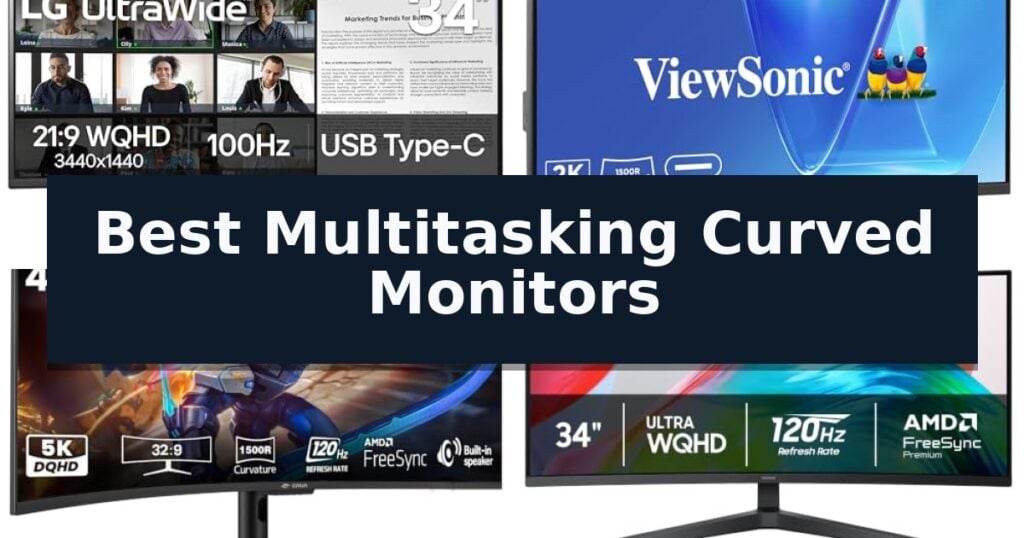
10 Best Multitasking Curved Monitors in 2026 Reviews
Quick Comparison
| Product | Best For | Key Strength | Score |
|---|---|---|---|
| LG 34WR55QK-B UltraWide Monitor | Best Overall | USB Type-C connectivity with 65W power delivery for streamlined device charging. | 4.9 |
| ViewSonic VG3409C Ultrawide Monitor | Top Choice for Laptop Docking | 96W USB-C power delivery simplifies cable management for modern laptops. | 4.8 |
| CRUA 49-inch DQHD Curved Monitor | Maximum Screen Real Estate | Expansive 32:9 aspect ratio replaces dual-monitor setups. | 4.5 |
| Samsung ViewFinity S5 Ultrawide Monitor | Reliable Professional Multitasking | 1800R curved display provides a panoramic view for efficient multitasking. | 4.6 |
| SANSUI 34-inch Curved Gaming Monitor | High Refresh Rate Productivity | 200Hz refresh rate and 1ms response time for fluid motion. | 4.4 |
| Gawfolk 34-inch Ultrawide Monitor | Feature-Rich Budget Ultrawide | 165Hz refresh rate for smooth motion and responsive interaction. | 4.4 |
| Sceptre 34-inch Curved Ultrawide Monitor | Affordable Wide Workspace | 21:9 Ultrawide aspect ratio increases multitasking efficiency by providing 30% more screen space. | 4.8 |
| SANSUI 34-inch 240Hz Curved Monitor | Fastest Refresh for Multitaskers | 240Hz refresh rate for fluid motion | 4.7 |
| LG 34U62TB-B UltraWide Monitor | Ergonomic Adjustable Design | Expansive 34-inch curved WQHD display for enhanced multitasking. | 4.7 |
| LG 32MR50C-B Curved Monitor | Immersive Large-Screen Value | 100Hz refresh rate for smoother motion and reduced stuttering. | 4.5 |
How We Chose
To identify the most capable displays for multitasking, we evaluate monitors based on their ability to replace multi-monitor configurations with a single, efficient panel. We prioritize connectivity features that reduce desktop clutter, ergonomic flexibility for long-term comfort, and software tools that simplify window management, ensuring each monitor serves as a functional hub for professional tasks.
- Screen aspect ratio and curvature radius for immersive, distortion-free viewing.
- Connectivity options, specifically USB-C power delivery and integrated KVM functionality.
- On-screen display software for window management and input splitting.
- Ergonomic adjustability including height, tilt, and swivel capabilities.
- Refresh rate and response time for smooth navigation and reduced motion blur.
1 LG 34WR55QK-B UltraWide Monitor — Best for USB-C Productivity
The LG 34WR55QK-B UltraWide Monitor streamlines complex workflows by providing a massive 21:9 aspect ratio, allowing users to view multiple windows side-by-side without the need for a secondary display. This 34-inch curved screen is engineered to maximize desktop real estate, making it a practical choice for professionals who need to manage several applications simultaneously.
Beyond its expansive screen, the monitor features Picture-by-Picture (PbP) functionality, which enables users to display content from two separate input sources at once. This multitasking capability is supported by OnScreen Control, a tool that allows for quick display splitting and settings adjustments with simple mouse clicks. The inclusion of USB Type-C connectivity with up to 65W power delivery further simplifies desk setups by allowing users to charge compatible laptops directly through the monitor.
Visual performance is enhanced by HDR10 and a 99% sRGB color gamut, which help ensure accurate and vibrant color reproduction for both creative work and media consumption. To support extended sessions, the monitor includes a dedicated Reader Mode that reduces blue light output. The ergonomic stand provides essential flexibility, allowing for height and tilt adjustments to achieve an optimal viewing angle.
The design is rounded out by a 3-side virtually borderless aesthetic, which minimizes distractions and creates a clean look for any workspace. With a diverse array of ports including two HDMI inputs, a DisplayPort, and two USB ports, the monitor offers reliable connectivity for various peripherals and devices.
Best for: Professionals and creators who require a single-screen multitasking solution with USB-C power delivery and high color accuracy.
Skip if: Users who require a flat screen for specialized graphic design work or those with limited desk space who cannot accommodate a 34-inch wide footprint.
- USB Type-C connectivity with 65W power delivery for streamlined device charging.
- 21:9 UltraWide WQHD resolution provides ample space for side-by-side window management.
- Picture-by-Picture (PbP) support for simultaneous multi-source input.
- Ergonomic stand with adjustable height and tilt for improved posture.
- Large physical footprint may not fit on smaller or compact desk setups.
- Curved display design may not be preferred by users accustomed to flat panels for specific precision tasks.
2 ViewSonic VG3409C Ultrawide Monitor — Top Choice for Laptop Docking
Managing a complex digital workspace requires hardware that minimizes clutter while maximizing screen real estate. The ViewSonic VG3409C Ultrawide Monitor addresses this by combining a expansive 34-inch display with integrated docking capabilities, allowing users to consolidate their setup into a single, streamlined interface.
At the heart of this monitor is a 3440 x 1440 UWQHD resolution on a 21:9 VA panel, featuring a 1500R curve designed to keep peripheral content within a comfortable field of view. The 120Hz refresh rate and 3.5ms response time ensure fluid motion, which is beneficial for both high-density document editing and media consumption. With HDR10 support and a 3,000:1 static contrast ratio, the display provides the visual depth necessary for professional multitasking.
Connectivity is a primary focus of this model, centered around a 96W USB-C workstation solution. This single-cable connection handles power delivery, data transfer, and audiovisual signals, effectively turning the monitor into a hub for compatible laptops. The inclusion of an integrated KVM switch and a built-in USB hub—featuring one upstream and three downstream ports—allows for seamless control of multiple peripherals from one central point.
The ViewSonic VG3409C Ultrawide Monitor is built for versatile office environments, offering flexible ergonomics through an adjustable stand and integrated 2W speakers. Its connectivity suite, which includes HDMI 2.1, DisplayPort, and RJ45, ensures compatibility with a wide range of professional hardware, making it a robust choice for those looking to simplify their desktop architecture.
Best for: Professionals who need to consolidate laptop docking, peripheral management, and expansive screen real estate into one organized workstation.
Skip if: Users who require a flat screen for precision graphic design or those with limited desk space who cannot accommodate a 34-inch ultrawide footprint.
- 96W USB-C power delivery simplifies cable management for modern laptops.
- Integrated KVM switch allows for easy control of multiple systems.
- 120Hz refresh rate provides smooth visual performance for multitasking.
- 1500R curvature enhances immersion and viewing comfort for wide-format work.
- Large 34-inch footprint may be too wide for compact desk setups.
- VA panel technology may not offer the same viewing angles as IPS alternatives.
3 CRUA 49-inch DQHD Curved Monitor — Maximum Screen Real Estate
The CRUA 49-inch DQHD Curved Monitor provides an expansive 5120×1440 resolution, effectively replacing a dual-monitor setup with a single, seamless 32:9 display. Its 1500R curvature is engineered to wrap around the user's field of view, which is particularly useful for complex workflows like video editing, financial trading, or managing multiple windows simultaneously.
Performance is driven by a 120Hz refresh rate, ensuring fluid motion during scrolling and high-speed tasks. The VA panel supports 120% sRGB color coverage and a 3000:1 contrast ratio, delivering deep blacks and vivid color reproduction across its wide 178-degree viewing angles. These specifications make it a capable tool for both professional creative work and immersive entertainment.
Connectivity is a highlight for multitasking setups, featuring HDMI 2.0, DP 1.4, and a Type-C port capable of 65W power delivery. The inclusion of two USB-A 2.0 ports and one USB-B 2.0 port allows for direct peripheral integration, reducing desktop clutter. Integrated speakers and an audio output provide basic sound functionality without requiring additional external hardware.
Designed for long-term comfort, the monitor includes 95mm of height adjustment, swivel, and tilt capabilities. For those with limited desk space, the 75x75mm wall-mount pattern offers an alternative installation method. The display also incorporates specific gaming-oriented visual tools, such as a built-in crosshair and dark-field enhancement, to assist in various gaming environments.
Best for: Professionals and gamers who need a single, expansive display to replace a dual-monitor setup for improved multitasking and immersion.
Skip if: Users who require high-precision color accuracy for professional print design or those with limited desk space who cannot accommodate a 49-inch wide footprint.
- Expansive 32:9 aspect ratio replaces dual-monitor setups.
- 65W Type-C power delivery simplifies cable management for laptops.
- 120Hz refresh rate provides smooth visual performance.
- 1500R curvature enhances immersion for wide-angle tasks.
- USB 2.0 interface may limit data transfer speeds for high-speed external storage.
- Large physical footprint requires significant desk space.
4 Samsung ViewFinity S5 Ultrawide Monitor — Reliable Professional Multitasking
Managing complex workflows often requires more than a standard screen, and the Samsung 34" ViewFinity S5 (S55GH) Ultrawide QHD Monitor addresses this by providing an expansive 21:9 aspect ratio. This display is built for professionals who need to view multiple applications side-by-side without the visual break of a dual-monitor setup.
The monitor features an 1800R curvature that wraps around the field of vision, enhancing focus during long work sessions. To ensure smooth motion and reduced lag, it utilizes a 120Hz refresh rate paired with AMD FreeSync Premium, which synchronizes the GPU and panel to prevent screen tearing and choppiness.
Visual fidelity is supported by HDR10, which delivers a wide color gamut with deep blacks and bright highlights. For those spending extended hours at their desk, the monitor includes Eye Saver Mode—certified by TÜV—to minimize blue light exposure and eliminate screen flickering, helping to reduce eye fatigue.
Connectivity is streamlined through dedicated HDMI and DP ports, allowing for a simple, clutter-free desk setup. The inclusion of a specific Game Mode also allows users to instantly toggle color and contrast settings, making it a versatile tool that transitions easily from intensive professional multitasking to entertainment.
Best for: Professionals and creators who require a wide, immersive workspace for managing multiple applications simultaneously.
Skip if: Users who require a flat screen for precise graphic design work or those with limited desk space for a 34-inch ultrawide form factor.
- 1800R curved display provides a panoramic view for efficient multitasking.
- 120Hz refresh rate ensures smooth motion and reduced screen lag.
- HDR10 support offers high-contrast visuals with accurate color reproduction.
- Eye Saver Mode reduces blue light and flickering for improved comfort.
- Ultrawide 21:9 aspect ratio may not be compatible with all legacy software applications.
- Large 34-inch footprint requires significant desk depth and width.
5 SANSUI 34-inch Curved Gaming Monitor — High Refresh Rate Productivity
Managing multiple professional applications or complex gaming environments requires significant screen real estate and high-speed responsiveness. The SANSUI 34-inch Curved Gaming Monitor addresses this by combining a 34-inch 1500R curved display with a rapid 200Hz refresh rate, ensuring smooth visuals across its ultra-wide 3440 x 1440 resolution.
Engineered for high-performance workflows, this monitor features an OD 1ms response time and Fast VA panel technology to minimize motion blur during fast-paced activity. The inclusion of PBP (Picture-by-Picture) functionality allows users to divide the expansive 21:9 screen into distinct sections, effectively replacing dual-monitor setups with a single, seamless workspace.
Visual fidelity is supported by a wide color gamut, covering 130% sRGB and 97% DCI-P3, which provides accurate color reproduction for creative tasks. The display also incorporates AI-enhanced features such as AI blue light reduction, AI crosshair for gaming, and AI picture quality optimization, alongside AdaptiveSync support to prevent screen tearing.
The physical design prioritizes utility with an ergonomic stand that supports a -5° to 15° tilt range and VESA compatibility for custom mounting solutions. Connectivity is handled through two HDMI 2.1 ports and a DP 1.4 port, all capable of supporting the full 200Hz refresh rate, ensuring compatibility with high-bandwidth hardware.
Best for: Users who require a high-refresh-rate ultrawide display for both competitive gaming and professional multitasking.
Skip if: Users who require built-in speakers or a monitor with a smaller physical footprint for limited desk space.
- 200Hz refresh rate and 1ms response time for fluid motion.
- PBP (Picture-by-Picture) mode for efficient multitasking.
- High color accuracy with 130% sRGB and 97% DCI-P3 coverage.
- Versatile connectivity with HDMI 2.1 and DP 1.4 ports.
- No integrated speakers included.
- Large 34-inch footprint requires significant desk space.
6 Gawfolk 34-inch Ultrawide Monitor — Feature-Rich Budget Ultrawide
Maximizing desk real estate while maintaining a high-fidelity visual workspace requires hardware that balances screen curvature with high-speed performance. The Gawfolk 34" Ultrawide Curved Gaming Monitor addresses this by integrating a 1500R curvature with a 21:9 aspect ratio, providing a panoramic view that effectively replaces dual-monitor setups for many professional and entertainment tasks.
Engineered for both fluid motion and color accuracy, the display features a 165Hz refresh rate paired with Adaptive Sync technology to mitigate screen tearing. The 3440 x 1440 UWQHD resolution delivers sharp detail across the expansive panel, while the 128% sRGB color coverage ensures that visual work remains vibrant and consistent.
For users managing multiple inputs, the monitor includes PIP (Picture-in-Picture) and PBP (Picture-by-Picture) functionality, allowing simultaneous display of different sources. Connectivity is handled through two HDMI and two DisplayPort interfaces, providing flexibility for connecting PCs, laptops, and consoles without constant cable swapping.
The physical design incorporates a tilt-adjustable stand to assist with ergonomic positioning. While the 300 cd/m² brightness and HDR support provide a solid baseline for varied lighting environments, the unit remains focused on delivering a streamlined, high-refresh experience for those who prioritize screen space and multitasking efficiency.
Best for: Users who need to consolidate multiple windows or inputs into a single, immersive ultrawide workspace for productivity and gaming.
Skip if: Users requiring professional-grade color grading or those with limited desk depth who may find the 34-inch footprint and 1500R curve too intrusive.
- 165Hz refresh rate for smooth motion and responsive interaction.
- PIP/PBP multitasking support for managing multiple devices simultaneously.
- 1500R curvature provides an immersive, wide-angle viewing experience.
- 128% sRGB coverage ensures rich and vivid color reproduction.
- 300 cd/m² brightness may be limited in extremely bright, sunlit rooms.
- Large 34-inch form factor requires significant desk space.
7 Sceptre 34-inch Curved Ultrawide Monitor — Affordable Wide Workspace
The Sceptre 34-inch Curved Ultrawide Monitor (C345B-QUT168) is built to enhance productivity through its expansive 21:9 aspect ratio, which provides 30% more screen space compared to standard monitors. This display utilizes a 1500R curvature to wrap the visual field, making it a functional choice for users managing multiple windows or complex workflows simultaneously.
Equipped with WQHD resolution (3440 x 1440), this monitor delivers 5 million pixels for detailed imagery. Beyond work-related tasks, it features a 1ms MPRT response time and a refresh rate reaching up to 180Hz/165Hz, ensuring smooth motion during high-speed visual transitions. The inclusion of two DisplayPort inputs allows for flexible connectivity across various hardware setups.
Aesthetically, the unit incorporates luminous backcover lights that provide a modern look to any desk configuration. The monitor also includes built-in speakers, reducing the need for external audio peripherals in space-constrained environments. With a 99% sRGB color gamut, it offers accurate color reproduction suitable for creative projects and general media consumption.
Measuring 31.8 inches in width and weighing 15.32 pounds, the monitor is designed for stability on standard desk surfaces. It comes with a limited one-year warranty, providing a baseline of support for its operational components. Its combination of high-resolution screen real estate and rapid response capabilities makes it a versatile tool for both professional multitasking and entertainment.
Best for: Users who require extensive horizontal screen real estate for professional multitasking and high-refresh-rate media consumption.
Skip if: Users who require a flat screen for precision graphic design work or those with limited desk space who cannot accommodate a 32-inch wide chassis.
- 21:9 Ultrawide aspect ratio increases multitasking efficiency by providing 30% more screen space.
- 1ms MPRT response time minimizes ghosting during fast-paced visual tasks.
- WQHD resolution (3440 x 1440) offers high pixel density for detailed work.
- High refresh rate up to 180Hz/165Hz ensures smooth performance.
- Large physical footprint requires significant desk width for proper placement.
- Curved display may not be ideal for specific professional design tasks requiring perfectly flat lines.
8 SANSUI 34-inch 240Hz Curved Monitor — Fastest Refresh for Multitaskers
The SANSUI 34-inch 240Hz Curved Monitor distinguishes itself with a high-speed 240Hz refresh rate and a 1ms MPRT response time, engineered to provide fluid motion for demanding visual tasks. Its 34-inch ultrawide 21:9 display offers a 3440 x 1440 UWQHD resolution, providing significant screen real estate for users who need to manage multiple windows or complex creative workflows simultaneously.
Designed with a 1500R curvature, this monitor aims to improve immersion while maintaining a 178-degree wide viewing angle. The inclusion of PIP (Picture-in-Picture) and PBP (Picture-by-Picture) functionality allows for efficient multitasking by displaying content from multiple sources on a single screen. The unit is supported by a durable metal stand that offers tilt adjustments from -5 to 15 degrees and is VESA compatible for flexible mounting.
Connectivity options include dual HDMI 2.1 and dual DP 1.4 ports, supporting high-bandwidth performance. The monitor integrates several AI-enhanced features, such as AI Crosshair, AI Bluelight reduction, and AI PQ for visual enhancement, alongside various game modes. While it lacks built-in speakers, it includes an earphone jack for audio output.
This monitor is a practical choice for professionals and enthusiasts requiring a wide, responsive workspace. Users should note that the high refresh rate capabilities are optimized through the provided HDMI 2.1 and DP 1.4 connections. Its combination of ultrawide resolution and specialized display modes makes it a versatile tool for both productivity and high-performance visual applications.
Best for: Professionals and gamers who require a high-refresh-rate ultrawide display for complex multitasking and immersive visual workflows.
Skip if: Users who require built-in speakers or a smaller desk footprint, as the 34-inch ultrawide form factor and metal stand require significant space.
- 240Hz refresh rate for fluid motion
- PIP/PBP functionality for efficient multitasking
- Ultrawide 3440 x 1440 resolution for expansive workspace
- Durable metal stand with VESA compatibility
- No built-in speakers
- Large physical footprint requires substantial desk space
9 LG 34U62TB-B UltraWide Monitor — Ergonomic Adjustable Design
The LG 34U62TB-B UltraWide Monitor provides an expansive 34-inch curved WQHD display designed to streamline complex workflows by offering a 3440 x 1440 resolution. This increased screen real estate allows for multiple windows to be open side-by-side, making it a practical choice for those who need to manage data, creative projects, or communication tools simultaneously without the clutter of a dual-monitor setup.
Performance is supported by a 120Hz refresh rate and a 5ms response time, which work together to provide fluid motion. These specifications help reduce blur during fast-paced tasks or gaming sessions. The inclusion of HDR 10 support enhances the visual output by providing deeper blacks and more vibrant color contrast, ensuring that images appear crisp and detailed across the wide panel.
Ergonomics are central to the design of this monitor, which features a stand that allows for customizable height and tilt positioning. This adjustability is intended to help users maintain a comfortable viewing angle, potentially reducing neck strain during extended periods of use. The monitor also includes a dedicated Reader Mode to optimize the display for long-term document viewing.
Connectivity is handled through multiple ports, including HDMI and Display Port, ensuring compatibility with a variety of hardware such as laptops, desktops, and gaming consoles. The combination of its curved form factor, high refresh rate, and adjustable physical design makes the LG 34U62TB-B UltraWide Monitor a versatile tool for both professional multitasking and entertainment.
Best for: Professionals and gamers who require a wide, high-resolution workspace for multitasking and fluid visual performance.
Skip if: Users with limited desk space who require a smaller footprint or those who prefer a flat display for professional color-critical design work.
- Expansive 34-inch curved WQHD display for enhanced multitasking.
- 120Hz refresh rate provides smooth motion for fast-paced content.
- Adjustable stand allows for height and tilt customization.
- HDR 10 support for improved contrast and color vibrancy.
- Large physical footprint may not fit on smaller workstations.
10 LG 32MR50C-B Curved Monitor — Immersive Large-Screen Value
The LG 32MR50C-B Curved Monitor centers its design around a 32-inch curved display, providing an expansive workspace that aims to enhance productivity through its 1920×1080 resolution. By utilizing a curved form factor, this monitor is engineered to provide a more immersive viewing experience, which can be particularly beneficial for users who spend long hours managing multiple windows or applications simultaneously.
Performance is bolstered by a 100Hz refresh rate, a specification that helps reduce motion blur and stuttering during streaming or casual gaming. This is complemented by AMD FreeSync technology, which works to synchronize the display's refresh rate with the graphics card for smoother, more fluid movement. For those working in varied lighting conditions, the Black Stabilizer feature is included to brighten dark scenes, ensuring that details in shadowed areas remain visible without requiring manual brightness adjustments.
Ergonomics and user comfort are addressed through the inclusion of Reader Mode, a setting that reduces blue light emissions to mitigate eye strain during extended tasks. The monitor also features an ergonomic stand that allows for flexible tilt adjustments, enabling users to find an optimal viewing angle for their specific desk setup. Additionally, the built-in user interface simplifies workflow management by offering tools for easy display splitting and quick access to essential monitor settings.
Measuring 27.9 inches in width and weighing 11.3 pounds, the monitor balances screen real estate with a manageable physical footprint. While the Full HD resolution provides clear visuals for general tasks, it is worth noting that at a 32-inch size, the pixel density is lower than that of 4K displays, which may result in less sharpness for high-precision design work. The unit is backed by a 1-year parts and labor warranty, providing a standard level of hardware support.
Best for: Users seeking a large, curved display for multitasking and casual entertainment that prioritizes ergonomic adjustments and blue light reduction.
Skip if: Users requiring 4K resolution for professional-grade graphic design or high-precision color-critical work.
- 100Hz refresh rate for smoother motion and reduced stuttering.
- Ergonomic tilt stand for customizable viewing angles.
- Reader Mode to reduce blue light during long sessions.
- Built-in display splitting tools for efficient multitasking.
- FHD resolution may appear less sharp on a 32-inch panel compared to higher-density displays.
Best Multitasking Curved Monitors Buying Guide
The Advantage of Ultrawide Aspect Ratios
The 21:9 aspect ratio provides significantly more horizontal space than standard 16:9 monitors, which is essential for viewing wide spreadsheets or multiple documents simultaneously. This extra width allows for a more natural workflow where you can keep communication apps open on one side while focusing on primary tasks in the center.
Curvature is not just an aesthetic choice; it helps maintain a consistent viewing distance from your eyes to the edges of the screen. On a 34-inch or larger panel, this curve reduces the need to turn your head significantly, which can help minimize eye strain and neck fatigue during extended work sessions.
Connectivity and Cable Management
Modern multitasking often involves connecting laptops, desktops, and peripherals simultaneously. Monitors that include USB-C with power delivery are highly recommended because they eliminate the need for a separate power brick for your laptop, keeping your desk clean and organized.
For users who frequently switch between a work laptop and a personal desktop, a built-in KVM switch is a major convenience. This feature allows you to use one set of keyboard and mouse inputs for both machines, automatically routing them to whichever device is currently active on the screen.
Ergonomics for Daily Productivity
Since these monitors are designed for long hours of use, the quality of the stand is just as important as the panel itself. Look for models that offer height, tilt, and swivel adjustments to ensure the top of the screen is at or slightly below eye level, which is the standard recommendation for healthy posture.
If you find that the included stand does not meet your specific height requirements, verify that the monitor is VESA mount compatible. This allows you to attach the display to a third-party monitor arm, providing even greater flexibility and freeing up valuable desk space beneath the screen.
Software Tools for Window Management
Many manufacturers include proprietary software that helps you split the screen into various layouts with a single click. These tools are often more efficient than manual window resizing, allowing you to snap applications into specific zones instantly.
Picture-by-Picture (PbP) is another vital feature for power users who need to view content from two different sources at once. By dividing the screen into two distinct inputs, you can monitor a server or a secondary device without needing to toggle back and forth between inputs.
Color Accuracy and Visual Comfort
While gaming monitors often prioritize high refresh rates, productivity-focused monitors should prioritize color gamut coverage and eye-care features. Features like Reader Mode or blue light reduction are essential for those who spend their entire day reading text or reviewing documents.
A high sRGB color gamut coverage ensures that colors appear vibrant and accurate, which is beneficial for light creative work or video editing. Balancing these visual features with a flicker-free backlight helps maintain comfort throughout the workday.
Frequently Asked Questions
Do I need a curved monitor for multitasking?
While not strictly necessary, a curved monitor is highly beneficial for ultrawide screens. It ensures that the edges of the display are at a similar distance from your eyes as the center, which reduces distortion and makes it easier to scan across the entire width of the screen.
What is the benefit of a KVM switch in a monitor?
A KVM switch allows you to control two different computers using the same keyboard and mouse connected to the monitor. It is an ideal feature for users who switch between a work laptop and a personal PC frequently.
Can I use a 49-inch monitor for office work?
Yes, a 49-inch monitor offers the equivalent screen real estate of two 27-inch monitors without the middle bezel. It is excellent for complex multitasking, though it requires a significant amount of desk space.
Does USB-C power delivery charge all laptops?
USB-C power delivery can charge most modern laptops, but you should check the wattage provided by the monitor. Ensure the monitor's power output meets or exceeds the minimum charging requirement of your specific laptop model.
What resolution should I look for in a 34-inch monitor?
For a 34-inch ultrawide monitor, WQHD (3440 x 1440) is the standard resolution. This provides a sharp, clear image that is suitable for text-heavy work and detailed creative tasks.
Conclusion: Our Top Pick
Our top pick is LG 34WR55QK-B UltraWide Monitor. Choosing the right curved monitor for multitasking depends largely on your specific connectivity needs and the amount of desk space available. For most professionals, a 34-inch WQHD model provides the ideal balance of screen real estate and manageable footprint.
Prioritize features like USB-C power delivery and KVM functionality if you manage multiple devices, as these will have the most significant impact on your daily efficiency. By focusing on these practical requirements, you can build a more streamlined and comfortable workspace.