ASUS ProArt PA279CRV Monitor is our top choice for the Best Professional HDR 4K Monitors because it combines factory-calibrated color accuracy with extensive connectivity for demanding creative workflows. The LG 27UP850K-W UltraFine Monitor serves as a reliable alternative for those prioritizing versatile USB-C power delivery, while the Dell S2725QC Monitor offers an optimized design for all-day comfort and visual clarity.
Selecting a display for professional use requires balancing technical precision with long-term reliability. We prioritize models that provide consistent color gamut coverage and robust ergonomic adjustments to support extended sessions of photo editing, graphic design, or video production.
For those seeking specialized tools, our guide to Best Professional Graphics Monitors provides further insights into color-critical hardware. You may also find our overview of Best Professional Computer Monitors helpful for comparing broader workplace display solutions.
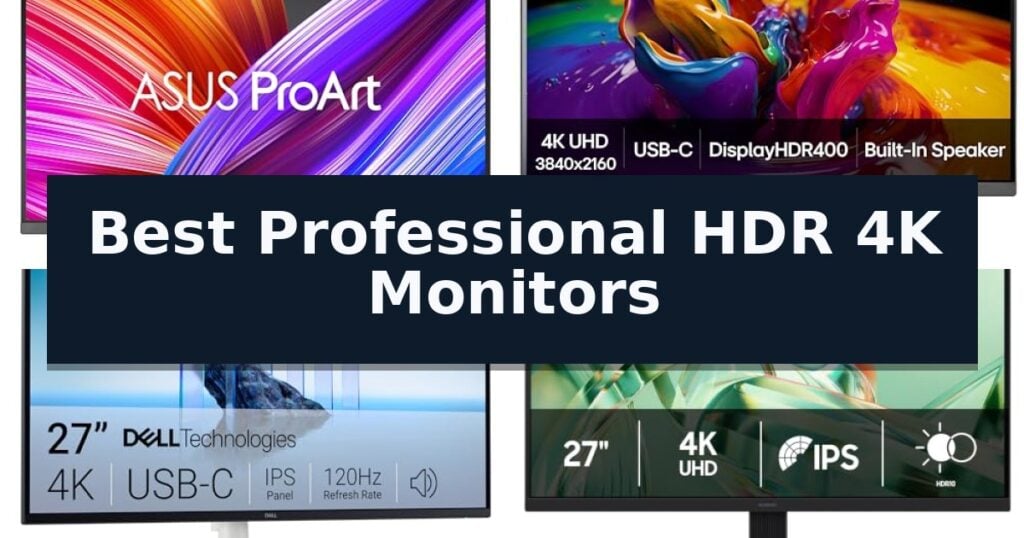
9 Best Professional HDR 4K Monitors in 2026 Reviews
Quick Comparison
| Product | Best For | Key Strength | Score |
|---|---|---|---|
| ASUS ProArt PA279CRV Monitor | Best Overall | Factory calibrated with Delta E < 2 for immediate professional use. | 4.9 |
| LG 27UP850K-W UltraFine Monitor | Versatile USB-C Connectivity | 90W USB-C Power Delivery for simplified cable management. | 4.4 |
| Dell S2725QC Monitor | All-Day Comfort Design | USB-C connectivity with 65W power delivery for simplified desk setups. | 4.5 |
| Samsung ViewFinity S7 Monitor | High-Density Professional Clarity | 4K UHD resolution provides exceptional pixel density for detailed work. | 4.8 |
| LG 27UP650K-W UltraFine Monitor | Reliable HDR Color Accuracy | 95% DCI-P3 color gamut for professional-grade color accuracy. | 4.4 |
| LG 27US500-W UltraFine Monitor | Essential Creative Workspace | 4K UHD resolution with a 1000:1 contrast ratio for high-detail work. | 4.5 |
| Philips 27E1N1800A Monitor | Extended Warranty Protection | 4K UHD resolution provides high pixel density for detailed work. | 4.4 |
| ASUS VP327Q Monitor | Expansive 32-Inch Desktop | 31.5-inch 4K UHD display with high pixel density for detailed multitasking. | 4.7 |
| Raywego 32-Inch 4K Monitor | Large Screen Multitasking | Large 32-inch display provides ample room for side-by-side multitasking. | 4.5 |
How We Chose
To identify the best professional HDR 4K monitors, we evaluate displays based on their ability to maintain color fidelity and provide a stable, ergonomic workspace. We focus on technical specifications that directly impact creative output, such as factory calibration standards and connectivity options, ensuring each monitor meets the rigorous demands of professional visual work.
- Color Gamut Coverage: Evaluating the percentage of DCI-P3 and Adobe RGB for professional color grading.
- Factory Calibration: Assessing pre-calibrated accuracy, specifically Delta E values, to ensure out-of-the-box performance.
- Connectivity and Power Delivery: Analyzing USB-C power output and daisy-chaining capabilities for streamlined desk setups.
- Ergonomic Versatility: Checking for height, tilt, pivot, and swivel adjustments to accommodate various workspace configurations.
- HDR Performance: Reviewing VESA DisplayHDR certification and contrast ratios for depth in high-dynamic-range content.
1 ASUS ProArt PA279CRV Monitor — Best for Color-Critical Work
Achieving precise color reproduction is essential for professional workflows, and the ASUS ProArt PA279CRV Monitor is engineered specifically for this demand. This 27-inch display features a 4K UHD resolution with an IPS panel that provides wide viewing angles, ensuring consistency across your workspace.
The monitor is factory pre-calibrated to a Delta E < 2 and is Calman Verified, offering high color accuracy right out of the box. It covers 99% of both the DCI-P3 and Adobe RGB color gamuts, making it a reliable tool for color-critical tasks in photography, video editing, and graphic design.
Connectivity is a major focus for this model, featuring a versatile USB-C port that supports 96-watt Power Delivery, allowing you to charge your laptop and transfer data through a single cable. For multi-monitor setups, the DisplayPort daisy-chain capability simplifies cable management by allowing you to connect multiple displays in a series.
Designed for long-term comfort, the stand is fully ergonomic with tilt, swivel, pivot, and height adjustments. The package also includes a 5-year warranty, consisting of a 3-year base warranty plus a 2-year extension upon online registration, providing long-term support for professional environments.
Best for: Professional creators and editors who require high color accuracy and single-cable connectivity for their workstation.
Skip if: Users who require a high-refresh-rate display for gaming or those who do not need professional-grade color gamut coverage.
- Factory calibrated with Delta E < 2 for immediate professional use.
- 99% DCI-P3 and Adobe RGB coverage ensures vibrant and accurate color reproduction.
- USB-C with 96W Power Delivery streamlines desk setup and device charging.
- Daisy-chain capability allows for efficient multi-monitor configurations.
- Standard 60Hz refresh rate may not meet the needs of users focused on high-motion gaming.
2 LG 27UP850K-W UltraFine Monitor — Versatile USB-C Connectivity
The LG 27UP850K-W UltraFine Monitor streamlines professional workflows by integrating USB Type-C connectivity with 90W power delivery, allowing users to charge laptops and transfer data through a single cable. This 27-inch display is built for precision, offering a 4K UHD (3840 x 2160) resolution that ensures sharp detail for creative tasks and high-definition media consumption.
Designed to meet the demands of color-critical work, the monitor supports 95% DCI-P3 color gamut and is compatible with VESA DisplayHDR 400. These specifications provide the brightness and color range necessary for viewing HDR content as intended. The inclusion of Waves MaxxAudio integrated speakers adds a layer of convenience for multimedia playback without requiring external audio hardware.
The monitor includes the Switch app, which allows users to split the screen into up to six sections, facilitating efficient multitasking. For gaming and interactive use, features like Black Stabilizer and Dynamic Action Sync are included to improve visibility in dark scenes and reduce input lag. The ergonomic stand supports tilt, height, and pivot adjustments, ensuring the screen can be positioned for optimal comfort during long sessions.
Connectivity is a primary focus, with the rear panel housing a DisplayPort, two HDMI ports, and two USB 3.0 ports. This array of inputs eliminates the need for external dongles or adapters in most professional setups. The combination of high-resolution imaging and versatile port options makes this unit a practical choice for users balancing creative production with daily office tasks.
Best for: Professionals and creators who require a color-accurate 4K display with integrated USB-C power delivery for a clean, single-cable workspace.
Skip if: Users who require a high-refresh-rate panel for competitive gaming or those needing specialized professional features like hardware calibration or Thunderbolt 4 connectivity.
- 90W USB-C Power Delivery for simplified cable management.
- 95% DCI-P3 color gamut for accurate color reproduction.
- Ergonomic stand with height, tilt, and pivot functionality.
- Integrated multitasking software via the Switch app.
- Standard 60Hz refresh rate may not satisfy high-end gaming requirements.
- DisplayHDR 400 certification represents entry-level HDR performance.
3 Dell S2725QC Monitor — All-Day Comfort Design
The Dell S2725QC Monitor prioritizes visual clarity and workspace efficiency through its 4K UHD resolution and integrated USB-C connectivity. Designed for professionals who require precise detail, this 27-inch display utilizes in-plane switching technology to deliver vibrant colors with 99% sRGB coverage, ensuring high-fidelity image reproduction for creative tasks.
Performance is bolstered by a 120Hz refresh rate and AMD FreeSync Premium support, which provides a smooth, tear-free visual experience. The inclusion of an ultra-low 0.03ms response time makes it a versatile tool for both demanding professional workflows and high-speed media consumption. The 1500:1 contrast ratio and HDR readiness further enhance depth, allowing for nuanced shadow and highlight detail.
Ergonomics and convenience are central to the design. The monitor features ComfortView Plus, which limits harmful blue light emissions to 35% or less, maintaining color accuracy while reducing eye strain during extended use. Desk management is simplified by a single USB-C cable that supports up to 65W power delivery, effectively reducing cable clutter.
Audio performance has been re-engineered to provide a more spacious sound profile with improved frequency response and decibel range compared to previous iterations. This integrated audio solution complements the visual capabilities, creating a cohesive workstation setup without the immediate need for external speakers.
Best for: Professionals and creatives seeking a high-resolution, color-accurate display with integrated power delivery and eye-comfort features.
Skip if: Users requiring specialized high-end color grading monitors with wider color gamuts or those needing a screen size larger than 27 inches.
- USB-C connectivity with 65W power delivery for simplified desk setups.
- 120Hz refresh rate combined with AMD FreeSync Premium for smooth motion.
- ComfortView Plus reduces blue light without compromising color accuracy.
- 4K UHD resolution with 99% sRGB coverage for detailed imaging.
- 27-inch screen size may be limiting for users requiring expansive multi-window workflows.
- HDR readiness is a baseline specification and may not match the performance of dedicated professional HDR reference monitors.
4 Samsung ViewFinity S7 Monitor — High-Density Professional Clarity
Achieving precise visual fidelity for complex design work requires hardware that balances resolution with color accuracy. The Samsung 27" ViewFinity S7 (S71H) 4K UHD IPS HDR10 High Resolution Monitor addresses this by leveraging a high-density 4K UHD display that provides the screen real estate necessary for intricate diagrams and detailed video editing.
This monitor utilizes an IPS panel to ensure consistent color representation, while HDR10 technology optimizes contrast to produce a wide gamut of over 1 billion colors. These features work in tandem to deliver deeper blacks and more vivid highlights, which is essential for professional-grade content creation.
For extended work sessions, the Samsung ViewFinity S7 Monitor integrates Eye Saver Mode, a feature certified by TÜV that minimizes blue light emissions and eliminates screen flickering to reduce visual fatigue. Connectivity is streamlined through dedicated HDMI and DP ports, allowing for a straightforward setup in any professional workspace.
Beyond creative tasks, the display includes a Game Mode that dynamically adjusts color and contrast settings to enhance scene clarity. This versatility makes the monitor a functional tool for both intensive professional projects and high-detail media consumption.
Best for: Professionals and content creators who require high pixel density and accurate color reproduction for intricate design and video editing tasks.
Skip if: Users who require specialized ergonomic stands with height, tilt, and swivel adjustments beyond a standard configuration, or those needing a larger display size for multi-window workflows.
- 4K UHD resolution provides exceptional pixel density for detailed work.
- HDR10 support ensures a broad color gamut and optimized contrast.
- Eye Saver Mode reduces eye strain during long professional sessions.
- IPS panel technology offers consistent and accurate color representation.
- Fixed stand configuration may limit ergonomic customization compared to professional-grade adjustable mounts.
5 LG 27UP650K-W UltraFine Monitor — Reliable HDR Color Accuracy
Achieving precise color reproduction for creative workflows requires hardware that balances resolution with high-fidelity output. The LG 27UP650K-W UltraFine Monitor addresses this by combining a 3840 x 2160 4K UHD IPS display with 95% DCI-P3 color gamut coverage, ensuring that visual content appears vibrant and accurate for professional editing tasks.
Beyond its resolution, the monitor integrates VESA DisplayHDR 400 compatibility, which allows for a broader range of brightness and color depth compared to standard displays. This feature is essential for creators who need to realize their vision with specific contrast levels, ensuring that highlights and shadows are rendered with greater clarity.
For multitasking and workflow efficiency, the monitor includes the Switch App, which allows users to split the screen into up to six sections. This utility transforms the display into a centralized hub, enabling seamless navigation between PC tasks and the built-in webOS streaming platform, which is particularly useful for managing complex projects or simultaneous video calls.
The LG 27UP650K-W UltraFine Monitor also prioritizes physical comfort through its ergonomic stand, which supports height, tilt, and pivot adjustments. This flexibility ensures the screen can be positioned at an optimal viewing angle, reducing strain during long sessions of detailed color grading or content production.
Best for: Creative professionals who require high color accuracy and a flexible, ergonomic workspace for 4K content production.
Skip if: Users who require ultra-high refresh rates for competitive gaming or those needing integrated Thunderbolt connectivity for advanced peripheral daisy-chaining.
- 95% DCI-P3 color gamut for professional-grade color accuracy.
- VESA DisplayHDR 400 support for enhanced dynamic range.
- Ergonomic stand with height, tilt, and pivot adjustments.
- Switch App for efficient screen multitasking and layout customization.
- 60Hz refresh rate may be limiting for high-speed gaming applications.
- Standard connectivity lacks advanced high-bandwidth ports like Thunderbolt.
6 LG 27US500-W UltraFine Monitor — Essential Creative Workspace
Achieving color accuracy and sharp detail is essential for creative workflows, and the LG 27US500-W UltraFine Monitor is built to address these demands with its 4K UHD resolution. By utilizing a 1000:1 contrast ratio, this display provides the depth and clarity required for inspecting intricate digital imagery, ensuring that professionals can work with precision.
This monitor supports a 90% DCI-P3 color gamut, allowing users to experience HDR10 content with an expanded spectrum of vivid, lifelike colors. The integration of an IPS panel ensures consistent image quality across wide viewing angles, which is critical when collaborating or reviewing work from different positions at a desk.
Usability is enhanced through the inclusion of Onscreen Control, which allows for quick workspace management, such as splitting the display or adjusting monitor settings without navigating physical buttons. The ergonomic stand provides flexible tilt adjustments, helping users maintain an optimal viewing position during long editing sessions.
Designed for a clean and efficient workspace, the monitor features a borderless design that minimizes distractions. It includes essential connectivity options and comes with the necessary cables to get started immediately, making it a straightforward addition to any professional creative setup.
Best for: Creative professionals who require 4K UHD resolution and accurate color reproduction for detailed digital imagery and HDR content editing.
Skip if: Users who require advanced ergonomic features like height adjustment, swivel, or pivot, as this model is limited to tilt adjustments.
- 4K UHD resolution with a 1000:1 contrast ratio for high-detail work.
- 90% DCI-P3 color gamut support for vibrant, accurate HDR10 content.
- Onscreen Control software for efficient workspace management.
- Borderless design that minimizes visual distractions.
- Limited ergonomic adjustments restricted to screen tilt only.
- Standard 1-year warranty on parts and labor.
7 Philips 27E1N1800A Monitor — Extended Warranty Protection
Precision in professional visual workflows demands a display that balances high pixel density with reliable color reproduction. The Philips 27E1N1800A Monitor delivers this through a 4K UHD (3840 x 2160) resolution panel, which provides the sharp detail necessary for intricate design work and high-resolution media editing. By utilizing IPS panel technology, the display ensures consistent color accuracy and wide viewing angles, preventing the color shifting often encountered with standard panels when viewed off-center.
Extended sessions in front of a screen require features that prioritize user comfort without sacrificing output quality. To support long-term productivity, this monitor integrates Flicker-free technology and a LowBlue Mode, both of which are engineered to reduce the visual fatigue associated with prolonged screen exposure. Furthermore, the inclusion of Adaptive-Sync technology helps maintain smooth motion performance, which is particularly beneficial for those who occasionally engage in dynamic tasks or multimedia playback, ensuring a tear-free visual experience.
Integration into a professional workspace is simplified through standard HDMI 2.0 and DisplayPort 1.4 connectivity. While these ports provide reliable, high-bandwidth connections for most workstations, the absence of modern single-cable docking standards like USB-C means users will need to manage separate power and data cables. The monitor also features built-in speakers, offering a space-saving audio solution for basic multimedia needs, though they are not intended to replace dedicated professional monitoring equipment.
Physical versatility and long-term reliability are core components of the Philips 27E1N1800A Monitor design. It is VESA-compatible, allowing for easy mounting on ergonomic monitor arms to optimize desk space and viewing height. Additionally, the inclusion of a 4-year advance replacement warranty provides a substantial layer of protection, ensuring that professional environments can maintain uptime with minimal disruption in the event of hardware failure.
Best for: Professionals and creators who require a reliable 4K display with an extended warranty for long-term peace of mind.
Skip if: Users who require specialized color gamuts like Adobe RGB or DCI-P3 for high-end color grading, or those who need single-cable USB-C docking for their laptops.
- 4K UHD resolution provides high pixel density for detailed work.
- IPS panel ensures consistent color and wide viewing angles.
- 4-year advance replacement warranty offers long-term protection.
- Adaptive-Sync technology prevents screen tearing during motion.
- Standard connectivity lacks modern USB-C or Thunderbolt options for single-cable laptop docking.
- Built-in speakers are intended for basic audio and may not satisfy professional monitoring needs.
8 ASUS VP327Q Monitor — Expansive 32-Inch Desktop
The ASUS VP327Q Monitor provides a substantial 31.5-inch 4K UHD canvas, offering four times the pixel density of standard displays to enhance multitasking and visual clarity. This expansive screen is engineered for users who require a high-resolution workspace for professional content creation or demanding home office tasks.
Equipped with an IPS panel, this monitor maintains color consistency and image integrity across a wide 178-degree viewing angle. The integration of HDR-10 and 99% sRGB color gamut support ensures that users can achieve sharp contrast and lifelike color reproduction, which is essential for precise photo editing and high-quality video playback.
To support extended work sessions, the display features ASUS Eye Care Technology, which includes TV-certified flicker-free performance and adjustable blue light filters. These additions are designed to mitigate visual fatigue during long periods of screen time, making the monitor a practical choice for professional environments.
Connectivity is handled through dual HDMI ports and a DisplayPort, allowing for seamless switching between multiple devices such as PCs, laptops, and consoles. The inclusion of Adaptive-Sync technology further enhances performance by reducing screen tearing and lag, while the VESA-compatible design and built-in speakers offer flexible installation options for various desk configurations.
Best for: Content creators and professionals who require a large, high-resolution workspace with accurate color reproduction and integrated eye-care features.
Skip if: Users who require specialized professional color grading tools or high-refresh-rate gaming performance beyond standard adaptive-sync capabilities.
- 31.5-inch 4K UHD display with high pixel density for detailed multitasking.
- HDR-10 and 99% sRGB support for accurate color and contrast.
- ASUS Eye Care Technology with flicker-free and low blue light filters.
- Versatile connectivity with dual HDMI and DisplayPort inputs.
- Large physical footprint may not suit compact desk setups.
- Integrated speakers are intended for basic audio output rather than professional monitoring.
9 Raywego 32-Inch 4K Monitor — Large Screen Multitasking
Maximizing screen real estate for complex workflows requires a display that balances resolution with color fidelity. The Raywego 32-Inch 4K Monitor provides a expansive 32-inch workspace, offering significantly more room for parallel multitasking compared to standard 27-inch alternatives. By utilizing a 4K UHD 3840×2160 resolution, it delivers over four times the detail of 1080p displays, ensuring that text and intricate design elements remain sharp and legible.
For creative professionals, the monitor features 97% sRGB color coverage and a 4000:1 contrast ratio, supporting accurate color reproduction for graphic design and photo editing tasks. The integration of an IPS panel ensures consistent color performance and wide viewing angles, preventing the color shifting often associated with TN or VA panels when viewed from the side.
Extended work sessions are addressed through Advanced Eye-Care Technology, which filters over 90% of harmful 415–455nm blue light. Unlike basic dimming solutions, this system maintains natural color integrity, allowing for prolonged use without the screen taking on a yellow tint. The design is further complemented by a frameless aesthetic that minimizes distractions during focused tasks.
Connectivity is streamlined via dedicated HDMI and DisplayPort inputs, facilitating easy switching between workstations, laptops, and gaming consoles. The monitor also includes FreeSync support and low input lag, catering to users who transition between professional productivity and entertainment. Its VESA-compatible mounting options provide additional flexibility for ergonomic desk setups.
Best for: Professionals and remote workers who require a large, high-resolution workspace for multitasking and color-sensitive creative tasks.
Skip if: Users who require specialized color gamuts beyond sRGB, such as Adobe RGB or DCI-P3, for high-end professional color grading.
- Large 32-inch display provides ample room for side-by-side multitasking.
- IPS panel technology ensures stable color accuracy and wide viewing angles.
- Advanced blue light filtering maintains natural colors while reducing eye strain.
- 4K UHD resolution offers superior clarity for detailed design and document work.
- Limited to sRGB color space, which may not meet the requirements of specialized print or cinema workflows.
Best Professional HDR 4K Monitors Buying Guide
Color Accuracy and Gamut
Professional monitors must reproduce colors with high precision to ensure consistency from the screen to the final output. Look for models that specify high coverage of industry-standard color spaces like DCI-P3 and Adobe RGB.
Factory calibration is a critical feature for professionals who need reliable performance immediately upon setup. Monitors verified by organizations like Calman often provide the most dependable color accuracy without requiring expensive external calibration tools.
Connectivity and Workflow Integration
Modern creative setups benefit significantly from USB-C connectivity, which allows for both data transfer and power delivery through a single cable. This reduces desk clutter and simplifies the connection process for laptops.
For users managing multiple displays, daisy-chaining capabilities are essential. This feature allows you to connect several monitors in a sequence, minimizing the number of cables running directly to your computer.
Ergonomics for Extended Use
Professional tasks often require long hours in front of the screen, making ergonomic design a non-negotiable factor. A monitor with a fully adjustable stand—offering height, tilt, swivel, and pivot—helps maintain a healthy posture.
Beyond physical adjustments, look for integrated eye-care technologies such as flicker-free backlighting and blue light filters. These features help reduce eye strain during intensive editing or design sessions.
HDR and Contrast Performance
High Dynamic Range (HDR) support allows for a broader range of brightness and contrast, which is vital for viewing and editing modern video content. VESA DisplayHDR certification provides a standardized way to compare these capabilities.
While HDR is important, the underlying panel technology also matters. IPS panels are generally preferred in professional settings for their wide viewing angles and consistent color reproduction across the entire screen surface.
Resolution and Pixel Density
A 4K resolution on a 27-inch or 32-inch panel provides high pixel density, resulting in sharp text and detailed imagery. This clarity is crucial for fine-tuning complex graphics or reviewing high-resolution video footage.
When choosing between screen sizes, consider your workspace constraints. While larger screens offer more room for multitasking, smaller 27-inch 4K displays often provide higher pixel density, which can be advantageous for precision work.
Frequently Asked Questions
Do I need a 4K monitor for professional graphic design?
Yes, 4K resolution provides the pixel density necessary to see fine details in your work, which is essential for precise editing and layout tasks.
What is the benefit of factory calibration?
Factory calibration ensures that the monitor meets specific color accuracy standards out of the box, saving you time and the potential cost of professional calibration services.
Is USB-C power delivery necessary?
It is highly recommended for laptop users, as it allows you to charge your computer and transmit video signals through a single cable, keeping your workspace clean.
Why choose an IPS panel over other types?
IPS panels offer superior color consistency and wider viewing angles, which are critical for professionals who need to ensure colors look the same regardless of their viewing position.
What does VESA DisplayHDR certification mean?
It is a standardized rating that confirms a monitor meets specific performance requirements for brightness, color gamut, and contrast when displaying HDR content.
Conclusion: Our Top Pick
Our top pick is ASUS ProArt PA279CRV Monitor. Choosing the right monitor depends on your specific creative needs, whether you prioritize color precision for print or HDR performance for video. The models highlighted offer a range of professional features designed to enhance productivity and visual accuracy.
By focusing on factory-calibrated panels, ergonomic stands, and efficient connectivity, you can build a reliable workstation that supports your professional goals. Evaluate your primary use case to select the display that best aligns with your daily workflow requirements.