Akai Professional MPK Mini Plus is our pick for the Best Professional MIDI Controllers because it combines a versatile 37-key keybed with advanced CV/Gate connectivity for both digital and modular workflows.
The Novation Launchkey 49 MK4 serves as a superior alternative for producers prioritizing deep DAW integration and semi-weighted key action. Meanwhile, the M-AUDIO Keystation 49 MK3 offers a streamlined, full-size experience for those who need a dedicated, no-frills master keyboard for their studio setup.
Selecting the right controller requires balancing your specific production environment against your need for tactile control. Whether you are managing complex Ableton Live sessions or integrating vintage hardware synths, the right interface should bridge the gap between your creative ideas and your software without adding unnecessary latency or configuration hurdles.
If you are also looking to upgrade your typing setup, our guide to Best Professional Keyboards offers insights into ergonomic options for long studio sessions.
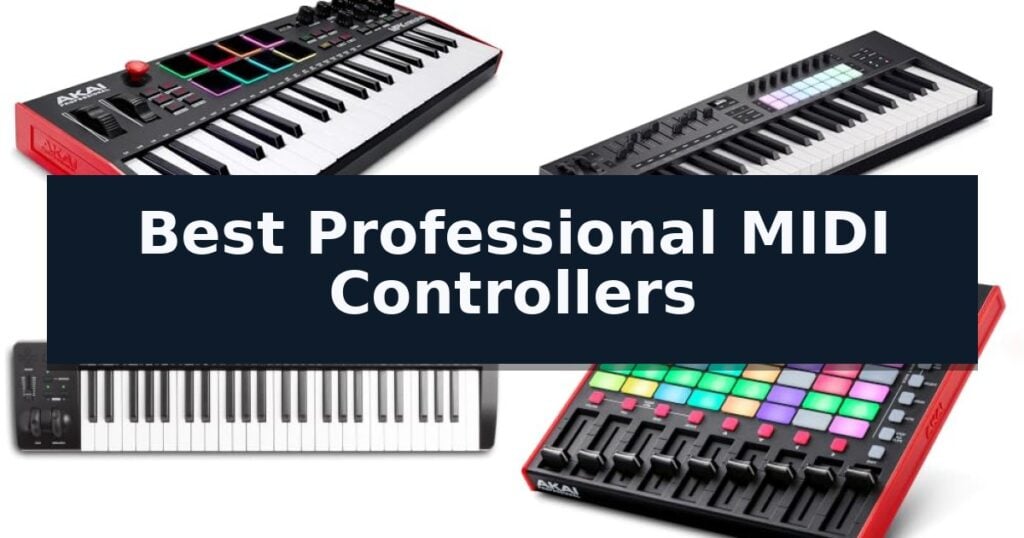
10 Best Professional MIDI Controllers in 2026 Reviews
Quick Comparison
| Product | Best For | Key Strength | Score |
|---|---|---|---|
| Akai Professional MPK Mini Plus | Best Overall | Built-in 64-step sequencer for standalone performance. | 4.9 |
| Novation Launchkey 49 MK4 | Premium Keys with Deep Integration | Polyphonic aftertouch on FSR pads for expressive performance | 4.3 |
| M-AUDIO Keystation 49 MK3 | Streamlined Full-Size Keyboard | Plug-and-play connectivity with Mac, PC, and iOS devices. | 4.9 |
| Akai Professional APC Mini MK2 | Ultimate Ableton Clip Launching | 1:1 mapping for immediate Ableton Live integration. | 4.6 |
| Novation Launch Control XL 3 | Hands-On Mixing for Hybrid Setups | Extensive connectivity with dedicated MIDI In/Out/Thru ports for hardware integration. | 4.4 |
| Donner STARRYCTRL | Wireless Mixing with Visual Feedback | Low-latency wireless connectivity with a rechargeable battery for flexible workspace setups. | 4.3 |
| Akai Professional MIDImix | Compact Portable DAW Mixer | Instant 1-to-1 mapping with Ableton Live for rapid setup. | 4.6 |
| Donner STARRYPAD | Responsive Pads for Beat Production | Adjustable velocity sensitivity curves for expressive performance. | 4.6 |
| Akai Professional LPD8 | Ultra-Portable Pad Performance | 8 RGB-backlit responsive MPC pads for precise sample and loop triggering. | 4.5 |
| Intech Studio Grid TEK2 | Modular Precision Jog Control | High-precision endless jog wheels with push functionality for granular control. | 4.8 |
How We Chose
Evaluating the best professional MIDI controllers requires a focus on how hardware translates human performance into digital data. We assess each controller based on its tactile response, the depth of its software mapping, and its ability to integrate into diverse studio environments, ensuring that the chosen hardware enhances rather than complicates your production workflow.
- Keybed action and velocity sensitivity
- DAW integration and pre-mapped control surfaces
- Connectivity options including MIDI I/O and CV/Gate
- Build quality and portability for studio or stage use
- Software suite and plugin compatibility
1 Akai Professional MPK Mini Plus — Best for Advanced Melodic Control
The Akai Professional MPK Mini Plus distinguishes itself with a built-in 64-step sequencer, allowing for standalone melodic and rhythmic composition without requiring a constant connection to a computer. This 37-key controller provides three full octaves of range, catering to producers who need more melodic space than standard 25-key alternatives offer.
Connectivity is a primary focus for this unit, featuring dedicated CV/Gate and MIDI I/O ports. These allow for direct integration with modular synthesizers and external sound modules, expanding the controller's utility beyond basic DAW interaction. The inclusion of a transport section enables users to manage recording, playback, and navigation directly from the hardware interface.
For tactile sound shaping, the controller includes eight assignable rotary knobs, suitable for adjusting EQ, volume, or writing automation within a DAW. The eight RGB-backlit MPC pads provide a responsive surface for drum programming, while integrated Chords and Scales modes are designed to assist in harmonic composition.
The Akai Professional MPK Mini Plus comes with a software suite including MPC Beats and a 60-day subscription to the Splice Creator plan. Additionally, the unit supports Native Kontrol Standard (NKS) integration, enabling direct control over Native Instruments presets and sound libraries, with a choice of three curated Komplete 15 Select bundles.
Best for: Producers requiring a compact 37-key controller with integrated hardware sequencing and CV/Gate connectivity for modular gear.
Skip if: Users who do not require hardware sequencing or external CV/Gate connectivity may find a standard, more compact 25-key controller more space-efficient.
- Built-in 64-step sequencer for standalone performance.
- Advanced connectivity including CV/Gate and MIDI I/O.
- 37-key keybed offering three full octaves of range.
- NKS integration for seamless control of Native Instruments libraries.
- Larger footprint compared to standard 25-key mini controllers.
2 Novation Launchkey 49 MK4 — Premium Keys with Deep Integration
The Novation Launchkey 49 MK4 serves as a comprehensive hub for modern music production, centering its workflow around 49 semi-weighted keys and a suite of performance-oriented controls. This controller is designed to bridge the gap between hardware and software, offering deep integration with major DAWs including Ableton Live, Logic, and FL Studio.
Beyond standard keyboard input, the unit features 16 FSR pads equipped with polyphonic aftertouch. These pads provide tactile feedback for drumming and clip launching while functioning as step sequencers or chord triggers. The inclusion of nine faders and dedicated pitch and mod wheels allows for real-time parameter manipulation during live performances or studio tracking.
Creative assistance is built into the hardware through integrated Scale and Chord modes, which help navigate musical arrangements by preventing incorrect note selection. The device also supports Native Kontrol Standard (NKS), enabling direct control over Native Instruments software directly from the keyboard's interface.
The package includes a substantial software bundle, featuring Ableton Live Lite, Cubase LE, and various sound libraries from Orchestral Tools and Native Instruments. With its USB-C connectivity and compact 49-key footprint, the controller is built to integrate into diverse studio setups while maintaining a focus on hands-on creative control.
Best for: Producers and performers seeking an all-in-one controller with deep DAW integration and expressive, polyphonic aftertouch-enabled pads.
Skip if: Users who require a weighted hammer-action keybed for authentic piano simulation or those with limited desk space who would be better served by a 25-key model.
- Polyphonic aftertouch on FSR pads for expressive performance
- Seamless DAW integration across all major software platforms
- Integrated creative tools like Scale and Chord modes
- NKS-ready for direct control of Native Instruments software
- Semi-weighted keybed may not satisfy users seeking a full piano-style hammer action
3 M-AUDIO Keystation 49 MK3 — Streamlined Full-Size Keyboard
The M-AUDIO Keystation 49 MK3 serves as a streamlined studio centerpiece, offering 49 full-size velocity-sensitive keys designed to capture the nuance of a performance through a natural synth-action feel. This controller prioritizes immediate creative workflow by providing a plug-and-play experience that requires no drivers or external power supply when connected to a Mac or PC.
For tactile control over digital audio workstations, the unit features an integrated volume fader, transport and directional buttons, and ergonomically-designed pitch and modulation wheels. Users can easily manage octave shifts via dedicated buttons, while the rear panel includes a sustain pedal input for added expressive capability during recording sessions.
The physical design is optimized for space-constrained environments, measuring approximately 32 inches in length with a slim profile that fits easily onto most desks or stage setups. Its lightweight construction, weighing under 5 pounds, ensures portability without sacrificing the essential controls needed for professional MIDI sequencing.
Beyond the hardware, the package includes a comprehensive software suite consisting of MPC Beats, Ableton Live Lite, Velvet, XPand2, Mini Grand, and Touch Loops. To support skill development, the controller also provides access to free online lessons from Skoove and over 60 app-based lessons from Melodics.
Best for: Producers and musicians seeking a compact, full-size keyboard controller with essential transport controls for home studio or mobile recording setups.
Skip if: Users requiring weighted hammer-action keys for piano-style playing or those needing built-in drum pads for beat production will find this synth-action model insufficient.
- Plug-and-play connectivity with Mac, PC, and iOS devices.
- Includes a comprehensive software bundle for immediate recording.
- Compact and lightweight design suitable for any desk space.
- Features dedicated transport controls and pitch/mod wheels.
- Synth-action keys lack the weighted feel preferred by traditional pianists.
- No integrated drum pads for finger drumming or sample triggering.
4 Akai Professional APC Mini MK2 — Ultimate Ableton Clip Launching
The Akai Professional APC Mini MK2 streamlines performance workflows by offering a dedicated 8×8 RGB pad matrix designed for immediate clip launching in Ableton Live. This compact controller removes the need for complex menu diving, providing a tactile interface that mirrors the software session view for intuitive control during live sets or studio production.
Engineered for deep software integration, the device features 1:1 mapping for Ableton Live 11.2.7 and later, ensuring that users can capture ideas and mix tracks without manual configuration. The inclusion of 9 assignable faders allows for precise adjustments to volume, pan, or device macros, while dedicated Drum and Note modes enable expressive melodic and rhythmic input via the Smart Scale View.
Portability and ease of use remain central to its design, as the unit is powered entirely over USB. This plug-and-play functionality eliminates the requirement for external power adapters or batteries, making it a practical solution for mobile producers. The package also includes a comprehensive virtual instrument suite, featuring Hybrid 3, Mini Grand, and Velvet to expand sound design capabilities right out of the box.
While the controller excels at software-centric workflows, its utility is specifically optimized for the Ableton ecosystem. Users who rely on other digital audio workstations may find the pre-mapped features less applicable to their specific setup, as the hardware is purpose-built for seamless interaction with Ableton's unique session-based architecture.
Best for: Producers and live performers who require a compact, dedicated hardware interface for Ableton Live.
Skip if: Users who primarily work in DAWs other than Ableton Live may find the hardware-to-software integration less intuitive.
- 1:1 mapping for immediate Ableton Live integration.
- 8×8 RGB pad matrix provides clear visual feedback.
- USB-powered for convenient, cable-free portability.
- Includes a comprehensive virtual instrument pack.
- Ableton-specific design limits utility in other DAW environments.
5 Novation Launch Control XL 3 — Hands-On Mixing for Hybrid Setups
The Novation Launch Control XL 3 offers a comprehensive hardware interface designed to streamline complex mixing tasks through its array of 24 endless encoders and eight faders. This control surface provides tactile feedback for DAW parameters, allowing producers to manage levels and automation without constant mouse interaction.
Engineered for versatility, the device features deep integration with major digital audio workstations including Ableton Live, Logic Pro, FL Studio, and Cubase. The inclusion of a crisp OLED display ensures real-time parameter feedback, while 16 assignable buttons allow users to customize their workflow for specific production or performance needs.
Beyond software control, the unit functions as a central hub for hardware-heavy setups. It includes 5-pin MIDI In, Out, and Out2/Thru ports, enabling direct control of external synthesizers and effects units. Users can store up to 15 Custom Modes via the Components software, facilitating seamless transitions between different studio configurations.
The Novation Launch Control XL 3 is built to bridge the gap between digital and analog environments. By combining DAW control with dedicated hardware connectivity, it serves as a robust tool for those managing hybrid workflows where external gear and software instruments must operate in tandem.
Best for: Producers and live performers who require a tactile, hybrid control interface for both DAW software and external MIDI-capable hardware.
Skip if: Users who primarily work "in-the-box" without external hardware synths or those who prefer a compact, minimalist controller without faders and extensive encoder banks.
- Extensive connectivity with dedicated MIDI In/Out/Thru ports for hardware integration.
- Deep DAW integration across major platforms like Ableton Live and Logic Pro.
- High customizability with 15 storable Custom Modes and 16 assignable buttons.
- Tactile feedback provided by 24 endless encoders and eight dedicated faders.
- Larger footprint compared to ultra-portable MIDI controllers due to the extensive hardware I/O and fader layout.
6 Donner STARRYCTRL — Wireless Mixing with Visual Feedback
The Donner STARRYCTRL distinguishes itself from standard MIDI controllers through its low-latency wireless technology and a high-capacity 780mAh rechargeable battery, allowing for a cable-free setup in home studios or on stage. This portable unit features 8 faders and 8 knobs equipped with a Smart LED Anti-jump Indicator, which provides visual feedback to prevent sudden value jumps by signaling when a physical fader position does not match the software track volume.
Designed for efficient workflow, the controller includes Mackie Control Universal (MCU) support, enabling one-click mapping for essential DAW functions like Solo, Mute, Record, and track selection. Users can further tailor their experience using the MidiSuite software, which allows for deep customization of 43 assignable keys, including CC mapping, Note messages, and aftertouch information.
Beyond traditional studio recording, the Donner STARRYCTRL serves as a versatile tool for live multimedia performances. Its multi-channel controls can be mapped to trigger lighting, OBS scenes, or real-time effects like filters and EQ, making it a functional choice for producers who integrate visuals into their sets. The device also includes bundled software, specifically Cubase 15 LE and WaveLab, to assist with immediate music production tasks.
Measuring 10.04 inches in width and weighing 1.1 pounds, the controller maintains a compact footprint suitable for mobile creators. While it offers extensive mapping capabilities, the reliance on the MidiSuite for advanced configuration means users should be prepared to spend time setting up specific custom profiles to fully utilize the 43 assignable buttons.
Best for: Producers and live performers who require a portable, wireless MIDI controller with visual feedback for DAW mixing and multimedia triggering.
Skip if: Users who require a full-sized keyboard interface or those who prefer a strictly wired, bus-powered connection without the need for battery management.
- Low-latency wireless connectivity with a rechargeable battery for flexible workspace setups.
- Smart LED Anti-jump Indicators prevent abrupt parameter changes during mixing.
- Mackie Control Universal (MCU) support simplifies integration with major DAWs.
- 43 assignable keys provide extensive control options for custom mapping.
- Requires software configuration via MidiSuite to unlock full customization of assignable keys.
- Battery-dependent operation necessitates regular charging compared to traditional bus-powered controllers.
7 Akai Professional MIDImix — Compact Portable DAW Mixer
Bridging the gap between digital software and physical tactile control, the Akai Professional MIDImix serves as a dedicated hardware interface for producers who prefer hands-on mixing. Its design prioritizes a streamlined workflow, allowing users to move away from mouse-based adjustments and engage directly with their DAW's mixer parameters. By providing a physical surface that mirrors the layout of a standard mixer, this controller helps maintain focus on the creative process rather than navigating complex on-screen menus.
The unit is equipped with 24 assignable knobs, arranged in three-per-channel banks, which offer precise control over EQ, bus sends, and virtual instrument parameters. Complementing these are 8 individual line faders and a single master fader, providing the necessary tactile feedback for nuanced volume automation and mixdown tasks. This configuration ensures that users have immediate access to the most essential mixing functions without needing to switch between different control pages.
Portability is a core aspect of its design, as the Akai Professional MIDImix features a lightweight and robust construction that fits easily into mobile production setups. Despite its compact footprint, it includes 16 buttons organized into two banks, enabling efficient management of mute, solo, and record arm functions for each channel. This layout allows for quick, real-time adjustments during both tracking and live performance scenarios.
Integration is simplified through the device's instant 1-to-1 mapping with Ableton Live, which allows for rapid setup upon connection. This feature is particularly beneficial for those building a home studio, as it minimizes the time spent on MIDI configuration. The inclusion of Ableton Live Lite further supports immediate usability, providing a complete entry-level solution for those looking to implement a tactile mixing workflow.
Best for: Producers and home studio users who require a compact, tactile interface for hands-on DAW mixing and track automation.
Skip if: Users who require integrated velocity-sensitive drum pads or piano-style keys for melodic composition will find this controller insufficient for their needs.
- Instant 1-to-1 mapping with Ableton Live for rapid setup.
- Comprehensive mix control featuring 8 line faders and a master fader.
- Robust, ultra-portable design suitable for mobile production.
- Dedicated assignable knobs for deep control of EQ and effect parameters.
- Lacks velocity-sensitive pads or keys for musical performance.
- Fixed channel layout may not accommodate complex routing beyond the standard mixer configuration.
8 Donner STARRYPAD — Responsive Pads for Beat Production
The Donner STARRYPAD streamlines music production through its 16 soft silicone backlit pads, which feature adjustable velocity sensitivity curves to capture the nuance of every performance. This compact controller provides an intuitive interface for triggering drums, samples, and effects, making it a versatile addition to any digital audio workstation setup.
Beyond its primary pads, the unit offers expanded control with two faders, two knobs, and three buttons, plus a dedicated shift key that unlocks an additional layer of customization. The pads are illuminated with 7 vibrant colors, allowing users to group instruments visually for faster navigation during complex sessions. A built-in tap tempo and note repeat function with ultra-low latency help maintain rhythmic precision when working within a DAW.
Designed for broad compatibility, the Donner STARRYPAD is class-compliant for use with Windows, Mac, iOS, and Android devices. It connects via a standard USB-C interface for plug-and-play operation, though mobile users should note that an adapter is required for iOS devices. The inclusion of MIDI in/out ports allows for direct integration with external synthesizers and vintage hardware.
This controller serves as a comprehensive production package, bundled with Melodics courses and Cubase LE software to assist with skill development and arrangement. While it requires external DAW software to generate sound, its combination of tactile controls and flexible bank switching makes it a capable tool for producers looking to enhance their rhythm game and workflow efficiency.
Best for: Producers and beat makers seeking a compact, highly customizable pad controller with integrated rhythm-assist features for DAW-based workflows.
Skip if: Users who require a standalone instrument with built-in sound generation, as this controller must be connected to a computer or mobile device running DAW software.
- Adjustable velocity sensitivity curves for expressive performance.
- 48 assignable pads via three switchable banks.
- Class-compliant USB-C connectivity for broad system compatibility.
- Integrated MIDI in/out for external hardware integration.
- Requires external DAW software to produce sound.
- No internal recording or arrangement functionality.
9 Akai Professional LPD8 — Ultra-Portable Pad Performance
The Akai Professional LPD8 serves as a compact, tactile interface for producers who require hands-on control without the footprint of a full-sized keyboard. Measuring just over 12 inches in width, this controller integrates 8 RGB-backlit MPC drum pads, allowing for responsive triggering of samples, loops, and virtual instruments directly within a digital audio workstation.
Beyond its pad performance, the unit features 8 assignable Q-Link knobs. These controls provide a dedicated physical interface for mapping DAW parameters, software instruments, and insert effects, facilitating precise mixing adjustments. The device includes 4 programmable preset slots, enabling users to store and recall specific mappings for different software environments or production workflows.
Designed for portability, the Akai Professional LPD8 adopts a robust build quality reminiscent of standalone MPC hardware while maintaining a slim-line profile that fits easily into a laptop bag. The controller is fully USB-powered, ensuring a plug-and-play experience on both Mac and PC without the need for additional drivers or external power adapters.
Compatibility is broad, with the controller supporting major applications such as Ableton Live, Logic, FL Studio, and ProTools. Whether used in a professional studio or for mobile beat-making, the device provides a streamlined, tactile workflow for creators who prioritize portability and immediate access to essential production controls.
Best for: Music producers and beat makers who need a highly portable, tactile controller for triggering samples and mapping DAW parameters on the go.
Skip if: Users who require built-in keys, faders, or a larger surface area for complex multi-track sequencing may find this compact pad-focused controller too limited for their specific workflow.
- 8 RGB-backlit responsive MPC pads for precise sample and loop triggering.
- 8 assignable Q-Link knobs for tactile control over DAW parameters and plugins.
- Portable, slim-line design that stows easily in standard laptop bags.
- Plug-and-play USB connectivity requiring no external power or driver installation.
- Limited control surface compared to larger MIDI keyboards or full-sized studio controllers.
10 Intech Studio Grid TEK2 — Modular Precision Jog Control
Precision control for complex creative workflows often requires more than standard faders, which is where the Intech Studio Grid TEK2 excels by offering dedicated, high-precision endless jog wheels. This modular controller is engineered for users who need tactile command over video scrubbing, audio parameter fine-tuning, or exposure adjustments in professional software environments.
The unit features eight MX Gateron Hall effect switches that are both velocity and pressure-sensitive, providing a responsive interface for triggering clips or executing macro commands. Each button includes interchangeable keycaps with cutouts, ensuring the integrated RGB LED indicators remain visible for quick status checks during intense sessions.
Visual feedback is a core strength of the Intech Studio Grid TEK2, utilizing 5-point LED rings around each encoder and a central 5-bit LED display. These indicators allow for real-time monitoring of parameter changes and centered values, reducing the need to constantly glance at a computer monitor while working.
Designed for deep integration, the controller is fully customizable via the Grid Editor with LUA scripting. It supports MIDI, HID keyboard, mouse, and game control protocols, making it a versatile tool for applications like Premiere Pro, Photoshop, and Ableton Live. The hardware features a robust injection-molded base and a textured fiberglass front panel, with magnetic connectivity that allows it to attach to other Grid controllers in any orientation.
Best for: Professional editors and producers who require tactile, programmable jog-wheel control and modular expansion for complex software workflows.
Skip if: Users who primarily need traditional faders or large-format piano-style keys for melodic composition, as this unit focuses on macro and parameter control.
- High-precision endless jog wheels with push functionality for granular control.
- Dynamic Hall effect buttons that offer both velocity and pressure sensitivity.
- Advanced visual feedback through LED rings and a dedicated 5-bit display.
- Deeply programmable via LUA scripting for MIDI, HID, and mouse protocols.
- Modular magnetic design allows for seamless integration with other Grid hardware.
- Specialized form factor lacks traditional keys or faders found on standard MIDI keyboards.
- Requires software configuration via the Grid Editor to unlock full potential.
Best Professional MIDI Controllers Buying Guide
Keybed Feel and Performance
The physical keybed is the primary interface for melodic expression. Professional controllers offer varying degrees of resistance, from synth-action keys that favor fast, light playing to semi-weighted options that provide a more piano-like feel.
Consider how the keybed responds to your playing style. If you primarily record lead synths or basslines, a responsive synth-action keybed is often preferred for its speed, while semi-weighted keys are better suited for nuanced chord work and piano-style compositions.
DAW Integration and Workflow
Modern MIDI controllers are designed to act as extensions of your Digital Audio Workstation. Look for devices that offer native, one-to-one mapping for your specific software, which allows you to control transport, mixing, and plugin parameters without manual configuration.
Deep integration reduces the time spent clicking with a mouse, allowing you to stay focused on the music. Controllers with dedicated faders, knobs, and clip-launching pads are particularly effective for managing complex projects and live performances.
Connectivity and Hardware Expansion
Beyond USB, professional controllers often feature 5-pin MIDI I/O and CV/Gate outputs. These connections are essential if you plan to integrate external hardware synthesizers, drum machines, or modular gear into your setup.
A controller with robust connectivity acts as the central hub of your studio. By routing MIDI signals through the controller, you can sequence external hardware directly from your DAW, creating a seamless hybrid production environment.
Tactile Control and Pad Performance
Drum pads provide a dedicated surface for triggering samples, loops, and drum racks. High-quality pads should be velocity-sensitive and offer a responsive, durable feel that can withstand intensive finger drumming.
Beyond simple triggering, many pads now include features like polyphonic aftertouch or built-in step sequencing. These additions turn a standard pad controller into a powerful creative tool for building complex rhythms and melodic patterns on the fly.
Portability and Build Quality
The physical footprint of your controller should match your workspace. Compact models are ideal for mobile producers or those with limited desk space, while larger 49-key or 61-key units offer a wider range for two-handed playing.
Durability is equally important, especially if you plan to transport your gear between the studio and live venues. Look for robust chassis construction and high-quality components that can handle frequent use without sacrificing performance.
Frequently Asked Questions
Do I need a controller with weighted keys?
Weighted keys are primarily beneficial if you are a trained pianist or need to record expressive, piano-like performances. For most electronic music production, synth-action or semi-weighted keys are more versatile.
What is the advantage of NKS integration?
Native Kontrol Standard (NKS) allows your controller to automatically map to Native Instruments plugins and other compatible software, providing instant access to parameters and presets without manual MIDI mapping.
Can I use a MIDI controller without a computer?
Some controllers with 5-pin MIDI or CV/Gate outputs can control external hardware synths without a computer. However, most controllers require a DAW for full functionality and sound generation.
What does polyphonic aftertouch do?
Polyphonic aftertouch allows you to send different pressure data for each individual key or pad you are pressing, enabling expressive modulation of specific notes within a chord or rhythm.
How do I know if a controller is compatible with my DAW?
Most modern MIDI controllers are class-compliant, meaning they work with any DAW that supports MIDI. However, check the manufacturer's specifications for dedicated scripts or templates that offer enhanced functionality for your specific software.
Conclusion: Our Top Pick
Our top pick is Akai Professional MPK Mini Plus. Choosing the right MIDI controller depends on how you interact with your software and whether you need to control external hardware. Prioritize keybed feel and DAW integration to ensure the device becomes a natural extension of your creative process.
By focusing on the specific connectivity and control features that match your production style, you can select a tool that simplifies your workflow and enhances your musical output for years to come.