ASUS ProArt PA278QV Professional Monitor is our top choice for the Best Professional Monitors for Artists because it provides factory-calibrated color accuracy and essential ergonomic adjustments for long-term creative work. The BenQ PD2705Q AQCOLOR Monitor serves as a reliable alternative for designers requiring seamless multi-monitor connectivity, while the ALOGIC Clarity Touch 6K Monitor offers an expansive high-resolution canvas for those needing direct touch interaction.
Selecting a display for creative workflows requires balancing technical specifications like color gamut coverage and resolution with practical usability features. An artist's monitor must provide consistent, true-to-life color reproduction to ensure that digital work translates accurately to print or other media formats. Beyond color, the physical design—including stand adjustability and connectivity options—plays a significant role in maintaining a productive and comfortable studio environment.
When evaluating these displays, we focus on how specific features like color calibration reports, panel technology, and input versatility impact daily creative tasks. Whether you are retouching photography, designing web content, or illustrating, the right monitor acts as a bridge between your vision and the final output. Understanding these trade-offs helps you invest in hardware that supports your specific artistic process without unnecessary complexity.
When you are ready to expand your studio setup, exploring Best Professional Graphics Monitors can provide additional options tailored for high-end design.
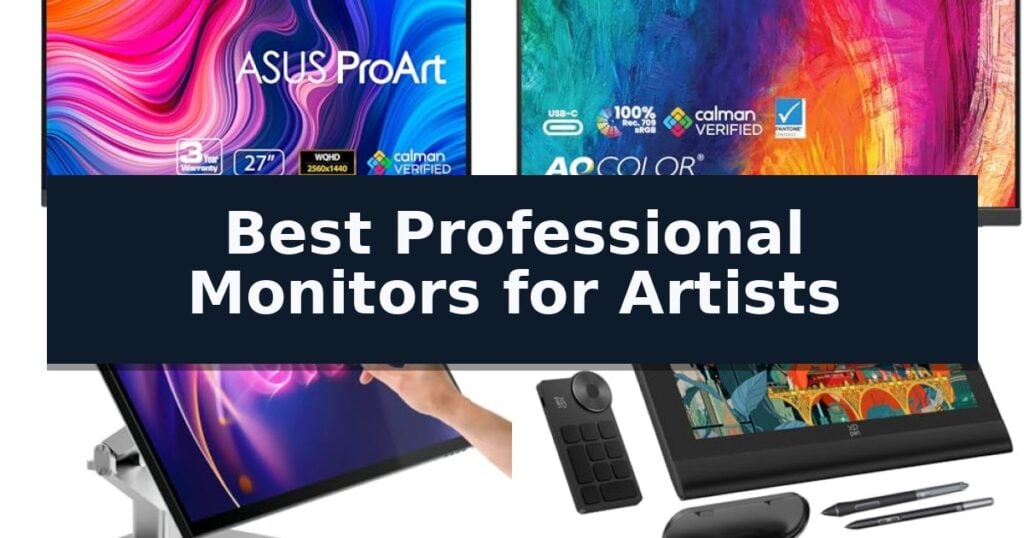
9 Best Professional Monitors for Artists in 2026 Reviews
Quick Comparison
| Product | Best For | Key Strength | Score |
|---|---|---|---|
| ASUS ProArt PA278QV Professional Monitor | Best Overall | Calman Verified color accuracy with Delta E < 2. | 4.9 |
| BenQ PD2705Q AQCOLOR Monitor | Factory Calibrated for Designers | Factory-calibrated color accuracy with CalMan and Pantone validation. | 4.6 |
| ALOGIC Clarity Touch 6K Monitor | Expansive High-Resolution Canvas | 6K resolution provides expansive workspace and high pixel density. | 4.8 |
| XPPen Artist Ultra 16 OLED Tablet | Cinema-Grade 4K Touch Precision | 4K OLED display with 100,000:1 contrast ratio for exceptional visual clarity. | 4.9 |
| XPPen Artist 16 3rd Gen Tablet | Advanced 16K Pressure Sensitivity | 16K pressure sensitivity provides exceptional line control and responsiveness. | 4.4 |
| HUION Kamvas 13 Gen 3 Tablet | Laminated Screen with Natural Friction | 16384 levels of pressure sensitivity for highly detailed input. | 4.4 |
| XPPen Artist 13.3 Pro V2 Tablet | Beginner-Friendly Full-Laminated Display | Fully-laminated display significantly reduces parallax for precise drawing. | 4.7 |
| Datacolor Spyder X Elite Calibrator | Essential Professional Color Accuracy | Rapid calibration process taking only one to two minutes. | 4.9 |
| ASUS ProArt PA248QV Professional Monitor | Compact Accurate WUXGA Display | Calman Verified with Delta E < 2 for professional-grade color accuracy. | 4.4 |
How We Chose
To identify the best professional monitors for artists, we evaluate displays based on technical color precision, resolution, and workflow-enhancing features. An experienced reviewer looks beyond marketing specs to determine how color gamut coverage, panel uniformity, and ergonomic flexibility actually support the daily requirements of digital creators, illustrators, and photo editors.
- Color Accuracy: Evaluating factory calibration reports, Delta E values, and support for industry-standard color gamuts like sRGB and Rec.709.
- Display Resolution and Panel Quality: Assessing pixel density and panel technology to ensure sharp detail and wide viewing angles for precise editing.
- Connectivity and Workflow Integration: Checking for USB-C power delivery, integrated hubs, and daisy-chaining capabilities that reduce desktop clutter.
- Ergonomics and Physical Design: Reviewing the adjustability of stands, including tilt, pivot, and height, to support long-duration creative sessions.
- Creative-Specific Features: Identifying specialized tools like touch sensitivity, stylus support, and programmable shortcut keys that directly enhance artistic output.
1 ASUS ProArt PA278QV Professional Monitor — Calman Verified Color Precision
Achieving precise color reproduction is essential for digital artists, and the ASUS ProArt PA278QV Professional Monitor addresses this with Calman Verified factory calibration. This 27-inch display ensures a Delta E < 2 accuracy, providing creators with reliable color fidelity straight out of the box for demanding photo and video editing workflows.
The monitor features a 27-inch WQHD (2560 x 1440) IPS panel, which delivers sharp detail and wide viewing angles. To meet industry standards, it offers 100% sRGB and 100% Rec. 709 color gamut coverage. The ASUS ProArt Preset and Palette software allows users to customize color, brightness, and black levels, ensuring the display matches specific project requirements.
Designed for long creative sessions, the ASUS ProArt PA278QV Professional Monitor includes an ergonomic adjustable stand that supports tilt, pivot, swivel, and height adjustments. It also incorporates ASUS Eye Care technology, featuring flicker-free backlighting and a blue light filter to minimize fatigue during extended use.
Connectivity is streamlined through a versatile I/O panel, including DisplayPort, HDMI, DVI-D, and Mini DP, complemented by an integrated USB hub for peripheral management. The package also includes a complimentary 3-month subscription to Adobe Creative Cloud, providing immediate access to professional software tools.
Best for: Professional artists and content creators requiring high color accuracy and ergonomic flexibility for long-term digital workflows.
Skip if: Users who require 4K resolution or specialized high-refresh-rate panels for gaming or high-motion video production will find this 1440p monitor insufficient.
- Calman Verified color accuracy with Delta E < 2.
- Comprehensive 100% sRGB and Rec. 709 color gamut coverage.
- Highly ergonomic stand with full tilt, pivot, and height adjustment.
- Extensive connectivity options including an integrated USB hub.
- Limited to 1440p resolution, which may not satisfy users needing 4K detail.
- Standard refresh rate is not optimized for high-speed gaming or motion-intensive video editing.
2 BenQ PD2705Q AQCOLOR Monitor — Factory Calibrated for Designers
Achieving consistent color accuracy is the primary hurdle for digital creators, making the BenQ PD2705Q AQCOLOR Monitor a vital tool for those who require precision straight out of the box. This 27-inch display arrives factory-calibrated with a dedicated report, ensuring that your workflow begins with reliable performance.
The monitor is built for high-fidelity tasks, featuring 100% sRGB and 100% Rec.709 color coverage alongside an average Delta E ≤3. These specifications are supported by CalMan verification and Pantone Validation, providing a professional-grade foundation for graphic design and digital art. The IPS panel ensures consistent image quality across a wide viewing angle, which is essential when reviewing detailed projects.
Connectivity and workspace efficiency are central to its design. The inclusion of USB-C with 65W power delivery allows you to charge your mobile devices and transfer data using a single cable, reducing desk clutter. For users managing multiple systems, the built-in KVM switch and DualView functionality enable side-by-side project review, while daisy chain connectivity simplifies multi-monitor setups.
The ergonomic design and robust feature set make this a practical choice for artists who need to streamline their technical environment. By integrating color-critical performance with modern connectivity, this monitor minimizes the friction between creative intent and digital output.
Best for: Graphic designers and professional artists who require factory-calibrated color accuracy and a streamlined, single-cable workspace.
Skip if: Users who require 4K resolution or wider color gamuts like Adobe RGB for specialized print-production workflows will find this QHD monitor limiting.
- Factory-calibrated color accuracy with CalMan and Pantone validation.
- USB-C connectivity with 65W power delivery for simplified cable management.
- Integrated KVM switch and DualView for efficient multi-system workflows.
- Daisy chain support for clean multi-monitor configurations.
- QHD resolution may not satisfy users requiring 4K pixel density for ultra-fine detail work.
- Limited color gamut support compared to monitors designed specifically for Adobe RGB workflows.
3 ALOGIC Clarity Touch 6K Monitor — Expansive High-Resolution Canvas
The ALOGIC Clarity Touch 6K Monitor introduces a unique workflow for digital creators by combining a massive 32-inch display with the world's first 6K touchscreen interface. This high-resolution canvas offers 6016×3384 pixels, providing a pixel density of 216 PPI that allows for exceptionally crisp text and expansive screen real estate for complex creative projects.
Designed specifically for professional environments, this monitor features a factory-calibrated color gamut with an average Delta E < 1, ensuring color accuracy for photo editing and video grading. The integration of multitouch controls enables intuitive interactions like pinch-to-zoom on both macOS and Windows, effectively bridging the gap between traditional desktop computing and tablet-style navigation.
Versatility is central to its design, as the included Clarity Fold Stand allows the screen to transition from an upright position to a flat, ergonomic drawing surface. When paired with the optional Clarity Active Stylus, which supports 4096 levels of pressure sensitivity and low latency, the monitor functions as a large-format digital drafting board for sketching and annotation.
Connectivity is streamlined through a robust USB-C hub that serves as the central point for a digital studio. This single-cable solution provides 90W power delivery to connected laptops while simultaneously supporting two USB accessories and audio output, reducing cable clutter on the workspace.
Best for: Professional artists and designers who require a high-resolution, pressure-sensitive drawing surface that doubles as a primary workstation monitor.
Skip if: Users who primarily perform non-creative tasks or those who prefer a traditional, non-touch desktop monitor setup without the need for stylus integration.
- 6K resolution provides expansive workspace and high pixel density.
- Factory-calibrated color accuracy with Delta E < 1.
- Integrated USB-C hub with 90W power delivery.
- Ergonomic fold stand enables both upright and flat drawing modes.
- Stylus sold separately from the monitor unit.
- Large 32-inch footprint requires significant desk space.
4 XPPen Artist Ultra 16 OLED Tablet — Cinema-Grade 4K Touch Precision
The XPPen Artist Ultra 16 4K OLED Touchscreen Drawing Tablet elevates digital workflows with a high-fidelity 15.6-inch AMOLED display, offering a 100,000:1 contrast ratio and 3840 x 2160 UHD resolution. This display is designed for precision, featuring full lamination and anti-glare etched glass to minimize parallax and provide a paper-like tactile experience for illustrators and animators.
Color accuracy is a core strength of this unit, which is Calman-verified and capable of displaying 1.07 billion colors. With 99% Adobe RGB, 99% sRGB, and 98% Display P3 coverage, it provides the professional-grade color gamut required for print reproduction, web design, and cinema-level video editing. The Delta E
Interaction is managed through the revolutionary X-Touch solution, which supports multi-point touch gestures for zooming, rotating, and sliding across the canvas. Artists can define a specific customizable area to prevent accidental palm inputs, ensuring a focused workspace. The tablet includes two styli utilizing the X3 Smart Chip Pro, providing 16K pressure levels, 60-degree tilt sensitivity, and a 10 mm responsive height for nuanced line work.
Connectivity is streamlined via dual reversible USB-C ports that support both data and HDMI input, allowing for easy integration with MacBooks, Windows laptops, and Android devices. The package includes the ACK05 shortcut remote, which offers 40 customizable keys to accelerate repetitive tasks. This tablet is compatible with major creative software, including Adobe Photoshop, Clip Studio Paint, and Blender 3D, making it a versatile tool for 2D and 3D professional pipelines.
Best for: Professional artists and designers requiring high color accuracy and 4K resolution for illustration, animation, and photo retouching.
Skip if: Users who do not own a compatible computer or laptop, as this device functions strictly as a secondary display and cannot operate as a standalone tablet.
- 4K OLED display with 100,000:1 contrast ratio for exceptional visual clarity.
- Professional color gamut coverage including 99% Adobe RGB and 98% Display P3.
- 16K pressure sensitivity via X3 Smart Chip Pro styli for precise input.
- Customizable X-Touch interaction and included ACK05 shortcut remote for workflow efficiency.
- Requires a host computer to function, limiting portability compared to standalone tablets.
- Touch function compatibility varies by operating system, with specific requirements for Windows 10 or later.
5 XPPen Artist 16 3rd Gen Tablet — Advanced 16K Pressure Sensitivity
Precision in digital illustration requires hardware that bridges the gap between physical touch and digital output, and the XPPen Artist 16 3rd Gen Tablet addresses this with its X4 smart chip stylus. This advanced pen technology provides 16,384 levels of pressure sensitivity and an ultra-low 2g initial activation force, allowing for nuanced line work that mimics traditional media without the common issues of wobble or lag.
The display itself is engineered for clarity and accuracy, utilizing AG+AF nano-etched glass that minimizes glare and resists fingerprints while maintaining a tactile, paper-like friction. Because the 15.4-inch FHD display is fully laminated, it effectively eliminates parallax, ensuring that the cursor remains precisely aligned with the pen tip during complex strokes.
Workflow efficiency is a core design focus, evidenced by the inclusion of 8 customizable shortcut keys and 2 independent scroll wheels. These controls allow artists to adjust brush sizes or navigate layers without needing to switch to a keyboard. The tablet also comes with the S20 foldable stand, which provides necessary ergonomic support for extended creative sessions.
Color fidelity is maintained through broad gamut coverage, including 99% sRGB, 98% Adobe RGB, and 97% Display P3. Users can manage these profiles via the built-in OSD (On-Screen Display) color space management, ensuring consistency across professional illustration and animation projects. The device supports a clutter-free setup via a single USB-C connection and maintains broad compatibility with major operating systems and creative software suites.
Best for: Professional digital artists and illustrators who require high-precision pressure sensitivity and accurate color gamut coverage for detailed creative work.
Skip if: Users who require a larger canvas size or a standalone computer-integrated display will find the 15.4-inch screen constraint limiting for large-scale production environments.
- 16K pressure sensitivity provides exceptional line control and responsiveness.
- Fully laminated display eliminates parallax for precise cursor alignment.
- Dual scroll wheels and 8 hotkeys significantly streamline the digital workflow.
- Wide color gamut coverage ensures professional-grade color accuracy.
- Fixed screen size of 15.4 inches may be restrictive for artists accustomed to larger workspaces.
- Wired connection dependency requires a host device, limiting portability compared to standalone tablets.
6 HUION Kamvas 13 Gen 3 Tablet — Laminated Screen with Natural Friction
Achieving precise digital strokes requires hardware that balances tactile feedback with technical accuracy. The HUION Kamvas 13 (Gen 3) Drawing Tablet with Screen addresses this by integrating Canvas Glass 2.0, an anti-sparkle surface designed to reduce glare while maintaining a natural friction feel for illustrators and designers.
At the core of its performance is the PenTech 4.0 technology, which supports 16384 levels of pressure sensitivity and a low 2g initial activation force. This configuration allows for fluid line work, complemented by three customizable side buttons on the pen that help streamline common digital art tasks. The display itself is a fully laminated 13.3-inch screen that covers 99% sRGB color gamut, ensuring that the visuals on screen align closely with professional color standards.
Workflow efficiency is a primary focus of this model, featuring five programmable shortcut keys and dual dial buttons for rapid adjustments. The device simplifies cable management through a USB-C single cable connection and includes the ST300 adjustable stand, which allows users to find ergonomic working angles. Each unit arrives with a factory calibration report, providing documented assurance of color consistency out of the box.
The tablet maintains broad utility through its compatibility with Windows, Mac, Linux, and specific Android devices. While it functions as a powerful creative tool, it is important to note that this is a pen display that requires a host computer or laptop to operate, as it lacks internal processing for standalone use.
Best for: Digital artists and illustrators seeking a color-accurate, laminated pen display with high pressure sensitivity for professional workflows.
Skip if: Users who require a standalone tablet with an internal operating system for mobile, computer-free drawing.
- 16384 levels of pressure sensitivity for highly detailed input.
- Fully laminated 13.3-inch screen with anti-sparkle Canvas Glass 2.0.
- Factory color calibration with Avg. ΔE
- Streamlined workflow via dual dials and programmable shortcut keys.
- Not a standalone device; requires a connection to a computer or compatible Android device.
7 XPPen Artist 13.3 Pro V2 Tablet — Beginner-Friendly Full-Laminated Display
Precision and color accuracy are essential for digital creators, and the XPPen Artist 13.3 Pro V2 Drawing Tablet with Screen addresses these needs with a fully-laminated FHD display. By combining the glass and screen layers, this design minimizes parallax, providing a more direct and responsive connection between the stylus and the digital canvas.
The device features a high color gamut, covering 123% sRGB and 91% Adobe RGB, which ensures vivid images and consistent color reproduction. For workflow efficiency, the tablet includes a sleek Red Dial and 8 customizable shortcut keys, allowing artists to zoom, adjust brush sizes, and navigate software without constantly reaching for a keyboard.
The included battery-free stylus supports 60 degrees of tilt function for natural shading and transitions. With a low Initial Activation Force (IAF) and a report rate of 220 RPS, the pen is engineered to provide a lag-free experience during long creative sessions. The stylus also features two customizable buttons for quick access to frequently used tools.
Compatibility is broad, supporting Windows, Mac OS, Chrome OS, and Linux systems. The tablet connects via a 3-in-1 cable to a computer or laptop, serving as a secondary display for major creative software like Photoshop, Illustrator, and Blender 3D. An adjustable stand is included to help maintain a comfortable posture during extended use.
Best for: Beginner and intermediate digital artists who require a color-accurate, laminated display with physical shortcut controls for a streamlined workflow.
Skip if: Users who require a standalone tablet that operates without a computer connection or those needing a larger screen size for complex professional layouts.
- Fully-laminated display significantly reduces parallax for precise drawing.
- High color gamut coverage (123% sRGB) ensures accurate color representation.
- Red Dial and 8 shortcut keys provide efficient, customizable workflow control.
- Battery-free stylus with 60-degree tilt support and low initial activation force.
- Requires a computer connection to function as it is not a standalone device.
- 13.3-inch screen size may feel restrictive for artists accustomed to larger professional canvases.
8 Datacolor Spyder X Elite Calibrator — Essential Professional Color Accuracy
Achieving precise color accuracy is a fundamental requirement for digital artists, and the Datacolor Spyder X Elite is designed to streamline this process with its lens-based color engine. By utilizing advanced sensor technology, this device significantly reduces the time required for monitor calibration to just a minute or two, offering a substantial improvement over previous generations.
The Datacolor Spyder X Elite provides comprehensive control through an intuitive interface, featuring a step-by-step assistant and an expert console. Whether you are working with multiple monitors or projectors, the system includes StudioMatch Assistant to ensure consistent color representation across your entire workspace. It also accounts for environmental variables with room-light monitoring, which adjusts profiles automatically to maintain accuracy as your workspace lighting changes.
Beyond basic calibration, the software offers unlimited calibration setting choices that encompass various TV and video standards, making it a versatile tool for both photographers and motion imagemakers. The SpyderProof functionality allows users to perform a direct before-and-after evaluation of their display, ensuring that color, shadow detail, and white balance meet professional expectations before finalizing any project.
Designed to adapt to evolving display technology, this calibrator provides ongoing support for the latest screen types, resolutions, and gamuts. Its compact, all-in-one calibration control panel simplifies the workflow, allowing artists to focus on their creative output rather than the complexities of color management.
Best for: Professional photographers and motion imagemakers who require rapid, precise color calibration across multiple displays and projectors.
Skip if: Casual users who do not require advanced color management or those who prefer a simplified, automated solution without the need for expert-level calibration controls.
- Rapid calibration process taking only one to two minutes.
- Lens-based color engine for high-level color accuracy.
- Room-light monitoring with automatic profile adjustment.
- Comprehensive support for modern screen types, resolutions, and gamuts.
- SpyderProof functionality for instant visual before-and-after comparison.
- Advanced feature set may present a learning curve for non-technical users.
- Requires software interaction to fully utilize the expert console settings.
9 ASUS ProArt PA248QV Professional Monitor — Compact Accurate WUXGA Display
Precision is the cornerstone of visual creation, and the ASUS ProArt PA248QV Professional Monitor addresses this with its Calman Verified status and factory calibration. This 24-inch display is engineered to provide consistent, true-to-life color reproduction, making it a reliable tool for those who require high color fidelity in their daily workflow.
The monitor features a WUXGA resolution of 1920 x 1200, offering a 16:10 aspect ratio that provides extra vertical space compared to standard widescreen panels. With 100% sRGB and Rec.709 color space coverage and a Delta E < 2 rating, it ensures that hues are represented accurately. The integration of an IPS panel further supports wide viewing angles, maintaining color integrity even when viewed from the side.
Designed for long-term usability, the display includes an ergonomic stand that allows for tilt, pivot, swivel, and height adjustments. To minimize eye fatigue during extended sessions, it incorporates anti-glare screen technology and specialized eye care features. Connectivity is handled through a versatile array of ports, including DisplayPort, HDMI, and D-Sub, ensuring compatibility with various professional workstations.
The package includes a 5-year warranty (3 years plus 2 years extension with online registration) and a free 3-month Adobe Creative Cloud subscription. These additions provide long-term support and immediate value for creative professionals looking to integrate a high-performance display into their existing setup.
Best for: Artists and creative professionals who require a color-accurate, height-adjustable display with a 16:10 aspect ratio for increased vertical workspace.
Skip if: Users who require 4K resolution or a larger screen size for high-end video editing or complex multi-window workflows.
- Calman Verified with Delta E < 2 for professional-grade color accuracy.
- 16:10 aspect ratio provides extra vertical screen real estate.
- Fully ergonomic stand supports tilt, pivot, swivel, and height adjustments.
- 5-year warranty coverage included with registration.
- 1920 x 1200 resolution may be insufficient for users needing 4K or higher pixel density.
- 24-inch screen size is compact and may feel limited for complex multitasking.
Best Professional Monitors for Artists Buying Guide
Prioritizing Color Accuracy
For professional artists, color accuracy is the most critical factor. Displays that are factory-calibrated and verified by industry standards, such as Calman or Pantone, ensure that the colors you see on screen are consistent and reliable.
Look for monitors that explicitly state their coverage of sRGB and Rec.709 color spaces. A high percentage of coverage in these areas guarantees that your digital media will look as intended across various platforms and devices.
Resolution and Clarity
Higher resolution displays, such as 1440p or 6K, provide the necessary pixel density for detailed work. This extra screen real estate allows artists to view fine lines and textures without needing to constantly zoom in and out.
When choosing between resolutions, consider your primary software and the typical output size of your projects. A sharper display reduces eye strain and allows for more precise control during intricate editing or drawing tasks.
Connectivity and Desk Efficiency
Modern creative workflows often involve multiple peripherals, including drawing tablets, external drives, and secondary displays. Monitors with integrated USB hubs or USB-C power delivery help consolidate these connections into a single cable.
Daisy-chaining capabilities are particularly useful for artists who require a multi-monitor setup. This feature simplifies cable management, keeping your workspace organized and focused on your creative process rather than technical setup.
Ergonomics for Extended Sessions
Artists often spend many hours at their desks, making ergonomics a non-negotiable requirement. A monitor with a fully adjustable stand—offering tilt, pivot, swivel, and height adjustments—is essential for maintaining a healthy posture.
Consider how the monitor's physical design interacts with your other tools. For example, some monitors can pivot into portrait mode, which is highly beneficial for illustrators working on vertical compositions or layout designs.
Specialized Creative Tools
Some monitors for artists include unique features like touchscreens or stylus compatibility, which can turn a display into a digital drafting board. These tools are designed to bridge the gap between traditional drawing and digital precision.
Evaluate whether these specialized features align with your specific workflow. While touch and pen input can significantly speed up certain tasks, they may not be necessary for every artist, so prioritize the features that directly improve your efficiency.
Frequently Asked Questions
What is the importance of Delta E in a professional monitor?
Delta E measures the difference between the color displayed on the monitor and the actual color. A lower Delta E value indicates higher color accuracy, which is vital for artists to ensure their work looks consistent across different screens and print.
Do I need a 4K or 6K monitor for digital art?
While higher resolutions like 4K or 6K offer incredible detail, the necessity depends on your project requirements. 1440p is often sufficient for many professional tasks, but 4K or higher is beneficial for high-end video editing or large-format print design.
Is a touchscreen monitor better for artists?
Touchscreen monitors can be excellent for artists who prefer a more tactile, direct drawing experience. They are particularly useful when paired with a compatible stylus for sketching and digital painting directly on the screen.
How does an IPS panel benefit creative work?
IPS panels are preferred by artists because they offer wide viewing angles and consistent color reproduction. Unlike other panel types, IPS displays maintain color accuracy even when viewed from the side, which is crucial for collaborative work.
Can I use a standard office monitor for professional art?
While you can use a standard monitor, they often lack the color accuracy, gamut coverage, and calibration options required for professional work. Professional-grade monitors are specifically engineered to provide the color fidelity needed for color-critical projects.
Conclusion: Our Top Pick
Our top pick is ASUS ProArt PA278QV Professional Monitor. Choosing the right monitor for your artistic workflow is an investment in your creative output. By prioritizing color accuracy, resolution, and ergonomic design, you can create a more efficient and reliable studio environment that supports your professional goals.
We recommend evaluating your specific needs—whether that involves high-resolution touch capabilities or standard color-accurate desktop displays—to find the hardware that best complements your unique artistic process.