LG UltraWide 34 Inch Curved Monitor is our top choice for the Best Professional Monitors for CAD Work, providing an expansive 21:9 aspect ratio that allows for side-by-side management of complex design timelines and reference documents. The ZZA 27 Inch 4K UHD Monitor serves as a high-precision alternative for users requiring maximum pixel density for intricate 3D modeling, while the Samsung 43 Inch 4K Smart Monitor offers a massive canvas for those who prefer a single, large-format display to minimize bezel interruptions.
Selecting a monitor for computer-aided design requires balancing screen real estate with technical specifications that ensure line clarity and color consistency. Professionals often prioritize high resolution to prevent aliasing on fine geometric details, alongside reliable connectivity options that integrate seamlessly into existing workstation setups.
For those looking to expand their setup beyond drafting tools, our guide on Best Professional Monitors provides additional insights into high-performance display options for various creative industries. If your design work frequently involves high-fidelity rendering, you may also find our analysis of Best Professional Graphics Monitors helpful for ensuring color-critical accuracy.
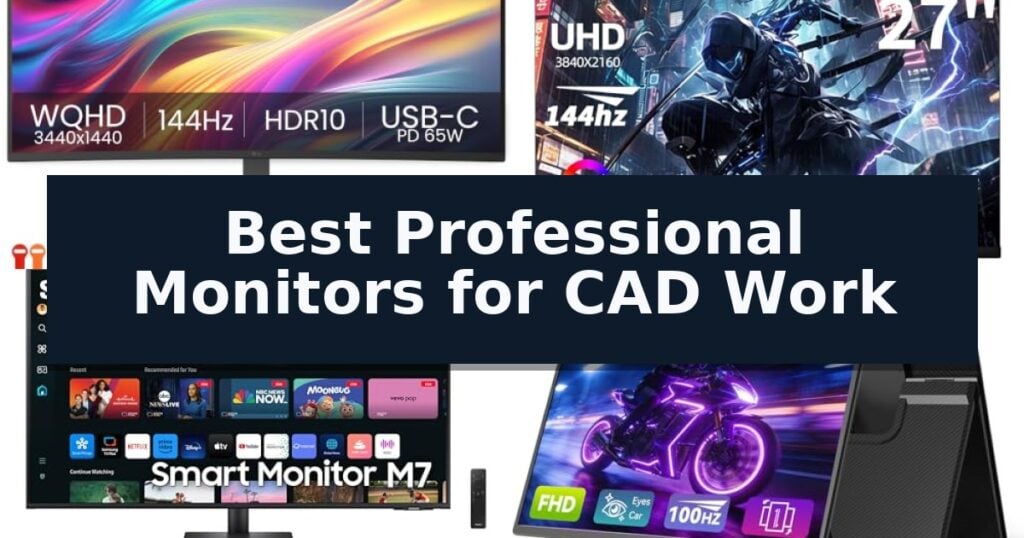
8 Best Professional Monitors for CAD Work in 2026 Reviews
Quick Comparison
| Product | Best For | Key Strength | Score |
|---|---|---|---|
| LG UltraWide 34 Inch Curved Monitor | Best Overall | Spacious 21:9 aspect ratio provides 33% more workspace than standard QHD monitors. | 4.9 |
| ZZA 27 Inch 4K UHD Monitor | High-Resolution Detail for Precision | 100% sRGB color accuracy for precise design work. | 4.8 |
| Samsung 43 Inch 4K Smart Monitor | Massive Workspace for Multitasking | 4K UHD resolution provides high-detail clarity for complex technical drawings. | 4.4 |
| AOKER 24 Inch Portable Monitor | Desktop-Grade Visuals on the Go | 125% sRGB color coverage for accurate design work. | 4.8 |
| VisionOwl 15.6 Inch 4K Monitor | Portable Clarity for Field Work | Ultra-Clear 4K UHD resolution for high-detail technical work. | 4.6 |
| InnoView 23.8 Inch Portable Monitor | Flexible Setup for Tight Spaces | 100% sRGB color accuracy for reliable visual representation. | 4.9 |
| Dell P2419H 23.8 Inch Monitor | Reliable Ergonomics for Daily Drafting | Three-sided ultrathin bezel enables seamless multi-monitor configurations. | 4.4 |
| Lenovo ThinkVision 22 Inch Monitor | Compact Design for Focused Work | Integrated conferencing hardware reduces the need for external webcams and microphones. | 4.7 |
How We Chose
Evaluating the best professional monitors for CAD work requires a focus on visual fidelity and workspace efficiency. We prioritize displays that offer high resolution for precise line work, accurate color reproduction for rendering, and robust ergonomic features that support long hours of drafting. These criteria ensure the hardware enhances rather than hinders the design process.
- Resolution and Pixel Density
- Color Gamut Coverage
- Ergonomic Adjustability
- Connectivity and KVM Integration
- Screen Geometry and Aspect Ratio
1 LG UltraWide 34 Inch Curved Monitor — Expansive Canvas for Complex Designs
Managing complex design projects requires a display that balances expansive screen real estate with precise color reproduction. The LG UltraWide 34 Inch Curved Monitor addresses this need through its 34-inch 21:9 WQHD (3440×1440) panel, which offers approximately 33% more horizontal workspace than standard QHD displays. This extra room is particularly useful for keeping CAD toolbars, timelines, and reference documents visible simultaneously.
Visual accuracy is supported by 99% sRGB color coverage and HDR10 support, ensuring that design details are rendered with clarity and consistent contrast. The 1800R curvature is engineered to provide a more immersive viewing experience, which can help maintain focus during long sessions by keeping the edges of the screen within a comfortable field of view.
For technical workflows, the monitor includes an integrated KVM switch, allowing a single keyboard and mouse to toggle control between two connected computers. This feature simplifies multi-workstation setups, while the 144Hz refresh rate and AMD FreeSync Premium technology ensure smooth navigation and fluid motion when panning through large, complex 3D models or detailed schematics.
Connectivity is handled through multiple HDMI and DisplayPort inputs, providing the flexibility needed to integrate with various professional workstations. The included bundle adds practical value, providing a 2-meter HDMI cable, a cleaning kit, and cable management straps to help maintain a clean and organized professional environment.
Best for: Professionals who need to manage multiple applications or large design files simultaneously on a single, color-accurate curved display.
Skip if: Users who require a flat screen for specific architectural drafting tasks where curvature might introduce perceived distortion of straight lines.
- Spacious 21:9 aspect ratio provides 33% more workspace than standard QHD monitors.
- Integrated KVM switch allows for efficient control of two computers with one set of peripherals.
- 99% sRGB color coverage and HDR10 support ensure high-quality visual output.
- 144Hz refresh rate ensures smooth motion for complex design software and navigation.
- 1800R curved display may not be preferred for users who require perfectly flat surfaces for precise technical drafting.
- Large physical footprint requires significant desk space due to the 34-inch ultrawide form factor.
2 ZZA 27 Inch 4K UHD Monitor — High-Resolution Detail for Precision
Precision in computer-aided design requires a display that balances high-resolution clarity with color accuracy. The ZZA 27 Inch 4K UHD Monitor addresses this by combining a sharp 3840×2160 UHD resolution with a 4000:1 contrast ratio, providing the fine detail necessary for intricate technical drafting and 3D modeling.
For designers who prioritize color fidelity, this monitor offers 100% sRGB color accuracy. The integration of eye-care technology is a functional addition for professionals engaged in long editing sessions, as it helps manage visual fatigue during extended periods of focus. While the display is optimized for creative workflows, it also features HDMI 2.1 and DisplayPort 1.4 connectivity to ensure compatibility with modern workstations and high-performance hardware.
The physical design emphasizes workspace flexibility. The monitor includes ergonomic tilt adjustment to help maintain a comfortable viewing angle, and the chassis is VESA wall mount compatible, allowing users to reclaim desk space or integrate the screen into multi-monitor arrays. The rear cover features dynamic lighting effects, though the primary utility remains its flat-panel display performance.
Professionals should note that this unit does not include built-in speakers, requiring an external audio solution for multimedia tasks. Its combination of high-refresh-rate capability and color-accurate panel technology makes it a versatile tool for both technical CAD environments and high-demand creative projects.
Best for: Designers and CAD professionals who require high-resolution 4K detail and accurate color reproduction in a flexible, mountable workspace setup.
Skip if: Users who require integrated audio or a built-in speaker system will need to source an alternative or add external hardware.
- 100% sRGB color accuracy for precise design work.
- 4000:1 contrast ratio for high visual clarity.
- VESA mount compatibility for flexible workspace integration.
- HDMI 2.1 and DisplayPort 1.4 connectivity for modern hardware.
- No built-in speakers, necessitating external audio equipment.
3 Samsung 43 Inch 4K Smart Monitor — Massive Workspace for Multitasking
Maximizing screen real estate is essential for complex design workflows, and the SAMSUNG 43-Inch M7 (M70D) Series 4K UHD Smart Monitor provides a massive canvas for detailed CAD projects. Its 4K UHD resolution ensures that intricate lines and nuanced settings are rendered with vivid clarity, allowing professionals to view expansive schematics without constant scrolling.
Beyond its display capabilities, this monitor serves as a centralized hub for productivity. With integrated USB-C connectivity, users can charge devices, transmit data, and maintain a clean workspace through a single cable connection. The inclusion of four available ports eliminates the need for cumbersome adapters, supporting a streamlined multiscreen configuration.
Workflow efficiency is further enhanced by the ability to control multiple devices using a single mouse and keyboard. The Easy Setting Box software allows for seamless switching between PC configurations and the monitor's native interface, while embedded productivity apps like Microsoft 365 enable users to access work tools directly on the display, bypassing the need for a dedicated PC in certain scenarios.
The monitor also prioritizes user accessibility and environmental considerations. It features specialized tools for low vision users, including screen magnification and color switching, alongside a SolarCell Remote that utilizes a solar charging panel to eliminate disposable batteries. This combination of high-resolution performance and smart integration makes it a versatile tool for demanding professional environments.
Best for: Professionals who require a large-format 4K display for complex CAD layouts and benefit from integrated smart productivity features.
Skip if: Users who require specialized color-accurate panels for high-end graphic design or those with limited desk space for a 43-inch display.
- 4K UHD resolution provides high-detail clarity for complex technical drawings.
- USB-C connectivity supports data, power, and video through a single cable.
- Integrated productivity apps allow for direct access to Microsoft 365 without a PC.
- Accessibility tools including screen magnification and color switching for low vision support.
- Large 43-inch footprint may be unsuitable for smaller workstations.
- Smart monitor features like OTT streaming may be extraneous for users focused strictly on CAD work.
4 AOKER 24 Inch Portable Monitor — Desktop-Grade Visuals on the Go
Achieving precise visual fidelity is essential for technical design, and the AOKER 24 Inch Portable Monitor provides a versatile solution for professionals who require a secondary display that maintains color accuracy. This unit features a 10-bit (8-bit+FRC) color depth and 125% sRGB coverage, ensuring the smooth gradients and lifelike color reproduction necessary for detailed CAD workflows.
Designed for flexibility, the monitor includes a detachable magnetic stand that supports both height adjustment and 90° rotation, allowing users to switch between landscape and portrait orientations for better viewing of technical drawings or long code blocks. Its 100Hz refresh rate and 1920×1080 FHD resolution provide smooth motion, while the 178° IPS wide view ensures consistent image quality even when viewed from off-center angles.
Connectivity is streamlined through USB-C and HDMI inputs, making it compatible with a wide range of workstations, including Windows, macOS, and Linux systems. The display also incorporates 2 USB-A ports for connecting peripherals like mice or keyboards, effectively functioning as a compact docking station to keep your workspace organized.
For those who need to integrate the display into a permanent setup, the chassis is 75x75mm VESA compatible, allowing for easy mounting on monitor arms or wall brackets. While it requires an external power adapter, the inclusion of all necessary cables ensures that the monitor is ready for immediate deployment in office, home, or mobile environments.
Best for: Professionals and students who need a color-accurate, portable secondary display that can be easily mounted or rotated for CAD and design tasks.
Skip if: Users who require 4K resolution or higher pixel density for extremely intricate high-resolution architectural rendering may find the 1080P resolution insufficient.
- 125% sRGB color coverage for accurate design work.
- Ergonomic flexibility with height adjustment and 90-degree portrait rotation.
- VESA compatibility for seamless integration with existing monitor arms.
- High 100Hz refresh rate for smooth visual performance.
- Requires external power adapter for operation.
- 1080P resolution may limit workspace for complex, high-detail CAD projects.
5 VisionOwl 15.6 Inch 4K Monitor — Portable Clarity for Field Work
Precision is paramount when working with complex design software, and the VisionOwl 15.6 Inch 4K Monitor addresses the need for high-fidelity visuals in a mobile form factor. Featuring an Ultra-Clear 4K UHD resolution, this display provides the pixel density required for detailed technical drafting and intricate modeling, ensuring that lines and textures remain sharp across the entire 15.6-inch panel.
Engineered for color-critical tasks, the monitor boasts a 145% sRGB color gamut, which offers a broader spectrum of color reproduction than standard displays. This level of accuracy is essential for professionals who require consistent color representation during the rendering and presentation phases of CAD projects, supported by an A-grade display panel tested for brightness and pixel integrity.
The hardware design prioritizes both ergonomics and versatility. It features a full-metal chassis that provides structural rigidity, complemented by an integrated metal kickstand that allows for adjustable viewing angles in various workspaces. For those who prefer a permanent desk setup, the unit includes 75x75mm VESA mounting compatibility, enabling integration with standard monitor arms.
Connectivity is streamlined through plug-and-play USB-C and standard HDMI ports. When paired with devices supporting USB-C DisplayPort Alt Mode, the monitor functions with a single cable for both power and video, reducing cable clutter. The package includes a comprehensive accessory kit, featuring multiple cables and a protective sleeve, facilitating immediate deployment in field environments.
Best for: Professionals requiring a high-resolution, color-accurate secondary display for mobile CAD work and technical design.
Skip if: Users who require a larger screen size or a dedicated desktop-grade monitor with higher refresh rates for 3D animation or motion graphics.
- Ultra-Clear 4K UHD resolution for high-detail technical work.
- 145% sRGB color accuracy for precise color representation.
- Full-metal chassis construction for enhanced durability.
- VESA mountable design for flexible ergonomic setups.
- 15.6-inch screen size may be restrictive for complex multi-window CAD workflows.
- Portable form factor lacks the advanced cooling and connectivity options found in full-sized desktop monitors.
6 InnoView 23.8 Inch Portable Monitor — Flexible Setup for Tight Spaces
The InnoView 23.8 Inch Portable Monitor offers a unique solution for professionals who need an expansive, high-resolution workspace that remains mobile. By combining a 23.8-inch display with a slim, lightweight profile, this monitor provides the screen real estate necessary for complex CAD applications and technical drawings while maintaining the flexibility to be moved between home offices and remote workstations.
Visual precision is central to its utility, featuring 100% sRGB color coverage and Full HD 1080P resolution. The inclusion of a 100Hz refresh rate is a significant technical advantage for designers, as it ensures smoother motion when navigating 3D models or panning across large technical schematics, effectively reducing the stutter often associated with lower-refresh-rate panels.
Ergonomics and placement are addressed through a versatile 180° adjustable kickstand, which allows for precise viewing angles. For those looking to reclaim desk space, the unit supports mounting via adjustable arms or C-clamps, and includes a partition hook for varied configurations. This adaptability makes it a practical choice for crowded desks where a traditional monitor stand might be too intrusive.
Connectivity is handled through USB-C and HDMI ports, ensuring broad compatibility with modern laptops, MacBooks, and desktop workstations. Weighing only 2.2 kg, the monitor balances the need for a large, productive display with the portability required for professionals who frequently transition between different work environments, though its larger footprint compared to smaller portable screens means it requires more surface area for setup.
Best for: Professionals needing a portable, high-accuracy secondary display for CAD and design tasks in limited or mobile workspaces.
Skip if: Users requiring 4K resolution or specialized color-calibrated panels for high-end professional color grading or large-scale architectural rendering.
- 100% sRGB color accuracy for reliable visual representation.
- 180° adjustable kickstand and multiple mounting accessories for ergonomic flexibility.
- USB-C and HDMI connectivity for broad device compatibility.
- 100Hz refresh rate for smooth navigation of complex design software.
- Large 23.8-inch footprint may be too expansive for extremely cramped desk setups.
- Portable form factor lacks the integrated cable management found in dedicated desktop-only monitors.
7 Dell P2419H 23.8 Inch Monitor — Reliable Ergonomics for Daily Drafting
Precision drafting requires a workspace that minimizes visual fatigue and maximizes screen real estate. The Dell P2419H 23.8-inch Full HD 1920 x 1080 LED LCD IPS Monitor addresses these needs through a three-sided ultrathin bezel design, which allows for a seamless multi-monitor setup that keeps your focus on the technical details of your CAD projects.
Engineered for extended professional use, this display features in-plane switching (IPS) technology to ensure consistent, rich colors across wide viewing angles. This is critical for designers who need to maintain color accuracy while referencing complex schematics from different positions at their desk.
To support long hours of drafting, the monitor includes a flicker-free screen and a ComfortView feature, which is TUV certified to reduce harmful blue light emissions. These integrated adjustments help optimize eye comfort, allowing for sustained concentration during intensive design sessions.
The physical design prioritizes workspace efficiency with a thin monitor profile and a compact base, freeing up valuable desk space for other peripherals. Operating at a standard 60 hertz refresh rate, it provides the stable visual performance necessary for standard CAD workflows without unnecessary complexity.
Best for: Professionals needing a reliable, space-saving, and eye-friendly display for multi-monitor CAD drafting setups.
Skip if: Users requiring 4K resolution, specialized color-critical wide-gamut coverage, or high refresh rates for 3D rendering and animation.
- Three-sided ultrathin bezel enables seamless multi-monitor configurations.
- IPS technology provides consistent color accuracy at wide viewing angles.
- TUV certified ComfortView and flicker-free screen reduce eye strain during long sessions.
- Compact base design maximizes available desk workspace.
- Standard 1080p resolution may limit detail visibility for highly complex, large-scale CAD models.
- 60Hz refresh rate is sufficient for drafting but not optimized for high-motion 3D rendering.
8 Lenovo ThinkVision 22 Inch Monitor — Compact Design for Focused Work
Precision and workspace efficiency are critical when managing complex technical drawings and 3D models. The Lenovo ThinkVision 22 Inch Monitor addresses these needs by integrating a built-in webcam, dual-array microphones, and a 2W stereo speaker system directly into a compact 22-inch display, streamlining your desk setup for professional communication.
Designed for versatility, this monitor features an IPS FHD (1920×1080) panel that provides consistent image quality across 178-degree horizontal and vertical viewing angles. The inclusion of adjustable height, tilt, swivel, and pivot capabilities ensures that you can position the screen to maintain ergonomic comfort during long design sessions, while the VESA mount (100 x 100mm) compatibility allows for integration with multi-monitor arms.
Connectivity is handled through a combination of HDMI and DisplayPort inputs, making it compatible with various workstations and notebooks. The unit also includes a USB-A and USB-B hub for peripheral management, supplemented by the included Dockztorm USB Port Expander to further enhance data sync rates up to 5Gbps.
For privacy-conscious professionals, the monitor includes a ThinkShutter to physically block the webcam when not in use. The anti-glare screen coating and low blue light technology are intended to reduce visual strain, supporting sustained focus during intensive CAD workflows.
Best for: Professionals who require an integrated, space-saving display solution for CAD work that includes built-in conferencing hardware.
Skip if: Users who require a larger screen real estate or higher resolution than 1080p for viewing complex, high-detail architectural or engineering schematics.
- Integrated conferencing hardware reduces the need for external webcams and microphones.
- Highly adjustable stand supports height, tilt, swivel, and pivot for ergonomic positioning.
- Versatile connectivity via HDMI, DisplayPort, and included USB data hub.
- VESA mount compatibility allows for flexible mounting on arms or walls.
- 1080p resolution may be limiting for users who need to view high-density CAD details.
- 22-inch screen size provides less workspace compared to larger professional monitors.
Best Professional Monitors for CAD Work Buying Guide
Prioritizing Resolution for Precision
In CAD environments, resolution is the foundation of accuracy. A 4K UHD display provides the necessary pixel density to render fine lines and complex geometric shapes without jagged edges, which is critical when working on detailed schematics or architectural blueprints.
While 1080p monitors are sufficient for basic tasks, they often struggle to display the level of detail required for professional-grade design. Investing in a higher resolution panel reduces the need for constant zooming and panning, thereby improving overall workflow efficiency.
The Advantage of Ultrawide Displays
Ultrawide monitors change the CAD workflow by providing a continuous horizontal workspace. This format is particularly beneficial for designers who need to keep tool palettes, property managers, and file explorers open alongside their primary drawing area.
By eliminating the vertical bezel gap found in dual-monitor setups, ultrawide screens allow for a more fluid interaction with long timelines or wide-format layouts. This seamless surface helps maintain focus during complex drafting sessions.
Ergonomics and Long-Term Comfort
CAD work is notoriously time-intensive, making ergonomic adjustability a non-negotiable feature. Monitors that offer height, tilt, and swivel adjustments allow users to align the screen with their natural line of sight, reducing neck and shoulder strain.
VESA compatibility is another essential consideration for professional setups. Mounting a monitor on an adjustable arm frees up desk space and provides the flexibility to move the display closer or further away depending on the specific task at hand.
Connectivity and Peripheral Integration
Modern CAD workstations often involve multiple peripherals and input devices. Monitors equipped with integrated KVM switches or multiple high-speed ports simplify cable management by allowing a single keyboard and mouse to control multiple computers.
USB-C connectivity is increasingly important, as it can handle video signal, data transfer, and power delivery through a single cable. This reduces clutter and ensures that laptops or workstations remain charged while connected to the display.
Color Accuracy for Rendering
While CAD is primarily about geometry, many projects eventually require high-quality rendering and presentation. Monitors with high sRGB color coverage ensure that materials and lighting effects are represented accurately during the final stages of a project.
Selecting a panel with consistent color performance prevents discrepancies between what is seen on screen and the final output. This reliability is vital for professionals who need to present their work to clients with confidence.
Frequently Asked Questions
Is a curved monitor better for CAD work than a flat one?
Curved monitors can reduce eye strain by keeping the corners of the screen at a more consistent focal distance from your eyes, which is helpful for large ultrawide displays. However, some designers prefer flat screens to ensure perfectly straight lines remain undistorted.
Do I need a 4K monitor for CAD?
While not strictly required, 4K resolution is highly recommended for CAD. The increased pixel density makes small text and fine lines much easier to read, which reduces eye fatigue during long design sessions.
What is the benefit of a KVM switch in a CAD monitor?
A built-in KVM switch allows you to use one keyboard and mouse to control two different computers connected to the same monitor. This is ideal for professionals who switch between a powerful workstation for rendering and a laptop for administrative tasks.
Can I use a portable monitor for professional CAD work?
Portable monitors are excellent for field work or as a secondary screen for palettes and toolbars. However, they are generally not recommended as a primary display for intensive 3D modeling due to size and resolution limitations.
How important is the refresh rate for CAD?
Unlike gaming, CAD does not require extremely high refresh rates. A standard 60Hz to 100Hz display is perfectly adequate for drafting and modeling, as the primary focus is on static image quality and color accuracy.
Conclusion: Our Top Pick
Our top pick is LG UltraWide 34 Inch Curved Monitor. Choosing the right monitor for CAD work involves prioritizing resolution and workspace configuration to match your specific design needs. Whether you opt for the expansive view of an ultrawide display or the high pixel density of a 4K panel, the goal is to create a setup that minimizes interruptions and maximizes precision.
By focusing on ergonomic flexibility and robust connectivity, you can build a workstation that supports long-term productivity. Evaluate your current desk space and the complexity of your projects to determine which display characteristics will provide the most significant benefit to your daily workflow.