Alienware AW3426DW Gaming Monitor is our top choice for the Best Professional Ultrawide Monitors, offering a sophisticated QD-OLED panel that provides exceptional text clarity and color depth for demanding design tasks. For those prioritizing expansive screen real estate, the Samsung Odyssey G9 Gaming Monitor excels with its 32:9 panoramic display, while the LG 34U530A-W IPS Monitor offers a versatile, color-accurate solution for standard office workflows.
Selecting a professional-grade ultrawide display requires balancing panel technology with ergonomic flexibility. While OLED options provide superior contrast for visual work, IPS panels often remain the standard for consistent color reproduction across wide viewing angles. Professionals should prioritize connectivity options like USB-C power delivery to streamline their workstation and reduce cable clutter.
For those specifically focused on color-critical tasks, our guide to Best Professional Monitors for Photography provides additional insights into color gamut and calibration. If your work involves heavy video production, you may also find our Best Professional Monitors for Video Editing helpful for comparing refresh rates and HDR performance.
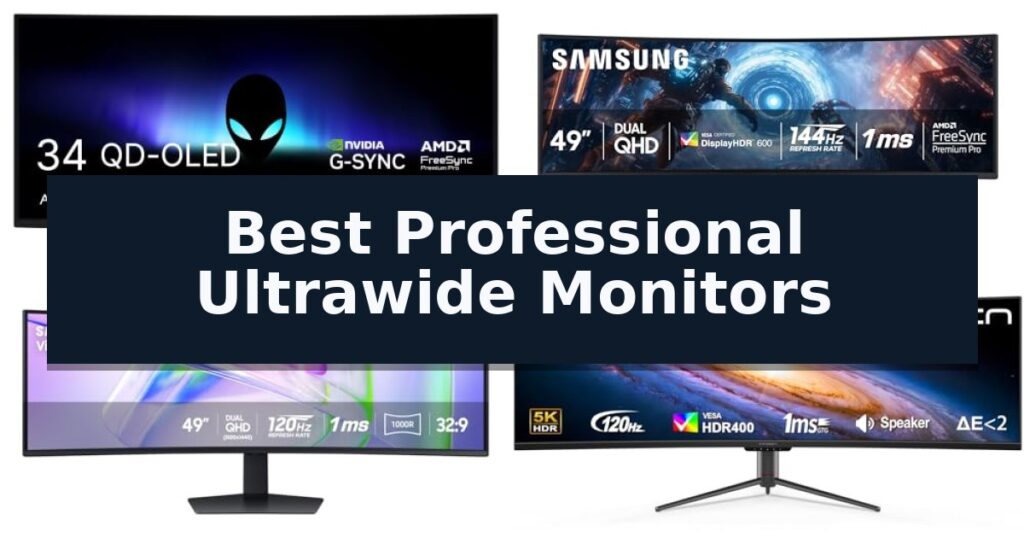
10 Best Professional Ultrawide Monitors in 2026 Reviews
Quick Comparison
| Product | Best For | Key Strength | Score |
|---|---|---|---|
| Alienware AW3426DW Gaming Monitor | Best Overall | QD-OLED Penta Tandem technology for superior color and brightness. | 4.9 |
| Samsung Odyssey G9 Gaming Monitor | Massive Panoramic Screen Real Estate | 1000R curved display provides an immersive, panoramic viewing experience. | 4.8 |
| Samsung Business Curved Ultrawide Monitor | Integrated Docking Station Hub | Integrated docking station with 90W USB-C charging. | 4.9 |
| INNOCN 49C1R Curved Monitor | High-Resolution Multitasking Powerhouse | 32:9 ultra-wide aspect ratio for seamless multitasking without bezel gaps. | 4.7 |
| LG 34U60ZB-B UltraWide Monitor | Smooth 120Hz Workflow Efficiency | 120Hz refresh rate provides smooth visual motion for streaming and general use. | 4.3 |
| LG 34WR55QK-B UltraWide Monitor | Ergonomic Design for Long Sessions | USB Type-C connectivity with 65W power delivery for simplified desk setups. | 4.8 |
| Dell S3425DW Monitor | Eye-Comfort Focused Display | Improved ComfortView Plus reduces blue light without sacrificing color accuracy. | 4.4 |
| LG 34U530A-W IPS Monitor | Versatile IPS Color Accuracy | 21:9 UltraWide aspect ratio provides extensive horizontal space for multitasking. | 4.9 |
| INNOCN 49C1G Curved Monitor | Immersive 32:9 Aspect Ratio | Expansive 32:9 aspect ratio replaces dual-monitor setups. | 4.4 |
| Sceptre 34-inch Curved Monitor | High Refresh Rate Productivity | 1ms MPRT response time for reduced motion blur. | 4.9 |
How We Chose
Evaluating professional ultrawide monitors requires a focus on how display specifications translate into daily workflow efficiency. We assess each model by examining its panel type, color accuracy, and interface versatility. By prioritizing monitors that integrate seamlessly into modern desk setups, we identify displays that offer the best balance of visual performance and functional utility for professional users.
- Panel technology and color gamut coverage
- Resolution and pixel density for text clarity
- Connectivity options including USB-C power delivery
- Ergonomic adjustability and stand stability
- Refresh rate and response time for smooth motion
1 Alienware AW3426DW Gaming Monitor — Stunning QD-OLED Visual Clarity
The Alienware 34 Gaming Monitor AW3426DW distinguishes itself with a cutting-edge QD-OLED Penta Tandem panel, featuring a 21:9 ultrawide aspect ratio and an 1800R curvature designed to enhance immersion. This display utilizes a new RGB stripe subpixel layout specifically engineered to improve text clarity, addressing a common critique of previous OLED monitor generations.
Performance is driven by a high 280Hz refresh rate and a rapid 0.03ms response time, ensuring fluid motion for demanding visual tasks. The integration of Dolby Vision and VESA DisplayHDR True Black 500 certification allows for a 1,500,000:1 contrast ratio, providing deep blacks and vivid color reproduction with 99% DCI-P3 coverage. Peak brightness reaches up to 1300 nits, supporting high-impact visual fidelity.
Connectivity options include two HDMI 2.1 ports and one DisplayPort 1.4, alongside a USB-C connection providing 15W of power delivery. The monitor incorporates NVIDIA G-SYNC Compatible and AMD FreeSync Premium Pro technologies to maintain tear-free graphics, while the chassis features AlienFX lighting and a 360-degree ventilation system for thermal management.
To address long-term usage concerns, the monitor includes an enhanced anti-burn-in AI algorithm and a specialized graphite sheet for heat dissipation. These protective measures are supported by a 3-year warranty that explicitly covers OLED burn-in, providing a layer of assurance for professional and gaming environments.
Best for: Users seeking a high-refresh-rate ultrawide display with advanced OLED panel technology and integrated burn-in protection for professional or gaming workflows.
Skip if: Users who require a flat-panel display or those who do not need the specific color depth and high-speed performance of a premium QD-OLED monitor.
- QD-OLED Penta Tandem technology for superior color and brightness.
- Improved text clarity via new RGB stripe subpixel layout.
- 3-year warranty with explicit coverage for OLED burn-in.
- High 280Hz refresh rate with 0.03ms response time.
- 1800R curve may not be suitable for all professional design workflows.
- 15W USB-C power delivery is insufficient for charging high-performance laptops.
2 Samsung Odyssey G9 Gaming Monitor — Massive Panoramic Screen Real Estate
The SAMSUNG 49-inch Odyssey G9 (G91F) Gaming Monitor features a dramatic 1000R curvature designed to mimic the human field of view, providing a panoramic 32:9 aspect ratio that effectively replaces a dual-monitor setup. This expansive screen real estate is engineered to keep users immersed, whether they are managing complex multitasking workflows or engaging in high-speed gaming.
Performance is driven by a 144Hz refresh rate and a 1ms response time, which work in tandem to minimize motion blur and input lag. To ensure visual fidelity, the monitor utilizes DisplayHDR 600 technology, enhancing contrast ratios to produce deeper blacks and more vibrant highlights, ensuring that details in shadowed areas remain visible.
For those who juggle multiple applications, the integrated Picture-in-Picture functionality allows for seamless content management on a single panel. The inclusion of Auto Source Switch+ further streamlines the user experience by automatically detecting and switching to active input signals, removing the need for manual navigation through on-screen menus.
The monitor is built with an ergonomic stand that supports tilt adjustments, allowing for a customized viewing angle to maintain comfort during extended sessions. With AMD FreeSync Premium Pro and variable refresh rate support, the display maintains fluid motion and reduces screen tearing for a stable visual experience.
Best for: Professionals and gamers who require massive, uninterrupted screen real estate for multitasking or immersive visual tasks.
Skip if: Users with limited desk space or those who prefer a traditional flat-panel display configuration should consider smaller, standard-aspect monitors.
- 1000R curved display provides an immersive, panoramic viewing experience.
- 144Hz refresh rate and 1ms response time ensure smooth motion.
- DisplayHDR 600 delivers enhanced contrast and shadow detail.
- Picture-in-Picture allows for efficient multitasking without a second monitor.
- Large physical footprint requires significant desk space for the 45.18-inch width.
- Heavy construction at 34.39 pounds necessitates a sturdy mounting surface.
3 Samsung Business Curved Ultrawide Monitor — Integrated Docking Station Hub
The Samsung Business Curved Ultrawide Monitor simplifies complex workflows by acting as both a high-resolution display and a centralized docking station. Its expansive 49-inch 1000R curved screen features a 32:9 aspect ratio, which is engineered to match the natural field of view for improved immersion during intensive multitasking.
Connectivity is a primary focus for this model, as it integrates multiple ports including DisplayPort, two HDMI inputs, and USB Type-C. The USB-C connection is particularly useful for professionals, as it supports 90W charging, allowing users to power their laptops while simultaneously transmitting data and video through a single cable to reduce desk clutter.
For those who transition between professional tasks and multimedia, the monitor offers a 120Hz refresh rate. This high refresh rate ensures smoother scrolling and more fluid motion, which can be beneficial for reducing lag during demanding visual projects. The display also supports VESA DisplayHDR 400, providing a broader range of luminous blacks and whites for refined color accuracy.
The unit is designed to function as an all-in-one workstation, featuring built-in speakers that eliminate the need for external audio peripherals. This design choice helps maintain a clean, efficient workspace. Additionally, the monitor includes a height-adjustable stand to support ergonomic positioning throughout the workday.
Best for: Professionals who require a massive, immersive workspace and a consolidated docking hub to manage multiple devices with minimal cable clutter.
Skip if: Users who prefer a multi-monitor setup with distinct physical bezels or those with limited desk space who cannot accommodate a 45-inch wide display.
- Integrated docking station with 90W USB-C charging.
- 120Hz refresh rate for smooth visuals and reduced scrolling lag.
- 1000R curvature designed to match the natural field of view.
- Dual QHD resolution provides extensive screen real estate.
- Large physical footprint requires significant desk space.
- Built-in speakers may not replace high-fidelity external audio systems.
4 INNOCN 49C1R Curved Monitor — High-Resolution Multitasking Powerhouse
The INNOCN 49C1R Curved Monitor centers its design around a massive 49-inch display with an 1800R curvature, specifically engineered to minimize eye fatigue during extended periods of professional use. By utilizing a 32:9 aspect ratio, this monitor provides a panoramic workspace that effectively replaces the need for dual-monitor setups, allowing users to view extensive timelines or multiple windows side-by-side with ease.
Performance is driven by a high-resolution VA panel that supports a 5120 x 1440 resolution, ensuring sharp detail across the entire screen. The monitor reaches a 120Hz refresh rate when connected via DisplayPort 1.4, which contributes to smooth motion for both creative workflows and gaming. With 99% sRGB color gamut coverage and HDR400 certification, it delivers high contrast ratios of 3000:1 for accurate, vibrant imagery.
Connectivity and multitasking are prioritized through a comprehensive interface array. The inclusion of a 65W USB-C port allows for single-cable power delivery and data transfer for compatible laptops, while the built-in RJ45 port provides stable wired networking. Users can further optimize their workflow using the integrated PIP (Picture-in-Picture) and PBP (Picture-by-Picture) split-screen technology, which enables the simultaneous display of content from two separate input sources.
Physical ergonomics are addressed through a versatile stand that offers height, tilt, and swivel adjustments to suit various desk setups. The monitor also includes built-in speakers and a 3.5mm audio jack, reducing the need for external peripherals and keeping the workspace uncluttered.
Best for: Professionals and gamers requiring a massive, single-screen workspace with high-resolution multitasking capabilities.
Skip if: Users with limited desk space or those who require a flat screen for specialized graphic design work where curvature may cause perspective distortion.
- 32:9 ultra-wide aspect ratio for seamless multitasking without bezel gaps.
- 65W USB-C power delivery simplifies cable management for laptops.
- 120Hz refresh rate provides smooth visual performance.
- PIP/PBP split-screen functionality for managing multiple input sources.
- Large physical footprint requires significant desk surface area.
- VA panel technology may have different viewing angle characteristics compared to IPS alternatives.
5 LG 34U60ZB-B UltraWide Monitor — Smooth 120Hz Workflow Efficiency
The LG 34U60ZB-B UltraWide Monitor features a subtle 1800R curvature designed to align with your natural line of sight, providing a comfortable viewing experience during extended work sessions. This 34-inch display utilizes a 21:9 aspect ratio and WQHD (3440 x 1440) resolution, offering significant screen real estate to manage multiple applications simultaneously without the need for constant window switching.
Performance is driven by a 120Hz refresh rate and a 5ms response time, ensuring smooth motion for streaming, video calls, and general productivity. The monitor covers up to 99% of the sRGB color space and supports HDR10, which aids in producing balanced color transitions across various media types. For those working in low-light environments or gaming, the integrated Black Stabilizer feature is designed to brighten dark scenes to improve visibility.
Usability is enhanced through the inclusion of LG Switch software, which allows users to adjust image preferences, brightness, and screen layout configurations directly from the desktop using hotkeys. The monitor also includes a dedicated Reader Mode that shifts the display to warmer hues to reduce blue light exposure. Connectivity options include DisplayPort, HDMI, and a headphone jack to support essential peripherals.
The physical design focuses on workspace efficiency with a slim stand and a square base that minimizes desk footprint. The display is mounted on an adjustable stand that supports height and tilt modifications, while the 3-side virtually borderless frame contributes to a clean, distraction-free aesthetic. Setup is streamlined via a one-click mounting system.
Best for: Professionals and multitaskers who require a wide, curved screen to manage multiple applications and improve workflow efficiency.
Skip if: Users who require specialized color-critical professional grade displays or those with limited desk space who cannot accommodate a 34-inch ultrawide footprint.
- 120Hz refresh rate provides smooth visual motion for streaming and general use.
- 1800R curved display improves viewing comfort during long work sessions.
- LG Switch software enables efficient screen splitting and quick setting adjustments.
- 99% sRGB coverage ensures accurate and balanced color reproduction.
- Large 34-inch footprint may be too wide for smaller or constrained desk setups.
- 5ms response time is optimized for general productivity rather than competitive high-speed gaming.
6 LG 34WR55QK-B UltraWide Monitor — Ergonomic Design for Long Sessions
Maximizing screen real estate for complex workflows requires a display that balances resolution with functional design. The LG 34WR55QK-B UltraWide Monitor addresses this need with its expansive 34-inch 21:9 WQHD panel, providing a 3440 x 1440 resolution that allows users to manage multiple windows side-by-side without the clutter of a dual-monitor setup.
Beyond its physical dimensions, this monitor incorporates OnScreen Control software, which simplifies workspace management by enabling users to split the display or configure Picture-by-Picture (PbP) modes. This feature allows for the simultaneous viewing of content from two separate input sources, making it a practical choice for those who need to monitor different streams or devices on a single, continuous screen.
Visual fidelity is supported by HDR10 and a 99% sRGB color gamut, ensuring that colors remain consistent and vibrant for both professional tasks and media consumption. To support extended periods of use, the monitor includes a Reader Mode that reduces blue light emissions, alongside an ergonomic stand that provides flexible height and tilt adjustments to achieve an optimal viewing angle.
Connectivity is streamlined through a versatile port selection, highlighted by USB Type-C support that offers up to 65W of power delivery for charging connected laptops. The unit also features two HDMI ports, a DisplayPort, and two USB ports, ensuring compatibility with a wide range of peripherals while maintaining a clean, three-sided virtually borderless aesthetic.
Best for: Professionals who require a wide, high-resolution workspace for multitasking and need integrated power delivery for their laptop via a single cable.
Skip if: Users who require a flat screen for specialized design work where curvature might introduce geometric distortion, or those needing higher refresh rates for competitive gaming.
- USB Type-C connectivity with 65W power delivery for simplified desk setups.
- 21:9 UltraWide WQHD resolution provides extensive horizontal space for multitasking.
- Picture-by-Picture (PbP) functionality allows simultaneous input from two sources.
- Ergonomic stand supports height and tilt adjustments for improved comfort.
- Curved display may not be suitable for users requiring perfectly flat lines for precise technical drawing.
- 100Hz refresh rate is sufficient for general work but may not meet the needs of high-end gaming enthusiasts.
7 Dell S3425DW Monitor — Eye-Comfort Focused Display
The Dell S3425DW Monitor prioritizes visual comfort and workspace efficiency through its Improved ComfortView Plus technology, which limits harmful blue light emissions to 35% or less. This design choice ensures that extended periods of professional use remain manageable without compromising the integrity of your color-critical tasks.
Engineered for high-performance multitasking, the display features a 120Hz refresh rate paired with AMD FreeSync Premium to provide a fluid, tear-free visual experience. The integration of an ultra-low 0.03ms response time further enhances the responsiveness of the screen, making it suitable for both demanding workflows and rapid-paced multimedia applications.
Color accuracy is central to the monitor's performance, offering 99% sRGB and 95% DCI-P3 color coverage. The VA panel provides a 3,000:1 contrast ratio, which delivers deep blacks and high-detail imagery, supported by HDR readiness for improved depth in visual content. Audio performance is also addressed with re-engineered 2x10W speakers that offer a wider frequency response and increased decibel range compared to previous iterations.
Connectivity is streamlined via a single USB-C cable that supports up to 65W power delivery, effectively reducing cable clutter on professional desks. The anti-glare coating ensures visibility in varied lighting conditions, while the overall build is optimized for a clean, organized workspace.
Best for: Professionals requiring a high-contrast, color-accurate ultrawide display with integrated power delivery and blue-light reduction for long work sessions.
Skip if: Users who require professional-grade color calibration tools or those whose specific creative workflows demand an IPS panel for wider viewing angles.
- Improved ComfortView Plus reduces blue light without sacrificing color accuracy.
- 65W USB-C power delivery simplifies desk connectivity.
- 120Hz refresh rate and 0.03ms response time ensure smooth motion.
- 95% DCI-P3 coverage provides vibrant, true-to-life color reproduction.
- VA panel technology may have different viewing angle characteristics compared to IPS alternatives.
- 300 cd/m2 brightness may be limiting in exceptionally bright office environments.
8 LG 34U530A-W IPS Monitor — Versatile IPS Color Accuracy
Maximizing desktop real estate requires more than just a large screen; it demands a display that integrates seamlessly into a professional workflow. The LG 34U530A-W 34-inch UltraWide IPS Monitor addresses this by offering a 21:9 aspect ratio that provides significantly more horizontal workspace than a standard 16:9 panel, enabling users to manage multiple windows simultaneously without the clutter of a dual-monitor setup.
Engineered for visual clarity and color precision, this monitor features an IPS panel with sRGB 99% color coverage and VESA DisplayHDR 400 certification. These specifications ensure that images remain sharp and color-accurate across wide viewing angles, making it a reliable choice for creative tasks that require consistent color reproduction. The 100Hz refresh rate further enhances the experience by providing fluid motion, which is particularly beneficial for video conferencing and smooth navigation during daily operations.
Connectivity and ergonomics are central to its design. The inclusion of USB Type-C allows for streamlined, single-cable data transfer and display output, reducing cable management issues on your desk. The monitor is supported by a versatile stand that offers height, tilt, and swivel adjustments, allowing users to customize their viewing position for improved comfort during extended work sessions.
For those managing complex multitasking, the integrated Switch app allows the screen to be split into up to six sections, providing a structured environment for streaming, gaming, or professional projects. Additionally, the built-in Waves MaxxAudio stereo speakers provide integrated sound, while Reader Mode adjusts color temperature and brightness to reduce eye strain during document-heavy tasks.
Best for: Professionals and creatives who require an expansive horizontal workspace and single-cable connectivity for efficient multitasking.
Skip if: Users who require higher vertical resolution for professional-grade 4K video editing or those with limited desk depth who cannot accommodate a 34-inch wide footprint.
- 21:9 UltraWide aspect ratio provides extensive horizontal space for multitasking.
- USB Type-C connectivity enables single-cable display and data transfer.
- 100Hz refresh rate ensures smooth motion for daily tasks and video calls.
- Ergonomic stand supports height, tilt, and swivel adjustments.
- WFHD resolution (2560 x 1080) may appear less sharp than higher-density 4K displays on a 34-inch panel.
- Fixed horizontal footprint requires significant desk width.
9 INNOCN 49C1G Curved Monitor — Immersive 32:9 Aspect Ratio
The INNOCN 49C1G Curved Monitor offers an expansive 49-inch display with a 32:9 aspect ratio, designed to replace multi-monitor setups with a single, seamless workspace. Its 1800R curvature is engineered to provide a more natural viewing angle, which helps limit eye strain during extended periods of professional use or content creation.
Equipped with a high-performance VA panel, this monitor supports a 144Hz refresh rate via DisplayPort 1.4, ensuring smooth motion for both creative workflows and gaming. The display features a 3000:1 contrast ratio and meets HDR400 standards, providing a 99% sRGB color gamut for accurate color reproduction in professional environments.
Connectivity is a primary focus, featuring a versatile USB Type-C port with 65W power delivery, alongside HDMI 2.1 and DisplayPort 1.4 inputs. The inclusion of an RJ45 port and multiple USB-A and USB-B ports allows the monitor to function as a central hub for laptops, tablets, and gaming consoles, simplifying cable management on a busy desk.
Productivity is further enhanced by built-in PIP (Picture-in-Picture) and PBP (Picture-by-Picture) split-screen technology. These features allow users to display content from two separate input sources simultaneously, making it an efficient tool for multitasking across different systems without needing additional hardware.
Best for: Professionals and creators who require a massive, seamless workspace for multitasking and need a built-in hub for multiple devices via USB-C.
Skip if: Users who require extreme color accuracy for professional print-grade design or those with limited desk space who cannot accommodate a 45.5-inch wide chassis.
- Expansive 32:9 aspect ratio replaces dual-monitor setups.
- 65W USB-C power delivery simplifies device connectivity.
- 144Hz refresh rate provides smooth visual performance.
- PIP/PBP split-screen functionality for efficient multitasking.
- Large footprint requires significant desk space.
- 1080p vertical resolution may limit vertical workspace compared to higher-resolution alternatives.
10 Sceptre 34-inch Curved Monitor — High Refresh Rate Productivity
The Sceptre 34-inch Curved Monitor distinguishes itself with a high-performance 1ms MPRT response time, designed to eliminate ghosting and ensure fluid imagery during rapid motion. This ultrawide display is built for those who require expansive screen real estate, offering a 21:9 aspect ratio that provides 30% more horizontal workspace compared to standard monitors.
Equipped with WQHD resolution (3440 x 1440), this monitor delivers 5 million pixels for detailed, high-clarity visuals. The panel supports a high refresh rate of up to 180Hz/165Hz, which, combined with its R1500 curvature, creates an immersive viewing experience that keeps the edges of the screen within a comfortable focal distance.
Aesthetically, the unit features Luminous Backcover Lights, providing a modern, colorful LED glow to the rear of the chassis. Connectivity is handled via two DisplayPort inputs, ensuring compatibility with high-bandwidth sources. The monitor also includes built-in speakers to reduce desk clutter, though it maintains a sleek profile with a width of 31.8 inches.
This monitor is a practical choice for professionals looking to consolidate multiple windows or complex timelines onto a single, continuous display surface. While it offers significant productivity gains, users should ensure their workspace can accommodate the 31.8-inch width and verify that their workstation supports the specific DisplayPort requirements for optimal refresh rates.
Best for: Professionals and gamers who need an expansive, high-refresh-rate ultrawide display for multitasking and immersive visual workflows.
Skip if: Users with limited desk space or those who require specialized color-accurate professional panels for critical print-ready design work.
- 1ms MPRT response time for reduced motion blur.
- 21:9 Ultrawide aspect ratio for increased productivity.
- High 180Hz/165Hz refresh rate for fluid motion.
- WQHD resolution for sharp, detailed imagery.
- Large 31.8-inch footprint may not fit all desk setups.
- Limited connectivity options compared to professional-grade hubs.
Best Professional Ultrawide Monitors Buying Guide
Panel Technology and Visual Fidelity
The choice between OLED, IPS, and VA panels significantly impacts how you interact with your work. OLED displays, such as those featuring QD-OLED technology, offer infinite contrast ratios and deep blacks, making them ideal for high-end video editing and color-critical tasks where visual depth is paramount.
Conversely, IPS panels remain highly regarded for their consistent color reproduction and wide viewing angles. For professionals who spend long hours reading text or working with static documents, an IPS display often provides the necessary stability and clarity to reduce eye strain over extended sessions.
Connectivity and Desk Integration
Modern professional monitors should function as the central hub of your workspace. Models equipped with USB-C power delivery allow you to connect your laptop, transfer data, and charge your device using a single cable, which significantly simplifies your desk setup.
When selecting a monitor, verify the number and type of ports available. Having a mix of DisplayPort and HDMI inputs ensures compatibility with multiple workstations or secondary devices, while built-in USB hubs can further reduce the need for external adapters.
Ergonomics and Viewing Comfort
Ultrawide monitors occupy a significant portion of your desk, making ergonomic adjustments essential for long-term comfort. Look for stands that offer height, tilt, and swivel capabilities to ensure the display aligns perfectly with your natural line of sight.
The curvature of the screen also plays a role in comfort. A subtle 1800R curve is often preferred for 34-inch displays as it helps maintain a consistent distance between your eyes and the screen edges, which can minimize distortion and reduce neck movement.
Multitasking and Screen Real Estate
The primary advantage of an ultrawide monitor is the ability to view multiple applications side-by-side without the bezel interference found in dual-monitor setups. This is particularly beneficial for data analysis, coding, and complex project management workflows.
Many ultrawide monitors include Picture-by-Picture (PbP) or Picture-in-Picture (PiP) functionality. These features allow you to display content from two different sources simultaneously, effectively turning one physical monitor into two distinct workspaces.
Resolution and Aspect Ratio Considerations
Aspect ratios of 21:9 are standard for 34-inch monitors, providing a balance between width and height that mimics a natural field of view. For 49-inch super-ultrawide monitors, a 32:9 ratio is common, offering the equivalent screen space of two 16:9 monitors placed side-by-side.
Ensure the resolution matches your productivity needs. While WQHD (3440 x 1440) is standard for 34-inch models, larger 49-inch screens often require Dual QHD (5120 x 1440) to maintain sufficient pixel density and prevent text from appearing pixelated or blurry.
Frequently Asked Questions
Is an ultrawide monitor better than a dual-monitor setup?
An ultrawide monitor eliminates the central bezel gap, providing a seamless workspace that is often more aesthetically pleasing and easier to manage for tasks requiring continuous horizontal scrolling.
Do I need a curved monitor for professional work?
Curvature is beneficial on ultrawide displays to ensure the edges of the screen are at a similar focal distance to the center, which helps reduce eye strain and improves immersion.
Can I use a gaming ultrawide monitor for professional design?
Yes, many high-end gaming ultrawide monitors feature excellent color accuracy and contrast, making them suitable for professional design work, provided they meet your specific color gamut requirements.
What is the benefit of USB-C power delivery in a monitor?
USB-C power delivery allows you to charge your laptop and transmit video signals through a single cable, reducing cable clutter and simplifying your workstation setup.
How do I know if my computer supports an ultrawide resolution?
Most modern graphics cards and integrated laptop graphics support standard ultrawide resolutions like 3440 x 1440. Check your computer's display settings or GPU specifications to confirm compatibility.
Conclusion: Our Top Pick
Our top pick is Alienware AW3426DW Gaming Monitor. Choosing the right professional ultrawide monitor depends on your specific workflow needs, whether you prioritize the deep contrast of OLED technology or the consistent color accuracy of IPS panels. By focusing on connectivity and ergonomic adjustability, you can create a more efficient and comfortable workspace.
Ultimately, the best display is one that integrates seamlessly into your existing hardware ecosystem. Consider how features like USB-C power delivery and split-screen functionality will impact your daily productivity before making your final selection.