ASUS ProArt PA278QV Monitor is our top choice for the Best Professional Monitors for Photography, offering Calman Verified color accuracy and a factory-calibrated sRGB gamut that ensures consistent results for demanding creative projects. For those prioritizing single-cable convenience, the ASUS ProArt PA278CV provides integrated USB-C connectivity with power delivery, while the ASUS ProArt PA329CRV serves users who require an expansive 32-inch 4K canvas for high-resolution detail work.
Selecting a display for color-critical tasks requires balancing color space coverage with physical utility. While high-end panels prioritize DCI-P3 or sRGB gamut accuracy, the physical footprint and connectivity options often dictate how well a monitor integrates into an existing workstation. Professionals should weigh the benefits of higher resolution against the potential need for scaling, as well as the long-term value of extended warranty support.
For those who need to compare these options against broader industry standards, our guide on Best Professional Graphics Monitors provides additional context on selecting displays for high-end creative work. If your workflow specifically demands high-dynamic-range content, you may also find our analysis of Best Professional HDR 4K Monitors helpful for understanding the requirements of modern video and photo production.
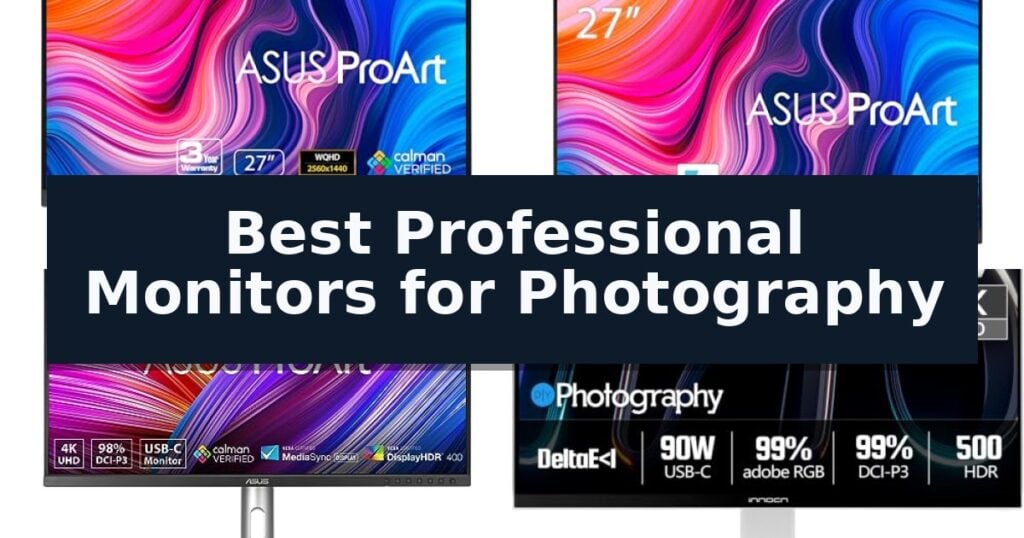
10 Best Professional Monitors for Photography in 2026 Reviews
Quick Comparison
| Product | Best For | Key Strength | Score |
|---|---|---|---|
| ASUS ProArt PA278QV Monitor | Best Overall | Calman Verified with Delta E < 2 for professional-grade color precision. | 4.9 |
| ASUS ProArt PA278CV Monitor | USB-C Connectivity for Workflows | Calman Verified color accuracy with Delta E < 2. | 4.4 |
| ASUS ProArt PA329CRV Monitor | Expansive 4K Canvas for Detail | Factory-calibrated color accuracy with Delta E < 2 for reliable editing. | 4.7 |
| INNOCN 27-inch 4K Monitor | High-Refresh Creative Performance | DeltaE < 1 factory calibration for professional-grade color accuracy. | 4.3 |
| BenQ PD2706QN Monitor | Mac-Ready Color Consistency | Factory-calibrated color accuracy with Delta E ≤ 2 | 4.4 |
| ViewSonic ColorPro Dual Monitor Pack | Seamless Multi-Screen Editing | Professional-grade color accuracy with 100% sRGB and Pantone validation. | 4.5 |
| Yodoit 4K Portable Monitor | Sunlight-Readable Field Editing | 1,200-nit peak brightness for sunlight-readable outdoor use. | 4.3 |
| FEELWORLD F5 ProX Field Monitor | Daylight-Viewable On-Camera Assist | 1600nit high-brightness panel for daylight visibility | 4.9 |
| FEELWORLD P6XL Field Monitor | Intuitive Touchscreen Control | 1200nit high-brightness IPS touch screen for clear visibility in bright light | 4.3 |
| NEEWER F100 Field Monitor | Essential Tools for Videography | Professional assist tools including Peaking Focus Assist and Histogram. | 4.6 |
How We Chose
Evaluating the best professional monitors for photography requires a focus on color fidelity and workflow integration. We analyze factory-calibrated color performance, gamut coverage, and connectivity standards to ensure each display meets the rigorous demands of image editing. These criteria help distinguish monitors that provide reliable, consistent visual output from those that prioritize features over professional-grade precision.
- Color accuracy metrics including Delta E values and factory calibration reports.
- Color gamut coverage across industry standards like sRGB, Rec. 709, and DCI-P3.
- Panel resolution and pixel density for fine detail work.
- Connectivity options such as USB-C power delivery and daisy-chaining capabilities.
- Ergonomic adjustability and VESA mount compatibility for long-term comfort.
1 ASUS ProArt PA278QV Monitor — Calibrated Precision for Editing
Achieving color-critical accuracy for digital workflows requires a display that prioritizes consistency and gamut coverage. The ASUS ProArt PA278QV Monitor is engineered for these demands, featuring Calman Verified status and a factory-calibrated Delta E < 2 accuracy to ensure that what you see on screen translates reliably to your final output.
This 27-inch WQHD IPS display provides a resolution of 2560 x 1440, offering the sharp detail necessary for precise photo retouching and graphic design. The panel covers 100% sRGB and 100% Rec. 709 color gamuts, meeting industry standards for vibrant, accurate media production. Users can further refine their workspace using the ASUS ProArt Preset and Palette tools, which allow for granular adjustments to color, brightness, and black levels.
Designed for long-term comfort, the monitor includes an ergonomic adjustable stand that supports tilt, pivot, swivel, and height modifications. To mitigate eye strain during extended editing sessions, the unit incorporates ASUS Eye Care Technology, featuring flicker-free backlighting and a blue light filter, complemented by an anti-glare screen coating.
Connectivity is streamlined through a versatile interface including DisplayPort, HDMI, DVI-D, and Mini DP, alongside an integrated USB hub for managing peripherals. The package is supported by a 5-year warranty (3 years standard plus 2 years extension upon registration) and includes a 3-month Adobe Creative Cloud subscription.
Best for: Professional photographers and content creators who require factory-calibrated color accuracy and high-resolution detail for precise editing workflows.
Skip if: Users who require 4K resolution for ultra-high-density editing or those who need integrated hardware calibration sensors might find this model insufficient for their specific technical requirements.
- Calman Verified with Delta E < 2 for professional-grade color precision.
- Comprehensive 100% sRGB and 100% Rec. 709 color gamut coverage.
- Highly ergonomic stand with full tilt, pivot, swivel, and height adjustment.
- Extensive connectivity options including a built-in USB hub for peripheral management.
- Extended 5-year warranty coverage available with registration.
- WQHD resolution may not meet the needs of users requiring 4K or higher pixel density.
- Lacks an integrated hardware-based color calibration sensor.
2 ASUS ProArt PA278CV Monitor — USB-C Connectivity for Workflows
Achieving precise color accuracy is the primary challenge for digital creators, and the ASUS ProArt PA278CV Monitor addresses this with factory-calibrated performance. It is Calman Verified with a Delta E < 2 rating, ensuring that the colors you see on screen are true-to-life for professional photography and graphic design workflows.
This 27-inch QHD (2560 x 1440) IPS panel provides a sharp, expansive workspace, making it well-suited for detailed photo editing and multitasking. The display covers 100% sRGB and 100% Rec. 709 color gamuts, meeting industry standards for both high-end content creation and video editing.
Connectivity is streamlined through a USB-C port with 65W power delivery, which allows you to charge your laptop and transfer data using a single cable. For those managing complex workstations, the monitor supports DisplayPort daisy-chaining, enabling the connection of up to four displays for a seamless multi-monitor setup.
The design prioritizes long-term usability with an ergonomic stand that features a 90-degree pivot, allowing for easy transitions between landscape and portrait orientations. Each unit includes a 5-year warranty (3 years standard plus 2 years extension with registration) and a complimentary 3-month subscription to Adobe Creative Cloud.
Best for: Professional photographers and content creators who require factory-calibrated color accuracy and single-cable USB-C connectivity for their workstations.
Skip if: Users who require 4K resolution for ultra-high-density pixel work or those who need a wider color gamut coverage beyond sRGB and Rec. 709.
- Calman Verified color accuracy with Delta E < 2.
- USB-C connectivity with 65W power delivery for simplified cable management.
- DisplayPort daisy-chaining capability for multi-monitor workflows.
- Ergonomic stand with full pivot, tilt, and height adjustments.
- 5-year warranty coverage included with registration.
- QHD resolution may not satisfy users needing 4K detail.
- Limited color gamut support compared to specialized wide-gamut displays.
3 ASUS ProArt PA329CRV Monitor — Expansive 4K Canvas for Detail
Achieving precise color reproduction is essential for high-end creative workflows, and the ASUS ProArt PA329CRV Monitor is engineered specifically to meet these rigorous demands. This 31.5-inch display provides an expansive 4K canvas that allows photographers to examine fine details with clarity, supported by a wide-view IPS panel that maintains consistency across the screen.
At the heart of its performance is a 98% DCI-P3 color gamut coverage, ensuring vibrant and accurate hues for professional editing. Each unit is Calman Verified and factory-calibrated to achieve a Delta E < 2 color accuracy, providing confidence that the colors on your screen represent the source material faithfully. The inclusion of VESA DisplayHDR400 certification further enhances the viewing experience by providing improved contrast and brightness for demanding HDR content.
Connectivity is streamlined through a versatile interface that includes DisplayPort over USB-C with 96W Power Delivery, allowing users to charge compatible laptops while transmitting video and data through a single cable. The monitor also supports daisy-chaining via DisplayPort (MST), which helps maintain a clean, efficient workspace. For added value, the purchase includes a complimentary 3-month Adobe Creative Cloud subscription.
Designed for long-term reliability, this monitor includes an extended 5-year warranty—comprising three years standard plus two years upon online registration. The ergonomic stand allows for adjustments to suit various desk setups, making it a robust choice for professionals who prioritize both color precision and functional connectivity in their daily operations.
Best for: Professional photographers and editors who require factory-calibrated color accuracy and single-cable connectivity for their high-resolution workflows.
Skip if: Users who require a smaller desk footprint or those who do not need professional-grade color gamut coverage may find a more compact or standard-spec monitor more suitable.
- Factory-calibrated color accuracy with Delta E < 2 for reliable editing.
- 96W USB-C Power Delivery enables efficient single-cable laptop integration.
- 5-year extended warranty provides significant long-term support.
- 98% DCI-P3 color gamut ensures vibrant and professional-grade color reproduction.
- Large 31.5-inch form factor may be too bulky for smaller workspaces.
4 INNOCN 27-inch 4K Monitor — High-Refresh Creative Performance
Achieving precise color accuracy is the primary challenge for digital artists, and the INNOCN 27-inch 4K Monitor addresses this with factory calibration that ensures a DeltaE < 1. This level of color fidelity, combined with a 4K HDR500 display, provides the vivid contrast and sharp detail necessary for professional photo editing, 3D rendering, and video grading.
Beyond color performance, this monitor simplifies complex workflows through its One-Cable Workstation design. By utilizing USB-C with 90W Power Delivery, the display handles 4K video, data transfer, and laptop charging through a single connection, which is particularly effective for maintaining a clean, minimalist desk setup.
The display offers versatility for mixed-use environments via its Dual-Mode functionality. Users can toggle between a high-resolution 4K at 120Hz mode for detailed design work and a high-speed FHD at 240Hz mode for fluid motion, ensuring the hardware adapts to different tasks without requiring multiple monitors.
Physical integration is supported by a variety of inputs, including HDMI 2.1, DisplayPort 1.4, and USB-C, allowing for simultaneous connection of multiple devices like consoles and workstations. The included pivot stand and VESA 100x100mm compatibility provide the necessary ergonomic adjustments to improve posture during long editing sessions.
Best for: Content creators and remote professionals who require high color accuracy and a single-cable connection for their laptop-based workflow.
Skip if: Users who require a larger screen real estate beyond 27 inches or those who do not need high-refresh-rate gaming capabilities.
- DeltaE < 1 factory calibration for professional-grade color accuracy.
- 90W USB-C Power Delivery enables single-cable charging and data transfer.
- Dual-mode display allows switching between 4K 120Hz and FHD 240Hz.
- Versatile connectivity including HDMI 2.1 and DisplayPort 1.4.
- Fixed 27-inch size may be limiting for users needing ultra-wide or larger displays.
5 BenQ PD2706QN Monitor — Mac-Ready Color Consistency
Achieving precise color reproduction is essential for professional photography, and the BenQ PD2706QN Monitor addresses this with factory-calibrated color accuracy. Featuring 95% P3 and 100% sRGB/Rec.709 color space coverage, this display maintains an average Delta E ≤ 2, ensuring that the colors you see on screen remain consistent with your final output.
Designed to streamline creative workflows, the monitor includes ICCSync technology, which automatically matches and synchronizes ICC profiles between a Mac and the display when switching color modes. The integration of a 90W USB-C connection allows for a single-cable solution that handles data, video, and power delivery simultaneously, reducing desk clutter.
The display utilizes a Nano Matte Panel specifically engineered to diffuse ambient light. This design choice preserves contrast and color fidelity while minimizing glare, which helps maintain visual clarity during extended editing sessions. The monitor also provides comprehensive ergonomic adjustments, including tilt, pivot, swivel, and height customization to suit various workspace setups.
For multi-monitor configurations, the BenQ PD2706QN Monitor supports daisy-chaining via MST, allowing for an expanded digital workspace. With a 100Hz refresh rate and a 2K QHD resolution, it provides a balance of detail and smooth motion for professional design and photography tasks.
Best for: Professional photographers and designers who require high color accuracy and a streamlined, single-cable connection for Mac-based workflows.
Skip if: Users who require 4K resolution for high-density pixel work or those who need a larger screen size beyond 27 inches for complex multi-window layouts.
- Factory-calibrated color accuracy with Delta E ≤ 2
- 90W USB-C power delivery for efficient device charging and connectivity
- Nano Matte Panel to reduce glare and improve eye comfort
- ICCSync for seamless color profile management
- 2K QHD resolution may be insufficient for users demanding 4K detail
- 27-inch screen size may be limiting for those requiring larger canvas space
6 ViewSonic ColorPro Dual Monitor Pack — Seamless Multi-Screen Editing
The ViewSonic VP2468a_H2 24 Inch 1080p Dual Pack ColorPro Monitor set is engineered specifically for creative professionals who require precise color matching across multiple displays. By bundling two factory-calibrated units, this package ensures consistent visual output for side-by-side editing, design, and comparison tasks, eliminating the common frustration of color variance between disparate monitors.
These displays are built to meet rigorous professional standards, featuring 100% sRGB color coverage and Rec. 709 support. To further enhance image fidelity, each monitor utilizes a 14-bit 3D LUT, which provides a smooth, expansive palette of colors. This technical foundation is essential for color-sensitive workflows, such as photography and graphic design, where accurate reproduction is non-negotiable.
The architecture of these monitors is defined by a head-only VESA-compatible design, meaning they ship without traditional stands. This intentional choice allows photographers to build a clean, ergonomic workstation using custom monitor arms, which effectively reclaims desk space for tablets, control surfaces, or other essential peripherals.
Connectivity is optimized for modern professional suites, integrating USB-C and RJ45 Ethernet ports alongside standard HDMI and DisplayPort inputs. This setup allows for efficient data transfer and stable network access directly through the monitor, significantly simplifying cable management in complex editing environments.
Best for: Professional photographers and graphic designers who require a dual-monitor setup with consistent color accuracy and a space-saving, custom-mounted workstation.
Skip if: Users who prefer integrated monitor stands or those who require resolutions higher than 1080p for detailed 4K image editing.
- Professional-grade color accuracy with 100% sRGB and Pantone validation.
- Versatile connectivity including USB-C and RJ45 for streamlined workstation integration.
- Head-only VESA design ideal for custom monitor arm configurations.
- Dual-pack configuration ensures consistent color performance across both screens.
- No stands included, requiring a separate purchase of VESA-compatible mounting hardware.
- 1080p resolution may be limiting for users requiring higher pixel density for fine-detail work.
7 Yodoit 4K Portable Monitor — Sunlight-Readable Field Editing
Achieving accurate color representation while working on location requires a display that can handle challenging lighting conditions. The Yodoit 4K Portable Monitor addresses this with a 1,200-nit peak brightness rating, making it significantly more capable than standard portable screens when reviewing high-resolution images in direct sunlight.
Designed with a 16:10 aspect ratio, this 16-inch UHD display provides extra vertical workspace for tool panels and timelines, ensuring that photographers and editors have a more efficient canvas. The panel covers 145% of the sRGB color gamut, which, paired with a 2000:1 contrast ratio, allows for precise color grading and the identification of subtle shadow details that are often lost on lower-spec portable displays.
Connectivity is handled through a versatile dual-input system featuring USB-C and Mini HDMI. While the monitor can be powered via USB-C, the inclusion of a dedicated power adapter ensures stable performance at full 4K resolution. The unit is built into an all-metal unibody chassis that remains highly portable, weighing only 2.2 lbs and measuring under 0.35 inches in thickness.
For field utility, the monitor includes a magnetic smart cover that functions as a multi-angle stand, adjustable from 0 to 180 degrees. Integrated dual speakers provide immediate audio feedback for video previews, eliminating the need for external peripherals when working in remote environments.
Best for: Professional photographers and digital nomads who require a high-brightness, color-accurate 4K reference display for outdoor or on-location editing.
Skip if: Users who primarily work in controlled studio environments where a larger, desktop-mounted monitor with integrated calibration sensors would be more ergonomic.
- 1,200-nit peak brightness for sunlight-readable outdoor use.
- 145% sRGB color gamut for professional-grade color accuracy.
- 16:10 aspect ratio provides extra vertical space for editing software.
- 2000:1 contrast ratio reveals deeper shadow detail.
- Requires external power adapter for stable 4K output at peak brightness.
- Mini HDMI connection requires a separate USB-C power cable for operation.
8 FEELWORLD F5 ProX Field Monitor — Daylight-Viewable On-Camera Assist
Achieving precise visual accuracy in outdoor environments requires a display that can combat glare while maintaining color fidelity. The FEELWORLD F5 ProX Field Monitor addresses this with a high-brightness 1600nit panel, ensuring the screen remains visible even under direct sunlight. This 5.5-inch touchscreen device provides a native 1920×1080 resolution and is factory-calibrated for REC-709 color standards, offering a reliable reference for videographers working in the field.
Beyond simple monitoring, the unit integrates a comprehensive suite of professional tools, including histogram, false color, and focus assist. These features allow for real-time exposure and focus verification, reducing the need for post-production correction. The monitor supports 4K HDMI input and loop-out, enabling simultaneous signal transmission to additional displays, which is essential for collaborative on-set workflows.
Design versatility is a core strength of this model, particularly through its F970 external kit. This mounting solution allows users to attach and power wireless transmitters or LED lights directly from the monitor's battery, streamlining the camera rig by reducing cable clutter and overall weight. Power flexibility is further enhanced by a Type-C input and an 8.4V DC output for powering cameras.
The package includes essential accessories such as a tilt arm, sunshade, and an F550 battery, providing a ready-to-use solution for mobile production. While the compact 5.5-inch form factor is ideal for portability, it is optimized for on-camera mounting rather than as a primary desktop editing display.
Best for: Videographers requiring a high-brightness, daylight-viewable monitor with integrated power management for external accessories.
Skip if: Users seeking a large-format desktop display for color-critical studio editing or those who do not require on-camera mounting features.
- 1600nit high-brightness panel for daylight visibility
- F970 external kit for mounting and powering wireless gear
- REC-709 color calibration for accurate image monitoring
- 4K HDMI loop-out for signal distribution
- 5.5-inch screen size may be too small for detailed desktop editing
- On-camera design lacks the ergonomic stand features of dedicated studio monitors
9 FEELWORLD P6XL Field Monitor — Intuitive Touchscreen Control
Achieving precise visual accuracy during mobile shoots requires a reliable reference, and the FEELWORLD P6XL Field Monitor addresses this with a high-brightness 1200nit IPS touch screen. Designed for portability, this 6-inch display integrates a 3000mAh battery, allowing for 2 hours of operation at full brightness while maintaining a slim 17mm profile.
The monitor simplifies complex color management by supporting custom 3D LUTs, which can be loaded via a USB flash drive. Users can also utilize the built-in 4 DE-log LUTs or choose from various HDR modes, including HLG1, HLG2, and HLG3, to expand the dynamic range of luminosity during real-time monitoring.
For technical composition, the device offers advanced analysis tools such as waveform, vector scope, and histogram displays. The FEELWORLD P6XL Field Monitor also features a screenshot and image overlay function, enabling photographers to perform semi-transparent superposition to verify composition and alignment against previously captured images.
Operation is handled through intuitive touch gestures or a physical scroll wheel, ensuring quick access to settings in varying light conditions. With its USB Type-C power input and lightweight 332g build, it serves as a versatile tool for field-based video assistance.
Best for: Photographers and videographers who require a portable, high-brightness monitoring solution with advanced color grading and composition tools for mobile field work.
Skip if: Users who require a larger display area for studio-based editing or those needing extended battery life beyond two hours without an external power source.
- 1200nit high-brightness IPS touch screen for clear visibility in bright light
- Built-in 3000mAh battery provides 2 hours of cordless operation
- Custom 3D LUT support via USB flash drive for precise color grading
- Advanced waveform and vector scope tools for accurate exposure and color analysis
- Limited 2-hour battery life at maximum brightness settings
- Compact 6-inch screen may be restrictive for detailed long-distance monitoring
10 NEEWER F100 Field Monitor — Essential Tools for Videography
Achieving precise visual fidelity during video production requires a reliable external display that provides accurate feedback in real time. The NEEWER F100 Field Monitor serves this purpose by integrating a 7-inch IPS panel with a 1200:1 contrast ratio, ensuring that color and detail are clearly visible during active recording sessions.
Designed for versatility, the monitor supports a wide range of input formats, including 1080p and 720p, via its full HDMI interface. It is equipped with professional-grade assistance tools such as Peaking Focus Assist, a Histogram, and customizable Safe Frames, which allow videographers to maintain composition and exposure accuracy without relying solely on a camera's built-in screen.
Portability and power management are central to its design. The unit includes a 4400mAh F750 battery capable of providing approximately 3.5 hours of runtime, while an integrated USB port allows for flexible power routing from external sources. The sleek 17mm body houses an LED backlight, balancing a lightweight form factor with the brightness needed for field work.
For outdoor environments, the monitor includes a dedicated sunshade to mitigate glare and maintain visibility. The package also features a 360° ball head with a cold shoe mount, facilitating quick attachment to DSLRs, stabilizers, and various filming rigs, making it a functional addition to a professional videography kit.
Best for: Content creators and videographers requiring a portable, high-contrast external display with professional focus and exposure tools for field production.
Skip if: Users who require a high-resolution 4K monitor or advanced color-calibrated displays for studio-based post-production color grading.
- Professional assist tools including Peaking Focus Assist and Histogram.
- High 1200:1 contrast ratio for clear image detail.
- Includes 4400mAh battery and sunshade for immediate field readiness.
- Versatile mounting via the included 360° ball head.
- 450 nits brightness may be limited in extremely bright direct sunlight despite the included hood.
- 1280×800 resolution is optimized for field monitoring rather than high-resolution pixel-peeping.
Best Professional Monitors for Photography Buying Guide
Color Accuracy and Gamut Coverage
Color accuracy is the foundation of professional photography, typically measured by Delta E values. A lower Delta E indicates that the monitor's output is closer to the intended color, reducing the need for manual calibration.
Beyond raw accuracy, coverage of color spaces like sRGB and DCI-P3 is essential. Professionals must ensure their monitor covers the full gamut required for their specific output, whether for web display or high-end print work.
Resolution and Display Size
Higher resolution, such as 4K, allows for greater detail when editing high-megapixel images. This extra pixel density provides a sharper image, which is critical for fine-tuning focus and retouching small details.
The physical size of the monitor should match the workspace. While 27-inch displays are often considered the sweet spot for 1440p resolution, 32-inch screens are better suited for 4K to avoid overly small interface scaling.
Connectivity and Workflow Integration
Modern professional monitors often include USB-C with power delivery, which simplifies desk setups by allowing a single cable to handle video, data, and laptop charging. This reduces cable clutter and improves efficiency.
Daisy-chaining via DisplayPort or USB-C is another valuable feature for multi-monitor setups. It allows users to connect multiple displays to a single port on their computer, maintaining a clean and organized workspace.
Ergonomics and Physical Adjustability
Extended editing sessions demand ergonomic support. Monitors with stands that offer tilt, pivot, swivel, and height adjustments allow users to position the screen to reduce neck and eye strain.
VESA mount compatibility is a critical consideration for those who prefer custom monitor arms. This allows for greater flexibility in positioning and frees up valuable desk space for other creative tools.
Longevity and Reliability
Professional monitors are significant investments, and warranty coverage is a key indicator of manufacturer confidence. Look for models that offer extended warranties, which provide peace of mind for long-term professional use.
Build quality and panel stability also contribute to the monitor's lifespan. Reliable backlighting and consistent performance over time are just as important as initial out-of-the-box color accuracy.
Frequently Asked Questions
Why is Delta E important for photographers?
Delta E measures the difference between the color a monitor displays and the actual color value. A lower number means the monitor is more accurate, which is vital for consistent photo editing.
Do I need a 4K monitor for photography?
A 4K monitor provides higher pixel density, which is beneficial for viewing fine details in high-resolution photos. However, it is most effective on larger screens, such as 32 inches, to ensure text and UI remain readable.
What is the benefit of USB-C connectivity?
USB-C allows for a single-cable connection that transmits video, data, and power to your laptop. This reduces desk clutter and simplifies the process of connecting and disconnecting your computer.
What is the difference between sRGB and DCI-P3?
sRGB is the standard color space for web and digital content. DCI-P3 is a wider color gamut often used in cinema and high-end photography, offering more vibrant and saturated colors.
Can I use a gaming monitor for photography?
While some gaming monitors offer good color, they are often tuned for speed rather than color accuracy. Professional monitors are specifically calibrated for color-critical work and offer better consistency.
Conclusion: Our Top Pick
Our top pick is ASUS ProArt PA278QV Monitor. Choosing the right monitor for photography is a balance between color precision, resolution, and the physical requirements of your workspace. By prioritizing factory-calibrated accuracy and robust connectivity, you ensure that your display supports rather than hinders your creative process.
Investing in a monitor with reliable ergonomics and long-term warranty support will serve your workflow for years to come. Carefully consider your specific resolution needs and desk setup to find the model that best fits your professional requirements.